
Lekh: Diagram & Flowchart App
Whiteboard, Mind Map & Sketch
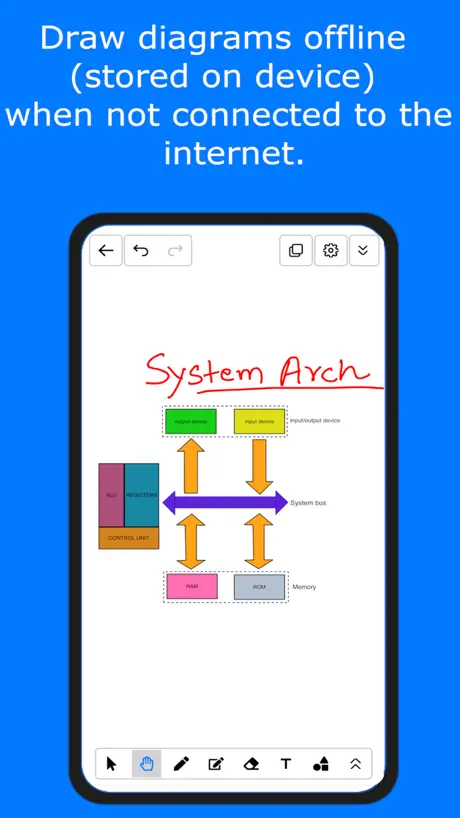
How much does Lekh: Diagram & Flowchart App cost?
Prices are current as of 17 Nov 2026.
2 subscriptions from $3.99
In the United States, Lekh: Diagram & Flowchart App has 2 subscriptions priced $3.99 – 34.99.
| Subscription | Period | Price |
|---|---|---|
| Lekh Premium for one month | Monthly | $3.99 |
| Lekh Premium for one year | Annual | $34.99 |
See what Lekh: Diagram & Flowchart App costs in all 175 countries →
10+ alternatives to Lekh: Diagram & Flowchart App
| Lekh: Diagram & Flowchart App |   Lucidchart |   ThinkSpace - Mind Map & Notes | 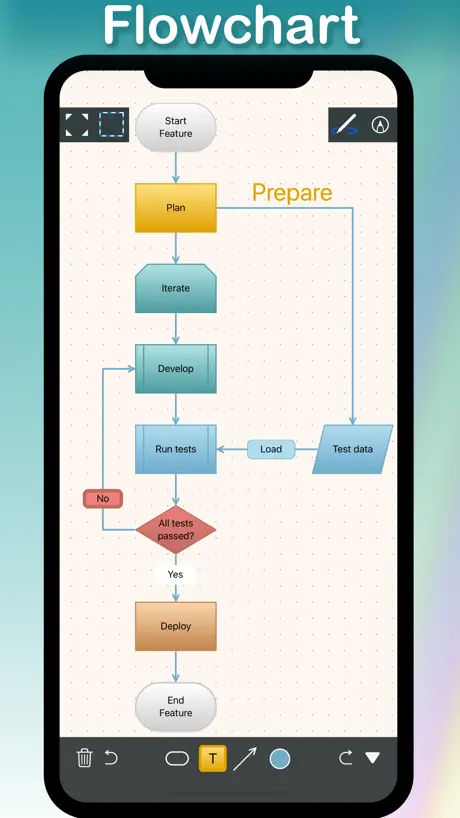  Diagrams Notepad 3 |  PureFlow |   MindFlow - Struct Flow Diagram |   Flowdia Diagrams |   Whiteboard - Draw & Write |   iPocket Draw Lite |   System Designer |   TouchDraw 2 | |
|---|---|---|---|---|---|---|---|---|---|---|---|
| Rating / 5 | 4.4 | 4.5 | 4.3 | 3.5 | 4.6 | 4.2 | 3.5 | 2.5 | 3.2 | 4.3 | 4.0 |
| Reviews | 133 | 14K | 3.8K | 593 | 544 | 396 | 349 | 135 | 132 | 62 | 54 |
| Released | 2012 | 2013 | 2018 | 2019 | 2013 | 2018 | 2017 | 2012 | 2009 | 2016 | 2020 |
| One-time price | — | — | — | $22.99 | — | $6.99 | $9.99 | — | — | — | — |
The going rate for each plan in United States, in its own currency, shaded from the cheapest price on the row to the dearest. Plans fewer than four in ten of the priced apps sell are left out.
Lekh: Diagram & Flowchart App reviews
4.4 out of 5, based on 133 reviews.
What people like
- Very easy to use for non-engineers.
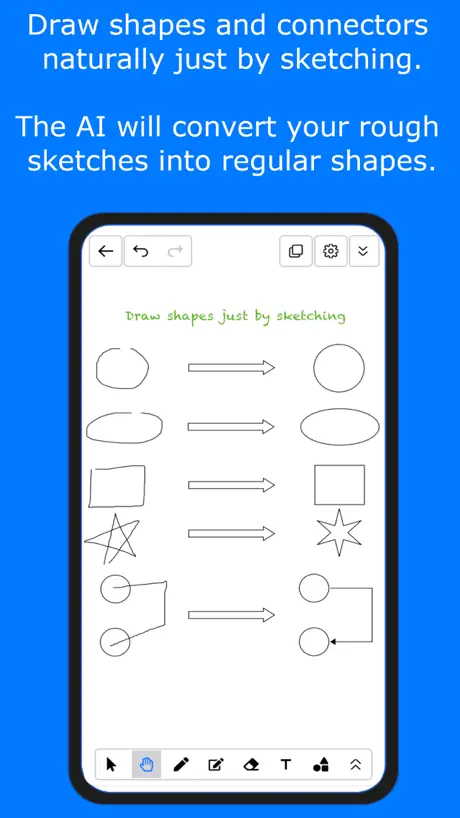
- Smartly recognizes hand-drawn shapes into diagrams.
- Simple interface with clean and beautiful design.
What they complain about
- You must pay to export your work.
- App crashes and causes you to lose data.
- Constant annoying notifications about the free trial limits.
Amazing Tool
Fantastic for designers. Can make professional sketches with the smart snap tool, and make fine adjustments to anything you’ve drawn. If is doesn’t already have a shape in the library, you can draw and save your own versions, fantastic for niche applications. The export engine is powerful, allowing you export however you need. I’ve used this to create professional sketches for patent designs, tactical images and everything in between.
Update und Funktionen werden zu bezahl Funktionen
Schon mal bezahlt—— … wer’s braucht…. Ich krieg das auf einem Blatt Papier schneller hin
Really nice, but could use some enhancements
I really like this. I’ve been looking for an app to easily create and edit schematics for off-grid solar and battery installations. I’ve been using “Graphic” which has a lot of really great features, but it doesn’t allow for dynamic connections between elements which is where Lekh really shines for me. I’d really love to see some improvements to the UI though: • Keyboard shortcut support, for undo, redo, delete, cut, copy, paste, arrow nudging of elements etc. • Better non-keyboard support of cut, copy, paste, undo redo etc. • An option to have the connection lines go all the way up to the elements they’re connecting, instead of leaving a small gap. • Option to have lines automatically make a little curved bridge when the cross would be amazing to show that the lines are crossing rather than touching (important for electrical diagram). • A way to merge items into one. Could be a layer system, or a menu command to join elements together. • A way to paste graphcis from the system clipboard, rather than having to import from photos each time. • Ability to label/annotate pasted photos/graphics in the same way that you can with the normal shapes. - the way that the “Graphic” app deals with this is really nice. / / / Overall I really like this and it does what I want, but it’s a bit clunky especially without the keyboard support. I’d be happy to pay a reasonable one off fee for this, and every now and then for major updates too. I would not be happy if you adopt a subscription model. 😕 I’d love to hear back from developers with your thoughts?
Can't recommend because of notifications
It is a great app, very intuitive and easy to use. It has a great UI and I really wish I could keep using it. But the notifications make it unbearable. All I want is an app that allows me to design some things offline and this app does that. HOWEVER, everytime you open or one of your diagrams, it will prompt you over and over that you can only create 5 diagrams offline and you need to upgrade to the online edition to get around this. Everytime I open the app or a diagram, I have to clear 5 notifications stacked on top of each other just to use it. I appreciate the notification, but could please make it so once the user dismisses it, it stays gone!!! I would love to use this app again in the future!
Not the best choice
Doesn’t support Split View on iPad, not sure if importing documents is an option but I haven’t been able to find an option for that, app can get laggy especially when erasing, too many pop ups, Quality of image importing is very poor. Also if you’re looking for a free to use app, beware that all your whiteboard will be on view only after a few weeks after the free trial ends. The unlimited space and file sorting system is nice.
Everything you need
Extremely easy to use and very good design. Arrows are easy to align, easy to create boxes and move them around, really the only app I have found that you can create good flowcharts on
日本語入力がおかしい
今日はいい天気と入力するとこんな感じ きょ今日今日h今日は今日はい今日はいい今日はいいt今日はいいて今日はいいてn今日はいいてん今日はいいてんk今日はいい天気今日はいい天気 エディターで打ってコピペするか、上記を編集すればなんとかなりますが、実用的ではありません。
Some Issues
I use this mainly to create wireframes for documentation. While on the whole it is a good application there are some annoying issues were the text gets messed up on the page. There does not seem to be any fix apart from restarting the application - I don’t seem to loose anything thankfully. So far this has worked well enough with the IPad Magic Keyboard to become a fixture in my workflow replacing an older application. Being able to arrange the pages into a directory structure would be helpful, or integration to iOS files.
Disappointed
It’s exactly design as what I desperately need.But apparently it can do better.
Quelques bugs
Concernant l’application en officine, elle est très bien faite et fonctionne à merveille, cependant les fonctions en ligne laissent un peu à désirer. En effet, plusieurs bugs sont observables, problème de modification de boite de texte dupliquées, impossibilité d’envoyer certains boards en ligne, problèmes de synchronisation des tractes intelligent permettant de lier deux éléments… je ne met que 3 étoiles à cause de ces bugs très contraignants dans le cadre de travaux collaboratif. Sinon il s’agit d’une très très bonne application.
Simplicty at its finest
It doesn’t require an engineering or math degree to figure out how to use this- which is perfect for me because I wanted to create home network and various diagrams and now can do that easily. It would be nice if they had a few more icons- but otherwise a great find! Love the syncing.
Fails at its most valuable feature
Draw a rectangle in two strokes? You get a straight line a d a curve , making a P shape. Draw circle with the tiniest bit of overlap, no circle recognition for you. You get a peach. Tedious.
Pretty decent
I would love to have a basic electrical symbol library. Like contacts, relays, switches etc. This could be another in app purchase :-)
Dropbox linking is flakey
Says it links, but can’t get file list for import. Can’t save either. App directory shows up in my Dropbox a day after I delete the app. I want to like it, but without Dropbox support it isn’t much good to me.
Keine alternative Sprache
Das Programm macht einen guten Eindruck, leider allein in Englisch.
Useful tools for mind map
Design Ingenuity,Simple and beautiful
I'm going to try and be kind
This is not a good app. It does not draw lines the way you want, you cannot place objects for text where you want. I used a stylus and still couldn't make it work. It randomly changes size and scale if you breathe wrong. You have to pay $2.99 for the privilege if exporting it. But after 3 hours if fiddling around trying to create something, I have ZERO to show for my effort. I should have just burned 3 $1.00 bills.
Does a good job
Like this very much. Relatively intuitive. I needed to draw a simple wiring diagram and I was build some custom shapes Just missing a couple of minor features - hence 4 stars 1. Ability to copy custom shapes (group) between drawings - or save them in the library. 2. Further share option to email with Gmail. I hope these things will follow.
Shows promise but needs better support
The shape recognition capability is fabulous. But the in app instructions are sadly lacking. The website and Blog are useless and the video Tutorials on YouTube have no explanation for drawing being done onscreen. Please update this app!
Great until started crashing.
Nice program, got paid version. Soon started crashing. Lost saved diagrams, hours of work. Not trustable. Otherwise would be a great app.
Amazing
Helped me with my project in a pinch. Amazing app.
kleine Mogelpackung....
Da keine Exportmöglichkeit ohne In-App kauf.
Pretty cool, but Dropbox not working
Pretty nifty app, but when I tried linking my Dropbox account to import photos from, it would continue to say "Dropbox account not linked."
Not worth
It can draw (not well) and it does shapes (not well) and you have to pay to export flowcharts. Handy if you need to make a quick one on the fly, otherwise there are much better options.
Needs more instructions
This is a cool app. It's a shame there's no "help" option though. Btw to add text double tap the screen. Couldn't figure out how to add colour or textures unfortunately.
Increase the default zoom
Simple and useful app. Please increase default zoom of a new diagram to fill entire canvas on ipad.
crap
crap
Nice app!
Good design and simple interface with many basic useful features.
Cannot print or export
This app admits export limitations - which is stretching the truth! Having built my flow chart I could not do anything with it. On principle, I expect honesty from app developers - don't advertise an app as free when in effect it is not. So app deleted... I expect I will end up paying more for an app where I don't feel misled.
iPad Proに対応願います。
iPad Proに対応願います。
Thank You
This helped me create exactly what I needed. It’s not hard to use, It works fine, it looks good. Does the job right.
Great update
The latest update to this app makes this one of my favourites. Excellent.
Love this app but......
I keep trying to give them my mobile for exporting and it will not take it! Without export it is pretty pointless for me!
Excellent for network diags
This tool is just about perfect for creating network diagrams on the fly. It would be even better if you could add in your own objects or if it had a few generic network icons in it. Very well done. Bravo!
Brilliant!
This is just what I've been looking for to sketch quick diagrams. It is very sophisticated at recognizing hand drawn shapes and gives you some easy to use options for style. It is lacking a few obvious features such as grouping of shapes and alignment. Hopefully this is coming soon in an update...? Another great idea would be to be able to take a snapshot of a whiteboard drawing and convert it to a diagram, or at least let the user draw on top of a snapshot. This tool is so quick and easy to use ill be drawing many more diagrams for my team and sharing ideas a lot more often. Worth 10x the price!
Great until ios7
Worked brilliantly until I upgraded to iOS 7. Now when I try to draw I just scroll instead.
Awesome tool
It is one of best tools. I use it frequently for work and university lectures. I actually bought the iPad just to run this application - not sure why it is marked so low - haven't seen anything better on the market.
Simple and clean. Zoom not predictable
Didn't expect much but was surprised by it's accurate shape recognition. Zooming is a bit of a pain as it doesn't behave add expected. Please zoom like a canvas not like a pivoted drawing
Well worth it
I was trying to create a simplified flow chart for a complex project presentation tomorrow. It has great txt fitting and logical controls. My only suggestion would be to add a double finger tap to toggle between selecting, panning, and drawing. I'm used to using this feature in splash top to switch between tap mousing and drag mousing. Anyway, great app, surprisingly good!
Vector drawing
Great app for vector drawing. But beware that you can't export and drawings without paying a $5 in app purchase.
Lekh: Diagram & Flowchart App price by country
A monthly subscription costs $2.40 in Nigeria and $7.82 in Colombia — 3× more for the same thing. Below is the going rate for each plan in every country that sells it — the middle price of what the app charges there, in the country's own currency with the dollar equivalent beneath it.
| Country | Monthly | Annual |
|---|---|---|
| Afghanistan | $3.99 | $34.99 |
| Albania | $4.99 | $39.99 |
| Algeria | $3.99 | $34.99 |
| Angola | $3.99 | $34.99 |
| Anguilla | $3.99 | $34.99 |
| Antigua And Barbuda | $3.99 | $34.99 |
| Argentina | $3.99 | $34.99 |
| Armenia | $4.99 | $39.99 |
| Australia | A$5.99$4.16 | A$59.99$41.66 |
| Austria | €3.99$4.48 | €39.99$44.93 |
| Azerbaijan | $3.99 | $34.99 |
| Bahamas | $3.99 | $39.99 |
| Bahrain | $3.99 | $39.99 |
| Barbados | $4.99 | $39.99 |
| Belarus | $4.99 | $39.99 |
| Belgium | €3.99$4.48 | €39.99$44.93 |
| Belize | $3.99 | $34.99 |
| Benin | $3.99 | $34.99 |
| Bermuda | $3.99 | $34.99 |
| Bhutan | $3.99 | $34.99 |
| Bolivia | $3.99 | $34.99 |
| Bosnia & Herzegovina | €3.99$4.48 | €39.99$44.93 |
| Botswana | $3.99 | $34.99 |
| Brazil | R$19.90$3.91 | R$199.90$39.27 |
| British Virgin Islands | $3.99 | $34.99 |
| Brunei Darussalam | $3.99 | $34.99 |
| Bulgaria | €4.49$5.04 | €39.99$44.93 |
| Burkina Faso | $3.99 | $34.99 |
| Cambodia | $3.99 | $39.99 |
| Cameroon | $4.99 | $39.99 |
| Canada | CA$4.99$3.54 | CA$49.99$35.45 |
| Cape Verde | $3.99 | $34.99 |
| Cayman Islands | $3.99 | $34.99 |
| Chad | $3.99 | $34.99 |
| Chile | CLP 3,990$4.06 | CLP 29,990$30.53 |
| China | CN¥28.00$4.18 | CN¥228.00$34.03 |
| Colombia | COP 24,900$7.82 | COP 199,900$62.81 |
| Congo | $3.99 | $34.99 |
| Congo, Democratic Republic | $3.99 | $34.99 |
| Costa Rica | $3.99 | $34.99 |
| Cote Divoire | $3.99 | $34.99 |
| Croatia | €3.99$4.48 | €39.99$44.93 |
| Cyprus | €3.99$4.48 | €39.99$44.93 |
| Czech Republic | CZK 99.00$4.57 | CZK 999.00$46.14 |
| Denmark | DKK 39.00$5.86 | DKK 299.00$44.96 |
| Dominica | $3.99 | $34.99 |
| Dominican Republic | $3.99 | $34.99 |
| Ecuador | $3.99 | $34.99 |
| Egypt | EGP 149.99$2.81 | EGP 1,199.99$22.45 |
| El Salvador | $3.99 | $34.99 |
| Estonia | €3.99$4.48 | €39.99$44.93 |
| Fiji | $3.99 | $34.99 |
| Finland | €3.99$4.48 | €39.99$44.93 |
| France | €3.99$4.48 | €39.99$44.93 |
| Gabon | $3.99 | $34.99 |
| Gambia | $3.99 | $34.99 |
| Georgia | $4.99 | $39.99 |
| Germany | €3.99$4.48 | €39.99$44.93 |
| Ghana | $4.99 | $39.99 |
| Greece | €3.99$4.48 | €39.99$44.93 |
| Grenada | $3.99 | $34.99 |
| Guatemala | $3.99 | $34.99 |
| Guinea-bissau | $3.99 | $34.99 |
| Guyana | $3.99 | $34.99 |
| Honduras | $3.99 | $34.99 |
| Hong Kong | HK$32.00$4.08 | HK$288.00$36.69 |
| Hungary | HUF 1,790$5.54 | HUF 14,990$46.39 |
| Iceland | $4.99 | $39.99 |
| India | ₹399.00$4.20 | ₹3,499.00$36.80 |
| Indonesia | IDR 69,000$3.83 | IDR 599,000$33.25 |
| Iraq | $3.99 | $34.99 |
| Ireland | €3.99$4.48 | €39.99$44.93 |
| Israel | ₪14.90$4.81 | ₪119.90$38.68 |
| Italy | €3.99$4.48 | €39.99$44.93 |
| Jamaica | $3.99 | $34.99 |
| Japan | ¥600$3.80 | ¥5,000$31.65 |
| Jordan | $3.99 | $34.99 |
| Kazakhstan | KZT 1,990.00$4.40 | KZT 17,990.00$39.78 |
| Kenya | $4.99 | $39.99 |
| Kosovo | €3.99$4.48 | €39.99$44.93 |
| Kuwait | $3.99 | $34.99 |
| Kyrgyzstan | $3.99 | $39.99 |
| Lao Peoples Democratic Republic | $3.99 | $34.99 |
| Latvia | €3.99$4.48 | €39.99$44.93 |
| Lebanon | $3.99 | $34.99 |
| Liberia | $3.99 | $34.99 |
| Libya | $3.99 | $34.99 |
| Lithuania | €3.99$4.48 | €39.99$44.93 |
| Luxembourg | €3.99$4.48 | €39.99$44.93 |
| Macao | $3.99 | $34.99 |
| Macedonia | $3.99 | $34.99 |
| Madagascar | $3.99 | $34.99 |
| Malawi | $3.99 | $34.99 |
| Malaysia | MYR 19.90$4.88 | MYR 149.90$36.74 |
| Maldives | $3.99 | $34.99 |
| Mali | $3.99 | $34.99 |
| Malta | €3.99$4.48 | €39.99$44.93 |
| Mauritania | $3.99 | $34.99 |
| Mauritius | $3.99 | $34.99 |
| Mexico | MX$89.00$4.82 | MX$799.00$43.26 |
| Micronesia | $3.99 | $34.99 |
| Moldova | $4.99 | $39.99 |
| Mongolia | $3.99 | $34.99 |
| Montenegro | €3.99$4.48 | €29.99$33.70 |
| Montserrat | $3.99 | $34.99 |
| Morocco | $3.99 | $34.99 |
| Mozambique | $3.99 | $34.99 |
| Myanmar | $3.99 | $34.99 |
| Namibia | $3.99 | $34.99 |
| Nauru | $3.99 | $34.99 |
| Nepal | $3.99 | $34.99 |
| Netherlands | €3.99$4.48 | €39.99$44.93 |
| New Zealand | NZ$6.99$3.95 | NZ$59.99$33.89 |
| Nicaragua | $3.99 | $34.99 |
| Niger | $3.99 | $34.99 |
| Nigeria | NGN 3,200.00$2.40 | NGN 29,900.00$22.44 |
| Norway | NOK 49.00$5.19 | NOK 449.00$47.56 |
| Oman | $3.99 | $34.99 |
| Pakistan | PKR 1,100$3.97 | PKR 9,900$35.74 |
| Palau | $3.99 | $34.99 |
| Panama | $3.99 | $34.99 |
| Papua New Guinea | $3.99 | $34.99 |
| Paraguay | $3.99 | $34.99 |
| Peru | PEN 14.90$4.33 | PEN 129.90$37.76 |
| Philippines | ₱199.00$3.16 | ₱1,990.00$31.57 |
| Poland | PLN 19.99$5.14 | PLN 199.99$51.41 |
| Portugal | €3.99$4.48 | €39.99$44.93 |
| Qatar | QAR 14.99$4.12 | QAR 129.99$35.71 |
| Romania | RON 19.99$4.22 | RON 199.99$42.19 |
| Russia | RUB 349.00$4.17 | RUB 2,990.00$35.71 |
| Rwanda | $3.99 | $34.99 |
| Sao Tome & Principe | $3.99 | $34.99 |
| Saudi Arabia | SAR 17.99$4.80 | SAR 149.99$40.00 |
| Senegal | $3.99 | $34.99 |
| Serbia | €3.99$4.48 | €39.99$44.93 |
| Seychelles | $3.99 | $34.99 |
| Sierra Leone | $3.99 | $34.99 |
| Singapore | SGD 5.98$4.67 | SGD 49.98$39.05 |
| Slovakia | €3.99$4.48 | €39.99$44.93 |
| Slovenia | €3.99$4.48 | €39.99$44.93 |
| Solomon Islands | $3.99 | $34.99 |
| South Africa | ZAR 79.99$4.86 | ZAR 699.99$42.50 |
| South Korea | ₩5,500$4.12 | ₩49,000$36.71 |
| Spain | €3.99$4.48 | €39.99$44.93 |
| Sri Lanka | $3.99 | $34.99 |
| St. Kitts and Nevis | $3.99 | $34.99 |
| St. Lucia | $3.99 | $34.99 |
| St. Vincent & The Grenadines | $3.99 | $34.99 |
| Suriname | $3.99 | $34.99 |
| Swaziland | $3.99 | $34.99 |
| Sweden | SEK 49.00$4.94 | SEK 499.00$50.35 |
| Switzerland | CHF 4.00$4.85 | CHF 35.00$42.42 |
| Taiwan | NT$120.00$3.70 | NT$1,190.00$36.68 |
| Tajikistan | $4.99 | $39.99 |
| Tanzania | TZS 11,900.00$4.52 | TZS 99,900.00$37.96 |
| Thailand | THB 149.00$4.46 | THB 1,290.00$38.59 |
| Tonga | $3.99 | $34.99 |
| Trinidad and Tobago | $3.99 | $34.99 |
| Tunisia | $3.99 | $34.99 |
| Turkey | TRY 129.99$2.62 | TRY 999.99$20.19 |
| Turkmenistan | $3.99 | $34.99 |
| Turks and Caicos | $3.99 | $34.99 |
| Uganda | $4.99 | $39.99 |
| Ukraine | $4.99 | $39.99 |
| United Arab Emirates | AED 14.99$4.08 | AED 129.99$35.42 |
| United Kingdom | £3.99$5.31 | £34.99$46.59 |
| United States | $3.99 | $34.99 |
| Uruguay | $3.99 | $34.99 |
| Uzbekistan | $3.99 | $39.99 |
| Vanuatu | $3.99 | $34.99 |
| Venezuela | $3.99 | $34.99 |
| Vietnam | ₫99,000$3.83 | ₫999,000$38.63 |
| Yemen | $3.99 | $34.99 |
| Zambia | $3.99 | $34.99 |
| Zimbabwe | $4.99 | $39.99 |
Lekh: Diagram & Flowchart App FAQ
- Is Lekh: Diagram & Flowchart App free?
- Yes. The app and its basic features are free, in all 175 countries it sells in. Premium features are paid: they start from $3.99 (US), across 2 subscriptions.
- How much does Lekh: Diagram & Flowchart App cost per month?
- Lekh Premium for one month is $3.99 (US). The annual plan works out cheaper per month: $34.99 a year.
- Does Lekh: Diagram & Flowchart App have a free trial?
- No. None of its offers (US) come with a free trial.
- Where is Lekh: Diagram & Flowchart App cheapest?
- A monthly subscription costs NGN 3,200.00 (≈$2.40) in Nigeria and COP 24,900 (≈$7.82) in Colombia, its cheapest and dearest countries.
- What are the best alternatives to Lekh: Diagram & Flowchart App?
- Lucidchart (4.5 from 14,358 reviews), ThinkSpace - Mind Map & Notes (4.3 from 3,779 reviews, premium from $2.99) and Diagrams Notepad 3 (3.5 from 593 reviews, premium from $22.99).
Lekh: Diagram & Flowchart App download
Last updated 13 days ago.
Lekh: Diagram & Flowchart App sells in 175 countries. It was released 13 years and 11 months ago, on 27 Nov 2012. It holds a 4.4 rating from 133 reviews.
Supports 1 language: English.
How much does Lekh: Diagram & Flowchart App make?
Third-party estimates for the last 30 days, worldwide — not the store's own figures, which Apple publishes for nobody.
Revenue by plan
- Monthly 78%
- Annual 22%
Revenue by country
- United States 18%
- Germany 13%
- United Kingdom 7%
- France 6%