
Diagrams Notepad 3
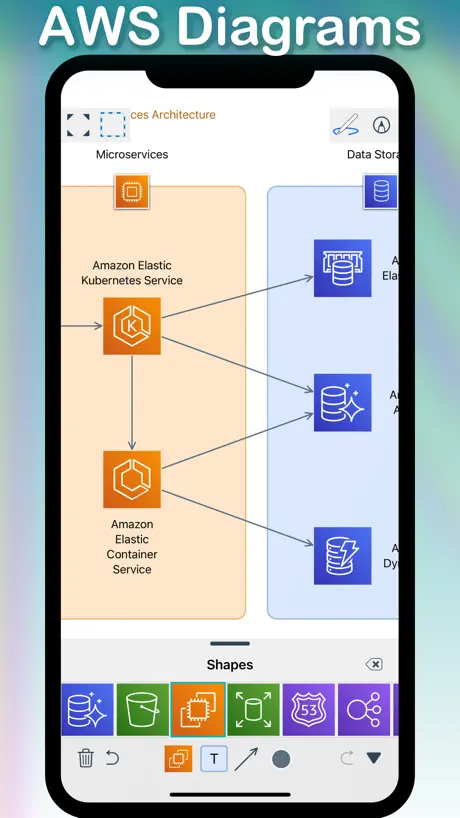
Diagram - Flowchart - Mind Map
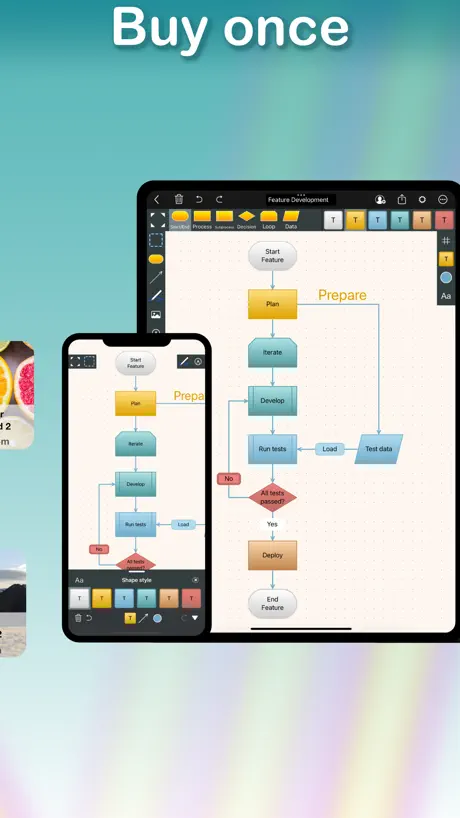
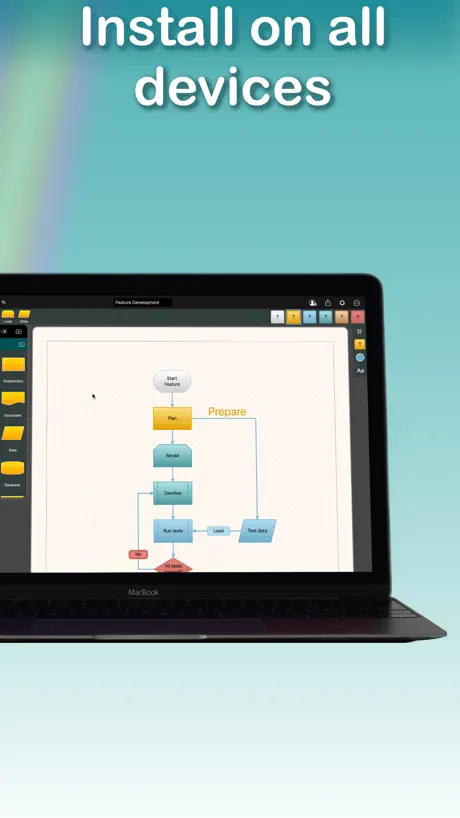
How much does Diagrams Notepad 3 cost?
Prices are current as of 7 Oct 2026.
1 one-time purchase from $22.99
In the United States, Diagrams Notepad 3 has 1 one-time purchase priced $22.99.
| Product | Price |
|---|---|
| Unlimited number of diagrams | $22.99 |
10+ alternatives to Diagrams Notepad 3
| Diagrams Notepad 3 | 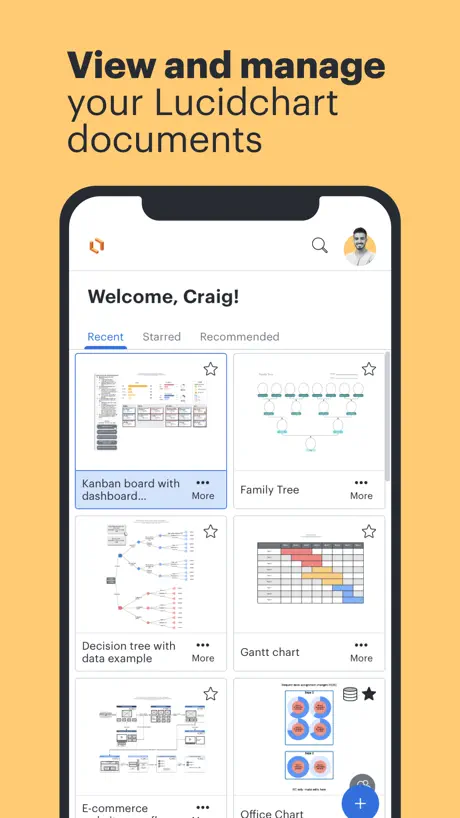  Lucidchart Lucidchart |   SimpleMind - Mind Mapping SimpleMind - Mind Mapping | 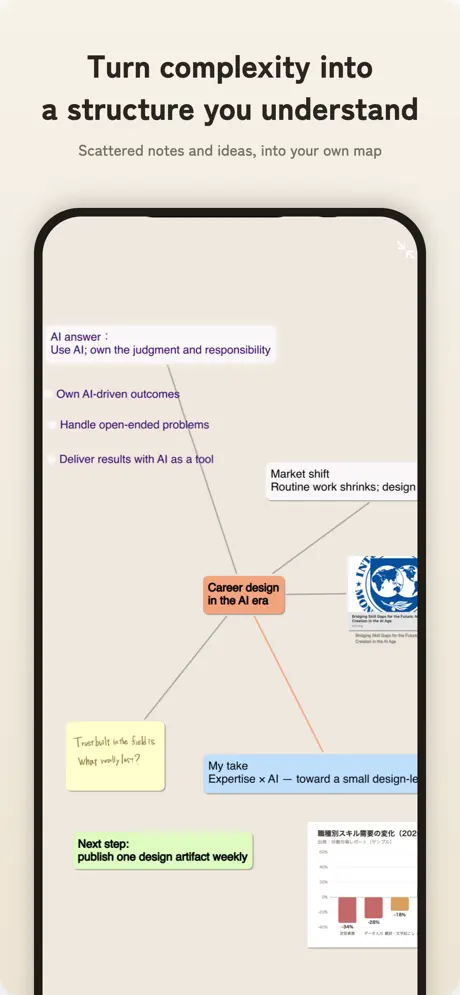  ThinkSpace - Mind Map & Notes ThinkSpace - Mind Map & Notes |   miMind - Mind Map, Brainstorm miMind - Mind Map, Brainstorm |   Mind Mapping Mind Mapping |  PureFlow PureFlow |   MindFlow - Struct Flow Diagram MindFlow - Struct Flow Diagram |   Flowdia Diagrams Flowdia Diagrams |   Lekh: whiteboard & diagramming Lekh: whiteboard & diagramming |   System Designer System Designer | |
|---|---|---|---|---|---|---|---|---|---|---|---|
| Rating / 5 | 3.5 | 4.5 | 4.3 | 4.3 | 4.8 | 4.5 | 4.6 | 4.2 | 3.5 | 4.4 | 4.3 |
| Reviews | 592 | 14K | 9.7K | 3.8K | 2.9K | 740 | 550 | 395 | 346 | 133 | 61 |
| Released | 2019 | 2013 | 2009 | 2018 | 2018 | 2022 | 2013 | 2018 | 2017 | 2012 | 2016 |
| Monthly price | — | — | — | $2.99 | $14.99 | — | — | — | — | — | — |
| Annual price | — | — | — | $29.99 | $149.99 | — | — | — | — | — | — |
| One-time price | $22.99 | — | $10.99 | — | $5.99 | — | — | — | — | — | — |
The going rate for each plan in United States, in its own currency, shaded from the cheapest price on the row to the dearest.
Diagrams Notepad 3 reviews
3.5 out of 5, based on 592 reviews.
What people like
- No subscription required for full access
- Very easy to learn and use
- Developer is responsive and helpful
What they complain about
- Free version limits you to just three shapes
- App crashes or loses data unexpectedly
- Interface feels buggy and unintuitive
Great App, Great Value
This exceeded my expectations to the extent I'm prompted to leave a review. Not only does it work well, it's value for money (no subscription), and is well supported by the developer.
Need a trial period
Before I commit to purchasing, I need a trial period to see if it will work for me. Drawing three boxes before and forcing a purchase is just not a sufficient trial. Too bad, because you might've had a sale.
Surprisingly simple and functional!
I searched high and low for a native Mac app to draw some network diagrams to help me organize and plan my sprawling home LAN - that did cost a ridiculous amount for a home user. I was up and running with Diagrams Notepad in minutes. The interface is simple to learn and provides everything necessary for my needs.
Hard to use
This app is not for me, too hard to use and moved to a more simple app that does the trick for me.
Great app that needs some fixes
I'm a college student who uses the app, but the frustrating thing about the app is that everything is arranged manually. Hopefully there will be an option for automatic arrangement or arrangement between automatic and manual, so that it can be done as I want, or it can be arranged alternatively without manual influence. Also, making the application available on Windows to transfer some publications directly from Windows to the application. The application is very excellent. It only lacks some technical issues, but it would be complete if work was done to fix them
Workflow & Org Chart
Easy, simple, effective!
Last update is buggy and annoying
Ovrall I loved this app, but is seems to be very buggy and annoying with the latest update. When we try to edit our workflows the app adds shapes to existing images when there were not any shapes. Also trying to edit text seems to be worse now with the latest update. Also the app crashed when trying to rename a project. Please help
einfach, simpel, übersichtlich
Im Grunde gut und schön einfach. Eine Sache fehlt mir aber. Die Möglichkeit eines Textfeldes. Sodass man eine detaillierte Beschreibung einfügen kann.
Naja.
Also. Wenn man schnell mal eben etwas erstellen möchte, ist es beim ersten Mal merkwürdig, weil die Objekte anders gepackt werden mit Maus. Auch die Ebene richtig ausrichtet (Landscape, Portrait) findet man anderswo, wo man nicht mit rechnet. Wie man Texte einfügt, freie Texte,kann ich nirgends finden. Ist alles Andere als "intuitiv" an manchen Stellen. Testversion ist sehr begrenzt auf 5 Objekte oder so, dann meckert es und will 22.99€ haben für die Vollversion. Kann die dann Texte einfügen?
Leider
Ja, wie schon jemand angemerkt hat. Wirklich schönes Tool. Aber ohne eine Textbox für mich uninteressant, bzw. nicht brauchbar. Wenn die nachgeliefert wird, spendiere ich die restlichen 2 Sterne.
Just What I've been looking for
No other app like this on the market
Great concept but full of bugs.
When first installed the app. It worked great. I was able to generate a high quality figure using it. But soon later, it stopped working. Not reliable software maintainance.
Resize font
Can I edit font style and resize font ? Please add this function. I really need it because the font is so small can’t read it properly when It on presentation. Thank you
Drawing shapes with Apple Pencil doesn’t work
I bought the app mainly for the possibility of hand drawing shapes with the Apple Pencil and transform it to perfect shapes, but that very feature doesn’t work. There is no description of that feature in de manual either. Placing shapes without pencil works perfect. The diagrams look great. The app works on my iPad and the MacBook.
Verschieben
Wie kann man hier ein erstelltes Diagramm weiter hoch auf die Seite verschieben, ohne dass man jedes einzelne Kästchen verschieben muss.ich würde gerne meine gesamte bisher gestartete Flow Chart an den Seitenanfang hoch schieben .
ان
تطبيق رائع جدا ماشاء الله 👏🏻
Bugged out trash, don’t waste money.
You will do nothing remotely productive with this app but fight bugs the developer was too lazy to fix.
Great App with One Big Annoyance
Overall, this is a really great app for making flowcharts. Would love to have Rich Text available. There is one big annoyance, and that’s when I tap off the screen (after editing a shape/text/whatever), it always adds a new shape to the chart that I have to undo or delete. Instead, it should be a double click to add a shape to the chart.
Teuer
Die kurze Zeit, in der ich die App genutzt hab, hat’s zumindest gut geklappt. Aber 20 Euro dafür mehr als eine Handvoll Formen einzufügen? Puhhh. Und das wobei es gute, kostenlose, einschränkungsfreie Alternativen gibt, die sich auf allen Plattformen gut bedienen lassen. Da nutz ich doch lieber diese weiter
Not enough to try out
This looked like it was going to work for me but before I could even make a 4th bubble on a flow chart it wanted $8.99. Which by the way I might have bought the full version if I had enough of a trial to see if it would do all I need it to do.
جميل
جدا
Love this app for the most part
It can be a bit buggy. The angle connecting tool can be tricky if you want to create family history pedigree charts. Using the straight line tool and deciding to love using angular connections instead, has made this app much more enjoyable for me. Also if I export to pages pdf so that I can print, I need to make sure other applications are closed, or it will not print correctly. Other than that, I love the simplicity and the ability to print across several pages and to see charts that cover lots of area. But I have to get another software, because I cannot get it to work properly.
Data losses
This app does not save yet project data while working. My iPad pro got updated OS in the night and in the morning I found I lost all the results of my yesterday planning. It's a big problem for me.
Free version to limited
In the first diagram you will get a pop-up to buy the complete version after a few objects. Therefor the free version is not very usable
für den Preis leider zu wenig
Wenn es Möglich wird über eine Desktop App seine Diagramme zu bearbeiten und sie über googledrive/iCloud wirklich zu teilen dann gibts 5 Sterne, bis jetzt leider zu wenig was hier geboten wird Verbesserungsvorschlag: Life updates bei cloudanbietern (evtl pdf geupdated automatisch hochladen, wenn bereits eine vorige Version dort hochgeladen wurde) Unbedingt anpassen dass der Titel nicht „diagrams“ ist sondern der Titel, den man dem diagram bereits gegeben hat! Update: es ist mir gerade nicht mehr möglich den Titel der Prozesse zu ändern
مره حلو
جداً جميل التطبيق 💝
Greed
You only get literally 3 bubbles before the app attempts to charge you 15 bucks for what is essentially a cheap google knockoff
Very nice but can be a bit better
I like the app, but I would like to get more words in the boxes. It would be nice if the texts size adjusts to the box.
Expensive
Seems well built app but deceivingly expensive, they give you 3 blocks to play with and then ask for £10, not much you can do for free at all. Shame
Schnelle Darstellung möglich
Zusatz: - Anordnungsmaske - diverse Formstile
Nice app
Thanks so much!
The Same as Version 2
Why is this a new app with a new cost? What is the improvement over version 2? I have them both installed at the moment and see no difference, except perhaps a new in app purchase...
Flowchart easy to use
It easy to use and jas a good look and feel
Free version too limited to justify high price
Wanted to like this but the limitations on the free version cut in too soon before being asked to pay £8.99. Can't make the leap! It hasn't proven itself to me yet.
Soweit schon mal gut
Bitte unbedingt diesen Ständigen Popup dass man keine Internet Verbindung hat entfernen. Ich werd noch verrückt. ^^'
👍👍
👋👋😘
Not worth it
You only have 3 text bubbles till it try’s to charge you 13$!!!! If you want to make a diagram so bad, just download google drive and make one on a google draw 👍
I love it but
I love this application, I think is very useful and enabling me to build very fast diagrams from scratch. but I can be more fast with a couple of basic feature that all the other competitors have as: Multiple selection with a lazo or a square selection. Copy and paste and cutting features. I hope there will be future improvements, because the usability is very great compared with other applications. Br
Verbinder
Die Verbinder lassen sich nicht einzel / unabhängig einfügen
Good
Simple pro free ❤️😍
👎🏻
It's bad app . Isn't free
Great App!
Great app and as a really good potential to be even greater! One thing I wish to see, is the lasso tool always accessible.
IT IS NOT FREE
its not free
Diagrams Notepad 3 price by country
A one-time purchase costs $21.25 in Pakistan and $32.25 in Norway — 1.5× more for the same thing. Below is the going rate for each plan in every country that sells it — the middle price of what the app charges there, in the country's own currency with the dollar equivalent beneath it.
| Country | One-time |
|---|---|
| Afghanistan | $22.99 |
| Albania | $29.99 |
| Algeria | $22.99 |
| Angola | $22.99 |
| Anguilla | $22.99 |
| Antigua And Barbuda | $22.99 |
| Argentina | $22.99 |
| Armenia | $29.99 |
| Australia | A$39.99$28.77 |
| Austria | €24.99$29.02 |
| Azerbaijan | $29.99 |
| Bahamas | $24.99 |
| Bahrain | $24.99 |
| Barbados | $29.99 |
| Belarus | $29.99 |
| Belgium | €24.99$29.02 |
| Belize | $22.99 |
| Benin | $29.99 |
| Bermuda | $22.99 |
| Bhutan | $22.99 |
| Bolivia | $22.99 |
| Bosnia & Herzegovina | €24.99$29.02 |
| Botswana | $22.99 |
| Brazil | R$149.90$29.33 |
| British Virgin Islands | $22.99 |
| Brunei Darussalam | $22.99 |
| Bulgaria | €24.99$29.02 |
| Burkina Faso | $22.99 |
| Cambodia | $24.99 |
| Cameroon | $29.99 |
| Canada | CA$29.99$21.73 |
| Cape Verde | $22.99 |
| Cayman Islands | $22.99 |
| Chad | $22.99 |
| Chile | CLP 24,990$26.94 |
| China | CN¥168.00$24.96 |
| Colombia | COP 99,900$32.15 |
| Congo | $22.99 |
| Congo, Democratic Republic | $22.99 |
| Costa Rica | $22.99 |
| Cote Divoire | $29.99 |
| Croatia | €24.99$29.02 |
| Cyprus | €24.99$29.02 |
| Czech Republic | CZK 599.00$28.70 |
| Denmark | DKK 199.00$30.95 |
| Dominica | $22.99 |
| Dominican Republic | $22.99 |
| Ecuador | $22.99 |
| Egypt | EGP 1,199.99$23.37 |
| El Salvador | $22.99 |
| Estonia | €24.99$29.02 |
| Fiji | $22.99 |
| Finland | €24.99$29.02 |
| France | €24.99$29.02 |
| Gabon | $22.99 |
| Gambia | $22.99 |
| Georgia | $29.99 |
| Germany | €24.99$29.02 |
| Ghana | $29.99 |
| Greece | €24.99$29.02 |
| Grenada | $22.99 |
| Guatemala | $22.99 |
| Guinea-bissau | $22.99 |
| Guyana | $22.99 |
| Honduras | $22.99 |
| Hong Kong | HK$188.00$23.98 |
| Hungary | HUF 9,990$31.82 |
| Iceland | $29.99 |
| India | ₹2,299.00$24.07 |
| Indonesia | IDR 399,000$22.72 |
| Iraq | $22.99 |
| Ireland | €24.99$29.02 |
| Israel | ₪79.90$26.28 |
| Italy | €24.99$29.02 |
| Jamaica | $22.99 |
| Japan | ¥3,500$22.69 |
| Jordan | $22.99 |
| Kazakhstan | KZT 12,990.00$28.88 |
| Kenya | $29.99 |
| Kosovo | €24.99$29.02 |
| Kuwait | $22.99 |
| Kyrgyzstan | $24.99 |
| Lao Peoples Democratic Republic | $24.99 |
| Latvia | €24.99$29.02 |
| Lebanon | $22.99 |
| Liberia | $22.99 |
| Libya | $22.99 |
| Lithuania | €24.99$29.02 |
| Luxembourg | €24.99$29.02 |
| Macao | $22.99 |
| Macedonia | $22.99 |
| Madagascar | $22.99 |
| Malawi | $22.99 |
| Malaysia | MYR 99.90$24.55 |
| Maldives | $22.99 |
| Mali | $22.99 |
| Malta | €24.99$29.02 |
| Mauritania | $22.99 |
| Mauritius | $29.99 |
| Mexico | MX$499.00$29.40 |
| Micronesia | $22.99 |
| Moldova | $29.99 |
| Mongolia | $22.99 |
| Montenegro | €19.99$23.22 |
| Montserrat | $22.99 |
| Morocco | $22.99 |
| Mozambique | $22.99 |
| Myanmar | $22.99 |
| Namibia | $22.99 |
| Nauru | $22.99 |
| Nepal | $29.99 |
| Netherlands | €24.99$29.02 |
| New Zealand | NZ$39.99$23.25 |
| Nicaragua | $22.99 |
| Niger | $22.99 |
| Nigeria | NGN 39,900.00$30.09 |
| Norway | NOK 299.00$32.25 |
| Oman | $22.99 |
| Pakistan | PKR 5,900$21.25 |
| Palau | $22.99 |
| Panama | $22.99 |
| Papua New Guinea | $22.99 |
| Paraguay | $22.99 |
| Peru | PEN 99.90$29.73 |
| Philippines | ₱1,490.00$23.78 |
| Poland | PLN 99.99$26.88 |
| Portugal | €24.99$29.02 |
| Qatar | QAR 79.99$21.98 |
| Romania | RON 119.99$26.55 |
| Russia | RUB 1,990.00$23.59 |
| Rwanda | $22.99 |
| Sao Tome & Principe | $22.99 |
| Saudi Arabia | SAR 99.99$26.66 |
| Senegal | $29.99 |
| Serbia | €24.99$29.02 |
| Seychelles | $22.99 |
| Sierra Leone | $22.99 |
| Singapore | SGD 34.98$27.54 |
| Slovakia | €24.99$29.02 |
| Slovenia | €24.99$29.02 |
| Solomon Islands | $22.99 |
| South Africa | ZAR 499.99$30.88 |
| South Korea | ₩39,000$28.99 |
| Spain | €24.99$29.02 |
| Sri Lanka | $22.99 |
| St. Kitts and Nevis | $22.99 |
| St. Lucia | $22.99 |
| St. Vincent & The Grenadines | $22.99 |
| Suriname | $24.99 |
| Swaziland | $22.99 |
| Sweden | SEK 299.00$30.92 |
| Switzerland | CHF 20.00$24.63 |
| Taiwan | NT$790.00$25.00 |
| Tajikistan | $24.99 |
| Tanzania | TZS 69,900.00$26.44 |
| Thailand | THB 799.00$24.21 |
| Tonga | $22.99 |
| Trinidad and Tobago | $22.99 |
| Tunisia | $22.99 |
| Turkey | TRY 1,199.99$24.71 |
| Turkmenistan | $22.99 |
| Turks and Caicos | $22.99 |
| Uganda | $29.99 |
| Ukraine | $29.99 |
| United Arab Emirates | AED 89.99$24.52 |
| United Kingdom | £22.99$31.07 |
| United States | $22.99 |
| Uruguay | $22.99 |
| Uzbekistan | $24.99 |
| Vanuatu | $22.99 |
| Venezuela | $22.99 |
| Vietnam | ₫699,000$27.01 |
| Yemen | $22.99 |
| Zambia | $29.99 |
| Zimbabwe | $29.99 |
Diagrams Notepad 3 FAQ
- Is Diagrams Notepad 3 free?
- Yes. The app and its basic features are free, in all 175 countries it sells in. Premium features are paid: they start from $22.99 (US), across 1 one-time purchase.
- Does Diagrams Notepad 3 have a free trial?
- No. None of its offers (US) come with a free trial.
- Where is Diagrams Notepad 3 cheapest?
- A one-time purchase costs PKR 5,900 (≈$21.25) in Pakistan and NOK 299.00 (≈$32.25) in Norway, its cheapest and dearest countries.
- What are the best alternatives to Diagrams Notepad 3?
- Lucidchart (4.5 from 14,356 reviews), SimpleMind - Mind Mapping (4.3 from 9,735 reviews, premium from $10.99) and ThinkSpace - Mind Map & Notes (4.3 from 3,765 reviews, premium from $2.99).
Diagrams Notepad 3 download
Last updated 1 year ago.
Diagrams Notepad 3 sells in 175 countries. It was released 7 years and 2 months ago, on 1 Aug 2019. It holds a 3.5 rating from 592 reviews.
Supports 3 languages: English, German, Polish.
How much does Diagrams Notepad 3 make?
Third-party estimates for the last 30 days, worldwide — not the store's own figures, which Apple publishes for nobody.
Revenue by plan
- One-time 100%
Revenue by country
- Saudi Arabia 33%
- Germany 20%
- United States 12%
- Switzerland 4%