
Massive Dev Chart Timer
Film Developing Tool
How much does Massive Dev Chart Timer cost?
Prices are current as of 7 Nov 2026.
Massive Dev Chart Timer has no in-app products on record in the United States.
Massive Dev Chart Timer download price by country
| Country | Price |
|---|---|
| United States | $9.99 |
| Germany | €9.99 |
| United Kingdom | £9.99 |
| France | €9.99 |
| Canada | CA$12.99 |
| Australia | A$14.99 |
| China | CN¥68.00 |
| Czech Republic | CZK 249.00 |
| Japan | ¥1,500 |
| Italy | €9.99 |
| Spain | €9.99 |
| Norway | NOK 129.00 |
| Russia | RUB 899.00 |
| Sweden | SEK 129.00 |
| Belgium | €9.99 |
| Switzerland | CHF 9.00 |
| Denmark | DKK 89.00 |
| Netherlands | €9.99 |
| Poland | PLN 49.99 |
| Portugal | €9.99 |
| Austria | €9.99 |
| Brazil | R$59.90 |
| Ireland | €9.99 |
| Mexico | MX$199.00 |
| Taiwan | NT$320.00 |
| Hungary | HUF 4,490 |
| India | ₹999.00 |
| South Korea | ₩17,000 |
| Malaysia | MYR 49.90 |
| New Zealand | NZ$19.99 |
| Ukraine | $11.99 |
| Argentina | $9.99 |
| Chile | CLP 9,990 |
| Finland | €9.99 |
| Greece | €9.99 |
| Hong Kong | HK$88.00 |
| Croatia | €9.99 |
| Indonesia | IDR 199,000 |
| Lithuania | €9.99 |
| Macao | $9.99 |
| Romania | RON 49.99 |
| Thailand | THB 399.00 |
| Turkey | TRY 499.99 |
| United Arab Emirates | AED 39.99 |
| Afghanistan | $9.99 |
| Antigua And Barbuda | $9.99 |
| Anguilla | $9.99 |
| Albania | $11.99 |
| Armenia | $11.99 |
| Angola | $9.99 |
| Azerbaijan | $11.99 |
| Bosnia & Herzegovina | €9.99 |
| Barbados | $11.99 |
| Burkina Faso | $9.99 |
| Bulgaria | €9.99 |
| Bahrain | $9.99 |
| Benin | $11.99 |
| Bermuda | $9.99 |
| Brunei Darussalam | $9.99 |
| Bolivia | $9.99 |
| Bahamas | $9.99 |
| Bhutan | $9.99 |
| Botswana | $9.99 |
| Belarus | $11.99 |
| Belize | $9.99 |
| Congo, Democratic Republic | $9.99 |
| Congo | $11.99 |
| Cote Divoire | $11.99 |
| Cameroon | $11.99 |
| Colombia | COP 49,900 |
| Costa Rica | $9.99 |
| Cape Verde | $9.99 |
| Cyprus | €9.99 |
| Dominica | $9.99 |
| Dominican Republic | $9.99 |
| Algeria | $9.99 |
| Ecuador | $9.99 |
| Estonia | €9.99 |
| Egypt | EGP 499.99 |
| Fiji | $9.99 |
| Micronesia | $9.99 |
| Gabon | $9.99 |
| Grenada | $9.99 |
| Georgia | $11.99 |
| Ghana | $11.99 |
| Gambia | $9.99 |
| Guatemala | $9.99 |
| Guinea-bissau | $9.99 |
| Guyana | $9.99 |
| Honduras | $9.99 |
| Israel | ₪29.90 |
| Iraq | $9.99 |
| Iceland | $11.99 |
| Jamaica | $9.99 |
| Jordan | $9.99 |
| Kenya | $11.99 |
| Kyrgyzstan | $9.99 |
| Cambodia | $9.99 |
| St. Kitts and Nevis | $9.99 |
| Kuwait | $9.99 |
| Cayman Islands | $9.99 |
| Kazakhstan | KZT 5,990.00 |
| Lao Peoples Democratic Republic | $9.99 |
| Lebanon | $9.99 |
| St. Lucia | $9.99 |
| Sri Lanka | $9.99 |
| Liberia | $9.99 |
| Luxembourg | €9.99 |
| Latvia | €9.99 |
| Libya | $9.99 |
| Morocco | $11.99 |
| Moldova | $11.99 |
| Montenegro | €9.99 |
| Madagascar | $9.99 |
| Macedonia | $9.99 |
| Mali | $9.99 |
| Myanmar | $9.99 |
| Mongolia | $9.99 |
| Mauritania | $9.99 |
| Montserrat | $9.99 |
| Malta | €9.99 |
| Mauritius | $11.99 |
| Maldives | $9.99 |
| Malawi | $9.99 |
| Mozambique | $9.99 |
| Namibia | $9.99 |
| Niger | $9.99 |
| Nigeria | NGN 14,900.00 |
| Nicaragua | $9.99 |
| Nepal | $11.99 |
| Nauru | $9.99 |
| Oman | $9.99 |
| Panama | $9.99 |
| Peru | PEN 44.90 |
| Papua New Guinea | $9.99 |
| Philippines | ₱599.00 |
| Pakistan | PKR 2,900 |
| Palau | $9.99 |
| Paraguay | $9.99 |
| Qatar | QAR 39.99 |
| Serbia | €9.99 |
| Rwanda | $9.99 |
| Saudi Arabia | SAR 39.99 |
| Solomon Islands | $9.99 |
| Seychelles | $9.99 |
| Singapore | SGD 14.98 |
| Slovenia | €9.99 |
| Slovakia | €9.99 |
| Sierra Leone | $9.99 |
| Senegal | $11.99 |
| Suriname | $9.99 |
| Sao Tome & Principe | $9.99 |
| El Salvador | $9.99 |
| Swaziland | $9.99 |
| Turks and Caicos | $9.99 |
| Chad | $9.99 |
| Tajikistan | $9.99 |
| Turkmenistan | $9.99 |
| Tunisia | $9.99 |
| Tonga | $9.99 |
| Trinidad and Tobago | $9.99 |
| Tanzania | TZS 29,900.00 |
| Uganda | $11.99 |
| Uruguay | $9.99 |
| Uzbekistan | $9.99 |
| St. Vincent & The Grenadines | $9.99 |
| Venezuela | $9.99 |
| British Virgin Islands | $9.99 |
| Vietnam | ₫299,000 |
| Vanuatu | $9.99 |
| Kosovo | €9.99 |
| Yemen | $9.99 |
| South Africa | ZAR 199.99 |
| Zambia | $11.99 |
| Zimbabwe | $11.99 |
10+ alternatives to Massive Dev Chart Timer
| Massive Dev Chart Timer |   Pocket Light Meter | 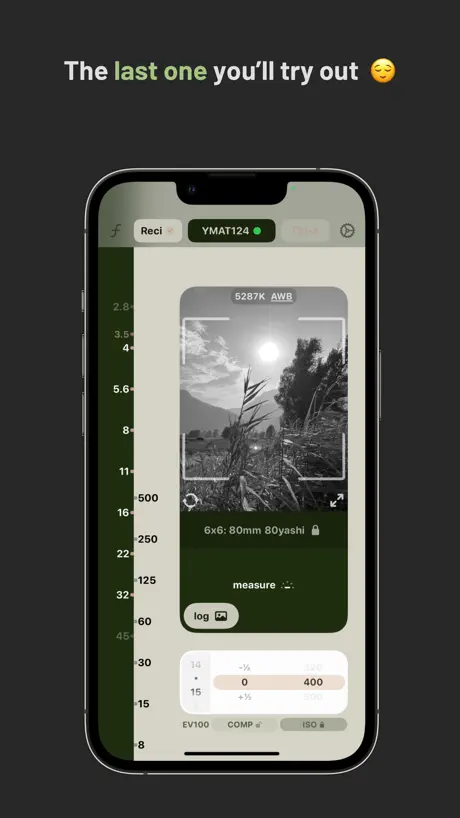  Lightme - Lightmeter | 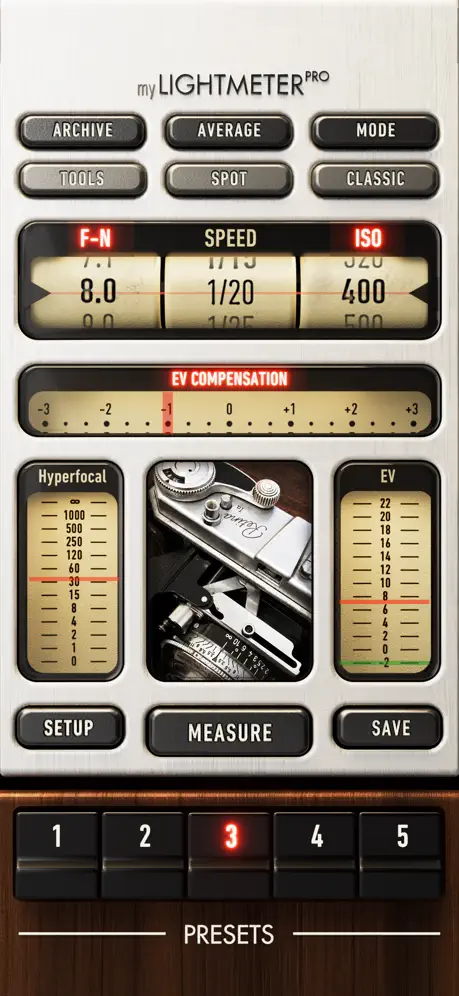  myLightMeter PRO |   KLIM Film Scanner |   FilmMeter |   Lightme - Logbook |   Light Meter by WBPhoto |   Pinhole Assist |   Frames: Film Photography Log |   Reciprocity Timer | |
|---|---|---|---|---|---|---|---|---|---|---|---|
| Rating / 5 | 4.2 | 4.5 | 4.8 | 4.8 | 4.4 | 4.9 | 4.8 | 4.4 | 4.8 | 4.9 | 2.7 |
| Reviews | 270 | 3.9K | 3.8K | 2.8K | 713 | 394 | 268 | 143 | 73 | 29 | 19 |
| Released | 2010 | 2010 | 2020 | 2012 | 2023 | 2025 | 2021 | 2020 | 2011 | 2025 | 2011 |
| Monthly price | — | — | — | — | $12.99 | — | $2.99 | — | — | — | — |
| Annual price | — | — | — | — | $59.99 | — | $29.99 | — | — | — | — |
| One-time price | — | $5.99 | $16.99 | — | — | $2.99 | $119.99 | — | — | — | — |
The going rate for each plan in United States, in its own currency, shaded from the cheapest price on the row to the dearest. Plans fewer than four in ten of the priced apps sell are left out.
Massive Dev Chart Timer reviews
4.2 out of 5, based on 270 reviews.
What people like
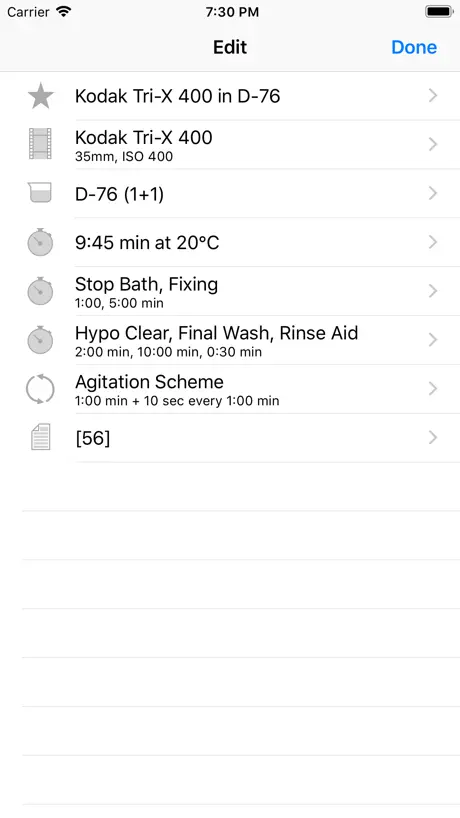
- Contains every film and developer combo
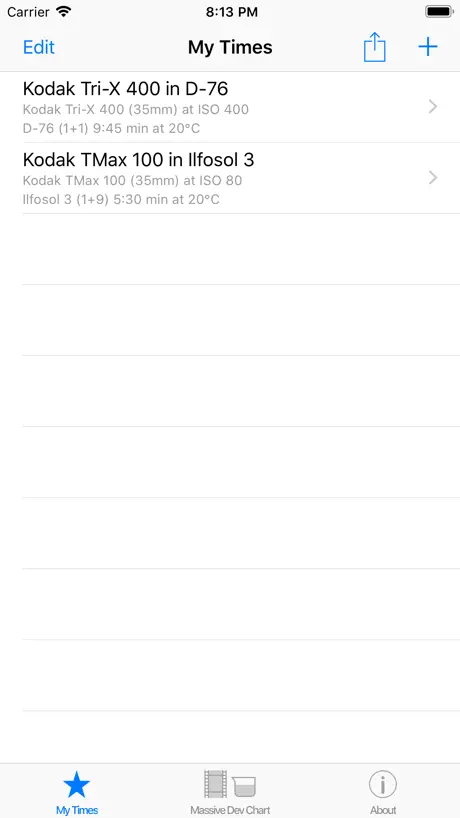
- Lets you save your own times
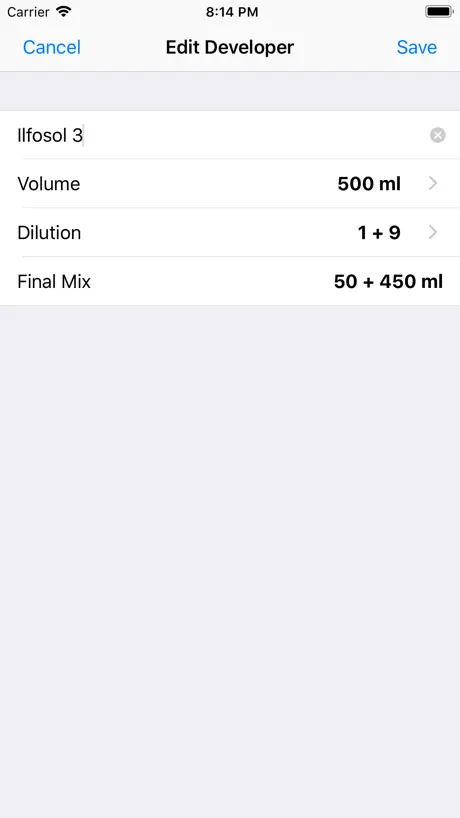
- Helpful dilution calculator for chemicals
- Simple timer works great in darkroom
What they complain about
- Crashes when selecting film speed
- Only supports black and white film
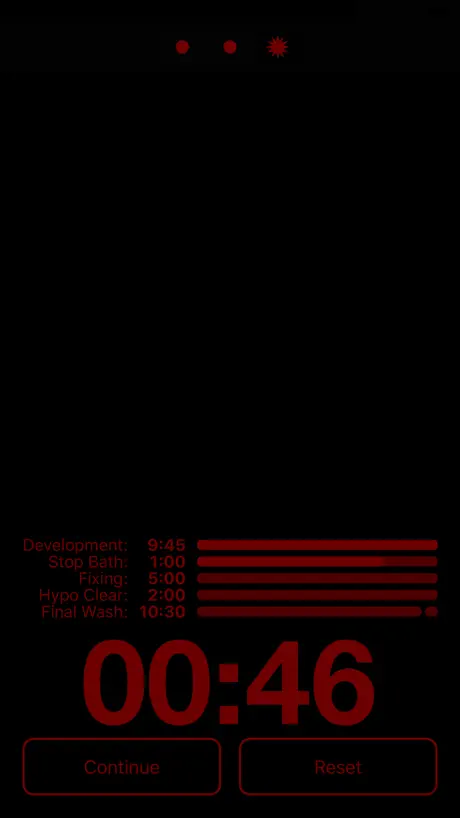
- Bright screen ruins darkroom safelight mode
- Hard to edit custom processing steps
What gives?
I don’t know what the bad reviews are about. Honestly, this app has met my every need. I prefer that recipes are pre-programmed instead of having to search randomly for experimental recipes in the other app.
Dark mode is broken
In a recent update, when using the app in my dark room to develop sheet film, when I select, dark mode, there is still a bright white dynamic island where the mode selector is, contributing significant light pollution into my space. I’ve had to tape it off with black tape to make it usable. Why did you implement this? Is it a bug?!
Missing Fujifilm Acros
Is the original Fujifilm Acros available on your app?
Could be so much better
Timer works fine, that’s the important part. But the UX around the whole app is just bad. It hard to scan the list in My Times (why no search?), can’t bulk delete, can’t sort or group. No separate utilities like the volume mixer. Please take some time to improve the app, there’s so much potential here.
Good overall
Good app but turns music off while your using it
Thank you
Great App, Used it for years
Dark mode no longer dark!
In the darkroom, I rely on the ability to turn the screen of my iPhone to dark mode when using this app to time film development (sheet film, in trays). But in a recent update, there is now a large white “Dynamic Island” where the mode buttons are that cannot be turned dark, so there’s significant light pollution in my workspace when developing film, and I have to put black tape over that part of the screen!! WHY did you implement this?? Is it a bug or a “feature”??!
Some what good
Grate app I use it a lot , worst part is it hasn’t been updated in a long time
Dilutions are no longer on the chart
Dilutions used to be more clear and simple to pull up. The latest update is hopefully just a mistake as it now forces you to manually add them yourself to each mix.
Missing lots of basica
Great app if you use weird films. Where’s the Portra, Fuji 400H, Kodak Vision 3, Ektar and what not? For 11$ I think more film times should be here for the cost, especially readily available films.
I love this app!
I’m a commercial photographer who is returning to film for the fun of it. This app takes all the pain and guesswork out of black and white negative development. Hats off and wallets open for the brilliant minds and hard work that made this app a reality!
Put the dilutions back for HC110
I paid for this because it had dilutions for HC110. It is now removed. If you don’t put the feature back in you owe people a refund.
PLEASE FIX!
Love the app! BUT. Please fix the home screen line (located at the bottom of the screen on iPhone XS) while in darkroom mode. It is emitting a bright light during development. I’m having to duct tape over it at the moment. Thank you!!!!
Not worth the price
Dear App Developer, it would be fantastic if we could create our own timer instead of being limited to a set of developers based on the film I choose and a general configuration based on my preferences. However, this app is only for black-and-white film stock development, and doesn't help with color film (C41, E6, ECN2 and other) development. Regrettably, I wouldn’t recommend this app to anyone due to it's limitations. In this app, you can only make minor adjustments to saved “favorite” processes, which is practically useless for many seeking to develope at home. I would like to see a development timer that allows me to add or remove a few stops from my development time. This tool is not worth the $8.99 USD I paid for. I’ve switched to another app which has most of my requested features called “Develop!” and it's FREE!!! Hopefully you can improve this application.
How do you convert temperature to F.?
And they say temperature extrapolation data is available, but how do you get to it? Great to have the massive chart in digital form, but for $8.99, the app is underbaked.
EXACTLY what I was looking for
Amazing app. Not only does it have all of the dev chart info... you can edit your own times as well. Amazing.
No Color film
Only black and white film
Cool but wish it was customizable
So I bought this to develop my first roll of Ilford HP5+ and while it was super helpful I had to write a couple notes to myself where I altered your events such as the hypo clear step. Could you please let us edit the titles or even let us add our own operations?
Just use the online chart and your clock app, save your money!
Lacking several film stocks, doesn’t seem to be a way to add them. Rigid interface, no ability to change or alter development steps or they’re times. Just a bundle of preset timers for $8 was a mistake. Just use the online chart and your clock app, save your money!
Love the web site - the app not so much.
Can't give "My times" steps meaningful titles - if your work flow deviates at all, it can't be saved in a useful way. Notes don't word wrap so you can see them. An app this mature should at least be aware of new sentences - auto capitalization is built in to the OS. I do enough traditional processing to probably keep it but pretty sad for 9 bucks.
Excellent App
I’ve been using the Massive Dev Chart for over a year. It has worked brilliantly for me. I’m developing mostly Kodak Tmax and Tri-X, but I have also used it to develop Fujifilm Acros I. Just a well thought out easy to use app.
Crashed during dev twice
The app "crashes" (actually just went to a white screen and then back to the main menu, I never got the iOS crash message) occasionally. The first time this happened during fixing which isn't a big deal, but the second time was during dev and I lost the time, so my final development was off.
Great app
Awesome and invaluable. I wished the alarms rang when I'm on another app like YouTube though...
May have wasted my money on this
The online version of the Massive Dev Chart is very helpful, and I refer to it regularly, so I thought this app would be just as good. Maybe I’ve missed it somewhere in the settings, but I don’t see the option of setting the agitation to “continuous” like you can on the website. The instructions say you can modify your agitation preferences, but none of the options they provide are for “continuous”. Of course I can just deduct 15% from the normal times to achieve this using my free calculator app. But I paid $9 for this app to do that.
Latest upgrade broke on iPhone 4S
I’ve been using this app for quite some time, and must say it is very useful when I develop black and white film, and I rather like it. However the latest upgrade broke on my iPhone 4S despite the fact that the phone is running iOS 9.3.5, which the app is supposed to run on. The problem is that UI elements tend to overlap on the screen, making some parameters impossible to change. (Example: trying to turn on time-temperature conversions changes the temperature setting! I tried using a stylus instead of my finger but it didn’t do any good.) The app works fine on my iPhone 6S+, but as that is my primary phone I’d rather not expose it to chemicals - that’s what I use the old 4S for. Guess I won’t have a choice until the problem is fixed in a future update. Could I make another suggestion? Please allow different agitation regimens for developing and fixing.
Truly amazing
This has pretty much every type of film/developer I use. It’s an amazing app that makes developing super easy and it allows you to customize and make adjustments as needed. It would be amazing for them to include color film options, especially since c-41 kits are becoming more popular and obtainable for at home developing.
Great app - when it doesn’t crash
I’ve been using it for years on an old iPad, but when I upgraded to a brand new iPad and loaded the app it crashes EVERY. SINGLE. TIME. It’s unusable. I’ve tried reloading the app 6 times. Still crashes. There is nothing online about this problem other than: “reload the app”. Now I need to keep the old iPad to run just one app - Massive Dev. That’s F’d up.
Brilliant, but...
This is a brilliant app for all b&w film photographers. Only reason for 4 stars is that the timer won't continue to run in the background (iOS 8) so don't try checking your email while processing!
Set up oddly
Doesn't have any of the films I use, glad I spent $9 on this...
11.99 for an app
It’s a great app, until it jumped from 8.99 to 11.99. Now it’s like yea, it’d better be good.
The best!!
I’ve been using this app for years. This is THE BEST app out there if you’re going to be working in the darkroom. Couldn’t recommend this app more.
Way different on iPad
No film or developer combos like on the iPhone app. Safelight mode doesn't work on the iPad, big WHITE banner that displays template name over the "safelight" mode display, which makes "safelight" mode is worthless. Great app on Android/iPhone but extremely disappointing on iPad.
Very good but...
The app is nicely designed and while it's simple to access all dev formulas it's quite rich. However, when you start customising formulas and you change the agitation scheme for the dev stage it automatically changes the agitation scheme for stop and fix stages to that of the dev setting. So, the only thing missing from this app is the ability to change the agitation schemes of each stage individually.
Needs a rework of the new version
I was an early adopter of this app, and it has been a godsend. I used it on my iPad in max mode and it was great. Just downloaded the update and the timer bars are tiny and there is so much blank screen going to waste it just doesn't make sense. Also if you try and create new times from the dev chart, you can select your film, your chemistry, but when you select the film speed the app just crashes. Not an improvement overall, this is a great tool, but this version needs to be checked and sent out again with bugs fixed and a bigger timer section. Once that's done, I'm sure it will be better than ever.
No color
This is great for b/w development, but there is no recipe geared for color dev, which is a shame. It's very kludgy if you want to modify it for color. They refer you to their "darkroom lab timer" which is another $9. I should've just gotten that one since it does b/w and color apparently.
Great database! Especially for beginners
This app has been great! It takes all the documentation that used to be printed and bundles it all up into a nice app. I've only been developing for a couple years but this app has been a great tool for me. I still have my binder of documentation from the vendors I use, but for quick references and timer, it's great!!! The only thing I wish was on the app, was pull times. I know everyone pushes but it be nice to have pull times as well.
Black and white only
No where does it state its black and white only. Completely useless to me.
Crashes fixed, now a great app again.
I love this app, use it several times a week.
iPad version a disappointment
I was very happy running the old iPhone version on my iPad in max mode, the big display made it very easy to see wherever I was in the room while developing. New design looks like it's been thrown together with no thought about usability. Basically timer bars are way too small and close together and the bar legends are hard to read from a distance. The animated developer tank looks tiny against the clock numbers. All very ugly and amateurish looking. Please sort this out, the old app was one of my favourite things on my iPad, I wish I'd never upgraded
Needs More Flexibility
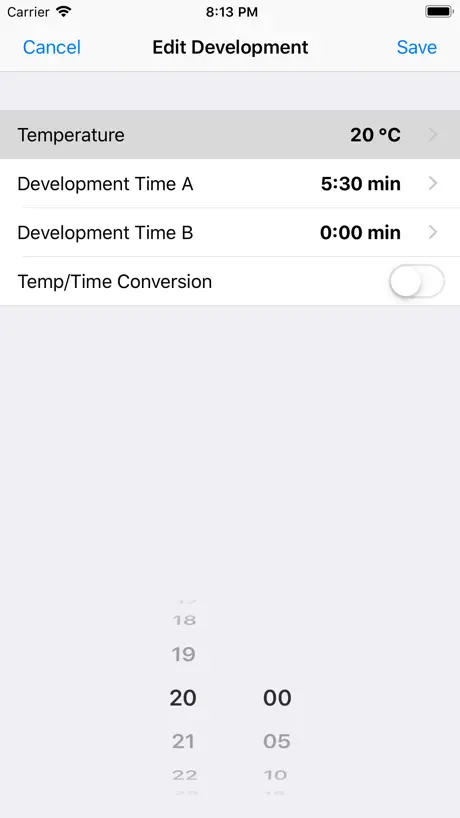
Temperatures are only in Celsius.
Good stuff
Works great, conversion of time/temp is great. Good list of films and developers. Able to edit to suit your taste
Timer no longer works properly
This has been my go to developing app for many years. Never had a problem with it until today when I noticed that the timers font has changed to a bold and larger font. The minutes show and the actual counter still works, but the seconds are gone. All that show are three dots. Not unusable if you are used to developing. But rather inconvenient. And probably unusable if your new to it. Hopefully you guys will read this and fix it. My one star turn back to 5 upon their return :)
Great, but not perfect.
This is an incredibly useful tool for any dark room enthusiast. That said, it needs the ability to compensate for constant agitation and temperature differences.
9euros for what?
Im missing the tetrnal ultrafin liquid with a dilution of 1+10 and 1+20 for developping an ilford Delta 400 ... Would Love to See a fix
Feedback
This app is for the most part very useful. I do have a couple things to point out, that if implemented would make this app even more useful. 1. Allow user control via user-defined steps, rather than only the pre-defined steps. For example, I almost always use a Presoak, but there's no option to add this ahead of the development step. One might also have an additional toning step. And it's nice to break washes up into separate steps as well to help keep track of the number of times the wash water has been changed (useful when using drums) 2. It would be a great help if there was a volume calculator for stop bath, fixer, hypo-wash, or any other step requiring specific ratios of chemicals, not just in the developer section.
Absolutely Amazing
I would not have gotten this unless I got an iTunes gift card. Luckily I did. This app is imperative to anyone that develops at home. They give you every development time for every film and developer. Also, if you have experimented in the past and changed Dev times a little, you can edit each time as well. Absolutely amazing app
Wait for next update
Prior to the update, app worked well. Now, it crashes after selecting a film speed. Thankfully, I have "my development times" saved. Otherwise, app would be useless.
The F-stop man.
This is a great app for black and white film developers! Easy to use and I get great results. Thanks.
Great but where is the colour?
This is a great app but it only covers black and white films from what I can tell. As I only do C41 it isn't of much use and at £5 that is rather annoying. Ilford XP2 B&W is down (as a 35mm) but there is no option for a C41 process like Digibase.. Why not? And more to the point, why isn't this mentioned in the description? I think it would be very relevant to a large number of the people who buy it. Please could you add some colour films? They should all be C41 or E6 so a C41/E6 timer would be useful. Also some sort of idea on variation between different makes of C41 kits and films before exhaustion?
Previous review about lucky film
My bad, found it under shd.
Massive Dev Chart Timer FAQ
- Is Massive Dev Chart Timer free?
- No. Massive Dev Chart Timer costs $9.99 (US) to download.
- Does Massive Dev Chart Timer have a free trial?
- No. None of its offers (US) come with a free trial.
- What are the best alternatives to Massive Dev Chart Timer?
- Pocket Light Meter (4.5 from 3,943 reviews, premium from $1.99), Lightme - Lightmeter (4.8 from 3,794 reviews, premium from $9.99) and myLightMeter PRO (4.8 from 2,843 reviews).
Massive Dev Chart Timer download
Last updated 1 month ago.
Massive Dev Chart Timer sells in 175 countries. It was released 16 years ago, on 12 Nov 2010. It holds a 4.2 rating from 270 reviews.
Supports 10 languages: English, Czech, French, German, Japanese, Polish, Portuguese, Russian, Chinese, Spanish.