iWriteMusic SE
How much does iWriteMusic SE cost?
Prices are current as of 14 Nov 2026.
iWriteMusic SE has no in-app products on record in the United States.
10+ alternatives to iWriteMusic SE
| iWriteMusic SE |   Flat: Sheet Music Maker & Tabs |   Notation Pad-Sheet Music Score |   Piano+ - Sheet Music Composer |   Composer Pro-Sheet Music Maker |   MIDI Score | 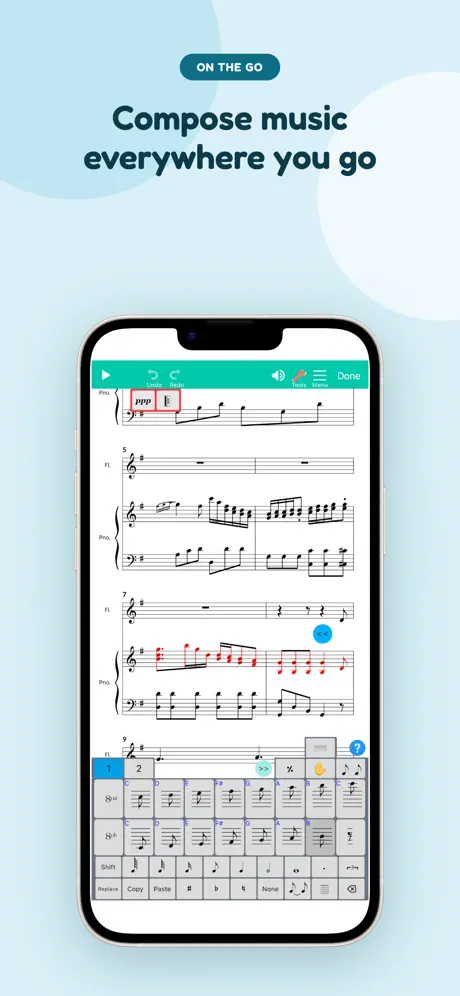  Score Creator: Sheet Music | 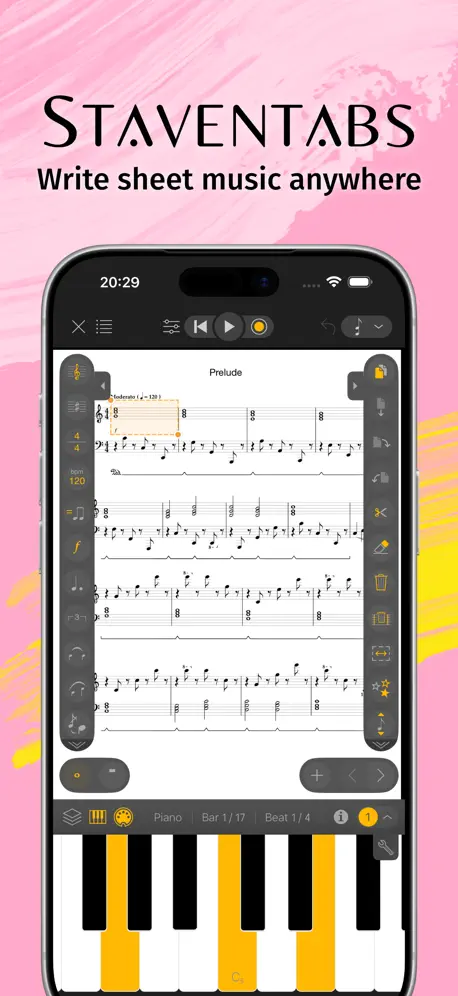  Staventabs: Compose & Notate | 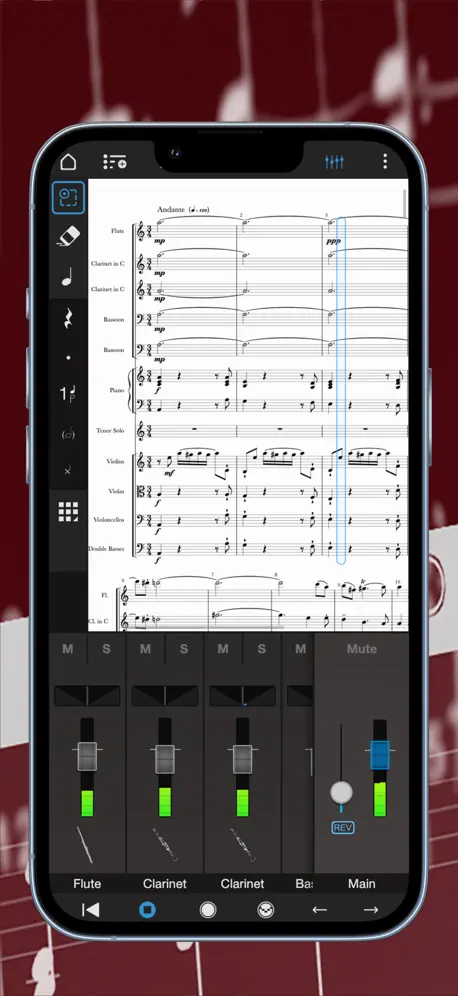  Notion: Music Notation & Tab | |
|---|---|---|---|---|---|---|---|---|---|
| Rating / 5 | 4.3 | 4.5 | 4.3 | 4.2 | 4.5 | 4.3 | 3.6 | 4.1 | 3.0 |
| Reviews | 2.1K | 22K | 17K | 3.9K | 3.8K | 3K | 2K | 494 | 352 |
| Released | 2010 | 2017 | 2016 | 2018 | 2021 | 2014 | 2013 | 2015 | 2011 |
| Monthly price | — | $9.99 | $14.99 | $9.99 | $9.99 | — | $6.99 | — | — |
| Annual price | — | $39.99 | — | $49.99 | $49.99 | — | $29.99 | — | — |
| One-time price | — | $119.00 | $0.99 | $1.99 | — | $4.99 | $69.99 | $10.99 | $14.99 |
The going rate for each plan in United States, in its own currency, shaded from the cheapest price on the row to the dearest. Plans fewer than four in ten of the priced apps sell are left out.
iWriteMusic SE reviews
4.3 out of 5, based on 2,122 reviews.
What people like
- Easy to learn with helpful tutorials
- Good playback lets you hear your music
- One-time fee is cheaper than subscriptions
What they complain about
- It crashes often and loses your work
- Note input is fiddly and inaccurate on iPhone
- Support never actually helps with your problems
A little bit different
Well,this program is doing wonders for me, after leaving Sibelius and redoing my music wardrobe. Obviously the programs are different by far. The only thing is the easiness of composing. Not enough alternate keyboard selections, and some of the editing needs to be strong like choosing the right note and with editing. I have to keep erasing notes and putting the right ones in after struggling for the computer to select the right ones. But it is still a great program that i use, i mean i can edit, i can save i can print and i can share. I do however need to take advantage of the program and purchase the true one!!! Thanks !
Crashes any time I try to add a rest
As stated in title. Can’t even start my first song, because the first thing in the first measure is a quarter note rest. The app crashes out immediately.
Easy to use
I really like the design of this program.
Doesn't work really well on IPhone
I recently uninstalled this app since it's difficult to write on it. When I wanted to insert a note, it would always be in the wrong place even if I clicked on the right spot. Other than this, works fine.
Not bad
The bassoon sounds like a piano!
Awesome app
Really cool app
Worst app ever
It won’t download
Most Features Good, Program Quits Randomly
I am really interested in seeing the vast array of composing tools for your smartphone. So far, the features work well. There are two problems though. One, it freezes sometimes when entering notes on the pitch before it. Two, I’ll be composing and all of a sudden, it quits the program. Is this a program bug or something with my iPhone?
WHY WHY WHY WHY WHY??????!!!!!!
This app is so dumb! Because every time I would place a rest note at the beginning it made me exit the app! I’ve done so much times, but it keeps on making me exit the app!!!! I’m so mad 👿👿👿👿👿👿👿👿😡😡😡😡😡😡😡😡😡😡😡😡😡😡😡😡😡😡😡😡😡😡😣😣😣😣😣😣😣😣😣😣😣😣😣😣😣😣😑😑😑😑😑😑😑😑😑😑
What??
I’ve been using this app for years and now you can’t listen to more than 30 seconds at a time?
Good job !
This app has made some improvements on my study of music. Thank you.
CRASHES A LOT
I made a whole arrangment (luckily it was saved or I would be very angry) and it keeps crashing. I can’t go any further into finishing the piece. PLEASE FIX
Great with problems
You should make more percussion stuff and it’s very hard to navigate and add more scores if you do this I’ll give you a million stars
Lost lots of work
The app is easy to use, but mind that it’ll crash and leave you with however much work you neglected to save totally gone.
Almost
It has the possibility to be the best app on the market (in my eyes at least) but due to the constant crashes and not saving automatically I have to say only 3
Awesome!!!!!
Awe
Crashes
Keeps crashing whenever I try to add/remove notation
Not enough diversity
There should be more instruments such as Baritone/Euphonium and Mellophone.
Why
The app seemed magical! It was all I wanted in being able to make music but, due to the constant crashes and allowing a bug to break into my phone taking over my screen and not allowing me to do a thing, I'd have to say a two.
Instrument change
How do I change the instrument to saxophone. Like the app so far.
Phenomenal App!!!
This is amazing! I love it! It’s simple and great, and it’s the best app I’ve found for sheet music writing!
DO NOT GET THIS APP, YOU ARE WASTING YOUR TIME
I tried to put a breath mark in but I pressed somewhere it won't let you place it and tells you where you could place it but then it wouldn't let me click off of it and I had to exit and start over again. Then it done it again and again. Then I gave it one last chance and then it just completely crashed and I'm done. I normally don't give reviews at all unless the app doesn't work and this app definitely doesn't work
Not perfect, but it’s a very useful!
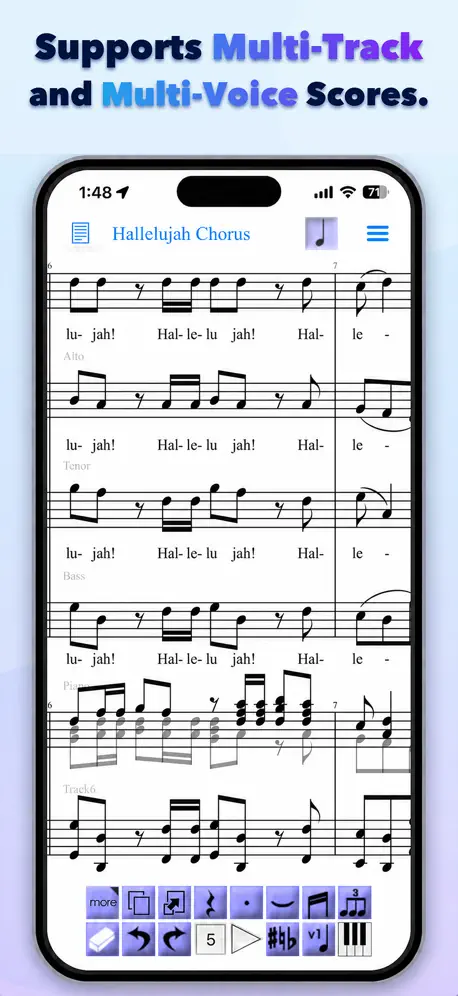
The app is easy to use, much easier than Sibelius. It’s straightforward and there are tutorials. I have used the app as musical learning tool. I use the app with music already composed to study the pieces in-depth. Reading music is very different from actually seeing it. I transcribed a 24 song song cycle note-by- note, the articulations, dynamics, accented notes, ties, slurs, voices, appoggiaturas, grace notes, mordants, lyrics, translations, personal notes. I got a real education. The playback feature is what helps me see and hear the music in detail in real time. It is good for rhythm accuracy, pitch accuracy, and observing harmonic shifts. It helped me to see how music and text work together with the accompaniment. I created a learning module for a friend to learn an aria and a duet from an opera to my partner. What I liked: Easy to learn to use and logically organized. A lot of instruments but I mostly use the grand piano and choir oohs for the vocal part. For $20 I have the iPad and iPhone versions and stored on the cloud so the music is always available to me. It indicates when a measure’s value has been exceeded. I can put text almost anywhere for translations and notes. Exports in pdf and smf. It does what you tell it to do within the limits of the program and not rewrite things like Sibelius. I can email an iwrite music file to someone else who has the app for them to use. The playback feature and volume settings for each track! The issues that came up are: the pickup measure’s minimum value is a quarter note- an eighth was needed, so I used an eighth rest. You can’t extend the bar line across measures, right hand notes for the piano can’t extend down to the bass clef. Grace notes are globally valued 32nd or 64th notes. It would be nice to be able to assign their value individually. Arpeggios can be indicated, but don’t play back that way (I used the grace note function to aurally produce that effect). No pianissimo marking (ppp), accidentals are restricted to each track and unable to indicate an accidental in a previous measure is restored in the next. Unable to change tempo within a measure. I found work-arounds and I had to rewrite a few measures that were technically the same but looked different. Can’t format the text (bold/italic) and only one font. Pretty minor stuff. If I payed $19.00 a month like Sibelius, I could not recommend this app. For $20 on two devices to use FOREVER, h*** yes!
Unusable on iPhone with retina display
After several tries, could not get app to correctly identify notes entered.
I love it but the new update is annoying
In the past it was really easy to place notes, change the time signature, etc. I just don't like how the new version set pretty much everything up. I hope they change it back but somehow keep the newly added notes.
I changeable rhythm
Good app but only able to put the rhythm at the beginning of the piece and doesn't let you put it anywhere else when the peace changes rhythms!
HOW DO I PUT A TIME SIGNATURE IN??!!!!!!
Completely user unfriendly! And the help button doesn't help at all!!
It’s eh
After using this app for about two years, I’ve come to bypass most inconsistencies in this app just by pure habits like spamming save every 5 minutes but along with that, I’ve gained enough patience with this app to work on songs that I’d listen to and I’ve been able to make good covers with it as well but this app could still use a lot of work with presentation and maybe even adding more samples (?) lots of stuff I’d like to try and replicate is ruined due to the lack of style from instruments but that’s usually very specific. Still works and once you get the hang of it, it’s pretty ok. Personally wouldn’t say it’s worth buying the Full Version due to the lack of updates so far but you can take a video of songs you make and delete them. Also a trick I learned is that you can temporarily have a 6th song by just adding it but after a while, you won’t be able to save or work on anything so that’s just like a temporary test to see if you’d like to commit to a new song. Good luck! -J
Frustrating
This app is very frustrating and difficult to use, I only still have it on my phone to save little melodies that I come up with sometimes when I am not near my computer, this is a far cry from most other sheet music writing programs.
Needs MusicXML File Transfer
Nice app, but won't purchase till you add MusicXML file transfer seems pretty standard nowadays.
A lot more easier than score creator!!!!
This app is a lot more easier than score creator because there is a tutorial and you learn how to use this app which makes it a lot more fun than score creator because you get to save your stuff a lot more than score creator. I would strongly recommend this app to anyone with special needs who likes to write music just like the old times... so if you're looking at writing music just like the old times, then this app is for you!!!! .... WAY TO GO AND KEEP UP THE GREAT WORK!!!!! 😉👍🏻🎼🎶🎵🎼🎶🎵😉👍🏻
Not good
I'm sorry but I deleted this app. This is totally unusable and needs a lot of work. Just trying to create simple chord chart is a big hassle. I do better writing the chords out by hand.
It's not bad
If you want to write scores for fun, then this is very useful. It's a little clunky and tedious, but for a free Iphone program, it is very useful and I would recommens trying it. But it would be useful to customize your bottom bar a little more so you don't have to keep tapping on "more".
Not User Friendly
Out-dated
Just one issue
This app is good. I just have a problem I hope they'll fix. I'll put in a note, let's say a high E in the treble clef. When it plays back it sounds like the lower E instead. Can you please fix that?
Great app!
Not sure why no rating is showing. As a composer I've tried many other score composition apps and this one is the best!
Rubbish
This app is absolutely rubbish, it's so fiddly and laggy it's unusable, also, every time you want to rub out a note, some random screen pops up telling you how to use the rubber every time even though I already know how to use the rubber. This can be a 5 star app but needs a whole lot of polish
It's a good app. Not the best.
This app is OK to use, but I just can't find any way to make eighth notes. Can someone help me with that?
Please re-tweak input at least.....
I agree , potentially 5 star app. At the very least simply moving the position of the notation bar to above the connecting finger would greatly assist note input. People might even buy the app If this was re-done. As it is - it's simply unusable. Crosshairs well implemented though...
Good, but fixable
I like this app a lot, but I can't open it anymore it just crashes.
The Best Score Writer
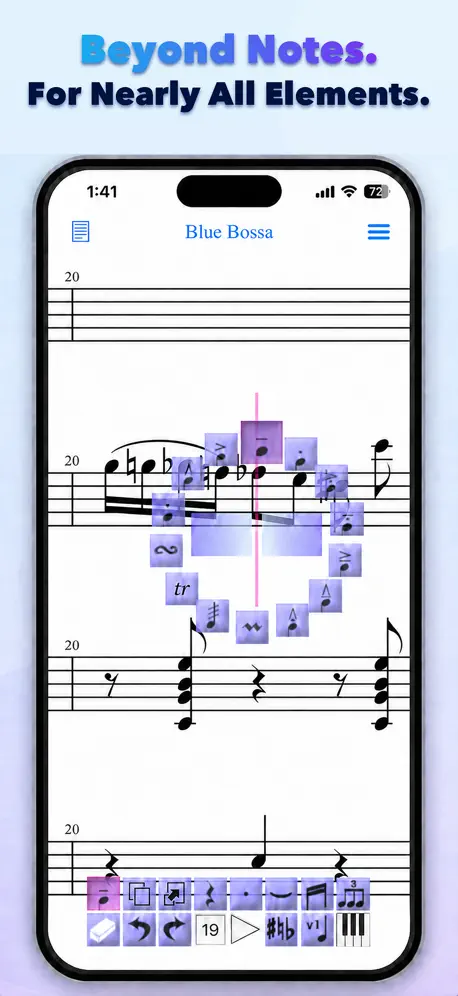
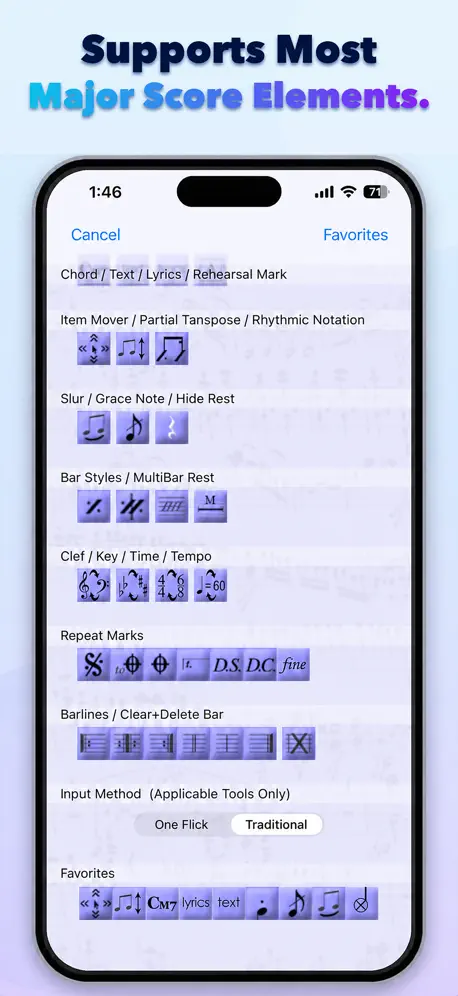
The best score writer out there for iPhones. Easy to use, offers almost everything MuseScore has for desktop. Simply amazing. It also has a wide arrange of instruments
Rubbish
This app is not very good very hard to use and read
Not to bad
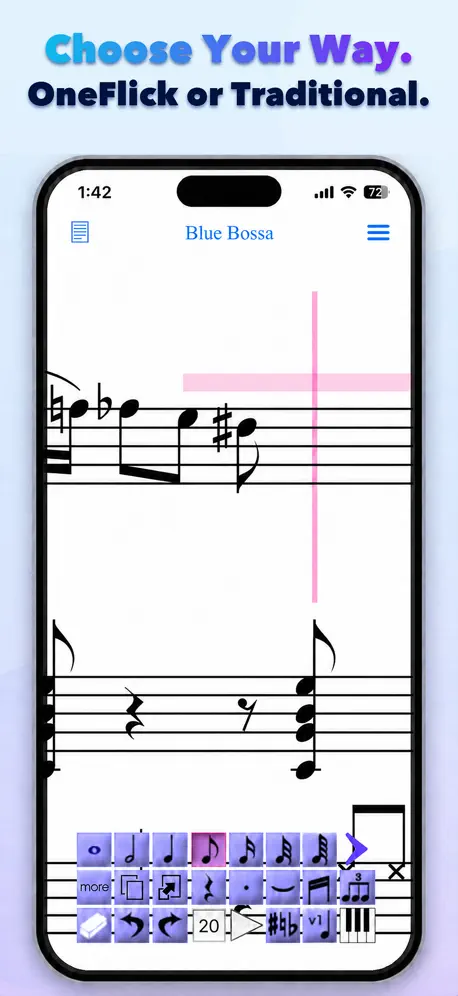
I used it for five minutes and I quickly got the hang of it. The one flick entry tool is probably the best feature. I haven't completely kicked the tires but I'm impressed.
Input needs developing!
If you are a composer who wants to write ideas down then this might be for you. I say might as it takes a lot of getting used to and then you are still not guaranteed a easy session. with an iPhone it is far too fiddly but with an iPad it might be a different matter. Good points are that you can write ideas down and save them. It says it saves as PDF or jpg so you go to zoom tool and then click as email file and it will email a high quality PDF copy of your music. You can write articulate ideas which highlight notes that won't fit into the bar. This is good and pinch to zoom in and out is also good. I wrote a simple melodic idea with dynamics but phrasing needs to be introduced (slurs please) The best way to move the staff around without accidentally inputting some extra notes is to use two fingers. Now for the extremely cautious point. Note input is by your finger moving over the staff - on an iPad this might be better but on the iPhone I continually had to redo the note. Also to change the duration of the note you slide your finger right or left and it changes as your finger does. Well I found this not very accurate and even when the note line was selected sometimes another note pitch would appear. Also I found myself peering over my finger to see what note it was I was trying to write. Putting in rests seems a bit hap hazard. I hope this product is developed but for the moment I will stick to writing ideas down on paper or recording them in on one of the studio apps. Good luck.
Good, but glitchy
This app is good, but there are a lot of bugs that need to get fixed. Sometimes, it even crashes and will exit the app!
Bad music
This app is bad
It will drive you mad!
This is potentially a 5 star app, but the note input on the iPhone is so fiddly and inaccurate that it becomes frustrating very quickly. Basically, your finger hides the floating input menu when you touch the screen so you have very little chance of getting the right note first time. Otherwise the features and look could easily be developed into a great app, but this bit needs rethinking entirely.
Needs more
This app is great!! But needs more options for templates. Like I want to make a flute duet or trio. It is not an option. Please make more template options.
Promising promises…
This looks like it WILL be useful one day, when you can PLAY the music you write! I'll buy full version then, especially if it can export AND import midi files! Better interface than the competition, although still plenty of bugs…
I can't hear the playback
I saw this in the FAQ, and the answer was insulting and wrong. My phone isn't muted, I checked a hundred times, and this app is the only thing that won't make sound. This was a great app for five minutes, but for some reason it quit in the middle of playing back a measure.
iWriteMusic SE FAQ
- Is iWriteMusic SE free?
- Yes. The app is free, in all 175 countries it sells in, and it sells nothing inside it.
- Does iWriteMusic SE have a free trial?
- No. None of its offers (US) come with a free trial.
- What are the best alternatives to iWriteMusic SE?
- Flat: Sheet Music Maker & Tabs (4.5 from 21,513 reviews, premium from $9.99), Notation Pad-Sheet Music Score (4.3 from 16,524 reviews, premium from $0.99) and Piano+ - Sheet Music Composer (4.2 from 3,860 reviews, premium from $0.99).
iWriteMusic SE download
Last updated 12 days ago.
iWriteMusic SE sells in 175 countries. It was released 16 years and 1 month ago, on 5 Oct 2010. It holds a 4.3 rating from 2,122 reviews.
Supports 1 language: English.
How much does iWriteMusic SE make?
Third-party estimates for the last 30 days, worldwide — not the store's own figures, which Apple publishes for nobody.