StayFree - Block Apps & Sites
Limit screentime, stay focused
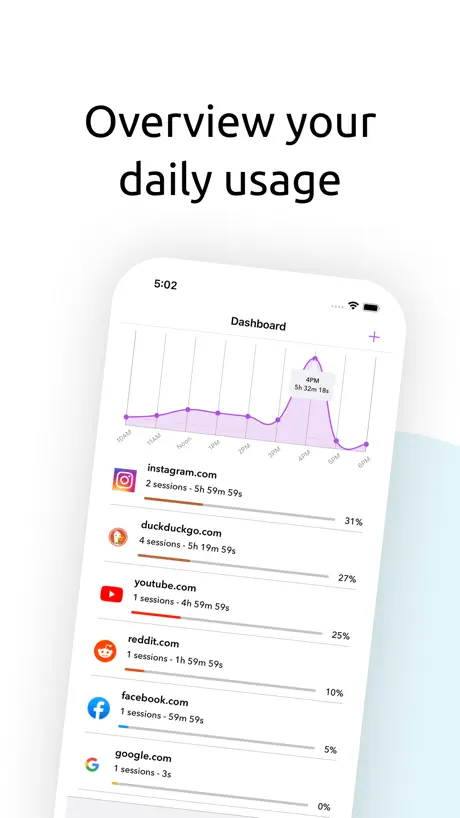
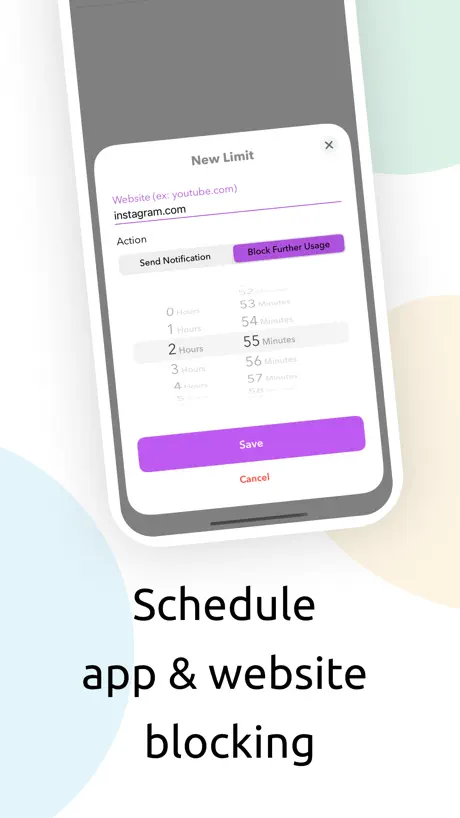
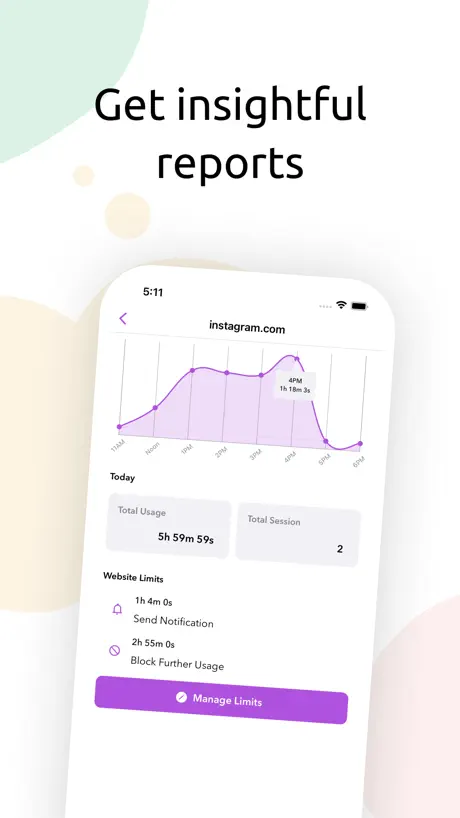
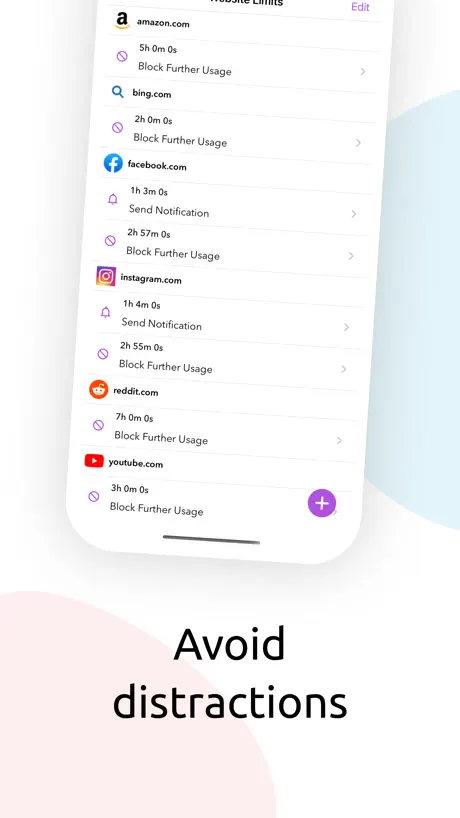
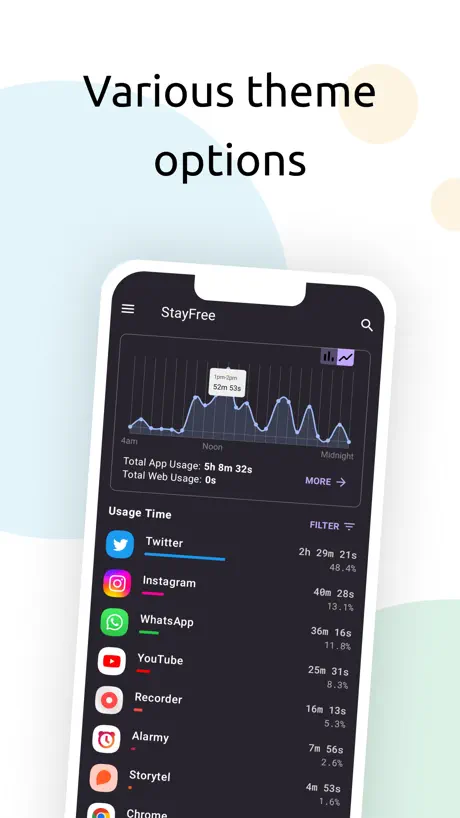
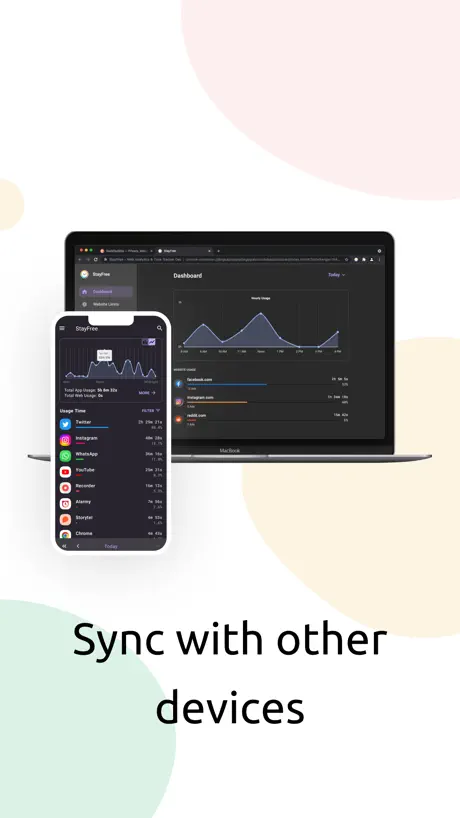
How much does StayFree - Block Apps & Sites cost?
Prices are current as of 7 Nov 2026.
StayFree - Block Apps & Sites has no in-app products on record in the United States.
10+ alternatives to StayFree - Block Apps & Sites
| StayFree - Block Apps & Sites |   ScreenZen- Screen Time Control |   one sec | screen time + focus | 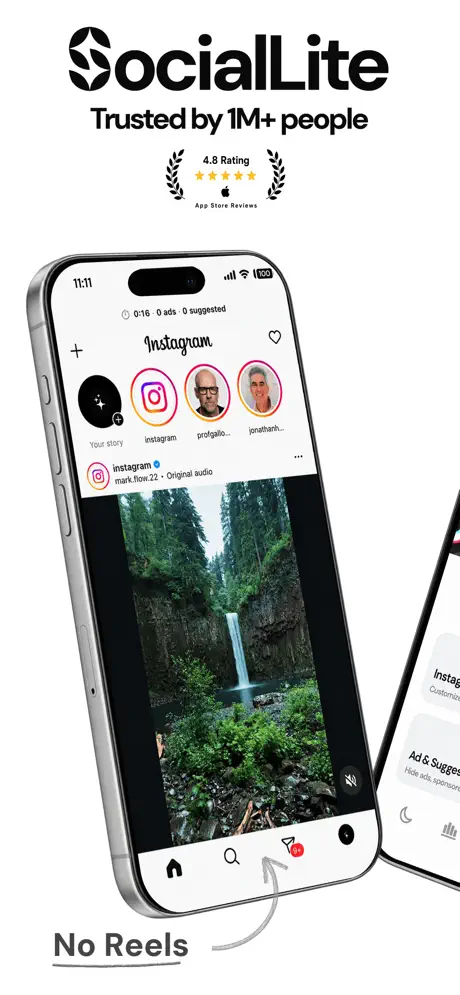  SocialLite-Block Reels&Shorts |   BlockerX:Adult Content Blocker |   AppBlock: Block Apps, Websites |   Refocus: App Blocker & Lock |   Freedom: Screen Time Control |   Jomo - App Blocker & Focus |   Stay Focused App/Site Blocker |   No Scroll - Limit Screen Time | |
|---|---|---|---|---|---|---|---|---|---|---|---|
| Rating / 5 | 2.7 | 4.8 | 4.8 | 4.6 | 4.4 | 4.6 | 4.7 | 4.4 | 4.7 | 4.4 | 4.5 |
| Reviews | 588 | 131K | 119K | 43K | 34K | 34K | 32K | 14K | 9.7K | 6.1K | 2.8K |
| Released | 2022 | 2021 | 2020 | 2026 | 2020 | 2021 | 2022 | 2018 | 2022 | 2023 | 2024 |
| Monthly price | — | — | $6.99 | $9.99 | $2.99 | $4.99 | $7.99 | $8.99 | $5.99 | $3.99 | $7.99 |
| Annual price | — | — | $19.99 | $47.90 | $99.99 | $29.99 | $49.99 | $39.99 | $29.99 | $24.99 | $39.99 |
| One-time price | — | $10.00 | $99.99 | — | $19.99 | — | — | $199.00 | $84.99 | — | — |
The going rate for each plan in United States, in its own currency, shaded from the cheapest price on the row to the dearest. Plans fewer than four in ten of the priced apps sell are left out.
StayFree - Block Apps & Sites reviews
2.7 out of 5, based on 588 reviews.
What people like
- Completely free with no annoying ads
- Desktop and Android versions work perfectly
- Actually helps you focus and stay off phone
What they complain about
- iOS version is missing key features
- App crashes when trying to add limits
- Very hard to bypass restrictions on iOS
This is the only good screen time app
This app seems like it’s made by humans not ai and it actually just blocks your apps without adds and doesn’t make you pay
DO NOT USE FOR IOS
UPDATE AUGUST 2026: The app went through a minor update and now even the small pieces of the app that did work for iOS are now broken. This thing is garbage. This app works great for my friends that have android phones so I tried it. Don’t bother. Almost none of the functionality is implemented on iPhone. I was really looking forward to being able to block things like reels or shorts without totally blocking Facebook and YouTube. Does not exist here. There isn’t even a delete button for focus mode (their name for a scheduled blocking plan). You literally have to delete the app and all related data and reinstall if you want to delete a blocking plan. Absolute clown app. Super disappointed because I really need an app like this and haven’t found one even close to what stayfree can do on android.
The app is awesome, but it looks not so good on iPhone.
The iPhone app looks really bad, just awful. It looks better on Android and PC. Otherwise, it displays everything except the desktop version, where I don't see any time management apps.
Love the extension, hate the app
Honestly, this app just doesn’t work. I set limits for my phone but for whatever reason StayFree doesn’t catch them. It is tracking my screen time, but it isn’t clear at all why it’s not actually blocking the websites and apps I’ve set. Also, I really wish there was an easy option to select the apps/websites you spend the most time on and set limits. I’m sure I’m doing something wrong, but 1) it’s SO hard to figure out (I’m in my twenties, it’s not like I’ve never used a phone before) and 2) there’s no easy-to-find help to making this app actually work. Giving it two stars because the chrome extension is great. But please, please, fix this app.
Wish it was on ios
Good app but the features i want are only available on android and i wish i could block specific things in apps not the whole app especially on snapchat
Make it easier for ios
How to use on iOS
Easy to bypass
It is just so easy to bypass. Use opal or clearspace..
Très bonne appli mais…
Je l’utilise pour bloquer insta par exemple, et c’est efficace. Mnt je peux passer max 10min par jour dessus. Aujourd’hui j’ai essayé de d’ajouter des sessions de concentration, ce qui malheureusement n’a pas fonctionné. Ça doit sûrement être un bug car j’ai déjà utilisé cette fonction auparavant. Je trouve ça dommage de ne pas pouvoir l’utiliser car c’est une fonction très bien pensé, qui permet véritablement d’enlever tt distraction durant un certain temps.
No in-app blocking
Unlike the Android version, this version doesn’t have in-app blocking features
Reels
How do you do the feature where you block instagram reels but not chats
可选刷新时间
能否让app时间限额刷新时间可以由用户自主设定
Problem with IOS version
No offence to the developers, but this app on IOS is total garbage, but on other hand, it's like 10 times better on android. You should program in the function where you need to type a long text to change the restriction, like there is on android
This is a title
This is a good app that can help me manage my device usage time on all devices. But it still has a small problem. It will identify my iPad as "Apple Apple iPhone", and I hope to correct this small mistake. I also hope that this app can be displayed horizontally on the iPad, just like the Android version. In addition, the app usage restrictions are completely unavailable.
Not working
I really wished this worked as it’s great on my work Windows 11 machine. Unfortunately after installing & enabling extensions regular webpages won’t load. Also wondering if the app is just spying as it can read & change the pages visit. Sounds fishy. I wish Apple had a built in option to make certain pages go greyscale so you wouldn’t be on them for so long
Pretty good
I rated this 3 because yeah it works but there is a new update and now sometimes it doesn’t reset everyday so I have to create a whole new limit every day for all my apps but otherwise works well
Rubbish in iPhone
Why these app is working perfectly great on android and on apple you can’t do any think.
version
what version is it
Mettre plus de fonctionnalité
L’application est géniale et gratuite grâce elle j’ai réussi avoir une bonne relation avec le digital juste merci. Et puis et ce que c’est possible de mettre la fonctionnalité anti triche (mettre un code pin) comme sur le pc ?
Doesn’t work anymore :(
it used to be my favorite and then the app updated with a glitch and no longer works for setting app limits. please fix it and i will change my review!
Love the chrome extension
I absolutely adore the chrome extension it's one of the only things that's helped me get off my computer, so I decided to download it for my phone too! But I think it would work incredibly if it had as many obstacles as the chrome extension did and it was harder to delete the limits you set for yourself and I'd love to see it develop more
Chill out yall
People are too harsh on the devs, this app does what I need it to do. Yall are great
Not for iPhone
I absolutely loved this app on my Samsung and recommended it to everyone, but now I have an iPhone and it is completely different 😭
Does what it needs to do. Straight to the point.
Does what Apple’s Screen Time and Focuses should do. Blocks an app from opening when usage limits are hit — and even dims the app’s icon. Cons: unfortunately it’s buggy. The “add app” search often crashes the app. Hasn’t been updated in 6+ months, I hope it continues to be maintained. Suggestions: The Blocked screen doesn’t fit iOS’s UI look. Would like it to look more built-in or offer a way to show a different screen. Perhaps a breathing exercise or easier, offer it to open an alternative app. Say you’re doomscrolling on Instagram, then your time runs out and it sends you to the Health app to do a breathing exercise.
Great until
This app has been perfect, but now there is some kind of glitch! Every time i try to add a new limit, it closes the screen i am working on and takes me back to start over. An eternal loop! I cannot actually add blockers any more, making it worthless! :(
In app blocking not available for my iPhone ehich is the part i wanted
.
Goated App
I dont know what happens to my data (clearly there must be something going on otherwise I can’t imagine how they make those thing free of charge), which I find problematic but functionality is on point.
Few opportunities for ios users
When I installed it with my Android it allowed to block reels, comments separately but with ios this function is not available
feature needed
please bring limits on the go to ipad as well
Please fix
Seems to be broken, can’t add new app limits as the card closes after selecting an app.
Glitch
I got the app cause Im horrible at self control on social media and it worked when I first got it but then I turned off the restriction i put on cause I had to message people via social media, I forgot to reapply it and now when I try to put one on and click “done” it brings me back to the screen saying I dont have any restrictions. Someone please fix this because I dont know any other apps
noch ein paar Updates
dann wird das was! Auf Android laeuft die App schon nahezu perfekt
This is my review for the IOS app
The App version honestly suck when you compare it to its desktop and website counterparts. To Keep it short, you cannot edit you limits once they are made, you cannot easily see usage from other devices on the app, the apps usage doesn’t show up on other devices either and if does it doesn’t shows the times for each app, rather just showing the total screen time. The list just goes on and on, I recommend ScreenZen as the main for Mobile this app as a secondary just so that you can have the opportunity to see your screen time on your other devices (even if it doesn’t show the times for different apps and website) and StayFree (this app) for desktop and Website. I have more recommendations to make the app better but the devs need to work on the foundation first which is catching up to the website and desktop version as well as checking out their competitors.
日本語訳が欲しい
英語だけでわかりにくい
Bugs
All my set blocks have gone and it won’t let me set new ones. Closes out of the ‘select apps’ screen and no new time blocks are created. Unusable right now.
app was working until
app was working one day and suddenly just stopped and wont let me add any time limits to anything. was really enjoying until this happened
Simply just the best.
I spent so much time trying to find a good time limiting app so find this in my computer from the App Store, so I wanted to know if I could get this in my phone and I’m so glad I looked because this does everything you need and want, time limit and everything for FREE bro. Try it out and you can even make sure you can’t break the tome limit. There are so many options bro
Very different from the android version
I got this app to block YouTube shorts (and only the shorts) after trying the app on my phone, which is an android. On my phone, it was easy to block just one part of an app, however it is impossible to do so on iOS, much to my disappointment.
Text challenge
J’utilise la version et ça m’aide beaucoup. L’application aussi, elle marche comme sur l’ordi mais il y a une fonctionnalité manquante. C’est le text challenge qui te permet pas de modifier les limites facilement. C’est un texte long qui est difficile à écrire, donc motivant de ne pas changer la limite. Du coup, il me faut juste ajouter cette fonctionnalité sur l’appli aussi, sinon c’est nickel
Glitch
Unable to create app restrictions because the screen gets dismissed before allowing me to save. iPhone 14 running iOS 18.5 1. Open the app 2. Navigate to “Usage Limits”. 3. Select the plus button and then “App Usage Limit“. 4. Click “Select Applications“. 5. Select “Done”. (Issue occurs even when no fields are checked) Issue occurs on a fresh install of the app.
There seems to be a glitch?
I keep trying to put limit on my app but as soon as i select it the whole bar goes away and doesnt allow me to save it!
Very Great Initiative
It’s free with no adds and gives a lot in return, as a student it helps me in minimising distractions and focus. I would love to donate after earning some money, hope this survive and stay free till that time. Also I would love see that feature coming in IOS app in which we need to type our message to extend/edit limit of blocked website/apps. Once again thanks for making this great app definitely you’re a great person
way better options out there
i got the app becuase a friend said it would block reels from insta and not anything else but when i download the app i come to find out that’s only for non ios phones 😐. i dislike how the only way to override the screentime limit is to go to the app and delete it. I had instagram blocked but sometimes needed it for my dms, and i know other apps have strenuous-but available-ways to unblock for a bit. lastly the focus mode was my last shot but one, it wouldn’t let me do nighttime to morning (like 11pm - 7am) to prevent me from watching at night in bed. this just didn’t even work, it didn’t let me. second for focus mode, IT DIDNT ACTIVATE. this app is kinda bad and i’m sorry for saying it so rudely, i hope my input is something the developers can use to grow the app and make it useable, but for now, i say find an alternative like Opal
App is very buggy
This app is very buggy and when I try to block apps in a category or a category of apps it just goes blank after a few minutes of time to try to attempt to block apps
Works inconsistently
For apps it works fine. But when I set limits for websites, but it doesn’t always keep blocking once the limit is reached.
Extremely useful
This app does everything you need a time limiter to do.
Glitch/Bug and no way to report it
I’m running into the same glitch that other people are in the app usage limit screen- when you hit plus to add an app and then hit done, it closes everything and doesn’t allow you to add the app limit. So what it it for, then?
I’m confused..
I have this app on my android phone and it generally works really well, but on my apple iPad it works not even half as good. I have features that I can use on my android like blocking Instagram and YouTube reels and shorts, but for some reason I can’t do that on my iPad. It also doesn’t work for making simple usage limits-I set a limit on an app for only a few minutes and I literally went 10 minutes past without it getting blocked. I can’t edit a usage limit without fully deleting it on my iPad, yet I can on my android. And I can’t PERMANENTLY block apps and websites, like I can on my phone…If you have an android, this app is great for you. Otherwise, don’t waste your time on it.
Only works on android
This app occasionally glitches but has all the advertised features on my android phone, so I got it for my iPad too which is primarily an aac device but I got YouTube to add clips and I wanted to block shorts. Can’t do that.
StayFree - Block Apps & Sites FAQ
- Is StayFree - Block Apps & Sites free?
- Yes. The app is free, in all 175 countries it sells in, and it sells nothing inside it.
- Does StayFree - Block Apps & Sites have a free trial?
- No. None of its offers (US) come with a free trial.
- What are the best alternatives to StayFree - Block Apps & Sites?
- ScreenZen- Screen Time Control (4.8 from 131,176 reviews, premium from $5.00), one sec | screen time + focus (4.8 from 118,746 reviews, premium from $6.99) and SocialLite-Block Reels&Shorts (4.6 from 43,431 reviews, premium from $3.99).
StayFree - Block Apps & Sites download
Last updated 15 days ago.
StayFree - Block Apps & Sites sells in 175 countries. It was released 4 years and 1 month ago, on 25 Sept 2022. It holds a 2.7 rating from 588 reviews.
Supports 19 languages: English, Arabic, Dutch, French, German, Hindi, Indonesian, Italian, Japanese, Korean, Malay, Polish, Portuguese, Russian, Chinese, Spanish, Thai, Turkish, Vietnamese.
How much does StayFree - Block Apps & Sites make?
Third-party estimates for the last 30 days, worldwide — not the store's own figures, which Apple publishes for nobody.