
Revo Scan-3D scanner app
3D Scan APP
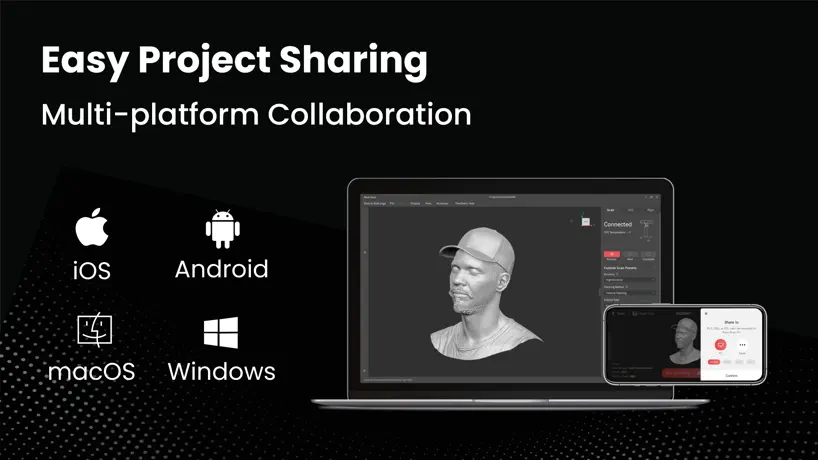
How much does Revo Scan-3D scanner app cost?
Prices are current as of 16 Nov 2026.
Revo Scan-3D scanner app has no in-app products on record in the United States.
10+ alternatives to Revo Scan-3D scanner app
| Revo Scan-3D scanner app |   Prusa |   Creality Scan |   Creality Cloud Lite |   3D Object Capture|Room Scanner |   RTAB-Map - 3D LiDAR Scanner |   3D Object & Room Scanner |   Thangs |   Snapmaker |   JMStudio |   CyberBrick | |
|---|---|---|---|---|---|---|---|---|---|---|---|
| Rating / 5 | 2.7 | 4.2 | 2.0 | 2.9 | 4.4 | 4.7 | 4.3 | 2.8 | 2.7 | 1.9 | 3.6 |
| Reviews | 203 | 397 | 378 | 315 | 276 | 234 | 216 | 183 | 156 | 74 | 27 |
| Released | 2022 | 2024 | 2023 | 2023 | 2021 | 2021 | 2024 | 2022 | 2025 | 2023 | 2025 |
| Monthly price | — | — | — | — | — | — | $0.99 | — | — | — | — |
| Annual price | — | — | — | — | — | — | $9.99 | — | — | — | — |
| One-time price | — | — | — | — | $5.99 | — | $19.99 | — | — | — | — |
The going rate for each plan in United States, in its own currency, shaded from the cheapest price on the row to the dearest.
Revo Scan-3D scanner app reviews
2.7 out of 5, based on 203 reviews.
What people like
- Great for scanning on the go
- Customer service is very helpful
- Scan results are surprisingly good
What they complain about
- Hard to connect via WiFi
- App crashes during scanning often
- Low quality mesh compared to PC
Inspire 2 user
Been using the app for a couple of weeks now. Seems stable and scan results have been very good. I’ve also found customer service to be very helpful.
Pos
Doesnt communicate with the pc
revo scan 6 for new pop4 scanner?
documentation for the new pop4 scanner indicates that revo scan 6 is necessary to use the scanner on the go with a phone. is there any info as to when that will be available?
15.7.1系统,版本升级之后闪退进不去了
15.7.1系统,版本升级之后闪退进不去了
Klasse
Klappt alles wunderbar, natürlich sollte das KnowHow vorhanden sein.
Not Worth It
When I first got this it might connect it might not. I was able to use the scanner and app once in the almost 2 years I’ve had this. Recently it wouldn’t connect and the troubleshooting they give you is way out of date. Don’t waste your time and money on the scanner and app.
POP 4 non compatible
A quand une version compatible avec le POP 4 ?
miraco pro为什么不能连接?
miraco pro为什么不能连接?我的miraco pro连接无反应,一体机不可以使用吗
iPad Pro and USB C
When will this app be available for the iPad with USB C compatibility? I believe the next-generation of iPhones will also have USB C connections so why wait? I really want to use this app on my iPad Pro with USB C support. Thanks!
App is garbage
Can’t connect the scanner at all
It doesnt work
App crash every time I try to edit captured object. Also it often lose wifi connect during scan. Iphone 12 pro ios 26.3.1. Do smthn with this. Thks
App could use improvments
I noticed when you use the app with the scanner, and also use it to convert it to a Mesh, it is very low quality, as compared to the Desktop App , and also there is no way to change the Mesh settings to be able to create a higher quality file. I hope in next update , you add the function of being able to save the file in higher quality Mesh file.
Language
Developers, Russian will be?
Software is garbage
Connected to the new Pop 4 via WiFi, double checked all of the settings and it still won’t see the device. Try and launch the app on my laptop and all it ever brings up is ogre engine rendering set up and that’s it.
Si chiude
Purtroppo si chiude improvvisamente quando tento una fusione. Per il resto è una app pratica…
Kein USB-C Support
Bitte für eine stabile Verbindung den USB-C Support der neuen iPhones freischalten! Das ist mir 1000 mal lieber wie über Wlan! Per Usb einfach einstecken und loslegen! Viel besser!
Easy to use for modeling
Unbelievable for me, the first time I could scan the object within such limited slot and create amazing modeling, very nice experience^~^
Do not buy the Pop4 it does not work
I did the Kickstarter for the POP4 when I plug it into my computer it says there's a surge and it's not enough power to run to run the scanner from my computer USB ports. Not one single port works. When I connect to the Wi-Fi through my mobile app. It does not work. It always says it's disconnected. It's not even Revo scan six which is what the instructions say to download. There's no troubleshooting. There's no customer support. There's nothing. It's a pointless. Pointless. Waste of time. Do not buy it take it back immediately.
Appareil non détecté
L’appli ne détecte pas le tout récent INSPIRE2 j’espère une MAJ rapide!..
Cannot connect to hand held stabiliser and
Dear Revopoint Support Team, Please could you adress following points? - handheld stabiliser is not being recognised - no option to not post processing the point cloud. I only want to transfer the point cloud to computer without having fused or meshed it. How Can I please get the old app which have better worked? Many thanks, Ignacio
扫描流畅,不错不错
很棒
Just don’t
Horrible doesn’t even connect
Chiusura improvvisa
Purtroppo durante la scansione L’app si blocca e poi si chiude all’improvviso, dovendo ricominciare da capo la scansione
Fonctionne bien mais quelque défauts
Très utiles pour scanner des objets dans des endroits isolés, les précédente mise à jours ont amélioré vraiment le logiciel (amélioration de l’utilisation de la ram et support des marqueurs) Un défaut mais pas des moindres, les scans disparaissent de temps en temps, je pense que c’est à cause des mises à jour qui écrase les travaux précédemment réalisés
It is unique software!
Amazing! It is easy to use and have a magic function “ undo”. It provide very good quality of scans, I like to use it more than PC version!
Disappointed at best
Note: This version of the appliation is a universal application for ipad/iphones, as such it has lmited functionality compared to the full product. If you want the full version of the product you MUST download it from the revopoint web site. Because this is a universal application USB does not work when running it on a Mac.
Works to a degree
The scanner works fine on a laptop, but I bought the portable scanner to use with my phone. I have to connect the scanner to the app via WiFi and it barely works, or more often simply doesn’t. The iPad Pro, iPad Air, and iPhone 15 add have USB C, it’s high time that these guys modify the app to use USB support so we don’t have to try to rely on the extremely spotty WiFi connection to the app.
Не нашёл как подключить к iPad
Уважаемый разработчик а где выбор подключения к iPad (usb или Wi-Fi mode)
Works for me
3D Scanning on the go with my own portable battery pack
Does not work on iphone 15
Junk , does not work on iphone 15
Not working with IPhone 13 Pro and POP 3
The app doesn’t detect the POP 3 with an iPhone 13 Pro. Please solve this issue.
Bad directions but works as should
I bought the pop2 Kickstarter version so at the time of receiving mine, directions on connecting to the app were a little confusing. I recommend connecting to a pc first and trying the computer program version downloaded from the Revopoint site to verify the camera works. Afterwards disconnect the camera from the pc and plug it into a wall charger. Go to your WiFi settings on your iPad/iPhone and look for the Pop address to show up. Type in the camera password. Launch the app and it should connect to the camera when you tap the New Scan button. To save out the scan, make sure the cloud point data is fused and then convert it to the mesh( I found the buttons on the left hand side after completing the scan. You will need to have something like Dropbox installed in order to save the scan off your device so you can access it. To save out tap on projects, select your scan, then share it to a file share.
Very Disappointed. Software Basically Unusable
This app is terrible. I have issues with connecting to the scanner, then performing the scans. I connect power to the unit and wait about 30 seconds. Then I connect to the scanner’s WIFI. Then I open the RevoPoint app. Fir a very, very long time, up to 7 minutes, the app says, “No scanner detected. Connect a scanner.” Finally if/ when it connects, I get to the section where you set the scan settings. Once i do that and then press the button to start the scan, I get 4 spinning red dots, and one of two things happens: 1. In up to 5 minutes, the 4 round dots go away, and I can scan. 2. The spinning red dots never go away. Then I force close the software and start all over again. Sometimes I’m not able to get it to scan no matter what I do. This does not happen on the computer app. I’m running IOS 16 on an iPhone 13. I do not remember this happened when I first got the device. 2 things changed since then, a scanner firmware update, and updating to IOS 16. Once I do get a scan going, the phone app does have significantly more trouble keeping tracking of the object than on the computer. I tested this by scanning the same object using both methods. Also, not related to this app, but it seems this device in general, works much better when the scanner is stationary, but the scanned object is placed on a rotating platform. Unfortunately this isn’t always feasible unless you are scanning a small object.
Can I test one of your scanners?
Text updates for the app: Searching a scanner —> Searching for a scanner; Too near -> Too close; The scanning area looks a bit small on my iPhone. I have a YouTube channel and would like to test a scanner. I’m an industrial designer that lives in Hokkaido, Japan. There are lots of old temples and interesting things around that I’d like to scan and share with people. Please contact me. I can do reviews in English and also Japanese if you like.
Getting there.
Early app, has a lot of promise. 3D scanner has lots of potential. Works very well if you take your time and set things up properly.
Is anyone there…?
Literally everything for the Pop2 is non-functional. I cannot get the Mac software to work at all, so I decided to try the iPhone software… dude, huge mistake. I’m glad I haven’t thrown away the box yet, because this paperweight is going back.
Constantly shuts off.
Quickly closes out. Every attempted scan.
Revo Scan-3D scanner app FAQ
- Is Revo Scan-3D scanner app free?
- Yes. The app is free, in all 175 countries it sells in, and it sells nothing inside it.
- Does Revo Scan-3D scanner app have a free trial?
- No. None of its offers (US) come with a free trial.
- What are the best alternatives to Revo Scan-3D scanner app?
- Prusa (4.2 from 397 reviews), Creality Scan (2.0 from 378 reviews) and Creality Cloud Lite (2.9 from 315 reviews).
Revo Scan-3D scanner app download
Last updated 22 days ago.
Revo Scan-3D scanner app sells in 175 countries. It was released 4 years and 8 months ago, on 5 Mar 2022. It holds a 2.7 rating from 203 reviews.
Supports 11 languages: English, French, German, Italian, Japanese, Korean, Portuguese, Russian, Chinese, Spanish, Turkish.
How much does Revo Scan-3D scanner app make?
Third-party estimates for the last 30 days, worldwide — not the store's own figures, which Apple publishes for nobody.