
FitNotes 2 - Gym Workout Log
FitNotes Workout Tracker
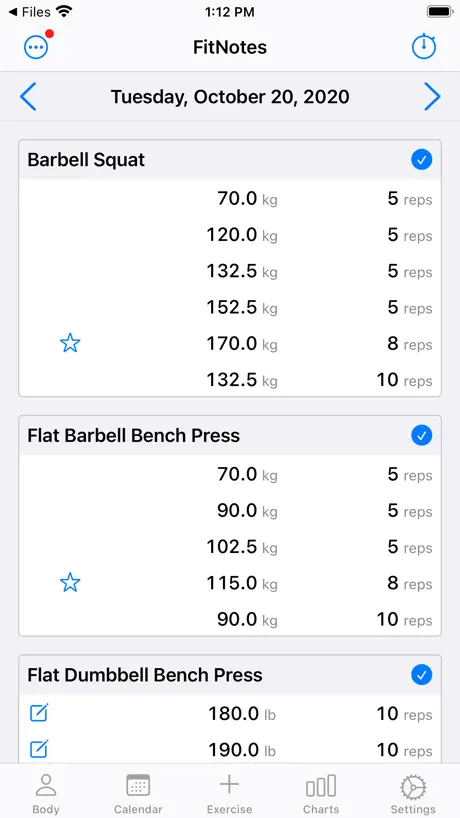
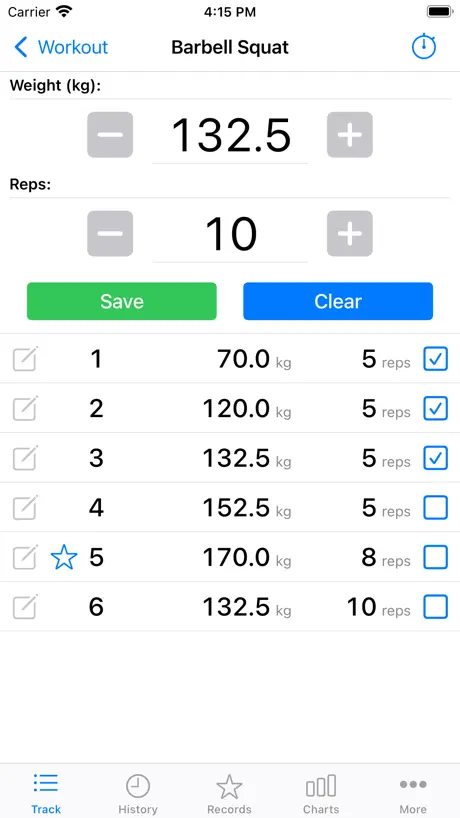
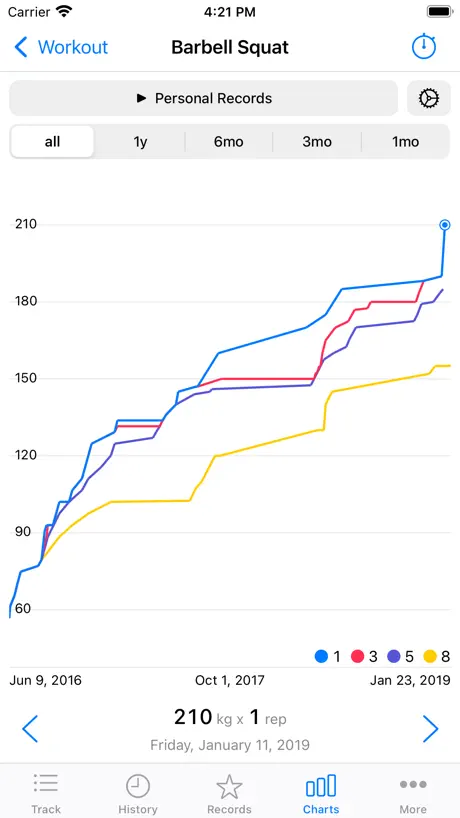
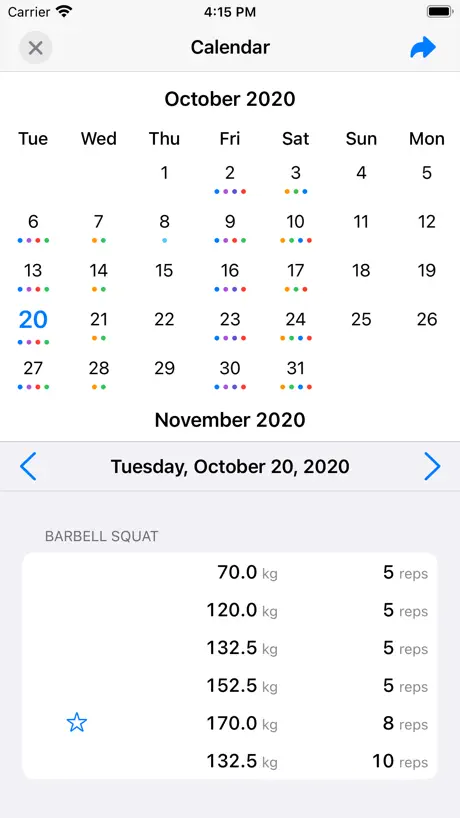
How much does FitNotes 2 - Gym Workout Log cost?
Prices are current as of 7 Oct 2026.
2 subscriptions from $1.99
In the United States, FitNotes 2 - Gym Workout Log has 2 subscriptions priced $1.99 – 14.99.
| Subscription | Period | Price |
|---|---|---|
| Unlimited Use | Monthly | $1.99 |
| Unlimited Use | Annual | $14.99 |
1 one-time purchase from $44.99
In the United States, FitNotes 2 - Gym Workout Log has 1 one-time purchase priced $44.99.
| Product | Price |
|---|---|
| Forever | $44.99 |
See what FitNotes 2 - Gym Workout Log costs in all 175 countries →
10+ alternatives to FitNotes 2 - Gym Workout Log
| FitNotes 2 - Gym Workout Log |   JEFIT Workout Plan Gym Tracker JEFIT Workout Plan Gym Tracker |   RepCount - Gym Workout Tracker RepCount - Gym Workout Tracker |   StrengthLog – Workout Tracker StrengthLog – Workout Tracker |   GymBook ・ Strength Training GymBook ・ Strength Training |   Setgraph: Gym Workout Tracker Setgraph: Gym Workout Tracker |   Fitlist Workout Log & Planner Fitlist Workout Log & Planner |   Gravitus - Gym Workout Tracker Gravitus - Gym Workout Tracker |   Gym log - Strive Gym log - Strive |   FitNotes - Workout Tracker FitNotes - Workout Tracker | 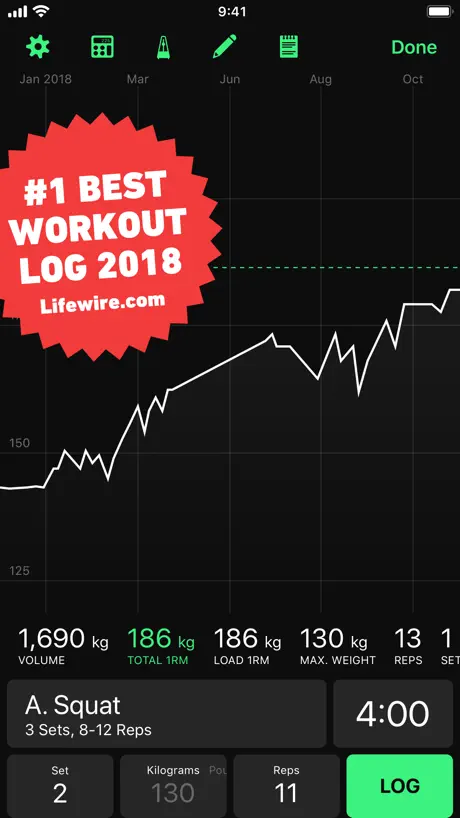  HeavySet - Gym Workout Log HeavySet - Gym Workout Log | |
|---|---|---|---|---|---|---|---|---|---|---|---|
| Rating / 5 | 4.4 | 4.7 | 4.8 | 4.8 | 4.8 | 4.7 | 4.7 | 4.8 | 4.9 | 4.5 | 4.5 |
| Reviews | 1.5K | 86K | 38K | 22K | 16K | 15K | 14K | 10K | 4.1K | 3.2K | 2.6K |
| Released | 2020 | 2011 | 2013 | 2018 | 2013 | 2017 | 2013 | 2015 | 2023 | 2016 | 2017 |
| Monthly price | $1.99 | $6.99 | $4.99 | $16.90 | $1.99 | $4.99 | $3.99 | $11.49 | $6.99 | $0.99 | — |
| Annual price | $14.99 | $39.99 | $29.99 | $109.00 | $8.99 | $29.99 | $24.99 | $79.99 | $39.99 | $4.99 | — |
| One-time price | $44.99 | — | — | — | $3.99 | $199.99 | $2.99 | — | $3.79 | $9.99 | $19.99 |
The going rate for each plan in United States, in its own currency, shaded from the cheapest price on the row to the dearest. Plans fewer than four in ten of the priced apps sell are left out.
FitNotes 2 - Gym Workout Log reviews
4.4 out of 5, based on 1,495 reviews.
What people like
- Simple interface without unnecessary clutter
- Great data visualization and charts
- Useful automatic rest timer feature
- Developer responds quickly to questions
What they complain about
- Charges high fees after few workouts
- Rest timer often fails on locked screen
- iOS app lacks template workout creation
- Feels like a ripoff of Android version
Best For Logging Lifts
Best app for logging lifts. It has everything a lifter needs without any extra unnecessary stuff. It’s simple but the layout doesn’t seem too simple. It’s customizable in every facet needed. My one suggestion is to be able to let us add secondary categories to exercise. For example, setting a squat movement to a quad primary category and glutes as a secondary category. Research heavily favors tracking total sets per muscle group per week and having this info would help lifters more accurately track their training. Furthermore, according to this metric 1 set would only count as a .5 set in the secondary category
Copy of android app but this one charges money after you download
This app is essentially a clone of one for android that does offer free use of the basic features. This acts like it’s the same app but then only let you do 12 workouts and then charges you a boatload. If you’re gonna steal someone’s app, at least steal the good parts like the free basic use. 45$ is too steep for a fitness tracker. 10$ sure, 20 yeah if it’s good. 45? I got cyberpunk for that price!
Great app, Just one big problem I have with it
I love this app, i love how it auto syncs to apple health and i especially love how it has the auto timer every time you mark off a set. Very very useful. I do wish it had a pause feature. Sometimes I’ll start a workout in the morning and finish it in the afternoon/evening. I’ll end the workout in the morning, and the moment I mark a new set as complete, it adds all the time between the morning workout to the time after the new set is marked. So if I “finish” a morning workout at 7:30, and come back around 5 to continue it, it’ll say that my workout was 10 hours. The only way to change the length recorded for the workout is to mark it as finished and change the time manually, but when I mark it as finished, it auto sends that info to Apple health and now apple says my exercise for the day was 10 hours; and it’s very difficult to get that data deleted from apple health since i have to go and delete each minute individually, or delete all data for the whole day. The only workaround I have right now is to turn off auto track workout time and then turn it back on after i’m done with the workout and just putting a time that equates to the number of hours/minutes the actual workout was. Other than that, great app.
So much potential to make this app better
Missing very simple exercises as a “abductor” and others. You should also add some programs that members can follow for result. The only thing I liked about this app was the calendar function. Otherwise you have so much potential to make this app better…. Check out Strenght Log instead but they’re missing the calendar function :(
Payment option not clear
I just tried to make the lifetime purchase option, I clicked the side button, and then no notification if I paid or not, and when I log in, I still see the 12 free workouts notification - what’s going on here? I’m migrating from the free android version, seems better than this
Great App
This is an awesome app. It’s simple and gets the job done. The simplicity makes using it easy and fast without wasting time fiddling with useless stuff, while having enough complexity to work for anyone from a beginner just logging reps to an advanced lifter with room for notes, ability to set TMs etc. etc. I also think the price is very reasonable! Not expensive at all
Better on android
Used the android version for about 7 years. This one wants you to pay $45 after you reach a max amount of workouts entered.
Great app and super responsive developer
I love using the app. I had a question and the app developer answered it in less than a day. Love using this on my Apple Watch. Only wish I had would be to be able to send created exercises to another user of app and sharing workouts with other users of app
Kinda Useless
Decided to tryout a digital workout tracker instead of my little notebook I take at the gym and this is just very limited in exercise names. Why pay for the “full” version if a notebook and pen will accurately track your workouts far bette that this. Lol
Too expensive
For an app that used to be 100% free, to force you to upgrade without even a free option with ads
Have always loved it
Worth it, perpetual licensing is the best and this app does everything I could ask for and more
“Workout Limit Reached”
For IOS users, there’s a limit to how many workouts you can enter unless you pay. My friends who have it on Android don’t have this paywall. Time to uninstall and look for another app.
Basically perfect
Best gym app I’ve used. Just missing a key feature: Show the resting timer on the Dynamic Island or the lock screen so you don’t have to open the app to see how much time is left of the rest in between the sets
Develoment on autopilot
This app has so much potential but for a subscription app, there are no real improvements happening, small fixea couple time a year don't cut it.
Good not great
Its very annoying you cant link your devices. It would be great if i updated a workout on my phones it would also update in my ipad. I expected as much seeing as you have to pay for the app. Other than thats its great for tracking workouts but the settings are somewhat confusing, for example i keep switching between workouts and I have tried everything to turn it off
Great App! New features welcomed!
New Live Activity is great. Wish it automatically initiated when I used the app for the first time after the app to allow to use it instead of finding it inside the settings. When AOD is on, the first number under 20 seconds stays there longer than time indicates & stays there another few more seconds after hearing the zero sound. I think it should show the full number countdown after 10 seconds. Thank you for listening! It’d be great if the app could work within the workout watch app to click on next set.
“2” is just the payed version
Old version was exactly the same, except it was free.
New user - generally like, GUI needs work
Clean interface, mostly intuitive. Deleting and moving workouts is a mystery on iOS. Please fix.
Its a $40 application…
Turns out you only get a set maximum number of workouts you can log, then they charge a subscription fee or charge you $40 for the app. Think about it, if you saw this app on the app store with a $40 price tag would you even open it to see more info? No. you know it, I know it $40 for an app you can pretty much do all of using local memory and have relative to no server maintenance charging this much is highway robbery. Decent app, disrespectful pricing.
Idioma
Estaría genial que la traducirán al español!!
Love it
Ive been using this app for 7+ years. It great for tracking, scaling and workout tracking. As a gymrat I highly recommend.
Ripoff
After "too many workouts", you have to pay $50 to keep using the app
Love the app, but
Please please allow to define resting period for individual exercises. Some exercises require less rest between reps.
Crazy expensive
Nice, simple and easy to use. Works very good, until it stops and asks you to pay 45€ to continue using it. Who is crazy enough to pay that much.
Not free
Surprise surprise, you’ll suddenly find yourself blocked from entering anymore if you don’t pay the subscription fee. I’ll give it one thing. It’s less expensive than others for a more flexible product. I’ll begrudgingly pay for it, but because I don’t wanna start over on a different app.
FitNotes
Absolutely incredible app. I love logging, adding new exercises and all the features of the premium version. Well worth the lifetime price.
Not same developer from Android app
The description makes it seem that it’s from the same developer from the FitNotes Android app. This is clearly not the case. They are a ripoff from the original. Their customer service definitely needs improvement. Outrageous prices. Don’t waste your time.
Apple Watch
Antes al crear el entrenamiento en el celular me aparecía en automático en el reloj pero ahora nunca aparece, hay alguna nueva configuración?
App útil pero precio desproporcionado
App sencilla y útil pero tiene un precio injustificable. Como mínimo debería costar la mitad.
App ist gut - preis viel zu hoch
Ich persönlich komme bzw. kam mit der App gut klar. Allerdings ist das Abo zu teuer. Und ja, es ist möglich die App zu kaufen bzw. den unlimited Zugriff zu erwerben. Aber Leute.. 45€ für eine app? Da nehm ich doch lieber Stift und Zettel in die Hand um meine Sätze zu notieren.
Colors
I would rather if the fonts and numbers comes in different colors otherwise the app is awesome
Confusing and hard to use
The UI is not good, I can’t create a workout from a template, instead of selecting the template to use it just enters the template editor again. There’s no point in having templates if the only thing I can do is edit them and not use them. Maybe I’m just doing something wrong, but there’s no way to know therefore the app is hard to use and confusing, like the description says
Custom unit crashing
I really like this app. However when I try and add a custom unit under the body tracker it crashes the app on iOS every time. Have installed reinstalled and still does this. Other than that it’s great. Would also recommend I custom unit to allow for a field that include ‘reference range’ then people could custom unit in their blood work as well and if outside reference range that could be graphed. Would add some potential for people who want to log a combination of dexa scan data, vo2 max test data (fat max and vo2max) and blood work data.
Muy caro
Deja muy pocos entrenamientos, si la app de pago tuviese un precio fijo de unos 5-6 euros la compraría sin dudar. Pero el precio mensual es demasiado elevado
Frustrating.
Will not let you delete an exercise you no longer want to track. Once you’ve done it you’re stuck with it. Other than that it’s a great app. Never had this issue in android.
Simply the best
Been using this and its Android variant since it came out (about a decade?) It's simple to use and works exactly as you'd expect. I love the data visualization, PR tracking, automatic timer, and data export functionality too. Can't recommend this app enough. Small nits for the dev: I'd love records for purely rep or time-based exercises. Also there's a minor bug where the audio un-dimming signal can get interrupted if you save a new set while the audio is dimmed.
unusable after three weeks
cant use it after three weeks unless you cough up a monthly charge.
Back arrow
When reviewing variouis exercises, I wish that pushing the back arrow would take me back to the group of exercises I was reviewing, rather than to my overall workout.
Workout routines?
I’m porting over from android, where I enjoyed using the app for over a year. My workout history and custom exercises imported just fine. However I don’t see any of my exercise routine templates. Furthermore, I don’t even see any way to generate exercise routines in this iOS app. The best it can do is copy an existing exercise routine from another day, but that doesn’t work for me because I want to set up the day’s routine from a template, as was possible in the android version. This is a make or break issue for me. I don’t want to start from scratch each day, and I don’t want to have to hunt-and-peck search through my history of colored dot patterns on the number calendar to try to find when I last did a particular workout. I also think the $50 price tag is kind of steep, especially since I already bought it for android. Any chance of a discount for switching?
No one will pay that much money
40 quid whaaaaat? Make it let’s say 20 and I will get it right away! App is nice and simple and just what you need, but cmon, seriously it’s rediculous, i rather take a notebook and a pencil with me to the gym than pay 40 GBP for it… 3 stars only because of the pricing model
bug with records
records seems broken. it doesn't accurately state my record (misses some data) when I select All Time but when I switch to Past 3 Months or another period it increases my record
Looked promising but a Non starter
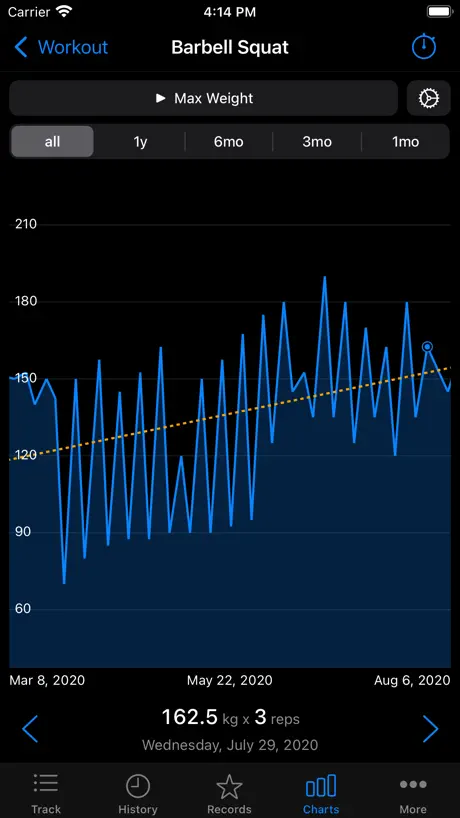
Downloaded because of the nice chart features showcased in the screenshots, separate 1rm, 5rm, 8rm lines… trend lines. Looks nice Upon opening the app it prompts me to import data from other apps but the link just goes to their homepage with no further information. It also says I only have 12 free workouts. I’m not going to waste time entering data if 1) it means I lose all history from other apps 2) after 12 workouts the data will be potentially wasted if I decide not to pay for the app 3) others have noted in their reviews they sunk time into the app and got bait and switched to pay. Just gonna uninstall this. Maybe the developers should make it so I can import data from another app, or perhaps charge for the charts instead of limiting the workouts. I can easily export data from other apps and get whatever charts I need in various programs like excel. Reply to their reply: it’s a bait and switch because you label the app as “free” on the App Store when it’s not. What don’t you get about this?
Great app
Ive been using this app for a year now. Its great but wish it had apple watch support!
Simple, straight forward
I looked at a lot of fitness apps and most are more complicated than needed. This app is perfect!
Pay to win
Trash. After 3 months of using this and tracking progress and looking at graphs it now tells me I need to purchase the pro version to continue. Now I have to find a new app and start over. Not worth getting.
Slight issue that is still present.
Overall the app is great, but I seem to be having an issue where the rest timer doesn’t go off when the phone is locked. It’s intermittent, but happens 6-10 times during a 1.5 to 2 hour workout. I tried to select the feedback option in the settings menu, but all I get is an error saying “sorry, we can’t send email on this device.” I’ve tried going through my the app and privacy settings, but I can’t find a reason why the app would give me this error.
FitNotes 2 - Gym Workout Log price by country
A monthly subscription costs $0.30 in Turkey and $2.71 in the Czech Republic — 9× more for the same thing. Below is the going rate for each plan in every country that sells it — the middle price of what the app charges there, in the country's own currency with the dollar equivalent beneath it.
| Country | Monthly | Annual | One-time |
|---|---|---|---|
| Afghanistan | $1.99 | $14.99 | $44.99 |
| Albania | $2.39 | $17.99 | $49.99 |
| Algeria | $1.99 | $14.99 | $44.99 |
| Angola | $1.99 | $14.99 | $44.99 |
| Anguilla | $0.99 | $4.99 | $14.99 |
| Antigua And Barbuda | $0.99 | $4.99 | $14.99 |
| Argentina | $0.99 | $4.99 | $14.99 |
| Armenia | $1.99 | $17.99 | $49.99 |
| Australia | A$3.49$2.42 | A$22.99$15.97 | A$69.99$48.60 |
| Austria | €1.99$2.23 | €17.99$20.17 | €49.99$56.04 |
| Azerbaijan | $1.99 | $14.99 | $49.99 |
| Bahamas | $0.99 | $4.99 | $14.99 |
| Bahrain | $1.99 | $14.99 | $49.99 |
| Barbados | $0.99 | $5.99 | $17.99 |
| Belarus | $1.99 | $17.99 | $49.99 |
| Belgium | €1.99$2.23 | €17.99$20.17 | €49.99$56.04 |
| Belize | $0.99 | $4.99 | $14.99 |
| Benin | $1.99 | $14.99 | $49.99 |
| Bermuda | $0.99 | $4.99 | $14.99 |
| Bhutan | $1.99 | $14.99 | $44.99 |
| Bolivia | $0.99 | $4.99 | $14.99 |
| Bosnia & Herzegovina | €1.99$2.23 | €17.99$20.17 | €49.99$56.04 |
| Botswana | $1.99 | $14.99 | $44.99 |
| Brazil | R$4.90$0.98 | R$24.90$4.96 | R$79.90$15.92 |
| British Virgin Islands | $0.99 | $4.99 | $14.99 |
| Brunei Darussalam | $1.99 | $14.99 | $44.99 |
| Bulgaria | €2.29$2.57 | €14.99$16.80 | €49.99$56.04 |
| Burkina Faso | $1.99 | $14.99 | $44.99 |
| Cambodia | $1.99 | $14.99 | $49.99 |
| Cameroon | $1.99 | $17.99 | $49.99 |
| Canada | CA$2.79$1.95 | CA$19.99$13.98 | CA$59.99$41.95 |
| Cape Verde | $1.99 | $14.99 | $44.99 |
| Cayman Islands | $0.99 | $4.99 | $14.99 |
| Chad | $1.99 | $14.99 | $44.99 |
| Chile | CLP 990$1.00 | CLP 4,990$5.05 | CLP 14,990$15.16 |
| China | CN¥15.00$2.24 | CN¥98.00$14.61 | CN¥298.00$44.41 |
| Colombia | COP 4,900$1.49 | COP 24,900$7.58 | COP 69,900$21.27 |
| Congo | $1.99 | $14.99 | $49.99 |
| Congo, Democratic Republic | $1.99 | $14.99 | $44.99 |
| Costa Rica | $0.99 | $4.99 | $14.99 |
| Cote Divoire | $1.99 | $14.99 | $49.99 |
| Croatia | €2.25$2.52 | €17.99$20.17 | €49.99$56.04 |
| Cyprus | €1.99$2.23 | €17.99$20.17 | €49.99$56.04 |
| Czech Republic | CZK 59.00$2.71 | CZK 399.00$18.29 | CZK 1,190.00$54.56 |
| Denmark | DKK 17.00$2.55 | DKK 129.00$19.34 | DKK 399.00$59.82 |
| Dominica | $0.99 | $4.99 | $14.99 |
| Dominican Republic | $0.99 | $4.99 | $14.99 |
| Ecuador | $0.99 | $4.99 | $14.99 |
| Egypt | EGP 32.99$0.63 | EGP 499.99$9.54 | EGP 2,499.99$47.68 |
| El Salvador | $0.99 | $4.99 | $14.99 |
| Estonia | €1.99$2.23 | €17.99$20.17 | €49.99$56.04 |
| Fiji | $1.99 | $14.99 | $44.99 |
| Finland | €1.99$2.23 | €17.99$20.17 | €49.99$56.04 |
| France | €1.99$2.23 | €17.99$20.17 | €49.99$56.04 |
| Gabon | $1.99 | $14.99 | $44.99 |
| Gambia | $1.99 | $14.99 | $44.99 |
| Georgia | $1.99 | $17.99 | $49.99 |
| Germany | €1.99$2.23 | €17.99$20.17 | €49.99$56.04 |
| Ghana | $1.99 | $17.99 | $49.99 |
| Greece | €1.99$2.23 | €17.99$20.17 | €49.99$56.04 |
| Grenada | $0.99 | $4.99 | $14.99 |
| Guatemala | $0.99 | $4.99 | $14.99 |
| Guinea-bissau | $1.99 | $14.99 | $44.99 |
| Guyana | $0.99 | $4.99 | $14.99 |
| Honduras | $0.99 | $4.99 | $14.99 |
| Hong Kong | HK$15.00$1.91 | HK$118.00$15.03 | HK$368.00$46.88 |
| Hungary | HUF 799$2.44 | HUF 6,990$21.33 | HUF 19,990$60.99 |
| Iceland | $2.47 | $17.99 | $49.99 |
| India | ₹169.00$1.75 | ₹1,499.00$15.55 | ₹4,999.00$51.87 |
| Indonesia | IDR 29,000$1.62 | IDR 249,000$13.92 | IDR 899,000$50.24 |
| Iraq | $1.99 | $14.99 | $44.99 |
| Ireland | €1.99$2.23 | €17.99$20.17 | €49.99$56.04 |
| Israel | ₪7.90$2.59 | ₪49.90$16.36 | ₪129.90$42.59 |
| Italy | €1.99$2.23 | €17.99$20.17 | €49.99$56.04 |
| Jamaica | $0.99 | $4.99 | $14.99 |
| Japan | ¥200$1.27 | ¥2,200$13.93 | ¥7,000$44.31 |
| Jordan | $1.99 | $14.99 | $44.99 |
| Kazakhstan | KZT 799.00$1.75 | KZT 7,990.00$17.51 | KZT 24,990.00$54.77 |
| Kenya | $1.99 | $17.99 | $49.99 |
| Kosovo | €1.99$2.23 | €17.99$20.17 | €49.99$56.04 |
| Kuwait | $1.99 | $14.99 | $44.99 |
| Kyrgyzstan | $1.99 | $14.99 | $49.99 |
| Lao Peoples Democratic Republic | $1.99 | $14.99 | $49.99 |
| Latvia | €1.99$2.23 | €17.99$20.17 | €49.99$56.04 |
| Lebanon | $1.99 | $14.99 | $44.99 |
| Liberia | $1.99 | $14.99 | $44.99 |
| Libya | $1.99 | $14.99 | $44.99 |
| Lithuania | €1.99$2.23 | €17.99$20.17 | €49.99$56.04 |
| Luxembourg | €1.99$2.23 | €17.99$20.17 | €49.99$56.04 |
| Macao | $1.99 | $14.99 | $44.99 |
| Macedonia | $1.99 | $14.99 | $44.99 |
| Madagascar | $1.99 | $14.99 | $44.99 |
| Malawi | $1.99 | $14.99 | $44.99 |
| Malaysia | MYR 8.90$2.18 | MYR 69.90$17.09 | MYR 199.90$48.88 |
| Maldives | $1.99 | $14.99 | $44.99 |
| Mali | $1.99 | $14.99 | $44.99 |
| Malta | €1.99$2.23 | €17.99$20.17 | €49.99$56.04 |
| Mauritania | $1.99 | $14.99 | $44.99 |
| Mauritius | $1.99 | $14.99 | $49.99 |
| Mexico | MX$19.00$1.12 | MX$99.00$5.86 | MX$299.00$17.69 |
| Micronesia | $1.99 | $14.99 | $44.99 |
| Moldova | $1.99 | $17.99 | $49.99 |
| Mongolia | $1.99 | $14.99 | $44.99 |
| Montenegro | €1.99$2.23 | €12.99$14.56 | €39.99$44.83 |
| Montserrat | $0.99 | $4.99 | $14.99 |
| Morocco | $1.99 | $14.99 | $49.99 |
| Mozambique | $1.99 | $14.99 | $44.99 |
| Myanmar | $1.99 | $14.99 | $44.99 |
| Namibia | $1.99 | $14.99 | $44.99 |
| Nauru | $1.99 | $14.99 | $44.99 |
| Nepal | $1.99 | $14.99 | $49.99 |
| Netherlands | €1.99$2.23 | €17.99$20.17 | €49.99$56.04 |
| New Zealand | NZ$3.49$2.04 | NZ$29.99$17.54 | NZ$79.99$46.78 |
| Nicaragua | $0.99 | $4.99 | $14.99 |
| Niger | $1.99 | $14.99 | $44.99 |
| Nigeria | NGN 700.00$0.53 | NGN 7,900.00$5.94 | NGN 69,900.00$52.52 |
| Norway | NOK 22.00$2.29 | NOK 199.00$20.75 | NOK 599.00$62.46 |
| Oman | $1.99 | $14.99 | $44.99 |
| Pakistan | PKR 320$1.15 | PKR 3,900$14.07 | PKR 11,900$42.94 |
| Palau | $1.99 | $14.99 | $44.99 |
| Panama | $0.99 | $4.99 | $14.99 |
| Papua New Guinea | $1.99 | $14.99 | $44.99 |
| Paraguay | $0.99 | $4.99 | $14.99 |
| Peru | PEN 2.90$0.84 | PEN 19.90$5.78 | PEN 59.90$17.41 |
| Philippines | ₱105.00$1.68 | ₱799.00$12.76 | ₱2,990.00$47.73 |
| Poland | PLN 2.99$0.76 | PLN 24.99$6.39 | PLN 59.99$15.34 |
| Portugal | €1.99$2.23 | €17.99$20.17 | €49.99$56.04 |
| Qatar | QAR 7.29$2.00 | QAR 49.99$13.73 | QAR 149.99$41.21 |
| Romania | RON 9.99$2.10 | RON 79.99$16.80 | RON 249.99$52.52 |
| Russia | RUB 149.00$1.75 | RUB 1,290.00$15.15 | RUB 3,990.00$46.85 |
| Rwanda | $1.99 | $14.99 | $44.99 |
| Sao Tome & Principe | $1.99 | $14.99 | $44.99 |
| Saudi Arabia | SAR 8.99$2.40 | SAR 59.99$16.00 | SAR 199.99$53.33 |
| Senegal | $1.99 | $14.99 | $49.99 |
| Serbia | €1.99$2.23 | €17.99$20.17 | €49.99$56.04 |
| Seychelles | $1.99 | $14.99 | $44.99 |
| Sierra Leone | $1.99 | $14.99 | $44.99 |
| Singapore | SGD 2.98$2.33 | SGD 19.98$15.61 | SGD 59.98$46.86 |
| Slovakia | €1.99$2.23 | €17.99$20.17 | €49.99$56.04 |
| Slovenia | €1.99$2.23 | €17.99$20.17 | €49.99$56.04 |
| Solomon Islands | $1.99 | $14.99 | $44.99 |
| South Africa | ZAR 34.99$2.10 | ZAR 299.99$18.02 | ZAR 999.99$60.06 |
| South Korea | ₩2,500$1.86 | ₩22,000$16.38 | ₩77,000$57.34 |
| Spain | €1.99$2.23 | €17.99$20.17 | €49.99$56.04 |
| Sri Lanka | $1.99 | $14.99 | $44.99 |
| St. Kitts and Nevis | $0.99 | $4.99 | $14.99 |
| St. Lucia | $0.99 | $4.99 | $14.99 |
| St. Vincent & The Grenadines | $0.99 | $4.99 | $14.99 |
| Suriname | $0.99 | $4.99 | $14.99 |
| Swaziland | $1.99 | $14.99 | $44.99 |
| Sweden | SEK 25.00$2.49 | SEK 199.00$19.82 | SEK 599.00$59.66 |
| Switzerland | CHF 2.00$2.41 | CHF 15.00$18.05 | CHF 40.00$48.13 |
| Taiwan | NT$70.00$2.20 | NT$490.00$15.41 | NT$1,490.00$46.87 |
| Tajikistan | $1.99 | $17.99 | $49.99 |
| Tanzania | TZS 4,500.00$1.70 | TZS 34,900.00$13.21 | TZS 129,900.00$49.17 |
| Thailand | THB 59.00$1.75 | THB 499.00$14.81 | THB 1,490.00$44.23 |
| Tonga | $1.99 | $14.99 | $44.99 |
| Trinidad and Tobago | $0.99 | $4.99 | $14.99 |
| Tunisia | $1.99 | $14.99 | $44.99 |
| Turkey | TRY 14.99$0.30 | TRY 399.99$8.14 | TRY 2,499.99$50.85 |
| Turkmenistan | $1.99 | $14.99 | $44.99 |
| Turks and Caicos | $0.99 | $4.99 | $14.99 |
| Uganda | $1.99 | $17.99 | $49.99 |
| Ukraine | $1.99 | $17.99 | $49.99 |
| United Arab Emirates | AED 7.99$2.18 | AED 59.99$16.35 | AED 179.99$49.04 |
| United Kingdom | £1.99$2.63 | £14.99$19.83 | £44.99$59.51 |
| United States | $1.99 | $14.99 | $44.99 |
| Uruguay | $0.99 | $4.99 | $14.99 |
| Uzbekistan | $1.99 | $14.99 | $49.99 |
| Vanuatu | $1.99 | $14.99 | $44.99 |
| Venezuela | $0.99 | $4.99 | $14.99 |
| Vietnam | ₫47,000$1.81 | ₫59,000$2.27 | ₫1,299,000$50.03 |
| Yemen | $1.99 | $14.99 | $44.99 |
| Zambia | $1.99 | $14.99 | $49.99 |
| Zimbabwe | $1.99 | $17.99 | $49.99 |
FitNotes 2 - Gym Workout Log FAQ
- Is FitNotes 2 - Gym Workout Log free?
- Yes. The app and its basic features are free, in all 175 countries it sells in. Premium features are paid: they start from $1.99 (US), across 2 subscriptions and 1 one-time purchase.
- How much does FitNotes 2 - Gym Workout Log cost per month?
- Unlimited Use is $1.99 (US). The annual plan works out cheaper per month: $14.99 a year.
- Does FitNotes 2 - Gym Workout Log have a free trial?
- No. None of its offers (US) come with a free trial.
- Where is FitNotes 2 - Gym Workout Log cheapest?
- A monthly subscription costs TRY 14.99 (≈$0.30) in Turkey and CZK 59.00 (≈$2.71) in the Czech Republic, its cheapest and dearest countries.
- What are the best alternatives to FitNotes 2 - Gym Workout Log?
- JEFIT Workout Plan Gym Tracker (4.7 from 86,186 reviews, premium from $6.99), RepCount - Gym Workout Tracker (4.8 from 38,092 reviews, premium from $4.99) and StrengthLog – Workout Tracker (4.8 from 21,710 reviews, premium from $16.90).
FitNotes 2 - Gym Workout Log download
Last updated 28 days ago.
FitNotes 2 - Gym Workout Log sells in 175 countries. It was released 5 years and 9 months ago, on 20 Dec 2020. It holds a 4.4 rating from 1,495 reviews.
Supports 3 languages: English, French, Spanish.
How much does FitNotes 2 - Gym Workout Log make?
Third-party estimates for the last 30 days, worldwide — not the store's own figures, which Apple publishes for nobody.
Revenue by plan
- Monthly 70%
- Annual 25%
- One-time 5%
Revenue by country
- United States 48%
- United Kingdom 6%
- Canada 6%
- Australia 5%