
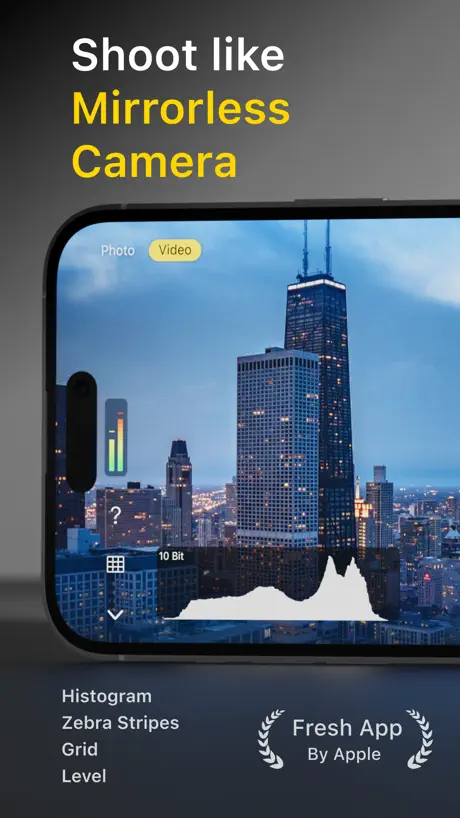
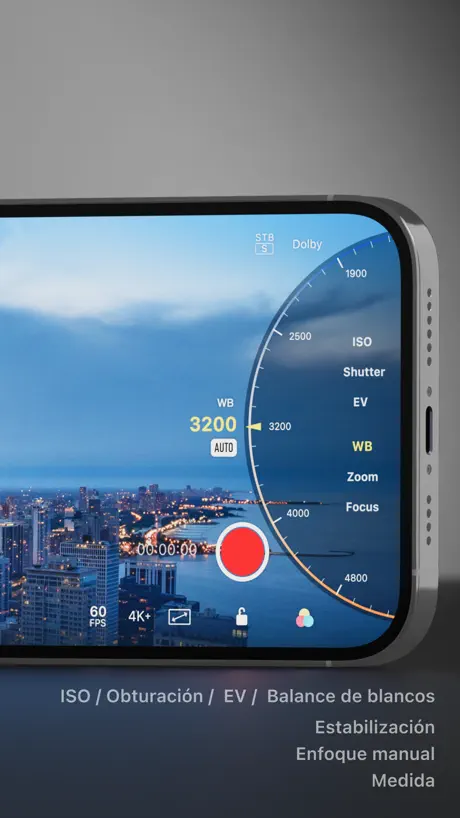
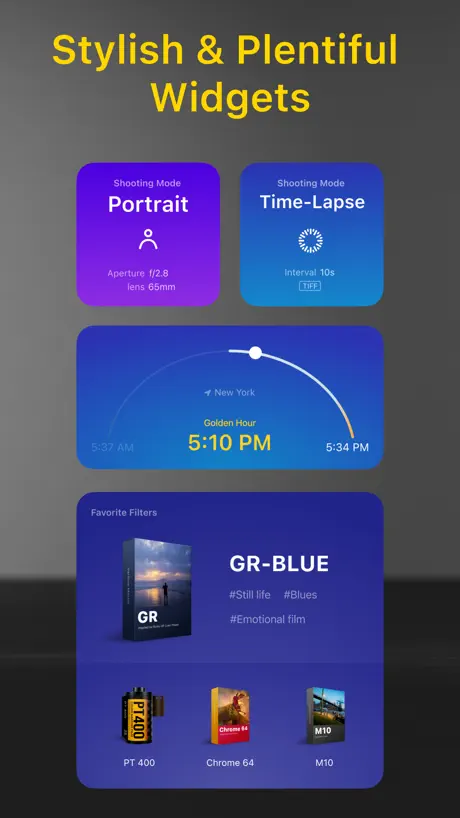
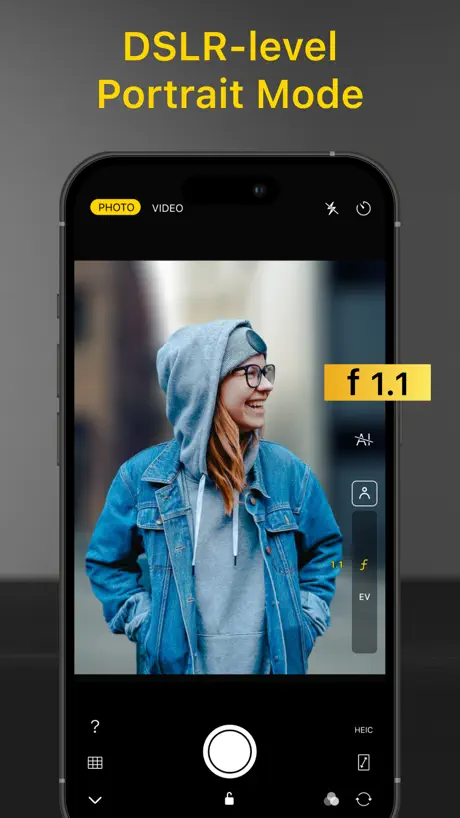
Varlens - DSLR in Phone
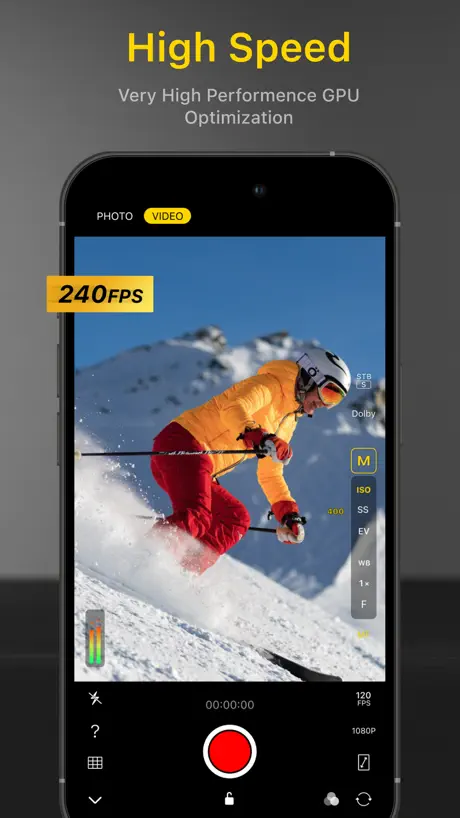
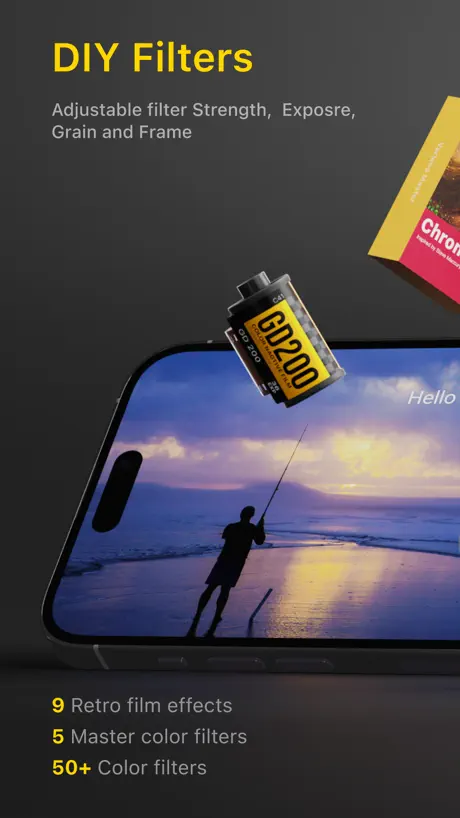
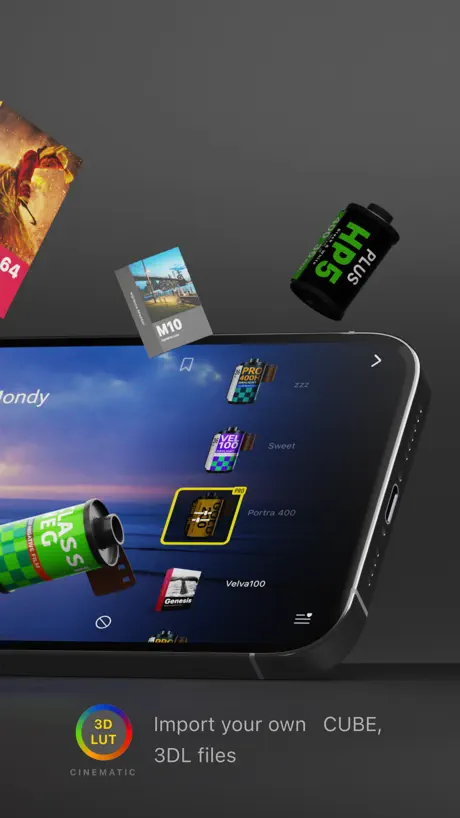
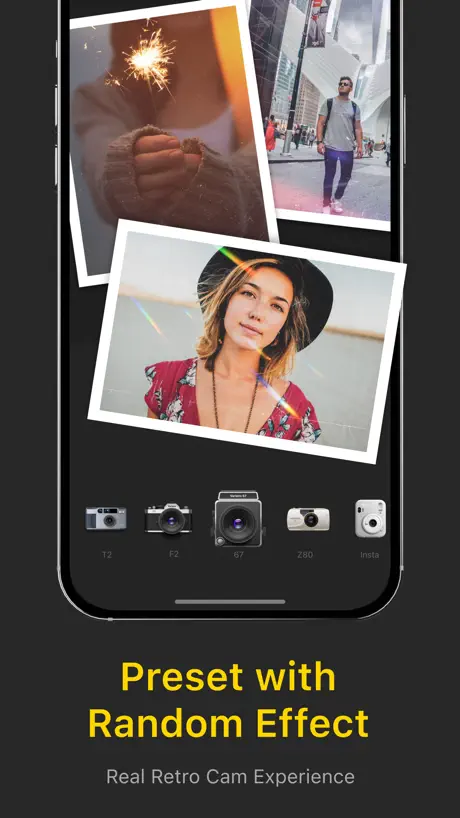
All in One Ultimate Pro Camera
How much does Varlens - DSLR in Phone cost?
Prices are current as of 12 Sept 2026.
2 subscriptions from $5.99
In the United States, Varlens - DSLR in Phone has 2 subscriptions priced $5.99 – 19.99. It comes with a 3 days free trial.
| Subscription | Period | Price |
|---|---|---|
| Varlens Pro - Monthly | Monthly | $5.99 |
| Varlens Pro - Yearly | AnnualTrial: 3 days | $19.99 |
1 one-time purchase from $99.99
In the United States, Varlens - DSLR in Phone has 1 one-time purchase priced $99.99.
| Product | Price |
|---|---|
| Varlens Pro Lifetime Edition | $99.99 |
See what Varlens - DSLR in Phone costs in all 175 countries →
10+ alternatives to Varlens - DSLR in Phone
| Varlens - DSLR in Phone |   Focos Focos |   Pro Camera-Omnipotent Camera Pro Camera-Omnipotent Camera |   FotorGear - Camera in Pocket FotorGear - Camera in Pocket |   ReLens-DSLR Beauty Focus Cam ReLens-DSLR Beauty Focus Cam |   LD - Photo & Video Finishing LD - Photo & Video Finishing |   Filmic Pro-Video Camera Filmic Pro-Video Camera |   Halide Mark III - Pro Camera Halide Mark III - Pro Camera | 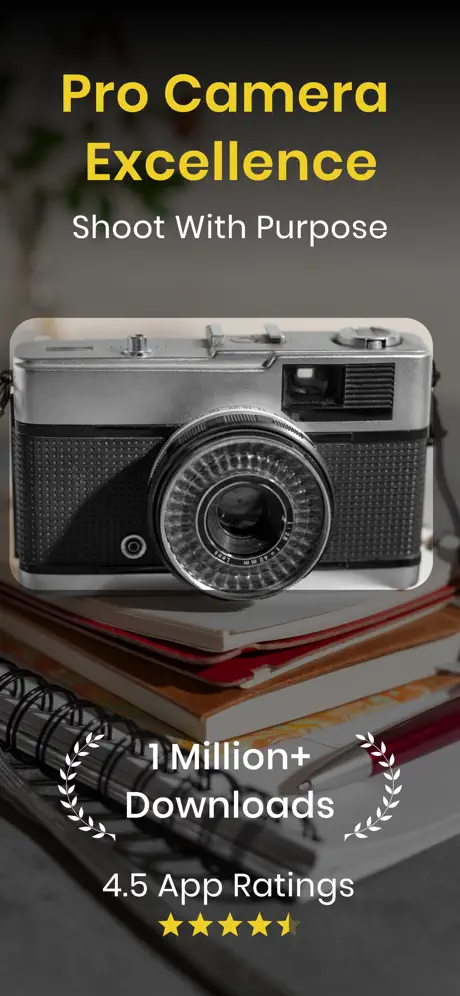  Pro Camera with RAW & Focus Pro Camera with RAW & Focus | 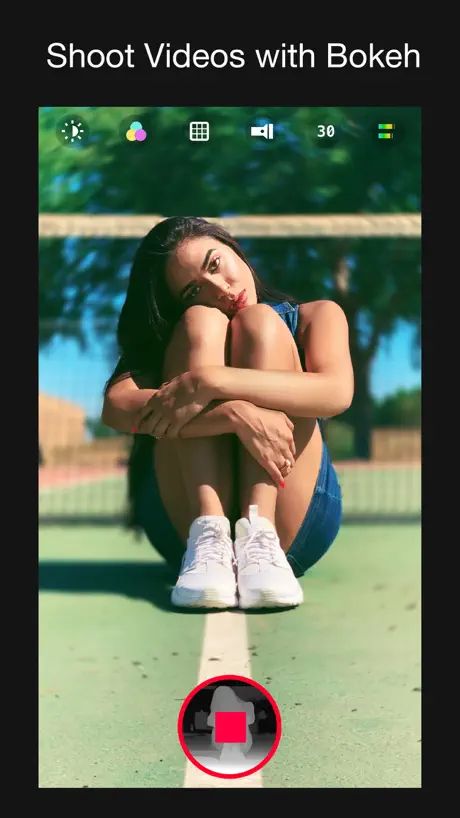  Focos Live Focos Live | 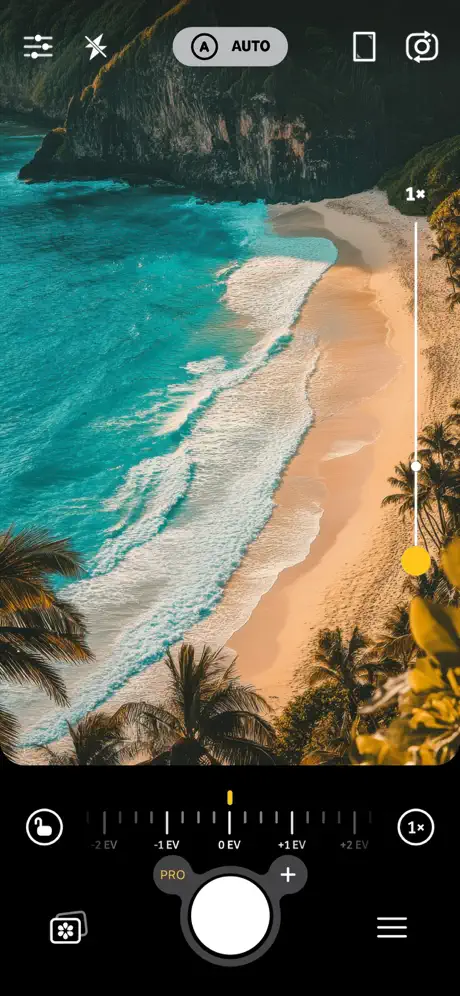  Camera+ I Pro Camera & Editor Camera+ I Pro Camera & Editor | |
|---|---|---|---|---|---|---|---|---|---|---|---|
| Rating / 5 | 4.7 | 4.7 | 4.5 | 4.8 | 4.7 | 4.8 | 3.5 | 4.2 | 4.4 | 4.6 | 4.3 |
| Reviews | 62K | 483K | 83K | 48K | 43K | 39K | 38K | 37K | 36K | 35K | 33K |
| Released | 2021 | 2017 | 2017 | 2020 | 2022 | 2014 | 2011 | 2017 | 2019 | 2020 | 2018 |
| Weekly price | — | $3.99 | — | — | — | — | $2.99 | — | $5.99 | $3.99 | $5.99 |
| Monthly price | $5.99 | — | — | — | $3.99 | $4.99 | — | $9.99 | $8.99 | — | $3.99 |
| Annual price | $19.99 | — | — | — | $15.99 | $29.99 | $39.99 | $19.99 | $29.99 | — | $34.99 |
| One-time price | $99.99 | $1.99 | — | — | $19.99 | — | $13.99 | $69.99 | — | $1.99 | $49.99 |
The going rate for each plan in United States, in its own currency, shaded from the cheapest price on the row to the dearest.
Varlens - DSLR in Phone reviews
4.7 out of 5, based on 61,996 reviews.
What people like
- Filters look natural and don't overprocess skin
- Interface is easy to use and clean
- Good manual camera controls for pros
What they complain about
- Many features are locked behind paywalls
- Photos lose quality when saved to phone
- App crashes or fails to save edits
- Subscription issues and billing errors persist
This app. Is all Pro and professional future? Unlock. And log video available here.
Log video available here
Frame save issues
Its not getting saved
有个小问题
为什么续订以后每次保存都要跳到订阅页面让我点一下我已经订阅的计划才可以保存照片
17 Pro max,更新 ios26.2 后闪退
无法进入应用,打开后黑屏 1 秒,然后自动返回桌面了
External Mic Audio Drops During Recording
I liked this app. However, there’s one major issue: it doesn’t handle external microphones properly. Whenever I record a video with an external mic, the audio keeps cutting out intermittently, there are a few seconds of audio, then a few seconds of silence. Even if the video quality is great, this issue completely ruins the recording.
Hi
Hey
Varlens copyright text missing
Developers are now becoming money hungry, every small feature one by one they are locking like this latest update locks the standard copyright or varlens stamp
My go to photo app
Good app. I like the flexibility you have and the amount of editing built in. The only issue is a lot of the time the preview of what I am shooting differs from the final photo so I spend extra time in post. All in all I recommend.
crash suddently
csnnot open app. crash suddently
DSLR logo
How do you remove the Varlens DSLR in phone logo from the bottom of the pic? I am a premium user and don’t want this logo on every pic I take.
Superb
Make more free presets
Not good app
After download i phone facing heating issue dont download this app
拍摄速度很快
希望能提升自定义lut的还原度
Good app
Love the app — the photo and video quality is seriously impressive, and the filters are great. Doesn’t feel like your typical smartphone camera, which I really appreciate. That said, the design could be a lot better. The way you switch between the camera and gallery feels a bit clunky. If you can swipe to go to the gallery, you should be able to swipe back too. And if it’s a tap, then put the return button in the same spot — keep it consistent. The shutter button placement is also weird. In portrait mode it’s fine, but in landscape it’s way down at the bottom — like, who takes pictures with their pinky? Just doesn’t feel natural. And switching between portrait and landscape feels like jumping between two separate apps. It’s slow, and honestly kind of kills the flow. Doesn’t have that smooth, real-camera feel. Overall, the app is good — just hope they tighten up the user experience soon. *Update: Keeps sending me Upgrade Ads from time to time even though I already have the Lifetime edition. -1
Some apps require extra fooling around with
UPDATE. When downloading this app, i was not aware the middle button at the bottom was the access to the camera and its settings. But I do like we can switch from HEIC to jpeg, since my iPhone camera ONLY takes HEIC pics.
Fantastic app
This app provides good filter that increase beauty tone in photos . Thank you
Baaaaad
Not saving option
Incomplete
Without Apple Watch application this app is not complete. It’s a very good app. There is no doubt about it. But if we can use it with Apple Watch then it will be way more easy. I am looking forward for Watch app. Till then only four stars.
Superior quality, terrible usability
For context, I have a (very beautiful) South Asian girlfriend with a darker skin complexion. I got this app as the stock camera app bundled with the iPhone completely whitens her skin with its terrible overprocessing. This app fixes that issue amazingly. There’s no overprocessing and it delivers a natural looking image that captures even more detail than the stock app. However, the second priority I have is the ability to capture Live Photos. Although Varlens certainly supports this feature, it takes WAY too long to process between pictures. You can expect to wait anywhere between 4 to 8 seconds to be able to take another image. I’ve tried restarting my phone, reinstalling the app, using the app without battery saver, nothing helps. This is a massive dealbreaker for me as it means I won’t be able to quickly take pictures the same way I would with the stock camera app. I really really like this app. Without the Live Photo issue, this would be the PERFECT app. Unfortunately as it stands, I will not be purchasing the pro upgrade. I really hope the developers can fix this problem!
Glitch while rotating phone
There is a glitch while rotating phone orientation. It is very annoying. I was about to purchase this app but the glitch is kind of very much annoying for me. Hope that the developers will fix this. I am waiting for months now.
DSLR IN PHONE
Excellent
Unable to login
I’ve taken subscription but I’m not able to login in to my account, if it doesn’t get solved today is my last day for free trial, I’m going to cancel it
Great App but Photos Flicker
I am giving this app a 4 star rating because of how great the pictures turn out and how easy it is to use. Couldn’t recommend more. Unfortunately, the pictures flicker when I send them to friends.
Subscription issue
I’ve enjoyed the camera and even purchased the pro subscription. Under my app subscriptions it shows that it’s active but in the camera app it is requesting that I purchase the pro subscription even though I already have. Attempted to reach out to support but have not yet heard back.
Bad gallery
The gallery is frickin goofy ahh background and using of the textures.Like who even made this.
Varlens
Awesome
Few features
Not worth the asking price
Shoot
How can we shoot milky waves using this app
What??
The design of app itself looks and feels great. I’m pretty shocked at how horribly grainy and shaky all photos and videos are. If you require people to make a purchase to even have it at the same level as the native ios camera app, don’t offer a free version at all then.
Very good app😇👌👌
Very nice 👌
Bugs
When i open light trail mode app is automatically shutdown again and again
Charged without consent
I had subscribed for free 3 days trial and before ending 3 days I had unsubscribed the app even then a fee of INR 1499 debited from my account. Please revert my amount.
Free Great Camera App with Editor
I was finding a Pro Camera features app which would also have some basic editing and this app does the job plus it's cool with it's UE/UI.
Quality
Performance low
Need Free option
Make all options for free
बेस्ट
नाईस
Purchased restore issue.
My account got debited 1499₹ for 1 year subscription. Now while I try to restore my purchase it is not working. Kindly shut out the problem or refund my cash.
Pre-existing media
I couldn’t find anyway to load any media I recorded through the native iPhone camera app into Varlens and then apply any of its filters. Not even for premium users. I honestly don’t get it and it really limits my creativity somewhere. If there is a way to do that, I’m very sorry and I would like to know how I can achieve it. Otherwise, pretty solid app. Thank you.
48MP only in manual mode
I thought the app sounded great and purchased it to take a few photos at a once in a lifetime car show. I was upset finding that all the photos were in 12mp. I contacted the customer service feedback and they replied that 48mp is only allowed in manual mode. I use the iPhone camera for quick shots mostly and don’t have the cognitive skills (I have 2 brain disabilities) to quickly adjust settings so I rely on automatic mode the majority of the time. The app seemed to be pretty decent especially with additions, and the subscription cost isn’t too bad for what you get. but I can’t justify keep paying a subscription fee for something that I won’t use all the time. If you can shoot manual then I would recommend taking a look at the app. If you just rely on auto, look at another camera app as you will be wasting the 48mp photos the iPhone can take.
Not bad, but not better than the iPhone camera.
At first, I really liked the app because of its many features. I even subscribed for one month to fully test all the functionalities. On the second day of using it, I noticed that the quality of photos taken with this app significantly decreases when saved to the iPhone photo album or other apps. The original photo size in the app is 3024x4032, but after saving a photo to the phone, the quality reduces to 768x1024! I couldn't find any settings to change this, and unfortunately, I have to stop using this app because I'm not satisfied with the photo quality in the end. It's a pity because the app is interesting. If the support team reads this message and can explain how to improve the photo quality when importing from the app to the phone, I'd be happy to reconsider my rating and continue using the app.
Bad
Good
Most of the useful features are behind a paywall 👻
Most of the useful features are behind a paywall 👻
Night Nite
I almost deleted all of my other applications for this one. It’s easy to use and has everything I need.
Crashes and auto closes
Was editing an picture in kodak film mode and the pic came out fantastic but needed to upgrade to save the changes.. the picture was so uplifted by app editing features but when clicked on done the app was crashing and my image or my edit was not saved.. I tried doing the same edit 5 times and saving the picture but the app kept on crashing. Canceled my subscription Giving 2 stars for superb features. Hope they fix this for other users.
iPhone XR and 13 camera buffer
This app is not smooth like official iPhone camera app is really gives good experience but its laggy on xr or 13 on both devices my both mobiles support 4K 60 varlens can’t provide 60 on her app 😂 ask to buy premium one feature is amazing zoom 20x literally wow yeah I know official magnifier app can zoom 20x but its have lots more features some it’s wok some times not but ok for use
For Pro Version
Everything things are best in this app.. But some other options are paid give any two or three of the option at free.. Then the downloads are increases at future ❤️
Scan
It only as paid version.
Good
Is varlens is a third party app is it safe to use
Subscription issue
I renewed subscription for one year.. but still it is showing as free user and I don't see any professional filters and not able to save photo
Videos recorded without sound. Why?
I recorded a few party videos only to realise later that none of them had audio recordings. Is there a setting to be fixed coz this is not the case with usual video recordings? Other than this the app is great.
Varlens - DSLR in Phone price by country
A monthly subscription costs $3.93 in Indonesia and $8.44 in Norway — 2× more for the same thing. Below is the going rate for each plan in every country that sells it — the middle price of what the app charges there, in the country's own currency with the dollar equivalent beneath it.
| Country | Monthly | Annual | One-time |
|---|---|---|---|
| Afghanistan | $3.99 | $17.99 | $74.99 |
| Albania | $6.99 | $29.99 | $119.99 |
| Algeria | $3.99 | $17.99 | $74.99 |
| Angola | $3.99 | $17.99 | $74.99 |
| Anguilla | $3.99 | $17.99 | $74.99 |
| Antigua And Barbuda | $3.99 | $17.99 | $74.99 |
| Argentina | $3.99 | $17.99 | $74.99 |
| Armenia | $4.99 | $19.99 | $89.99 |
| Australia | A$9.99$7.19 | A$29.99$21.58 | A$149.99$107.91 |
| Austria | €6.99$8.12 | €29.99$34.83 | €99.99$116.13 |
| Azerbaijan | $4.99 | $19.99 | $89.99 |
| Bahamas | $3.99 | $19.99 | $79.99 |
| Bahrain | $6.99 | $29.99 | $99.99 |
| Barbados | $4.99 | $19.99 | $89.99 |
| Belarus | $6.99 | $29.99 | $119.99 |
| Belgium | €6.99$8.12 | €29.99$34.83 | €99.99$116.13 |
| Belize | $3.99 | $17.99 | $74.99 |
| Benin | $4.99 | $19.99 | $89.99 |
| Bermuda | $3.99 | $17.99 | $74.99 |
| Bhutan | $3.99 | $17.99 | $74.99 |
| Bolivia | $3.99 | $17.99 | $74.99 |
| Bosnia & Herzegovina | €6.99$8.12 | €29.99$34.83 | €99.99$116.13 |
| Botswana | $3.99 | $17.99 | $74.99 |
| Brazil | R$24.90$4.87 | R$99.90$19.55 | R$499.90$97.83 |
| British Virgin Islands | $3.99 | $17.99 | $74.99 |
| Brunei Darussalam | $3.99 | $17.99 | $74.99 |
| Bulgaria | €6.49$7.54 | €29.99$34.83 | €99.99$116.13 |
| Burkina Faso | $3.99 | $17.99 | $74.99 |
| Cambodia | $3.99 | $19.99 | $79.99 |
| Cameroon | $4.99 | $19.99 | $89.99 |
| Canada | CA$7.99$5.79 | CA$24.99$18.11 | CA$129.99$94.20 |
| Cape Verde | $3.99 | $17.99 | $74.99 |
| Cayman Islands | $3.99 | $17.99 | $74.99 |
| Chad | $3.99 | $17.99 | $74.99 |
| Chile | CLP 4,990$5.39 | CLP 19,990$21.61 | CLP 79,990$86.46 |
| China | CN¥28.00$4.16 | CN¥98.00$14.56 | CN¥498.00$74.00 |
| Colombia | COP 19,900$6.40 | COP 79,900$25.71 | COP 349,900$112.59 |
| Congo | $3.99 | $17.99 | $74.99 |
| Congo, Democratic Republic | $3.99 | $17.99 | $74.99 |
| Costa Rica | $3.99 | $17.99 | $74.99 |
| Cote Divoire | $4.99 | $19.99 | $89.99 |
| Croatia | €6.99$8.12 | €29.99$34.83 | €99.99$116.13 |
| Cyprus | €6.99$8.12 | €29.99$34.83 | €99.99$116.13 |
| Czech Republic | CZK 149.00$7.18 | CZK 699.00$33.67 | CZK 2,790.00$134.39 |
| Denmark | DKK 49.00$7.63 | DKK 229.00$35.67 | DKK 899.00$140.03 |
| Dominica | $3.99 | $17.99 | $74.99 |
| Dominican Republic | $3.99 | $17.99 | $74.99 |
| Ecuador | $3.99 | $17.99 | $74.99 |
| Egypt | EGP 199.99$3.98 | EGP 999.99$19.90 | EGP 3,999.99$79.60 |
| El Salvador | $3.99 | $17.99 | $74.99 |
| Estonia | €6.99$8.12 | €29.99$34.83 | €99.99$116.13 |
| Fiji | $3.99 | $17.99 | $74.99 |
| Finland | €6.99$8.12 | €29.99$34.83 | €99.99$116.13 |
| France | €6.99$8.12 | €29.99$34.83 | €99.99$116.13 |
| Gabon | $3.99 | $17.99 | $74.99 |
| Gambia | $3.99 | $17.99 | $74.99 |
| Georgia | $4.99 | $19.99 | $89.99 |
| Germany | €6.99$8.12 | €22.99$26.70 | €99.99$116.13 |
| Ghana | $4.99 | $19.99 | $89.99 |
| Greece | €6.99$8.12 | €29.99$34.83 | €99.99$116.13 |
| Grenada | $3.99 | $17.99 | $74.99 |
| Guatemala | $3.99 | $17.99 | $74.99 |
| Guinea-bissau | $3.99 | $17.99 | $74.99 |
| Guyana | $3.99 | $17.99 | $74.99 |
| Honduras | $3.99 | $17.99 | $74.99 |
| Hong Kong | HK$48.00$6.12 | HK$148.00$18.88 | HK$788.00$100.51 |
| Hungary | HUF 2,490$7.93 | HUF 11,990$38.17 | HUF 44,990$143.22 |
| Iceland | $6.99 | $29.99 | $119.99 |
| India | ₹399.00$4.18 | ₹1,499.00$15.69 | ₹7,900.00$82.71 |
| Indonesia | IDR 69,000$3.93 | IDR 249,000$14.18 | IDR 1,299,000$73.97 |
| Iraq | $3.99 | $17.99 | $74.99 |
| Ireland | €6.99$8.12 | €22.99$26.70 | €99.99$116.13 |
| Israel | ₪19.90$6.66 | ₪99.90$33.41 | ₪349.90$117.02 |
| Italy | €6.99$8.12 | €29.99$34.83 | €99.99$116.13 |
| Jamaica | $3.99 | $17.99 | $74.99 |
| Japan | ¥1,000$6.25 | ¥4,500$28.14 | ¥15,000$93.80 |
| Jordan | $3.99 | $17.99 | $74.99 |
| Kazakhstan | KZT 2,490.00$5.36 | KZT 9,990.00$21.51 | KZT 39,990.00$86.12 |
| Kenya | $4.99 | $19.99 | $89.99 |
| Kosovo | €6.99$8.12 | €29.99$34.83 | €99.99$116.13 |
| Kuwait | $5.99 | $26.99 | $99.99 |
| Kyrgyzstan | $3.99 | $19.99 | $79.99 |
| Lao Peoples Democratic Republic | $3.99 | $19.99 | $79.99 |
| Latvia | €6.99$8.12 | €29.99$34.83 | €99.99$116.13 |
| Lebanon | $3.99 | $17.99 | $74.99 |
| Liberia | $3.99 | $17.99 | $74.99 |
| Libya | $3.99 | $17.99 | $74.99 |
| Lithuania | €6.99$8.12 | €29.99$34.83 | €99.99$116.13 |
| Luxembourg | €6.99$8.12 | €29.99$34.83 | €99.99$116.13 |
| Macao | $5.99 | $26.99 | $99.99 |
| Macedonia | $5.99 | $26.99 | $99.99 |
| Madagascar | $3.99 | $17.99 | $74.99 |
| Malawi | $3.99 | $17.99 | $74.99 |
| Malaysia | MYR 19.90$4.94 | MYR 79.90$19.83 | MYR 349.90$86.82 |
| Maldives | $3.99 | $17.99 | $74.99 |
| Mali | $3.99 | $17.99 | $74.99 |
| Malta | €6.99$8.12 | €29.99$34.83 | €99.99$116.13 |
| Mauritania | $3.99 | $17.99 | $74.99 |
| Mauritius | $3.99 | $17.99 | $74.99 |
| Mexico | MX$89.00$5.24 | MX$299.00$17.62 | MX$1,499.00$88.33 |
| Micronesia | $3.99 | $17.99 | $74.99 |
| Moldova | $6.99 | $29.99 | $119.99 |
| Mongolia | $3.99 | $17.99 | $74.99 |
| Montenegro | €5.99$6.96 | €24.99$29.02 | €99.99$116.13 |
| Montserrat | $3.99 | $17.99 | $74.99 |
| Morocco | $5.99 | $26.99 | $99.99 |
| Mozambique | $3.99 | $17.99 | $74.99 |
| Myanmar | $3.99 | $17.99 | $74.99 |
| Namibia | $3.99 | $17.99 | $74.99 |
| Nauru | $3.99 | $17.99 | $74.99 |
| Nepal | $4.99 | $19.99 | $89.99 |
| Netherlands | €6.99$8.12 | €29.99$34.83 | €99.99$116.13 |
| New Zealand | NZ$9.99$5.91 | NZ$49.99$29.58 | NZ$199.99$118.34 |
| Nicaragua | $3.99 | $17.99 | $74.99 |
| Niger | $3.99 | $17.99 | $74.99 |
| Nigeria | NGN 6,900.00$5.15 | NGN 29,900.00$22.34 | NGN 119,900.00$89.57 |
| Norway | NOK 79.00$8.44 | NOK 349.00$37.29 | NOK 1,290.00$137.82 |
| Oman | $5.99 | $26.99 | $99.99 |
| Pakistan | PKR 1,100$3.96 | PKR 3,900$14.05 | PKR 19,900$71.68 |
| Palau | $3.99 | $17.99 | $74.99 |
| Panama | $3.99 | $14.99 | $74.99 |
| Papua New Guinea | $3.99 | $17.99 | $74.99 |
| Paraguay | $3.99 | $17.99 | $74.99 |
| Peru | PEN 17.90$5.33 | PEN 79.90$23.78 | PEN 349.90$104.14 |
| Philippines | ₱249.00$3.97 | ₱999.00$15.94 | ₱4,990.00$79.64 |
| Poland | PLN 29.99$8.06 | PLN 99.99$26.88 | PLN 499.99$134.41 |
| Portugal | €6.99$8.12 | €29.99$34.83 | €99.99$116.13 |
| Qatar | QAR 19.99$5.49 | QAR 99.99$27.47 | QAR 399.99$109.89 |
| Romania | RON 29.99$6.63 | RON 149.99$33.18 | RON 499.99$110.62 |
| Russia | RUB 499.00$5.91 | RUB 1,790.00$21.22 | RUB 8,990.00$106.55 |
| Rwanda | $3.99 | $17.99 | $74.99 |
| Sao Tome & Principe | $3.99 | $17.99 | $74.99 |
| Saudi Arabia | SAR 24.99$6.66 | SAR 119.99$32.00 | SAR 399.99$106.66 |
| Senegal | $4.99 | $19.99 | $89.99 |
| Serbia | €6.99$8.12 | €29.99$34.83 | €99.99$116.13 |
| Seychelles | $3.99 | $17.99 | $74.99 |
| Sierra Leone | $3.99 | $17.99 | $74.99 |
| Singapore | SGD 8.98$7.07 | SGD 29.98$23.61 | SGD 149.98$118.09 |
| Slovakia | €6.99$8.12 | €29.99$34.83 | €99.99$116.13 |
| Slovenia | €6.99$8.12 | €29.99$34.83 | €99.99$116.13 |
| Solomon Islands | $3.99 | $17.99 | $74.99 |
| South Africa | ZAR 79.99$5.01 | ZAR 399.99$25.05 | ZAR 1,499.99$93.93 |
| South Korea | ₩8,800$6.39 | ₩39,000$28.30 | ₩149,000$108.13 |
| Spain | €6.99$8.12 | €29.99$34.83 | €99.99$116.13 |
| Sri Lanka | $3.99 | $17.99 | $74.99 |
| St. Kitts and Nevis | $3.99 | $17.99 | $74.99 |
| St. Lucia | $3.99 | $17.99 | $74.99 |
| St. Vincent & The Grenadines | $3.99 | $17.99 | $74.99 |
| Suriname | $3.99 | $19.99 | $79.99 |
| Swaziland | $3.99 | $17.99 | $74.99 |
| Sweden | SEK 79.00$8.25 | SEK 349.00$36.47 | SEK 1,295.00$135.32 |
| Switzerland | CHF 6.00$7.43 | CHF 25.00$30.94 | CHF 90.00$111.39 |
| Taiwan | NT$190.00$6.01 | NT$690.00$21.84 | NT$2,990.00$94.62 |
| Tajikistan | $3.99 | $19.99 | $79.99 |
| Tanzania | TZS 11,900.00$4.50 | TZS 39,900.00$15.09 | TZS 199,900.00$75.62 |
| Thailand | THB 149.00$4.52 | THB 499.00$15.12 | THB 2,990.00$90.61 |
| Tonga | $3.99 | $17.99 | $74.99 |
| Trinidad and Tobago | $3.99 | $17.99 | $74.99 |
| Tunisia | $3.99 | $17.99 | $74.99 |
| Turkey | TRY 249.99$5.18 | TRY 1,199.99$24.88 | TRY 4,999.99$103.67 |
| Turkmenistan | $3.99 | $17.99 | $74.99 |
| Turks and Caicos | $3.99 | $17.99 | $74.99 |
| Uganda | $4.99 | $19.99 | $89.99 |
| Ukraine | $6.99 | $29.99 | $119.99 |
| United Arab Emirates | AED 22.99$6.26 | AED 99.99$27.25 | AED 399.99$108.99 |
| United Kingdom | £5.99$8.12 | £24.99$33.86 | £99.99$135.49 |
| United States | $5.99 | $19.99 | $99.99 |
| Uruguay | $3.99 | $17.99 | $74.99 |
| Uzbekistan | $3.99 | $19.99 | $79.99 |
| Vanuatu | $3.99 | $17.99 | $74.99 |
| Venezuela | $3.99 | $17.99 | $74.99 |
| Vietnam | ₫119,000$4.57 | ₫499,000$19.15 | ₫2,299,000$88.23 |
| Yemen | $3.99 | $17.99 | $74.99 |
| Zambia | $4.99 | $19.99 | $89.99 |
| Zimbabwe | $4.99 | $19.99 | $89.99 |
Varlens - DSLR in Phone FAQ
- Is Varlens - DSLR in Phone free?
- Yes. The app and its basic features are free, in all 175 countries it sells in. Premium features are paid: they start from $5.99 (US), across 2 subscriptions and 1 one-time purchase.
- How much does Varlens - DSLR in Phone cost per month?
- Varlens Pro - Monthly is $5.99 (US). The annual plan works out cheaper per month: $19.99 a year.
- Does Varlens - DSLR in Phone have a free trial?
- Yes — a 3 days free trial (US).
- Where is Varlens - DSLR in Phone cheapest?
- A monthly subscription costs IDR 69,000 (≈$3.93) in Indonesia and NOK 79.00 (≈$8.44) in Norway, its cheapest and dearest countries.
- What are the best alternatives to Varlens - DSLR in Phone?
- Focos (4.7 from 482,805 reviews, premium from $1.99), Pro Camera-Omnipotent Camera (4.5 from 82,685 reviews) and FotorGear - Camera in Pocket (4.8 from 47,796 reviews).
Varlens - DSLR in Phone download
Last updated 1 month ago.
Varlens - DSLR in Phone sells in 175 countries. It was released 5 years and 8 months ago, on 26 Jan 2021. It holds a 4.7 rating from 61,996 reviews.
Supports 14 languages: English, French, German, Indonesian, Italian, Japanese, Korean, Portuguese, Russian, Chinese, Spanish, Thai, Turkish, Vietnamese.
How much does Varlens - DSLR in Phone make?
Third-party estimates for the last 30 days, worldwide — not the store's own figures, which Apple publishes for nobody.
Revenue by plan
- Annual 67%
- Monthly 29%
- One-time 5%
Revenue by country
- China 18%
- United States 18%
- Brazil 7%
- India 5%