
8BitDo Ultimate Software
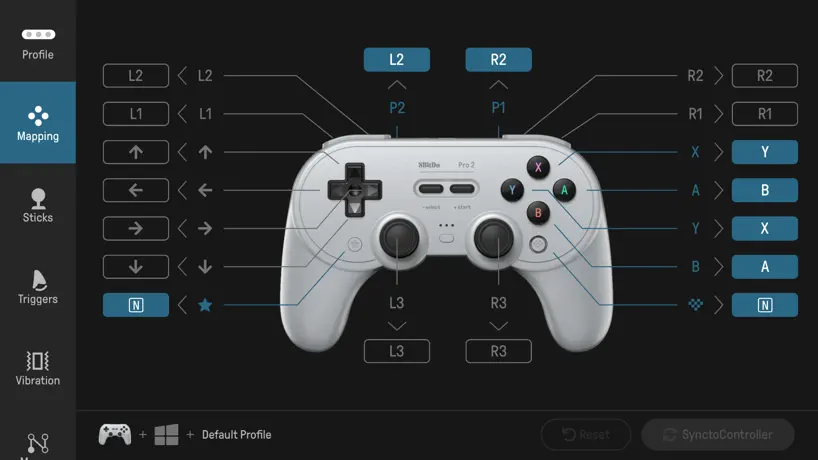
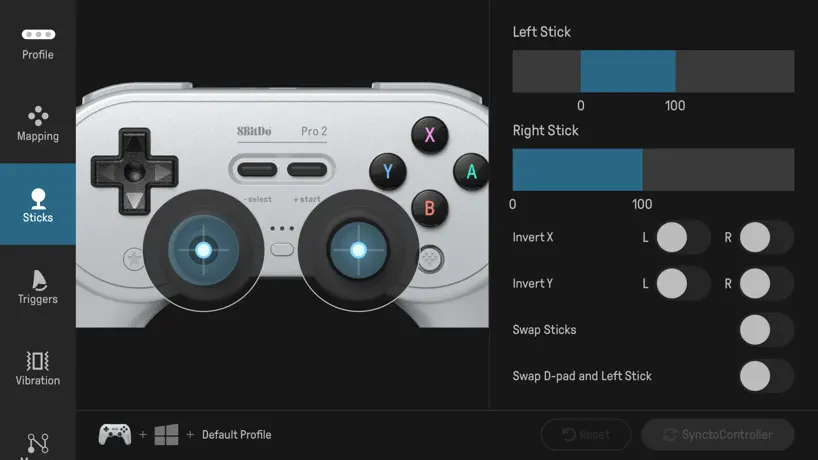
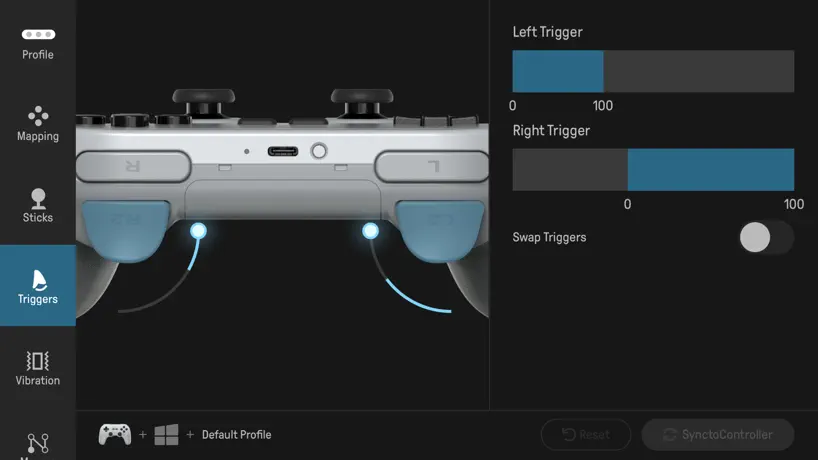
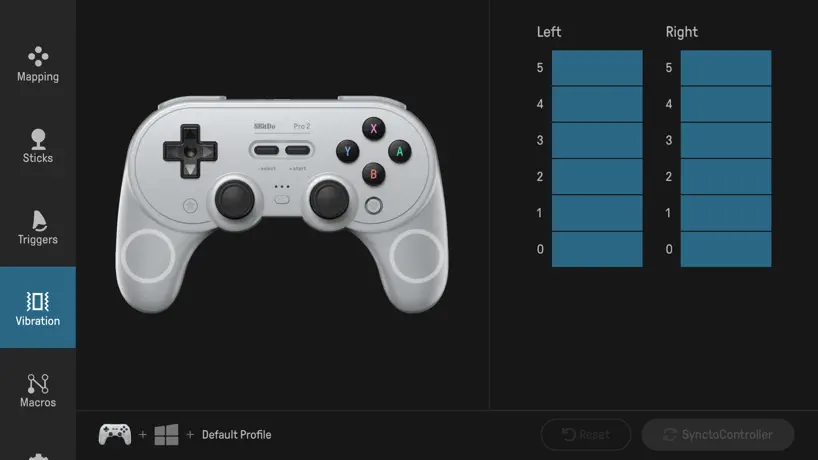
How much does 8BitDo Ultimate Software cost?
Prices are current as of 19 Nov 2026.
8BitDo Ultimate Software has no in-app products on record in the United States.
10+ alternatives to 8BitDo Ultimate Software
| 8BitDo Ultimate Software |  HDMI Monitor - Orion |   GameSir |   SpaceWalker by VITURE |   Wipr 2 | 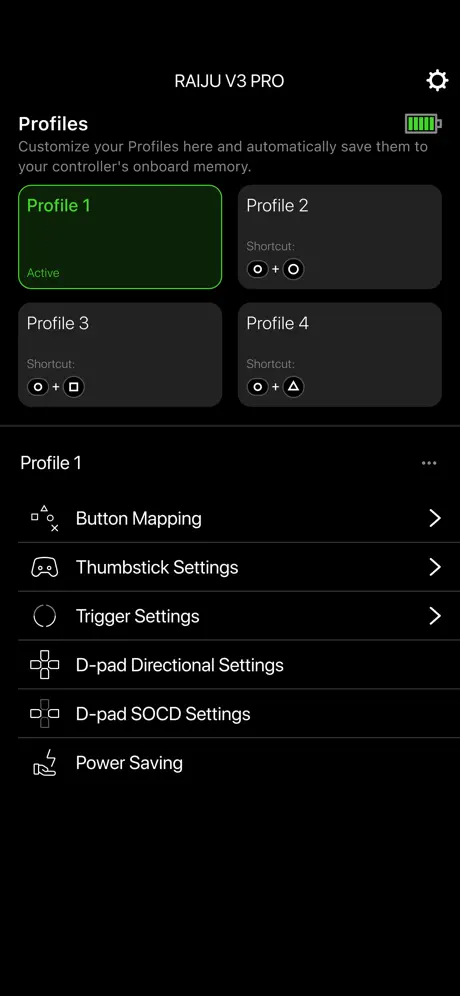  Razer PS Controller | 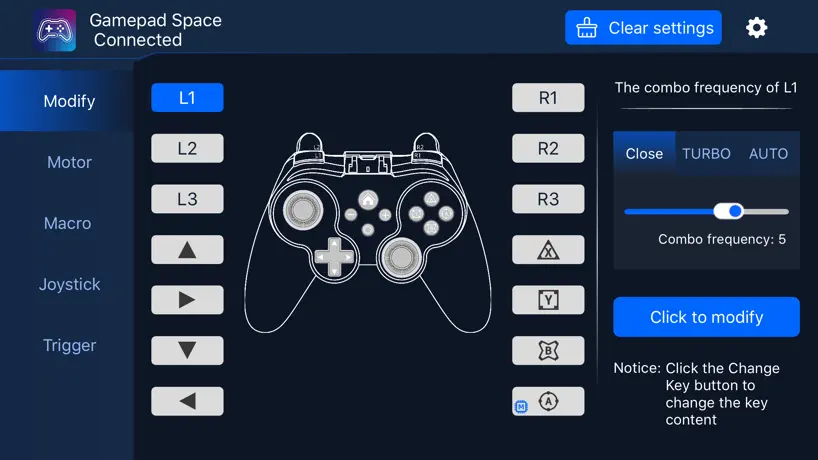  Gamepad Space | 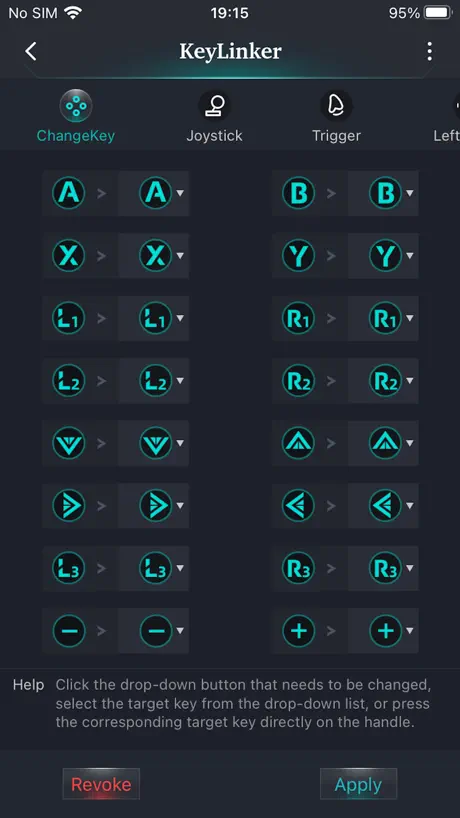  KeyLinker |  Genki Studio |   Mobapad |   reWASD Mobile | |
|---|---|---|---|---|---|---|---|---|---|---|---|
| Rating / 5 | 2.4 | 4.1 | 2.4 | 4.1 | 4.7 | 4.6 | 2.2 | 2.4 | 4.5 | 3.0 | 3.5 |
| Reviews | 843 | 7.4K | 6.5K | 3.7K | 3.5K | 2.7K | 331 | 264 | 185 | 76 | 51 |
| Released | 2021 | 2023 | 2018 | 2023 | 2024 | 2018 | 2022 | 2019 | 2023 | 2022 | 2021 |
| One-time price | — | $9.99 | — | $3.99 | $19.99 | — | — | — | — | — | — |
The going rate for each plan in United States, in its own currency, shaded from the cheapest price on the row to the dearest. Plans fewer than four in ten of the priced apps sell are left out.
8BitDo Ultimate Software reviews
2.4 out of 5, based on 843 reviews.
What people like
- Works great as a shortcut remote
- Easy to customize button mappings
- Controller build quality is excellent
What they complain about
- Won't detect controller or connect
- Missing command key for iOS users
- Accidentally deletes all settings without warning
Helpful
The interface may be clunky but it works!
Literally doesn’t work on my phone
I downloaded the app to try to see if I could fix the stick drift on my ultimate 2 controller. FYI it has stick drift out the box because the left stick isn’t set or something you can feel it and this app was useless. I connected the controller and literally nothing is happening in the app. Useless
惜しい!!
主にキーボードモードで使用していますが、ディスプレイのキーボードが強制的に非表示になる(?)ため、用途に応じて接続を解除する必要があります。 しかし、充電しながら使用したり、Homeボタンにキーを割り当てていたりすると、スムーズに接続を解除(コントローラーの電源をオフ)することができません。 即座に接続を解除するならば、iPhoneまたはiPad側でBluetoothをオフにするのが良さそうです。 また、接続/切断時にアプリからの通知は出ないため、コントローラーのLEDで判別する必要があり、すぐにキーボードを使用したい時は少し不便です。 同様に、バッテリー残量の通知もコントローラーのLEDで判別する必要がありますので、気づかずにバッテリー切れになることがありそうです。 ある程度の不自由さは覚悟していたのであまり気になりませんが、改善されればいいなと思います。 ・使用環境 iOS 26.6.1 バージョン 1.4.1 ※どちらも、現時点(2026/08/21)において最新。 iPhone14 8BitDo Micro
I’m guessing it will be good…as soon as I get past the first screen…
For some reason, I can’t get past the first screen even though my 8bitdo controller is connected to my phone’s Bluetooth. Please fix (I saw someone say this before already but wanted you guys to know they are not lying)
Please update this
Please update this to work with the new Pro 3. I can plug my Pro 3 into my Mac or PC. But the button mapping on them isn’t as good as the phone. For instance, on the PC or Mac you don’t have the ability to add a separate turbo button, hold or swap. The home button is the set turbo button. So while playing the switch you can’t use turbo because it just takes you to the home page. On the pro 2, I set turbo to PR. But unfortunately you can’t do that on a PC or Mac and the Ultimate software on the phone won’t connect to the Pro 3. Please update this.
Great, needs os keyboard integration
Great, just needs os integration like cmd, fn, etc…
Software Does Nothing
Absolutely nothing from this company works the way they advertise. This software does absolutely nothing for you but an icon animation on screen. What junk.
profile名を編集したいんですが…
profileを書き換えることができません。テキストを入力する枠が現れてすぐに消えます。ちなみにiOS18のiPhone12ではちゃんとprofile名の編集ができました。iPadではiPadOS18、iPadOS26のどちらもダメでした。メインで使うのはiPadなので、iPadでちゃんと動作するようにしていただきたいです。
Bluetooth not working
Whenever I try to connect the Bluetooth, it doesn’t work, I try so many different ways to make it connect and it’s just not working. Plus, wasn’t the introduction of getting the app says to turn the mode to S not K? The manual/instruction sheet says to turn the mode to S, BUT I AM TURNING IT TO S BUT I WANTS ME TO K INSTEAD? Not happy
require reinstall
stopped working after ios upgrade. needed to uninstall and reinstall before it can reconnect to 8bitdo pro2.
Works beautifully
I’ve bought 8bitdo controllers before and loved them, so I had pretty high hopes for using the micro model as a shortcut remote on iPad for digital art. Safe to say things were a success! Only hiccup i encountered is that native iOS keyboards have cmd and not ctrl, per se, so I had to swap a lot of defaults in my program so my controller could communicate with my iPad. Other than that, it works GREAT. Don’t be scared of the bad reviews—the app is incredibly responsive and detected my controller right away with no issues. I also changed a lot of keyboard combos multiple times for different buttons, so no issues there either. Word of advice though: you need to connect in the app AND pair Bluetooth in the iOS settings to have a stable connection.
Trash
It was absolute trash, all it did was show a phone and a controller and didnt do anything, would give this a negative one for wasting my time.
Ultimate Mobile Gaming Controller
Adding support for the Ultimate Mobile Game Controller, Xbox (ios) version, would be very appreciated!
Reset button
There’s no reason why the reset button should be directly next to the sync button. And worse yet why isn’t there a confirm reset option after it’s been pressed……
Needs a Fn key
I know this app is designed for iPad/iphone but a lot of us are using this on MacBook anyway. It would be really great to have a Fn key for the key combination section. I have had to download karabiner elements to help remap my micro and it would be much easier if I could just map it all in this app without needing to install karabiner at all. Works pretty great otherwise.
⌘はWindowsキーで代用できる
これが最初分からなくてつまずきました。最初から分かるようにしてほしい。あとグローバルキーなど、iPadの設定から変更できますが、キーコンボのところにもcapsなど色々キーを増やしてほしい。そしたらもっと最高です。
Yup, it must be hit or miss.
Some reviews say it’s great, for the rest of us it just gets hung up on the first screen showing a phone and a controller outline, the controller has a pulse behind it to show the controller is connected but ot doesn’t do anything. Would give 0 stars if I could
Are you committed to this app?
The app seemed pretty seamless at the start. Soon after I was trying to connect again, and it wouldn’t connect. I guess it did connect, but it was stuck on the same screen(This was in switch mode.)
Doesn’t support a controller
Why is this called “Ultimate software” if it doesn’t support all 8bitdo controllers!? For example doesn’t work with wired 8bitdo SN30pro
日本語ほしい!
もう少し言語追加しても良い気がする。
感觉比之前的旧版软件更好用
支持手柄控制这很棒,而且新固件可以手动控制蓝牙连 App,不会再有其他人扫描到我的手柄导致配置灯无故闪烁了😂
Trash doesn’t work
Won’t detect ultimate controller
機能もそこそこ充実で満足
マクロや連射、ホールド機能背面ボタンなどのカスタマイズもやりやすく充実していると思います。 ただ、たまにコントローラーと接続後に画面をタップしてもLoading...のあと何も無く進まない時があり、その都度アンインストールしないと設定画面に進めず大変不便です。 アプリ側の不具合と思われます。そこは修正を願いたいです。v.1.3.8でした。
Worked once, never again
Got the app a few months back and had no problems with it then. Tried to use it again today to alter my key bindings while using Bluetooth and found that I couldn’t get past the first screen. Was able to connect my controller to my device, but received no input through the app. Attempted to reinstall/remove device from my Bluetooth settings and nothing worked. Using an Ultimate 2 Bluetooth.
早く
早くアルティメット2の接続出来るようにしてください
サクラじゃない、神
迷ってる人は買うべき。8bitDo microをProcreateの左手デバイスとして購入。低価格とは思えないほどの作り。UIも素晴らしいし、素材をスマホで調べながらiPad で絵を描く私には神アプリ。
Advertise as IOS compatible but. Doesn’t support basic IOS need
State IOS compatible, but doesn’t support command key in app. This is the most basic key in the IOS ecosystem. This is not IOS compatible
Ipad用にアプリが最適化されていない
8bitDo microをクリスタで使用のため先日購入。 Key Combosを使うと例えばAlt+Xと設定するとAlt+X+Null....と設定されてしまう。 実質ipadではKey Combosは設定が出来ない。 ネットの情報ではPCユーザーの情報が混在しており期待していた機能が実装出来なかった。 本体の値段やカスタマイズ性など希少な存在なだけに残念。 これからの更新に期待を込めて星は4です。
Can’t get my Ultimate 2 Wireless controller to be recognize by the app.
Really love the controller but I’m missing out on half of its value if I can’t access the “Ultimate Software” to remap the controls from my iPhone. Would love some assistance…
Can't remap / macro game controller buttons on 8bitdo Micro
Be warned if you were trying to get an 8bitdo Micro to have macro / button remapping capability: Hardware doesn't have it. Only keyboard mode input is customizable. It just outright tells you to move out of S / D into K. I prob should've read the packaging better. The limitation was written in the manual.
[←これ使うショートカットが使えないとき
プロクリでショートカットいじってるとき [←これを使うショートカットが効かなくなりました iOS側でよくあるバクのようです 再起動したら直りました。 困ったら再起動、大事ですね アプリ自体は文句なしなので⭐︎5です 使用機種 第五iPad Pro 12.9 8bitdo micro 参考までに
won’t connect
app doesn’t work
画面の回転に対応して欲しいです
8bitdo microとiPad proで左手デバイスとして使用。デバイス・アプリともに使い勝手が良く愛用しています。普段はipadの充電ケーブルが左になるよう横向きに使用していますが、それではアプリ画面は逆さまです。設定のたびにipadの向きを変えるのは面倒なので逆さまのまま使っていますが、回転に対応してくれたら嬉しいです。
Works good on first install and then breaks the next time you try to use it
I’ve seen a similar issue happen to other users and this same thing is happening to me, the first time I tried to use it it worked great but going back into the app it doesn’t let you move past the first screen after it says “click to enter ultimate software”. It clearly recognizes your controller but doesn’t load any more. Please fix this issue because these controllers are great.
コマンドキー実装求む! Implement command key!
左手デバイス用として8bitDoを購入してみたものの、iPadと連携しているためコマンドキーが必須に… このアプリを使って色々いじってみたもののコマンドキーに変わるキーもありませんでした。 コマンドキーがあるだけで出来ることが増えるので実装してほしいなぁ… 商品自体は軽くてコンパクトなので気に入っています! よろしくお願いします🙇
App crashes
App keeps crashing when trying to map Micro controller.
How is this app still garbage?
I cannot edit or sync profiles!
設定全消ししてしまうから気をつけて
DefaultProfileを押すと選択してた設定ががなんの警告も無く全て消える仕様、勘弁して欲しい。間違ってタップしてしまうような位置と見た目してて非常に危ない
App can’t connect to pro 2 after initial connection
Pro 2 Can’t connect to the app after the initial connection. Pease fix! Though when the app does work (Rarely), the controller works fine
Switching profile
It will be really helpful if you add shortcut to switch between profile, it is really painful to open the app just for switching profile, especially when you're working with the 2 different Software with the different shortcut at the same time.
Fixed all previous issues
It works great. Previous reviewers should fix their ratings as it no longer reflects current state of app. Should be 5 stars. The controllers are great, better than Razer in my opinion.
Doesn’t Open
The app downloads, but when you go to open it nothing happens.
profileまわりを改善して欲しいです
iPhone16+microで使っています。 デバイス自体はとても良く満足しています。このアプリもprofileが切り替えられるのはとても良いのですが、profileの名前の変更はどうすれば良いのでしょうか?バグなのか鉛筆ボタンを押してもprofileの名前を変更が出来ません。 またDefault ProfileやResetを押した際にどういう状態になっているのかよく分からないです。profileがリセットされたり切り替わっていたり元に戻ったり?で挙動が不安定な印象を受けました。 あとデフォルトで入っている(?)SuperMemoって一体何に使うprofileでしょうか?削除していいprofileですかね…?
No mac modifier keys
You can't remap using mac modifier keys (cmd, option) - should be a pretty basic function. Otherwise works well.
iPadのお絵描き用左手デバイスとして使用しています、が。
左手デバイスとして登録するとキーボードモードが要求されるため、8bitdoがキーボード扱いになります。 テキストを打つために画面上にキーボードを再表示させる手間が許せない…。 せめてキーボードに干渉しない形に修正して欲しいです。 あとはiPadのcomに相当するボタンが無いので、こちら側がWindows仕様に合わせてショートカットを変更しなければならないのは不便ですね。 左手デバイス用に使われるとは思っていなかったでしょうし、今後もアプデの予定はないかもしれませんが、一応修正があると嬉しいなー…とだけ。
Read this
Please note, this is for the Bluetooth version of the ultimate controller. Don’t expect it to work on all the others
Doesn’t connect either on this app nor on my phone
Trash
spaceさえあれば完璧
Key combos にspaceキーが無いので追加お願いします
Very limited MACRO function
Yesterday I received my Ultimate Controller, the product quality is good. The buttons are responsive. However, in function of macro, this controller has a big disadvantage compared to other much cheaper controllers: 1. In building your own macro, you can’t record it by pressing the buttons on the controller but need to use the app, which leads to another disadvantage 2. When building macro, you can’t “hold” a key which is simulated on the app while pressing another key. For example, in Tears of Kingdom, you hold R to throw something and at the same time hold UP to change what to throw, then use Joycon to switch between items. The app just can’t do it. 3. When you perform a macro, you can’t press other keys to make it a combo. Other keys just do nothing until the macro is finished. For example, you assigned one of the back keys to perform X+Y, and you want to press UP yourself. UP will not work. I returned this one and bought another controller which could easily record a macro on the controller itself, though the product quality is lower. Some people may argue that what I did was not the actual “macro”. But other no brand controllers could do it, I’m surprised 8bitdo couldn’t. 8bitdo please update! A firmware update should work! I love the product!
Firmware detection issue
It worked very well with the Sn30 pro 2 at first. It was very cool changing mappings on the fly while playing a game like Metroid Prime Remaster on the Switch (while gaming too which is impressive). That said, after a while I kept getting prompted to update the firmware to 3.0 even though the controller is already updated. The app says I’m on 0.44 for some reason and I tried everything from reinstalling and updating it directly on my Mac. I’m still able to use the app, but it’s very annoying that every time I get that prompt to update.
8BitDo Ultimate Software FAQ
- Is 8BitDo Ultimate Software free?
- Yes. The app is free, in all 175 countries it sells in, and it sells nothing inside it.
- Does 8BitDo Ultimate Software have a free trial?
- No. None of its offers (US) come with a free trial.
- What are the best alternatives to 8BitDo Ultimate Software?
- HDMI Monitor - Orion (4.1 from 7,440 reviews, premium from $9.99), GameSir (2.4 from 6,530 reviews) and SpaceWalker by VITURE (4.1 from 3,735 reviews, premium from $3.99).
8BitDo Ultimate Software download
Last updated 1 year ago.
8BitDo Ultimate Software sells in 175 countries. It was released 5 years and 8 months ago, on 15 Mar 2021. It holds a 2.4 rating from 843 reviews.
Supports 2 languages: English, Chinese.
How much does 8BitDo Ultimate Software make?
Third-party estimates for the last 30 days, worldwide — not the store's own figures, which Apple publishes for nobody.