HomGar
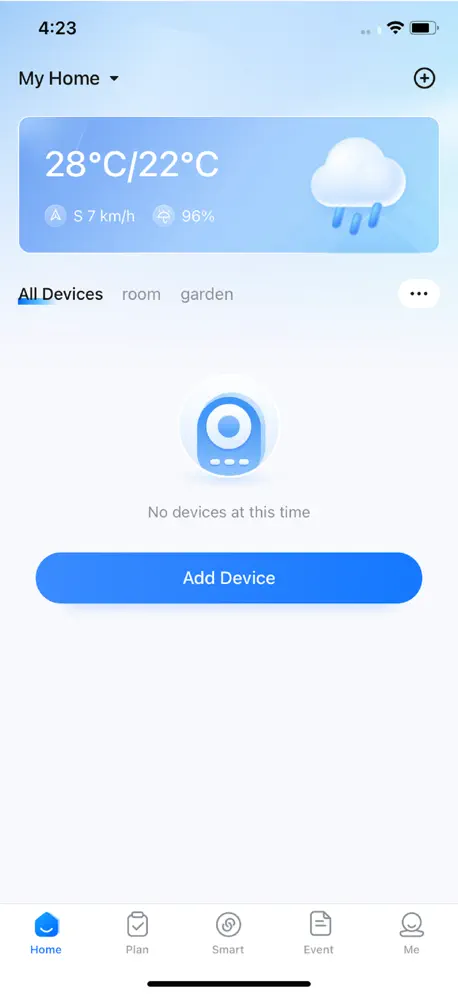
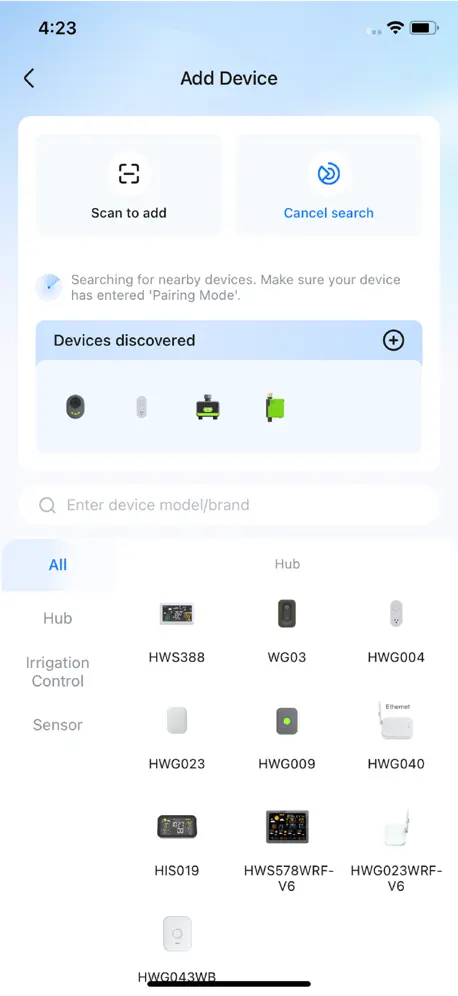
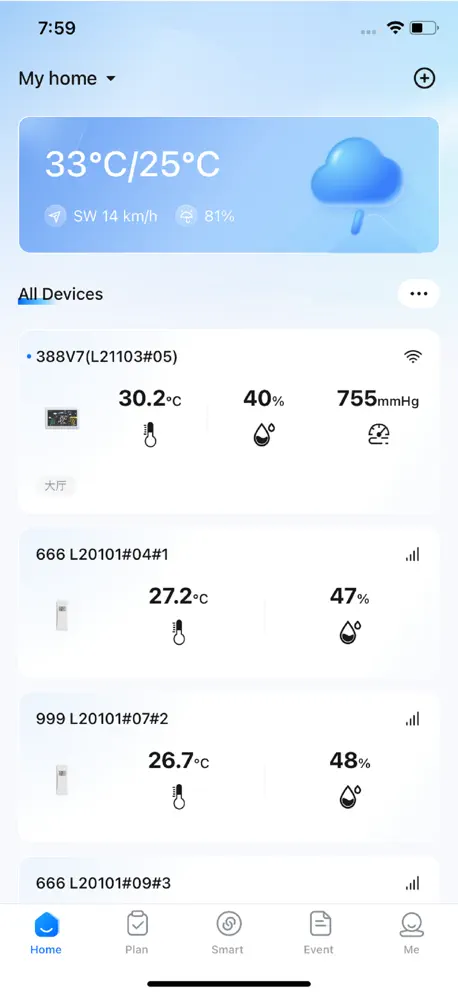
How much does HomGar cost?
Prices are current as of 20 Nov 2026.
HomGar has no in-app products on record in the United States.
10+ alternatives to HomGar
| HomGar |   INKBIRD |   PRIME Wire |   HBN Smart | 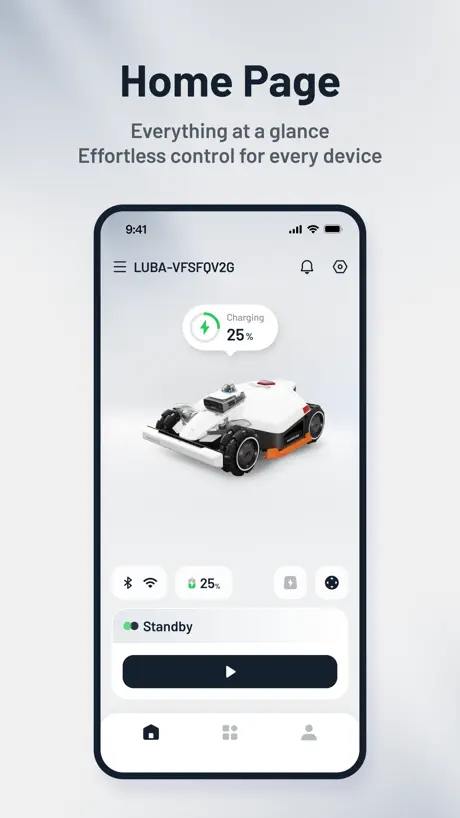  Mammotion |   BN-LINK Smart |   dewenwils |   MOES | 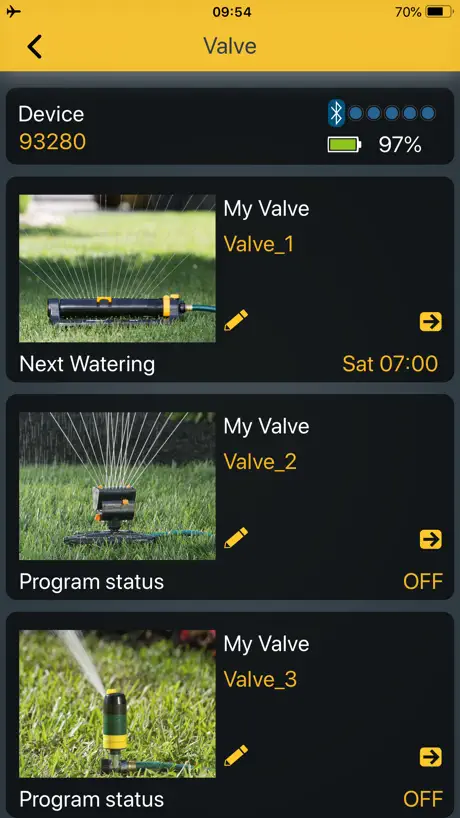  Melnor BT |   LetPot | 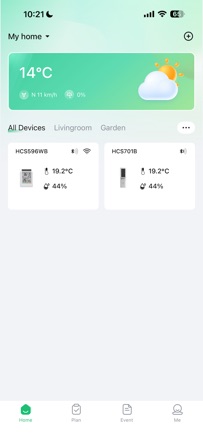  Baldr Life | |
|---|---|---|---|---|---|---|---|---|---|---|---|
| Rating / 5 | 2.6 | 3.9 | 4.7 | 4.8 | 2.9 | 4.7 | 4.5 | 2.6 | 2.0 | 3.2 | 2.3 |
| Reviews | 265 | 17K | 16K | 3.8K | 2.2K | 2K | 251 | 240 | 188 | 99 | 6 |
| Released | 2021 | 2021 | 2018 | 2020 | 2022 | 2020 | 2021 | 2018 | 2019 | 2022 | 2026 |
HomGar reviews
2.6 out of 5, based on 265 reviews.
What people like
- Easy to set up timers
- Developer fixes issues quickly
- Works well for basic control
- Good water usage information
What they complain about
- Won't let you log in
- App just sits there and won't open
- Firmware updates fail to install
- UI feels cluttered and messy
Funktioniert einwandfrei
Alle verwendeten Funktionen bei meinem 4-Kanal-Bewässerung funktionieren wie beschrieben. Die App ist intuitiv und lässt sich schnell bedienen. Ich bin sehr zufrieden 🙂
Use
I buy an instrument it says to use your software to communicate with it it works for six months and you send me paperwork that allows you to sell About me to anybody you please I refuse to sign agreement because I do not agree with it and now I cannot utilize the equipment that I purchased so thank you very much for nothing
Funktioniert zuverlässig
Zuverlässige App für das Bewässerungssystem von Landi. Viele Programm-Einstellungen. Nicht immer übersichtlich. Schlechte deutsche Übersetzung, habe deshalb auf Englisch umgestellt. Ich verwende einen Bewässerungscomputer zusammen mit einem Bodensensor zur Feuchtigkeitsmessung. Die Bewässerung kann mit der App problemlos von auswärts ausgelöst oder überprüft werden.
One of the Worst Apps
Can you guys put some more efforts into trying to make the app better, please?
Good but where is weather based plans
I found the Diivoo 2-in-1 irrigation system east to setup with HomGar, but I’m left wondering why the app displays local weather information on the UI, but I cannot create an automated plan to water the garden based on the weather. this seems like a simple next step, and I would love to know when the app is updated to include this feature.
Junk
No idea how often it updates but it can rain for an hour & show zero. One page of app. Measures & second page shows zero for hours. Save your money & buy something else.
Crashed after only 2 days
Nervous to buy the Wi-Fi hose timer after seeing the 2.2 rating for this required app but tried it anyway. Big mistake. App fails to open past the logo screen. Now I’m frozen out. Wasted time and money on a product that failed after only two days.
Cumple su función
La aplicación cumple perfectamente su cometido pero estaría muy bien que pudieran la opción de recibir notificaciones al iniciar y al terminar cada riego.
It worked well last year (summer 2025). Now it has annoying bugs! (Summer 2026)
For example (new bug): I can't set the minutes in a watering schedule (it's stuck at 00). So if I want to water four zones for 15 minutes alternately (8:00, 8:15, 8:30, 8:45), it's no longer possible. I'm forced to program it for 8:00, 9:00, 10:00, and 11:00.
Zu wenig Zeiten
Bitte unbedingt weitere Zeiten einbinden um 24 Stunden abzudecken. Ich möchte das die Pumpe 1x Std. startet. Es sind nur 6 Zeiten einstellbar. Alternativ App gibt es nicht.
Good customer support!
The recent update (Aug 7, 2025) removed the ability to rain delay everything at once from the Plans menu. If I have more than one device, I now have to manually do each one! Smart scenes can rain delay automatically but only for 5 devices at a time, and it’s dependant on weather or other conditions that are not accurate in my area. Why remove this feature? Please add the ability to rain delay all devices in one click! Or at least add the ability to automate with a button and have more devices per automation. Update: I put in a request/issue ticket through the app and they responded. A few weeks later they re-added this capability. Awesome stuff! App works pretty good now and even the automatic weather delays I setup seem to be good.
Latest update broke app
Cannot load app at all anymore since the last update.
Trip-wire…
A pretty good app but it took longer than it should to configure due to the app automatically capitalising the WiFi password field. WHO DOES THAT?! 🤷♂️ Grrr…
Stopped working Dec 2025
Worked great for about a year or so. Now it logged me out and after entering my credentials, the login button remains greyed out. I can’t log in. Plants don’t get water. Very disappointed.
Update von Nov 24
Einrichtung von drei Sensoren hat geklappt, ist manchmal etwas frimmelig, aber hat geklappt. Die App ist neben der Panel Anzeige vor allem dafür gut, um den Verlauf über den Tag oder die Woche darzustellen.
Great app, easy and intuitive to use
Have used this app for over a year to control my home irrigation system. It’s easy to control and setup and provides all the functions I need. Have only had one technical issue which was resolved by the developer within a day! Highly recommend
Totally dysfunctional
Much trouble and multiple attempts before the app connected. I have many smart home devices and apps. This is the worst.
Decent app but needs improved login capabilities !
Like this app much better that the Tuya app which came with my other Rainpoint valve.. (have no idea why there are 3-4 apps available to drive different Rainpoint devices…) But you really need to improve the login capabilities ! Each time I want to use it, it says “timed out” and I have to login again… Please avoid this when the app stays active, or, at least provide some support for fingerprint or face recognition !
Was okay, until it wasn’t
Worked fine until today, Dec 8th. All I need is for it to connect to the Bluetooth temperature sensors outside so I know when it’s freezing. Now I’m logged out for some reason, and it tells me poor network. Nothing has changed here, network, location, etc. I can’t log in. It’s not that difficult to have an app do the thing it was created for, is it?
Needs active internet to function.
This app should function on an intranet so that if you are boondocking in your RV you can still get your water consumption information. It works great and is very user friendly only as long as there is an active internet connection. There is no reason for it not to work on a closed system (device to hub to router via WiFi to app connected to same router via direct connection or WiFi) who needs to know their water consumption while they are out and about this device has no control over water supply so why over complicate the app making it internet dependent.
Super helpful app
With this app you can manually water the lawn with a relatively inexpensive smart watering device connected to a sprinkler, or set a complex automatic schedule. It’s really very well done and has a lot of features that a traditional sprinkler box would have. You can use it even when you’re not home. It works well and I haven’t seen many bugs. It’s awesome!
Horrible!
Why the sudden change from SmartLife App which was great! This new App is horrible and not working! I think I’m done with Diivoo!
Fa quello che deve
Per ora svolge la sua funzione. Utile il ritardo programmabile se piove.
Requesting manual trigger in smart scenes .
Can you please add a manual trigger so we can use it to trigger a sequence of sprinklers one after another.
Glitchs on iPad
Rain Delay activates on next cycle. So if your already in the running time period. It’s delayed next cycle. Need better access. To make modifications on existing devices ( I have 2 ), I have to delete the app and restart it to get to opening page. Devices typically made in China lack proper detailed instructions. This is no different.
Great app! One suggestion
I would love if you could edit a water timer once it’s running. Currently, the only workaround is to cancel the timer and edit the duration manually—but even then, if you try to do so, it warns you “do not frequently operate the device”—you have to wait another 15 seconds before being able to restart it.
Can’t login
Can’t login due to error. Please fix, my plants are dying.
Timeout
App works pretty good In most areas but each and every time we close it the next time you open the app you have to log in. Needs to have the stay logged in functionality.
Just about to go away and it logs
The app log in home page blank it’s unrealizable unstable . Going to try the hun on another system also does not want to join Alexa
Great concept did not think things through
I have set this up for my ducks when in this location. My ducks are always in this location every single day. So I would like to set up different plans on days that my ducks are there and other days just to cool the outside for the other animals that may want some shelter. Well, when you set one plan, even though you have it turned off you can’t set a different plan to turn that one on at your convenience. It tells you it overlaps another plan even though you have that plan turned off. You have to reset the same plan over and over.
Working great for me so far…
I purchased a few iOT devices from RainPoint and man, I’m so glad I decided with this brand. I try to make all my home stuff smart so when I saw that RainoPoint had water timers and soil moisture sensors I bough a bunch of them including their water irrigation system. I’ve had the timers and sensors for a year now with no issues. Same thing with the water irrigation, no issues as well. If you read your devices instruction you shouldn’t have any problems. If you’re not able to connect a device then it’s probably faulty and need to have it replaced.
App
Was great when I 1st got it now after 3 weeks the app won’t open at all so can’t control the sprinklers
Update: Resolved RainPoint Display and App for Fahrenheit
No guidance is provided to configure the app to display temperatures in Fahrenheit in the App. Also, the RainPoint Display Hub reverted to Celsius so after coming out of it’s Setup function. I called RainPoint support, which resolved both issues! Once you pair the HomGar app with the device via WiFi, open the app and select the 3-dots (…) on the right, just below “Rain ___%”. Next, select “Units Format”, then “Temperature”. Select “F*”. This not only sets HomGar’s display, it reaches back to the RainPoint Display Hub an assigns that format to the device. That was it. Works great! Knocked one star off the rating, in part because it’s a known bug, but more for making it a pain to resolve (no info provided online).
The new update broke the app?
The app on both my iPad and iPhone opens, and the logo does its animation, but that’s it. It just sits there, no matter how long I wait. Just roll back the update to last month may fix this.
Multiple users?
I set it up on my iPhone and for a year it worked well. My iPhone died so I logged into the app on my husbands phone. Worked fine. Now my phone is repaired and when I log into the account I have to set everything up again. Only problem is no matter what I do I can’t add the two zones. Now my husbands phone says off line. Is the account usable on different devices?
Very cool app
I have used this for about 24 hours now. I’m actually very impressed. The app is intuitive. I had no problems setting it up. I’m using it to control two sprinkler timers for watering my lawn. It provides useful information about water usage timer events, etc. very easy to set up timers or manually turn them on and off.
Will not pair to hub
I’m using the correct 2.4 GHz, it will not connect.
Good smart weather station - but where’s the widgets?
Recently bought the Baldr Smart WiFi Weather Station and have connected up the two sensors and have set everything up, via the hub and app. All good, once I’d added a 2.4Ghz to my broadband router setup. Now just missing widgets so can see the weather/temperatures without going into the app - widgets are the way to go.
Aktualisierung der Sensoren klappt nicht
Beim ersten öffnen der App funktioniert die Aktualisierung der Außensensoren (normaler Sensor und Bodensensor). Wenn die App dann beendet und KOMPLETT geschlossen wird und dann NEU gestartet, erst dann aktualisiert sich die Anzeige der Werte (Temperatur und Feuchtigkeit) der Sensoren. Auf Dauer nicht so komfortabel…
Can’t update the firmware
The app is working ok but it let me know that a new firmware update available but I tried so many times but it didn’t update the firmware at all. I hope they fix the problem soon.
As described!
I managed to link to WiFi easily as I read the instructions before hands. Work perfectly well and very happy with my purchase.
Won’t even open
Your app won’t even open anymore. Fix it.
Don’t expect to add your third party networks. Not included
Homgar app is a functional app that allows users to control their smart home devices. It is easy to use and has a wide range of features. However, there are some areas where the app could be improved. One area where the app could be improved is the user interface. The current user interface is a bit cluttered and could be made more user-friendly. The app could also be improved by adding more features, such as the ability to create custom scenes and automations. Overall, the Homgar app is a good app, but it could be improved. If the developer were to make some improvements to the user interface and add more features, the app would be a great option for users of smart home devices. Rating: 3.5 out of 5 stars Pros: Easy to use Wide range of features Compatible with a variety of smart home devices Cons: Cluttered user interface Could use more features Overall: The Homgar app is a functional app that allows users to control their smart home devices. However, there are some areas where the app could be improved. If the developer were to make some improvements to the user interface and add more features, the app would be a great option for users of smart home devices.
I wish it would work again
It was working great. I could check my temperature of my greenhouse when I was away. Now it won’t let me log in. It always says poor network. I tried reinstalling the app and still same problem.
Rain delay stopped working with update
Used to be good then rain delay stopped working. Happy to alter review when it works again :-)
very good
I am very like this app ,very powerful and the device is so beautiful.
Horrible
Worked fine for a couple of weeks and now like other posters here, it won’t let me login I keep getting “poor Network” and don’t see any devices. AVOID!!
Great app and product for the money
I’m happy with this app. It does everything I need it to do. I just wish it would pop up a notification when the irrigation plan starts and stops, and if the plan was cancelled due to the moisture level being above the set point Other than that I am very happy
Oh well
Cannot pair hub. Tried many times. Returning to Amazon
Functional but UX needs improvement
The app is functional and allows me to do what I need. It could use some UX research to help improve the interface. I’m still need to check actual usage and compare to the app amounts. One huge improvement would be to show the last date the irrigation plan ran along with the gallon usage instead of having to look under statistics. This would allow for a quick look at whether the plan ran on schedule when using it in combination with the moisture sensor.
HomGar FAQ
- Is HomGar free?
- Yes. The app is free, in all 175 countries it sells in, and it sells nothing inside it.
- Does HomGar have a free trial?
- No. None of its offers (US) come with a free trial.
- What are the best alternatives to HomGar?
- INKBIRD (3.9 from 17,259 reviews), PRIME Wire (4.7 from 15,813 reviews) and HBN Smart (4.8 from 3,776 reviews).
HomGar download
Last updated 3 months ago.
HomGar sells in 175 countries. It was released 5 years and 10 months ago, on 3 Jan 2021. It holds a 2.6 rating from 265 reviews.
Supports 7 languages: English, French, German, Italian, Russian, Chinese, Spanish.
How much does HomGar make?
Third-party estimates for the last 30 days, worldwide — not the store's own figures, which Apple publishes for nobody.