
Melnor BT
How much does Melnor BT cost?
Prices are current as of 25 Oct 2026.
Melnor BT has no in-app products on record in the United States.
10+ alternatives to Melnor BT
| Melnor BT |   PRIME Wire |   enbrighten |   EGO Connect |   HydroHome - by BC Hydro |   RainPoint-TY |   Hunter BTT |   HomGar |   LiveOak Fiber | 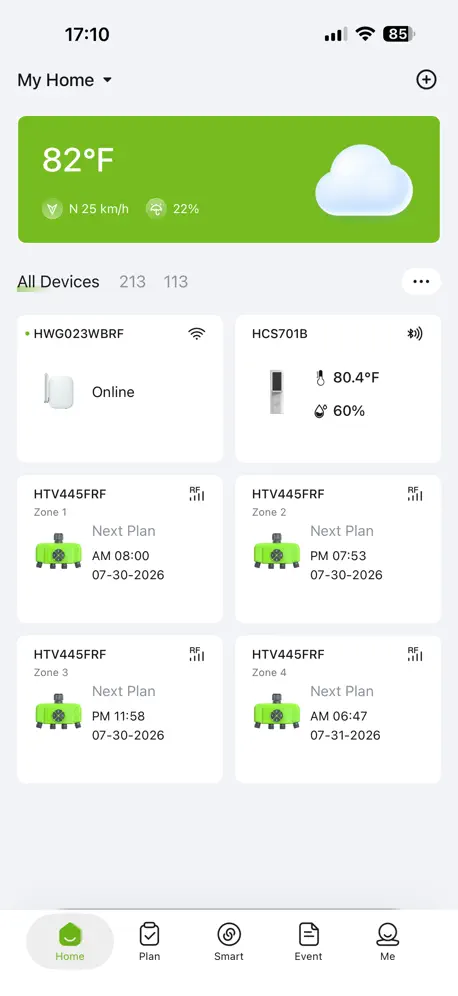  RainPoint Home |   OrbitAssist | |
|---|---|---|---|---|---|---|---|---|---|---|---|
| Rating / 5 | 2.0 | 4.7 | 4.5 | 4.8 | 4.1 | 4.5 | 2.4 | 2.6 | 4.5 | 2.3 | 1.1 |
| Reviews | 188 | 16K | 12K | 9K | 1.9K | 1.8K | 514 | 265 | 219 | 139 | 39 |
| Released | 2019 | 2018 | 2020 | 2024 | 2024 | 2020 | 2018 | 2021 | 2023 | 2024 | 2021 |
Melnor BT reviews
2.0 out of 5, based on 188 reviews.
What people like
- Very cheap for the price.
- Easy to set up quickly.
- No account signup required.
- Works well once you know how.
What they complain about
- Bluetooth range is very short.
- App crashes or won't connect.
- Menu navigation is confusing and deep.
- Multiple phones can't use it together.
Great for just needing a timer
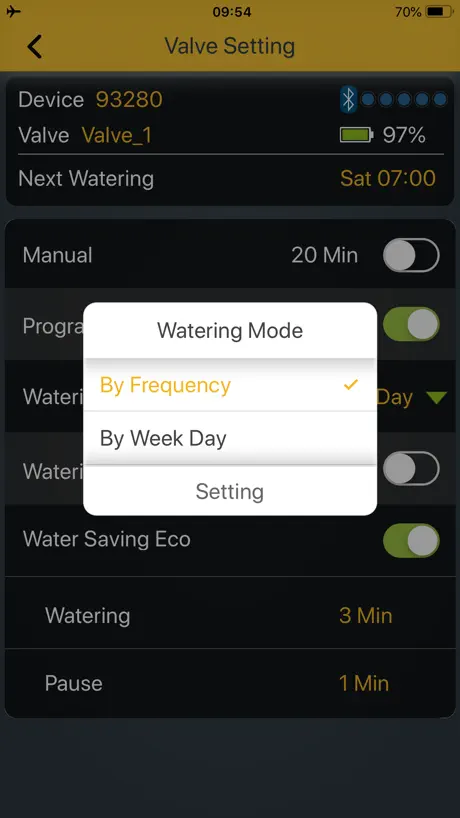
App can be a little hard to navigate like the settings for frequency and day of the week mode. Otherwise, really easy to set up, pairs easily, and (the best part) I don’t have to sign into an app just to water my plants. Honestly, hands down amazing product for being very cheap ($40 for two valve)
Both the timer & app really are horrible
The physical device is unreliable & the app is barely functional (both the android & iOS versions). Do not buy this device!
Works fine - once you get used to it.
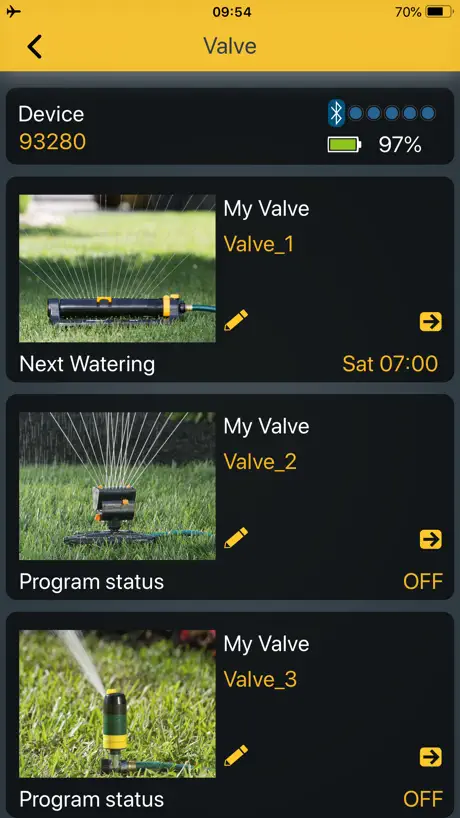
Setting up and guessing how to perform each function isn’t intuitive - but once over that hurdle - the app works fine. A improvements that would make it much better: 1. Tap on picture to go to that controller. Now it goes into the “edit name screen” and to go to the controller needs a press on a tiny little arrow. 2. Have very different look between “select controller” and “select valve” screens as it’s easy to get the navigation wrong. But once you know it - you know where your error occurred.
Can’t set the duration of the watering schedule.
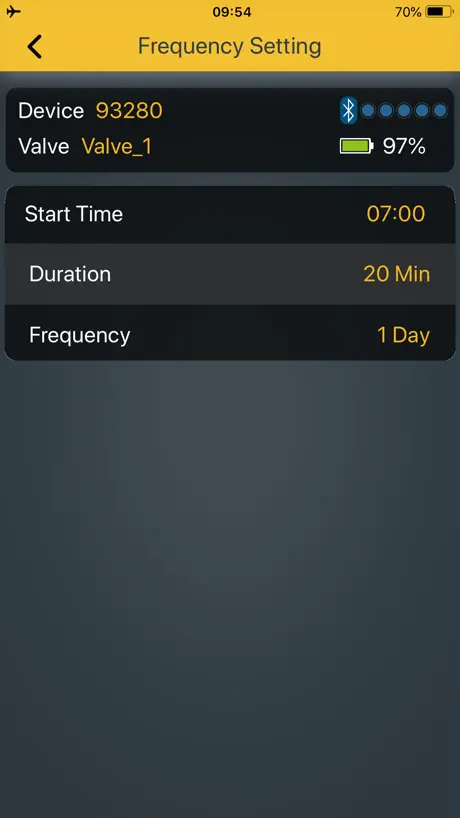
There is instructions on how to set the duration of watering from 12 hours to let’s say 6 hours, but I can’t find it anywhere on the app. I have the latest version of the app and my controller is brand new, so I guess I’m at a loss because 12 hours is way too long to automatically water your lawn.
Average at best
If you have any connectivity issues with Bluetooth, make sure you completely uninstall the app and then reinstall. The operating system needs to re-verify Bluetooth connectivity or else it won’t work.
Very user friendly
Highly recommended.
Broken App
Unfortunately, the app crashes consistently after logging in with no ability to perform any functions. I’m using iPhone with iOS 26.3.1 which is well above the minimum required OS.
The app works
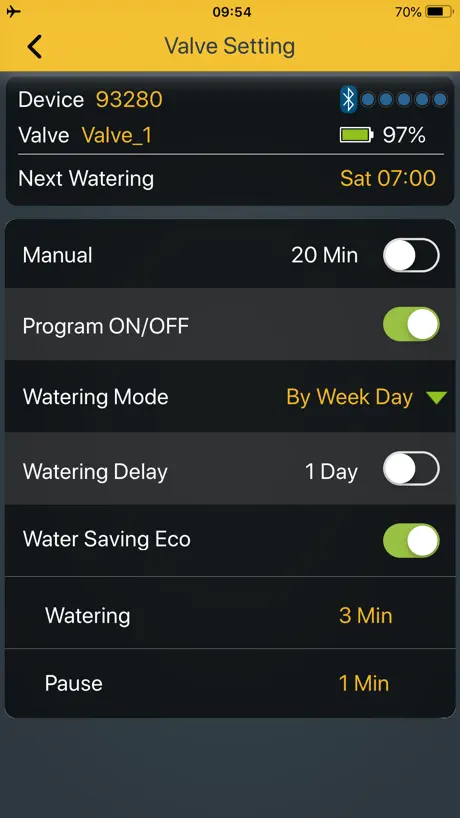
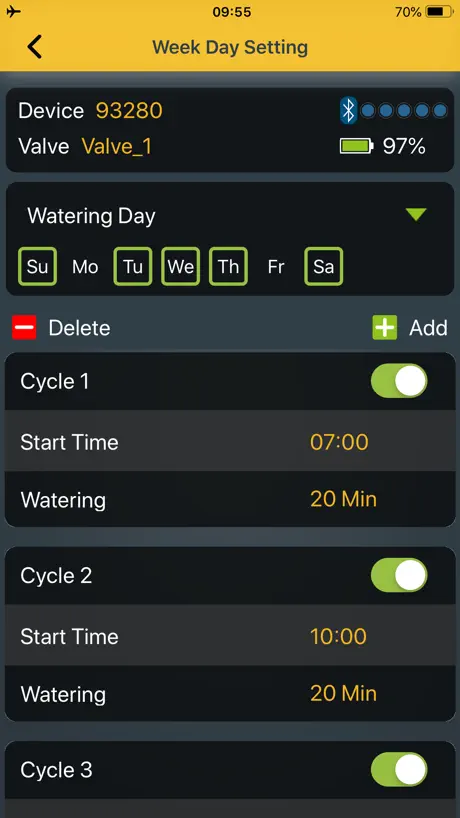
Menu selection could be more intuitive. Some menu options like the ‘eco mode’ cannot be deciphered without the user manual. From the app menu alone it is not apparent that the watering and pause Settings are sub parameters of the eco mode. Likewise the settings button for timing by frequency vs day of the week setting button is easy to overlook after selecting between freq vs DoW. This aside, the old fashion handheld menu with a segment display and buttons was never intuitive to being with. This is an improvement over that. Especially if I don’t have to be crouching to set it up.
Connection and functionality
The Bluetooth has issues connecting at all time I can be standing 1 foot and it works fine I’ll walk 5 ft away and the connection drops every time, the manual buttons require to be pressed multiple times either slowly, quickly, with the water off or on to even work, haven’t even had the product for a full year and valve 2 has to be turned on manually then if the BT connection is even good as I’m standing 3 feet from it in my porch in order for it to stay on for the set program time, I am a care taker for a disabled veteran and am trying to grown the lawn they can’t manage on their own I shouldn’t have to keep working on these issues
Need upgrade to new IOS versions
After new IOS versions, app stop working properly. Please provide an update.
Great option for its function
If you’re looking for something easy to program and control from your phone, this app is very helpful. You do have to be in range of the unit to make adjustments, but it is so much easier to use than other timer units I’ve owned. The app is such a useful tool. Once you understand the function of it, it’s a breeze to operate. Don’t buy this and expect to control it from a remote location. The water unit doesn’t connect to your WiFi. It’s only controlled through your phones Bluetooth. I may be in the minority, but I don’t need to control my sprinklers when I’m not at home, so this doesn’t bother me.
Rarely connects
1. Stand next to timer. 2. Connect to timer. 3. Delete app and reinstall. 4. Repeat 1-4 5. Return to store.
Bugs
I’m handicapped an use Bluetooth to control water o swamp cooler. It works very inconsistent. I deleat program then reinstall. MELNOR shoude be ashamed and embarrassed. Program s VERY unreliable
Broken for 1 hose, 2 hose timers
Can no longer control 1 hose and 2 hose timers. Still works for 4 hose timers
Doesn’t Allow Multiple Users
This app is ok, does the job in terms of watering. A previous review mentions no end time for the intervals and that is definitely a downside, however my bigger issue with this app is that my partner and I both use this app for watering and as soon as he uses it, it won’t work on my end and vice versa. We’re both constantly deleting and redownloading the app to use it as one of us “disables” it for the other. It’s super annoying!!! This seems to be a bug that I hope is fixed very soon.
Exactly what it’s supposed to
It does exactly what it’s supposed to, I read some reviews and I almost didn’t buy it. It’s great I like it’s simple functional design, it’s Bluetooth and like any other Bluetooth device the connection range is limited, it’s not connected to a network. This device works great.
Needs improvement
The app starts off bad and gets worse with time. It does not even work now rendering my devices useless.
Can’t connect two phones
Can’t connect two phones. Pretty stupid considering me and my wife live under the same roof
Bluetooth connect is weak
Great app when it works but I have to repeatedly try to connect with my device before it properly communicates and then it often looses connection within a few seconds again. Even when within 15-20 feet of unit, i hover between 1 and 2 bars of signal.
App works great
App works great. I like how it auto connects to multiple units and allows renaming. I have a unit in the back of my house and the front.
App not connecting to devices
The app keeps on searching for devices even though they are paired for 2 years. Thanks to this bug, I am not able to change my water schedule/stop or start.
Poor app functionality
The app does not respond. My lawn had gone many days so water because the app is not functioning and you don’t have data from when it last started.
What’s there works, but it’s lacking
The features that are built in work. And they work well. That’s a plus for a free app. Where the app lacks in that you have to schedule and control each valve independently and there is no simple ‘delay’ function to pause everything for a few days when it rains. Just a few additional functions that work as well as the existing ones, this app would be five stars.
Works great
I guess a lot of people aren't able to handle a simple app but it worked great with my timer out of the box and was very easy to set up in about 30 seconds. Read the instructions if you need but it's pretty straightforward.
App doesn’t work
First thing is app asks to change name—if you put in a name it goes into never ending search, & if you cancel, it does the same
Needs a major update
This app works ok. But the watering on/off and schedule parameters are idiotic. If you want to, say, create a schedule that keeps your yard wet for growing grass, you can program a start time and the amount of watering time, but there’s no stop time and so it waters all day long at the interval until midnight (?) and then repeats the next morning. Where’s the end time for the intervals? I like the devices, and we have 2 four valve units, and plans to maybe buy more but this app is super crappy and wastes water… and it’s making us reconsider, and perhaps buy a different brand of wifi or Bluetooth watering timer.
Problem of program
I can not program a odd and even day
Super Easy!
Super easy to program. Works every time. Simple and easy steps. Don’t know why others are having problems. So far so good. Good job Melnor!
Crashes on iPhone 14 won’t work at all
App shows full Bluetooth signal but just crashes out if try to connect. iPad works ok. ***Bluetooth only is very poor functionality. Impossible to change program on the fly when travelling. Previous systems reliability has been dodgy. My confidence for this version is very concerning.
Won’t even connect this season to iPhone
Second season for this valve. Worked ok last year - using with iPhone for pretty simplistic program and on/off function from inside the house. This year, it won’t even load / connect using the same phone and same valve. It has fresh batteries. Guessing the app is not keeping up with iOS updates. Valve still works manually but the app is useless after several attempts. What’s up MELNOR?
weird small bugs!!!
The app works faily well althought it has some annoying little bugs like the device clock is an hour out of sync with the actual time and the duration setting on the frequency mode does not correspond to the actual watering duration. Other than that the comm part over BT works fine overall does what it is supposed to do but you will have to work around the bugs!!!
I DONT RECOMMEND THIS EVER
I don’t recommend this product to anyone. Device won’t connect to phone unless I stand right beside it outside my house. It keeps loosing connection. Since the wireless connection is over Bluetooth. Bad connectivity.
Cumbersome to use
I have 2 of these running 8 sprinklers. The design is extremely cumbersome. Do you want to run a 10 minute cycle of all your sprinklers, one after the other? Go to the first hose port and then go 4 menus deep and create a cycle to start now, for 10 minutes, every day. Then back out 4 menus. Repeat for each sprinkler. Now that you’ve gone in and out of 64 menus, sit back and enjoy your hard work. You’ve earned it. Seriously, can we make this a little smarter and easier to use? Maybe on the main menu have an option to run all the sprinklers sequentially for X minutes, or even allow us to check off the ones we want to run in order? How about a smart programming feature that lets us pick when we want to start a cycle, and what sprinklers are in that group, so if I want to change my duration from 20 minutes to 40 minutes for each sprinkler, I don’t have to change the start and duration for each sprinkler, and keep track of the times in my head, while navigating 64 menus.
Pointless.
There’s no point in having an app that allows you to control your sprinkler systems remotely if you have to be close by in order for it to work. I need a refund!
APP needs to be fixed
It resets settings that you program for weekly watering. Making all days active while erasing cycle times.
Frustration
Once set up they seem to be reliable but the process of setting them up, modifying or checking on the schedule is extremely stupid. As other reviewers have said the spinning wheel, proximity and number of steps to dig into the functions is such a time waster. I wanted to buy a third one but I will not. I’ll use the two I already invested in until they quit working. I am on my second season with both but a prior, non-BT model failed. I’ll find a different manufacturer for my next purchase. It seems a WiFi link would be stronger and more functional than BT.
Connectivity
Writing review to help people who mentioned that app shows device but unable to open. Just try remove MELNOR app from your phone and then reload app again. Worked for me
Melnor BT FAQ
- Is Melnor BT free?
- Yes. The app is free, in all 174 countries it sells in, and it sells nothing inside it.
- Does Melnor BT have a free trial?
- No. None of its offers (US) come with a free trial.
- What are the best alternatives to Melnor BT?
- PRIME Wire (4.7 from 15,813 reviews), enbrighten (4.5 from 11,608 reviews) and EGO Connect (4.8 from 9,038 reviews).
Melnor BT download
Last updated 2 years ago.
Melnor BT sells in 174 countries. It was released 7 years and 1 month ago, on 26 Sept 2019. It holds a 2.0 rating from 188 reviews.
Supports 6 languages: English, French, German, Japanese, Spanish, Chinese.
How much does Melnor BT make?
Third-party estimates for the last 30 days, worldwide — not the store's own figures, which Apple publishes for nobody.