
Kyoku Flashcards
Flashcard app for Apple Pencil
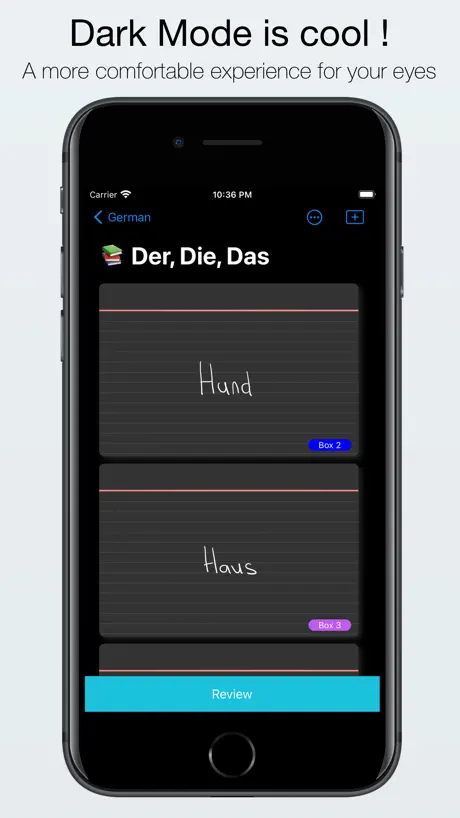
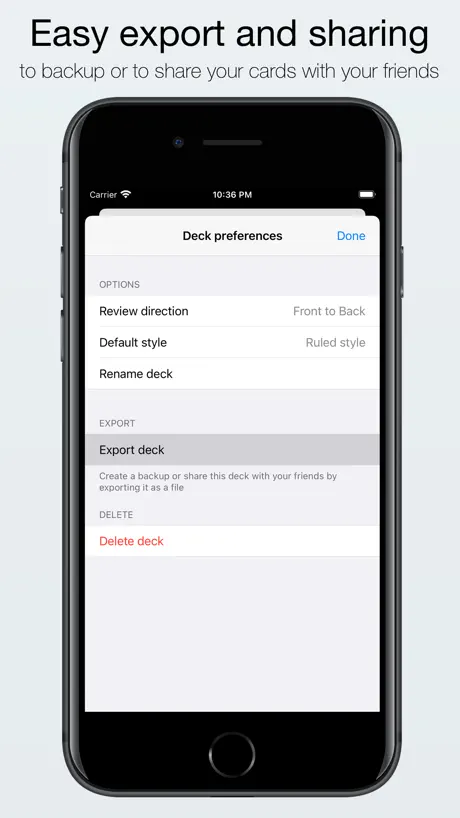
How much does Kyoku Flashcards cost?
Prices are current as of 26 Oct 2026.
Kyoku Flashcards has no in-app products on record in the United States.
Kyoku Flashcards download price by country
| Country | Price |
|---|---|
| United States | $3.99 |
| Germany | €3.99 |
| United Kingdom | £3.99 |
| India | ₹399.00 |
| Canada | CA$4.99 |
| Spain | €3.99 |
| Philippines | ₱249.00 |
| Switzerland | CHF 3.00 |
| Czech Republic | CZK 99.00 |
| Sweden | SEK 49.00 |
| Australia | A$5.99 |
| Japan | ¥600 |
| Poland | PLN 19.99 |
| Brazil | R$24.90 |
| France | €3.99 |
| Mexico | MX$89.00 |
| Saudi Arabia | SAR 17.99 |
| Austria | €3.99 |
| Italy | €3.99 |
| Turkey | TRY 199.99 |
| Belgium | €3.99 |
| China | CN¥28.00 |
| Netherlands | €3.99 |
| Thailand | THB 149.00 |
| South Africa | ZAR 79.99 |
| Belarus | $4.99 |
| Hungary | HUF 1,790 |
| Israel | ₪12.90 |
| South Korea | ₩6,600 |
| Lithuania | €3.99 |
| Taiwan | NT$120.00 |
| United Arab Emirates | AED 14.99 |
| Chile | CLP 4,990 |
| Denmark | DKK 39.00 |
| Ecuador | $3.99 |
| Egypt | EGP 199.99 |
| Finland | €3.99 |
| Hong Kong | HK$32.00 |
| Indonesia | IDR 79,000 |
| Macedonia | $3.99 |
| Malaysia | MYR 19.90 |
| Namibia | $3.99 |
| Norway | NOK 49.00 |
| New Zealand | NZ$6.99 |
| Peru | PEN 17.90 |
| Pakistan | PKR 1,100 |
| Portugal | €3.99 |
| Romania | RON 19.99 |
| Russia | RUB 349.00 |
| Singapore | SGD 5.98 |
| Tajikistan | $3.99 |
| Vietnam | ₫119,000 |
| Afghanistan | $3.99 |
| Antigua And Barbuda | $3.99 |
| Anguilla | $3.99 |
| Albania | $4.99 |
| Armenia | $4.99 |
| Angola | $3.99 |
| Argentina | $3.99 |
| Azerbaijan | $4.99 |
| Bosnia & Herzegovina | €3.99 |
| Barbados | $4.99 |
| Burkina Faso | $3.99 |
| Bulgaria | €3.99 |
| Bahrain | $3.99 |
| Benin | $4.99 |
| Bermuda | $3.99 |
| Brunei Darussalam | $3.99 |
| Bolivia | $3.99 |
| Bahamas | $3.99 |
| Bhutan | $3.99 |
| Botswana | $3.99 |
| Belize | $3.99 |
| Congo, Democratic Republic | $3.99 |
| Congo | $4.99 |
| Cote Divoire | $4.99 |
| Cameroon | $4.99 |
| Colombia | COP 19,900 |
| Costa Rica | $3.99 |
| Cape Verde | $3.99 |
| Cyprus | €3.99 |
| Dominica | $3.99 |
| Dominican Republic | $3.99 |
| Algeria | $3.99 |
| Estonia | €3.99 |
| Fiji | $3.99 |
| Micronesia | $3.99 |
| Gabon | $3.99 |
| Grenada | $3.99 |
| Georgia | $4.99 |
| Ghana | $4.99 |
| Gambia | $3.99 |
| Greece | €3.99 |
| Guatemala | $3.99 |
| Guinea-bissau | $3.99 |
| Guyana | $3.99 |
| Honduras | $3.99 |
| Croatia | €3.99 |
| Ireland | €3.99 |
| Iraq | $3.99 |
| Iceland | $4.99 |
| Jamaica | $3.99 |
| Jordan | $3.99 |
| Kenya | $4.99 |
| Kyrgyzstan | $3.99 |
| Cambodia | $3.99 |
| St. Kitts and Nevis | $3.99 |
| Kuwait | $3.99 |
| Cayman Islands | $3.99 |
| Kazakhstan | KZT 2,490.00 |
| Lao Peoples Democratic Republic | $3.99 |
| Lebanon | $3.99 |
| St. Lucia | $3.99 |
| Sri Lanka | $3.99 |
| Liberia | $3.99 |
| Luxembourg | €3.99 |
| Latvia | €3.99 |
| Libya | $3.99 |
| Morocco | $4.99 |
| Moldova | $4.99 |
| Montenegro | €3.99 |
| Madagascar | $3.99 |
| Mali | $3.99 |
| Myanmar | $3.99 |
| Mongolia | $3.99 |
| Macao | $3.99 |
| Mauritania | $3.99 |
| Montserrat | $3.99 |
| Malta | €3.99 |
| Mauritius | $4.99 |
| Maldives | $3.99 |
| Malawi | $3.99 |
| Mozambique | $3.99 |
| Niger | $3.99 |
| Nigeria | NGN 6,900.00 |
| Nicaragua | $3.99 |
| Nepal | $4.99 |
| Nauru | $3.99 |
| Oman | $3.99 |
| Panama | $3.99 |
| Papua New Guinea | $3.99 |
| Palau | $3.99 |
| Paraguay | $3.99 |
| Qatar | QAR 14.99 |
| Serbia | €3.99 |
| Rwanda | $3.99 |
| Solomon Islands | $3.99 |
| Seychelles | $3.99 |
| Slovenia | €3.99 |
| Slovakia | €3.99 |
| Sierra Leone | $3.99 |
| Senegal | $4.99 |
| Suriname | $3.99 |
| Sao Tome & Principe | $3.99 |
| El Salvador | $3.99 |
| Swaziland | $3.99 |
| Turks and Caicos | $3.99 |
| Chad | $3.99 |
| Turkmenistan | $3.99 |
| Tunisia | $3.99 |
| Tonga | $3.99 |
| Trinidad and Tobago | $3.99 |
| Tanzania | TZS 11,900.00 |
| Ukraine | $4.99 |
| Uganda | $4.99 |
| Uruguay | $3.99 |
| Uzbekistan | $3.99 |
| St. Vincent & The Grenadines | $3.99 |
| Venezuela | $3.99 |
| British Virgin Islands | $3.99 |
| Vanuatu | $3.99 |
| Kosovo | €3.99 |
| Yemen | $3.99 |
| Zambia | $4.99 |
| Zimbabwe | $4.99 |
10+ alternatives to Kyoku Flashcards
| Kyoku Flashcards |   Flashtex: Study Flashcards |   Studies: Smart Flashcards |   Feyn - Flashcards | 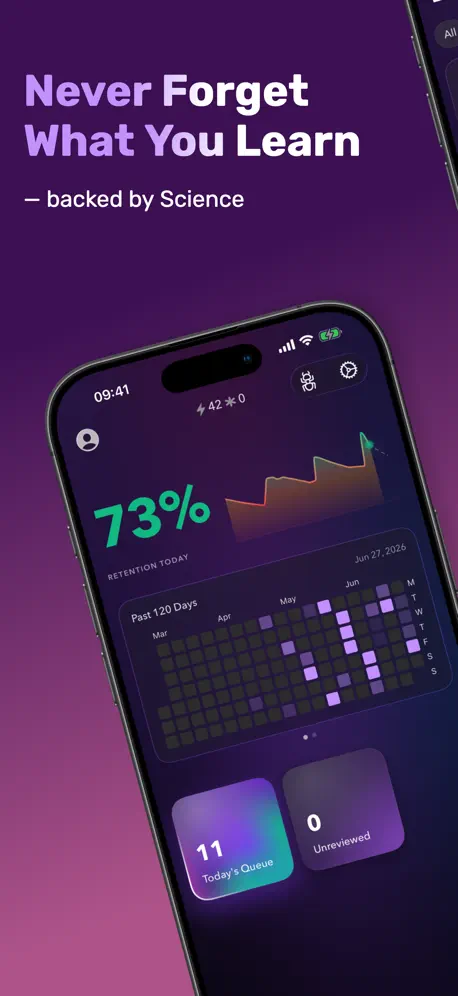  NeuraCache: Spaced Repetition |   Flashcards Maker: Studit | 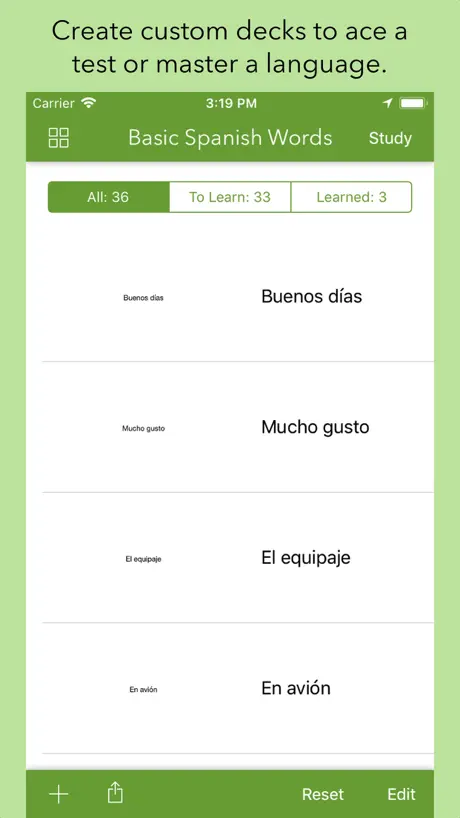  Flashcards by Qrayon |   AI Study Flashcards: Voovo |   Ebbinghaus |   InkDeck: Flashcards |   ATSU Go | |
|---|---|---|---|---|---|---|---|---|---|---|---|
| Rating / 5 | 4.1 | 4.8 | 4.6 | 4.3 | 4.6 | 4.5 | 4.5 | 4.3 | 4.6 | 3.4 | 2.3 |
| Reviews | 384 | 1.3K | 967 | 538 | 400 | 257 | 218 | 177 | 54 | 25 | 6 |
| Released | 2019 | 2020 | 2016 | 2020 | 2019 | 2022 | 2017 | 2022 | 2023 | 2022 | 2021 |
| Monthly price | — | — | — | $5.99 | $1.99 | $9.99 | — | $4.99 | — | — | — |
| 6-month price | — | $3.99 | — | $19.99 | — | — | — | — | — | — | — |
| Annual price | — | $4.00 | — | $29.99 | $35.99 | $59.99 | — | $49.99 | — | — | — |
| One-time price | — | $4.99 | — | — | — | $99.99 | — | $89.99 | — | — | — |
The going rate for each plan in United States, in its own currency, shaded from the cheapest price on the row to the dearest. Plans fewer than four in ten of the priced apps sell are left out.
Kyoku Flashcards reviews
4.1 out of 5, based on 384 reviews.
What people like
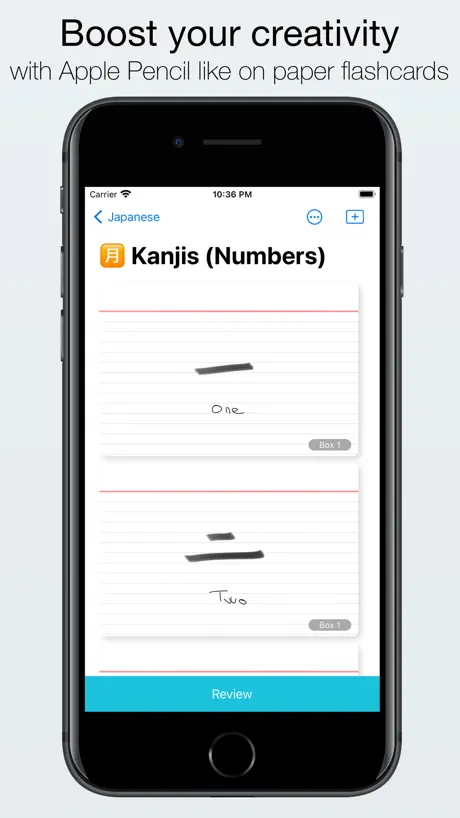
- Writing with Apple Pencil feels natural and real.
- Simple interface that mimics physical flashcards perfectly.
- Great for studying Chinese characters by hand.
What they complain about
- Crashes often and you lose your data.
- No undo button or recycle bin for mistakes.
- Sync between devices is slow or broken.
- You cannot copy and paste text easily.
Buggy after update
Super buggy after recent update. Got rid of good features. Also doesn’t allow to send developers feedback from within the app.
Useless app
No cloud to save your flash cards….waste of money….a little bug in app and all my data is deleted don’t invest time in this one.
No text tool, so it’s difficult to create flashcards on an iPhone
I think Kyoku flashcards is a very intuitive Flashcard creation app, but it can benefit from a few improvements. The main issue with it is that it doesn’t have a text tool, which makes using it difficult. Here are some areas where I think this app can improve: (1) Please add a text tool to Kyoku Flashcards. I know that Kyoku is advertised as a flashcard app for the Apple Pencil, but that doesn’t mean it shouldn’t also have a text tool. I purchased this app on my iPhone, which doesn’t support the Apple Pencil. I’m forced to write with my finger in order to use this app, which I don’t like. This app isn’t usable to me on my iPhone unless we are given the ability to add text. The absence of this feature is the reason why I took off one star from my rating. (2) It would help a lot if a feature such as image occlusion was added. This is a time-saving feature because it would allow us to use diagrams that contain many labels (think of anatomy diagrams that contain numerous labels). We can draw boxes on each label to cover them up, and tap on a box whenever we want to reveal the answer. This feature can also be used to conceal certain words in a sentence, which gives users a chance to guess the hidden words before revealing the answer. (3) Lastly, I wish there was a way to search for specific flashcards that I’ve created. Currently, it’s not possible to do this because there is no search bar. It’s hard to keep track of flashcards within a large deck, but I want to avoid repetition. I want to know what flashcards I have already created, and what I still need to create. Sometimes I might realize that I made a mistake on one of the flashcards, and I want to edit it or delete it, but this is not easy because searching manually is time-consuming. It’d be very useful if there was a way to at least make the titles of each flashcard searchable, even if nothing else in the card is searchable.
not good anymore
it is a wonderful app, it’s my favorite flashcard app ever, until the author gave up on us. The behaviors is very strange now, lot of glitches (everywhere). on top of that, I just lost all my cards without doing any action, sooo frustrating. Can’t trust it anymore, especially that we can’t backup, we only have a sync with iCloud
For math flashcards(university)
Love the app, best flash card app so far with support of Apple Pencil. Pros: - simple design - good learning algorithm (with the boxes idea) - customise the cards e.g lines, squares. - sharing cards between friends is easy Cons (or areas of improvement to consider): - the writing is not clear, and fluid like in GoodNotes or notability. - problems with storing large amounts of cards - the iPad and Mac versions have different backgrounds for cards - no subfolders for organising decks - no ability to sync with other cloud storage (I.e onedrive< Google drive) - app often crashes
Thank you for this app
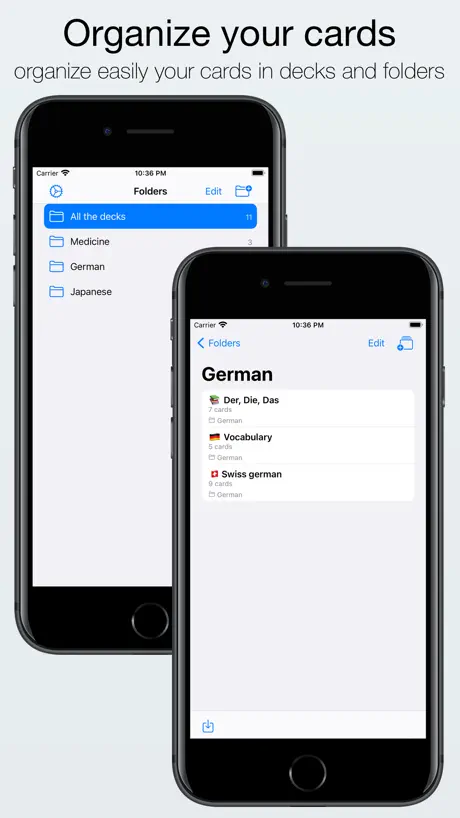
I wanted the convenience of being able to make a flashcard anywhere i was without needing to bring too many supplies with me so this was a game changer for me to be able to take out my iPad and write out a flashcard if im studying at a coffee shop or library etc. The synchronization is wonderful it syncs to my phone and iPad so I could study wherever on my phone! The folders and decks on this app make it possible to keep everything organized on the app too.
Easily the best, but too glitchy
This app is easily 5 stars. Its setup how i would expect a flash card app to be, and well worth the price, but its become too glitchy to use. It didnt start out that way but lately it often doesn’t display decks properly or freezes my entire ipad forcing me to do a hard restart. Hopefully this app gets the tlc it needs because i really do prefer it over the alternatives.
Needs true dark mode for oled iPads
App is great but needs true dark mode for oled screens of the new iPads.
Can't retrieve deleted decks
I accidentally deleted my flash cards and there is no way that I can retrieve all of it.
A bit unstable
The app freezes and/or requires restarting not infrequently. Drag. But when it works, I love it. The old school style of writing on both sides of the card is super helpful in language learning.
BEST STUDY APP EVER
I’m telling you right now this app single-handedly improved my gpa by almost one whole point and got me on the deans list. If you’re a student and you have an iPad, an Apple Pencil and a phone, but don’t have this app, I’m going to beat you up personally! The best way that I use this app is to make flash cards of important terms right after lecture using my iPad and Apple Pencil, and then to go over them throughout my week using my cellphone in landscape mode, as if I am holding a flash card. There is one small issue that I have with this app, but it may just be my device only. When I draw shapes they look really messy, and normally, Apple has this feature where you can hold the pencil in place after drawing a shape and boom. It’ll be fixed. I have tried this using the flash card app and sadly, it hasn’t quite worked yet. This would be an amazing feature to add to this already amazing app.
Not working - very frustrating.
This app keeps sticking - I have to shut my iPad down and restart. The option to add a new card disappears and I can’t edit a card once it’s saved. Very disappointing and a waste of money.
Needs Update!
This is a great flashcard app, but a few things I’ve noticed. The app can become overloaded. There’s an error that happens to me after making each flashcard. The option to make a new flashcard after it, disappears. I have to close out of the app completely between flashcards. Also, it’s pretty hard to consolidate flashcard folders on iPad. Would appreciate a general undo button.
Good but with big flaws
I really enjoy using this app in general but it has some really annoying flaws. 1. Whenever I use the app for a few minutes and sometimes even less (especially when I jump inbetween folders) it fails to display my writing on some of the flashcards, or in some cases some of the flashcards altogether. This makes the otherwise enjozable experience of the app get really annoying really fast, since you have to close the program and reopen it everytime this happens in order to see your flashcards, or the handwriting on them, again. 2. A search option with handwriting recognition would make the app so much better, especially for learning vocabulary. One would think this shouldn’t be too hard to implement, since the program runs on the standard Apple notes program, which already has handwriting recognition in place. I’m really frustrated that the first error hasn’t been fixed yet, since it has been happening for quite some time. If anyone wonders, I’m using an iPad Pro 2018 12.9 inch version.
Was great but...
App was recently updated but it got very buggy! Now I can’t move certain cards across the decks like I used to, the button to create new cards disappears randomly, and the app crashes often. I wish there was a solution. This app has potential
Pivotal for a Med Student
A little concerned about the bandwidth of the app as I start getting into the thousands, but hopefully the developer is still around to TLC the app whenever it’s needed :) best purchase I’ve made with my iPad.
Basic functionality does not work
Able to hand write (without it transposing to text) using Apple Pencil, which is hard to find in any other flash card app, but the ability to move a flash card to another deck does not work.
Amazing for med school, but some glitches
I use this app all the time especially because I love having my own handwritten notes but I also like to be able to use flashcards to quiz myself and this is much more sustainable given that I have over 600 flashcards for every exam. The only issue that would be great if it was fixed is sometimes the app gets overwhelmed probably because I have so many flashcards, but it ends up shutting down on me and restarting, and I lose where I’m at sometimes and I have to scroll all the way back down, but in the process of doing that, the app gets overwhelmed and shuts down again. If I go very slowly, I can avoid this.
Kein Import
Leider fehlt eine Importfunktion (z.B. Exceltabelle oder CSV-Datei). Auf dem Handy macht das Erfassen von Karten so nicht viel Sinn.
App could’ve been great if there wasn’t this issue
I try to add photos but the app just won’t. It’s unfortunate because I bought the app so I can make flashcards using photos. Tried reaching out to the developer via Email, but they wouldn’t answer.
Simple, easy, everything you need
Notecards are simple and super useful tools and this is an equally simple and useful app. Handwriting input is perfect, being totally cross platform sold me on the app. The only thing missing is some kind of sharable deck feature, even just being able to save and share my decks from my iCloud folder with others would be fantastic. I understand this wouldn’t be that easy as a dev myself, so I still give it 5 stars because I can export the decks.
Literally all this app does is crash
I keep having to close then reopen the app because it stops letting my pencil write after every other card i make. It will still let me click things w the pencil, just not write
Love it but…
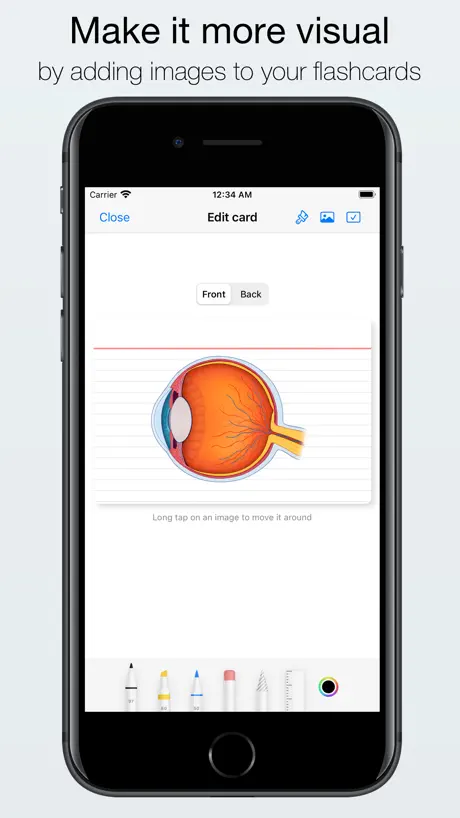
I love everything about this app from simple interface to the icloud capabilities and how I can both write and add pictures, however, I have noticed the picture adding function stopped working. I tried reaching out about the issue, but never received a response. Please release an update that fixes this bug!
PDF exported is still in dark mode
Hi, I just updated my app which says the pdf remaining in dark mode issue is resolved however, when I export my FLASHCARDS as a pdf version, they are still in dark mode, and now the writing that use to be in white before, so that it was visible in the dark mode on the pdf, is now black. Therefore, I now have pdfs with a black background and black writing, so I am unable to read anything. Please can this be fixed as I love using this app. Thank you for your time, kind regards. Update: now I can’t export any pdfs anymore. Please help me
Good app
Good app but there needs to be an option to type words instead of only being able to write it. Not everyone has an apple pen.
Worth the purchase!
I am studying Chinese characters and have both an ipad and iphone. I’m so glad someone (David) was able to develop such a great tool and share with the world. The ability to write the cards on an ipad and later view them on your phone is such a great and thoughtful feature. Thank you. 謝謝🙏
About default style and image
Default style is not changing and also image is not able to add in this app.please correct the error as soon as possible
Great app, but can’t shuffle decks
I love using this app for studying as it’s one of the best options for making handwritten flashcards. I wish I could rate it 5 stars, but the inability to shuffle decks makes it slightly less optimal for reviewing your cards. I also noticed some semi frequent crashes while reviewing larger decks after the latest update. However, these are some simple things to implement that would easily make it a 5/5 studying app!
Great app but broken right now
Blurs pictures when putting them in flash cards.
no way to sync across devices
I would have given this app 5 stars but not being able to make an account to store your flashcards and make them accessible across all your devices is very limiting. I am so used to this feature with every other app that I use that it is weird it’s not an option for this one. The writing interface isn’t super advanced and I wish that it was a little higher quality but this app is an AMAZING idea otherwise. Just needs some modernizing and updating
More people should use this app, its fire
Title
App stopped pasting images
App crashed after 3 months and I lost all my flash cards with images. I’ve tried contacting multiple times with no response.
Good App, but color issues
The special colors on iPad sometimes do not appear as seen on the iPad, but it is helpful!
Generally disappointing.
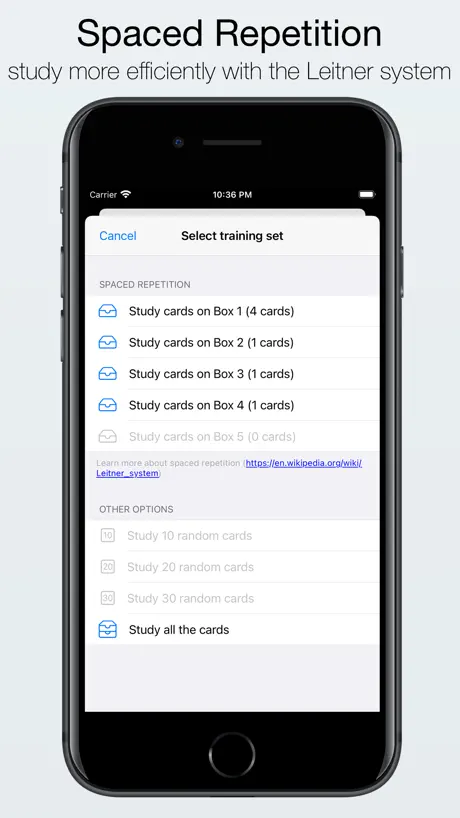
While being able to hand write your notes is a nice feature it’s very limited. 1. Do you want to be able to write on your flashcard during the review mode? Not allowed, you can only write beside it (note that this is different from editing the flash card). This prevents you from tracing shapes or diagrams directly on the card. 2. Do you want to import cards from other apps? No-can-do. While being able to handwrite the notes is the main purpose, there’s no reason not to allow for importing notes from other apps. Huge frustration. 3. Unclear organization. I accidentally deleted a set I spent hours working on. It was in the “all sets” folder that the app sorts everything into. I moved it into a “pharmacology” folder I made from the subject. This made 2 copies, one in each folder. I deleted the set of cards in the “all sets” folder for the sake of organizing my notes. This deleted BOTH of my sets. Unacceptable UI, as this means you’re forced to have every set you ever make flooding the initial “all sets” folder. 4. No undo. As mentioned above, I accidentally deleted notes I spent hours on, as the app deleted all copies of my note sets, even through they were in different folders. Is there any undo option? Nope, hours of work gone forever. Maybe I don’t know the UI well enough. Maybe there is a way to undo, and to import cards from other apps, and to not have a copy of every single card set flooding the initial folder among my other complaints. But my experience has been frustrating and I can’t find the answer. 2 stars because in top of that the writing feature it’s known for is *okay*. You’re limited in the writing tools it makes available (pencil, erase, pen, select tool, highlighter) and you cannot customize that load-out (i.e. can’t swap out the pencil for 2 pens). The select tool is awkward and if used to copy and paste (you can’t make your own template or stickers as far as I can tell, so copy and paste becomes needed for repetitive designs) it doesn’t allow you to move the pasted object accurately. It’s usually shifts over from where you place it on the screen, sometimes completely off the card. The writing feature is smooth. The draft feature is okay, but you can’t erase or changes colors or tools while using it. At the end of the day if all you want is to have-handwritten digital flashcards you’ll be okay. Still clunky ui and organization, but the cards aren’t laggy and spaced repetition is interesting. You can back up your notes as PDF, pictures, or the special app file.…but you can’t reupload them from a PDF or picture, so keep that in mind during backup, you must save as the app specific save file. Which also can’t be opened by other apps as far as I can tell.
Flash cards
Download this app…. However I made some flash cards but it is not showing how many cards are in each deck. It would good to be able to write the answers on the flash card, then see if it’s right. I have emailed developer about this
My favorite
I love this app and I downloaded soooo many to try to find one that lets me use my Apple Pencil to write on the card like I would if it were a real flash card. I hope they keep updating and that this app never goes away!!
Used to like, but it stopped working
I used this app all the me time between my iPad and iPhone. The whole reason I bought it was because I could sync my decks between the 2. Now, with the update, the app doesn’t allow me to use my phone, as it doesn’t meet the software requirements anymore. Now I need to find a different flash card app.
Useful app
This is the kind of app I love to use daily I would like to ask you adding these features/fixes : - fix the zoom quality ; - add the possibility to adjuste cards views size in the main screen to see more decks - add the possibility to write using a keyboard - add the possibility to adjust the review delays (create custom SRS) Thank you Dev.
PencilKit Implementation Broke. Blurry Images when Inserting Hi-Res Images
PencilKit used to work; I was able to draw straight lines and beautiful shapes when I purchased the app before. If I need perfect drawings, I first draw in Apple Notes and then copy-paste the figure to the Kyoku card. If I need to paste a picture, I resize the image first. It seems that the app likes images that are 1000px in their longest side. By the way, the app does not give you a warning when deleting decks. It doesn’t have a “Recycle Bin” or “Recently Deleted” tab to recover accidentally deleted files so be careful when organizing your decks. I hope the developer freshens up the app before the year ends. I still enjoy it and I would give it ⭐️⭐️⭐️⭐️ if PencilKit and Image Insertion worked properly. ⭐️⭐️⭐️⭐️⭐️ if it had a “Recycle Bin” tab and an export option that’s AnkiDeck compatible.
Doesn’t sync with iPhone
You can make as many cards as you want but they won’t show up on the iPhone app until a week later.
Best flash card app hands down
No other apps offer the real experience of using flash cards quite like this app. I have used it for 3 years and won’t stop any time soon. Being able to use my pencil was an instant 3 star rating. While it doesn’t offer some features, I am assuming this app is developed independently. The developers clearly value input from customers and have implemented changes based on review feedback many times since I purchased the app.
Rubbish
Do not waste your money. There is a problem with sync between your iPad and your phone. I’ve made a comment on the website but nothing.
Great but
Feedback (-) 1. Please add reminders / notifications on when to study again 2. Please add Review all instead of only by folder. Feedback ( ) 1. I love the scaling for mac. 2. Thank you for allowing zoom when creating notes and the many card types. Thanks :).
Nur das notwendigste
Die App hat alles notwendige, jedoch fehlt mir sowohl die Stiftauswahl, als auch die Bewertung bei Selbstabfragen. Auf die Dauer nervt es, die ganze Zeit die gleich Bewertung zu bekommen. Für das Geld leider noch ein wenig ungenügend.
Copy/Paste on iPad broken
I can’t copy/paste text on the notecards. Another suggestion would be to add support for more images. This app makes studying easy despite those two issues! :)
I love it
This app is super worth it, way more than many other services with subscriptions. It is not perfect, and will not give you all that other apps may, but personally I don’t feel I need anything else than what it has. It is either the only or one of the really few apps for Apple Pencil, overall it works fantastic, and by letting me export my flashcards and study them as normal notes as well, it has become my main way of taking notes for classes.
Lost material and doesn’t sync
I want to give this app 5 stars because it’s one of the few notecard apps that support iPencil. But one day I logged onto the app and all of my material from over 3 months of studying was gone. Also it doesn’t sync across devices so you can’t review your cards on a different device.
Love it.
So far so great. my only complaint is can you enable a badge when cards need to be reviewed. and add a feature to review all cards instead of only by group. thanks 👏☺️🙌
Hat Potential
Suchte eine App, wo ich auch wirklich Karteikarten händisch schreiben kann. Gefunden. Allerdings: bitte dringend Features einbauen (Stiftgröße, Papierarten, Papierfarben etc.) - dann gibts volle Punktzahl.
Very good app but needs copy and paste and recycle bin
This is a very good app it replicates the paper experience of flash cards perfectly, however i needs two IMPORTANT FEATURES. It really needs copy and paste, so i can copy notes from other apps and paste them into here. It also needs a recycle bin for cards that i have accidentally deleted, because once deleted they are gone forever or some backup thing.
Kyoku Flashcards FAQ
- Is Kyoku Flashcards free?
- No. Kyoku Flashcards costs $3.99 (US) to download.
- Does Kyoku Flashcards have a free trial?
- No. None of its offers (US) come with a free trial.
- What are the best alternatives to Kyoku Flashcards?
- Flashtex: Study Flashcards (4.8 from 1,267 reviews, premium from $0.99), Studies: Smart Flashcards (4.6 from 967 reviews) and Feyn - Flashcards (4.3 from 538 reviews, premium from $5.99).
Kyoku Flashcards download
Last updated 1 month ago.
Kyoku Flashcards sells in 175 countries. It was released 7 years ago, on 23 Oct 2019. It holds a 4.1 rating from 384 reviews.
Supports 5 languages: English, French, German, Japanese, Spanish.
How much does Kyoku Flashcards make?
Third-party estimates for the last 30 days, worldwide — not the store's own figures, which Apple publishes for nobody.