
Flashcards by Qrayon
Study. Test Prep. Languages.
How much does Flashcards by Qrayon cost?
Prices are current as of 26 Oct 2026.
Flashcards by Qrayon has no in-app products on record in the United States.
10+ alternatives to Flashcards by Qrayon
| Flashcards by Qrayon | 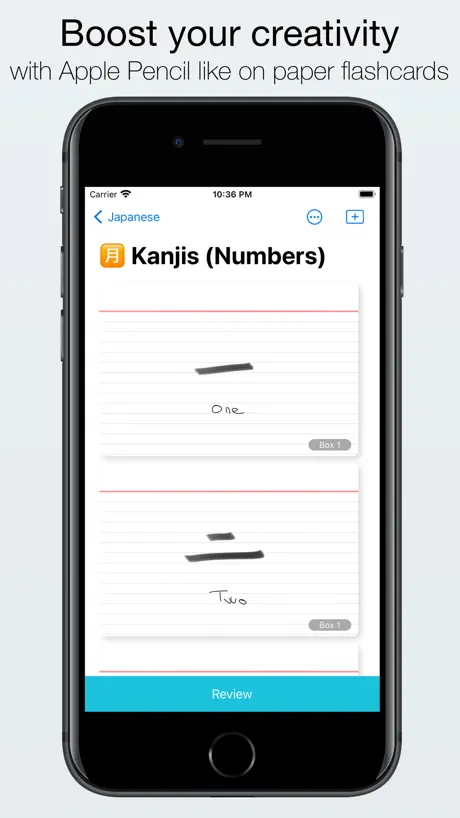  Kyoku Flashcards |   Flashcard Max |   cardFlash - Flashcard App |  Kyoku Flashcards Lite |   Flash Cards Widget |   Flip - Flash cards |   Flash Cards Maker: Study Notes |   QuizCard - Flashcards Maker |   Med Arena |   StagiBank | |
|---|---|---|---|---|---|---|---|---|---|---|---|
| Rating / 5 | 4.5 | 4.1 | 4.3 | 4.6 | 4.1 | 4.5 | 4.5 | 4.6 | 3.3 | 4.3 | 4.2 |
| Reviews | 218 | 384 | 84 | 31 | 21 | 13 | 11 | 10 | 7 | 6 | 5 |
| Released | 2017 | 2019 | 2018 | 2022 | 2021 | 2024 | 2025 | 2024 | 2023 | 2025 | 2025 |
Flashcards by Qrayon reviews
4.5 out of 5, based on 218 reviews.
What people like
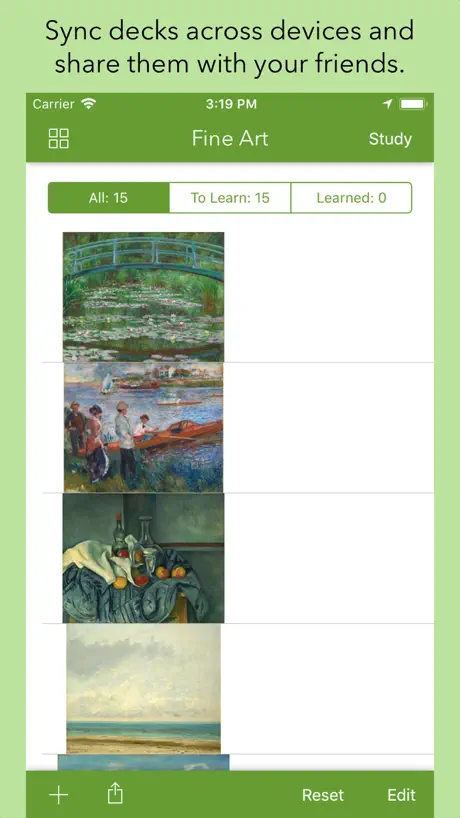
- Free and works well for basics
- Great for replacing physical index cards
- Handwriting feature is very helpful
What they complain about
- App crashes when reviewing large decks
- Cards disappear after importing or reopening
- Integration with other app is clunky
Functional and reliable
Tis a no-nonsense, free app that works well. If all you need is flash cards, go no further.
Crashes constantly, slow as dirt, beware
Absolutely atrocious.
كركوك
كركوك
Great concept. Crashes with large decks.
Great companion to card flow+. Unfortunately this crashes with large image heavy decks >900 cards.
Keeps crashing
I purchased the cardsflow app and got this one to go with it for the flashcard feature. I do wish they were integrated, but my biggest concern is that the darn app keeps crashing as I’m trying to review. Not helpful to my studying.
Magnificent
Ditto
Ok
Yes
Love it with a caveat
I love the versatility of the app but I have a problem with the app crashing while in the middle of going through my cards. I have 142 cards but when I get to around 77 or 78 the app crashes. Please fix it!
Cardflow+ integration
I just set this up today on my iPhone having spent several days making flashcards mind maps using Cardflow+. I absolutely need to revise for an examination using my iPhone while on the move. The app sees the files in iCloud but they are greyed out and Flashcards is unable to open anything. Please, this needs fixing ASAP!
Please Integrate!
I use your Cardflow+ app and have loved it. I like that I can mark my cards right or wrong on this app, but would be awesome if the two apps were integrated. Although I’m glad we currently have the option to do so, It’s a bit of a hassle to transfer the decks into FlashCards each time I add or make edits. Also, SPACED REPETITION would blow it out of the park. I hope to see these changes made in the near future because I love handwriting my flashcards and having them all on my iPad!
Great
Great little app.
Syncing w. iCloud, but can’t access cards.
Synced but decks stay a light grey, means I can’t access them. How would I fix this?
Please make merging decks possible
Please if you can make a way to merge FlashCards decks on the FlashCards app I will buy Cardflow+ Everything else is perfect but I need to be able to merge card decks
Doesn’t work properly
Would be great if worked properly when integrated with Cardflow+. Exporting cardflow+ decks with images leads to decks with no images!
Please add some functionality
I’m an owner and a big fan of your other app Cardflow+. Although that app has functionality that far outstrips basic flash card creation, flash card creation is primarily what I use it for. I learn best by handwriting my flash cards, but I can’t take my physical decks with me, and so your Cardflow+ fulfills a need. But there is no shortage of evidence that spaced repetition is one of the most effective ways of retaining information. Neither this app nor Cardflow+ use or give the option of using spaced repetition. The integration between the two apps is great, but please add spaced repetition to one of them. I will immediately change my rating, if that functionality is added.
Clean and neat
Great great app +++
Doesn’t work
Doesn’t work with the Cardflow+ app like they suggest
还是很不错的啊!
不要放弃继续更新啊。收费的那款太贵了
Needs spaced repetition
I love card flow+ but because there is no way to quickly flip through card by card I have to use this app. The cards are exported as pdf and I cannot edit the written txt. This is frustrating because I have to reimport all txt when I realize I would like to add something new. In addition now when I reimport it is a new deck and none of my learned words are saved 1. The app should have spaced repetition. It would be best if study mode would be integrated into the cardflow+ app rather than a separate app. 2. Every 10 or so FlashCards the app will freeze for 20+ seconds 3. There should be an easier way to flip a card I.e. double tap or swipe up Cardflow+ is the best app but because it doesn’t have a study mode feature I need this app. This app is lacking a lot of key features.
Great app with room for improvement
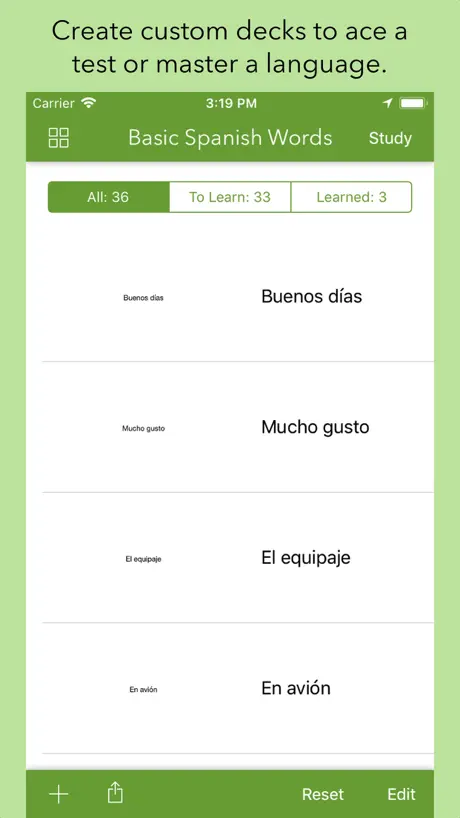
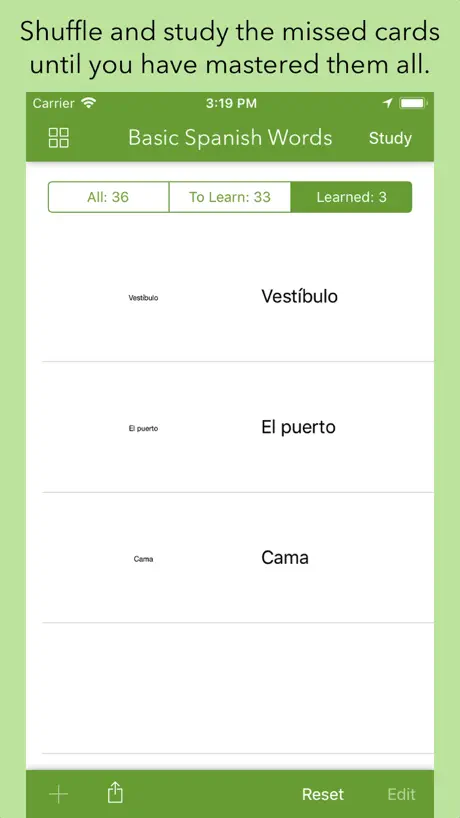
This app should be integrated with the cardflow app. I like how you have the option to review ”all”, “learned”, and “to learn” I find this feature very helpful when reviewing cards that I got wrong. The downside is that if you find an error in your cards you have to go back to cardflow, edit it there, then copy or upload to the iCloud again to be reloaded in this app...why not integrate it so it’s seamless? Also, this app doesn’t support handwriting new cards, only text. I would like to see features that further separate the cards into categories like “easy,” “medium,” or “hard.” That way it gives us users a different way to study. I would love to see a trend graph. Overall it works fine, there are minor lags but it’s not a dealbreaker. I hope the developers take our suggestions to heart because this truly is a great app.
Perfekte Ergänzung zu Cardflow+
Ich wünschte, ich hätte diese App Kombi am Anfang meines Studiums bereits gekannt. Da ich großer Fan von handschriftlichen Karteikarten bin, aber keine Lust auf Karten schleppen habe, ist Cardflow+ DIE Lösung. Habe viel rumgefuchtelt, es gibt keine Alternative...
Very very basic
Needs a lot more functionality.
Not able to use written cards in flash
Hi, love the new update to cardflow but this FlashCards extension app only allows TEXT cards to be used like flash cards. When uploading my written cards it only shows one side of each card. The other side is just blank. I would really like to see this changed. There are so many people in my graduate program with new iPads that would like to use this. Please make it so that the written cards can be viewed front and back in the FlashCards app. Thank you, Caroline
Needs command features
Love the app for making cardflow infinitely more useful to me, however please make it so the arrows on a keyboard can be used to change the card and maybe space to flip? These two features would be extremely handy for me as a frequent user of the app.
Too much green and menu bars
Please make it possible to see the cards full screen. The amount of green everywhere in relation to the size of the card does not seem proportional to me. And it is very distracting.
Stopped working
Worked and now it won't open the flashcards file
Won’t save my card decks!
I love Cardflow enough to pay for the full version. I love being able to hand write my flash cards. I like the idea that it has a companion app to study. HOWEVER when I open flashcards, it has saved all kinds of PDFs that are NOT flash cards that the app dug up from the depths of my files somewhere. Weird. But most frustrating, flashcards won’t save the flashcards I do import! Every time I reenter the app, the flash cards are gone and I have to redo the export process from Cardflow into Flashcards. Annoying. And guess what all those random not flash card files...they are still there. Every time I reenter the app. Explain that one! Would love to have the random files NOT be in my recents and would love for my actual flash cards to REMAIN in the app. I hope this ca be fixed!
Great App! But I need two more features
This is a great App by a great company. I have most of their products downloaded. I love the fact that each stack of flash cards is a new document. The Flipside: I would love to be able to move a flash card from it's current stack to a new stack of flash cards. I also love the fact that you can customize note cards with images and drawings in cardflow+ and share them to the Flash cards app and create a new stack of customized flash cards. The Flipside: I would love to be able to share INDIVIDUAL customized cards from a board in cardflow+ to existing flashcard stacks in the flash card app.
Great idea but....
I love the idea of this but I wish this and the Cardflow app were integrated. I love being able to write and draw on index cards and I wish this app had the same feature
The way to prepare for a speech
Yep, throw out your old index cards and use this instead. It’s brilliant 😃
Worked great then deleted my flashcards
This app was a godsend for a participle quiz in my Ancient Greek class yesterday morning. I aced it thanks to this app, so the two stars are for the fact that it did initially work. When I got home and sat down to show my husband how cool the app is, I was welcomed by an app that had deleted or hidden from view all of the flash cards I had imported just that morning. I was also no longer able to import (or re-import) flash cards I had written from Cardflow+. My final is in 4 days. This app is currently useless on my devices.
귀사는 최고입니다!!^^
감사합니다.
Flashcards by Qrayon FAQ
- Is Flashcards by Qrayon free?
- Yes. The app is free, in all 175 countries it sells in, and it sells nothing inside it.
- Does Flashcards by Qrayon have a free trial?
- No. None of its offers (US) come with a free trial.
- What are the best alternatives to Flashcards by Qrayon?
- Kyoku Flashcards (4.1 from 384 reviews), Flashcard Max (4.3 from 84 reviews) and cardFlash - Flashcard App (4.6 from 31 reviews).
Flashcards by Qrayon download
Last updated 1 year ago.
Flashcards by Qrayon sells in 175 countries. It was released 9 years and 1 month ago, on 4 Oct 2017. It holds a 4.5 rating from 218 reviews.
Supports 1 language: English.
How much does Flashcards by Qrayon make?
Third-party estimates for the last 30 days, worldwide — not the store's own figures, which Apple publishes for nobody.