
Senville
How much does Senville cost?
Prices are current as of 12 Nov 2026.
Senville has no in-app products on record in the United States.
10+ alternatives to Senville
| Senville |   Emporia Energy |   MRCOOL SmartHVAC |   Weiser |   Cielo Home |   Brightlayer Home |   AC Infinity |   in.touch 2 edition |   Orbit Home | 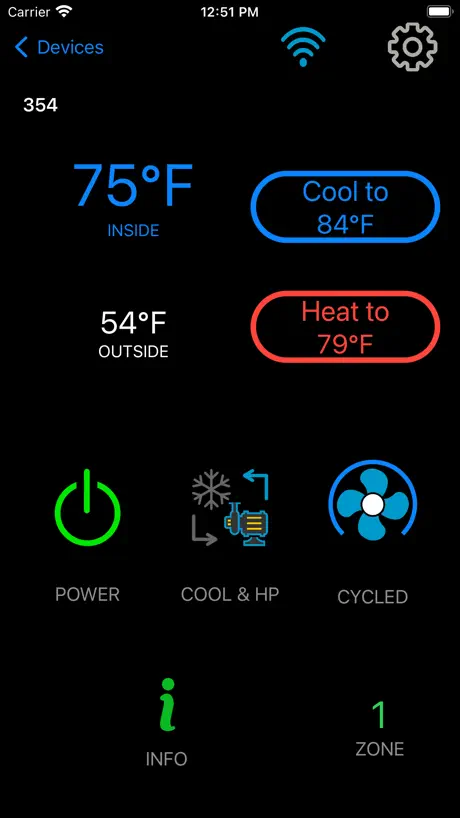  EasyTouch RV |   EasyStart | |
|---|---|---|---|---|---|---|---|---|---|---|---|
| Rating / 5 | 2.1 | 4.8 | 4.7 | 4.8 | 4.7 | 4.7 | 4.1 | 1.7 | 2.5 | 3.1 | 3.7 |
| Reviews | 136 | 16K | 12K | 11K | 5.9K | 2.7K | 1.2K | 403 | 147 | 118 | 47 |
| Released | 2019 | 2019 | 2018 | 2019 | 2015 | 2021 | 2020 | 2016 | 2018 | 2020 | 2020 |
Senville reviews
2.1 out of 5, based on 136 reviews.
What people like
- Remote control works well when connected
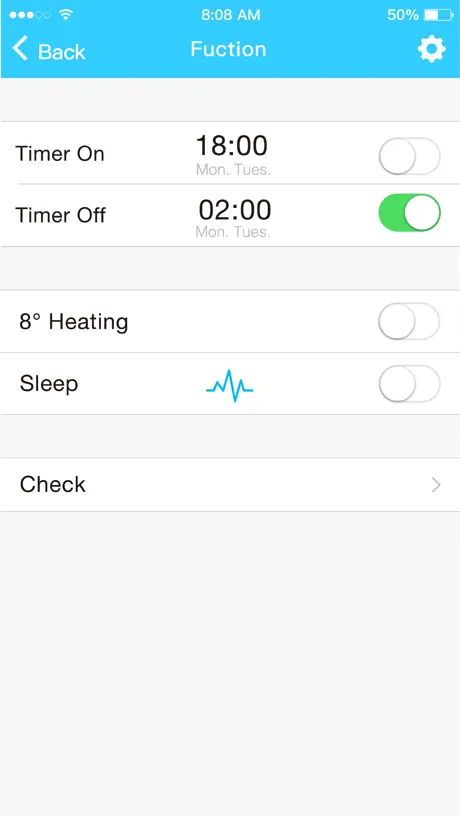
- Easy to set up schedules for zones
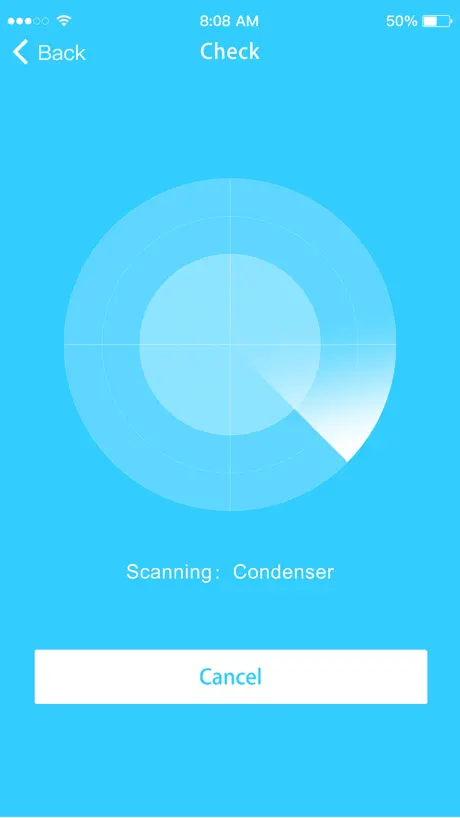
- You can run diagnostics right from phone
What they complain about
- Alexa dongle does not work with the app
- App keeps disconnecting and losing connection
- Setup process is confusing and buggy
- Cannot turn off LED light from the app
Use correct iOS USB adapter, Alexa is lesser substitute
We are extremely happy with our Aura mini split’s performance *after we figured out what mobile app to use.* Be aware that there are *2 types* of USB Wifi control adapters for this nice mini split! Good app, but not compatible if you have the Alexa-enabled USB dongle. You need the other, nearly identical $80 USB module to use the Apple app from Senville. SENVILLE & SELLERS SHOULD *TELL YOU* THIS BEFOREHAND. Alexa app control has fewer control options compared to the Senville app control. Some might find control w/ Alexa more convenient, but not us. Senville iOS app has *all* the functions of their standard IR room remote (included w/ each indoor unit). The Alexa app shows less than half of these control features. [Previous review before learning this on my own: Big disappointment with app for new Aura model mini split system.] (No, trying to use an app from Midea, does not work either.)
No signal to pickup
There is no signal to pickup from the device itself making pairing impossible
Work in progress
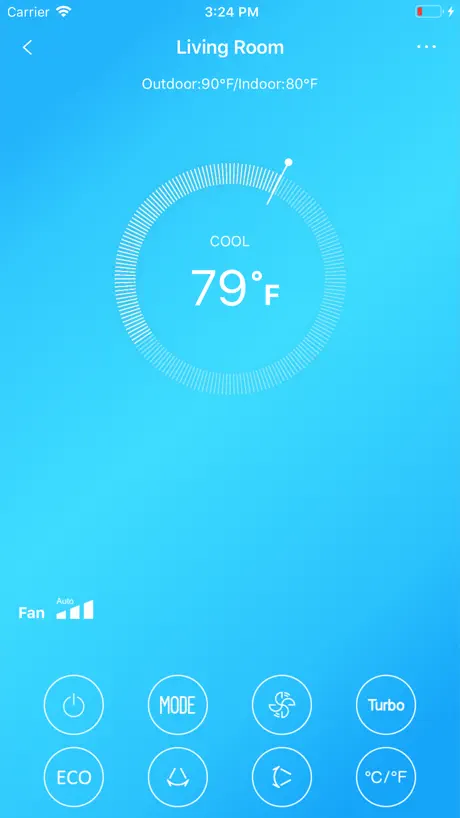
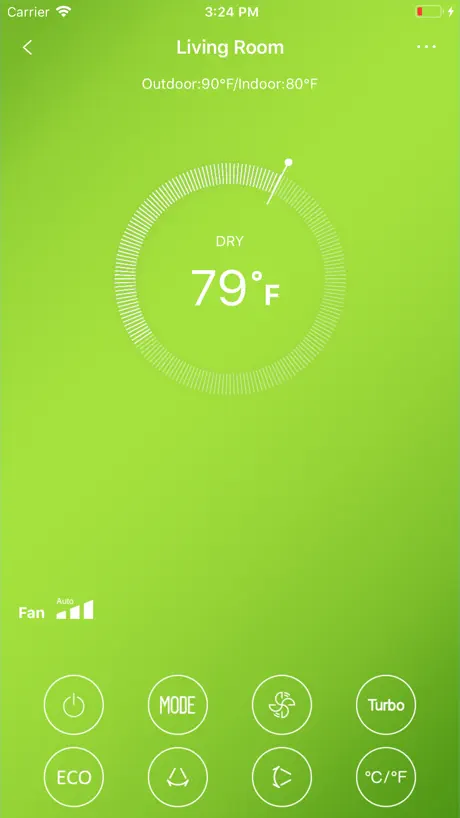
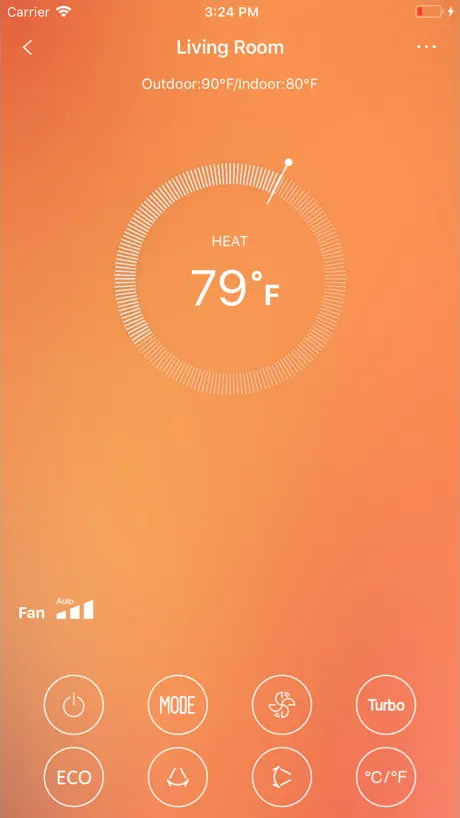
I would rate function at 4 stars. There really should be a readable user manual for what exactly each feature the app buttons could control. Some are simply not clear and I resorted to trial and error to figure them out. The temp display can be refreshed by swiping down on the thumbnail display. It’s nice that the full display shows outside temp and indoor temp at the top above the setting wheel. The AC unit responds quickly to app setting changes. App allows you to see diagnostic test info—very nice. Now, the negative: the install is wonky and required 5-6 tries over an hour+. Basically, the install will not complete until the unit icon finally shows up in the app’s add appliance menu (it does not at first). You have to do the pre-config of the usb stick and then work through the network settings in the app several times until the app decides to display the unit icon. Trying to add the AC by choosing appliance type was not successful (always hung up at 99%) After getting the AC icon to display, the actual connection was quick. The app in use seems to maintain communication with no issues. I even cut power to the system by turning off the switch box breaker to simulate a power outage. The app reconnected quickly after power was restored with no issues. Evaluation: Make the installation procedures and instructions more clear. I can definitely see why some reviewers gave up and returned their Wi-Fi unit. However, the result is good for app usage, overall.
Staggering bad app
Couldn’t make it past creating an account. The registration email didn’t fire.
Please add feature to turn off LCD in app
I use the app way more than the remote and whenever the mini split has been turned off and then back on, the lit-up display with the set temperature shows up again. And then I have to find the remote to turn off the display because I can’t so that from the app. Please make a feature where I can use the app to turn off the LCD display.
This makes me so happy!
I agree it's not a perfect app or dongle. Took multiple tries to finally connect to WiFi. BUT IT WORKS! I had no idea the mini split I bought two years ago had a USB port to plug a WiFi dongle into, and I've been lamenting for those years that I didn't buy a WiFi capable unit to monitor when away from home, especially in freezing temps. But it turns out just popping in the $50 dongle made it remote accessible! 😃
Useless
App is absolutely useless. Will not connect no matter what you do. For all the money spent on this system you would think they would provide a decent app to control it with. But, no. Very disappointed. Would not buy Senville again.
Fp mode
On the new app, when you put unit to Fp it won’t show you that it’s activated. Previous app would display it on the the main temperature display. Please fix this!
No idea if running!
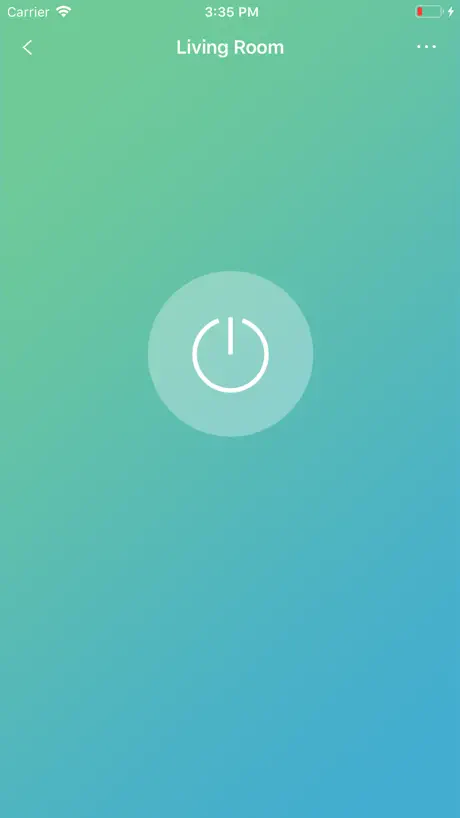
If away and open the app, there is no way to tell if the heat pump is actually working. I would like to know when it is on or off. Also some of the options don’t seem to do anything!
Skip Senville, use Midea Air app
I had similar issues to others in terms of bugging this and general inconsistency with the native Senville app. After reviewing several user forms, I found that the third-party Midea mobile app would work just fine as an alternative remote controller for Senville units. Since they are all effectively manufactured by Midea and then rebranded under a different name (as many are in the sector) you’re effectively just using the original first party mobile app that’s also updated far more often than Senville’s (based on the release history here). Has been great for me and offered out of the box Alexa integration from day, one without an additional/updated Wi-Fi dongle purchase. Give it a shot when you are within Wi-Fi/Bluetooth range of your head units and see if it works for you!
Works great for me
I expected to have problems with all of the negative reviews, but the app has been working great for me for the last several months. I use it to turn on the unit before going out to my office occasionally and I set a night time schedule to turn off the unit if it is accidentally left on. Haven’t had a reliability issue yet.
DOES NOT WORK with Senville Smart Control Kit
Not wanting to install the Amazon Alexa app, I naively ASSUMED that Senville's "Smart Control Kit" would work with Senville's App. IT DOES NOT. But STUPIDLY, the instructions from the app to put the unit into AP mode APPEAR to work, displaying "AP" on the split's display. It just doesn't provide a WiFi access point like it is supposed to, DESPITE showing AP on the mini split's display, along with a WiFi icon.
Good app for my single unit
I only use basic controls but this app works flawlessly. Would be nice for developers to enable more data visibility…. IE I should be able to put in electric rate and see what unit is consuming through app. Is nice to see inside and outside temp through unit’s thermometers. Showing you how unit reads temps.
Really needs HomeKit integration
I only downloaded the app yesterday so I haven’t had a ton of experience but I’m really bummed that there is no HomeKit integration. I have many smart home devices and I dislike using their individual apps, please create a way to have this be controlled by HomeKit like all my other smarthome devices!
Discontinued
The app has been discontinued on the new heads. Do you want to use the Alexa app from now on overhead Simon sure however, I do have one customer who is still using the app. But it seems it won’t connect to the new house anyone
Decent
They finally fixed the logout bug. Update your firmwares
Poorly written app.
Network Discovery doesn’t seem to work (ffs just use nmap), manual device connection requires your network pwd? (It should not). I’d not allow my team to publish this… you shouldn’t either.
Updated app is a huge improvement
The interface was very clunky and unreliable prior to the previous update. It’s much friendlier now and quite easy to navigate.
App very buggy
As most if not all apps developed for heating and cooling resellers, it seems to have been done by a 5 year old in 2h. As nearly everyone stated, it logs you out nearly every time, rotary dial to set temps is a mess unless your fingers are transparent. Clearly did not try it even once or would have noticed this is stupid. I dared try the timer (which appears as Schedules on my app). Bad idea. Went to edit (delete) them and no longer appear in the list BUT still turn the thing in every day. How the hell can I clear them if they vanished from the app? I don’t know where they reside so not clear on what to reset to get rid of the ghost schedule. 2020 everyone. Such apps are unacceptable. Used to build much better SW 20 years ago. I guess real programmers are a thing of the past now. “Drag and drop app devs” are the new thing.
Better explanation needed
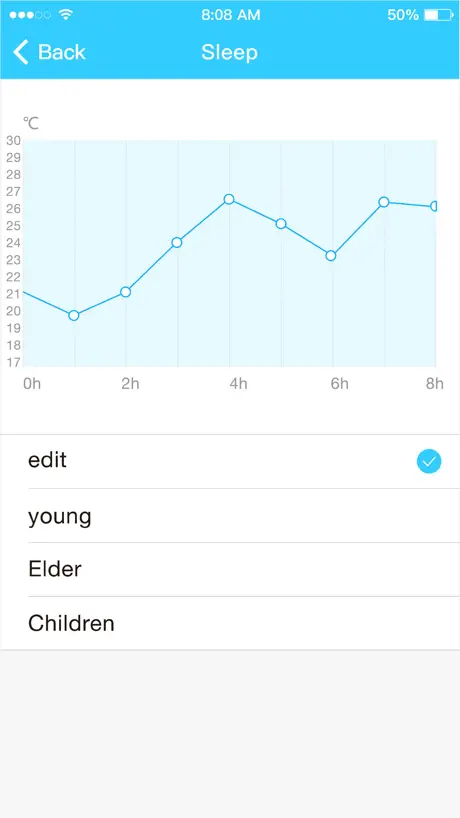
App seems pretty decent, but I don’t understand why there is an “express run” mode and why I would use it. I also don’t understand the sleep curve feature and how to utilize it to be a benefit. If someone puts the effort into making some features it would be valuable if I know how to benefit from it. Also, would appreciate the ability to copy schedules from one device to another. Otherwise, pretty easy to manage and get value from the Senville Mini Split.
Purchased for 5 zone 4 ton
Just what I hoped for in mobile functionality. Easy to set up, very reliable, does more than I need it to including arranging all schedules of operation for all 4 zones separately. Would be nice to have one page summarizing status of all 4 zones. Was amazed that I could run status diagnostics on every zone from my phone including 104 status tests!! Wow
Epic failure
This is the worst device connecting experience
Application needs some improvements
It is pretty good application. Just one thing is not acceptable: I cannot distinguish the On/Off devices status using application remotely. Please modify the image of power button. It must be clear different for different device status. Integration with SmartThings is very desirable for me.
Issues that need to be fixed
There are many flaws in the app that need to be fixed. 1. The LED light can only be turned off by the remote, not the app 2. If you set a schedule with on/off times throughout the night, the LED light turns on as well with each change. The light is very bright & ends up waking us up. 3. The unit doesn’t always follow the schedules set on the app 4. The way the schedule is set up can be confusing. Recommend changing the set up for this. 5. The app sometimes appears with error codes or won’t connect. Tried everything to fix it but basically have to wait until the app decides to start working. Fixing these issues will be a huge improvement
Please Add the ability to run off led to the App
Led is too bright at dark room night and wakes up anyone. If you use the app to turn it on, LED turns on by default. Please fix it!
Very Satisfied!
We were using the electric heat on the second floor and always had a dry throat the next day. Then we decided to buy an AC /Heat Unit and all of a sudden my dry throat disappeared, thanks to the heat coming from the Unit.. Then we sold our house and unfortunately had to let go of the unit with the house. Now we are buying another one for sure as our experience was very satisfying :)) I highly recommend!!
Wifi setup is terrible
This is my second time trying to setup my system with the app. I was able to get it done once and everything reset and won’t set up again. They have qr codes that dont do anything and the app workflow is a complete busy. It does not appear they do any testing.
Quick setup and great features for remote access
The app walks you through the process with step by step instructions. Once successful connected to your system, you can control units from your smart phone or tablet. One feature missing for me is the led disable feature from the app. My kids like to sleep with a dark room. Not a big deal because I disable the led using the remote when I put them to bed. I will be adding another three unit system to my house and look forward to using this app for those additional units.
Keeps disconnecting my units
In theory this is as great app but when you have three units and have to reconnect them all multiple times per week it’s pretty useless. Example- I knew I was staying out last night. Connected all three units before I left. This morning on the way home I go to turn the heat on remotely and only one of them is still online. It’s crazy. The scheduling tool works well when the devices stay online, but again it’s just spotty. If they improve connectivity, I’d give it way more stars.
Temperature adjustment
Please provide an up or down arrow to adjust temperature up or down. The dial in the app is difficult to adjust
Really like this feature
I bought a new Senville and really happy they made it WiFi enabled. Works great for my rental property, I can control the system when I am away, and make sure it isn’t running when unnecessary
Makes me not want to buy a Seville again
This is an epic case of poor corporate leadership. They sell systems and heavily promote their Wi-Fi connectivity through the app, but they don’t actually tell people that they need to buy a special Wi-Fi kit for anything to work. So many people, just like me bought an AC system and expected to use the app to control it but were never informed about the need for a Wi-Fi kit. I screwed around with the app for an hour until I gave up and did some internet research and discovered the need for a kit. How could the company be so stupid as to hide this critical information from their customers?
Would love to use this app...but....
Purchased a great Senville unit. Works great physically. The app however constantly disconnects and quite often does not connect. Wait 30 minutes or so and it works again. I have even moved the router beside the ac unit for a few days same issue. Not a connectivity issue, as I have my entire house automated and all works great just not this app. Schedules because of this issue, do not work properly and cannot be depended on to function. Developers please fix this!
Has potential
Please add Alexa integration as this is becoming pretty standard on decent heat pumps . It would be nice to be able to tell Alexa to turn up or down the heat or up or down the AC and turn the unit on/off as well as control the Mode and Fan speed /Swing . This would really make the module more useful .
Does what I expected.
Works well, setup was easy. Connected via the USB Wifi Module with Senville Aura 12,000 in Northern Ontario. Consistently able to control via application, at home and away. Not as feature rich as actual remote, but main functions are covered.
Too too bad for wifi set up
This too too much bad for set up wifi
Works Great, but Limited...
Fairly easy to setup and adjust settings. I just really wish you could setup rooms with multiple splits and just have one control for that room. Would LOVE to see integration with Apple’s HomeKit, that alone would probably make it 5 stars.
Worst app ever
Bought the unit for my gym room thinking i can use the amp to control the temp before i get my workout end , and the unit will not connect to the app at all, don’t even give you a option to scare the bar code, had to connect it thru Alexa, which is ok but i really need the app to work correctly, at times wish i went another way
Has Bugs
We installed these a few weeks back. Love the unit itself. But the app is not what I expected. You can control the temp with it and setting/ Diagnostics but scheduling and other related features do not work. Hope you can fix this to correct the issues we are having
It just doesn’t work
Did everything the manual says. Don’t work whatsoever. Wasting time.
Senville FAQ
- Is Senville free?
- Yes. The app is free, in all 174 countries it sells in, and it sells nothing inside it.
- Does Senville have a free trial?
- No. None of its offers (US) come with a free trial.
- What are the best alternatives to Senville?
- Emporia Energy (4.8 from 16,149 reviews), MRCOOL SmartHVAC (4.7 from 12,288 reviews) and Weiser (4.8 from 10,654 reviews).
Senville download
Last updated 8 months ago.
Senville sells in 174 countries. It was released 7 years and 9 months ago, on 25 Jan 2019. It holds a 2.1 rating from 136 reviews.
Supports 25 languages: English, Albanian, Arabic, Croatian, Dutch, French, German, Greek, Hungarian, Italian, Japanese, Korean, Macedonian, Polish, Portuguese, Romanian, Russian, Serbian, Slovak, Slovenian, Spanish, Swedish, Chinese, Turkish, Vietnamese.
How much does Senville make?
Third-party estimates for the last 30 days, worldwide — not the store's own figures, which Apple publishes for nobody.