Brightlayer Home
How much does Brightlayer Home cost?
Prices are current as of 20 Nov 2026.
Brightlayer Home has no in-app products on record in the United States.
10+ alternatives to Brightlayer Home
| Brightlayer Home |   B-hyve |   Kwikset |   Guardian Protection |   MRCOOL SmartHVAC |   OmniLogic |   Lutron App |   Bond Home |   Good Earth Lighting |   LEVOLOR InMotion |   ELEGRP HOME | |
|---|---|---|---|---|---|---|---|---|---|---|---|
| Rating / 5 | 4.7 | 4.7 | 4.8 | 4.7 | 4.7 | 4.7 | 4.8 | 4.8 | 4.2 | 2.1 | 3.2 |
| Reviews | 2.7K | 383K | 62K | 13K | 12K | 9.7K | 7.8K | 4.5K | 919 | 63 | 25 |
| Released | 2021 | 2016 | 2019 | 2015 | 2018 | 2014 | 2014 | 2019 | 2020 | 2022 | 2022 |
Brightlayer Home reviews
4.7 out of 5, based on 2,722 reviews.
What people like
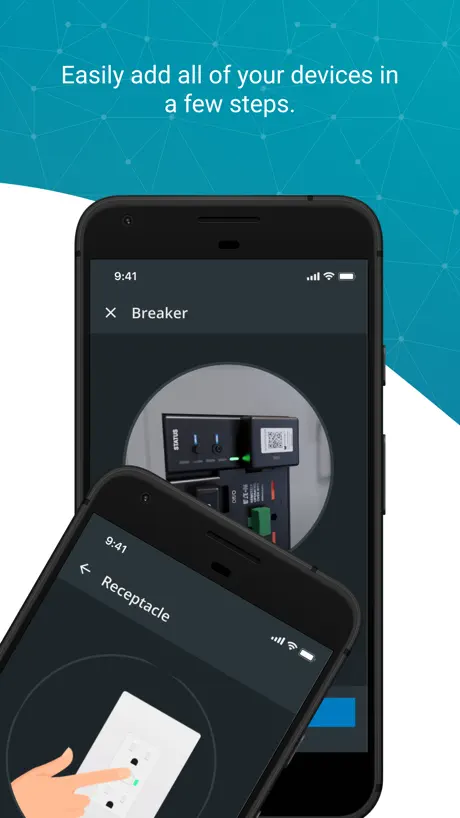
- Easy to install and pair.
- Remote control works when stable.
- Tech support responds quickly sometimes.
What they complain about
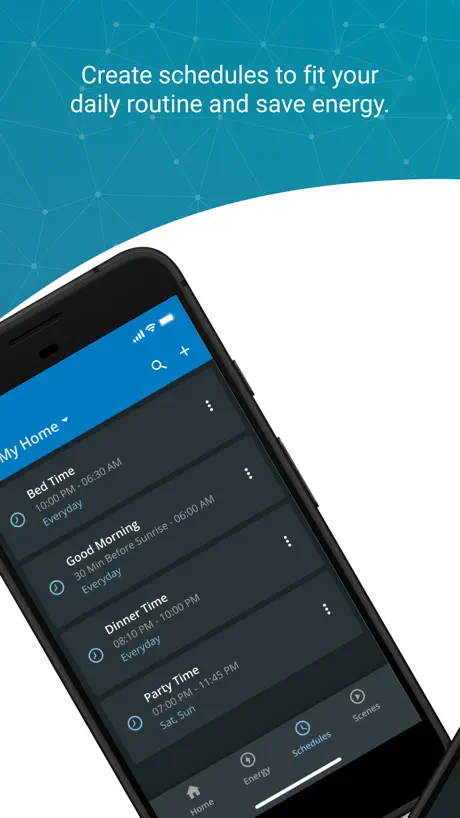
- Schedules keep disappearing or resetting.
- WiFi connection is often unstable.
- Support team rarely solves issues.
- Missing EV charger support category.
Got Powerwall
These breakers are really nice and if I’m away from home, I can control circuits remotely through the bright layer app. But the main reason that I put them in my low center is because I’ve been waiting for the Tesla power wall integration so that when the grid goes down, my can shut down those breakers and then turn them back on when the grid comes back on. Promised by Tesla snd Eaton for almost 2 years now but as of today, I don’t see any news about actually turning on the integration
Not informitve
I had to reset my WiFi password a month ago have not been able to control my smart devices since. I’ve factory resets on all of them and nothing. The app zero help in trying to figure why! 👎🏻👎🏻
Works just ok
Works ok. Wished it deemed the lights a little more, and the WiFi sometimes doesn’t work, and no my internet was and is working properly.
Very confusing
I set up Christmas lights, I named them Christmas lights. I set a schedule and it never turned the Christmas lights on. I look at the app and it shows one device is on, which is the Christmas lights. Then I look at the Christmas lights icon and it shows them off. I set a second schedule titled “holiday lights“ because my first schedule went away. The schedules keep being deleted. This app needs to go into rework and redesign the entire user interface.
Needs Improvement
Two immediate features this software needs is the ability to turn schedules on and off rather than remove and then add the schedule again later. There needs to be a way to change the order of the schedules in the list. As best I can tell they stay in the order they are added.
Love it!
The installation of the App and its use is very easy!
It does not work
Brightlayer app does not have a ev charger category. So it is useless! It does not work and online resources are terrible and not accurate!
Sauna Breaker
I got a 50 amp breaker for my sauna so I could heat it before I get there. It was easy to connect it to the app, works perfectly and schedules look pretty simple. The only reason for a 4 star is that I wish I could program an auto shut off after a couple of hours or at a certain time of day in case I forget to turn it off. I don’t see a way to do that.
Unresponsive
We installed these switches so the lights were on a schedule while we gone but they are always unresponsive and not reliable. The internet is great and no reason for this to happen.
Works great when it works
When it works it works. I seem to have to factory reset and reinstall every month and a half to be able to control remotely with the app
Easy set up
Nice and fast
Terrible product, terrible reliability
I hate this software and the products it interfaces with. I have never hated a product enough to write a review. If their cloud service goes down, so does your ability to interface with the products through the app. The support is terrible, their customer service is pathetic. If you’re downloading this app because you bought a corresponding product, return it. You’ll only face poor availability, terrible interfacing experiences, and be backed by a mediocre support team.
Review
The app is good but I have my schedule set to come on at sunset and off at sunrise. I get up most morning before sunrise and my lights are off.
Programa se borran
Los programas de encendido y apagado se borran y tengo que volverlos a configurar constantemente
switch
works
Broken app and pairing process
This app is terrible. The pairing process stalls out after connecting the device to WiFi. For 50 bucks a switch it should work seamlessly considering we are in 2025. Goes through the WiFi set up process, gives a yellow flash on the switch and the app stalls out, giving a “Oops, something went wrong try again later” error. I would like a response to this review.
Schedules not working anymore
Not sure when I did the latest update but the app lost my scheduled light on/off times. I create a new schedule and they disappear when I close and reopen the app. Very frustrating.
Schedule missing
Update: extremely quick response and update to my schedule missing issue. I emailed support and received a quick response explaining that they were aware and in process of fixing. Later that day the app was updated and working fine. Original post: App worked great for years. Last light WiFi switch did not turn on lights. Noticed schedule was missing. Was going to create a new one and the old one showed up. Same issue this morning (12/18/2025). The response from the developer on previous posts state it was fixed on December 2nd. I am running the latest version of the app and it is still deleting schedules.
Unreliable Switches and App
This is so inconsistent. I have three schedules for switches to turn on and off, but lately when I go into the app it tells me I have no schedules. It invites me to add a schedule, then a few clicks later, the old schedules somehow reappear. Needless to say, those schedules are not being followed. This might also be the fault of the Eaton switches paired with the app. They are notorious for losing their WiFi connection, unlike other devices I have in my house. Another source of frustration. Whichever it is, avoid Eaton switches and the Brightlayer app that they operate with. There are more reliable switches out there.
Easy to use switch
Switch was easy to install and easy connect to WIFI to set my lighting schedule.
Poor function with app
Purchased two dimmer switches, neither of them will connect to my network. Verified all requirements are met, connected to the app following the directions, gets all the way to wifi network and won’t connect! Will not be buying any more. Very disappointed!!!
Smooth
I’ve installed my third Eaton switch with minor issues due to the operator. I am a technician and ran into more issues with my electrical outlet box with room and wires fitting in place than I did with the Eaton outlet, dimmer or switch installations. My first try I had Internet issues but again I wasn’t following the directions and thought I knew what I was doing. It helps to carefully read first. Once my app was installed correctly my next two installations went smooth as silk. If you think you will run into trouble you can always hook up the Eaton device on a bench and test it out if you know what you are doing and program it that way too.That will save you the time in disconnecting your device, installing the Eaton then running into problems and having to disconnect and reinstall your device again. I bench tested one device and the process was so nice the third device I just installed in-place right away. I can somewhat understand if a non techie has issues but take your time, double check yourself and follow the directions and diagram. If you don’t understand, stop and get someone who does. Most importantly, turn the power off to your device before you start work for your safety.
Difficulty staying connected
I had 7 dimmers installed by a professional electrician. Would not stay connected to Orbi WiFi 6. Kept having to reset the router every 3 weeks or reset the dimmers. Upgraded WiFi to Eero 7. Same issues. Such a pain.
Down Lights Switch
My down lights have only been turned on when I felt like the walk all the way upstairs to throw the switch but no longer because of this awesome app! When I had an issue, Ryan, their tech was relentless in solving the problem and now it only takes the click of a button on my phone!
Lacks Key Features and Funtionality
The scheduler function lacks functionality. The scheduler should have an “if - then” feature, and other boolean functions to be remotely useful. The scheduler is also lacking clear definition for the action that you want to schedule. Also no way of determining or confirming that the smart switch is time of day is accurate. The light controlled by the smart switch doesn’t turn off when schedules. I wouldn’t recommend this app or smart switch. Nor would I buy another smart switch. Better off paying more for a device that has a hub controller.
Home living room
Home
Awful Garbage!!!
I paid over $300 for a wifi breaker specifically to provide remote control and monitoring. As of last month they're removed all remote capabilities from the app. So my $300 breaker is now an expensive paperweight. Never again!
Great App!
We installed string lights and pathway lighting on our flower farm. No more wondering in the dark to switch on lights. The phone app makes it feel like magic!
Does not support my EV charger
It’s horrible my EV charger just blinks red now and the app doesn’t even have a EV selection
Brightlayer Home FAQ
- Is Brightlayer Home free?
- Yes. The app is free, in all 6 countries it sells in, and it sells nothing inside it.
- Does Brightlayer Home have a free trial?
- No. None of its offers (US) come with a free trial.
- What are the best alternatives to Brightlayer Home?
- B-hyve (4.7 from 383,130 reviews), Kwikset (4.8 from 61,973 reviews) and Guardian Protection (4.7 from 13,141 reviews).
Brightlayer Home download
Last updated 6 months ago.
Brightlayer Home sells in 6 countries. It was released 4 years and 11 months ago, on 22 Dec 2021. It holds a 4.7 rating from 2,722 reviews.
Supports 1 language: English.
How much does Brightlayer Home make?
Third-party estimates for the last 30 days, worldwide — not the store's own figures, which Apple publishes for nobody.