
Mackie Master Fader 5
Control Your DL Mixer
How much does Mackie Master Fader 5 cost?
Prices are current as of 11 Sept 2026.
Mackie Master Fader 5 has no in-app products on record in the United States.
10+ alternatives to Mackie Master Fader 5
| Mackie Master Fader 5 | 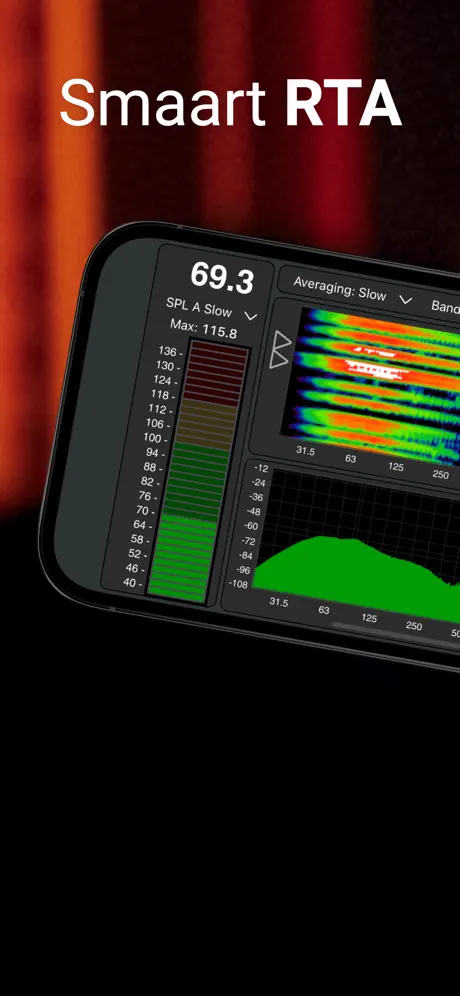  Smaart RTA Smaart RTA |   MX-Q MX-Q |   ViSi Listen ViSi Listen | 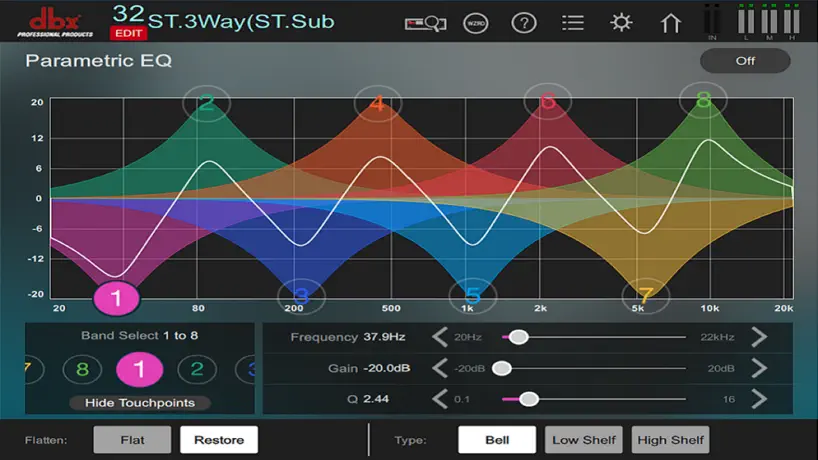  DriveRack PA2 Control DriveRack PA2 Control |   MXBus MXBus | 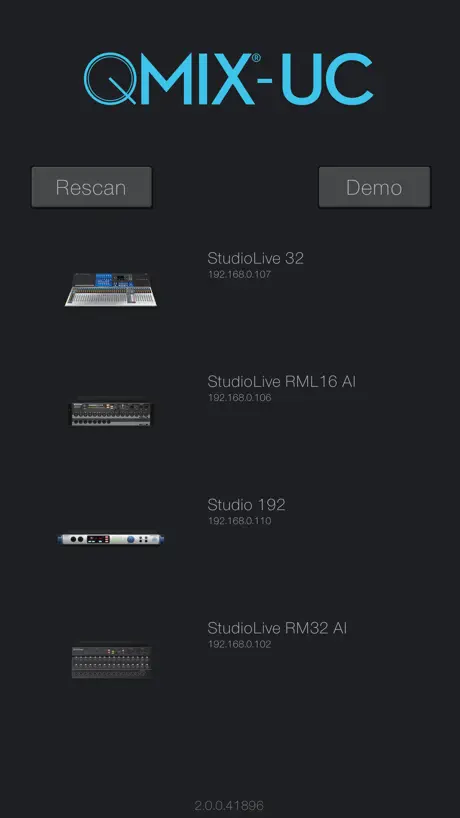  PreSonus QMix®-UC PreSonus QMix®-UC | 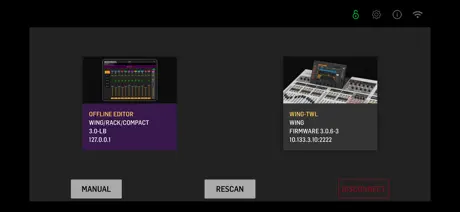  WING-Q WING-Q |  DM3 StageMix DM3 StageMix |  DM7 StageMix DM7 StageMix |  WING Copilot WING Copilot | |
|---|---|---|---|---|---|---|---|---|---|---|---|
| Rating / 5 | 3.5 | 4.8 | 2.5 | 2.0 | 3.1 | 4.3 | 3.1 | 4.1 | 3.6 | 2.0 | 3.0 |
| Reviews | 495 | 1.3K | 612 | 508 | 451 | 254 | 201 | 147 | 41 | 34 | 31 |
| Released | 2018 | 2025 | 2019 | 2016 | 2014 | 2020 | 2013 | 2020 | 2023 | 2023 | 2020 |
| Monthly price | — | $1.99 | — | — | — | — | — | — | — | — | — |
| Annual price | — | $19.99 | — | — | — | — | — | — | — | — | — |
| One-time price | — | $59.99 | — | — | — | — | — | — | — | — | — |
The going rate for each plan in United States, in its own currency, shaded from the cheapest price on the row to the dearest.
Mackie Master Fader 5 reviews
3.5 out of 5, based on 495 reviews.
What people like
- Very intuitive channel routing interface
- Works well with external routers
- Easy to train new employees
What they complain about
- Faders jump and react poorly
- Wi-Fi disconnects during live shows
- No split screen support on iPad
Mixer
I’ve had my DL32R for years now, have used it at a large number of venue's, multiple applications and have not had 1 issue with the system. (After I found the proper Wi-Fi). I have nothing but good things to say about it! Great system.
Drops connection
The app doesn’t stay connected when using an iPhone to control the Aux. it drops in and out randomly.
Saindo
Meu fica saindo dizendo q tem q sincronizar de novo porque está corrompido parcialmente como posso arrumar isso Isso acontece no celular mesmo viu no iPhone XS
Won’t connect
My iPad Air, IOS 18.1.1, will not connect, but my old iPad Mini will. I need it to work on the new iPad. Please and thank you.
No more split screen
It works fine, but it’s tough to switch between your music app and the mixer without split screen.
great product
I use this on my Ipads and mac pro and the product is great!!! I have used this for around 3 years now.
Ios 17
Ios 17???
Falta amarrar os Fader’s
Adquiri recentemente a dl32s. Senti falta de uma função onde eu possa amarar um grupo personalizado ou todos os fader’s da mix, para aumentar ou abaixar todos proporcionalmente. No mais, tudo fluindo muito bem. Oba: vca não substitui essa função
External Router
You better get an External Router. I love the mixer, but the Wi-Fi is not reliable!
Usb recording issues
Master fader is a mixed bag. Version 4, on my dl32r, I could put a drive on the back and record to it all night. No issues. Now, I have to stop and restart between songs cause it will frequently write out tracks that are glitched out. Like some sort of buffer issue. But I’m recording to a ssd. A fast ssd. Considering getting the Dante card to see if I could grab glitch free tracks that way. Also Seriously considering moving to a x32 rack and their card that allows it to record.
Great mixer, but bad router
The app is great the mixer is great. I love that I can set the gain and the trim separately, but before I started using an external router it would disconnect every I would say five seconds I was in the middle of a job and it was so bad so make sure you have an external router it’s not the app
DL32R
Looks like the new update doesnt work with The DL32R on the iphone at all. Can only use my tablets or laptop
Bug with foto camera
Don’t work “image from camera” on i Pad Air 4! Don’t work camera view. Also please add the ability to select an image from the Files application!
Need ability to EQ on iPhone
This app doesn’t seem to have the ability to alter the EQ when I use it on my iPhone. Can you please add this feature or point me in the direction for how I can do this? It is very frustrating that I need my laptop in order to change the EQ. Thanks!
Love the DL16s, master fader 5 too buggy still.
Such a shame that Master Fader 5 app is still buggy even after 5.1... the faders are almost unusable in a quick scenario, as they jump. I’ve been using master fader for years, and it’s a major noticeable issue. You have to almost hold the fader for a second or two before moving it, otherwise (unless your smack bang in the middle of it) it jumps. Live, this is unacceptable. SUCH A SHAME! Otherwise this would be 5*
Gran aplicación 🙏
Desde q lo usé en 2013 con mi Dl1608 fue duro pero hoy lo sigo usando después de varios años ahora con mi DL32s una completa maravilla 🙏 Soy de Ecuador y adoro la marca Makie 😍Inicie con esos y lo seguiré haciendo 🙂Gracias mackie por innovar con cosas pequeñas pero con PODER 🤨 No se necesita cantidad, cosas grandes para dar un gran espectáculo. Thanks 😌
It's just an app! No backwards compatibility?
Why is it so hard to build a compatible version of master fader 5 for older iPads? Midas and behringer do for their users and most older iPads are compatible with their mixers!!! What a let down!!!
Masterfader для айпад
Сделайте пожалуйста режим многозадачности для айпад.. почему нельзя свернуть хотяб до половины экрана?? Это было бы очень удобно.. можно было бы работать сразу с двумя нужными одновременно приложениями…
Offline Editting?
Building a show offline was a huge time saver for me with Master Fader 4. The night before a gig, I could get my show file built without pulling my rack out. Minus the addition of a 4th effect unit and a few “new” DC16 features, this is a massive downgrade from Master Fader 4. Along with no App update in two years, its clear Mackie has no interest in supporting this product anymore. Sorry Mackie but I’m upgrading to an X32 or an M32.
Faders jumpy. Almost unusable!
On both iOS and windows versions, the faders on this new app behave differently from its predecessors. If you do not tap precisely in the middle of the fader button, the fader jumps to the position of your finger as soon as you move. This can be severe, giving an immediate stark increase or decrease in volume!! I am a long time user of this app and hardware, owning DL 16S, DL1608, and DL32R units, but this problem means I will have to rethink this if it is not fixed soon, as it makes it difficult at best to use in any kind of professional sound situation. Please,please correct this so that I can continue to use my favourite app.
User friendly and responsive
This app is super responsive during my shows. It allows me to make my karaoke business more advanced and it’s easier to train new employees who might not have sound experience with presets.
Waste of time
My phone connected last year. I didn’t use the app or mackie device for about 9 months. Now it will not connect. I reset the Wi-Fi, reinstalled the app, nothing. Other people can connect, but not me. Even though it’s the same phone and same device that was working before. Totally useless for me. Also, without an iPad there’s seemingly no way to access things like eq, bussing, compression, etc. just volume faders on the phone even when it is working. Fantastic fact… nobody has an iPad at my organization. So, this whole setup is extremely frustrating.
The revised version is great
I’m a fan of Mackie products. I own a DL32R, a DL1608. I use MF5 several times a week with no issues. It’s the most intuitive control app I’ve worked with for digital mixers. The only issue remains that when there is a disconnection, the app creates a duplicate scene. Mackie has been aware of this for a while, but hasn’t addressed the issue. It’s not a major flaw, more of an annoyance. I periodically delete the duplicates.
Ruim
Pois não tem opção de mixagem eq comp gate para iPhone porque não fazem uma versão completa pois as concorrentes tem.
A little glitchy
Version 4 was pretty solid. Just upgraded to version 5 yesterday & there are a few glitches in the software. The faders jump when you touch to move them & getting a quick level spike on the FX 1 & IPad channels when not in use. Other than that it is a good upgrade.
Props!
Credit where credit is due. I can’t say my experience has been utterly flawless, but on the whole I think Mackie deserves better than a 3.1 (as of today) average rating. Once I upgraded my router from AC1200 to AC1750 any lag, latency, and connection issues were gone. It’s powerful and intuitive. I’ll gladly welcome improvements, updates, and additions, but this is a great platform.
Unreliable
Completely disconnected after two songs during a gig. Router is fine. Had two iPads. Works great but will completely screw you over randomly.
Ipad 4
Tenho um iPad 4º Geração ainda é muito bom, mais não baixa o Master Fader 5, com isso não posso usar a minha Mackie dl1608, vocês bem que podiam disponibilizar um link com acesso a mesa para esse IOS mais antigos ou qualquer plataforma
Dl32S router problem.
Since updating my control iPad to IOS 14.1, I find that I can no longer connect to the onboard router in my DL32S. My iPad indicates that the router security used (WPA2) is not secure and will not connect to the DL32s onboard router. Is anyone else experiencing this same 32S router problem after iOS update? I do have a external Apple router that I use with my 32R, which I can hookup to the 32S, but I would rather use the 32S internal router if possible. It’s easier to use the 32S onboard router.
Not working properly with Apple Pencil
For some reason faders and mutes as well as many other controls don’t respond to Apple Pencil. This should not be the case. I use the pencil to navigate the GUI and don’t want to switch between pencil or finger. Please fully support the pencil like every other app.
Works in place of a simple mixer
I got to a gig and forgot my iPad (and in it all my fake books). I powered up the DL16S, linked my iPhone, and managed to control a two mix mix without having the ability to load a show. Thank you for that feature. I needed a mixer that worked more than I needed my facebooks. The hardest part of this mixer is setting up all the I/O. I’m thinking OK to setup for a small combo, including recording. Having live recordings with very subdued background noise, clanging plates etc...it’s a wonderful thing. It takes a dedicated sound man to setup for a big band. Just think about carrying and setting up 12 mic stands, mics, and cables; figure 45 minutes for one person to setup.
stopped working
it use to work great on my mac, still works on ipad perfectly, but need it on my mac...connects to the wifi but will not allow device to show up
5.1 vs 4.6
Master Fader 5.1 is more responsive vs 4.6 I. Love the new improved effect engine , send return effect for auxes. The only thing that would be nice to have an update is ability of using 32 bit version for older devices that doesn’t use 64 bit. I have been using DL32r for over 3 years no problem so far except I could use play/record function. With this new update I hope to use it.
Ta ruim
Só da p usar em um show. Todas as vezes que vou usar o app tenho q desinstalar e instalar novamente pra mim poder usar.
Crashes on my iPhone 11. Works on my iPad.
Unfortunately this is only working on my iPad and not my iPhone. Hoping there will be a fix soon. Crashes as soon as I select my device.
Love my DL16S and Master Fader 5
My initial concerns about connectivity, getting connected as well as staying connected, went away after I learned to wait about a minute after turning on the mixer to connecting to the Wi-Fi. On rare occasion, I might restart the mixer to get a solid green connection, so I have learned to do that well before the gig. The online users manual is super detailed and helpful; of course, if you’re new to mixers it will be complicated. Get an iPad for it since it’s likely to always be the first and native platform (my speculation). It is awesome to have individual performer control over your own monitor mix, and I like that there are some features available only on the iPad version to reduce potential user error problems. Finally, it is so nice to be able to bring this mixer and app to a gig and avoid using the house PA (never seem to be working right) if only to AUX out the mains to their mixer and speakers. A terrific mixer and app.
NO AUX FROM MAIN MIX
Master fader 4 would allow me to assign an Aux to my main mix. Have the DL16S. CAN NOT control the monitor volume from my main mix. I’ve questioned forums and FOH engineers with no luck. I run karaoke shows so I need control of the monitor and mix, not my singers.. Back to Soundcraft UI I guess..
dl1608
dl1608, iPod Не адекватный отклик фейдеров: при смене положения фейдеров происходит резкий скачок в плюс или минус до 10 dB в обе стороны. ПОЖАЛУЙСТА, ИСПРАВЬТЕ! В предыдущих версиях было всё нормально. За эффекты спасибо, молодцы!!! Пользуюсь 5 лет. Доволен очень!
Seriously disappointing “upgrade”
This is not a terrible app, but this review is from the experience of upgrading from Master Fader 4, as many people will do. I think this may be one of the most disappointing software updates I’ve ever experienced. I’ve found very little that’s significantly better than v4 and several very serious regressions in functionality and stability. 1. The app consistently crashes on every iPhone my band has tried - at least 5 different devices. It also crashes on iPads running iOS 11 and 12, and no longer supports iOS 10 at all. The crash happens upon selecting the mixer to connect to. Half the devices we used specifically for mixing at gigs are now useless. 2. Fader behavior has become horribly imprecise. Depending on where you initially touch the fader, it may jump to an unintended position when you let it go. In v4 the faders would accurately track you finger movement and stay where you let it go, no matter where you touched it. I can’t believe such an important function was made so much worse. 3. Version 4 of the app supported split screen and I have been depending on that feature for years, now version 5 doesn’t support split screen at all. Because of this huge regression in functionality I now have to use two devices or deal with constant full-screen app swapping throughout performances. We (in my band) have yet to find any significant benefit to version 5 of the app; certainly nothing that’s worth these sacrifices. Upgrades are supposed to work better and give you more features, obviously, not get worse and take things away. We’re going to be trying to force a firmware update to install version 4 because version 5 is a big step down.
Where’d you go Mackie?
The mixer and software are good, but for a year or so we’ve been waiting for 5.1 that would bring new features to my DL1608. I guess they’ve abandoned it like the ProDX8 I also bought. Zoom and Behringer have since caught up to your interface. This product is still for sale.
Update. Mackie support is the best.
Important FYI: So during the initial update to my firmware, my iPad jumped from the dl16s mixer’s network to another known WiFi router I use. I believe this was the cause of all sorts of bugs and the app not reliably connecting to my mixer. A quick chat with Cramer at tech support and a hard reset later, everything works as expected. So I’m posting his instructions below. These instructions are no where on the web or instruction manual. The app and mixer are great and now thanks to Mackie and Cramer, are working in sync. To perform a force update that pushes the latest firmware update to your system, do the following: Tell your tablet to forget all other networks besides the DL mixer Power off the mixer Depress the force update button between the Power and WiFi LEDs using a pin Keep the button pressed while turning the mixer on Release the button after 5 seconds Connect to the mixer in Master Fader; it should be in update mode Push the update to the mixer Good luck friends.
Terrible technical support
I noted their technical support hours were from 8-5 PST and organized my day around my DL32R not able to extract drivers for brand new laptop running Reaper. I called ar 7:59 am and the machine said they were closed. I called two minutes later and I was allowed to try and connect to technical support....which went directly to VM. I called again....and again....and again...for more than 15 minutes, leaving multiple messages. I waited for 35 minutes and called again.....this time I was seemingly routed to tech support but was bounced into VM again, after 15 minutes on hold. I left a message and called back.....same deal; routed, seemingly, to tech support.....which went to VM after another 15 minute hold. The third time got me connected to Dave that told me the tech support hours are from 8-5, M-F. I asked about the best way to optimize the tech-support experience. It’s impossible. He offered no solutions. He did suggest I update to version 5....after reading the reviews, I’m afraid I’ll have to look for a new mixer....not a Mackie, this time ( I have owned and sold more of this product than any other.....just gets worse). Good luck, be safe out there!
Просто нет аналогов
У кого dl1608 чтобы работала прога, надо прошить сам микшер, для этого подключиться к роутеру с интернетом и запустить с айпада программу, должно появиться предложение о обновлении, после чего предыдущие версии перестанут работать. Для разработчиков - сделайте возможность дополнительных страниц с управлением, чтобы под фейдерами или над открывались: процессор эффектов или динамическая обработка с параметрическим эквалайзером.
Signal lost constantly
Disconnects constantly, I don’t know if it is the app or the mixer, but either way is disappointing that this happens during live events.
Issues staying connected
This app is extremely intuitive and fun to use when it’s connected. Lately It has had trouble staying connected even when a few feet away. This is a major problem and has really screwed me up. I mix sound for my church and use the Dl32s. My pastor stands on stage waiting for the app to reconnect to the mixer so I can unmute his mic... not a good situation! Please fix this!!!
This is the most intuitive digital mixer app
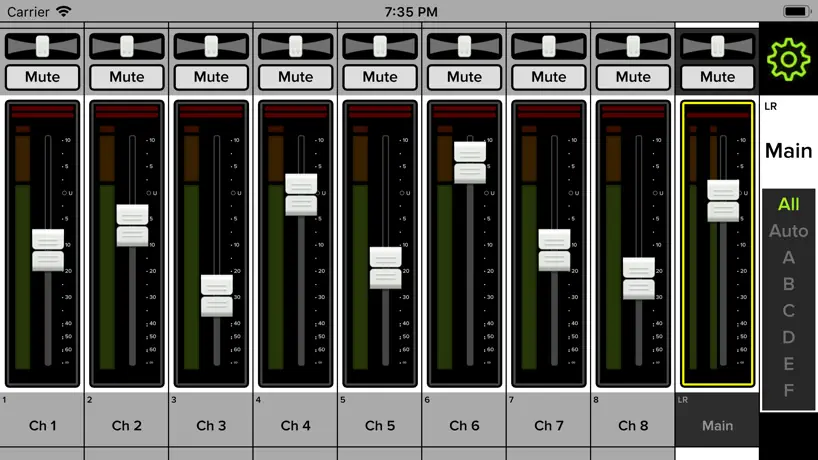
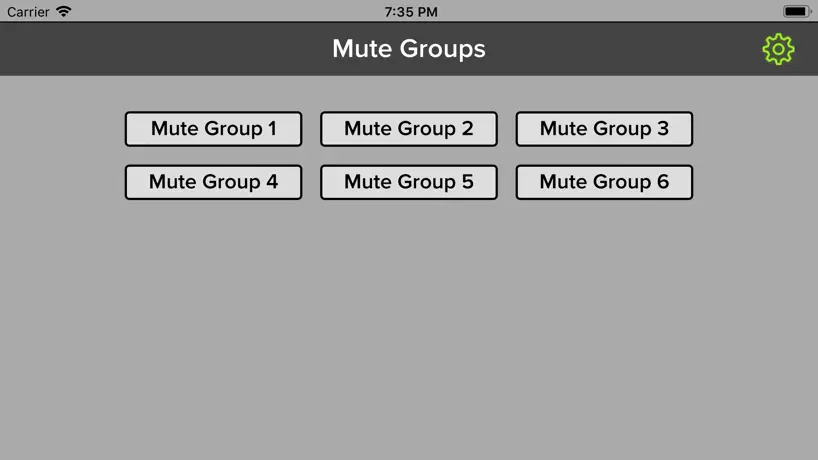
This is the most intuitive digital mixer app there is. I currently use it with DL16s and have used 4.0 on Mackie DL1608, that I also own. Each channel strip has everything available that you may need. No need to click several menus to get to the eq, gate, compressor like the X32-Mix app. No ones does channel routing as easy as this app. From the channel strip you have access to routing to all available mixer auxiliaries, and fx. You can also can create sub groups, vca groups, and mute groups from the same screen. Swipe down, and you are in the channel eq. Swipe down again, and you have gate and compressor. Swipe right, and you are working with the next channel. Channel faders are good size too, compare them with the uc surface and see the difference. Also, try selecting a channel strip on the uc surface to edit eq or any parameter. Apart from clicking an additional time to get to the eq, you can only click on the very top or very bottom of the channel strip, nothing is selected if you click on the actual fader. On the X32-Mix you have to click twice to get to the eq. There is another screen with access to all faders. This I have not seen on any other apps. You can control all aux, subs, vca, fx, and 1-16 input channels from a single screen. X32-Mix has mix bus 1-8 screen and if you set you aux mixes here, you can control them from a single screen, but nothing like Master fader. Uc surface has a “mix master” tab, but only shows auxiliaries and FXs, with no master fader on that screen. The last option that is just too good and that I have enjoyed is the other routing screen. Here you can adjust/route all inputs and outputs. For example, I can use aux outputs 5 and 6 and route my main mix and use them as side fills, each with their own fader. Another example is when using backing tracks from main stage or prime. I use channels 1-8 from mixer inputs, and channels 9-16 come from usb 1-8 and have control of each of my backing track channels coming from main stage or prime. There is also an additional stereo channel “return 1-2” that I can use for a click track and send to in ears. The way is implemented is just too easy to do. I tried several times on the X32-Mix app to send main mix to aux and was never able to do it. Master fader 4 was a good app, 5.0 has open up way more options and makes everything very simple. Keep in mind that I play and manage the sound for my band, I am not just doing sound. The one suggestion is for more presets. Master fader 4 has more eq, compressors presets then 5. These presents make life easier. Just dial a setting and minor tweaks to get the sound you want, it just makes a good starting point.
Doesn’t support $2000 upgrade card
Does not protect existing assets!!! If I could give it no stars I would!
Update to my original review
When I first purchased my DL16S, I couldn’t use it for anything because I had a MacBook and a home PC. I eventually got sick of waiting for the release of MF 5.1 and spent over $1000 for a new iPad to use almost exclusively for the DL16S. I’m pleased with the functionality and features of the mixer, and the ability to save shows is wonderful. The selection of effects is nice. The RTA can be a life saver for eliminating feedback , and EQing troublesome rooms. The only drawback is that the mixer essentially cost nearly $2000 to have a useable, fully functioning mixer. A year after I purchased the mixer and still only promises of an update to the fabled 5.1. Yet another 7 months have gone by after the update to 5.0.2 and still no sign of 5.1. I bought my mixer based on the promise of MF 5.1 being compatible with my Mac and PC. How misleading to have a wait of nearly two years to be able to use your new mixer without buying new hardware to support it.
Promise not kept
I’ve owned my Dl1608 for about 5 years. Jackie has been promising an update for a very long time. I don’t want to upgrade my hardware but if I do I will be looking elsewhere. Come on guys MF5 has been out for a long time. Make it available to all. Sad user.
Pre/Post
Please add pre and post for each individual tack on each aux like all others mixers app. Your app is the best and most intuitive but need it urgent. I’ll give you an example. Aux 1 lead vocal front monitor, we need it pre fader because we have an individual mix for this aux, but the music channel have to be post fader. Thanks.
Mackie Master Fader 5 FAQ
- Is Mackie Master Fader 5 free?
- Yes. The app is free, in all 175 countries it sells in, and it sells nothing inside it.
- Does Mackie Master Fader 5 have a free trial?
- No. None of its offers (US) come with a free trial.
- What are the best alternatives to Mackie Master Fader 5?
- Smaart RTA (4.8 from 1,298 reviews, premium from $1.99), MX-Q (2.5 from 612 reviews) and ViSi Listen (2.0 from 508 reviews).
Mackie Master Fader 5 download
Last updated 3 years ago.
Mackie Master Fader 5 sells in 175 countries. It was released 7 years and 11 months ago, on 31 Oct 2018. It holds a 3.5 rating from 495 reviews.
How much does Mackie Master Fader 5 make?
Third-party estimates for the last 30 days, worldwide — not the store's own figures, which Apple publishes for nobody.