WiFi Look
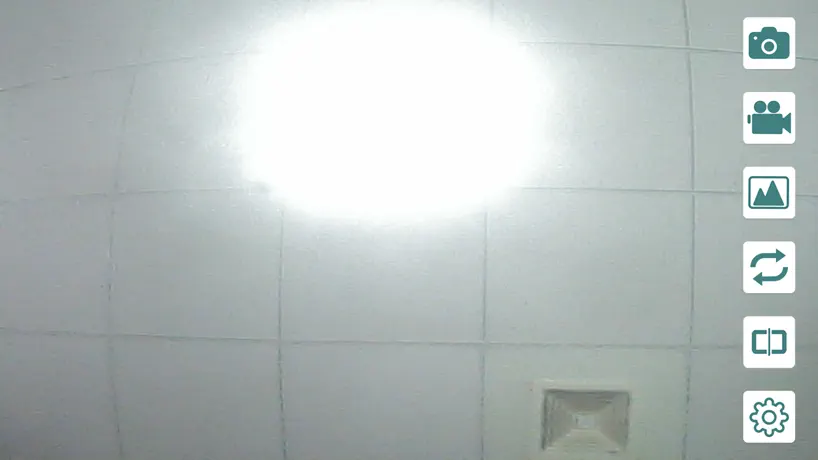
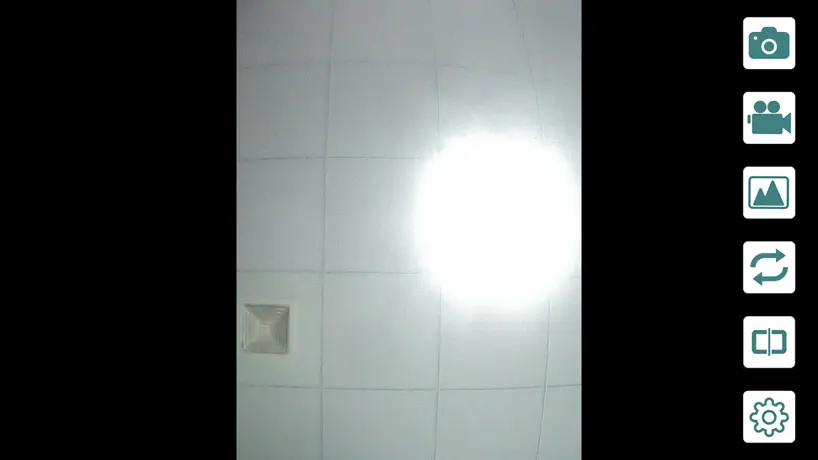
How much does WiFi Look cost?
Prices are current as of 5 Nov 2026.
WiFi Look has no in-app products on record in the United States.
10+ alternatives to WiFi Look
| WiFi Look |   Video Surveillance Ivideon |   CamX - USB Camera |   Heden VisionCam: IP Camera |   Smart Endoscope |   minicam |   WiFi Endoscope |   Mo-View |   BK WIFI |   finder borescope |   IPLEX Image Share | |
|---|---|---|---|---|---|---|---|---|---|---|---|
| Rating / 5 | 2.5 | 4.2 | 4.5 | 4.2 | 3.9 | 2.2 | 2.1 | 2.7 | 2.5 | 2.3 | 3.5 |
| Reviews | 323 | 4.5K | 1.9K | 1.9K | 1.2K | 311 | 180 | 173 | 128 | 126 | 33 |
| Released | 2017 | 2011 | 2023 | 2012 | 2020 | 2018 | 2013 | 2017 | 2018 | 2018 | 2018 |
| Monthly price | — | — | — | $0.99 | $4.99 | — | $4.99 | — | — | — | — |
| Annual price | — | — | $2.99 | $8.99 | $49.99 | — | $49.99 | — | — | — | — |
| One-time price | — | — | $4.99 | $14.99 | — | — | — | — | — | — | — |
The going rate for each plan in United States, in its own currency, shaded from the cheapest price on the row to the dearest.
WiFi Look reviews
2.5 out of 5, based on 323 reviews.
What people like
- Works well once you figure out setup.
- Battery life lasts a long time between charges.
- Great value for the low price.
- Useful for inspecting tight spaces like drains.
What they complain about
- Picture quality is often blurry and low resolution.
- App crashes or freezes frequently during use.
- Hard to connect without clear instructions.
- No customer support contact information available.
Two Star Ratings???
I’ve owned this system since March of 2019 and I’m pleasantly surprised when it continues to work! I currently used it with my iPhone 11, running iOS 18.2. The battery in the small WiFi unit has been extremely reliable and has held its charge for years between each use. The app has the capability of recording video to your phone, which is a very useful feature. I was confused by all the negative reviews so I decided to post my positive experience with this great little device and it’s app.
Was working now it’s not connecting to Bluetooth
Not connecting to Bluetooth
Wifi camera
Works well. Took a while to sort out how to set it up but once’s done works great.
Vidéo
N’enregistre plus les vidéos
Too Blurry
No problem charging or connecting to the WIFI. But the picture is so blurry it’s unusable in tight dark spaces, even at 1600x1200 with the light on. Plan to return the endoscope.
Works fine
When I finally realized that this is a WiFi and not Bluetooth signal, I got it connect. It works fine. Could use more refined controls. But for the price it’s great! Thanks
Doesn’t work
Apparently it’s a single use device or something. My phone will connect to its WiFi, but there’s no longer a picture. I assume it’s the apps fault but I’ll try it on an android before I toss it
Not connecting iOS- fixed
I was able to connect the first time but a year later I couldn’t get camera to work. My new iPhone could connect to Wi-Fi but the app said it wasn’t connected. I figured out that when you first connect to the WiFi, it asks you if would like to find and connect to devices on the network you use. I hit okay the first time but when I got a new phone and set it up again I answered “don’t allow”. The only way I found to get this message again to change your answer was to uninstall the app. Forgetting the Wi-Fi network doesn’t help. Great unit for the price.
How to get it to work on iPhone
It took me quite a while to get this working on my iPhone, but I finally did. Here's how. 1. Charge the device by connecting the micro USB plug to the device, and plugging the USB-A plug into a charging port. 2. Download the app “WiFi Look” app from the App Store. (The device has on it a QR code link to that app.) 3. Once the device is charged, connect the camera cord to the camera port on the device, then press the large square chrome button on the device. It should light up green. 4. Go into your Wi-Fi network settings on your iPhone, and connect to the network starting with “Wi-Fi Look”. 5. Open the “Wi-Fi Look” app. It should ask you whether you want to connect to other devices on the network. You must allow it to do that! Otherwise, the app can't connect to the camera. 6. You should now be good to go.
まあ使えます。
時々繋がらなかったり、画面が固まったりするのですが、通常は普通に見れるので星3つですね。
Works well
Worked straight out of the box for me. I’m using iPhone 13 mini and F150 endoscope camera. I had to read the instructions of course to connect my phone to the right WiFi signal, but then it all worked surprisingly well.
No support
No longer working, just shows a red u in corner
It’s okay. Needs better directions
The problem with connecting the camera to your phone is that there are no definitive directions. 1. Download the app “WiFi Look” app from the App Store. 2 Make sure the Wi-Fi unit is fully charged (fully charge when both red and green lights are on. 3.Once the Wi-Fi unit is fully charged plug in the camera cord to the camera port on the Wi-Fi unit and press the on off button on the Wi-Fi unit. 4. Now Go into your Wi-Fi network settings on your iPhone, you will see the “Wi-Fi look” listed, press on it and connect to it. 5.Open the “Wi-Fi look” app, and the camera should automatically be activated and ready to go. Best of luck. I know this can be frustrating.
Secret hacking involved
The camera worked however the Avenue as soon as I connected to Wi-Fi changed my phone completely and I had to reset it
Can’t change resolution
After changing resolution from settings menu to 1600x1200 or 1280x720 still have 640x480 resolution.
Works
Works great for me.
Will not connect to phone
No customer support.
Works fine, thx
How can share captuerd videos?
Help to all that can’t connect
Turn on your camera, then go to your settings on your phone , open “WiFi” and it will appear there as “WiFi look “ connect to it, when you open the this awful app it will be connected , it doesn’t fix the app being horrible but at least you can use the camera.
WORKS FANTASTICALLY ON IOS 16!!!
Got this WONDERFUL tool for Xmas and used it today, Jan 6, 2023, to install a new kitchen faucet. It worked perfectly right out of the package and, because of the complex configuration of our stainless dual sink and drain plumbing, I truly could not have done it without the F150 Inspection Tool and WiFi Look software! The ultimate frozen connection was not visible without the endoscope. Kudos Zhiqiang Tong! I’m retired from a 28-year career in Silicon Valley and it’s a joy when it all works perfectly right out of the box!!! THANK YOU!!! You saved me a minimum $200 plumbing fee!
Waste of time and money
Won’t connect to app on iphone 11. Total waste.
Works as advertised
The app is a little clunky, but it does exactly what it claims to do
Kein Bild trotz Verbindung zum WLAN
Zuerst hat sie gut funktioniert. Aber schon nach einigen Male Benutzung wurde kein Bild angezeigt trotz WLAN Verbindung. Neu-Aufspielen der App und Handywechsel haben nichts gebracht. Frustrierend...
Great app cotton head refills needed ..
I realize this is the place to write a review of the APP and it is great, however I can’t find any contact info to the company and I need refill cotton heads ... anyone know whom to contact.... Yes this is Jimmery at it’s finest but seriously I need new cotton heads!
Worked until maybe summer 2021.
I don’t know if the app just needs to get a new update for iOS or if the device has issues, but it no longer works. The camera and Wi-Fi units seem to be on but will not talk to my phone any longer. The only image is a black screen with a red “U” in the top left corner of the screen. This used to work pretty well which was great for duct work and scoping furnaces. Now it is useless.
使える!
鳥の巣箱に内視鏡を入れて使っています。画面を見ながら、ここぞと言う時に動画を撮ったり、静止画を撮ったりしています。シンプルで使いやすいです。
low resolution only (640x480)
it works, but the camera will not do the advertised 2 megapixels (1600x1200), and instead only works at 640x480. trying to set the resolution in the app has no effect. using iphone x.
Much better than its App Store rating suggests
Like one of the other reviewers said, this app is better than the 2/5 rating it currently has. A lot of the negative reviewers seem to be blaming the app for the limitations of whatever camera and/or iOS devices they’re using. To be fair, it’s not always obvious that this app is used by a lot of different devices from different companies. The instructions that come with different cameras, drones, etc often tell you to download this app and kind of give the impression that it’s THAT device’s software. The app can only show you what your camera gives it though, on the screen of whatever you install it on. It’s not the app’s fault if the camera turns out to be junk or if your iOS device isn’t an iPad Pro (I use it on a 6s and on a 10.5” pro, it adjusts the resolution options accordingly). So far I’ve used it with two different $30ish endoscopic cams I bought on amazon to help fish wires through walls, figure out what was clogging a drainpipe and peak into the cylinders of my car’s engine. Sometimes one camera or the other hasn’t been up to the task but again, not the app’s fault. It’s been flawless so far!
$40 camera, app doesn’t connect at all
Can’t use the camera purchased because the app doesn’t connect to it, even though my phone is connected. What a waste of time and money.
Ok, aber Achtung beim Verbinden
Hatte Schwierigkeiten mit der WiFi Geschichte, denn das WiFi heißt nicht WiFi Look und verbindet sich automatisch, sondern es heißt F140 und ist mit einem 8-stelligen Code gesichert. Habe es mit 12345678 versucht und das hat funktioniert. Ansonsten überträgt das Gerät was es soll. Ändert man die Settings on der App muss neu gestartet werden. Ich finde es ok.
Initial Testing - Works Great
Don’t usually write reviews but the low rating of this app almost stopped me from buying the camera and using the app. It works really well. No issues connecting. No issues taking photos of objects. I can make no comments on how long it will work before breaking as most products from China don’t last very long. Hopefully this camera will be an exception.
Junk
Doesn’t work with iPhone 8S, iOS 14.3. Does work connected to PC. Very disappointed.
単純で使いやすいかも
iPhone6で普通に使えました。IPS製内視鏡です。起動していきなり映ってました。 回転、鏡像、静止画撮影、動画撮影ができます。まあまあなのでは?
Your wires are crossed
Those complaining about no picture. Plug endoscope, looking at Wi Fi icon, on left side or plug into closet port to power button (GREEN LIGHT) USB plug goes into RED LIGHT port. If you plug in wrong way you’ll get black screen. I have a iPhone. I had the same problem Black Screen because I had it backwards. This thing is way cool.
Freezes and won’t change resolution
It does connect to my camera...but... Quality is bad. Will not change resolution when it says it does. Go to settings wheel in the app, and don’t even have to change anything, go back to camera feed, and it is frozen and have to close and open the app. Needs work. I want to return my product now because this is not all like what was advertised.
Ganz gut
Keine richtige Beschreibung, hatte Anfangs auch kein Bild empfangen. Später dann gemerkt das das Endoskop ein eigenes wlan hat. Damit dann verbunden und es ging.
Works great
Downloaded this for my new WiFi endoscope. Hooked up easily. It is a very easy app to use.
The worst app
I spent 4 hours trying to get this app to work and even went to the Apple store to see if they could help me. What a waste of time and money. They don’t even put a phone or email to contact anyone. Wished I would have never bought it!!Patricia
App funktioniert
Habe mir eine Endoskopkamera zugelegt mit der dann über diese App das Bild/Video hergestellt wird. Es war recht einfach diese zu verbinden, nachdem der Transmitter geladen war. Das Gerät wird verbunden (Wifi) und kann benutzt werden. Allerdings ist dann keine zweite WlanVerbindung möglich...?! Und ungesichert ist diese dann ebenfalls, aber ich denke zum kurzem Arbeiten/Überprüfen reichst allemal, ohne dass dann umfangreiches Equipment notwendig ist. Bin zur Zeit damit zufrieden...
WiFi Look FAQ
- Is WiFi Look free?
- Yes. The app is free, in all 175 countries it sells in, and it sells nothing inside it.
- Does WiFi Look have a free trial?
- No. None of its offers (US) come with a free trial.
- What are the best alternatives to WiFi Look?
- Video Surveillance Ivideon (4.2 from 4,537 reviews), CamX - USB Camera (4.5 from 1,921 reviews, premium from $1.99) and Heden VisionCam: IP Camera (4.2 from 1,873 reviews, premium from $0.99).
WiFi Look download
Last updated 1 year ago.
WiFi Look sells in 175 countries. It was released 9 years and 1 month ago, on 11 Oct 2017. It holds a 2.5 rating from 323 reviews.
Supports 9 languages: English, Arabic, French, German, Japanese, Korean, Russian, Chinese, Spanish.