
MWeb - Markdown Writing, Notes
Let's Simple,Focused,Efficient
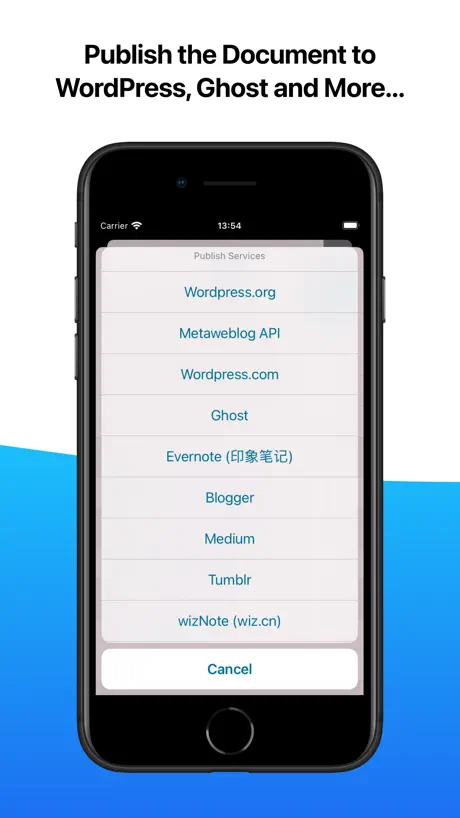
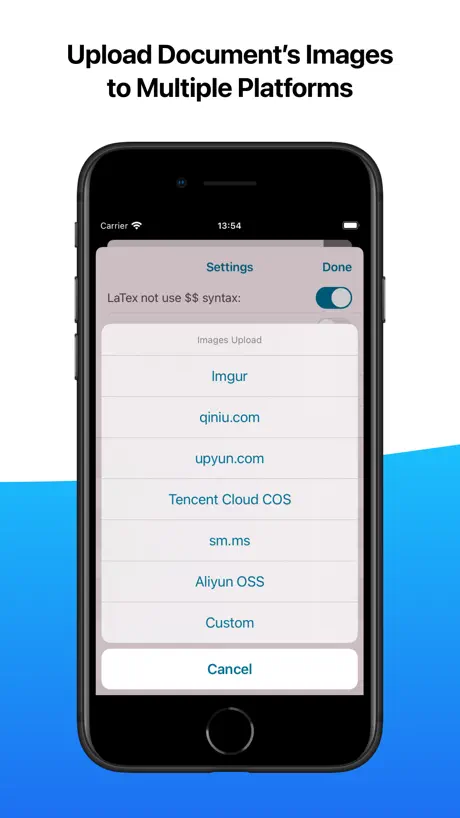
How much does MWeb - Markdown Writing, Notes cost?
Prices are current as of 1 Oct 2026.
1 subscription from $9.99
In the United States, MWeb - Markdown Writing, Notes has 1 subscription priced $9.99.
| Subscription | Period | Price |
|---|---|---|
| MWeb Yearly Subscription | Annual | $9.99 |
2 one-time purchases from $14.99
In the United States, MWeb - Markdown Writing, Notes has 2 one-time purchases priced $14.99 – 24.99.
| Product | Price |
|---|---|
| MWeb for iPhone/iPad | $14.99 |
| MWeb for Mac | $24.99 |
See what MWeb - Markdown Writing, Notes costs in all 175 countries →
10+ alternatives to MWeb - Markdown Writing, Notes
| MWeb - Markdown Writing, Notes |   iNote - ideas Note & Notebook iNote - ideas Note & Notebook |   Bear - Markdown Notes Bear - Markdown Notes | 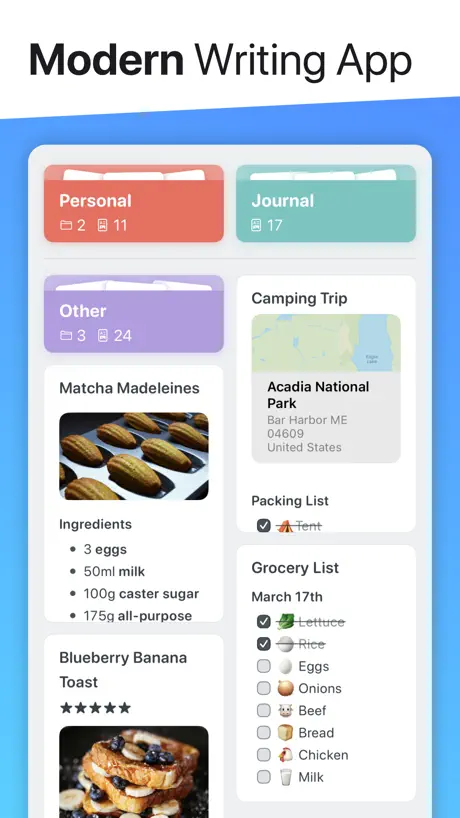  Noto - Elegant Note Noto - Elegant Note |   Cubox: AI Read-It-Later App Cubox: AI Read-It-Later App |   Metion: Markdown Notes Metion: Markdown Notes |   Markdown゜ Markdown゜ |   WizNote WizNote | 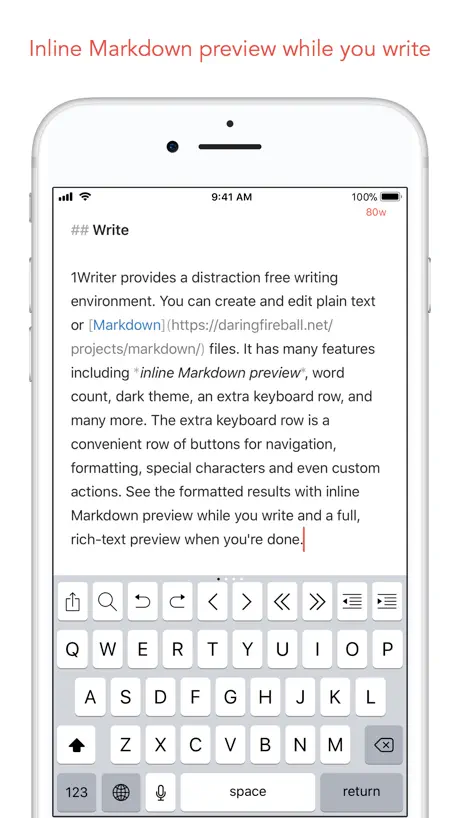  1Writer - Markdown Text Editor 1Writer - Markdown Text Editor |   # Type - Markdown Editor # Type - Markdown Editor |   Notepad Markdown: Quick Draft Notepad Markdown: Quick Draft | |
|---|---|---|---|---|---|---|---|---|---|---|---|
| Rating / 5 | 4.5 | 4.9 | 4.6 | 4.7 | 4.7 | 4.7 | 4.7 | 4.3 | 4.6 | 4.4 | 4.7 |
| Reviews | 1.8K | 35K | 29K | 6.4K | 6K | 3K | 2.8K | 1.7K | 1.1K | 442 | 337 |
| Released | 2017 | 2020 | 2016 | 2019 | 2017 | 2020 | 2020 | 2013 | 2013 | 2017 | 2020 |
| Monthly price | — | $1.49 | $2.99 | $0.99 | $2.99 | $0.99 | — | — | — | $2.99 | — |
| Annual price | $9.99 | $18.49 | $29.99 | $9.99 | $29.99 | $6.99 | — | — | — | $39.99 | — |
| One-time price | $14.99 | $2.99 | — | $24.99 | — | $17.99 | — | $0.99 | $4.99 | $0.99 | — |
The going rate for each plan in United States, in its own currency, shaded from the cheapest price on the row to the dearest.
MWeb - Markdown Writing, Notes reviews
4.5 out of 5, based on 1,782 reviews.
What people like
- One-time purchase, no subscription needed
- Great for blogging and publishing online
- Handles code highlighting and tables well
- Works across Mac and iPad devices
What they complain about
- App crashes frequently and is unstable
- Syncing with Dropbox or cloud fails
- No support for iCloud Drive files
- Forces you into their own file system
The Best Markdown Writing App for Mac
If you’re used to apps like Ulysses, IA Writer, and similar tools, you’ll find right at home with M Web. It carries all the necessary features you’d find in these other Markdown writing app, but at the fraction of the cost. M Web also integrates with popular publishing tools (like Ghost and Wordpress), so you can draft all of your blog posts with M Web. The app allows me to organize all of my writing for all my genres and purposes in one place. Now, it’s only weakness, as compared to Scrivener for example, is its exporting and planning tools. It doesn’t have a cork board feature, nor can it handle complicated exports using templates like Scrivener. But, if you’re looking for the most solid Markdown writer, MWeb is it!
软件太卡
内容一场, 软件就卡得要死, 一直转圈圈
easy to use
good soft for md file view
花钱了但是后悔了
mac收费版不能和手机版共享数据
macbook和手機不能同步嗎
macbook和手機不能同步嗎
Live!
This is the best and most affordable writing and notes app out there! I’ve tried them all from Bear to Ulysses. This one strikes the best balance for my needs. I do heavy blog writing and research and it’s all I need. It’s a more affordable and usable Ulysses in my opinion. It also can integrate with your publishing service (like WordPress or Ghost) so you can send drafts directly to your site. The themes are beautiful and it’a folder system is intuitive. Highly recommend!!
非常差 名不副实
多次出现崩溃,建议不要买
表格不能正常显示啊
新建的表格为什么不能正常显示啊
Would be great...
If it had webDAV or custom folder support
Doesn't work with installed cloud filesystems
Only seems to work with icloud and dropbox
Best note taking and note management app
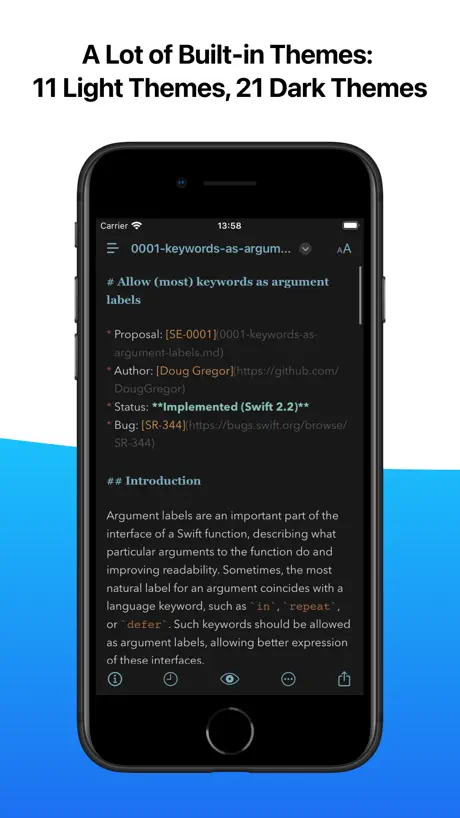
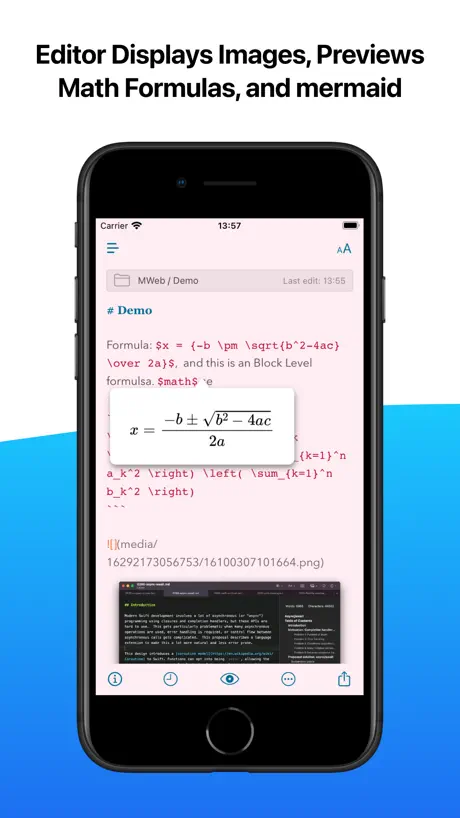
Extremely versatile, customizable, and full feature markdown and file management tool. Want to keep your files in multiple places but view them all in mweb? No problem! Want a dedicated document library to store some or all of your notes? It works - keep files in both places and see them all in one application. And you aren’t limited to just markdown or text documents. Add a PDF to your note and you can see it. Great tool to keep all of your information together in one place. Next you can completely customize your view both the editor and the preview. And if you don’t want to spend time customizing it, there are a bunch of stock templates that come with the application. I have tried numerous markdown applications but I keep coming back to MWEB because it has broad functionality and the capacity to accommodate all different types of markdown functionality - math, chemistry, mermaid, other flowcharting and graphing tools - it is the most comprehensive application I’ve found and the cleanest interface to work in. With continued updates, mweb has been a 5 star app that I use on all of my devices to capture everything from work, home, and personal information.
还需要增加功能
不支持“==🟡侧对面男站立女侧躺后入体位==”语法显示不同颜色文字
usitilation feedback
自动保存,无需多余操作,目前使用顺畅
Cases à cocher non cochées lors de l’export en pdf
L’app est simple, et je l’utilise pour convertir mes notes Obsidian en pdf. Cependant, les cases à cocher n’apparaissent pas comme cochées lors de l’export en pdf. C’est dommage car c’est une information qui est importante dans mon utilisation, et je suis obligé de faire des export en image beaucoup plus volumineux pour conserver mes cases cochées
出现了一些兼容性问题呢
在更新软件后,出现了无法打开文件的情况,一旦点击任何一篇文档,都会直接卡住无法进入编辑,然后卡到强制退出。我的系统是IOS 18.6.2,设备12ProMax。我已经尝试完全卸载并重装,无法解决该问题。感谢您的回复,我的文档就是本地的文档,是无法打开的。
A Seamless Blend of Simplicity and Powerful Text Editing
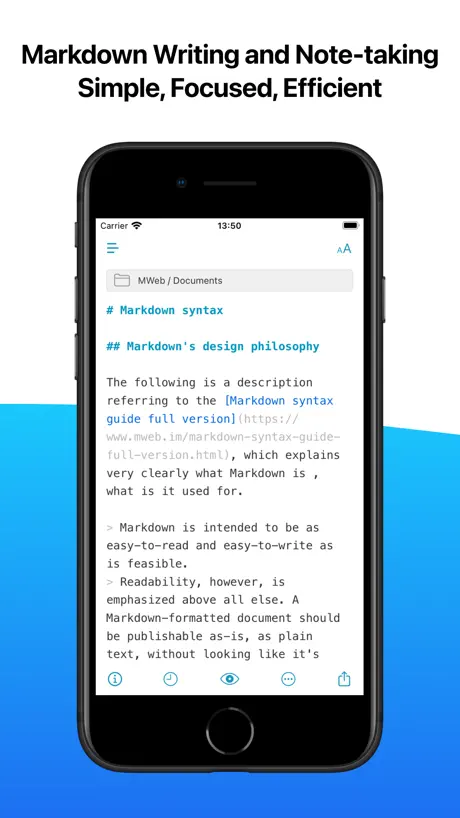
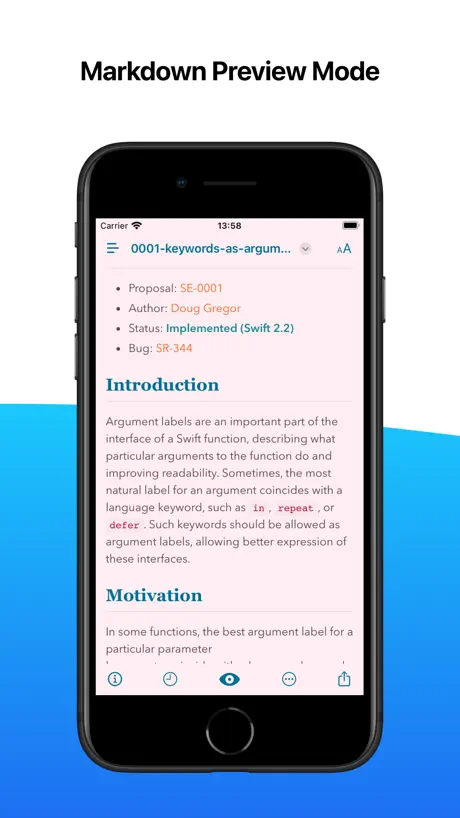
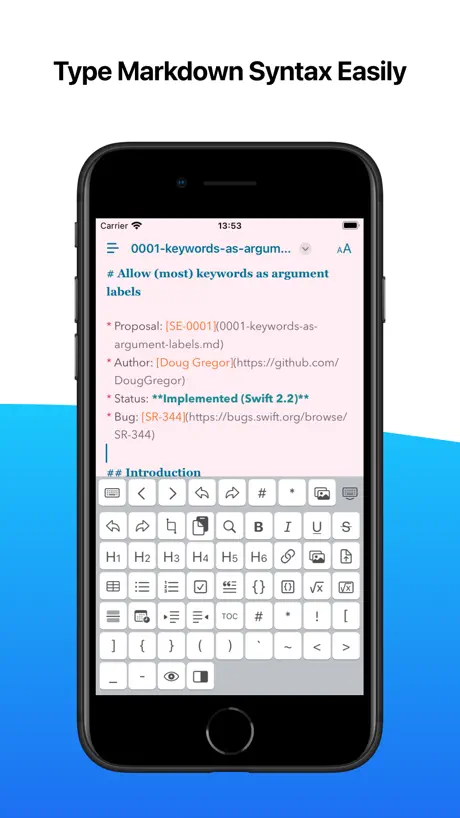
MWeb combines the ease of a minimalist interface with robust features for text editing and content organization. It supports markdown with instant preview, making it perfect for writing blogs, technical documents, and notes. Its folder-based organization system allows for intuitive management of large projects, while its built-in publishing options streamline workflow. With features like offline support and multiple themes, MWeb strikes an excellent balance between simplicity and functionality for both casual writers and professionals.
Loved, then hated
I love this simple, yet effective text and writing app. But it is buggy. As I write this review, I cannot create a new file or access my folders from the app. Restarted several times. Will probably have to reinstall again.
UI遮挡
全屏幕时,上方功能栏会挡住**文档库**三个字,退出全屏幕时正常。
新版本ios不能读取mac上的db文件
之前都能正常显示,更新后,ios版本无法读取mac上生成的mainlib.db文件,不能正常显示文件夹,文件标题。ios和mac的存储位置也不一致
经常崩溃
冷启动时大概率有数据需要同步, 大概率崩溃.
Dang solid markdown writer!
I came to a new iPad from android, looking for a markdown notes editor comparable to Markor. Mweb seems to be the best I've found so far. The included themes are perfect for my needs, the default font styles quite nice, and the editing tools just what I need for my regular note-taking. I use the app in conjunction with my own personal notes folder structure, hosted on a Synology WebDAV, and synced to the iPad via Syncthing. It's infinitely smoother and more reliable than any other sync option, so as such I cannot speak for the quality of the one built into Mweb (since I roll my own). My only issues with it are that it keeps forgetting my favorites. It's such a minor gripe that it's not worth the loss of a star, but it'd be nice if the dev could look into what makes that happen.
Locked create new files
The design of the economic system is terrible. Can’t we open a few more windows locally to add documents without buying?
Good markdown editor and HTML export
Standard Markdown describes Links: To create a link, enclose the link text in brackets (e.g., [Duck Duck Go]) and then follow it immediately with the URL in parentheses (e.g., (https://duckduckgo.com)). [Google](https://www.google.com) When the MD file is exported to HTML, it displays a blue link, "Google") and works as expected allowing the web page to display in a browser. When the MD file is exported to PDF, it displays a blue link, "Google") but the web page not displayed in a browser.
the edit theme is so ugly
the edit theme is so ugly, it’s not similar to the mac version.
好用,但有个地方请求改进
我经常使用MWeb来生成长图片。MWeb的渲染效果令我很满意。唯有一个遗憾是,生成图片时字体太小了。如果能设置图片中字体大小,或者使其与预览视图一致就好了。期待能有升级版改善此体验。
很不错的app
真好用,可以按格式查看
This app crushes recently
This app crushes when I am accessing a fold in my dropbox. I am using the ipad air 4. I was trying to send a feedback in the app, but the app suggests that email is not supported on my device.
Automatically sync
Can you include the automatically sync function? Sometimes I forgot to sync but touch the file on the computer. Then it will download the computer version from Dropbox to replace the version on iPad.
No usable free mode
If you don’t want to spend 10€ in it no need to test, the free mode is not usable except for having a demo
Library is a nuisance
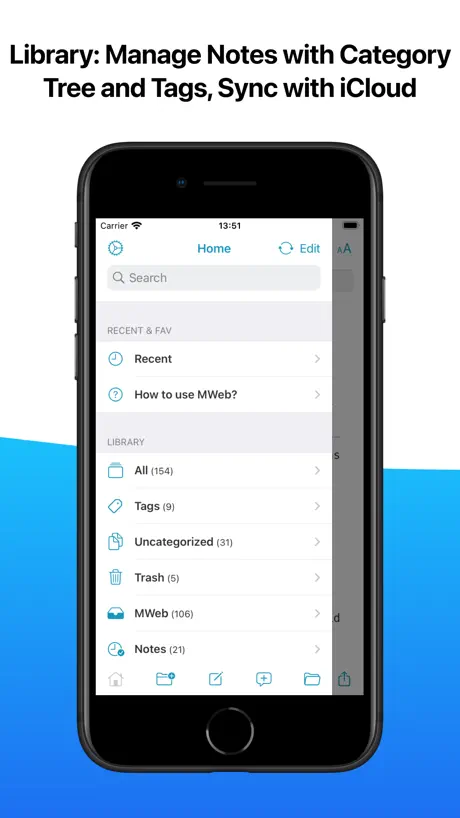
MWeb appears to be very proud of the fact that they’ve duplicated the file system interface in their own library format. That’s not what I want today. (Or ever). I’ve already got an absolutely lovely file system. What I want is an outlining, folding, markdown editor. Doesn’t have a “save as…” or even a “rename…” option so you can’t keep your documents with your project. Your ONLY choice is to keep everything siloed where you’ll never find it later. I suppose there may be people who want that but I can’t imagine ever being one of them.
Such a great app
I use this app for work and play. Love the features especially the note export features. I can type out notes with charts and nice formatting and have something to give to clients and don’t have to worry about all of my work being locked in to some proprietary format I can’t move elsewhere. If you’re a technical person you’ll love it. Great companion apps across all other Apple devices also.
定价迷惑
mac store买的比app store上对应的mac版跪了5刀,居然不是mac+ipad版的。app store上购买mac+ipad版要比在mac store+app store买iPad版的便宜不少。而且app store上mac版居然不能下载
I recommend this to you
The features are awesome and its actually free no need to pay for the app just download the app and enjoy MY REVIEW: idk what they call actually so i cant tell
broken cloud support
excellent editor, but is limited to icloud and dbox. the latter wont survive long for its switch to a 3 devices only and icloud is limited on other platforms. while mweb poses to open anything in files, it does not - tested with onedrive, pdrive, gdrive, mega... single docs just wont open and folders generate cannot be added message.
No highlight
Everything is good but no == highlight
展示的价格 4.99 和实际支付价格 8.99 不一致
展示的价格 4.99 和实际支付价格 8.99 不一致
买的会员没有了
之前买的会员忽然没有了 也没办法restore 我中间换了我的appleid email
Very good, with some strange issues
MWeb is overall my favorite markdown editor. It is powerful and flexible in ways that the competitors are not. I like it better than Drafts because it does not require a subscription and lets me access any folder structure that I find in the Files app, letting me have multiple “libraries” of notes. It also has much better feature parity between iOS and MacOS. I like it better than Ulysses, because it handles tables (how does Ulysses still not do that at version 18??) and again, no subscription. For me, MWeb checks these boxes: * Code highlighting * Export to Evernote that works right * Export to Wordpress, Tumblr, and others * Table support * Ability to alter image display size (this is unique to MWeb) Why not 5 stars? There are weird missing features. One that particularly annoyed me: when using the MWeb library (as opposed to an external folder structure) why can’t I delete notes? I have to do that on my Mac.
Photos are not synced with published site
Hi, I am using this app on iPhone X with OS12.1.3. Key in text and uploading to blogger has no issue but inserted photos are not synced. Appreciate your review and modification. Thanks
Good except
Please make it play nicely with other cloud storages in iOS files. Like tresorit. Notably that one. Please
My Second Brain
MWeb has become an indispensable tool in my daily workflow. It’s my PIM (Personal Information Manager) that allows me to also create shared notebooks I can publish as stand alone websites. The ability to take any topic and gather my thoughts on it and then share that with others is awesome. The developer is always quick to respond to any questions and take suggestions. I’ve used dozens of note taking apps, but MWeb stands above the rest.
Complex beyond all. Necessity, and yet…
The simple act creating an MD file seems impossible. No action I take results in the ability to create a single simple MD file in the dropbox directory I want it in. Down right misguided and a complete waste of $9. All these kinds of library and that kind of library, none of which make any sense, even after reading the docs. Quick Note, my ***.
Excellent Git Markdown Editor with Code Support!
Doesn’t have that many features; maybe that’s a good thing 🤷♂️ The features it does have are pretty essential and well done. I especially like that I can take basic notes with code support in Git flavored markdown. Just started using it for C++ notes, and I’m definitely a fan. The free version has been usable so far too; which makes me feel better if I decide to go with the paid version down the road. Keep up the solid work ✊
No iCloud Drive support :-(
Great app, but unfortunately it has no iOS native iCloud Drive files support — I can’t open my text files from native “Files” app and can’t browse my files in my iCloud from this app. I have to delete this application, without iCloud Files support it’s absolutely useless :-(
iOS Custom Font Support PLS
I think iOS custom font support is very important !!!
best notational velocity / nvalt replacement
I've been using nvalt for years and really like it as a way to organize and keep notes, but it's been showing its age and I've been looking for a replacement. This does eveything I have wanted and more. I've been using it for less than a month, but so far it's been really stable, and using cloud storage, all my notes move seamlessly between my laptop and phone. So far couldn't be happier with it.
Does not work
The app crashes on launch and does nothing.
Configurable markdown editor with great OS support
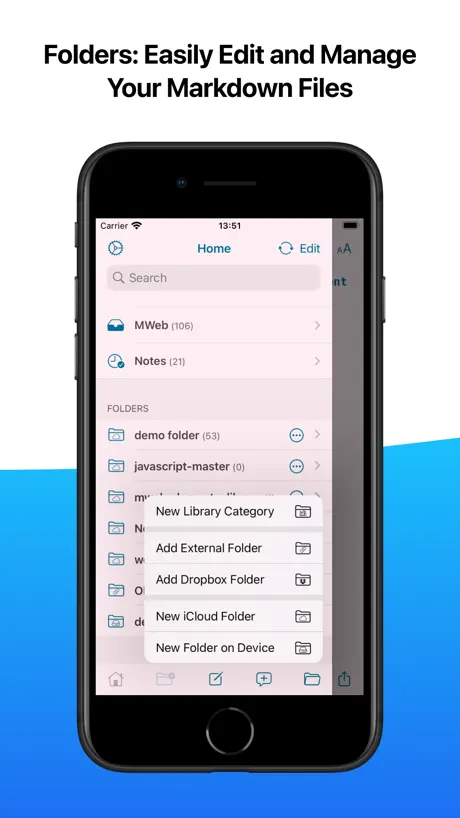
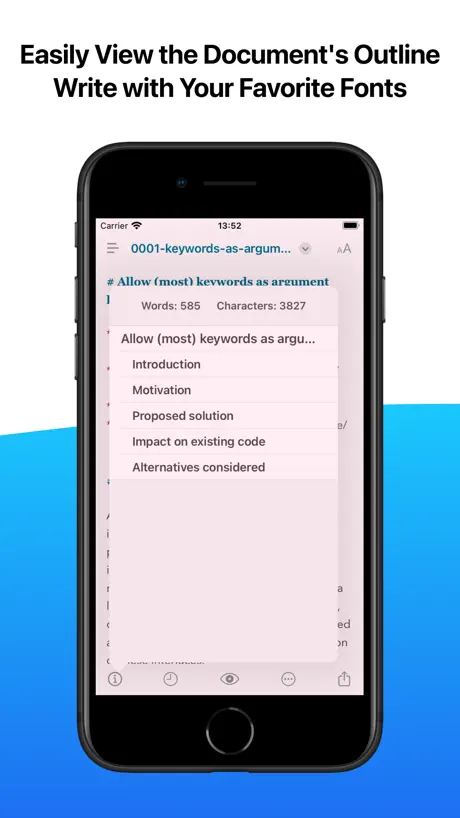
I've been looking for a markdown editor with header outlines that supports the document picker/ storage provider feature that came with iOS 8, and I finally found it. The app is quite configurable in its text formatting (both in edit and preview mode). I haven't used any of the web publishing features yet, but they look powerful. It has nice support for image handling and advanced markdown. Collapsible headings and tap-to-complete tasks in edit mode would be nice, and I am curious to see how the pricing works out. Going to check out the Mac version next. Until Drafts or Editorial add document picker support, this is my markdown editor.
Works well but glitchy without rotation lock
If I don’t set rotation lock it will switch constantly to in and out of full screen
MWeb - Markdown Writing, Notes price by country
An annual subscription costs $5.95 in Nigeria and $17.97 in Colombia — 3× more for the same thing. Below is the going rate for each plan in every country that sells it — the middle price of what the app charges there, in the country's own currency with the dollar equivalent beneath it.
| Country | Annual | One-time |
|---|---|---|
| Afghanistan | $9.99 | $14.99 |
| Albania | $11.99 | $17.99 |
| Algeria | $9.99 | $14.99 |
| Angola | $9.99 | $14.99 |
| Anguilla | $9.99 | $14.99 |
| Antigua And Barbuda | $9.99 | $14.99 |
| Argentina | $9.99 | $14.99 |
| Armenia | $11.99 | $17.99 |
| Australia | A$14.99$10.41 | A$22.99$15.97 |
| Austria | €9.99$11.33 | €17.99$20.40 |
| Azerbaijan | $9.99 | $17.99 |
| Bahamas | $9.99 | $14.99 |
| Bahrain | $9.99 | $14.99 |
| Barbados | $11.99 | $17.99 |
| Belarus | $11.99 | $17.99 |
| Belgium | €9.99$11.33 | €17.99$20.40 |
| Belize | $9.99 | $14.99 |
| Benin | $9.99 | $17.99 |
| Bermuda | $9.99 | $14.99 |
| Bhutan | $9.99 | $14.99 |
| Bolivia | $9.99 | $14.99 |
| Bosnia & Herzegovina | €9.99$11.33 | €17.99$20.40 |
| Botswana | $9.99 | $14.99 |
| Brazil | R$49.90$9.60 | R$99.90$19.21 |
| British Virgin Islands | $9.99 | $14.99 |
| Brunei Darussalam | $9.99 | $14.99 |
| Bulgaria | €9.99$11.33 | €17.99$20.40 |
| Burkina Faso | $9.99 | $14.99 |
| Cambodia | $9.99 | $14.99 |
| Cameroon | $11.99 | $17.99 |
| Canada | CA$12.99$9.15 | CA$19.99$14.08 |
| Cape Verde | $9.99 | $14.99 |
| Cayman Islands | $9.99 | $14.99 |
| Chad | $9.99 | $14.99 |
| Chile | CLP 9,990$10.26 | CLP 17,990$18.48 |
| China | CN¥68.00$10.12 | CN¥98.00$14.58 |
| Colombia | COP 59,900$17.97 | COP 69,900$20.97 |
| Congo | $9.99 | $17.99 |
| Congo, Democratic Republic | $9.99 | $14.99 |
| Costa Rica | $9.99 | $14.99 |
| Cote Divoire | $9.99 | $17.99 |
| Croatia | €9.99$11.33 | €17.99$20.40 |
| Cyprus | €9.99$11.33 | €17.99$20.40 |
| Czech Republic | CZK 249.00$11.55 | CZK 399.00$18.52 |
| Denmark | DKK 89.00$13.51 | DKK 129.00$19.58 |
| Dominica | $9.99 | $14.99 |
| Dominican Republic | $9.99 | $14.99 |
| Ecuador | $9.99 | $14.99 |
| Egypt | EGP 349.99$6.73 | EGP 799.99$15.39 |
| El Salvador | $9.99 | $14.99 |
| Estonia | €9.99$11.33 | €17.99$20.40 |
| Fiji | $9.99 | $14.99 |
| Finland | €9.99$11.33 | €17.99$20.40 |
| France | €9.99$11.33 | €17.99$20.40 |
| Gabon | $9.99 | $14.99 |
| Gambia | $9.99 | $14.99 |
| Georgia | $11.99 | $17.99 |
| Germany | €9.99$11.33 | €17.99$20.40 |
| Ghana | $11.99 | $17.99 |
| Greece | €9.99$11.33 | €17.99$20.40 |
| Grenada | $9.99 | $14.99 |
| Guatemala | $9.99 | $14.99 |
| Guinea-bissau | $9.99 | $14.99 |
| Guyana | $9.99 | $14.99 |
| Honduras | $9.99 | $14.99 |
| Hong Kong | HK$88.00$11.21 | HK$118.00$15.03 |
| Hungary | HUF 4,490$13.90 | HUF 6,990$21.64 |
| Iceland | $11.99 | $17.99 |
| India | ₹999.00$10.41 | ₹1,499.00$15.61 |
| Indonesia | IDR 169,000$9.44 | IDR 299,000$16.70 |
| Iraq | $9.99 | $14.99 |
| Ireland | €9.99$11.33 | €17.99$20.40 |
| Israel | ₪34.90$11.37 | ₪49.90$16.25 |
| Italy | €9.99$11.33 | €17.99$20.40 |
| Jamaica | $9.99 | $14.99 |
| Japan | ¥1,500$9.54 | ¥2,500$15.89 |
| Jordan | $9.99 | $14.99 |
| Kazakhstan | KZT 4,990.00$11.34 | KZT 8,990.00$20.44 |
| Kenya | $11.99 | $17.99 |
| Kosovo | €9.99$11.33 | €17.99$20.40 |
| Kuwait | $9.99 | $14.99 |
| Kyrgyzstan | $9.99 | $14.99 |
| Lao Peoples Democratic Republic | $9.99 | $14.99 |
| Latvia | €9.99$11.33 | €17.99$20.40 |
| Lebanon | $9.99 | $14.99 |
| Liberia | $9.99 | $14.99 |
| Libya | $9.99 | $14.99 |
| Lithuania | €9.99$11.33 | €17.99$20.40 |
| Luxembourg | €9.99$11.33 | €17.99$20.40 |
| Macao | $9.99 | $14.99 |
| Macedonia | $9.99 | $14.99 |
| Madagascar | $9.99 | $14.99 |
| Malawi | $9.99 | $14.99 |
| Malaysia | MYR 49.90$12.23 | MYR 69.90$17.13 |
| Maldives | $9.99 | $14.99 |
| Mali | $9.99 | $14.99 |
| Malta | €9.99$11.33 | €17.99$20.40 |
| Mauritania | $9.99 | $14.99 |
| Mauritius | $9.99 | $17.99 |
| Mexico | MX$199.00$11.01 | MX$299.00$16.54 |
| Micronesia | $9.99 | $14.99 |
| Moldova | $11.99 | $17.99 |
| Mongolia | $9.99 | $14.99 |
| Montenegro | €9.99$11.33 | €12.99$14.73 |
| Montserrat | $9.99 | $14.99 |
| Morocco | $9.99 | $17.99 |
| Mozambique | $9.99 | $14.99 |
| Myanmar | $9.99 | $14.99 |
| Namibia | $9.99 | $14.99 |
| Nauru | $9.99 | $14.99 |
| Nepal | $9.99 | $17.99 |
| Netherlands | €9.99$11.33 | €17.99$20.40 |
| New Zealand | NZ$19.99$11.29 | NZ$29.99$16.94 |
| Nicaragua | $9.99 | $14.99 |
| Niger | $9.99 | $14.99 |
| Nigeria | NGN 7,900.00$5.95 | NGN 24,900.00$18.74 |
| Norway | NOK 129.00$13.42 | NOK 199.00$20.71 |
| Oman | $9.99 | $14.99 |
| Pakistan | PKR 2,900$10.47 | PKR 3,900$14.08 |
| Palau | $9.99 | $14.99 |
| Panama | $9.99 | $14.99 |
| Papua New Guinea | $9.99 | $14.99 |
| Paraguay | $9.99 | $14.99 |
| Peru | PEN 39.90$11.60 | PEN 69.90$20.32 |
| Philippines | ₱499.00$7.95 | ₱999.00$15.92 |
| Poland | PLN 49.99$12.98 | PLN 69.99$18.18 |
| Portugal | €9.99$11.33 | €17.99$20.40 |
| Qatar | QAR 39.99$10.99 | QAR 49.99$13.73 |
| Romania | RON 49.99$10.75 | RON 79.99$17.20 |
| Russia | RUB 899.00$10.74 | RUB 1,290.00$15.41 |
| Rwanda | $9.99 | $14.99 |
| Sao Tome & Principe | $9.99 | $14.99 |
| Saudi Arabia | SAR 39.99$10.66 | SAR 59.99$16.00 |
| Senegal | $9.99 | $17.99 |
| Serbia | €9.99$11.33 | €17.99$20.40 |
| Seychelles | $9.99 | $14.99 |
| Sierra Leone | $9.99 | $14.99 |
| Singapore | SGD 14.98$11.80 | SGD 19.98$15.73 |
| Slovakia | €9.99$11.33 | €17.99$20.40 |
| Slovenia | €9.99$11.33 | €17.99$20.40 |
| Solomon Islands | $9.99 | $14.99 |
| South Africa | ZAR 199.99$12.18 | ZAR 299.99$18.27 |
| South Korea | ₩14,000$10.33 | ₩25,000$18.44 |
| Spain | €9.99$11.33 | €17.99$20.40 |
| Sri Lanka | $9.99 | $14.99 |
| St. Kitts and Nevis | $9.99 | $14.99 |
| St. Lucia | $9.99 | $14.99 |
| St. Vincent & The Grenadines | $9.99 | $14.99 |
| Suriname | $9.99 | $14.99 |
| Swaziland | $9.99 | $14.99 |
| Sweden | SEK 129.00$12.90 | SEK 199.00$19.90 |
| Switzerland | CHF 10.00$11.98 | CHF 14.00$16.77 |
| Taiwan | NT$320.00$10.03 | NT$490.00$15.36 |
| Tajikistan | $11.99 | $14.99 |
| Tanzania | TZS 29,900.00$11.28 | TZS 39,900.00$15.05 |
| Thailand | THB 399.00$11.88 | THB 499.00$14.86 |
| Tonga | $9.99 | $14.99 |
| Trinidad and Tobago | $9.99 | $14.99 |
| Tunisia | $9.99 | $14.99 |
| Turkey | TRY 299.99$6.12 | TRY 799.99$16.31 |
| Turkmenistan | $9.99 | $14.99 |
| Turks and Caicos | $9.99 | $14.99 |
| Uganda | $11.99 | $17.99 |
| Ukraine | $11.99 | $17.99 |
| United Arab Emirates | AED 39.99$10.90 | AED 59.99$16.35 |
| United Kingdom | £9.99$13.25 | £14.99$19.88 |
| United States | $9.99 | $14.99 |
| Uruguay | $9.99 | $14.99 |
| Uzbekistan | $9.99 | $14.99 |
| Vanuatu | $9.99 | $14.99 |
| Venezuela | $9.99 | $14.99 |
| Vietnam | ₫249,000$9.60 | ₫499,000$19.24 |
| Yemen | $9.99 | $14.99 |
| Zambia | $9.99 | $17.99 |
| Zimbabwe | $11.99 | $17.99 |
MWeb - Markdown Writing, Notes FAQ
- Is MWeb - Markdown Writing, Notes free?
- Yes. The app and its basic features are free, in all 175 countries it sells in. Premium features are paid: they start from $9.99 (US), across 1 subscription and 2 one-time purchases.
- Does MWeb - Markdown Writing, Notes have a free trial?
- No. None of its offers (US) come with a free trial.
- Where is MWeb - Markdown Writing, Notes cheapest?
- An annual subscription costs NGN 7,900.00 (≈$5.95) in Nigeria and COP 59,900 (≈$17.97) in Colombia, its cheapest and dearest countries.
- What are the best alternatives to MWeb - Markdown Writing, Notes?
- iNote - ideas Note & Notebook (4.9 from 35,300 reviews, premium from $0.49), Bear - Markdown Notes (4.6 from 28,500 reviews, premium from $2.99) and Noto - Elegant Note (4.7 from 6,377 reviews, premium from $0.99).
MWeb - Markdown Writing, Notes download
Last updated 5 months ago.
MWeb - Markdown Writing, Notes sells in 175 countries. It was released 9 years and 9 months ago, on 4 Jan 2017. It holds a 4.5 rating from 1,782 reviews.
Supports 2 languages: English, Chinese.
How much does MWeb - Markdown Writing, Notes make?
Third-party estimates for the last 30 days, worldwide — not the store's own figures, which Apple publishes for nobody.
Revenue by plan
- One-time 94%
- Annual 6%
Revenue by country
- China 48%
- United States 20%
- Japan 7%
- Germany 3%