
Ambre: Recipe Book & Organizer
Meal Planner & Grocery List
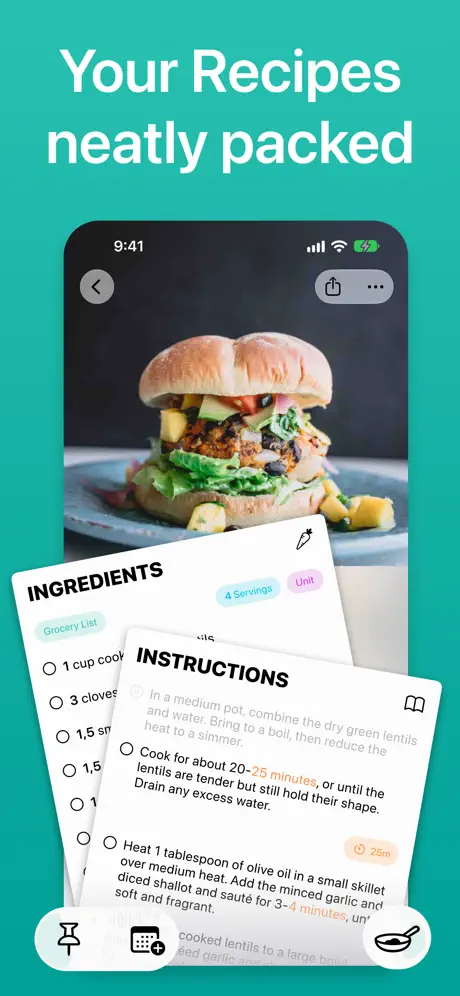
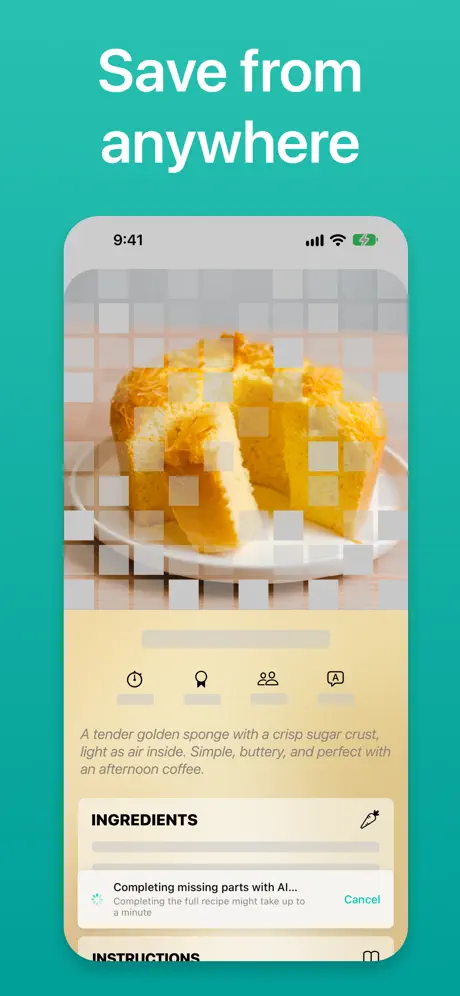

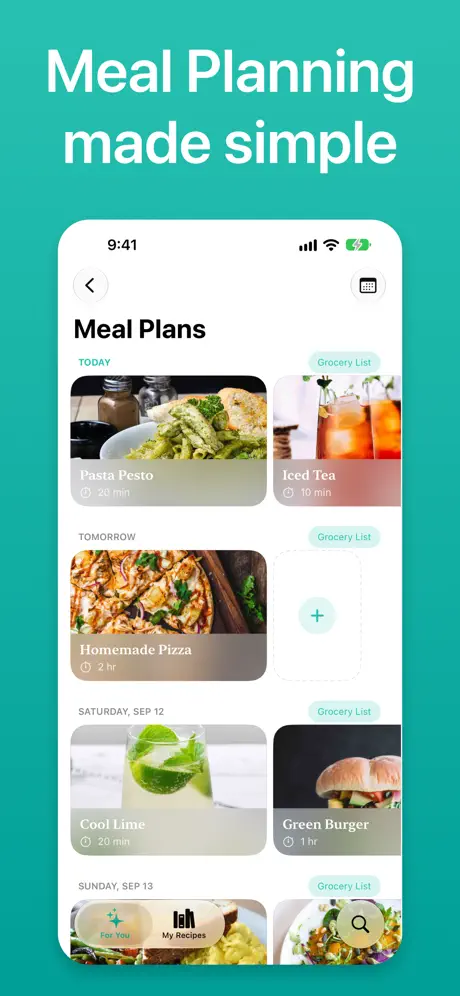
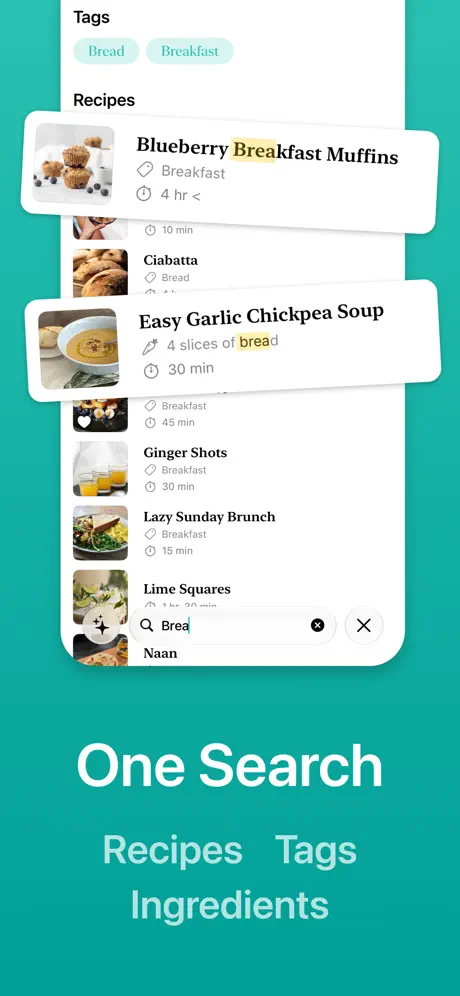

How much does Ambre: Recipe Book & Organizer cost?
Prices are current as of 7 Oct 2026.
3 subscriptions from $4.99
In the United States, Ambre: Recipe Book & Organizer has 3 subscriptions priced $4.99 – 39.99. It comes with a 3 days free trial.
| Subscription | Period | Price |
|---|---|---|
| Ambre+ Monthly | MonthlyTrial: 3 days | $4.99 |
| Ambre+ Solo | MonthlyTrial: 3 days | $4.99 |
| Ambre+ Yearly | AnnualTrial: 3 days | $39.99 |
See what Ambre: Recipe Book & Organizer costs in all 175 countries →
10+ alternatives to Ambre: Recipe Book & Organizer
| Ambre: Recipe Book & Organizer |   Crouton: Recipe Manager Crouton: Recipe Manager |   Recipe Keeper: CookBook Recipe Keeper: CookBook | 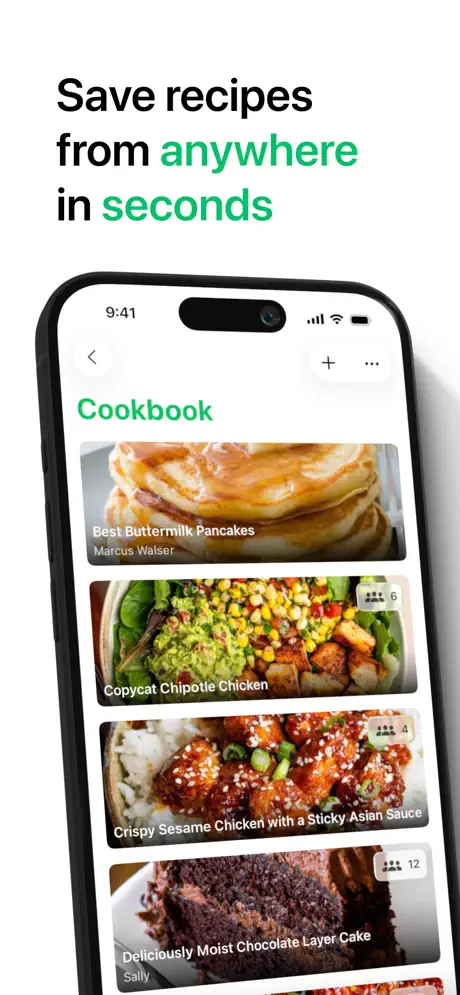  Pestle: Recipe Manager Pestle: Recipe Manager | 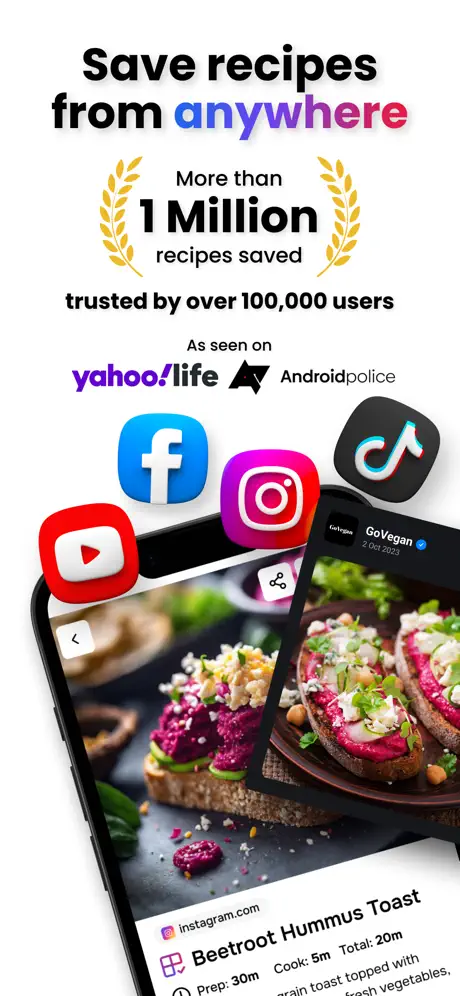  Flavorish | Save Any Recipe Flavorish | Save Any Recipe | 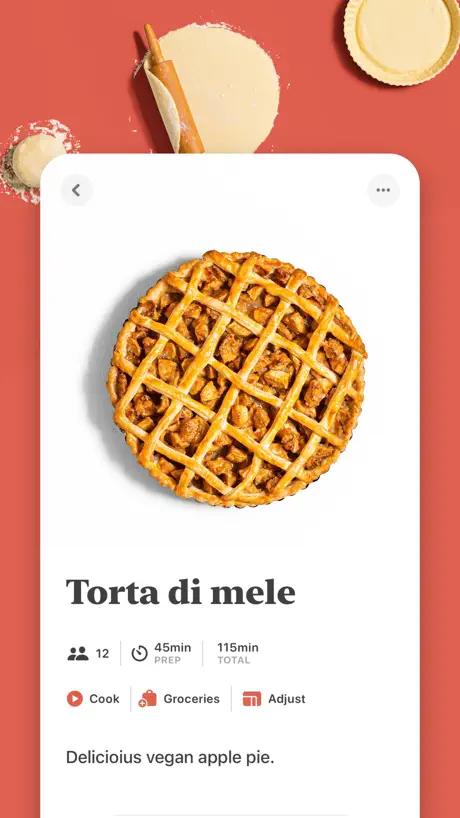  Mela - Recipe Manager Mela - Recipe Manager | 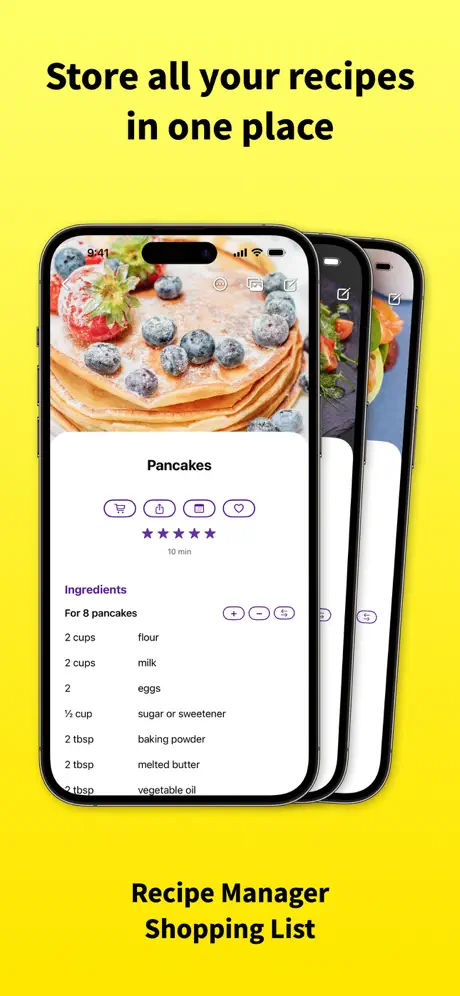  RecipeChef: Recipe Manager RecipeChef: Recipe Manager | 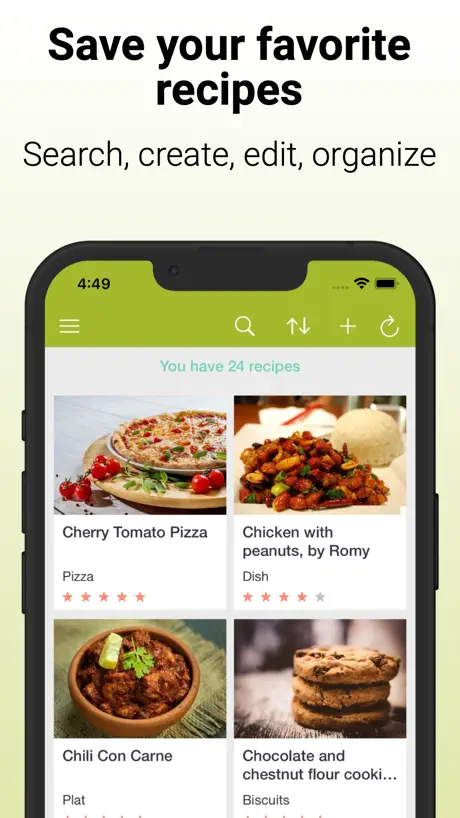  Cookmate - My Recipe Organizer Cookmate - My Recipe Organizer | 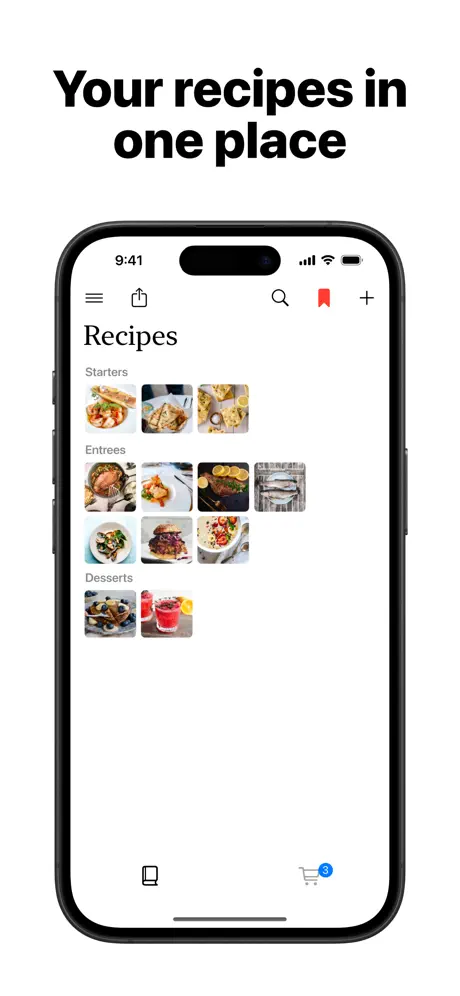  My Cookery Book My Cookery Book | 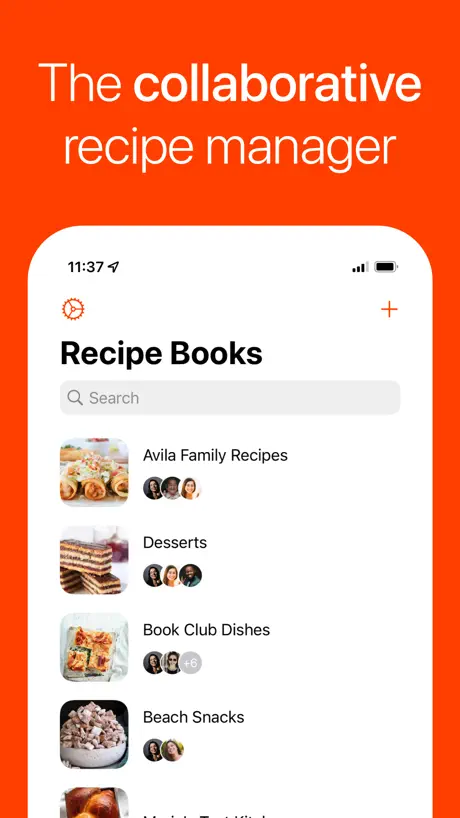  Umami - Recipe Manager Umami - Recipe Manager |   Potluck: Recipe Organizer Potluck: Recipe Organizer | |
|---|---|---|---|---|---|---|---|---|---|---|---|
| Rating / 5 | 4.4 | 4.8 | 4.7 | 4.7 | 4.7 | 4.7 | 4.8 | 4.7 | 4.4 | 4.8 | 4.8 |
| Reviews | 232 | 7.3K | 5.9K | 3.3K | 2.4K | 2.3K | 1.5K | 1K | 960 | 688 | 547 |
| Released | 2016 | 2019 | 2016 | 2022 | 2024 | 2021 | 2021 | 2022 | 2021 | 2022 | 2020 |
| Monthly price | $4.99 | $1.99 | $6.99 | $2.99 | $4.99 | — | $2.49 | $1.99 | — | $0.99 | — |
| Annual price | $39.99 | $14.99 | $39.99 | $24.99 | $49.99 | — | $19.99 | $22.99 | — | $9.99 | — |
| One-time price | — | $3.99 | — | $39.99 | — | $6.99 | — | — | $4.99 | $19.99 | — |
The going rate for each plan in United States, in its own currency, shaded from the cheapest price on the row to the dearest.
Ambre: Recipe Book & Organizer reviews
4.4 out of 5, based on 232 reviews.
What people like
- Syncs seamlessly across all Apple devices via iCloud
- Clean, modern interface that avoids clutter like grocery lists
- Beautiful visual design with auto-generated color backgrounds
- Includes a dedicated companion app for Apple TV
What they complain about
- Requires a monthly subscription to save recipes
- Missing basic grocery list and shopping features
- Importing recipes from websites often fails or is buggy
- Cannot use the app fully without an internet connection
Free but bare
I just wish that this app let me import recipes without paying and subscription. All I can do is manually type it in.
Import failed
This app Worked beautifully for some time. Now I cannot capture the recipes. It is now saying “IMPORT FAILED”. With no support it renders this app useless.
Ingredienslista
Bra, snygg och funktionell. Jag saknar någon form av ingredienshantering, är det på gång?
Messy- Unorganized
I just downloaded this but will be canceling before my 3 day trial ends. - There are no categories, only tags. Every cookbook ever has categories. Example: main dish, side, dessert, etc - Importing from Pinterest is sloppy. It pulled in some of the ingredients but not all. The ones it did pull in, they didn’t have quantities/amounts. It also added ingredients that weren’t even in the recipe. - Both recipes I added, one from Pinterest and one picture of a recipe card; neither filled in the servings or total cook time. Does not have separate prep/ total time. - There is a description box to put tags in but no notes. Need a place to put your own adjustments or substitutions separate from the directions.
voice to recpie is an amazing feature, but...
works great sometimes, but voice to recipie often records but then dodesnt do anything. sometimes cannot edit recipie. needs option for folders and tags. meal planner should not require a title for each meal plan but should allow breakfast, lunch, dinner segments. would be PERFECR if could connect to myfitnesspal
⭐️⭐️⭐️⭐️⭐️ Next-Level Recipe App – A Must-Have for Cooking Enthusiasts!
I have tried so many recipe apps over the years, but Ambre is truly in a league of its own. From its stunning, AI-generated color backgrounds to its seamless sync across devices, every detail feels intentional and well-designed. 💡 Here’s why I LOVE Ambre: ✅ Beautiful Visual Experience – The app automatically adapts the recipe card background to match the colors of your dish, creating a soft, watercolor-like effect that sets the mood for cooking. It’s subtle but truly magical! ✅ Minimalist & Intuitive Layout – Adding recipes is quick and easy, and the interface is clean, modern, and visually stunning. ✅ Flexible Organization – While there aren’t traditional meal categories, I simply add “BREAKFAST,” “LUNCH,” or “DINNER” in the title and sort alphabetically—it actually makes finding recipes even faster! ✅ Perfect on iPad & Mac – I use this app across my MacBook and iPad, and it syncs instantly via iCloud! On the iPad, the layout adjusts beautifully in both portrait and landscape mode, making it feel like a customized digital cookbook. ✅ Community Recipe Portal – I love that you can browse recipes uploaded by others for new ideas and inspiration! ✅ No Subscription Gimmicks – The pricing is fair and reasonable ($1.99/month), especially considering the seamless multi-device sync and AI-powered enhancements. 🎨 Final Thought: Ambre is more than just a recipe manager—it’s a full cooking experience. If you love a clean, visually appealing, and easy-to-use recipe app, this is THE ONE. I’m so excited to be an early supporter of what I truly believe will become one of the best cooking apps out there! ⭐️⭐️⭐️⭐️⭐️ Highly recommend!
Rubbish app
Its a rubbish app. When you put the link in for it to copy the recipe. It converts it all wrong. Some are missing and there is no way to adjust or add the missing item
Great app but missing just ONE feature!
I have been using 3 different apps to find the best one out there and so far this one is coming out on top. It’s incredibly feature rich overall. The one main feature missing is a grocery list or the ability to make some form of list of ingredients. It helps consolidate recipes and makes trips to the store more manageable. Otherwise great app and intuitive UI.
Se pierden recetas
La aplicación es fantástica y le daría una puntuación más alta si no fuera porque se pueden receta una vez cargadas… me ha pasado tanto con recetas subidas en el iPhone como finitas a través del iMac. Es un poco frustrante!
Nice look to it, but I’m sticking with Paprika
I’ve used Paprika to keep my recipes for about 10 years or so. So I felt a little disloyal when I started to look around for another app with a more modern feel. I quite like the look and feel of Ambre, but I’m not overly keen on the eternal subscription basis, and the deal breaker for me was not being able to compile a grocery list from my chosen recipes. The meal planning tool feels slightly pointless without that. It’s back to Paprika for me, with my tail between my legs!
Very excepting of feedback, responds to email all the time, and makes accessibility a top priority.
Best way to organize recipes, you will never need another!
Absolutely not worth it
This app is crazy expensive, there is a monthly and yearly subscription, no lifetime/perpetual. I would suggest anyone who looks for a great app which is similar to this, and with a lifetime license which is cheaper than 1 year of this to go check out “Mela” instead.
Some wishes
Please add so you can add calories, protein, fat and carbs and a rating for each dish. Thank you.
Nice but...
In your privicy policy you say that you use "Usage Data" "to improve our products". Would you please be more specific? Otherwise I have looked on how I could export my data if something happens to your app: Yes I can export it -> into your own format - can't do anything with that. So I would be giving you all my data and hoping that this app will never die, or change the privicy policy, or the cost. Sorry, no deal! Two stars, for trying.
De pago
Manía con cobrar mes a mes…suscripción de esto de aquello…en fin. Para vosotros. Sigo con mi libreta. Que ha sido de aquello de pagar por una aplicación y ya está? No solo es esta aplicación, son el 99% de ellas. Pasando. Otra que no me sirve. La aplicación en si misma tiene muy buena pinta
Es una excelente app
Estoy creandole un libro de cocina a mi prometida y este es la mejor app para ayudarme
Used to love it
It’s quite a good recipe app, although extremely expensive. Lately I have had to switch apps, because the app simply won’t let me open it. All my recipes are gone and I have to delete this beloved app.
Está realmente bien
La app está realmente bien, solo tiene un defecto, escaneo una receta en español y la traduce al inglés sin posibilidad de ponerla en español. Y otra cosa a mejorar es poder escanear una receta que ocupe más de una carilla de una página. Solucionado esto es perfecta.
Falla la traducción
Cuando dicto una receta, recoge muy bien todos los datos (súper útil !). Sin embargo, aunque han mejorado un error que había sobre la traducción (que siempre se traducía al inglés), se queda corta en cuanto al uso de la IA para traducir. Me gustaría que cuando copio una receta o la rescato del perfil de otro usuario de la app, me la tradujera a mi idioma de preferencia (en mi caso, el español). Es esto posible ? Otra recomendación que me encantaría seria que añadiera por IA un cálculo de las calorías de cada plato según los ingredientes y las porciones. Sería súper útil!! En cualquier caso, es una súper app. Le pongo por ahora solo 3 estrellas por el tema de la traducción… espero que lo resuelvan para poder subir mi puntuación.
Bonne app de cuisine 👍🏼
L’application est très bien faite et facile à utiliser mais j’apprécierais que l’ajout par caméra sois gratuit.
Vorsicht
Die App will dir sofort ein Abo verkaufen, obwohl ich „kostenlos testen“ angeklickt habe.
Great app
the free version is suprisingly good but puting timers in a subscription seems abit unnecicary
I can’t share recipes
I’m on iPhone and I’m trying to share recipes with friends and family and neither the share nor the export button work. It gives me a url and .ambre file that the phone can’t recognize or even open.
5 stars for potential
…but Siri is not working. And instructions widget doesn’t quite make sense if you have to go back into app to switch to next step. And a couple other glitches but overall very good! Also adding a grocery shopping list would make it top tier .
A pagar. Gratis solo 3 días.
A pagar. De gratis solo 3 días. Si quieres guardar recetas pasa por caja. Borrada. Hay otras alternativas realmente gratis.
Great!
Great app. Unfortunately subscription based so moved to another manager.
Needs a couple more features to be perfect
If this app had functionality to turn a meal plan or meal schedule into a shopping list then it would be 4-star. If it also had inventory from the shopping list and ability to suggest recipes based on what is left over then it would be 5-star.
Simple, clean, and easy
This is exactly what I want when I download an iOS/macOS app. The interface is simple, it matches the typical iOS UI standards. It's clean, doesn't have a lot of obnoxious UI. And this is going to sound weird, but I actually REALLY appreciate that this app doesn't try to do 10 different things, all my other recipe apps try to be a grocery list and I hate it. I have better grocery list apps already. My only gripe is some of the small things. I would love to be able to specify the size of a recipe using something other than just servings. The steps for each recipe are also easier to edit if they were just one large textbox. I would also recommend tooltips on macOS for all of the toolbar buttons in a recipe.
keeps freezing while using oin desktop
I downloaded it on my imac because it looked well designed and easy to use, but it kept on freezing from the very first recipe, so I removed it.
Nästan bäst!
Appen har potential. Den hittills bästa scannern av fysiska recept. Men appen har lite arbete kvar för att nå upp till konkurrenter: Inköpslista Möjlighet att skriva ut recept. Vid scanning av recept, lägg även till foto på maten som oftast är på sidan bredvid receptet. Möjlighet att lägga till flera recept samtidigt ifrån bilder
Import From URL
Seems like a nice all, the live widgets are nice. Only issue is that importing from a IRL does not work. Gives me a brief loading screen and then the slide up menu goes away and it kicks me back to the Home Screen. Makes it really hard to try and import all my saved recipes from Pinterest. Would be great if I didn’t have to enter it all by hand.
95% there…!
So happy I found this app! This is THE most user friendly recipe app I have seen to date. So many ways to make the way you collect and categorize your recipes so simply sculpted. URL downloads, meal planning, and even entering your own scratch recipes is wonderful. Scaling recipes is a great addition to an app, because the number of people we love to cook our favorites for does change occasionally, and this truly makes cooking for two so much easier. The only things keeping me from giving this 5-stars are the following: *The ability to print recipes. People frequently ask for recipes and I like to print them out. *For the app to work on my iPad. I updated my iPad and it is apparently still not supported? Hmmmm *A one-time payment option rather than having to pay monthly (this may actually cause me to, albeit very sadly, give up the app as I have a difficult time paying monthly for more than my utilities. I will keep checking back on this app for updates, because I am just so pleased with it, and I hope I can edit this at some point and make the rating a full 5 stars.
Wish I could support it
But locking all my recipes into a subscription based service is a very hard pass. If you ever come out with a lifetime purchase option, I would love to check it out!
Perfect! But….
Hi Developer, I was just loving it so far on my iPad so far. But I would love to add Siri on it, and that will be awesome! Unfortunately, I had just made 2 new recipes and it didn’t save on my Apple Watch. I don’t use my iPad that often! It would be a 5 star it you added Siri and made the recipes on phone, iPad, tv, whatever, save on my watch. Thank you! I was also wondering how to sign in to iCloud
No lifetime purchase option
Looks like a nice app, but I refuse to buy subscript based products.
The best app for recipes!
After trying a handful of apps, Kookin won my heart! It’s so friendly and straightforward!
Another bait for subscription
You cant even add reciep to your list without subscription, what a joke
almost perfect
PROS - can check off ingredients and instructions without it actually saving - clean and minimalist aesthetic CONS - can't re-order the ingredients or instructions whilst editing (ex: if you forgot to mention preheating the oven but you're already at step 7, you have to rewrite all the steps, instead of being able to drag a new entry to the front) - no customization options (can't make the tag icons different colors) - can't separate or group ingredients/instructions (ex: if there's different components like sauces, garnishes, main entree) with a divider or a subtitle - this is a minor complaint, but I'm not a fan of the "[ ] Kookin It" checkbox always being present above the Instructions -- if anything, I'd prefer if it was just an icon OR if it was displayed below the instructions // overall, this is the one of the best recipe apps I've found for Apple devices; there's just a couple places that I think there is room for improvements
A Great Start
As far as I know, this is the only app that has an Apple TV companion app which I have been looking for for years. Does no one else have TV's in their kitchen?? This app is off to a great start but it needs some polish. Importing recipes from file is buggy, you can't sort recipes in the ATV app, or reset them once cooked. There is no web clipper or any way to import recipes from password protected websites. Once they fix those things they will have a 5 star app. Great start, feels like a side project for now.
Wow, what I have been waiting for!
I have tried a number of recipe apps, and this one is by far the best. Having it sync'd across all devices (for free) is amazing and wonderful. The Apple Watch app is one of the best watch apps, let alone receipe app. Well done on so many levels.
Paprika Import Doesn't With on iPhone
I would giver this app a four-star rating, of its Import from Paprika function actually worked. It doesn't. I'm using the most up-to-date versions of Ambre of iOS software an iPhone 14 Pro.
Great but needs to be no wifi
Reslly love this app, took me a long time to find one where i just can write and save my own recipes for free, but it NEEDS to be useful offline!!!!! This is really dissapointing. I wish I could continue using it but I cant due to this😒 I will, FOR SURE use this app when it is available for offline use
Good
Good application for free but I would recommend if there is option to put the recipe in categories like main courses, soup, etc. Update: - it will be better if we can use the app offline - please add feature of rearranging the steps
Ambre: Recipe Book & Organizer price by country
A monthly subscription costs $1.13 in Nigeria and $6.87 in Sweden — 6× more for the same thing. Below is the going rate for each plan in every country that sells it — the middle price of what the app charges there, in the country's own currency with the dollar equivalent beneath it.
| Country | Monthly | Annual |
|---|---|---|
| Afghanistan | $1.99 | $39.99 |
| Albania | $1.99 | $49.99 |
| Algeria | $1.99 | $39.99 |
| Angola | $1.99 | $39.99 |
| Anguilla | $1.99 | $39.99 |
| Antigua And Barbuda | $1.99 | $39.99 |
| Argentina | $1.99 | $39.99 |
| Armenia | $1.99 | $49.99 |
| Australia | A$2.99$2.17 | A$59.99$43.47 |
| Austria | €1.99$2.31 | €44.99$52.31 |
| Azerbaijan | $1.99 | $49.99 |
| Bahamas | $1.99 | $39.99 |
| Bahrain | $1.99 | $39.99 |
| Barbados | $1.99 | $49.99 |
| Belarus | $1.99 | $49.99 |
| Belgium | €1.99$2.31 | €44.99$52.31 |
| Belize | $1.99 | $39.99 |
| Benin | $1.99 | $49.99 |
| Bermuda | $1.99 | $39.99 |
| Bhutan | $1.99 | $39.99 |
| Bolivia | $1.99 | $39.99 |
| Bosnia & Herzegovina | €1.99$2.31 | €44.99$52.31 |
| Botswana | $1.99 | $39.99 |
| Brazil | R$9.90$1.94 | R$249.90$49.00 |
| British Virgin Islands | $1.99 | $39.99 |
| Brunei Darussalam | $1.99 | $39.99 |
| Bulgaria | €1.99$2.31 | €44.99$52.31 |
| Burkina Faso | $1.99 | $39.99 |
| Cambodia | $1.99 | $39.99 |
| Cameroon | $1.99 | $49.99 |
| Canada | CA$2.99$2.17 | CA$49.99$36.22 |
| Cape Verde | $1.99 | $39.99 |
| Cayman Islands | $1.99 | $39.99 |
| Chad | $1.99 | $39.99 |
| Chile | CLP 1,990$2.15 | CLP 49,990$54.11 |
| China | CN¥15.00$2.23 | CN¥298.00$44.28 |
| Colombia | COP 9,900$3.19 | COP 199,900$64.34 |
| Congo | $1.99 | $39.99 |
| Congo, Democratic Republic | $1.99 | $39.99 |
| Costa Rica | $1.99 | $39.99 |
| Cote Divoire | $1.99 | $49.99 |
| Croatia | €1.99$2.31 | €44.99$52.31 |
| Cyprus | €1.99$2.31 | €44.99$52.31 |
| Czech Republic | CZK 49.00$2.35 | CZK 999.00$47.94 |
| Denmark | DKK 19.00$2.95 | DKK 349.00$54.28 |
| Dominica | $1.99 | $39.99 |
| Dominican Republic | $1.99 | $39.99 |
| Ecuador | $1.99 | $39.99 |
| Egypt | EGP 69.99$1.37 | EGP 1,999.99$39.06 |
| El Salvador | $1.99 | $39.99 |
| Estonia | €1.99$2.31 | €44.99$52.31 |
| Fiji | $1.99 | $39.99 |
| Finland | €1.99$2.31 | €44.99$52.31 |
| France | €1.99$2.31 | €44.99$52.31 |
| Gabon | $1.99 | $39.99 |
| Gambia | $1.99 | $39.99 |
| Georgia | $1.99 | $49.99 |
| Germany | €1.99$2.31 | €44.99$52.31 |
| Ghana | $1.99 | $49.99 |
| Greece | €1.99$2.31 | €44.99$52.31 |
| Grenada | $1.99 | $39.99 |
| Guatemala | $1.99 | $39.99 |
| Guinea-bissau | $1.99 | $39.99 |
| Guyana | $1.99 | $39.99 |
| Honduras | $1.99 | $39.99 |
| Hong Kong | HK$18.00$2.30 | HK$288.00$36.73 |
| Hungary | HUF 999$3.20 | HUF 17,990$57.54 |
| Iceland | $1.99 | $49.99 |
| India | ₹199.00$2.09 | ₹3,999.00$42.04 |
| Indonesia | IDR 29,000$1.66 | IDR 699,000$39.93 |
| Iraq | $1.99 | $39.99 |
| Ireland | €1.99$2.31 | €44.99$52.31 |
| Israel | ₪7.90$2.62 | ₪149.90$49.64 |
| Italy | €1.99$2.31 | €44.99$52.31 |
| Jamaica | $1.99 | $39.99 |
| Japan | ¥300$1.95 | ¥6,000$39.07 |
| Jordan | $1.99 | $39.99 |
| Kazakhstan | KZT 999.00$2.20 | KZT 22,990.00$50.59 |
| Kenya | $1.99 | $49.99 |
| Kosovo | €1.99$2.31 | €44.99$52.31 |
| Kuwait | $1.99 | $39.99 |
| Kyrgyzstan | $1.99 | $39.99 |
| Lao Peoples Democratic Republic | $1.99 | $39.99 |
| Latvia | €1.99$2.31 | €44.99$52.31 |
| Lebanon | $1.99 | $39.99 |
| Liberia | $1.99 | $39.99 |
| Libya | $1.99 | $39.99 |
| Lithuania | €1.99$2.31 | €44.99$52.31 |
| Luxembourg | €1.99$2.31 | €44.99$52.31 |
| Macao | $1.99 | $39.99 |
| Macedonia | $1.99 | $39.99 |
| Madagascar | $1.99 | $39.99 |
| Malawi | $1.99 | $39.99 |
| Malaysia | MYR 9.90$2.43 | MYR 199.90$49.12 |
| Maldives | $1.99 | $39.99 |
| Mali | $1.99 | $39.99 |
| Malta | €1.99$2.31 | €44.99$52.31 |
| Mauritania | $1.99 | $39.99 |
| Mauritius | $1.99 | $49.99 |
| Mexico | MX$39.00$2.31 | MX$899.00$53.20 |
| Micronesia | $1.99 | $39.99 |
| Moldova | $1.99 | $49.99 |
| Mongolia | $1.99 | $39.99 |
| Montenegro | €1.99$2.31 | €39.99$46.50 |
| Montserrat | $1.99 | $39.99 |
| Morocco | $1.99 | $39.99 |
| Mozambique | $1.99 | $39.99 |
| Myanmar | $1.99 | $39.99 |
| Namibia | $1.99 | $39.99 |
| Nauru | $1.99 | $39.99 |
| Nepal | $1.99 | $49.99 |
| Netherlands | €5.99$6.72 | €44.99$50.44 |
| New Zealand | NZ$3.99$2.33 | NZ$69.99$40.93 |
| Nicaragua | $1.99 | $39.99 |
| Niger | $1.99 | $39.99 |
| Nigeria | NGN 1,500.00$1.13 | NGN 69,900.00$52.72 |
| Norway | NOK 29.00$3.15 | NOK 499.00$54.24 |
| Oman | $1.99 | $39.99 |
| Pakistan | PKR 500$1.80 | PKR 9,900$35.70 |
| Palau | $1.99 | $39.99 |
| Panama | $1.99 | $39.99 |
| Papua New Guinea | $1.99 | $39.99 |
| Paraguay | $1.99 | $39.99 |
| Peru | PEN 7.90$2.36 | PEN 179.90$53.70 |
| Philippines | ₱99.00$1.58 | ₱2,490.00$39.83 |
| Poland | PLN 9.99$2.69 | PLN 199.99$53.91 |
| Portugal | €1.99$2.31 | €44.99$52.31 |
| Qatar | QAR 7.99$2.20 | QAR 149.99$41.21 |
| Romania | RON 9.99$2.21 | RON 199.99$44.25 |
| Russia | RUB 199.00$2.33 | RUB 3,490.00$40.90 |
| Rwanda | $1.99 | $39.99 |
| Sao Tome & Principe | $1.99 | $39.99 |
| Saudi Arabia | SAR 9.99$2.66 | SAR 179.99$48.00 |
| Senegal | $1.99 | $49.99 |
| Serbia | €1.99$2.31 | €44.99$52.31 |
| Seychelles | $1.99 | $39.99 |
| Sierra Leone | $1.99 | $39.99 |
| Singapore | SGD 2.98$2.37 | SGD 59.98$47.60 |
| Slovakia | €1.99$2.31 | €44.99$52.31 |
| Slovenia | €1.99$2.31 | €44.99$52.31 |
| Solomon Islands | $1.99 | $39.99 |
| South Africa | ZAR 39.99$2.49 | ZAR 799.99$49.87 |
| South Korea | ₩3,300$2.46 | ₩55,000$41.08 |
| Spain | €1.99$2.31 | €44.99$52.31 |
| Sri Lanka | $1.99 | $39.99 |
| St. Kitts and Nevis | $1.99 | $39.99 |
| St. Lucia | $1.99 | $39.99 |
| St. Vincent & The Grenadines | $1.99 | $39.99 |
| Suriname | $1.99 | $39.99 |
| Swaziland | $1.99 | $39.99 |
| Sweden | SEK 69.00$6.87 | SEK 499.00$49.70 |
| Switzerland | CHF 2.00$2.47 | CHF 35.00$43.21 |
| Taiwan | NT$60.00$1.91 | NT$1,290.00$40.99 |
| Tajikistan | $1.99 | $39.99 |
| Tanzania | TZS 5,900.00$2.23 | TZS 99,900.00$37.77 |
| Thailand | THB 79.00$2.40 | THB 1,490.00$45.29 |
| Tonga | $1.99 | $39.99 |
| Trinidad and Tobago | $1.99 | $39.99 |
| Tunisia | $1.99 | $39.99 |
| Turkey | TRY 59.99$1.24 | TRY 1,999.99$41.23 |
| Turkmenistan | $1.99 | $39.99 |
| Turks and Caicos | $1.99 | $39.99 |
| Uganda | $1.99 | $49.99 |
| Ukraine | $1.99 | $49.99 |
| United Arab Emirates | AED 7.99$2.18 | AED 149.99$40.87 |
| United Kingdom | £1.99$2.70 | £39.99$54.19 |
| United States | $4.99 | $39.99 |
| Uruguay | $1.99 | $39.99 |
| Uzbekistan | $1.99 | $39.99 |
| Vanuatu | $1.99 | $39.99 |
| Venezuela | $1.99 | $39.99 |
| Vietnam | ₫49,000$1.89 | ₫1,199,000$46.37 |
| Yemen | $1.99 | $39.99 |
| Zambia | $1.99 | $49.99 |
| Zimbabwe | $1.99 | $49.99 |
Ambre: Recipe Book & Organizer FAQ
- Is Ambre: Recipe Book & Organizer free?
- Yes. The app and its basic features are free, in all 175 countries it sells in. Premium features are paid: they start from $4.99 (US), across 3 subscriptions.
- How much does Ambre: Recipe Book & Organizer cost per month?
- Ambre+ Monthly is $4.99 (US). The annual plan works out cheaper per month: $39.99 a year.
- Does Ambre: Recipe Book & Organizer have a free trial?
- Yes — a 3 days free trial (US).
- Where is Ambre: Recipe Book & Organizer cheapest?
- A monthly subscription costs NGN 1,500.00 (≈$1.13) in Nigeria and SEK 69.00 (≈$6.87) in Sweden, its cheapest and dearest countries.
- What are the best alternatives to Ambre: Recipe Book & Organizer?
- Crouton: Recipe Manager (4.8 from 7,319 reviews, premium from $0.99), Recipe Keeper: CookBook (4.7 from 5,901 reviews, premium from $6.99) and Pestle: Recipe Manager (4.7 from 3,342 reviews, premium from $2.99).
Ambre: Recipe Book & Organizer download
Last updated 11 days ago.
Ambre: Recipe Book & Organizer sells in 175 countries. It was released 10 years and 2 months ago, on 12 Jul 2016. It holds a 4.4 rating from 232 reviews.
Supports 12 languages: English, Danish, Dutch, Finnish, French, German, Japanese, Norwegian Bokmål, Russian, Chinese, Spanish, Swedish.
How much does Ambre: Recipe Book & Organizer make?
Third-party estimates for the last 30 days, worldwide — not the store's own figures, which Apple publishes for nobody.
Revenue by plan
- Monthly 94%
- Annual 6%
Revenue by country
- United States 36%
- Canada 10%
- Sweden 8%
- United Kingdom 7%