
ZY Play
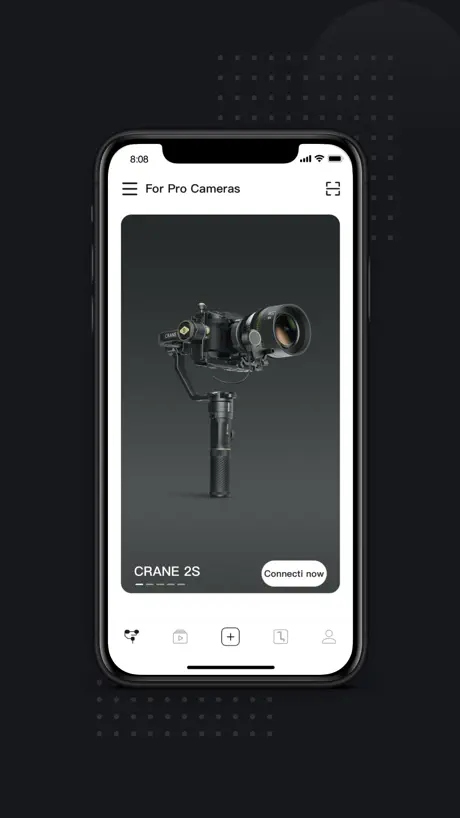
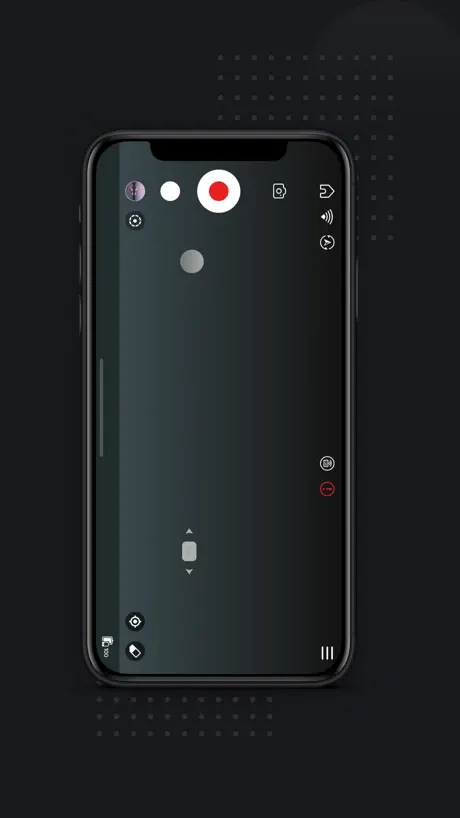
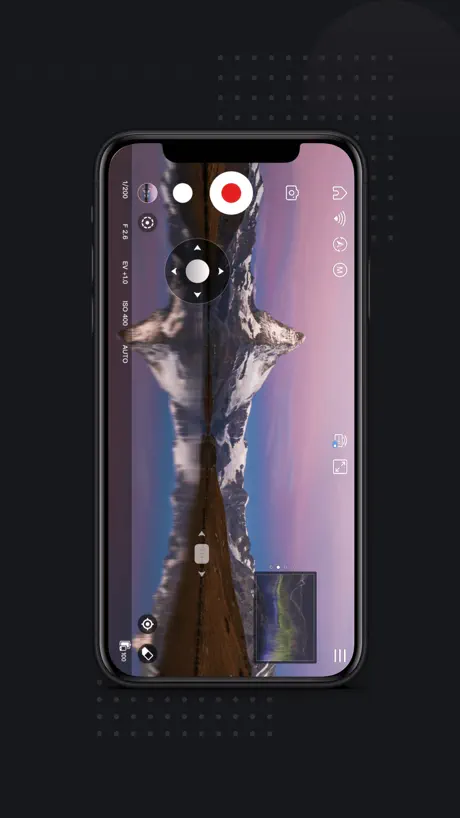
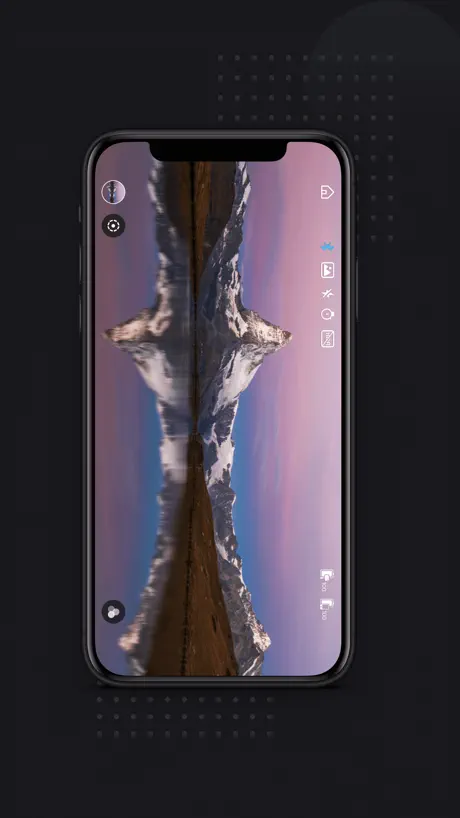
How much does ZY Play cost?
Prices are current as of 9 Sept 2026.
ZY Play has no in-app products on record in the United States.
10+ alternatives to ZY Play
| ZY Play |   Photo Light & Exposure Meter Photo Light & Exposure Meter |   NEEWER Studio NEEWER Studio |   Sidus Link Sidus Link |   Gimbal Pro Gimbal Pro |   PlayMemories Mobile Connect PlayMemories Mobile Connect |   Desview Desview |   NANLINK NANLINK |   Capture2 Capture2 |   amaran amaran |   Godox Flash Godox Flash | |
|---|---|---|---|---|---|---|---|---|---|---|---|
| Rating / 5 | 2.7 | 4.5 | 4.5 | 4.0 | 2.6 | 1.4 | 2.0 | 2.4 | 3.3 | 3.8 | 1.9 |
| Reviews | 4.5K | 7.3K | 1.5K | 1.3K | 840 | 793 | 549 | 281 | 276 | 99 | 96 |
| Released | 2016 | 2017 | 2019 | 2019 | 2018 | 2023 | 2019 | 2021 | 2019 | 2024 | 2022 |
| Monthly price | — | $4.99 | — | — | — | — | — | — | — | — | — |
| Annual price | — | $19.99 | — | — | — | — | — | — | — | — | — |
| One-time price | — | $19.99 | — | — | — | $29.99 | — | — | — | — | — |
The going rate for each plan in United States, in its own currency, shaded from the cheapest price on the row to the dearest.
ZY Play reviews
2.7 out of 5, based on 4,468 reviews.
What people like
- Works well as a remote control
- Great for making time lapse videos
- Face tracking works surprisingly well
- No subscription fees required to use it
What they complain about
- App drains your battery very fast
- Bluetooth connection is often unreliable
- Object tracking feature is poor
- App crashes frequently during use
EVO SS REMOTE
I just downloaded this from the App Store today as a way to control my EVO SS gimbal remotely. Works fine as basic Bluetooth remote for pan and tilt, so far. I’m using this b/c EVO (of course) took their remote app off of the App Store. This app has a lot of other features that will take some time to figure out but, so far, so good.
Disconnected during video
I’m on vacation as I type this and frustrated. Here I am taking a really cool video in the Caribbean but all the sudden the app disconnects from my phone making my video useless. Then before I can troubleshoot the issue, it suddenly reconnects again. Please fix this.
Please add de-squeeze!
I love this app - enabling face tracking with my Weebil is crazy! But could you please, please add anamorphic desqueeze? As ana lenses become more popular this is really needed. Zhiyun is an amazing company.
Object tracking is bad
The object tracking in this application is worse than the Zhiyun Assistant, which is an older and now outdated application. If this issue can be fixed, it would improve the productivity videos I create. However, as it stands, the performance is quite poor, and I will continue to rely on a different device if the object tracking isn’t improved.
Not bad, not great.
Please allow us to turn off the waveform in clean feed mode
不错的工具
很好用的工具
Shmood 4 😭😭😭
As a hog, I have owned the smooth 4 for quite a while, I originally purchased it for around 25k-30k usd which was a great deal. I can get smooth shots on my phone, while still having enough time to hog. This is all fun and games but when it came time to link my precious smooth 4 to the app, it all went south. By this time, I had gotten into some trouble with the old smooth 4 and was a bit hesitant to hog it over to the app but… I did anyway. The app is very poorly designed and is mostly in dulanese so being a slightly overweight white American male, this was a foreign tongue. I proceeded to add my account. This process took a matter of weeks for a Luddite like myself. After all was good and done, the app wouldn’t connect to the smooth 4. How utterly disappointing. I told Sue at once and deleted the app.
A lil finicky
Good app. Doesn’t connect all the time and isn’t the easiest. But it’s came a long way from all those bad reviews. I found an M2 gimbal and didn’t find out til later it had an app. So I was actually pretty happy to even find out it had tracking features and whatnot. Once you do get it connected it’s pretty great. But you’re limited to the camera app they use. I didn’t see any use of RAW footage options which would be nice. Aside from that they claim to not track any information from your personal device. So whoever said that is dumb and thinks Apple is lying I guess. It it’s been seven years so who knows.
Audio is distorted when live streaming
The audio is distorted when live streaming. I tried streaming to YouTube with a custom rtmp connection. The stream sends ok. The video looks fine. But the audio has cracks and is distorted.
云鹤2连不上iPhone13但是可以连上iphone12
如题目
Yes it is working good
Good thanks for all it is updated it works perfect
No m3 model
No m3 model listed
app里可以增加直播功能吗?
像大疆app那样。
No 5S compatibility
Honestly, I got all excited when I found out that this is not like the rest of your apps with prime membership required to use functionality. Only to find out that the only thing it’s good for somewhat because it needs work is remote capability. None of the functionality of my 5S gimbal for instance, the zoom functionality exist in the app. I’m hoping this is an oversight and something that’s being worked on. So far I’m seeing the 5S is just not supported or functionality is blocked until paid for. Either way, makes me want to return the gimbal which it’s looking most likely I will be.
放大功能怎么没了?
怎么升级之后 无线图传原有的放大功能怎么没了?我还用它来确定焦点呢?能不能弄回来啊?太太太耽误事儿了!
Perfect
The app works and controls everything flawlessly on an iPhone 13 mini.
Can’t believe this still happens…
Can’t connect to my gimble at all.
Pregunta
Necesito hacer actualización no me permite conectar mi teléfono iPhone 14 Pro Max el aparato zhiyun crane 3 lab Qué tengo que hacer
Object tracking has some big flaws
Object tracking stops working if the object turns around or steps off the frame. This is particularly problematic when tracking people’s faces, where people will turn their back some times. The solution here is to keep memory of the object chosen, rather than just look at the vector of movement. Another problem is that it does not work in selfie mode, the gimbals gets confused and mixes up with down. This mode is particularly useful for one man show when doing a stream. Another UX detail would be to simplify the object selection with a simple tap, rather than a drag selection. Another UX point is to hide the hardware selection after it has been selected. This is a one time setup for most users, so need to keep showing it in the main screen.
Tricky, Tricky, Tricky…
I had the play around with the settings for an hour, but got it to work with my iPhone 7.
Works like a dream with smooth 4 and iPhone 6
Great app but compatibility issues with newer phones
Control with Xbox controller is a must!
This can even be done with cheap djis. It make a simple connection to the app through an Xbox remote and controls the gimbal! The is a must for gimbals like this!! Very disappointed in the gimbal and app
Glitchy Bluetooth
Initial review I said it wouldn’t connect. I unpaired it from my Bluetooth and reconnected it and then reinstalled the app and paired it again via the app. This seemed to do the trick
Needs update for IOS 15
This app won’t even open for me with the transmont 2.0 anymore. Please update so the functionality works again.
Smart Follow crashes the app within 5secs
Hey there, I'm using the Weebill-S. Apparently when I'm using smart follow to track a person the Mobile app will crash. Can you look into it. Thanks!
网络直播
希望能快点可以使用网络直播功能。
Do not download. Not worth it
Got this to update the firmware on a used Q-Smooth Zhiyun gimbal I was given. Never even got so far as checking what version was installed. Yes, they absolutely REQUIRE you to allow them access to: • Bluetooth devices • Camera • Microphone • ENTIRE photo & video library • Location Of these, Bluetooth is the only request that makes sense. Gotta connect to the gimbal, right? But even if you allow that, they REQUIRE you to allow them access to EVERYTHING else, in order to connect to your gimbal. Zero options, all or nothing. Refuse even one, and you’re flatly denied connection to your gimbal. A different review claims approving these is optional, and the App Store page says it doesn’t collect any data, so it must not. First, yeah, approving them is optional. Your options are, approve ALL of them, or get NOTHING from this app. Second, the App Store saying the app doesn’t collect data is an honor-based self-disclosure system. Apple does not guarantee it to be true. And frankly, I’d bet my savings that this app collects every shred of info it can. Either accept your gimbal as-is out of the box, or return it, because this app is not aboveboard.
云鹤M2请适配promicpro
希望云鹤M2能适配FILMIC PRO 不然来回拨拉屏幕,太不友好了
App stuck on loading screen
I’ve had the Smooth 4 for a few years, cool gimbal! I just added counterweights for this, went to open the app and nothing. All I see is the load screen (still pic of someone taking a shot of a sunset)
Really useful app BUT...
The app offers great control of my Crane Plus and definitely enhances ownership but it’s usability is terrible. Particularly the tracking feature using the phone’s camera is so hard to use, it only appears when the camera is landscape, but doesn’t always get enabled - it seems to always take about three attempts before all the stars align! It may well be that I am doing something wrong but it is so unclear that I don’t know what. BUT do not let this put you off, usability aside it is a really really useful app.
Works well
Works well with Smooth four. Additional functions on recording are really useful.
That’s weird
So I just got something for my birthday. I have the smooth Q and when I go on the app, I don’t know how to pair it and the stabilizer thing is not there so I don’t know
Seems ok
Does what it says on the tin - as they say.
Nice product shame about the software
It crashes quite often which is annoying and some of the panoramic shots don’t stitch up and lots of time wasted using this so somebody needs to have a little rethink and issue an update with bug fixes
Resolution changes on its own.
Great gimbal and app is on and off, sometimes works great and sometimes just doesn’t listen haha, goes on in directions sometimes when I’m recording, and most annoying it changes it resolution to 720p and i don’t realise till i have recorded everything and it just changes on it own. I record in 1080p or 4K so there is a big difference with quality. Not the best.
2.8.1
Love this app - fiddly as anything but with practice comes perfection! ☺️
Question
I have smooth 4 but it can’t be connected with this app and can’t find other app My iPhone is 14
It can be better
I got a Smooth Q and when paring the app it works really quickly but when using it I can’t rely on the app because it keeps crashing...
No livestream with the hdmi transmission module
One of the main selling points of buying the weebill S and the hdmi transmission module... Was to be able to use this with Facebook and rtmp... with the ZY play app... At the moment there’s no livestream.. and the horizon wobbles... I hope they fix this soon... additional fault !!!the play app now inconveniently zooms along with focus motor adjustments for a Sony A7iii play app version 2.8.16 weebill S fw version 2.03 complained weeks ago still no fix so I’m here to warn others...
Works 50% of the time 100% of the time !
I have a smooth 4 and a new iPhone XS .frequent connection problems and the tracking is just awful at staying on point ..the gimbal is great build quality and definitely worth the money .. just work on the app please
Works Great
I love this app and its works too good with my smooth 4.
Worthless app
Won’t pair with the Crane MS2 gimbal that it is supposed to be used for.
Seems to WordPress to Work pretty well
I only wish you’ll add the 0.5 lens camera of iPhone 11 Pro in option!!
不尽人意
产品不错只是对应的app质量实在是拿不出手!赶紧更新吧
Where’s my battery gone?!
The app is a battery hog! You can literally see the percentage of the charge go down as you film :( You’ll need a power bank when filming outside!
Bluetooth Doesn’t Pair (Updated)
There was an issue with Bluetooth but I disabled it and then reactivated it and that seemed to do the trick. I have now been getting to grips with this application and managed to get some wonderful time lapse videos. I’m happy with the application yet the gimbal itself is fantastic. Definitely worth investing if you feel you want to create good video footage.
Crane 3s gone
I can not connect to Crane 3s. Because the gimbal does not show in the app anymore. Please give me the solution to this problem
Good app but would recommend some improvements.
Overall very good app. Love the 180 pano function. Would recommend the following improvements, please: -option to embed GPS location in photos and videos (this is crucial!) -option to automatically save photos, videos, or both to iPhone camera roll (for backup and to maintain sort order with other photos) -automatically connect to last paired device on app open and whenever not connected (so that do not need to tap one’s device each time) -330 degree pano function in PRO mode -automated Vertigo/dolly zoom video function (it’s basically impossible to match one’s walking speed with zoom speed to manually achieve this effect) -automated panning photo mode (basically long exposure with object tracking/following so that moving object is in focus and background is blurred) - this would be sooo awesome as this effect is also incredibly hard to achieve manually Thanks!!
Keeps resetting resolution to 720p
Twice now I’ve been filming 4K on holiday to find that after taking a time lapse or mo lapse the resolution resets to 720p! Really annoying as it ruins all that good footage I’ve taken! I shouldn’t need to keep checking the res every time I switch between modes, and the app really should make the current resolution clearer on all modes to avoid those kinds of problems. Good gimbal.... Frustrating app!!!
Battery gobbler
Great gimbal, and the app is really great to but it burns through my phones battery very very quickly and the phone gets very hot whilst doing so. I love both the app and gimbal - please look at optimising the app to be more battery friendly. Thanks.
ZY Play FAQ
- Is ZY Play free?
- Yes. The app is free, in all 175 countries it sells in, and it sells nothing inside it.
- Does ZY Play have a free trial?
- No. None of its offers (US) come with a free trial.
- What are the best alternatives to ZY Play?
- Photo Light & Exposure Meter (4.5 from 7,349 reviews, premium from $4.99), NEEWER Studio (4.5 from 1,505 reviews) and Sidus Link (4.0 from 1,321 reviews).
ZY Play download
Last updated 2 months ago.
ZY Play sells in 175 countries. It was released 10 years and 9 months ago, on 5 Jan 2016. It holds a 2.7 rating from 4,468 reviews.
Supports 9 languages: English, French, German, Japanese, Korean, Portuguese, Russian, Chinese, Spanish.
How much does ZY Play make?
Third-party estimates for the last 30 days, worldwide — not the store's own figures, which Apple publishes for nobody.