
Utiful: Move & Organize Photos
Organizing photos made easy
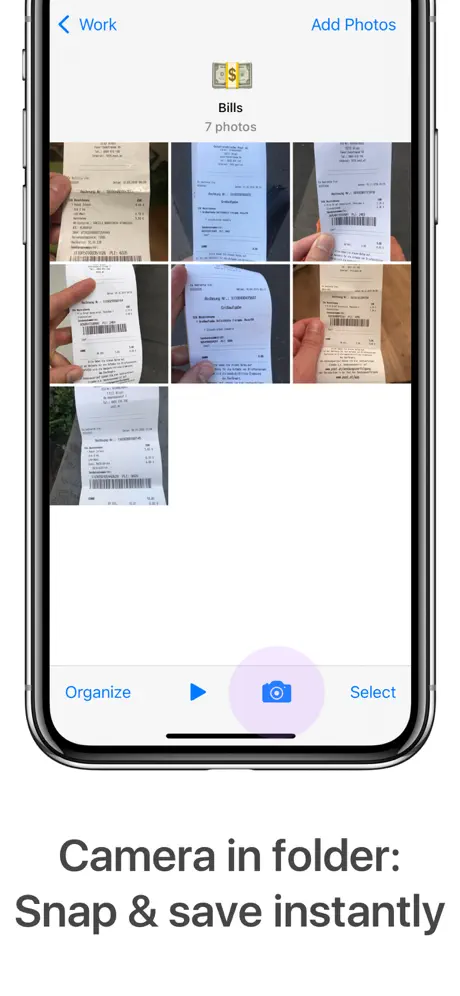

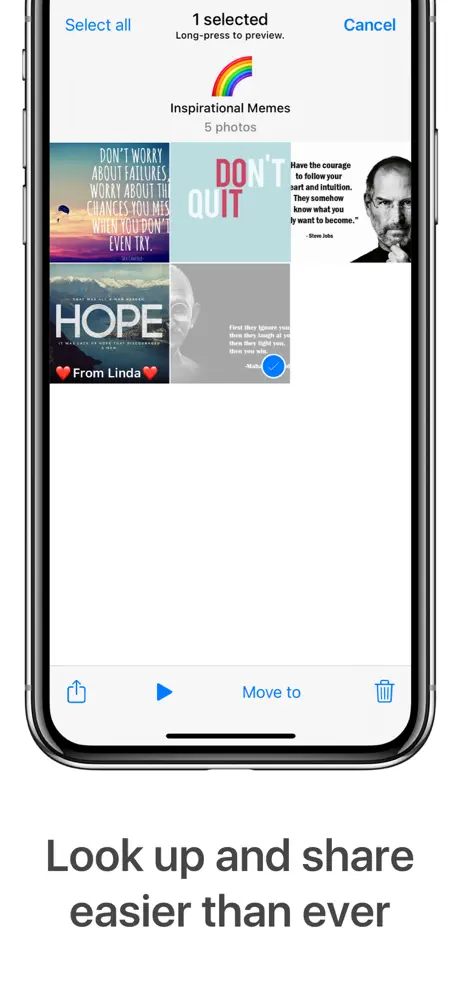
How much does Utiful: Move & Organize Photos cost?
Prices are current as of 29 Sept 2026.
2 subscriptions from $6.99
In the United States, Utiful: Move & Organize Photos has 2 subscriptions priced $6.99 – 49.99. Free trials run 1 month, 2 months, 3 months, 6 months or 1 year.
| Subscription | Period | Price |
|---|---|---|
| Utiful All Access (Month) | Monthly | $6.99 |
| Utiful All Access (Year) | AnnualTrial: 1 month, 2 months, 3 months, 6 months, 1 year | $49.99 |
See what Utiful: Move & Organize Photos costs in all 175 countries →
10+ alternatives to Utiful: Move & Organize Photos
| Utiful: Move & Organize Photos |   Slidebox: Photo Cleaner App Slidebox: Photo Cleaner App |   MyPics - A Powerful PhotoAlbum MyPics - A Powerful PhotoAlbum |   HashPhotos HashPhotos |   Photo Manager Pro Photo Manager Pro | 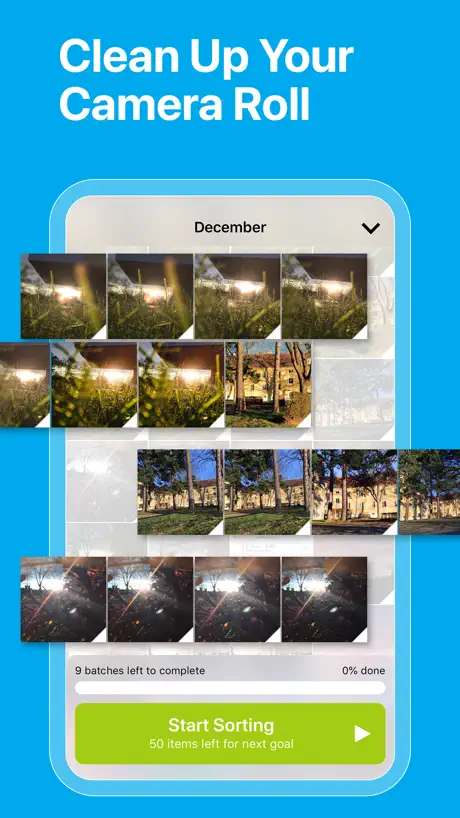  GetSorted: Clean Up Photos GetSorted: Clean Up Photos |   Photo Album Private Manager Photo Album Private Manager |   Photo Gallery : Albums Photo Gallery : Albums | 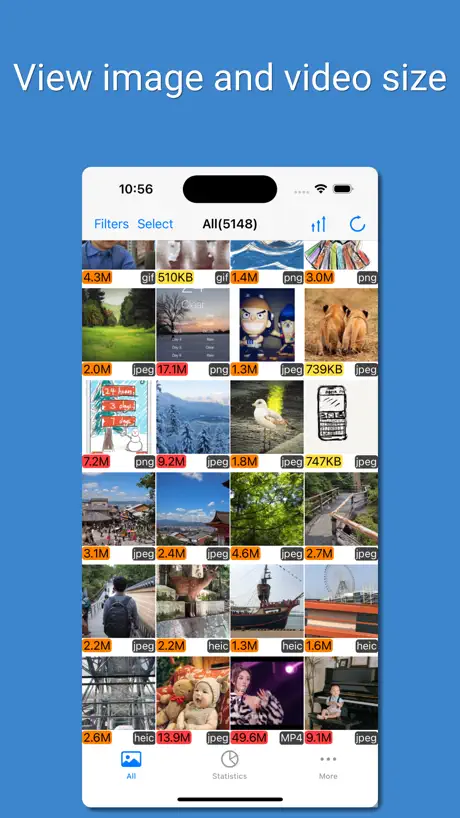  PhoTop - Check Image Size PhoTop - Check Image Size |   phoom - Photo Manager&Cleaner phoom - Photo Manager&Cleaner |   WorkCam WorkCam | |
|---|---|---|---|---|---|---|---|---|---|---|---|
| Rating / 5 | 4.0 | 4.8 | 4.5 | 4.7 | 4.5 | 4.9 | 4.5 | 4.5 | 4.5 | 4.6 | 4.4 |
| Reviews | 1.6K | 117K | 28K | 27K | 6.3K | 6.3K | 3.6K | 2.5K | 1.7K | 739 | 256 |
| Released | 2015 | 2015 | 2012 | 2013 | 2016 | 2019 | 2012 | 2020 | 2015 | 2021 | 2021 |
| Monthly price | $6.99 | $4.99 | — | $1.99 | — | $5.99 | $4.99 | — | — | — | — |
| Annual price | $49.99 | $29.99 | $8.99 | $8.99 | — | $24.99 | $19.99 | — | — | — | — |
| One-time price | — | $29.99 | $6.99 | $18.99 | — | $3.99 | $0.99 | — | $2.99 | — | — |
The going rate for each plan in United States, in its own currency, shaded from the cheapest price on the row to the dearest. Plans fewer than four in ten of the priced apps sell are left out.
Utiful: Move & Organize Photos reviews
4.0 out of 5, based on 1,606 reviews.
What people like
- Great for organizing messy camera rolls.
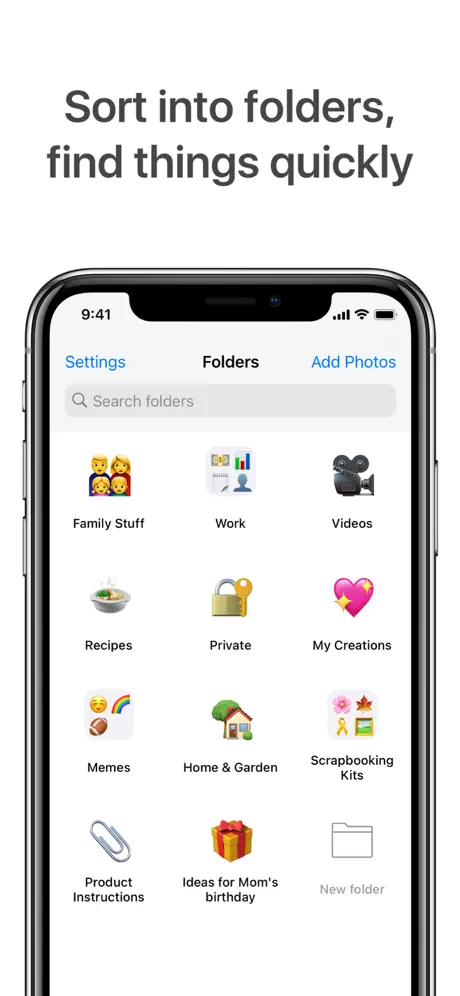
- Easy to create folders with emojis.
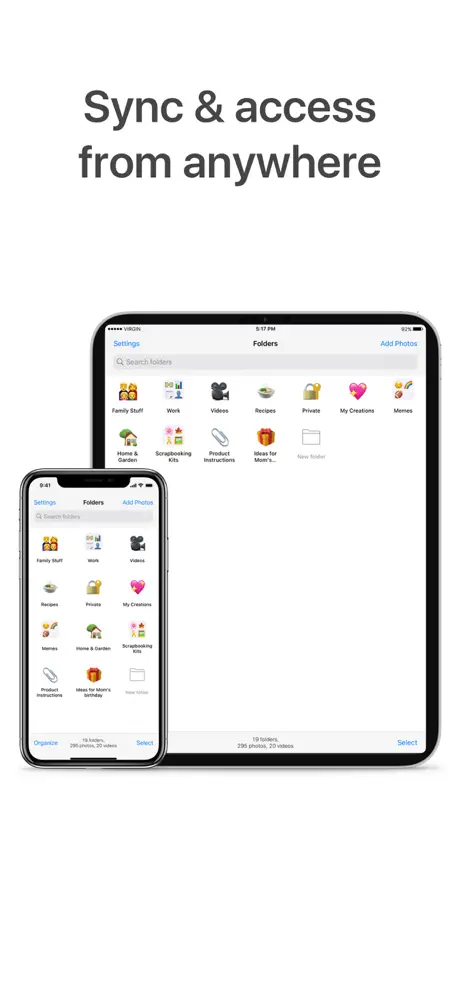
- Syncs well across multiple devices.
- Helpful and friendly customer support team.
What they complain about
- Photos can be permanently lost if moved.
- Yearly subscription cost feels too high.
- Cannot easily share photos to other apps.
- Missing basic photo editing features like text.
- Photo dates get messed up during transfer.
Brilliant photo organizer
The Utiful app is excellent for organizing photos into folders (and sub-folders), easily managed and identified with emojis. I have 4k photos in 86 folders, but with a wide range of interests I have a legacy of some 15k photos still to sort collected since first iPad in 2011. I understand from the friendly, helpful support team that welcome improvements including a search facility and preview to help identify photos in a folder are in the pipeline. Warmly recommended!
Utterly devastated
After putting my trust in this App and moving my work photos folders to what I thought was a secure app- I have lost 5 years of work- utiful support have tried to help - but can’t. Beware if you move your photos to utiful they cannot be retrieved as they leave your main photos - don’t think by backing up daily this helps - it doesn’t .
Powerful organiser but missing a few features
I used to use this photo organiser a lot. I preferred it to the built in Apple one for the reason it seemed more logical and powerful. However a few months back I discovered the photos I had moved to Utiful had their date of capture info. removed, and everything was redated to the date I moved it into Utiful, stripping out the all important capture date. For this reason I stopped using it for anything personal or work related. I use it for recipes I find on a cereal box or some instruction leaflet I want to keep and that is about it. I hope this is fixed soon on the app.
Almost but not quite!
This app looks perfect for what I need an app that I can use as a reference library. But it’s tedious to see it’s full functionality with out payment. To the developers if you are going to sell an app on subscription the buyer has to have access to the whole app before purchase or offer alternate purchase paths I would buy this app and even pay more for it but NOT on subscription and the same is also true for Apples new Photomator app buy once and pay for subsequent upgrades is still the best model!
Save to Utiful button broken on iOS 26
Hi Team, I was thoroughly enjoying the Utiful app on my iPhone and iPad but with installing iOS 26/iPad OS 26, the button in the camera roll seems to be broken. Could you please take a look and fix this ASAP. TIA.
Amazing
I think that this app is amazing if your like me and you have a lot of photos I have deleted like 5082 photo witch is crazy
£40.00/ year HA HA HA
They want £40.00 each and every year for this app. In America they let you have it for a one off fee. I’d pay a one-off £40 fee but NO WAY would I be sorting my 10 000 photos out to then be stuck paying £40 each year. It would be cheaper to print them all for that price!!!
A game changer
Great app, not over complicated, does exactly what I need. I use video clips to help me in my job. Previously I had some in the Apple TV app but when I had problems syncing my iPad with iTunes I started saving some videos on my camera roll. All very confusing and a nightmare to find things quickly. Now, all my videos are in one place, totally separate to my photos, all nicely sorted in to folders. Great also to be able to put captions on the videos. It might be nice to be able to change the folder icons using photos on the camera roll rather than them all having the generic folder image.
Upsetting
I loved this app, but unfortunately lost about 800 photos which k cannot get back.
It’s the right idea…
The good news: The app is simple and effective. Create a folder and take pictures within the folder, which is a great simple idea. The bad news: you can’t edit the picture with text. I also added some meta data to some pictures and it did freeze a few times, even removing some of the meta data. I then tried the move some images into another folder and wanted to charge me £39.99 for only one year membership. The app has potential but these snags need to sorted.…..
Just subscribed
I used this for a month some time back for free and really found it useful. Just gone back to it as my photos are is a mess again. After much thought as I do not usually like subscriptions decided to go with it. I am going to be busy again!
Rip off
I signed up for a 30day free trial but they charged me without providing the trial. Now I’m trying to figure out how to get refunded
Folders!
This app allows me to keep every one of my customers photos in their own labelled folder. Can’t imagine going without.
Way too expensive!
This is what I need, as Apple's Photos app is awful. But £40 a year? Really? I'd buy a one-off for more than this. I would. But the subscription model is just greedy. Such a shame.
Addresses a real problem
Certainly, the lack of med management is an issue in iOS. This app solves it, but at far too great a cost.
Exactly what I’ve been looking for!
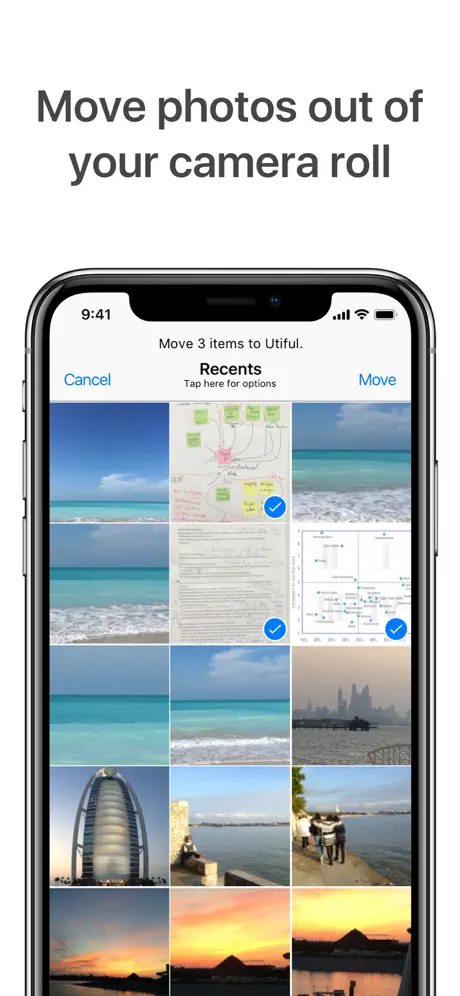
Managing my camera roll has been a nightmare as I take so many pics. This app allows me to pull the images into Utiful and delete from the camera roll. I can slide show the (now organised) images on my phone, but still utilise all the iOS share features. I can also grab my iPad and view the images there too - no fuss. Very very slick! For added measure, I also export the folder contents to my MAC using the airdrop feature, so that I have a safe backup of all content. It’s simple to use and I like the added touch of assigning emojis to the folders. I’d love to see the option to edit the image file names / add tags etc, but this is truly great for starters. Thanks! I look forward to seeing future updates on this app.
Subscription a favour my hottie
Paid £20 but great news if I don’t subscribe it will still work EXCEPT you cannot add new photos - how generous is that? The developers can go swivel - I hope the £20 rip off goes to a decent charity as they don’t deserve a penny
Finally a work around for Apple’s dismal excuse for managing photos
I would give it 5 stars but it really needs to have alphabetical and date sorting capabilities
Diese App wäre wirklich gut, wenn …
… nicht auch hier wieder mal ein Abo über € 19,99 pro Jahr abgeschlossen werden müsste. Genau solch eine App suche ich schon sehr lange, aber ich kann es nicht ausstehen, dass so nach und nach alle App-Programmierer ihre Apps nur noch als Abo-Modell anbieten. Kriegt Ihr alle den Hals nicht voll, oder was soll das? Und nicht missverstehen, denn für eine gute App zahle ich sehr gerne, denn gute Arbeit muss auch bezahlt werden. Aber eben nicht als Abo, sondern nur als Einmalzahlung, wie es noch vor einigen Jahren ganz normal war. Ein einziges Mal € 19,99 wäre meines Erachtens ok, alles andere kommt für mich nicht in Frage. Sehr schade!
in den Kinderschuhen steckengeblieben
Grundsätzlich war ich zu Beginn begeistert, da es mir ein anderes Ordnungssystem erlaubt - dafür zahle ich auch gerne. Aber leider ist die software bei komplexer werdenden Aufgaben und einer größeren Fotobibliothek total unpraktisch und ich verliere immer mehr die Freude an dieser app. Die updates finde ich nicht wirklich ernsthaft und die gesamte app ist leider etwas unprofessionell. ein eigenartiges Zwischending. Beispiele 1. man kann die Bildschirmansicht - also die Übersicht aller Fotos nicht zoomen (klein, groß) wie es bei der apple eigenen Bilderapp möglich ist - das ist für mich Basisvoraussetzung für übersichtliches Arbeiten. 2. Wenn ich Bilder hinzufüge, dann landen sie ganz am Ende des Ordners und ich muss tatsächlich jedes einzelne Bild von unten nach oben verschieben: ich kann nicht mehrere Bilder gleichzeitig „anfassen“ und verschieben - sollte auch Basis sein in einer bezahlten software. 3. Ich kann meinen Ordner nur mit einem emoji Icon versehen - nicht mit meinen eigenen Bildern. Das sieht nicht professionell aus. 4. der workflow ist nicht intuitiv - wirkt altbacken. Fazit: eher ein oberflächliches Spielzeug - nicht für wirkliches Arbeiten. Ich bin enttäuscht, da ich hoffte, mit dem Abo würde auch an der app weiter entwickelt - ich habe meine Einwände schon vor einiger Zeit bei den Entwicklern eingereicht. Passiert ist nichts. Schade. Ich habe die Hoffnung noch nicht ganz verloren, denn ich brauche so eine software!
Perfect
It’s £20 a year and solves all those iphone annoyances
Utiful not free
Yes free trial but once you’ve started to move photos and create folders a pop up comes out and tells you that you have a free trial for a month then you have to pay 19.99 a year to continue to use the app. Being miss lead !!! Probably is a great app but not for a yearly subscription. What happens to your photos when you stop paying !
Pictires out of order
Utiful seems unable to order pictures in folders by date. Perhaps this is something planned ... it should be.
Not as easy to organize
As a teacher I have 1000 photos of craft ideas. When I moved them to this app it jumbled them all up so my theme organizing is all undone. Then to organize the photos I have to do one at a time and can’t move 10 at once to put them into the correct themes where I had them in my photo album.
It’s okay
So it was actually going well and I was going to rate it a five but when I made my next folder it said that I need to pay or something I don’t really know and I couldn’t move photos cuz that thing kept popping up and I’m really disappointed I actually loved the thought of this app but it’s let me down don’t recommend
Brilliant
Give you control of photos Folder Amazing
Used to be fine but don’t like the subscription model for full access
Used to suit my needs but don’t like the subscription model for full access. Why not just have the subscription for backup and restore to/from your cloud service and keep everything else available as regular usage. Just have a subscription for cloud services while still keeping basic import and export functionality with iTunes available.
Great app to move records and bills
Great app for moving screenshots of bills paid, school notes, records etc out of camera roll. Very easy to use.
Extra subscription charges taken
Ok, so I paid a one-time lifetime access £19.99 that turned into a subscription two years ago. Now monthly fee option got removed and I got charged £19.99 again for an app that I use couple of days per year. I was happy with the functionality and wanted to leave a 5-star review but this is just a crazy profiteering on loyal customers. Please bring clear monthly fee back. Reported the new £19.99 charge to PayPal.
Thank you, thank you, but.....
I take multiple shots of the same scene making minor changes between each shot. I HATE the fact that I can’t see the image label below the image so I can differentiate between images. Apple’s squeaky clean approach to displaying photos doesn’t work for professional photographers. Can you change this in your app?
Just what I was looking for ......
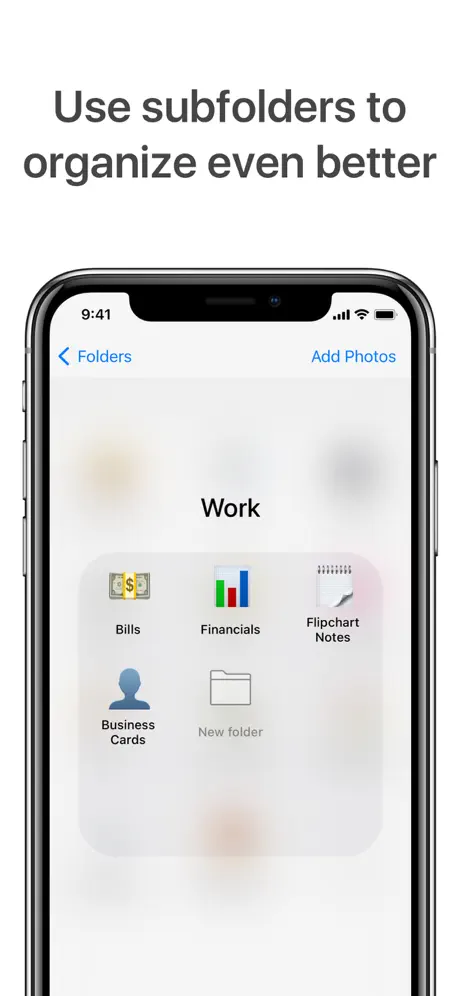
I wanted a way of organising my photos outside of ‘My Album’ (Photo Roll) and with the ability of folders within a folder for better organisation -Utiful does just that. My only requests would be the ability to resize the folder display as they are very small on an iPad and, with that, the ability to set a photo as the cover picture as opposed to an imoji. Other than that I am very pleased.
Money money money
What used to be £10 one of payment now appears to be £20 per year?.
Good job
It's very nice Thank You Very Much
Can’t open app
This update have the problems I can’t open app on I Pad, please fix bug
It’s expensive
The price is expensive, should not be that’s much
Great idea, but can not export
I wanted this to really work, after looking at all the reviews, I bought it, i have made folders and deleted them ok out of the camera roll, and set the app to upload to I presume the iCloud for backup, I have tried exporting to Dropbox, Notes, WhatsApp, none worked, im going to have a go at loading the folders I made to the laptop, then upload to dropbox that way, I wanted this to work because I have 17000 photos on the upload folder and it’s not coping, when sorting for folders. Any ideas what I should do to make it work, thanks. In response to your reply, I was following the instructions but didn’t understand you had to go to the file app to turn on the Dropbox locations switch, it works now, I have uploaded to Dropbox successfully, thank you for your reply anyway, Kind Regards Wilma Armstrong hi again, I have gone to my iCloud photos and can’t find photos that have been deleted after transferring to Utiful, the app is set to backup its photos to the cloud. Hi again I am guessing from having messed about a bit, the Utiful photo backup stored in ICloud is in the Documents section and can only be viewed in Utiful app.
Not worth the money
Was expecting more from this app - not worth the cost
Ability to view photos with Apple TV is a must.
It would also be good to be able to view slideshows. It is good to organise photos but if you can't show them off it is not much good. Also I found out the hard way that if you delete files from the camera roll you lose any memories videos that have been created, as the reference photos have gone Di
Needs bug fixes
Looks like it could be a good and useful app. I am a 3D developer myself, so I am not going to be too harsh in my criticism. But right now..they have a serious bug to fix, I am using an IPad Pro on IOS 13.2.3. As soon as you copy or move a pic or vid from the Camera Roll to one of the Utiful folders, then try to Share that item elsewhere by holding that item and selecting “Share” from the 4 option menu, it crashes, and yes it does this every time without fail, making it useless to me. There are only 4 items on that menu, it cant take too much Beta testing to discover and fix this. I will give it a couple of days before I ask for a refund, hopefully it will be fixed by then.
Sync is not very good
I love this app, I can organise my photos so much more easily than in my phones camera role, however I feel frustrated that having just got an iPad it seems the back up/ sync function is constantly showing error and disabling its self!
Photo Roll on my iPad
Great program. I needed to move my pictures from the photo roll without deleting them completely off my iPad and this did the trick. Worth the price of saving memories. Thanks bunches.
Lost all my pictures I saved
I lost all the pictures I saved on this app And I have already deleted the pictures I transferred to this app And not able to retrieve it
Utiful
No option to edit photos. Would be great if this could be a feature.
Can’t Upload or Edit
I’ve had the app for less than 10mins and have already discovered two major missing factors IMO. When using IG or FB to upload a photo you can’t access the Utiful app therefore once photos have been transferred over from your normal camera roll to Utiful they have gone and unless you reload them all back into your camera roll then you can’t find them to upload them to IG or FB. Which seems to me a little bit of a waste of time if they still have to be in the camera roll to be able to utilise them in other applications (i.e FB & IG)... Also there is no function to be able to edit photos in Utiful. I feel a lot of double handling is going to be happening just so I can have my photos organised into folders.... 🤦♀️ It would just be so much easier and streamlined if these two functions were available in Utiful. Ability to access Utiful through IG and FB and ability to edit photos in Utiful once they have been transferred over from camera roll.
No search options
I have only just downloaded the app but now realise you cannot search like you can the iPhone ones where you can search by date or location ETC
Great little tool
Been using this for over a year now. Real handy tool. Syncing on all my devices now. 😀
Can not upload photos to Facebook and eBay
Can not backup from iTunes, no use, waste money
Almost there
Really handy to get out of category and disordered photos out of camera roll. The albums feature in camera roll is useless to me as when I want to delete what I've sorted it's still in camera roll. That's where this app has the advantage. Will be perfect if it when it can send back to other apps or wifi share. Can still send back to roll and now at least they are together for easier exports.
Great idea but buggy
Can't import photo. I get a message that my storage is full when I still have over 10gb left... Would be great if it worked.
How do I access My Photos
I use to be able to easily access a photo, foe drifting, How do I do this with this software. It seems like you have to go in pick a folder and re download to your photo roll to acesss. This is frankly stupid. It makes it a storage device only. Please advise, or correct. I will have to redo and put my photos back into my photo roll.
Utiful: Move & Organize Photos price by country
A monthly subscription costs $1.06 in Indonesia and $9.27 in the United Kingdom — 9× more for the same thing. Below is the going rate for each plan in every country that sells it — the middle price of what the app charges there, in the country's own currency with the dollar equivalent beneath it.
| Country | Monthly | Annual |
|---|---|---|
| Afghanistan | $1.99 | $14.99 |
| Albania | $2.99 | $19.99 |
| Algeria | $1.99 | $14.99 |
| Angola | $1.99 | $14.99 |
| Anguilla | $1.99 | $14.99 |
| Antigua And Barbuda | $1.99 | $14.99 |
| Argentina | $1.99 | $14.99 |
| Armenia | $2.99 | $19.99 |
| Australia | A$6.99$4.89 | A$49.99$34.96 |
| Austria | €3.99$4.54 | €24.99$28.43 |
| Azerbaijan | $2.99 | $19.99 |
| Bahamas | $2.99 | $19.99 |
| Bahrain | $2.99 | $19.99 |
| Barbados | $2.99 | $19.99 |
| Belarus | $2.99 | $19.99 |
| Belgium | €3.99$4.54 | €24.99$28.43 |
| Belize | $2.99 | $19.99 |
| Benin | $2.99 | $19.99 |
| Bermuda | $2.99 | $19.99 |
| Bhutan | $2.99 | $19.99 |
| Bolivia | $1.99 | $14.99 |
| Bosnia & Herzegovina | €1.99$2.26 | €14.99$17.05 |
| Botswana | $1.99 | $14.99 |
| Brazil | R$9.90$1.90 | R$69.90$13.42 |
| British Virgin Islands | $2.99 | $19.99 |
| Brunei Darussalam | $2.99 | $19.99 |
| Bulgaria | €1.99$2.26 | €14.99$17.05 |
| Burkina Faso | $1.99 | $14.99 |
| Cambodia | $1.99 | $14.99 |
| Cameroon | $1.99 | $14.99 |
| Canada | CA$6.99$5.03 | CA$49.99$35.96 |
| Cape Verde | $2.99 | $19.99 |
| Cayman Islands | $2.99 | $19.99 |
| Chad | $1.99 | $14.99 |
| Chile | CLP 1,990$2.07 | CLP 12,990$13.51 |
| China | CN¥15.00$2.23 | CN¥98.00$14.58 |
| Colombia | COP 4,900$1.48 | COP 39,900$12.09 |
| Congo | $1.99 | $14.99 |
| Congo, Democratic Republic | $1.99 | $14.99 |
| Costa Rica | $1.99 | $14.99 |
| Cote Divoire | $1.99 | $14.99 |
| Croatia | €3.99$4.54 | €24.99$28.43 |
| Cyprus | €3.99$4.54 | €24.99$28.43 |
| Czech Republic | CZK 99.00$4.62 | CZK 599.00$27.93 |
| Denmark | DKK 39.00$5.94 | DKK 249.00$37.90 |
| Dominica | $1.99 | $14.99 |
| Dominican Republic | $1.99 | $14.99 |
| Ecuador | $1.99 | $14.99 |
| Egypt | EGP 79.99$1.54 | EGP 599.99$11.52 |
| El Salvador | $1.99 | $14.99 |
| Estonia | €3.99$4.54 | €24.99$28.43 |
| Fiji | $1.99 | $14.99 |
| Finland | €3.99$4.54 | €24.99$28.43 |
| France | €3.99$4.54 | €24.99$28.43 |
| Gabon | $1.99 | $14.99 |
| Gambia | $1.99 | $14.99 |
| Georgia | $1.99 | $19.99 |
| Germany | €3.99$4.54 | €24.99$28.43 |
| Ghana | $1.99 | $14.99 |
| Greece | €3.99$4.54 | €24.99$28.43 |
| Grenada | $1.99 | $14.99 |
| Guatemala | $1.99 | $14.99 |
| Guinea-bissau | $1.99 | $14.99 |
| Guyana | $1.99 | $14.99 |
| Honduras | $1.99 | $14.99 |
| Hong Kong | HK$28.00$3.57 | HK$168.00$21.43 |
| Hungary | HUF 1,490$4.62 | HUF 9,990$30.95 |
| Iceland | $3.99 | $29.99 |
| India | ₹199.00$2.07 | ₹1,299.00$13.52 |
| Indonesia | IDR 19,000$1.06 | IDR 149,000$8.28 |
| Iraq | $1.99 | $14.99 |
| Ireland | €3.99$4.54 | €24.99$28.43 |
| Israel | ₪4.90$1.60 | ₪24.90$8.11 |
| Italy | €3.99$4.54 | €24.99$28.43 |
| Jamaica | $1.99 | $14.99 |
| Japan | ¥500$3.18 | ¥4,000$25.43 |
| Jordan | $2.99 | $19.99 |
| Kazakhstan | KZT 999.00$2.27 | KZT 5,990.00$13.59 |
| Kenya | $2.99 | $19.99 |
| Kosovo | €1.99$2.26 | €14.99$17.05 |
| Kuwait | $2.99 | $19.99 |
| Kyrgyzstan | $2.99 | $19.99 |
| Lao Peoples Democratic Republic | $1.99 | $14.99 |
| Latvia | €3.99$4.54 | €24.99$28.43 |
| Lebanon | $1.99 | $14.99 |
| Liberia | $1.99 | $14.99 |
| Libya | $1.99 | $14.99 |
| Lithuania | €3.99$4.54 | €24.99$28.43 |
| Luxembourg | €3.99$4.54 | €24.99$28.43 |
| Macao | $2.99 | $19.99 |
| Macedonia | $2.99 | $19.99 |
| Madagascar | $1.99 | $14.99 |
| Malawi | $1.99 | $14.99 |
| Malaysia | MYR 4.90$1.20 | MYR 29.90$7.33 |
| Maldives | $1.99 | $14.99 |
| Mali | $1.99 | $14.99 |
| Malta | €3.99$4.54 | €24.99$28.43 |
| Mauritania | $1.99 | $14.99 |
| Mauritius | $1.99 | $17.99 |
| Mexico | MX$39.00$2.18 | MX$299.00$16.70 |
| Micronesia | $1.99 | $14.99 |
| Moldova | $1.99 | $19.99 |
| Mongolia | $1.99 | $14.99 |
| Montenegro | €1.99$2.26 | €14.99$17.05 |
| Montserrat | $1.99 | $14.99 |
| Morocco | $1.99 | $14.99 |
| Mozambique | $1.99 | $14.99 |
| Myanmar | $1.99 | $14.99 |
| Namibia | $1.99 | $14.99 |
| Nauru | $1.99 | $14.99 |
| Nepal | $1.99 | $14.99 |
| Netherlands | €3.99$4.54 | €24.99$28.43 |
| New Zealand | NZ$6.99$3.95 | NZ$49.99$28.24 |
| Nicaragua | $1.99 | $14.99 |
| Niger | $1.99 | $14.99 |
| Nigeria | NGN 1,900.00$1.43 | NGN 14,900.00$11.21 |
| Norway | NOK 69.00$7.24 | NOK 499.00$52.36 |
| Oman | $1.99 | $14.99 |
| Pakistan | PKR 500$1.81 | PKR 3,900$14.08 |
| Palau | $1.99 | $14.99 |
| Panama | $1.99 | $14.99 |
| Papua New Guinea | $1.99 | $14.99 |
| Paraguay | $1.99 | $14.99 |
| Peru | PEN 7.90$2.31 | PEN 39.90$11.67 |
| Philippines | ₱99.00$1.58 | ₱799.00$12.78 |
| Poland | PLN 19.99$5.21 | PLN 129.99$33.85 |
| Portugal | €3.99$4.54 | €24.99$28.43 |
| Qatar | QAR 7.99$2.20 | QAR 49.99$13.73 |
| Romania | RON 19.99$4.31 | RON 129.99$28.02 |
| Russia | RUB 299.00$3.54 | RUB 1,990.00$23.59 |
| Rwanda | $1.99 | $14.99 |
| Sao Tome & Principe | $1.99 | $14.99 |
| Saudi Arabia | SAR 7.99$2.13 | SAR 49.99$13.33 |
| Senegal | $1.99 | $14.99 |
| Serbia | €1.99$2.26 | €14.99$17.05 |
| Seychelles | $1.99 | $14.99 |
| Sierra Leone | $1.99 | $14.99 |
| Singapore | SGD 3.98$3.11 | SGD 24.98$19.52 |
| Slovakia | €3.99$4.54 | €24.99$28.43 |
| Slovenia | €3.99$4.54 | €24.99$28.43 |
| Solomon Islands | $1.99 | $14.99 |
| South Africa | ZAR 69.99$4.27 | ZAR 499.99$30.47 |
| South Korea | ₩5,500$4.05 | ₩39,000$28.70 |
| Spain | €3.99$4.54 | €24.99$28.43 |
| Sri Lanka | $1.99 | $14.99 |
| St. Kitts and Nevis | $3.99 | $24.99 |
| St. Lucia | $3.99 | $24.99 |
| St. Vincent & The Grenadines | $3.99 | $24.99 |
| Suriname | $1.99 | $14.99 |
| Swaziland | $1.99 | $14.99 |
| Sweden | SEK 39.00$3.92 | SEK 299.00$30.02 |
| Switzerland | CHF 5.00$6.01 | CHF 35.00$42.07 |
| Taiwan | NT$60.00$1.89 | NT$390.00$12.26 |
| Tajikistan | $2.99 | $19.99 |
| Tanzania | TZS 5,900.00$2.23 | TZS 39,900.00$15.08 |
| Thailand | THB 49.00$1.46 | THB 299.00$8.90 |
| Tonga | $2.99 | $19.99 |
| Trinidad and Tobago | $2.99 | $19.99 |
| Tunisia | $1.99 | $14.99 |
| Turkey | TRY 79.99$1.63 | TRY 499.99$10.20 |
| Turkmenistan | $2.99 | $19.99 |
| Turks and Caicos | $2.99 | $19.99 |
| Uganda | $1.99 | $14.99 |
| Ukraine | $2.99 | $19.99 |
| United Arab Emirates | AED 7.99$2.18 | AED 49.99$13.62 |
| United Kingdom | £6.99$9.27 | £49.99$66.30 |
| United States | $6.99 | $49.99 |
| Uruguay | $1.99 | $14.99 |
| Uzbekistan | $2.99 | $19.99 |
| Vanuatu | $1.99 | $14.99 |
| Venezuela | $1.99 | $14.99 |
| Vietnam | ₫29,000$1.12 | ₫199,000$7.68 |
| Yemen | $1.99 | $14.99 |
| Zambia | $1.99 | $14.99 |
| Zimbabwe | $1.99 | $14.99 |
Utiful: Move & Organize Photos FAQ
- Is Utiful: Move & Organize Photos free?
- Yes. The app and its basic features are free, in all 175 countries it sells in. Premium features are paid: they start from $6.99 (US), across 2 subscriptions.
- How much does Utiful: Move & Organize Photos cost per month?
- Utiful All Access (Month) is $6.99 (US). The annual plan works out cheaper per month: $49.99 a year.
- Does Utiful: Move & Organize Photos have a free trial?
- Yes — free trials of 1 month, 2 months, 3 months, 6 months or 1 year (US), depending on the plan.
- Where is Utiful: Move & Organize Photos cheapest?
- A monthly subscription costs IDR 19,000 (≈$1.06) in Indonesia and £6.99 (≈$9.27) in the United Kingdom, its cheapest and dearest countries.
- What are the best alternatives to Utiful: Move & Organize Photos?
- Slidebox: Photo Cleaner App (4.8 from 117,028 reviews, premium from $1.99), MyPics - A Powerful PhotoAlbum (4.5 from 28,406 reviews, premium from $6.99) and HashPhotos (4.7 from 26,862 reviews, premium from $1.99).
Utiful: Move & Organize Photos download
Last updated 6 months ago.
Utiful: Move & Organize Photos sells in 175 countries. It was released 10 years and 9 months ago, on 18 Dec 2015. It holds a 4.0 rating from 1,606 reviews.
Supports 9 languages: English, French, German, Italian, Japanese, Portuguese, Russian, Chinese, Spanish.
How much does Utiful: Move & Organize Photos make?
Third-party estimates for the last 30 days, worldwide — not the store's own figures, which Apple publishes for nobody.
Revenue by plan
- Annual 66%
- Monthly 34%
Revenue by country
- United States 60%
- Germany 9%
- United Kingdom 4%
- Australia 4%