
MyPics - A Powerful PhotoAlbum
An album for photos and videos



How much does MyPics - A Powerful PhotoAlbum cost?
Prices are current as of 7 Oct 2026.
1 subscription from $8.99
In the United States, MyPics - A Powerful PhotoAlbum has 1 subscription priced $8.99.
| Subscription | Period | Price |
|---|---|---|
| Expert | Annual | $8.99 |
1 one-time purchase from $6.99
In the United States, MyPics - A Powerful PhotoAlbum has 1 one-time purchase priced $6.99.
| Product | Price |
|---|---|
| Pro | $6.99 |
See what MyPics - A Powerful PhotoAlbum costs in all 174 countries →
10+ alternatives to MyPics - A Powerful PhotoAlbum
| MyPics - A Powerful PhotoAlbum |   PV - Secret Photo Album PV - Secret Photo Album |   Secret Photo Album - SA Secret Photo Album - SA |   Photo Vault - Darkbox Photo Vault - Darkbox |   The Simple Camera The Simple Camera |   Video Saver Offline - Clicha Video Saver Offline - Clicha |   Gallery - Private Photo Vault Gallery - Private Photo Vault |   Video Saver & Player / iCap Video Saver & Player / iCap |   SkyCamera: Use Various Filters SkyCamera: Use Various Filters |   Photo Album Private Manager Photo Album Private Manager |   Photo Gallery : Albums Photo Gallery : Albums | |
|---|---|---|---|---|---|---|---|---|---|---|---|
| Rating / 5 | 4.5 | 4.8 | 4.5 | 4.7 | 4.6 | 4.4 | 4.5 | 4.5 | 4.5 | 4.5 | 4.5 |
| Reviews | 28K | 356K | 190K | 104K | 50K | 47K | 27K | 16K | 12K | 3.6K | 2.5K |
| Released | 2012 | 2014 | 2016 | 2017 | 2015 | 2019 | 2020 | 2021 | 2019 | 2012 | 2020 |
| Monthly price | — | $3.99 | $9.99 | — | — | $5.49 | $29.99 | $2.99 | $1.99 | $4.99 | — |
| Annual price | $8.99 | $29.99 | $49.99 | $28.49 | — | $19.99 | $9.99 | — | $14.99 | $19.99 | — |
| One-time price | $6.99 | $41.99 | — | — | $5.99 | $49.99 | $3.99 | $19.99 | $3.99 | $0.99 | — |
The going rate for each plan in United States, in its own currency, shaded from the cheapest price on the row to the dearest. Plans fewer than four in ten of the priced apps sell are left out.
MyPics - A Powerful PhotoAlbum reviews
4.5 out of 5, based on 28,406 reviews.
What people like
- Very easy to organize albums
- Reasonable price for premium features
- Smooth and simple user interface
- Handles GIFs better than others
What they complain about
- Photos vanished after switching phones
- Videos fail to upload or sync
- Support never actually helps anyone
- App crashes when selecting multiple photos
⭐️⭐️⭐️⭐️⭐️
I have always liked this app, and just had to come back and update my written review. This is the BEST PhotoAlbum app I’ve ever used, and I’ve owned this one for 10 years now. The only feature that I would suggest for the Expert version would be to have a duplicate photo remover. Thank you devs for keeping the application affordable and updated. Five Stars!!!
Terrible
Ive been using the free version of this app for years, and suddenly, if I want more storage I have to watch 2 Ads for 10 more free space, it used to be 100, what changed?!
Love it
I can’t delete unwanted albums. Help was no help at all!
バグ
画像を開いて右下のメニューから保存を選択すると、写真ライブラリには表示されないが別のアプリからフォトアルバムを参照するとその画像が表示される。バグであれば改善を望みます。iOS26.6.1です。
Unable to hide files or folders
I’ve been using MyPics for close to 2 years and still waiting for the ability to hide files and folders. Hopefully this update will be soon
Simply the best
Smooth, pleasant, simple to use & well priced. I am loving going through my pictures, animated Gifs & videos. Thank you!
No way to select all photos to put back into iPhones pic app
Will be deleting. Thank God they were just photos that were not important.
F re add y
G tree was y
シンプルイズベスト
要望 アルバム(セット)の並び替えで ひらがなとカタカナを同枠に設定出来るようにして欲しい 不具合 検索で文字入力中に勝手に確定されてしまう
もったいない
アルバム整理できてめっちゃいいのに、とにかくギガを食う。 どうにかなりませんか、運営さん
GREAT APP!
I really like how easy it is! It’s very simple to organize photos!
Pretty Much Sucks
I lost all of the photos I downloaded into MyPics and have tried repeatedly to recover them or get support from MyPics without success. Like I’m talking to a wall and for that reason I can’t recommend the app - there’s NO recourse, no help, NO support g! DO NOT REMOVE the app to free-up space since it doesn’t restore pics and albums when you bring it back!
Pretty Good
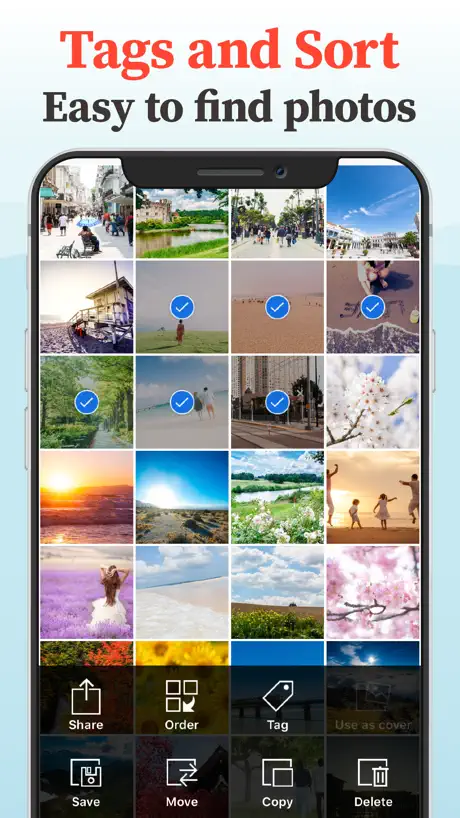
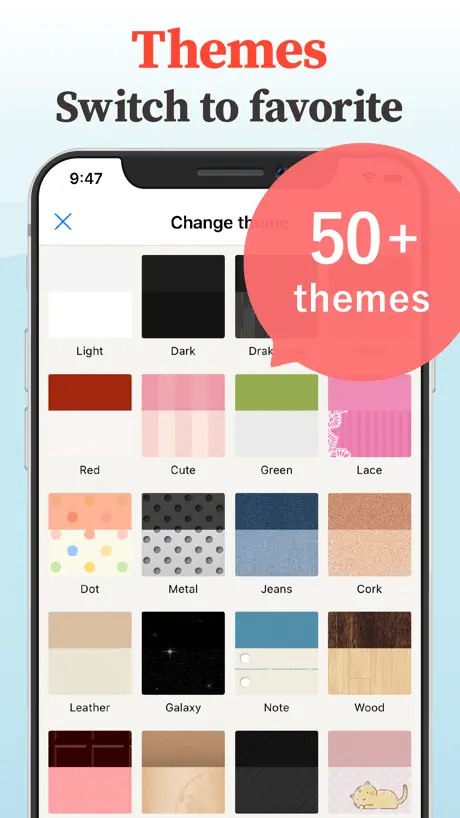
I am not a fan of the monochromatic look that a lot of applications are going with, so I was wondering if there was a Photos app alternative. MyPics is pretty good. I like how I can customize the background, add cover images, have both albums and album sets, and filter by tags. It has a look and feel that is more fun to use than the Photos app, and it is well organized. I do have two suggestions, however. When adding tags to images and videos, I would like some sort of color indicator, so I know which ones are tagged. And two, I would like a way to automatically import images and videos from the Photos app. I am also lost about something. I read an update that adjusting a certain setting with create a thumbnail preview along the bottom like the Photos app, but this is nit working for me. I am interested in using MyPics as an alternative, so I look forward to seeing what can be worked out.
Passcode
Dear developer: Some of us use letters/characters, not numbers, for passcodes. Why did you change to numbers only on the keypad? Don’t need an answer, just change it back to what it was.
エキスパート機能について
アルバム検索がしたくてエキスパート購入したのですが、「アルバムセット内のアルバムが検索できます」って、どうやるんですか? 課金してしまったので、今のところ星3つです。
Easy to use
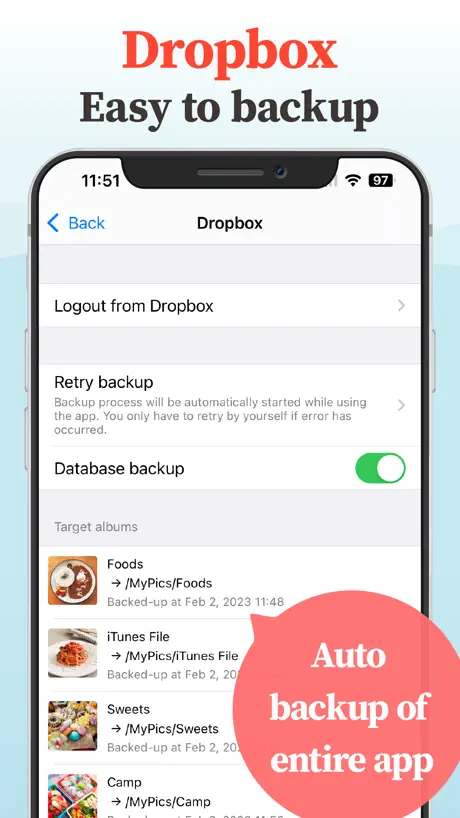
No frills but great for making slide shows with your photos. Very clear duplication of your photos. If you want auto backup to Dropbox.
Stopped working
Getting "Dropbox Full" even though I paid for "Expert" Edition
Ok
Nice app
Impostor error with screenshots
Lately, I've often been unable to import images. I always get the error message "Failed to create the file." This is very annoying because I always have to crop these images a little, and then the import works. The error message usually appears with screenshots.
FAILED TO CREATE FILE
Please fix the error or bug when trying to import photos in an album, it says failed to create file
I like how this works so far!
I like the sorting features on this app. The only thing I’d like is more theme options and possibly the use of setting light and dark themes automatically based on the system settings.
I’m angry… to say the least
I paid for storage and my photos were backed up as well. When I switched phones I lost literally everything….. maybe I don’t know how to work this app but I’m pretty sure I’ll never get those memories back 🫤
iOS 26
Worked fine until I installed iOS26. I can import videos, but get a “Failed to create file” message when importing photos.
First time having issues
I have used this app for a couple years now and I love it. I’m not sure if it’s the recent update, but videos will not upload to the app at all and I pay for the unlimited storage. Pictures are uploading just fine but videos will not and it’s grayed out and get’s stuck and shows an error message. Can someone help with that please!
Sync
Good stand alone but will not sync between iPhone and iPad, Just wants to push Dropbox.
Fantastic!
Everything I need and very easy to use!
Expensive & privacy concerns.
Expensive $8.99 yearly subscription model. Also, privacy disclosure has me thinking they have access to your photos so your privacy may be compromised with their policies.
People can still get into your photos
I bought this to make albums for parents, in laws etc to scroll through without going through all my photos. In album view, a real prominent button lets them navigate to all photos (for adding new into the album). So it’s one tap and they can see all photos…. Would be nice to have that behind a passcode
Fix bug can’t make a sub album for some reason now
Fix bugs in making a sub folder in album
Good but .....
Wish you could choose multiple photos at one time to post to Instagram or Facebook
Perfect.
Yesss
Why can’t I upload more pics?!
Since apple “upgrade” i cannot upload anything into this app! Why not?!
Full screen
Need to bring back being able to see the album on full screen
Good & Bad
App is great for organizing photos but really bad to share. It’s not much different than having photos on camera roll
Videos
My videos will not download … Why??
Best I've found
I had been using File Manager for many years. I came to like it but it had some limitations. One was that it would not handle GIFs. MyPics does, although it does not allow you to slow the speed of or reverse GIFs as my dedicated GIF player does. That's one thing I would like (but that's not a big deal for me). However, on whole, now that I have figured out the functions and menus of this app, I like it very much and it does many things better than any other photo album I've seen. It allows password privacy plus use TouchID. MyPics allows editing of pictures and rearranging them easily by press, hold, and drag. It will sort according to several methods. It will play movies, GIFs, and show pictures with equal ease. Pictures fill the frame so you don't have to resize as you look at them. Even its in-app Help is quite good, not perfect, but good. All in all I'm giving this a five star.
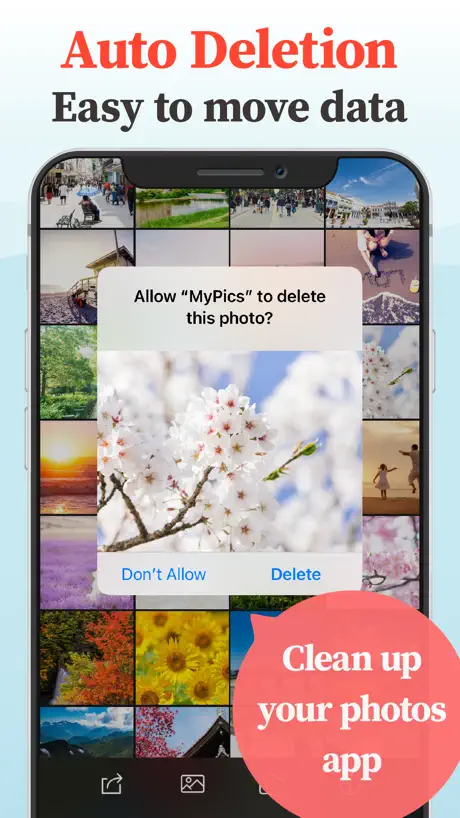
Auto Delete Stopped
The whole reason I chose MyPics was the autodelete function. Unfortunately, it stopped working completely when I upgraded my subscription. The developer offers no methods for requesting help. Will be asking Apple for a refund.
Great app
Love this photo app. Very useful. I’d give it 5 stars if it had remained backed up by the cloud.
Almost There..
It would be perfect if I could make unlimited tag categories/names. Also my tags that I created disappeared. I want to categorize my photos and tag what is in it.
Tv
Don’t know how to see photos on the tv Please let me know
Good Sorting App
I take lost of photography pictures and this app is perfect. The subscription is a reasonable price, not too expensive, also gives you a good free amount of space. Great app for pictures do recommend 👍👍👍
Stopped working
Lost hundreds of photos and cannot load anymore.
Very good
Great application with many useful tools to edit the photos. Blemish the photo was removed from the options when the app was updated. It is very useful if this option can be re added.
Has become annoying
For the most part it works as expected, but when I try to add photos now if I have to scroll through the list the app constantly causes the album list to clear and reset, making the option to select more than one photo completely worthless and annoying. It basically just doesn’t work and has been a bug for a long time now that isn’t getting resolved. The loaf of photos should be stable and not reset constantly when I am trying to add a bunch of photos.
Bring back save to camera roll
This app was amazing until the option to save to my camera roll was removed.
Simple Features
I like the little features this app has, like the arrow buttons in view mode and the search filters. The UI was also very quick to get used to. Genuinely a good experience in free plan and the premium was reasonable so I got it.
Don’t buy
Don’t buy
No Sync
I like this app does everything I was looking for except for one feature no synchronisation between devices. Would be much better to store the photos on Dropbox or another cloud system rather just using it for backup’s, it would save space on the device and help to provide the synchronisation.
SYNCING across devices and airplay
Please ask the devs to work on syncing across devices. Backup and restore is too basic, we need real time syncing. I love this app but miss AirPlay so much (I don’t want to mirror). I’m pretty sure you’ll never reinstate it but it would be truly appreciated.
Ok app
It’s ok
MyPics - A Powerful PhotoAlbum price by country
An annual subscription costs $1.20 in Turkey and $10.57 in the United Kingdom — 9× more for the same thing. Below is the going rate for each plan in every country that sells it — the middle price of what the app charges there, in the country's own currency with the dollar equivalent beneath it.
| Country | Annual | One-time |
|---|---|---|
| Afghanistan | $7.99 | $6.99 |
| Albania | $9.59 | $7.99 |
| Algeria | $7.99 | $6.99 |
| Angola | $7.99 | $6.99 |
| Anguilla | $7.99 | $6.99 |
| Antigua And Barbuda | $7.99 | $6.99 |
| Argentina | $7.99 | $6.99 |
| Armenia | $7.99 | $7.99 |
| Australia | A$12.99$9.02 | A$9.99$6.94 |
| Austria | €8.99$10.08 | €7.99$8.96 |
| Azerbaijan | $7.99 | $7.99 |
| Bahamas | $7.99 | $7.99 |
| Bahrain | $7.99 | $7.99 |
| Barbados | $7.99 | $7.99 |
| Belarus | $7.99 | $7.99 |
| Belgium | €8.99$10.08 | €7.99$8.96 |
| Belize | $7.99 | $6.99 |
| Benin | $7.99 | $7.99 |
| Bermuda | $7.99 | $6.99 |
| Bhutan | $7.99 | $6.99 |
| Bolivia | $7.99 | $6.99 |
| Bosnia & Herzegovina | €8.99$10.08 | €7.99$8.96 |
| Botswana | $7.99 | $6.99 |
| Brazil | R$32.90$6.55 | R$49.90$9.94 |
| British Virgin Islands | $7.99 | $6.99 |
| Brunei Darussalam | $7.99 | $6.99 |
| Bulgaria | €8.49$9.52 | €7.99$8.96 |
| Burkina Faso | $7.99 | $6.99 |
| Cambodia | $7.99 | $7.99 |
| Cameroon | $7.99 | $7.99 |
| Canada | CA$10.49$7.34 | CA$9.99$6.99 |
| Cape Verde | $7.99 | $6.99 |
| Cayman Islands | $7.99 | $6.99 |
| Chad | $7.99 | $6.99 |
| Chile | CLP 6,900$6.98 | CLP 7,990$8.08 |
| Colombia | COP 32,900$10.01 | COP 29,900$9.10 |
| Congo | $7.99 | $7.99 |
| Congo, Democratic Republic | $7.99 | $6.99 |
| Costa Rica | $7.99 | $6.99 |
| Cote Divoire | $7.99 | $7.99 |
| Croatia | €9.02$10.11 | €7.99$8.96 |
| Cyprus | €8.99$10.08 | €7.99$8.96 |
| Czech Republic | CZK 229.00$10.50 | CZK 199.00$9.12 |
| Denmark | DKK 69.00$10.34 | DKK 59.00$8.85 |
| Dominica | $7.99 | $6.99 |
| Dominican Republic | $7.99 | $6.99 |
| Ecuador | $7.99 | $6.99 |
| Egypt | EGP 129.99$2.48 | EGP 399.99$7.63 |
| El Salvador | $7.99 | $6.99 |
| Estonia | €8.99$10.08 | €7.99$8.96 |
| Fiji | $7.99 | $6.99 |
| Finland | €8.99$10.08 | €7.99$8.96 |
| France | €8.99$10.08 | €7.99$8.96 |
| Gabon | $7.99 | $6.99 |
| Gambia | $7.99 | $6.99 |
| Georgia | $7.99 | $7.99 |
| Germany | €8.99$10.08 | €7.99$8.96 |
| Ghana | $7.99 | $7.99 |
| Greece | €8.99$10.08 | €7.99$8.96 |
| Grenada | $7.99 | $6.99 |
| Guatemala | $7.99 | $6.99 |
| Guinea-bissau | $7.99 | $6.99 |
| Guyana | $7.99 | $6.99 |
| Honduras | $7.99 | $6.99 |
| Hong Kong | HK$63.00$8.04 | HK$58.00$7.40 |
| Hungary | HUF 3,090$9.43 | HUF 2,990$9.12 |
| Iceland | $9.91 | $7.99 |
| India | ₹689.00$7.15 | ₹699.00$7.25 |
| Indonesia | IDR 119,000$6.65 | IDR 149,000$8.33 |
| Iraq | $7.99 | $6.99 |
| Ireland | €8.99$10.08 | €7.99$8.96 |
| Israel | ₪27.90$9.15 | ₪19.90$6.52 |
| Italy | €8.99$10.08 | €7.99$8.96 |
| Jamaica | $7.99 | $6.99 |
| Japan | ¥850$5.38 | ¥1,200$7.60 |
| Jordan | $7.99 | $6.99 |
| Kazakhstan | KZT 3,090.00$6.77 | KZT 3,990.00$8.74 |
| Kenya | $7.99 | $7.99 |
| Kosovo | €8.99$10.08 | €7.99$8.96 |
| Kuwait | $7.99 | $6.99 |
| Kyrgyzstan | $7.99 | $7.99 |
| Lao Peoples Democratic Republic | $7.99 | $7.99 |
| Latvia | €8.99$10.08 | €7.99$8.96 |
| Lebanon | $7.99 | $6.99 |
| Liberia | $7.99 | $6.99 |
| Libya | $7.99 | $6.99 |
| Lithuania | €8.99$10.08 | €7.99$8.96 |
| Luxembourg | €8.99$10.08 | €7.99$8.96 |
| Macao | $7.99 | $6.99 |
| Macedonia | $7.99 | $6.99 |
| Madagascar | $7.99 | $6.99 |
| Malawi | $7.99 | $6.99 |
| Malaysia | MYR 34.90$8.53 | MYR 29.90$7.31 |
| Maldives | $7.99 | $6.99 |
| Mali | $7.99 | $6.99 |
| Malta | €8.99$10.08 | €7.99$8.96 |
| Mauritania | $7.99 | $6.99 |
| Mauritius | $7.99 | $7.99 |
| Mexico | MX$179.00$9.88 | MX$149.00$8.23 |
| Micronesia | $7.99 | $6.99 |
| Moldova | $7.99 | $7.99 |
| Mongolia | $7.99 | $6.99 |
| Montenegro | €8.99$10.08 | €6.99$7.84 |
| Montserrat | $7.99 | $6.99 |
| Morocco | $7.99 | $7.99 |
| Mozambique | $7.99 | $6.99 |
| Myanmar | $7.99 | $6.99 |
| Namibia | $7.99 | $6.99 |
| Nauru | $7.99 | $6.99 |
| Nepal | $7.99 | $7.99 |
| Netherlands | €8.99$10.08 | €7.99$8.96 |
| New Zealand | NZ$14.49$8.09 | NZ$12.99$7.26 |
| Nicaragua | $7.99 | $6.99 |
| Niger | $7.99 | $6.99 |
| Nigeria | NGN 2,900.00$2.18 | NGN 9,900.00$7.44 |
| Norway | NOK 89.00$9.28 | NOK 89.00$9.28 |
| Oman | $7.99 | $6.99 |
| Pakistan | PKR 1,250$4.51 | PKR 1,900$6.86 |
| Palau | $7.99 | $6.99 |
| Panama | $7.99 | $6.99 |
| Papua New Guinea | $7.99 | $6.99 |
| Paraguay | $7.99 | $6.99 |
| Peru | PEN 26.90$7.82 | PEN 29.90$8.69 |
| Philippines | ₱409.00$6.53 | ₱449.00$7.17 |
| Poland | PLN 37.99$9.72 | PLN 29.99$7.67 |
| Portugal | €8.99$10.08 | €7.99$8.96 |
| Qatar | QAR 29.99$8.24 | QAR 24.99$6.87 |
| Romania | RON 39.99$8.40 | RON 39.99$8.40 |
| Russia | RUB 599.00$7.03 | RUB 599.00$7.03 |
| Rwanda | $7.99 | $6.99 |
| Sao Tome & Principe | $7.99 | $6.99 |
| Saudi Arabia | SAR 34.99$9.33 | SAR 29.99$8.00 |
| Senegal | $7.99 | $7.99 |
| Serbia | €8.99$10.08 | €7.99$8.96 |
| Seychelles | $7.99 | $6.99 |
| Sierra Leone | $7.99 | $6.99 |
| Singapore | SGD 11.98$9.36 | SGD 9.98$7.80 |
| Slovakia | €8.99$10.08 | €7.99$8.96 |
| Slovenia | €8.99$10.08 | €7.99$8.96 |
| Solomon Islands | $7.99 | $6.99 |
| South Africa | ZAR 139.99$8.41 | ZAR 149.99$9.01 |
| South Korea | ₩10,500$7.82 | ₩11,000$8.19 |
| Spain | €8.99$10.08 | €7.99$8.96 |
| Sri Lanka | $7.99 | $6.99 |
| St. Kitts and Nevis | $7.99 | $6.99 |
| St. Lucia | $7.99 | $6.99 |
| St. Vincent & The Grenadines | $7.99 | $6.99 |
| Suriname | $7.99 | $7.99 |
| Swaziland | $7.99 | $6.99 |
| Sweden | SEK 99.00$9.86 | SEK 99.00$9.86 |
| Switzerland | CHF 8.50$10.23 | CHF 6.00$7.22 |
| Taiwan | NT$270.00$8.49 | NT$220.00$6.92 |
| Tajikistan | $7.99 | $7.99 |
| Tanzania | TZS 18,500.00$7.00 | TZS 19,900.00$7.53 |
| Thailand | THB 239.00$7.26 | THB 249.00$7.57 |
| Tonga | $7.99 | $6.99 |
| Trinidad and Tobago | $7.99 | $6.99 |
| Tunisia | $7.99 | $6.99 |
| Turkey | TRY 57.99$1.20 | TRY 399.99$8.25 |
| Turkmenistan | $7.99 | $6.99 |
| Turks and Caicos | $7.99 | $6.99 |
| Uganda | $7.99 | $7.99 |
| Ukraine | $7.99 | $7.99 |
| United Arab Emirates | AED 29.99$8.17 | AED 24.99$6.81 |
| United Kingdom | £7.99$10.57 | £6.99$9.25 |
| United States | $8.99 | $6.99 |
| Uruguay | $7.99 | $6.99 |
| Uzbekistan | $7.99 | $7.99 |
| Vanuatu | $7.99 | $6.99 |
| Venezuela | $7.99 | $6.99 |
| Vietnam | ₫179,000$6.89 | ₫199,000$7.66 |
| Yemen | $7.99 | $6.99 |
| Zambia | $7.99 | $7.99 |
| Zimbabwe | $7.99 | $7.99 |
MyPics - A Powerful PhotoAlbum FAQ
- Is MyPics - A Powerful PhotoAlbum free?
- Yes. The app and its basic features are free, in all 174 countries it sells in. Premium features are paid: they start from $8.99 (US), across 1 subscription and 1 one-time purchase.
- Does MyPics - A Powerful PhotoAlbum have a free trial?
- No. None of its offers (US) come with a free trial.
- Where is MyPics - A Powerful PhotoAlbum cheapest?
- An annual subscription costs TRY 57.99 (≈$1.20) in Turkey and £7.99 (≈$10.57) in the United Kingdom, its cheapest and dearest countries.
- What are the best alternatives to MyPics - A Powerful PhotoAlbum?
- PV - Secret Photo Album (4.8 from 356,119 reviews, premium from $3.99), Secret Photo Album - SA (4.5 from 189,909 reviews, premium from $1.99) and Photo Vault - Darkbox (4.7 from 103,692 reviews, premium from $13.49).
MyPics - A Powerful PhotoAlbum download
Last updated 10 days ago.
MyPics - A Powerful PhotoAlbum sells in 174 countries. It was released 14 years and 6 months ago, on 9 Mar 2012. It holds a 4.5 rating from 28,406 reviews.
Supports 2 languages: English, Japanese.
How much does MyPics - A Powerful PhotoAlbum make?
Third-party estimates for the last 30 days, worldwide — not the store's own figures, which Apple publishes for nobody.
Revenue by plan
- One-time 85%
- Annual 15%
Revenue by country
- Japan 74%
- United States 12%
- United Kingdom 2%
- Canada 2%