Check Writer: Print Checks
Print Checks at Home
How much does Check Writer: Print Checks cost?
Prices are current as of 29 Sept 2026.
10 subscriptions from $1.99
In the United States, Check Writer: Print Checks has 10 subscriptions priced $1.99 – 49.99.
| Subscription | Period | Price |
|---|---|---|
| Premium1 Monthly | Monthly | $1.99 |
| Premium2 Monthly | Monthly | $2.99 |
| Premium3 Monthly | Monthly | $3.99 |
| Premium4 Monthly | Monthly | $4.99 |
| Premium5 Monthly | Monthly | $5.99 |
| Premium6 Monthly | Monthly | $6.99 |
| Premium9 Monthly | Monthly | $9.99 |
| Premium1 Yearly | Annual | $19.99 |
| Premium2 Yearly | Annual | $29.99 |
| Premium4 Yearly | Annual | $49.99 |
See what Check Writer: Print Checks costs in all 175 countries →
10+ alternatives to Check Writer: Print Checks
| Check Writer: Print Checks | 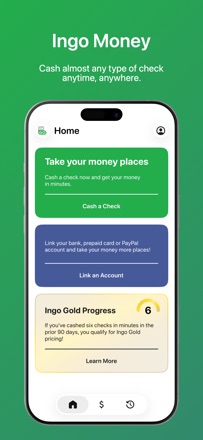  Ingo Money - Cash Checks Ingo Money - Cash Checks | 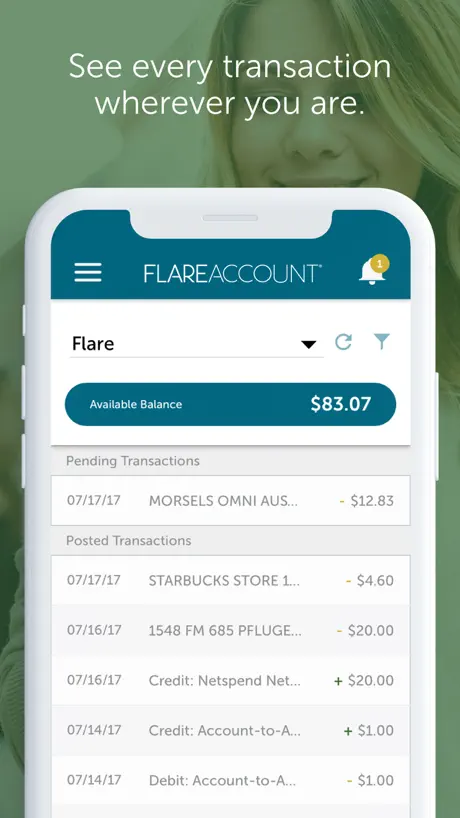  Flare Account Flare Account | 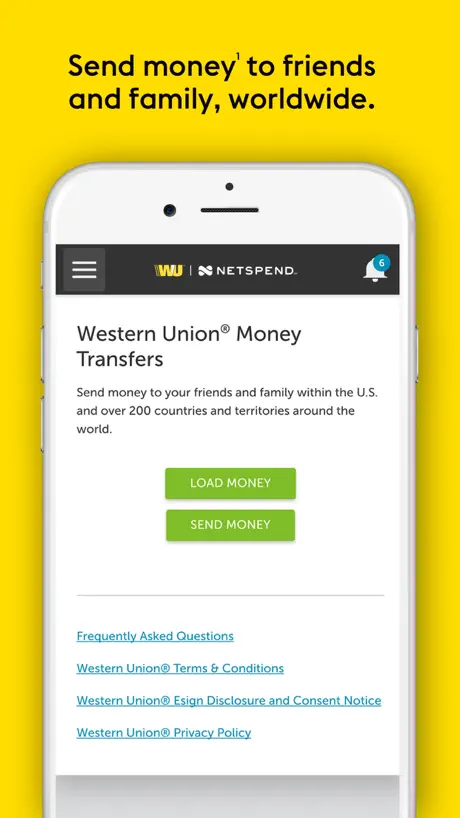  Western Union Netspend Prepaid Western Union Netspend Prepaid | 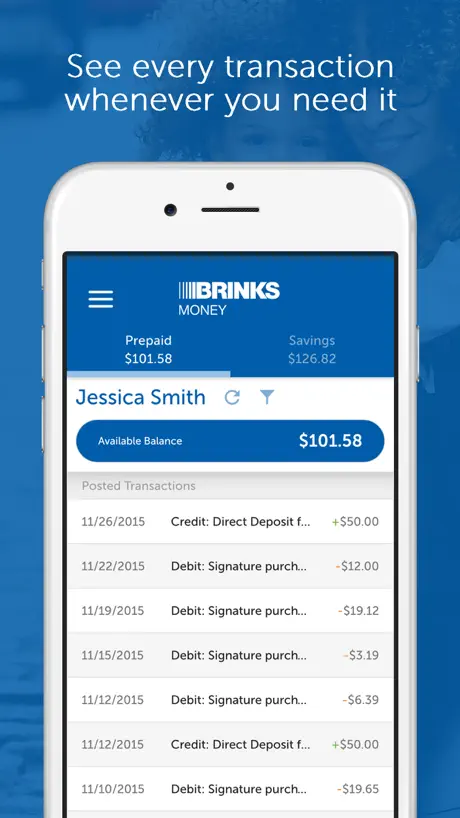  Brink's Money Prepaid Brink's Money Prepaid | 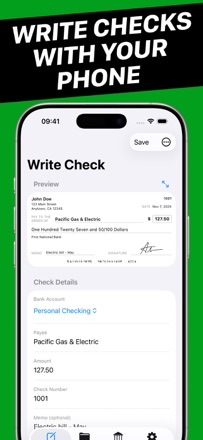  Check Writer - Write & Print Check Writer - Write & Print |   Smart Check Writer Smart Check Writer |   Online Check Writer Online Check Writer |   Print Checks Pro Print Checks Pro |   DeposZip Mobile DeposZip Mobile |   USA Check Writer & Printing USA Check Writer & Printing | |
|---|---|---|---|---|---|---|---|---|---|---|---|
| Rating / 5 | 4.3 | 4.2 | 4.7 | 4.1 | 3.1 | 4.6 | 4.6 | 2.8 | 2.3 | 1.8 | 5.0 |
| Reviews | 336 | 9.3K | 4.7K | 495 | 287 | 130 | 83 | 51 | 24 | 5 | 1 |
| Released | 2015 | 2013 | 2017 | 2014 | 2014 | 2025 | 2025 | 2020 | 2020 | 2009 | 2022 |
| Monthly price | $4.99 | — | — | — | — | — | — | — | — | — | — |
| Annual price | $29.99 | — | — | — | — | — | — | — | — | — | — |
The going rate for each plan in United States, in its own currency, shaded from the cheapest price on the row to the dearest.
Check Writer: Print Checks reviews
4.3 out of 5, based on 336 reviews.
What people like
- Extremely simple and easy to use
- No account login required for privacy
- Free version works without paying
What they complain about
- Aggressive ads mislead users into subscriptions
- Print layout is often incorrect for paper
- Cannot print the back of the check
Awesome
Perfect
False App - AVOID
This seems to be a scam app pretending to be something it is not. It leads to a confirmation screen to enter credit card info and sign up for a trial of something completely unrelated to printing checks.
Easy
I do wish it had more you could type n be three section to write more
SFSG
Just started using this app and it is perfect for my purposes. I only write one check a month and I am 89 years old. My handwriting has gone to something not recognizable and a conventional checkbook is out of the question.TWO SUGGESTIONS: Let me contribute a one time gratuity for using this software rather than subscribe. Print an outline of the check to facilitate cutting it out of a paper page. Thank You. Some time has gone by and my checks have been rejected, so I purchased Office Depot Check Starter Pack and the checks do not fit correctly. I guess I will have to try another app!
Retired Tired
I tried it but , with my check I need to shut off Meno and Paid to Order of & dollars. These items are already printed on my checks I could find option to turn I Them off. Maybe I just missed it.
Question
I’m looking to print a check from my bank and have software make do all the information is printed where it needs to be. Is this app able to do that ?
Owner
To many ads . And to exsspensive
Nice application
I love your app but there should be an improvement of writing a specific checks like cashier checks at the top middle
Poor Formatting for Standard Checks
The app doesn’t format checks for the most widely used bank check paper correctly. The width, height, and offsets are incorrect and you have to use your entire stock of checks with trial and error to adjust. You had ONE job, Check Writer. Also, the ads are extremely aggressive, well beyond the use value.
0
Routing and account number missing when printed
Great app!
Great very useful. No more buying checks
Joan booth white
Confirmed
Great App
Love that I can write check on the spot And send or save for later plus get it to my back make my bank deposits in 1 swoop. Keeps track of my checkbook is great. I would like to see it prompt with step by step instructions like where to start. I like too that it will keep track of last check written. Great app.
Recommend it
Easy to use. Quality prints
Fraud
Their ads are presented as part of their application. They mislead you into subscriptions you don’t intend. Be careful with every click.
Good
I really liked. The only thing it is missing it is a login, so we it can save the check order on different devices.
Business expert
Plaid is a great connection!
Does not support Canadian cheques
Does not support transit and institution numbers
Signature
Pls make it possible to import signature image
It just works
Love it
Print Back check
This is perfect but it doesn’t print the back of the check and it is annoying. You should add an option that creates the back of the checks as well
So Easy. So Free!
Compared to other check-writing software I’ve tried, this app is a breeze. No account log-in required. Just download the app, enter your address, routing and account info; then start writing checks. You can download a PDF, or send to any local printer to print on your own business check paper. I installed this app on my MacBook, and within minutes, I’d written and printed my first check. So easy! Unlimited free version keeps your important personal info on your device, not in the cloud. Note: checks print business size, not personal check size. This is 1/3 of a full sheet of letter size paper, and fits in standard business envelopes. You can buy blank business check paper online.
Make sure my cheque shows up full on my saved pdf that would Bell amazing
Pretty solid official app
Amazing
Best app by far easy no issues
Love it
Best check writer I’ve tried very simple straight to the point
So simple
It’s shockingly easy to print a check from whatever account to whomever.
Check Writer: Print Checks price by country
A monthly subscription costs $4.46 in Nigeria and $15.89 in Colombia — 4× more for the same thing. Below is the going rate for each plan in every country that sells it — the middle price of what the app charges there, in the country's own currency with the dollar equivalent beneath it.
| Country | Monthly | Annual |
|---|---|---|
| Afghanistan | $7.99 | $69.99 |
| Albania | $9.99 | $79.99 |
| Algeria | $7.99 | $69.99 |
| Angola | $7.99 | $69.99 |
| Anguilla | $7.99 | $69.99 |
| Antigua And Barbuda | $7.99 | $69.99 |
| Argentina | $7.99 | $69.99 |
| Armenia | $9.99 | $79.99 |
| Australia | A$9.99$7.19 | A$129.99$93.52 |
| Austria | €8.99$10.44 | €79.99$92.90 |
| Azerbaijan | $7.99 | $69.99 |
| Bahamas | $8.99 | $79.99 |
| Bahrain | $8.99 | $79.99 |
| Barbados | $9.99 | $79.99 |
| Belarus | $9.99 | $79.99 |
| Belgium | €8.99$10.44 | €79.99$92.90 |
| Belize | $7.99 | $69.99 |
| Benin | $7.99 | $69.99 |
| Bermuda | $7.99 | $69.99 |
| Bhutan | $7.99 | $69.99 |
| Bolivia | $7.99 | $69.99 |
| Bosnia & Herzegovina | €8.99$10.44 | €79.99$92.90 |
| Botswana | $7.99 | $69.99 |
| Brazil | R$39.90$7.79 | R$399.90$78.11 |
| British Virgin Islands | $7.99 | $69.99 |
| Brunei Darussalam | $7.99 | $69.99 |
| Bulgaria | €8.99$10.44 | €74.99$87.10 |
| Burkina Faso | $7.99 | $69.99 |
| Cambodia | $8.99 | $79.99 |
| Cameroon | $9.99 | $79.99 |
| Canada | CA$6.99$5.07 | CA$99.99$72.46 |
| Cape Verde | $7.99 | $69.99 |
| Cayman Islands | $7.99 | $69.99 |
| Chad | $7.99 | $69.99 |
| Chile | CLP 6,990$7.49 | CLP 69,990$75.02 |
| China | CN¥58.00$8.63 | CN¥498.00$74.11 |
| Colombia | COP 49,900$15.89 | COP 399,900$127.32 |
| Congo | $7.99 | $69.99 |
| Congo, Democratic Republic | $7.99 | $69.99 |
| Costa Rica | $7.99 | $69.99 |
| Cote Divoire | $7.99 | $69.99 |
| Croatia | €8.99$10.44 | €79.99$92.90 |
| Cyprus | €8.99$10.44 | €79.99$92.90 |
| Czech Republic | CZK 199.00$9.55 | CZK 1,990.00$95.54 |
| Denmark | DKK 69.00$10.73 | DKK 599.00$93.16 |
| Dominica | $7.99 | $69.99 |
| Dominican Republic | $6.99 | $69.99 |
| Ecuador | $7.99 | $69.99 |
| Egypt | EGP 299.99$5.89 | EGP 2,499.99$49.13 |
| El Salvador | $7.99 | $69.99 |
| Estonia | €8.99$10.44 | €79.99$92.90 |
| Fiji | $7.99 | $69.99 |
| Finland | €8.99$10.44 | €79.99$92.90 |
| France | €8.99$10.44 | €79.99$92.90 |
| Gabon | $7.99 | $69.99 |
| Gambia | $7.99 | $69.99 |
| Georgia | $9.99 | $79.99 |
| Germany | €8.99$10.44 | €79.99$92.90 |
| Ghana | $9.99 | $79.99 |
| Greece | €8.99$10.44 | €79.99$92.90 |
| Grenada | $7.99 | $69.99 |
| Guatemala | $7.99 | $69.99 |
| Guinea-bissau | $7.99 | $69.99 |
| Guyana | $7.99 | $69.99 |
| Honduras | $7.99 | $69.99 |
| Hong Kong | HK$58.00$7.40 | HK$588.00$75.00 |
| Hungary | HUF 3,490$11.19 | HUF 29,990$96.12 |
| Iceland | $9.99 | $79.99 |
| India | ₹799.00$8.45 | ₹6,900.00$72.98 |
| Indonesia | IDR 129,000$7.31 | IDR 1,199,000$67.91 |
| Iraq | $7.99 | $69.99 |
| Ireland | €8.99$10.44 | €79.99$92.90 |
| Israel | ₪29.90$9.93 | ₪249.90$83.02 |
| Italy | €8.99$10.44 | €79.99$92.90 |
| Jamaica | $7.99 | $69.99 |
| Japan | ¥1,200$7.68 | ¥10,000$64.03 |
| Jordan | $7.99 | $69.99 |
| Kazakhstan | KZT 3,990.00$8.76 | KZT 34,990.00$76.85 |
| Kenya | $9.99 | $79.99 |
| Kosovo | €8.99$10.44 | €79.99$92.90 |
| Kuwait | $7.99 | $69.99 |
| Kyrgyzstan | $8.99 | $79.99 |
| Lao Peoples Democratic Republic | $7.99 | $69.99 |
| Latvia | €8.99$10.44 | €79.99$92.90 |
| Lebanon | $7.99 | $69.99 |
| Liberia | $7.99 | $69.99 |
| Libya | $7.99 | $69.99 |
| Lithuania | €8.99$10.44 | €79.99$92.90 |
| Luxembourg | €8.99$10.44 | €79.99$92.90 |
| Macao | $7.99 | $69.99 |
| Macedonia | $7.99 | $69.99 |
| Madagascar | $7.99 | $69.99 |
| Malawi | $7.99 | $69.99 |
| Malaysia | MYR 39.90$9.88 | MYR 299.90$74.23 |
| Maldives | $7.99 | $69.99 |
| Mali | $7.99 | $69.99 |
| Malta | €8.99$10.44 | €79.99$92.90 |
| Mauritania | $7.99 | $69.99 |
| Mauritius | $7.99 | $69.99 |
| Mexico | MX$179.00$10.60 | MX$1,499.00$88.75 |
| Micronesia | $7.99 | $69.99 |
| Moldova | $9.99 | $79.99 |
| Mongolia | $7.99 | $69.99 |
| Montenegro | €6.99$8.12 | €69.99$81.29 |
| Montserrat | $7.99 | $69.99 |
| Morocco | $7.99 | $69.99 |
| Mozambique | $7.99 | $69.99 |
| Myanmar | $7.99 | $69.99 |
| Namibia | $7.99 | $69.99 |
| Nauru | $7.99 | $69.99 |
| Nepal | $7.99 | $69.99 |
| Netherlands | €8.99$10.44 | €79.99$92.90 |
| New Zealand | NZ$14.99$8.82 | NZ$129.99$76.46 |
| Nicaragua | $7.99 | $69.99 |
| Niger | $7.99 | $69.99 |
| Nigeria | NGN 5,900.00$4.46 | NGN 59,900.00$45.31 |
| Norway | NOK 99.00$10.65 | NOK 899.00$96.67 |
| Oman | $7.99 | $69.99 |
| Pakistan | PKR 2,200$7.92 | PKR 19,900$71.68 |
| Palau | $7.99 | $69.99 |
| Panama | $7.99 | $69.99 |
| Papua New Guinea | $7.99 | $69.99 |
| Paraguay | $7.99 | $69.99 |
| Peru | PEN 29.90$8.90 | PEN 249.90$74.38 |
| Philippines | ₱399.00$6.36 | ₱3,990.00$63.60 |
| Poland | PLN 39.99$10.78 | PLN 399.99$107.81 |
| Portugal | €8.99$10.44 | €79.99$92.90 |
| Qatar | QAR 29.99$8.24 | QAR 249.99$68.68 |
| Romania | RON 39.99$8.85 | RON 399.99$88.49 |
| Russia | RUB 699.00$8.12 | RUB 5,990.00$69.59 |
| Rwanda | $7.99 | $69.99 |
| Sao Tome & Principe | $7.99 | $69.99 |
| Saudi Arabia | SAR 34.99$9.33 | SAR 299.99$80.00 |
| Senegal | $7.99 | $69.99 |
| Serbia | €8.99$10.44 | €79.99$92.90 |
| Seychelles | $7.99 | $69.99 |
| Sierra Leone | $7.99 | $69.99 |
| Singapore | SGD 9.98$7.86 | SGD 99.98$78.72 |
| Slovakia | €8.99$10.44 | €79.99$92.90 |
| Slovenia | €8.99$10.44 | €79.99$92.90 |
| Solomon Islands | $7.99 | $69.99 |
| South Africa | ZAR 149.99$9.40 | ZAR 1,499.99$93.98 |
| South Korea | ₩11,000$8.17 | ₩99,000$73.52 |
| Spain | €8.99$10.44 | €79.99$92.90 |
| Sri Lanka | $7.99 | $69.99 |
| St. Kitts and Nevis | $7.99 | $69.99 |
| St. Lucia | $7.99 | $69.99 |
| St. Vincent & The Grenadines | $7.99 | $69.99 |
| Suriname | $7.99 | $69.99 |
| Swaziland | $7.99 | $69.99 |
| Sweden | SEK 99.00$10.34 | SEK 999.00$104.39 |
| Switzerland | CHF 8.00$9.88 | CHF 70.00$86.42 |
| Taiwan | NT$290.00$9.17 | NT$2,290.00$72.40 |
| Tajikistan | $9.99 | $79.99 |
| Tanzania | TZS 22,900.00$8.66 | TZS 199,900.00$75.64 |
| Thailand | THB 299.00$9.08 | THB 2,490.00$75.64 |
| Tonga | $7.99 | $69.99 |
| Trinidad and Tobago | $7.99 | $69.99 |
| Tunisia | $7.99 | $69.99 |
| Turkey | TRY 249.99$5.16 | TRY 2,299.99$47.46 |
| Turkmenistan | $7.99 | $69.99 |
| Turks and Caicos | $7.99 | $69.99 |
| Uganda | $9.99 | $79.99 |
| Ukraine | $9.99 | $79.99 |
| United Arab Emirates | AED 29.99$8.17 | AED 249.99$68.12 |
| United Kingdom | £6.99$9.45 | £69.99$94.58 |
| United States | $4.99 | $29.99 |
| Uruguay | $7.99 | $69.99 |
| Uzbekistan | $8.99 | $79.99 |
| Vanuatu | $7.99 | $69.99 |
| Venezuela | $7.99 | $69.99 |
| Vietnam | ₫199,000$7.65 | ₫1,999,000$76.89 |
| Yemen | $7.99 | $69.99 |
| Zambia | $7.99 | $69.99 |
| Zimbabwe | $9.99 | $79.99 |
Check Writer: Print Checks FAQ
- Is Check Writer: Print Checks free?
- Yes. The app and its basic features are free, in all 175 countries it sells in. Premium features are paid: they start from $1.99 (US), across 10 subscriptions.
- How much does Check Writer: Print Checks cost per month?
- Premium1 Monthly is $1.99 – 9.99 (US). The annual plan works out cheaper per month: $19.99 – 49.99 a year.
- Does Check Writer: Print Checks have a free trial?
- No. None of its offers (US) come with a free trial.
- Where is Check Writer: Print Checks cheapest?
- A monthly subscription costs NGN 5,900.00 (≈$4.46) in Nigeria and COP 49,900 (≈$15.89) in Colombia, its cheapest and dearest countries.
- What are the best alternatives to Check Writer: Print Checks?
- Ingo Money - Cash Checks (4.2 from 9,253 reviews), Flare Account (4.7 from 4,739 reviews) and Western Union Netspend Prepaid (4.1 from 495 reviews).
Check Writer: Print Checks download
Last updated 1 month ago.
Check Writer: Print Checks sells in 175 countries. It was released 11 years and 3 months ago, on 16 Jun 2015. It holds a 4.3 rating from 336 reviews.
Supports 1 language: English.
How much does Check Writer: Print Checks make?
Third-party estimates for the last 30 days, worldwide — not the store's own figures, which Apple publishes for nobody.
Revenue by plan
- Monthly 84%
- Annual 16%
Revenue by country
- United States 97%
- Canada 1%
- France 0%
- United Kingdom 0%