
ImgPlay: GIF Maker & Meme
Video to GIF Creator & Editor
How much does ImgPlay: GIF Maker & Meme cost?
Prices are current as of 29 Sept 2026.
3 subscriptions from $2.99
In the United States, ImgPlay: GIF Maker & Meme has 3 subscriptions priced $2.99 – 29.99. It comes with a 3 days free trial.
| Subscription | Period | Price |
|---|---|---|
| Weekly ImgPlay Pro | Weekly | $2.99 |
| Monthly ImgPlay Pro | MonthlyTrial: 3 days | $7.99 – 9.99 |
| Annual ImgPlay Pro | AnnualTrial: 3 days | $29.99 |
2 one-time purchases from $4.99
In the United States, ImgPlay: GIF Maker & Meme has 2 one-time purchases priced $4.99 – 69.99.
| Product | Price |
|---|---|
| Unlock New Features | $4.99 |
| Lifetime ImgPlay Pro | $69.99 |
See what ImgPlay: GIF Maker & Meme costs in all 175 countries →
10+ alternatives to ImgPlay: GIF Maker & Meme
| ImgPlay: GIF Maker & Meme |   GIPHY: The GIF Search Engine GIPHY: The GIF Search Engine | 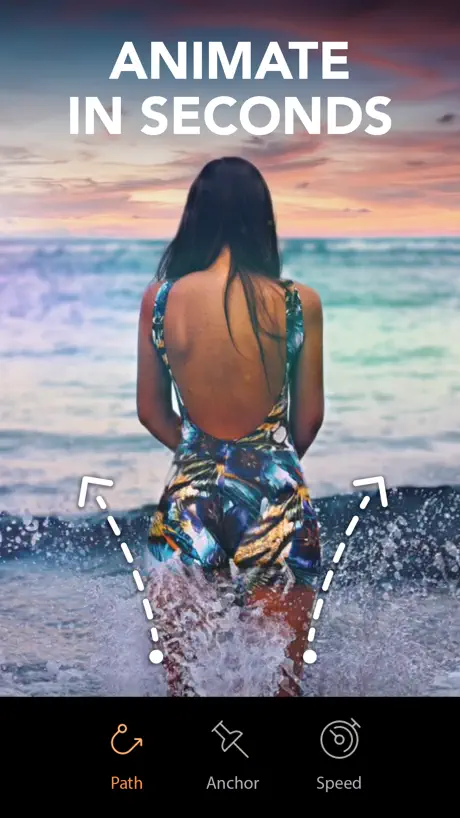  Motionleap: 3D Photo Animator Motionleap: 3D Photo Animator | 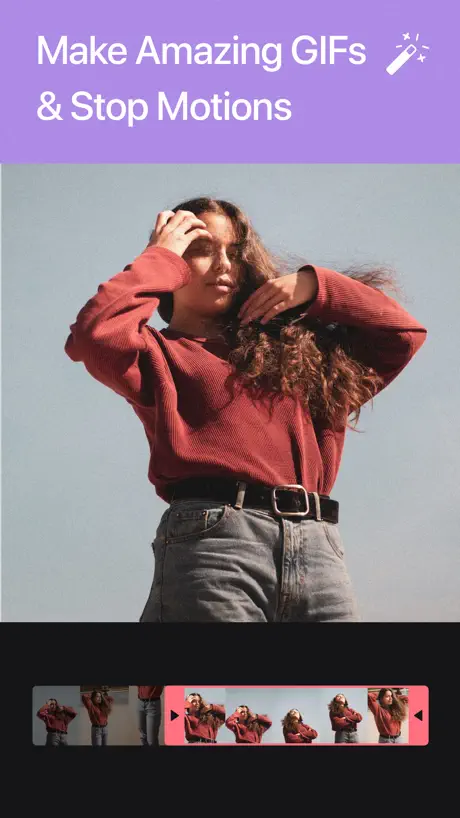  GIF Maker by Momento GIF Maker by Momento | 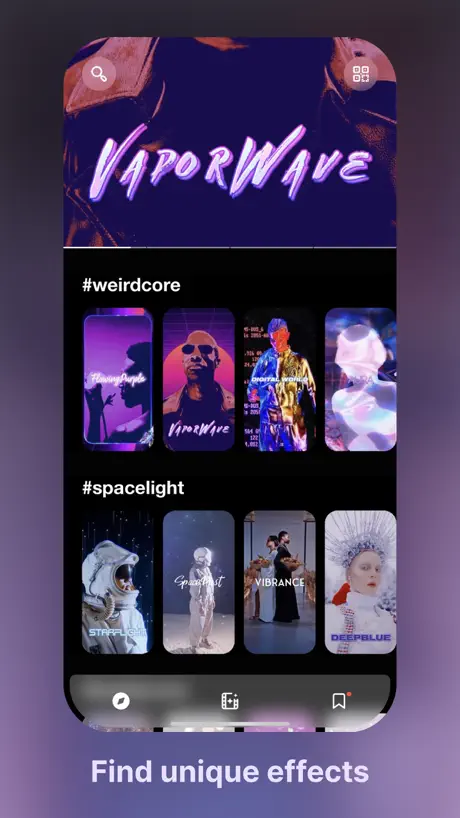  24FPS: Aesthetic Video Effects 24FPS: Aesthetic Video Effects |   GIF Maker ◐ GIF Maker ◐ |   GIF制作格式转换器-斗图gif表情包制作神器 GIF制作格式转换器-斗图gif表情包制作神器 |   GIF Toaster - GIF Maker GIF Toaster - GIF Maker |   Video to GIF - GIF Maker Video to GIF - GIF Maker |   GIF Maker Studio - Create Fun GIF Maker Studio - Create Fun |   GIF制作器 GIF制作器 | |
|---|---|---|---|---|---|---|---|---|---|---|---|
| Rating / 5 | 4.8 | 4.7 | 4.7 | 4.6 | 4.6 | 4.7 | 4.9 | 4.6 | 4.5 | 4.7 | 4.7 |
| Reviews | 284K | 1.1M | 603K | 76K | 43K | 12K | 8.2K | 6.1K | 3.9K | 3.3K | 1.8K |
| Released | 2015 | 2015 | 2018 | 2016 | 2019 | 2018 | 2019 | 2014 | 2015 | 2023 | 2017 |
| Monthly price | $7.99 | — | $5.99 | $9.99 | $3.99 | $1.99 | $0.99 | — | — | $6.99 | — |
| Annual price | $29.99 | — | $19.99 | $39.99 | $23.99 | — | $3.99 | — | — | $29.99 | — |
| One-time price | $4.99 | — | $59.99 | — | — | $7.99 | $1.99 | $2.99 | $1.99 | $49.99 | $1.99 |
The going rate for each plan in United States, in its own currency, shaded from the cheapest price on the row to the dearest. Plans fewer than four in ten of the priced apps sell are left out.
ImgPlay: GIF Maker & Meme reviews
4.8 out of 5, based on 284,451 reviews.
What people like
- Very easy and simple to use
- Great quality GIF creation tools
- Perfect for making stop motion videos
What they complain about
- Forced to pay to remove watermarks
- Many features now locked behind subscriptions
- Frequent bugs and editing errors occur
- Too many ads interrupt your work
Number 1 Gif Maker
These updates are great! The Ai resolution along with GIF dithering and you can set it to 15 mb and it looks great.
Has been app
Used to be a constant tool of mine. Now there are adds and pay to use features. Literally just leaving this review before I delete it from my library so others don’t bother.
Simple and beautiful
I love ImgPlay gif maker because it is simple and that makes it a beautiful app. No complications, creates a gift quickly with high-quality and no extras features to waste my time.
Now broken
I’ll update this review once it’s fixed. GIF search no longer works. The download process fails because the Tenor API has been discontinued.
改悪
前までは30fpsで保存しても滑らかだったのに、カクつくようになった。 残念です。
Great GIF Maker!
I love this app. I like taking a series of photos (often of ocean waves) and putting them together as a gif, and this app does the job well. It’s so easy to use that I don’t hesitate to open it and use it. The user interface is simple, and the adjustments are a breeze.
Somethings weird
It used to work pretty alright a little grainy, but now it doesn’t even let me export just a picture of a girl putting her hands on her mouth and a bunch of words I don’t got time to read and check marks pop up pretty annoying
Makes gifs… what else is there to say?
Slightly annoyed with the bombardment of ads
Decent, but nothing special unless you’re willing to pay.
It works and that’s about the best i can say for it. if you want to do anything other than turn an image or video into a gif (ie adding multiple layers, stickers, etc) you need to pay. if you don’t want an ugly watermark on your gif, you have to either pay or screen record the gif and upload it to a seperate gif website. all in all, i’m not a fan.
订阅价格不合理
明明都是一些简单的操作,在电脑上也能使,还都是免费的,换到平板上面,这个价格确实不怎么合理一天一块多,抠图也不能细调,也没有关键帧。。
Superb gif maker
Best gif-making app out there. Easy-to-use interface, great editing tools and export options, and you can easily limit which video or photo files the app can access. I would give this app 6 stars if I could, it’s one of my all-time favorite apps.
Awful
Impossible to navigate. Extremely convoluted even just to load photos, videos, gifs or go from a project to the home screen.
Good app, somewhat buggy
iOS, When selecting an item to turn into a GIF from my library I am only able to see the most recent 25 or so items. Scrolling through my camera roll is not possible. It is a hassle to find any item past a few days old.
너무 황당해요
3일 무료체험이라길래 월간으로 결제눌렀는데 그냥 냅다 결제됐어요…
What Happened
Why, suddenly, have y’all decided to turn the GIFs we make, into videos? Even if I select “GIF”, and create one, it still turns into a video and I can’t send what I make,because it always says, “File not supported”… Can you please look at the app, try for yourself and see, then fix it?
Gracias imgplay
Es muy buena literalmente cumple con lo q dice además no te obliga a pagar so esta en mi top
inconsistent speeds throughout gif
Used to work very well. Not gifs will randomly speed up and slow down in random places.
As a very small youtuber
So far since I have tried multiple gif makers either not truly few usable or with a giant water mark, this was so far the best with cropping, no random editing stuff like a zoom that rather just zooms in and out, and filter, or paywall on everything, it’s so far so good.
I like it but don’t like it at the same time
I don’t like it when they force you to pay just to take off the credit sticker it’s stupid…
Click bait-ish?
App was easy to understand and use. Has excellent ratings - 4.8 frm 44k. When I went to save/export image, I’m prompted to sign up for a recurring subscription. If this is an ID10T error, I’m happy to change my review.
Go to tool for years!
I've been using this app for years now and it's never let me down.
needs improvement asap
for what imgplay is i'm disaapojyed 1 star because when you select a video the slider/scrubbing bar is SO BAD its almost unusable. I'm not sure why it's at the complete top of the screen either? The fast scrubbing being directly underneath the regular scrubbing is by far the worst design choice IT NEEDS to be changed and separated ASAP. There is countless times where I have a perfect selection just to move it hundreds of frames away from that spot because of the fast scrubbing bar. It's happened to often that I know others have that issue. I keep seeing updates for this app but none of the bugs or issues ever get fixed? I'll name a few right now When you crop after rotating the video it'll automatically crops out of view and you have to reset or move it. (been a bug for over a year) Another bug is the videos taking absolutely forever to load or won't load at all. Some days this isn't even an issues. I know that can be icloud, but this was never an issue previously and it happens with regular videos on my phone too. When you're editing frames sometimes when you're done it'll go back to the default layout from what you have selected (full, half or quarter) , i've wasted SO much time tinkering the frames to be perfect and BOOM i click done and it goes back to where it was. The app just isn't really worth the pro version and I wish i could go back to the original version without the frame cropping or loading issues...
Needs a save as Live Photo option
Giphy allows you to save as Live Photo, which then you can use to create iPhone live stickers. Only thing this is missing for my use cases
프로인데 왜 오류나는거죠
프로인데 평생구매로 약관동의했는데 왜 오류나죠
Heads Up
If you’ve had this in the past and paid previously, the gif file size feature has been moved to the premium subscription version.
Lo amo!
Uso esto para editar videos, y para ponerles textos dinámicos a fotos, convertirlas en gif, es divertido y muy fácil de usar ❤️
Does not work for Youtube
Does not allow for using Youtube videos to make GIFs even though the App store ad says it does.
My opinions on this app
This app is very very cool but I don’t like that when you play the GifIt does not let you hear any sound which is so annoying please fix that problem
오류 왜나는거죠
요즘은 구독제로 비뀌었나보군요 구독제 이전부터 프로업해서 사용중인사람인데 왜 갑자기 사용이 안되는걸까요 분명 결제당시 약관으로 지금 저는 정상이용이 되어야 할텐데 말이죠
구독 잘못했어요 환불 부탁드립니다.
무료구독인줄 알았는데 연간결제 잘못결제 되었습니다. 환불 부탁드립니다.
Suddenly my gifs are not working
I’ve Bern happily using this app as my main media source , and suddenly , a few days ago, it stopped working !! Please help
Watermark
Used to be great, but now i am told i have to subscribe to something i rarely use to remove the watermark. So essentaily I am just throwing you free money. Ill find an ai to do it locally on my pc thanks.
Change it back to how it was, I don’t want to have premium to be able to optimize my GIF
I absolutely love this app, love it. However a recent update made it that you have to upgrade to premium to optimize your GIF, which I really don’t like. I know they need their money or whatever, but I really liked it how it was before and it doesn’t even seem like it does make money.
제발 이것만 고쳐주세요
다 좋은데 사진 여러장을 만들고 저장해보면 화질이 너무 깨져요 화질좀 안깨지게 해주세요 ㅠㅠㅠ 유료 결제해서 쓰는데 꼭 여러장을 만들게되면 너무 깨져서 인물이 제대로 보이지도 않아요
想用旧版
新版本真难用
SO SIMPLE
Love it
POS
Does not animate photos on my device. Tells you how to cancel subscription but I can't find where that cancel command is.
,,,
아니 잘되다가 왜 갑자기 회색으로 저장되는거에요? 휴 답답해요 입술색이 왜 보라색이 되냐구요 하 결제도했는데;;
유료판 잘 쓰고 있었는데
구독제 되기전에 결제했었고 구독제 이후에 앱에서 구매복구가 안되길래 메일로 구매복구 받았었는데 그 때 사용한 뒤 시간 지나고 또 쓰려고 보면 다시 초기화되어있어서 다시 메일로 구매복구 받았었어요 그리고 이후에 또 오랜만에 쓰려니까 다시 초기화돼서 구매복구 안되길래.. 쓸 때마다 메일 보내기로 번거로워서 걍 앱삭합니다..
安卓和ios会员价格不一样
我们用ios的就是大怨种吗 安卓永会200出头 我们ios的就要268
Stop motion
This is the perfect app to edit my stop motion projects. I love this app so much. It’s so worth it!
SCAM
This is a SCAM and… people need to know. I was desperate of finding the perfect gif app and found this. I think to myself “it’s the best one so far” and I downloaded it, not knowing it was not free.YOU SEE HOW ITS A SCAM?! Sorry… but wow. Are the developers like… like forcing people to give them a good review? Is that what this is? I have so many questions.🙂 Developers, if you even read this.. PLEASE PLEASE PLEASE make this app free. OR SO HELP ME! ❤️-a hater
編集
ゼペットや、その他で良く編集するのですが、このアプリは、アイコンにも動き付けれたり色んな活躍をしてくれるのでとても素敵なアプリだと思います。星4は、もう少し次々安ければいいなぁーって所です
200프레임과 대비설정
200프레임짜리 30fps움짤을 만들려고 할때 199프레임만 불려오는 경우가 빈번하고 대비는 1,2,3 하나씩 설정 가능한게 아니라 1,3,6 이런식으로 중간에 있는 값들은 설정이 불가능하네요. 그리고 크기를 손으로 조절할때 비율도 같이 옆에 표시해줬으면 좋을것 같습니다.
스티커팩 다운 안됨
2025 스티커팩 다운 누르면 “알 수 없는 오류로 작업이 중단”되었다고 떠요 하필 딱 필요할 시기에.. 하 ㅠㅠ ++ 추가 앱 삭제 후 다시 다운, 폰 재부팅 해도 해결 안됩니다
Gud
Gud
Buyer Beware
I caught this app using my front camera in the background when my phone was locked. My watch makes suggestions to use various tools depending on various contexts. One such context is when the camera is open, my watch will suggest the use of the camera remote. My watch suggested to use my camera remote randomly and would not dismiss. I looked at my locked phone (it was kinda dark in the room, and inside the Dynamic Island I saw the little red infrared light barely and dimly on (mind you my phone was on the table and I was not touching or moving it). I recalled that I downloaded this app earlier today and remembered having to agree to their terms of service in order to use the app (red flag). On a whim I uninstalled the app to see if that did anything and wouldn’t you know it, my watch suggestion went away and I no longer saw the dim red light in my Dynamic Island.
무료 체험이라고 했는데 결제 됐네요…
분명 무료체험이라는 문구를 보고 결제수단 등록했는데 하자마자 결제 돼버렸네요… 다른 건 다 좋은데…. 가뜩이나 거지로 살고 있는데 3000원이 날아가서 상당히 속상합니다…
うーん
評価高いから入れたけど右下にロゴあって課金しないと消せないみたいな感じで結構課金しないと何もできない
입술색이 갑자기 왜이래요?
프로결제로 움짤변환으로만 반년이상 잘 쓰고있는데 갑자기 움짤로 만들어버리면 결과물에.입술이 보라색으로 변해요. 어디에서찍은사진이던.다요. 조치해주세요 움짤변환 시 입술컬러에 문제가 생겼습니다
ImgPlay: GIF Maker & Meme price by country
A weekly subscription costs $1.87 in Nigeria and $4.62 in Hungary — 2× more for the same thing. Below is the going rate for each plan in every country that sells it — the middle price of what the app charges there, in the country's own currency with the dollar equivalent beneath it.
| Country | Weekly | Monthly | Annual | One-time |
|---|---|---|---|---|
| Afghanistan | $2.99 | $7.99 | $29.99 | $4.99 |
| Albania | $3.99 | $9.99 | $34.99 | $5.99 |
| Algeria | $2.99 | $7.99 | $29.99 | $4.99 |
| Angola | $2.99 | $7.99 | $29.99 | $4.99 |
| Anguilla | $2.99 | $7.99 | $29.99 | $4.99 |
| Antigua And Barbuda | $2.99 | $7.99 | $29.99 | $4.99 |
| Argentina | $2.99 | $7.99 | $29.99 | $4.99 |
| Armenia | $3.99 | $9.99 | $34.99 | $5.99 |
| Australia | A$4.99$3.56 | A$12.99$9.28 | A$49.99$35.71 | A$7.99$5.71 |
| Austria | €2.99$3.40 | €8.99$10.23 | €34.99$39.81 | €5.99$6.81 |
| Azerbaijan | $2.99 | $9.99 | $34.99 | $5.99 |
| Bahamas | $2.99 | $8.99 | $29.99 | $4.99 |
| Bahrain | $2.99 | $8.99 | $29.99 | $4.99 |
| Barbados | $3.99 | $9.99 | $34.99 | $5.99 |
| Belarus | $3.99 | $9.99 | $34.99 | $5.99 |
| Belgium | €2.99$3.40 | €8.99$10.23 | €34.99$39.81 | €5.99$6.81 |
| Belize | $2.99 | $7.99 | $29.99 | $4.99 |
| Benin | $3.99 | $9.99 | $34.99 | $5.99 |
| Bermuda | $2.99 | $7.99 | $29.99 | $4.99 |
| Bhutan | $2.99 | $7.99 | $29.99 | $4.99 |
| Bolivia | $2.99 | $7.99 | $29.99 | $4.99 |
| Bosnia & Herzegovina | €2.99$3.40 | €8.99$10.23 | €34.99$39.81 | €5.99$6.81 |
| Botswana | $2.99 | $7.99 | $29.99 | $4.99 |
| Brazil | R$14.90$2.86 | R$49.90$9.58 | R$199.90$38.37 | R$29.90$5.74 |
| British Virgin Islands | $2.99 | $7.99 | $29.99 | $4.99 |
| Brunei Darussalam | $2.99 | $7.99 | $29.99 | $4.99 |
| Bulgaria | €3.49$3.97 | €8.99$10.23 | €34.99$39.81 | €5.99$6.81 |
| Burkina Faso | $2.99 | $7.99 | $29.99 | $4.99 |
| Cambodia | $2.99 | $8.99 | $29.99 | $4.99 |
| Cameroon | $3.99 | $9.99 | $34.99 | $5.99 |
| Canada | CA$3.99$2.81 | CA$9.99$7.04 | CA$39.99$28.16 | CA$6.99$4.92 |
| Cape Verde | $2.99 | $7.99 | $29.99 | $4.99 |
| Cayman Islands | $2.99 | $7.99 | $29.99 | $4.99 |
| Chad | $2.99 | $7.99 | $29.99 | $4.99 |
| Chile | CLP 2,990$3.21 | CLP 9,990$10.72 | CLP 34,990$37.56 | CLP 5,990$6.43 |
| China | CN¥15.00$2.23 | CN¥58.00$8.63 | CN¥198.00$29.46 | CN¥38.00$5.65 |
| Colombia | COP 14,900$4.51 | COP 39,900$12.09 | COP 129,900$39.35 | COP 24,900$7.54 |
| Congo | $2.99 | $7.99 | $29.99 | $5.99 |
| Congo, Democratic Republic | $2.99 | $7.99 | $29.99 | $4.99 |
| Costa Rica | $2.99 | $7.99 | $29.99 | $4.99 |
| Cote Divoire | $2.99 | $9.99 | $34.99 | $5.99 |
| Croatia | €2.99$3.40 | €8.99$10.23 | €34.99$39.81 | €5.99$6.81 |
| Cyprus | €2.99$3.40 | €8.99$10.23 | €34.99$39.81 | €5.99$6.81 |
| Czech Republic | CZK 79.00$3.68 | CZK 199.00$9.28 | CZK 799.00$37.25 | CZK 129.00$6.01 |
| Denmark | DKK 29.00$4.41 | DKK 69.00$10.50 | DKK 249.00$37.90 | DKK 39.00$5.94 |
| Dominica | $2.99 | $7.99 | $29.99 | $4.99 |
| Dominican Republic | $2.99 | $7.99 | $29.99 | $4.99 |
| Ecuador | $2.99 | $7.99 | $29.99 | $4.99 |
| Egypt | EGP 99.99$1.92 | EGP 399.99$7.68 | EGP 1,499.99$28.81 | EGP 249.99$4.80 |
| El Salvador | $2.99 | $7.99 | $29.99 | $4.99 |
| Estonia | €2.99$3.40 | €8.99$10.23 | €34.99$39.81 | €5.99$6.81 |
| Fiji | $2.99 | $7.99 | $29.99 | $4.99 |
| Finland | €2.99$3.40 | €8.99$10.23 | €34.99$39.81 | €5.99$6.81 |
| France | €2.99$3.40 | €8.99$10.23 | €34.99$39.81 | €5.99$6.81 |
| Gabon | $2.99 | $7.99 | $29.99 | $4.99 |
| Gambia | $2.99 | $7.99 | $29.99 | $4.99 |
| Georgia | $3.99 | $9.99 | $34.99 | $5.99 |
| Germany | €2.99$3.40 | €8.99$10.23 | €34.99$39.81 | €5.99$6.81 |
| Ghana | $3.99 | $9.99 | $34.99 | $5.99 |
| Greece | €2.99$3.40 | €8.99$10.23 | €34.99$39.81 | €5.99$6.81 |
| Grenada | $2.99 | $7.99 | $29.99 | $4.99 |
| Guatemala | $2.99 | $7.99 | $29.99 | $4.99 |
| Guinea-bissau | $2.99 | $7.99 | $29.99 | $4.99 |
| Guyana | $2.99 | $7.99 | $29.99 | $4.99 |
| Honduras | $2.99 | $7.99 | $29.99 | $4.99 |
| Hong Kong | HK$22.00$2.81 | HK$58.00$7.40 | HK$228.00$29.08 | HK$38.00$4.85 |
| Hungary | HUF 1,490$4.62 | HUF 3,490$10.81 | HUF 12,990$40.25 | HUF 1,990$6.17 |
| Iceland | $3.99 | $9.99 | $34.99 | $5.99 |
| India | ₹299.00$3.11 | ₹799.00$8.32 | ₹2,999.00$31.22 | ₹499.00$5.19 |
| Indonesia | IDR 49,000$2.72 | IDR 129,000$7.17 | IDR 499,000$27.75 | IDR 99,000$5.50 |
| Iraq | $2.99 | $7.99 | $29.99 | $4.99 |
| Ireland | €2.99$3.40 | €8.99$10.23 | €34.99$39.81 | €5.99$6.81 |
| Israel | ₪9.90$3.31 | ₪29.90$10.00 | ₪99.90$33.41 | ₪17.90$5.99 |
| Italy | €2.99$3.40 | €8.99$10.23 | €34.99$39.81 | €5.99$6.81 |
| Jamaica | $2.99 | $7.99 | $29.99 | $4.99 |
| Japan | ¥400$2.54 | ¥1,300$8.26 | ¥5,000$31.78 | ¥800$5.09 |
| Jordan | $2.99 | $7.99 | $29.99 | $4.99 |
| Kazakhstan | KZT 1,490.00$3.38 | KZT 4,990.00$11.32 | KZT 17,990.00$40.83 | KZT 2,990.00$6.79 |
| Kenya | $3.99 | $9.99 | $34.99 | $5.99 |
| Kosovo | €2.99$3.40 | €8.99$10.23 | €34.99$39.81 | €5.99$6.81 |
| Kuwait | $2.99 | $7.99 | $29.99 | $4.99 |
| Kyrgyzstan | $2.99 | $8.99 | $29.99 | $4.99 |
| Lao Peoples Democratic Republic | $2.99 | $8.99 | $29.99 | $4.99 |
| Latvia | €2.99$3.40 | €8.99$10.23 | €34.99$39.81 | €5.99$6.81 |
| Lebanon | $2.99 | $7.99 | $29.99 | $4.99 |
| Liberia | $2.99 | $7.99 | $29.99 | $4.99 |
| Libya | $2.99 | $7.99 | $29.99 | $4.99 |
| Lithuania | €2.99$3.40 | €8.99$10.23 | €34.99$39.81 | €5.99$6.81 |
| Luxembourg | €2.99$3.40 | €8.99$10.23 | €34.99$39.81 | €5.99$6.81 |
| Macao | $2.99 | $7.99 | $29.99 | $4.99 |
| Macedonia | $2.99 | $7.99 | $29.99 | $4.99 |
| Madagascar | $2.99 | $7.99 | $29.99 | $4.99 |
| Malawi | $2.99 | $7.99 | $29.99 | $4.99 |
| Malaysia | MYR 14.90$3.65 | MYR 39.90$9.78 | MYR 129.90$31.84 | MYR 22.90$5.61 |
| Maldives | $2.99 | $7.99 | $29.99 | $4.99 |
| Mali | $2.99 | $7.99 | $29.99 | $4.99 |
| Malta | €2.99$3.40 | €8.99$10.23 | €34.99$39.81 | €5.99$6.81 |
| Mauritania | $2.99 | $7.99 | $29.99 | $4.99 |
| Mauritius | $2.99 | $7.99 | $29.99 | $5.99 |
| Mexico | MX$69.00$3.85 | MX$179.00$10.00 | MX$599.00$33.46 | MX$99.00$5.53 |
| Micronesia | $2.99 | $7.99 | $29.99 | $4.99 |
| Moldova | $3.99 | $9.99 | $34.99 | $5.99 |
| Mongolia | $2.99 | $7.99 | $29.99 | $4.99 |
| Montenegro | €2.99$3.40 | €6.99$7.95 | €29.99$34.12 | €4.99$5.68 |
| Montserrat | $2.99 | $7.99 | $29.99 | $4.99 |
| Morocco | $2.99 | $7.99 | $29.99 | $5.99 |
| Mozambique | $2.99 | $7.99 | $29.99 | $4.99 |
| Myanmar | $2.99 | $7.99 | $29.99 | $4.99 |
| Namibia | $2.99 | $7.99 | $29.99 | $4.99 |
| Nauru | $2.99 | $7.99 | $29.99 | $4.99 |
| Nepal | $2.99 | $9.99 | $34.99 | $5.99 |
| Netherlands | €2.99$3.47 | €8.99$10.44 | €34.99$40.64 | €5.99$6.96 |
| New Zealand | NZ$4.99$2.82 | NZ$14.99$8.47 | NZ$49.99$28.24 | NZ$9.99$5.64 |
| Nicaragua | $2.99 | $7.99 | $29.99 | $4.99 |
| Niger | $2.99 | $7.99 | $29.99 | $4.99 |
| Nigeria | NGN 2,500.00$1.87 | NGN 12,900.00$9.64 | NGN 49,900.00$37.30 | NGN 7,900.00$5.91 |
| Norway | NOK 39.00$4.18 | NOK 99.00$10.60 | NOK 399.00$42.72 | NOK 59.00$6.32 |
| Oman | $2.99 | $7.99 | $29.99 | $4.99 |
| Pakistan | PKR 900$3.25 | PKR 2,200$7.94 | PKR 7,900$28.52 | PKR 1,300$4.69 |
| Palau | $2.99 | $7.99 | $29.99 | $4.99 |
| Panama | $2.99 | $7.99 | $29.99 | $4.99 |
| Papua New Guinea | $2.99 | $7.99 | $29.99 | $4.99 |
| Paraguay | $2.99 | $7.99 | $29.99 | $4.99 |
| Peru | PEN 12.90$3.77 | PEN 34.90$10.20 | PEN 129.90$37.98 | PEN 22.90$6.70 |
| Philippines | ₱179.00$2.85 | ₱499.00$7.95 | ₱1,990.00$31.72 | ₱299.00$4.77 |
| Poland | PLN 14.99$3.90 | PLN 39.99$10.41 | PLN 129.99$33.85 | PLN 24.99$6.51 |
| Portugal | €2.99$3.40 | €8.99$10.23 | €34.99$39.81 | €5.99$6.81 |
| Qatar | QAR 9.99$2.74 | QAR 29.99$8.24 | QAR 99.99$27.47 | QAR 19.99$5.49 |
| Romania | RON 14.99$3.23 | RON 39.99$8.62 | RON 149.99$32.33 | RON 29.99$6.46 |
| Russia | RUB 249.00$2.95 | RUB 699.00$8.28 | RUB 2,490.00$29.51 | RUB 449.00$5.32 |
| Rwanda | $2.99 | $7.99 | $29.99 | $4.99 |
| Sao Tome & Principe | $2.99 | $7.99 | $29.99 | $4.99 |
| Saudi Arabia | SAR 12.99$3.46 | SAR 34.99$9.33 | SAR 129.99$34.66 | SAR 19.99$5.33 |
| Senegal | $2.99 | $9.99 | $34.99 | $5.99 |
| Serbia | €2.99$3.40 | €8.99$10.23 | €34.99$39.81 | €5.99$6.81 |
| Seychelles | $2.99 | $7.99 | $29.99 | $4.99 |
| Sierra Leone | $2.99 | $7.99 | $29.99 | $4.99 |
| Singapore | SGD 3.98$3.11 | SGD 9.98$7.80 | SGD 39.98$31.23 | SGD 6.98$5.45 |
| Slovakia | €2.99$3.40 | €8.99$10.23 | €34.99$39.81 | €5.99$6.81 |
| Slovenia | €2.99$3.40 | €8.99$10.23 | €34.99$39.81 | €5.99$6.81 |
| Solomon Islands | $2.99 | $7.99 | $29.99 | $4.99 |
| South Africa | ZAR 59.99$3.66 | ZAR 149.99$9.14 | ZAR 599.99$36.56 | ZAR 99.99$6.09 |
| South Korea | ₩4,400$3.24 | ₩11,000$8.09 | ₩44,000$32.38 | ₩7,700$5.67 |
| Spain | €2.99$3.40 | €8.99$10.23 | €34.99$39.81 | €5.99$6.81 |
| Sri Lanka | $2.99 | $7.99 | $29.99 | $4.99 |
| St. Kitts and Nevis | $2.99 | $7.99 | $29.99 | $4.99 |
| St. Lucia | $2.99 | $7.99 | $29.99 | $4.99 |
| St. Vincent & The Grenadines | $2.99 | $7.99 | $29.99 | $4.99 |
| Suriname | $2.99 | $8.99 | $29.99 | $4.99 |
| Swaziland | $2.99 | $7.99 | $29.99 | $4.99 |
| Sweden | SEK 39.00$3.92 | SEK 99.00$9.94 | SEK 399.00$40.06 | SEK 69.00$6.93 |
| Switzerland | CHF 3.00$3.61 | CHF 7.00$8.41 | CHF 25.00$30.05 | CHF 4.00$4.81 |
| Taiwan | NT$90.00$2.83 | NT$290.00$9.12 | NT$990.00$31.12 | NT$150.00$4.72 |
| Tajikistan | $2.99 | $8.99 | $29.99 | $4.99 |
| Tanzania | TZS 9,900.00$3.74 | TZS 22,900.00$8.65 | TZS 89,900.00$33.97 | TZS 14,900.00$5.63 |
| Thailand | THB 99.00$2.95 | THB 299.00$8.90 | THB 999.00$29.74 | THB 199.00$5.92 |
| Tonga | $2.99 | $7.99 | $29.99 | $4.99 |
| Trinidad and Tobago | $2.99 | $7.99 | $29.99 | $4.99 |
| Tunisia | $2.99 | $7.99 | $29.99 | $4.99 |
| Turkey | TRY 99.99$2.04 | TRY 399.99$8.16 | TRY 1,499.99$30.61 | TRY 249.99$5.10 |
| Turkmenistan | $2.99 | $7.99 | $29.99 | $4.99 |
| Turks and Caicos | $2.99 | $7.99 | $29.99 | $4.99 |
| Uganda | $3.99 | $9.99 | $34.99 | $5.99 |
| Ukraine | $3.99 | $9.99 | $34.99 | $5.99 |
| United Arab Emirates | AED 12.99$3.54 | AED 29.99$8.17 | AED 119.99$32.69 | AED 19.99$5.45 |
| United Kingdom | £2.99$3.97 | £7.99$10.60 | £29.99$39.77 | £4.99$6.62 |
| United States | $2.99 | $7.99 | $29.99 | $4.99 |
| Uruguay | $2.99 | $7.99 | $29.99 | $4.99 |
| Uzbekistan | $2.99 | $8.99 | $29.99 | $4.99 |
| Vanuatu | $2.99 | $7.99 | $29.99 | $4.99 |
| Venezuela | $2.99 | $7.99 | $29.99 | $4.99 |
| Vietnam | ₫79,000$3.04 | ₫249,000$9.57 | ₫999,000$38.41 | ₫149,000$5.73 |
| Yemen | $2.99 | $7.99 | $29.99 | $4.99 |
| Zambia | $2.99 | $9.99 | $34.99 | $5.99 |
| Zimbabwe | $3.99 | $9.99 | $34.99 | $5.99 |
ImgPlay: GIF Maker & Meme FAQ
- Is ImgPlay: GIF Maker & Meme free?
- Yes. The app and its basic features are free, in all 175 countries it sells in. Premium features are paid: they start from $2.99 (US), across 3 subscriptions and 2 one-time purchases.
- How much does ImgPlay: GIF Maker & Meme cost per month?
- Monthly ImgPlay Pro is $7.99 – 9.99 (US). The annual plan works out cheaper per month: $29.99 a year.
- Does ImgPlay: GIF Maker & Meme have a free trial?
- Yes — a 3 days free trial (US).
- Where is ImgPlay: GIF Maker & Meme cheapest?
- A weekly subscription costs NGN 2,500.00 (≈$1.87) in Nigeria and HUF 1,490 (≈$4.62) in Hungary, its cheapest and dearest countries.
- What are the best alternatives to ImgPlay: GIF Maker & Meme?
- GIPHY: The GIF Search Engine (4.7 from 1,097,713 reviews), Motionleap: 3D Photo Animator (4.7 from 602,814 reviews, premium from $3.99) and GIF Maker by Momento (4.6 from 76,215 reviews, premium from $2.99).
ImgPlay: GIF Maker & Meme download
Last updated 1 month ago.
ImgPlay: GIF Maker & Meme sells in 175 countries. It was released 11 years and 3 months ago, on 23 Jun 2015. It holds a 4.8 rating from 284,451 reviews.
Supports 14 languages: English, French, German, Indonesian, Italian, Japanese, Korean, Portuguese, Russian, Chinese, Spanish, Thai, Turkish, Vietnamese.
How much does ImgPlay: GIF Maker & Meme make?
Third-party estimates for the last 30 days, worldwide — not the store's own figures, which Apple publishes for nobody.
Revenue by plan
- One-time 36%
- Weekly 29%
- Annual 24%
- Monthly 11%
Revenue by country
- United States 27%
- China 15%
- South Korea 12%
- Japan 11%