
Hubstaff Time Tracker
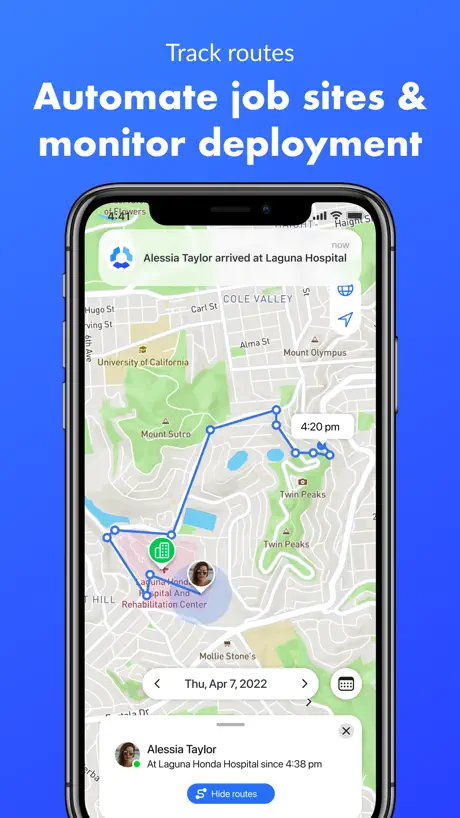
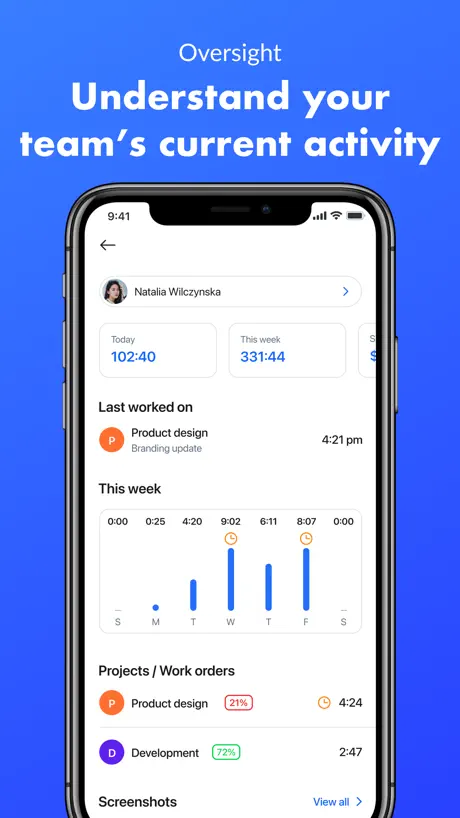
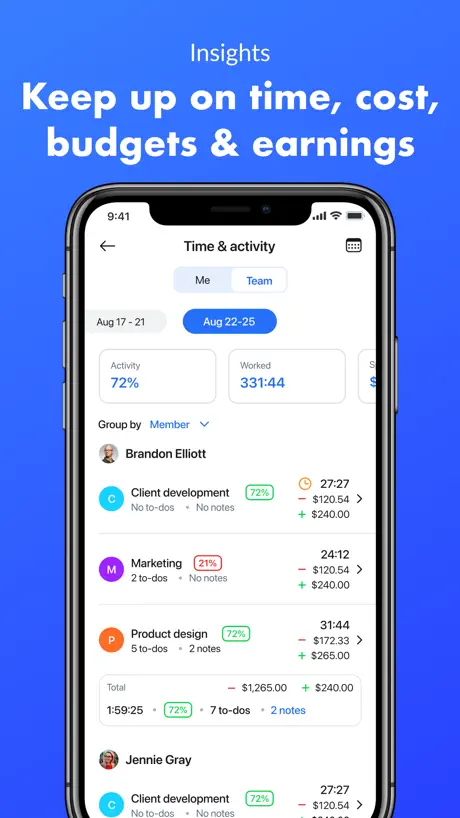
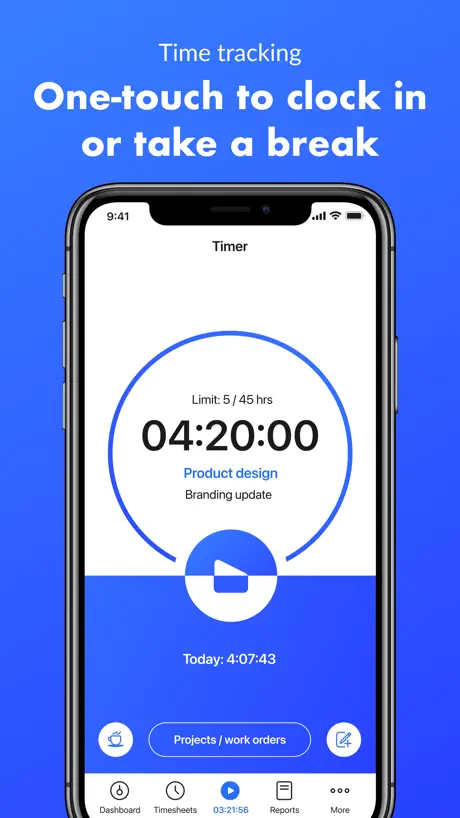
Work hours & GPS logs
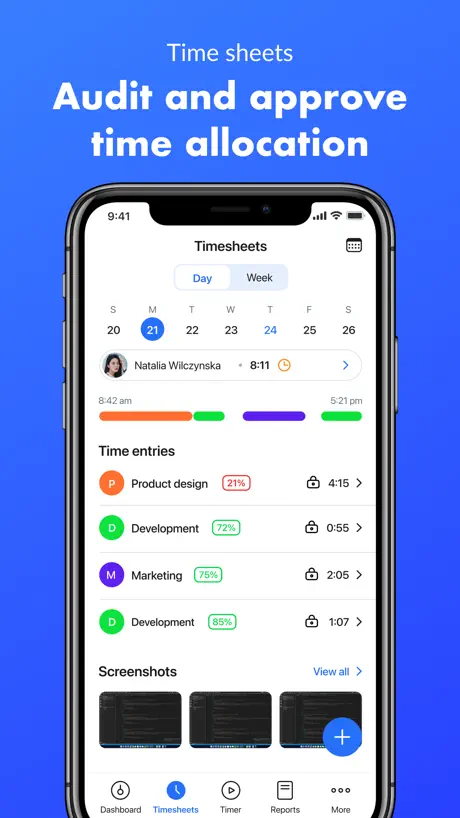
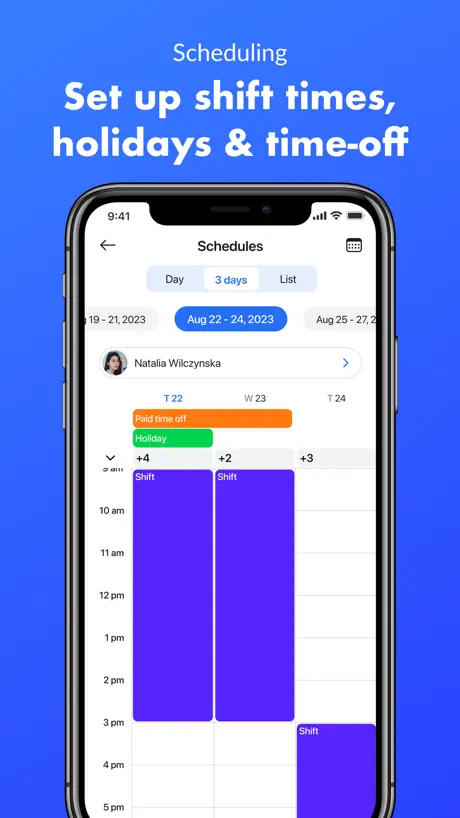
How much does Hubstaff Time Tracker cost?
Prices are current as of 13 Nov 2026.
Hubstaff Time Tracker has no in-app products on record in the United States.
10+ alternatives to Hubstaff Time Tracker
| Hubstaff Time Tracker |   Airtable |   ClickUp: Tasks, Chat, Docs, AI |   Zoho Cliq - Team Communication |   Clockify Time Tracker |   Lead Connector |   Google Admin |   TimeCamp Time Tracker |   KBSPresence |   Instantly AI |   Time Doctor 2 | |
|---|---|---|---|---|---|---|---|---|---|---|---|
| Rating / 5 | 4.6 | 4.8 | 4.7 | 4.8 | 4.6 | 4.5 | 1.9 | 3.4 | 2.4 | 3.8 | 2.4 |
| Reviews | 3K | 50K | 32K | 26K | 11K | 5.2K | 1.7K | 229 | 201 | 122 | 26 |
| Released | 2015 | 2014 | 2020 | 2015 | 2017 | 2021 | 2014 | 2014 | 2017 | 2024 | 2023 |
Hubstaff Time Tracker reviews
4.6 out of 5, based on 2,987 reviews.
What people like
- Very simple and easy to use
- Works smoothly on phone and computer
- Does not drain your battery fast
What they complain about
- App crashes immediately upon opening
- iPad interface ignores landscape mode
- Logs time when you are asleep
- Support team is slow and unhelpful
Good
It’s good to use
Terrible Billing and Service
I do not recommend Hubstaff. They provided no courtesy or flexibility regarding a billing charge and refused to issue a refund. To make matters worse, they then disabled my access to the account for over two months. Very disappointing customer service and overall experience.
Please enable landscape mode on iPad
using the app on iPad with a Smart keyboard makes a bit complex as it doesn’t support landscape mode.
So buggy
Do better!
Bells & whistles
The app works really well. . . except that there’s no bells whistles or alarm to say hey you are out of time when you set limits. Instead I get a silent notification saying times up and when I actually look at the phone to clock out, it tells me how much time it’s shaving off bc I went over. Not helpful. I am not trying to give away free time. 😒 The alarm on the phone’s timer is loud, I wish this one was too. This change would change my rating and review for sure. It’s otherwise a nearly perfect tool.
The best truffles
Oh my god! Chocolate is good.
No widget
No widget yet in 2025!!
Great but
Hubstaff sometimes doesn’t record my time continuously. After working an 8 hour day, sometimes hubstaff will only record three of those hours which is unfortunate. Thankfully my boss will reimburse me for the time that is not accounted for.
Mobile app does not work
After the last updates of the app, the mobile version does not work. When I open the app, it shuts down immediately. I tried to reinstall it, checked the settings that Hubstaff is allowed to work in the background. None of this solved the issue.
Logs out all the time
I find it very inconvenient that the app constantly logs me out.
Great customer service
I got off to a rocky start, but once I spoke up, the HS team walked me through set up. It was a bit complicated (at least for me) but my staff finds it easy to use.
Upgrade problem
From the day view no longer can switch employees view and see their tracked times and screenshots. Please fix it. It seems like every new upgrade ruins something else. Instead of adding new features, how about a production grade app that works?
Amazing tool
I think the app is very reliable, love how I don't have too worry about installing it everywhere cause now they offer web time tracker. I only think the integration with Redbooth for example a new work team I join it takes a while to show up on the desktop app. Other than that, the best experience for time tracking. Thank you
My projects are missing
Most times my project kept on missing.
Screenshots
Doesn’t take screenshots on iPad
Easy to use.
My work place tracks our time with Hubstaff and the mobile app makes it easy to track when away from my computer. I can edit if needed on my computer later so I like that it's flexible and integrated that way.
Incredibly Buggy
To think that a widely used commercial software app would be this buggy, especially one which is supposed to be tracking and safeguarding important personal data, is frankly appalling. Adding or editing time is sometimes impossible (even though it’s a common task in our company) and often causes fatal bugs (app freezes up). Project lists only pop up half the time, until you log out and log back in. It’s nauseating using this app on an iPhone 16 Pro with the latest OS because it’s so flakey & inconsistent. I would recommend tracking your time any way EXCEPT Hubstaff.
Great app!
Hubstaff has a friendly UI and seems to be loaded with features, and when i downloaded the app I was looking for a program to help me keep track of the time i spent on each task during the day so i can invoice accurately, which i am sure this app does. however, as I am the only 'staff' member in my company (sole trader) I felt that it could be either sripped back a touch or have a 'personal' or 'sole trader' operating mode. i.e One staff member, a list of tasks that the user has entered, date and time, stopwatch feature.. so its simply choose your current task from the list and hit start on the stop watch. Then once the task is complete (or you shift focus to a differant task) just press stop and choose another task from the list , or simply close the app
Landscape mode for iPad
Please fix the landscape mode for iPad, it’s not difficult to do that
Good, but
Could you please add the iPad version of the app? At least just landscape orientation. It’s really crucial for me. I’m doing business from the iPad and Hubstaff is essential part of it. The interface experience is unsatisfied yet.
So easy to use
I’ve used a few different time tracking services. Hubstaff is by far the easiest to use. The flexibility of using it on my Mac, iPhone or iPad is great!
The new update crashes! Plse fix
A new update causes the app to crash as soon as you open it! It’s unusable now. Please fix asap!
It's useful but...
I wish for the desktop app there was a dark mode. As a developer I just don't like it's brightness. And I'm also a little aggravated that it checks to make sure I'm doing stuff all the time. I work on multiple machines and some days it will stop my timer and say I wasn't working. Then I have to go to my boss and get it fixed. It's just an unnecessary hassle. For what it gets right though, it gets really right.
Wouldn’t confirm email
Kept hitting the link to confirm email and it wouldn’t work. Deleted app.
Not for Apple Watch
It works very well but I have 3 negatives. 1. It’s clunky & needs an UX/UI overhauling 2. You can’t do trivial things like sort your projects & To-do lists. Would be great to sort ‘alphabetically’ or ‘Most recent’ 3. Imagine how GREAT this iPhone version would work on AppleWatch. Currently (July2020) it cannot
:)
Great app. Easy to use & my team loves it.
Was difficult to navigate and not useful for our company.
Recommendation on this is low as it was not user friendly or did not full function after purchasing add ons that were constantly advertised to fix a issue.
Awesome app
Great app, easy to use, clear clean cut presentation. Makes my scheduling as a independent contractor a breeze! Definitely recommend at least trying to see if it fits your needs!
No landscape view
I’m working on a iPad Pro w/ a Magic Keyboard, so it’s not user-friendly at all to look at the portrait mode. Add landscape view. Your UI is not complicated at all to do such thing. Should have been there from the very beginning.
Timer bug
The app is nice and all but the timer freezes when I’m not in the app, so I lost close to 4 hours worth or more
Loving it!
I’m working as a contractor for a developer agency and I absolutely love working with hubstaff. The ability to add notes in the time stamps and hubstaff tasks are the most epic features for me. Highly recommend it! Thank you hubstaff team.
Garbage
Registered 13 hours for no reason. It turned on by itself at 1 am. Pile of dogsh€€t
Tested and Trusted
There are things to be desired about the platform, but I assume they will fix these issues with time. For instance, we have struggled with the web version, and wasted valuable time dealing with slow support on a login issue with one of our employees. But, the mobile and desktop apps work well, and cross platform use beats other time tracking apps. We tried two other programs while we waited for hubstaff to fix our issues and ended up coming back — I think that says a lot.
Such a promising app, but a few dealbreakers
This is well executed app, but there were two deal breakers for me: 1. Requiring location services. I can imagine that there are location based features that might be interesting, but it should not be a requirement for the app. I cannot record time without sacrificing privacy and sharing my location. 2. The iPad app is portrait-only. How is that still a thing. Many of us use iPads in landscape, attached to a keyboard, and portrait only apps are a complete non-starter. There are too many other good time tracking apps out there.
Easy to use
I use Hubstaff on my iPhone and the desktop version for work. My company requires all remote workers to track their time for projects (for billing purposes) and bonus opportunities. Both applications work great. I like the mobile app because I can log time from my phone and not have to log into my computer when tracking certain activities. It’s super easy to use and doesn’t take up a lot of space on my phone, so it doesn’t bog down performance or sap my battery.
Error fot version
It want to update app My app is last version
Solid Design but confusing pricing
A friend of mine recommended this app to keep track of my hours and the design was clean and pleasing to the eye but I was confused by the pricing and wasn’t sure when/how/ if I’d be charged.
So helpful!
Hubstaff is a great way to track my productivity at work. It has helped me demonstrate to my managers what I am working on and how much time I need to dedicate to each project. Great tool!
Logs me out every time I close the app.
I can't use this stupid app because every time I close it, I have to log back in later! And my passwords are all different and very secure so it's difficult because then I have to go figure out what the password is and it's just a pain in the butt.
Easy to Use
I appreciate the ease of using Hubstaff to track my time and connect with my team.
Fills the gap when you are tracking time away from your desktop
Simple an easy to use. A great additional feature would be a (optional and custom) push notification, periodically, that reminds you the timer on your phone is still going.
Unable to create mandatory fields
Hubstaff is very confusing. I’ve used it for over a year and a half and they’re unable to meet the needs of my very small business. They won’t have video chats to walk me through very confusing processes, and instead send videos and guides that do not help me with what I needed to do. Pros: Very cheap. Cons: limited customer service… the app doesn’t update minute to minute, there is typically a fifteen to thirty minute delay on time. I cannot create mandatory fields for my contractors. It’s very confusing for my contractors to use when tracking time, because a lot of the times it doesn’t update times inputted right away, leading to multiple entries with missing fields. They don’t do video chats to walk you through the processes. I guess you get what you pay for. I will be moving to a different platform.
Advanced software.
I was looking for an app so simple that most would probably think it’s not worth developing. Hubstaff looks really useful for complex scheduling/tracking tasks. Issues of multiple email reminders have been resolved.
Hubstaff Time Tracker FAQ
- Is Hubstaff Time Tracker free?
- Yes. The app is free, in all 175 countries it sells in, and it sells nothing inside it.
- Does Hubstaff Time Tracker have a free trial?
- No. None of its offers (US) come with a free trial.
- What are the best alternatives to Hubstaff Time Tracker?
- Airtable (4.8 from 49,980 reviews), ClickUp: Tasks, Chat, Docs, AI (4.7 from 31,644 reviews) and Zoho Cliq - Team Communication (4.8 from 25,822 reviews).
Hubstaff Time Tracker download
Last updated 1 month ago.
Hubstaff Time Tracker sells in 175 countries. It was released 11 years and 1 month ago, on 30 Sept 2015. It holds a 4.6 rating from 2,987 reviews.
Supports 1 language: English.
How much does Hubstaff Time Tracker make?
Third-party estimates for the last 30 days, worldwide — not the store's own figures, which Apple publishes for nobody.