WordBoard: Text Expander
Snippets, Shortcuts & AI Keys
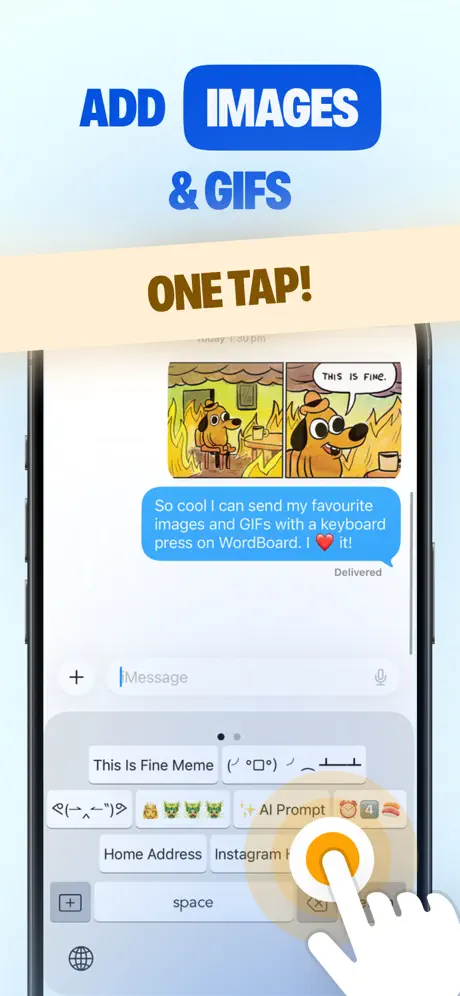
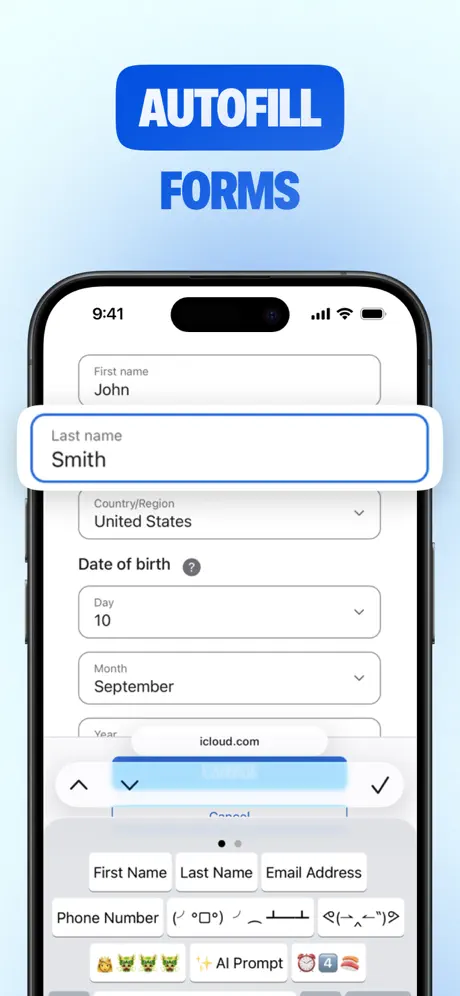
How much does WordBoard: Text Expander cost?
Prices are current as of 1 Oct 2026.
2 subscriptions from $7.99
In the United States, WordBoard: Text Expander has 2 subscriptions priced $7.99 – 49.99.
| Subscription | Period | Price |
|---|---|---|
| Monthly Pro Subscription | Monthly | $7.99 |
| Annual Pro Subscription | Annual | $49.99 |
1 one-time purchase from $99.99
In the United States, WordBoard: Text Expander has 1 one-time purchase priced $99.99.
| Product | Price |
|---|---|
| Pro | $99.99 |
See what WordBoard: Text Expander costs in all 175 countries →
10+ alternatives to WordBoard: Text Expander
| WordBoard: Text Expander |   Auto Paste Keyboard Auto Paste Keyboard |   Paste Keyboard Paste Keyboard |   AutoSend - Paste Keyboard App AutoSend - Paste Keyboard App |   Typewise Custom Keyboard Typewise Custom Keyboard |   LazyBoard: Keyboard LazyBoard: Keyboard |   Paste Keyboard and Auto Copy Paste Keyboard and Auto Copy |   Clipboard : Keyboard Manager Clipboard : Keyboard Manager |   Calculator Keyboard - Calku Calculator Keyboard - Calku |   Copied: Workspace Keyboard Copied: Workspace Keyboard |   Paste Keyboard : Text Shortcut Paste Keyboard : Text Shortcut | |
|---|---|---|---|---|---|---|---|---|---|---|---|
| Rating / 5 | 4.8 | 4.7 | 4.7 | 4.6 | 3.9 | 4.4 | 4.6 | 4.4 | 4.7 | 4.4 | 4.8 |
| Reviews | 8.4K | 146K | 76K | 20K | 3.2K | 2.5K | 2.4K | 1.8K | 1.7K | 1.3K | 1.2K |
| Released | 2015 | 2021 | 2016 | 2021 | 2019 | 2019 | 2021 | 2022 | 2020 | 2020 | 2022 |
| Weekly price | — | $14.99 | — | $4.99 | — | $1.99 | — | $7.99 | — | $4.99 | $4.99 |
| Monthly price | $7.99 | $14.99 | $1.99 | — | $1.99 | $4.99 | — | — | $0.99 | $9.99 | $4.99 |
| Annual price | $49.99 | $39.99 | $17.99 | $9.99 | $9.49 | $24.99 | — | $17.99 | — | $39.99 | $29.99 |
| One-time price | $99.99 | $4.99 | $99.99 | $0.99 | $24.99 | $40.99 | — | $24.99 | $5.99 | $69.99 | — |
The going rate for each plan in United States, in its own currency, shaded from the cheapest price on the row to the dearest. Plans fewer than four in ten of the priced apps sell are left out.
WordBoard: Text Expander reviews
4.8 out of 5, based on 8,398 reviews.
What people like
- Saves significant time on repetitive typing
- Easy to set up and use
- Developer responds quickly to questions
What they complain about
- Keyboard becomes slow and unresponsive
- Syncing across devices is unreliable
- Support rarely replies to emails
- Pricing feels too expensive for users
Love the app!
I use the app every day. So easy to set things up and saves so much time typing things you do over and over again. The Folders are a great feature.
Are we joking
It’s wild we have to pay for this. Feels like they might be removing reviews since the best apps usually hover around 4.7 stars. 😕
星1→星4
有料で購入して無制限に単語登録できたのに、いつの間にサブスクにされ、単語登録はサブスクでないと無制限でなくなった。レビューで評価4.9となっているのは当時のもので、それを宣伝に使うのは詐欺たと思う。 追記 デベロッパーより購入の復元を確認するように回答があり、設定のどこに購入の復元があったのかと思ったら、pro版の中の下にあった。それで復元できたが、購入の復元の場所がわかりにくい。設定画面に購入の復元の項目を設けた方が良いと思う。取り敢えず購入の復元ができたので評価は4にします。
Strange
Keyboard as I bought this thinking i was getting a keyboard and lost $50 on a keyboard that remembers whatever you save to it. Definitely a loss
Offloads
I enjoy the app when it works but three times already it’s offloaded itself and I have to reload all of my prompts. I wish there was a way for it to not do that. Maybe receive a pop-up something, but the app goes dormant too often.
Top of the line
Word boy helps with my sales process by having me to be able to reply to messages faster, but I’m having the right things out
Was Free Now Not
This app use to be free!!
WOAH
Very good but can you add an “If” statement so if randomized hits a certain text then it does something else
no thumbnails for image links
would be five stars if the app had thumbnails for image urls.
開いても何度も戻る
多い時は5回ももどる、コピペの方が早い時も多いから何でだろ
Great simple shortcut app
I use this app everyday its great for all the repetative bs i have to write
Has anyone LOOKED at the (OUTRAGEOUS!) price they're asking you to fork over for the add-on?!?!
There's an old aphorism (I'll try to clean it up), but for an iOS keyboard, it better 'make my toes curl' for that price. US$100 (no: excuse me) for a keyboard, but it's much cheaper at US$99. Seriously?!?! There's another (simple, obvious) business truism; that high-priced items (which people who foolishly pay the price only because they think 'price = they're 'financially well-off', and other nonsense) fail to realize is that it's made in the EXACT SAME PLACE, using the EXACT SAME THINGS as the fat below cost of being the equivalent of being 'generic'. The only people who feel the need to 'advertise' their weekly DON'T have anything even close. Have you ever seen Bill Gates running around looking like hers and wearing anything overpriced? Never happened. Never will. The same goes for apps. Whether or not this app lives up to this asked-for (outrageous) price is besides the point. The second something comes out and it's successful, rest assured that in no time at all, others will come out with the same thing—but for a lot less. If you want to waste your money, it's yours. I doubt you'll say a few months later, 'That $100 was the smartest thing I've ever done.'
Safariで開いたページで使用できない
ios17.4.1です。以前は使えていたのですが、Safariで開いているページの文字入力の際にWordboardが選択肢に出てきません。 改善お願いいたします。
Does not connect with other devices
I want to use this on my iPhone AND my iPad but this does not connect, only to ONE device. I work from both… I might as well go back to using my notes app. My iPhone notes app connects to my Mac iPhone and iPad! I’m not ready to use pro just yet, this is a trial run. Was thinking about it until I realized that it doesn’t connect to other devices.
Second review by me in WordBoard
First review I gave a five star. However this time I am reducing it to a 3. Let me explain. I don’t like to be lured into payments. During a couple of years ago I bought Pro license for life. Today I was setting up my new phone and it took half hour to 1. Find out where my old purchase was 2. To restore my purchase. While Apple didn’t let me search by product in their past purchases website, WordBoard didn’t let me restore easily. It was this small link hidden next to terms and conditions while the payment links were bold and asking to pay again quite conveniently. Malpractice and deception. Absolutely disappointing. My restore worked but the time it took to figure that out and seeing the minimised and hidden away restore link spoke loud and clear about the company behind!!
Word bard text expander
Text message
Not great support
I love the concept, but I’ve reached out for support to make sure I can utilize this app more and I have not received anything so I finally just gave up. But the potential looks good.
Briliant
I have found this app brilliant and a huge time saver. I use it to populate FB and Twitter mainly. It will be even better if they can make it save photos to it as well
Expensive Pro Version
Too trivial of an app to require a monthly subscription. Also definitely not worth a $70 one-time payment. I’d pay $2 for pro at most. Definitely moving to an alternative app.
相性が悪かった。
私にとっては6種類というのは少なすぎました。年々7000円は自分には高く、課金できませんでした。
My go to
I had this app for several years now, and so far the best. For people that have to use the same information over and over, Addresses Square page, tags. I love it. The only thing I hate is when it stops working for an application, Like, Instagram, or Facebook and I have to load it again
Downloaded FREE lifetime
The FREE lifetime promotion button does not work when pressed. Is this promotion fake???
改行出来るのか良い
グッド
日本語は非対応
令和2{{ CURSOR }}年{{ date:”M” }}月{{ date:”d” }}日 is ok __2{{ CURSOR }}_{{ date:”M” }}_{{ date:”d” }}_ {{ date:”令和2年M月d日” }} does not work {{ date:”__2_M_d_” }} "_" is Unicode character
★★★
一度に6つしか登録できませんでした。普通に機能的には良かったんだが課金制ってね.....
So helpful!
Never been so grateful for this app!
使いづらい
使いづらい
So useful!
Yes I love the app as it is so useful. However I can’t seem to change the order of my folders and buttons which is so disappointing. All I can think is that I need to take off/delete ALL the info I have entered and start over from the beginning! Uugghh too hard
構文は日本語非対応
無料で試してみてよかったので課金して使っています。 課金額は少々高いと思ったのですが、カスタマイズ性が高く、使いやすいので、課金しました。 ただ残念な点がふたつあります。 ①日付のリストに日本語表記がありません ひとつだけあるけど「12 3月 2020」なんて表記は日本じゃ使う機会が全くと言っていいほど無いと思います。 「2020年3月12日(木)」と言う表記が欲しくてオリジナルで作ろうとしたのですが、日本語表記には対応していないようで、入力した文字がそのまま入ってしまいます。 色々調べて構文は合っているのですが上手くいきません。 ②サポートの方が残念。 日本語表記についての質問だったので日本語の分かる方をお願いしたのですが、受けた人が分かる人に回してくれず、英文で「日本語が分からないからサポート出来ません」との返信が来ました。 更新記録にも日本語で記載されているので、スタッフには日本語が分かる方もいるはずなのに、この点が残念。
Loce the app but suddenly not working
Loved the app but suddenly with the new iPhone update, I can’t access WordBoard from my keyboard any longer when i’m texting. It doesn’t show within the text draft. How do we fix this?
One of my most-used apps
WordBoard is one of those rare apps that has one job and it performs it flawlessly. I can't begin to quantify the time this app saves me in thumb typing on my iPhone and pasting snippets of often-repeated texts from its Templates feature. While the free version offers a lot, I chose to pay for the app to help compensate the developer for all his efforts in making WordBoard such a great app. Plus, the developer actually responds to email (within minutes, in my case), something you don't see often these days. Well done app!
課金解除の方法がわかりません
年間更新前に連絡して欲しかった
凄く便利
使用1ヶ月経たないうちに、有料で購入しました。時間効率アップに期待。
連絡先のインポートができない
Pro版を購入しましたが連絡先のインポートができません。 この機能が使いたくて購入したのに…。 使い勝手が良かっただけに残念です。
Works great but free version is very limited
The free version only gives you six phrases! What a waste of time setting this up. They should tell you this before you dl it.
Android version needed
This is a great app. Saves a lot of time when you repeat the same things over and over on websites or in conversations. I only wish it was available on. Android because I tend to use android and iPhone.
Amazing app, complete rip off!
The function of this app is amazing, and can save hours a day in certain situations. If you want more than 6 buttons though, you will have to pay monthly or pay the extortionate one off fee! My software subscription allergy wouldn’t allow the former and my wallet didn’t like the latter either. After some digging around on the App Store I found another app that does the exact same function just as well as this app, however the one off payment for premium was only 89p!!
良い
安けりゃもっと良い
Great idea. Slowed down the keyboard.
As a business owner this idea sounded great. I hate typing out hashtags and need more standardized responses saved. But after installing this app, there was a serious delay in my keyboard appearing when I tapped in a text area. Deleted the app and the delay went away.
I totally didn’t make a Morse code keyboard with this
Naahhhh I wouldn’t. But actually this is pretty .--. --- --.
Game Changer
This app has been everything I have needed! Honestly I don’t recall paying but it is worth it. I have used something similar on my Mac for years and I hated that I didn’t have something like this on my phone but this app delivers and better. I work a lot of sales and my phone is my primary source of communication. I love the quick easy access via my keyboard. I can quickly and easily reply to people on the go so I don’t miss a reply to a lead. I love you can export it, so I have the same clips with the same set up on my iPad and iPhone. although it would be nice if they could sync. Easy to update. Lots of space. I ADORE IT!.
No support
I have the Pro version. I selected the store data on iCloud drive but the data was stored in ON MY IPAD i.e. on my device NOT the cloud. No folder had been created on iCloud drive. I reported this to wordboard support twice but got no reply to this or two other queries on separate issues I raised. My rating is based on 1) the failure of the app to store in the correct place; and 2) lack of response to my requests for support. UPDATE Reply from Wordboard re incorrect storage: 'Hi, Unfortunate we are still working on iCloud support. Thanks, Stuart'
Really Useful!
This app really simplifies my life so much! Recommended!
Could be a lot better
Nice app, but pretty buggy when adding a lot of phrases. Reordering phrases is bugged, and keeps reverting. Import contact feature does not work at all - crashes the app everytime.. So I would not recommend upgrading for this ... Also very inconvenient having to open the app every time I need to add new phrases. Would be nice if there is a button on the actual keyboard to add phrases on the go or from clipboard (or at lease support split view so we can quickly open it to add phrases). Option to reorganise and edit buttons on the actual keyboard would actually set it apart from Snipoard and Snippet!
Best app for business
Best app ever
Stuffs your keyboard
This app stuffs up typing on your normal keyboard, making it slow and unresponsive and disables auto-correct. It's cool for about 5 minutes.
One touch functionality!
Tedious typing is a thing of past with this timely App. Toggle between WordBoard and your conventional keyboard to create short cuts and type with ease!
WordPress
Good if ur constantly filling out details online but u can only store 5 things then u have to upgrade which isn't so great :(
WordBoard: Text Expander price by country
A monthly subscription costs $6.12 in Turkey and $11.85 in Colombia — 1.9× more for the same thing. Below is the going rate for each plan in every country that sells it — the middle price of what the app charges there, in the country's own currency with the dollar equivalent beneath it.
| Country | Monthly | Annual | One-time |
|---|---|---|---|
| Afghanistan | $7.99 | $49.99 | $99.99 |
| Albania | $9.99 | $59.99 | $119.99 |
| Algeria | $7.99 | $49.99 | $99.99 |
| Angola | $7.99 | $49.99 | $99.99 |
| Anguilla | $7.99 | $49.99 | $99.99 |
| Antigua And Barbuda | $7.99 | $49.99 | $99.99 |
| Argentina | $7.99 | $49.99 | $99.99 |
| Armenia | $9.99 | $59.99 | $119.99 |
| Australia | A$12.99$9.35 | A$79.99$57.55 | A$149.99$107.91 |
| Austria | €8.99$10.19 | €59.99$68.02 | €99.99$113.37 |
| Azerbaijan | $7.99 | $49.99 | $119.99 |
| Bahamas | $8.99 | $49.99 | $99.99 |
| Bahrain | $8.99 | $49.99 | $99.99 |
| Barbados | $9.99 | $59.99 | $119.99 |
| Belarus | $9.99 | $59.99 | $119.99 |
| Belgium | €8.99$10.19 | €59.99$68.02 | €99.99$113.37 |
| Belize | $7.99 | $49.99 | $99.99 |
| Benin | $9.99 | $59.99 | $119.99 |
| Bermuda | $7.99 | $49.99 | $99.99 |
| Bhutan | $7.99 | $49.99 | $99.99 |
| Bolivia | $7.99 | $49.99 | $99.99 |
| Bosnia & Herzegovina | €8.99$10.19 | €59.99$68.02 | €99.99$113.37 |
| Botswana | $7.99 | $49.99 | $99.99 |
| Brazil | R$39.90$7.64 | R$249.90$47.87 | R$599.90$114.92 |
| British Virgin Islands | $7.99 | $49.99 | $99.99 |
| Brunei Darussalam | $7.99 | $49.99 | $99.99 |
| Bulgaria | €8.99$10.19 | €49.99$56.68 | €99.99$113.37 |
| Burkina Faso | $7.99 | $49.99 | $99.99 |
| Cambodia | $8.99 | $49.99 | $99.99 |
| Cameroon | $9.99 | $59.99 | $119.99 |
| Canada | CA$9.99$7.19 | CA$69.99$50.35 | CA$129.99$93.52 |
| Cape Verde | $7.99 | $49.99 | $99.99 |
| Cayman Islands | $7.99 | $49.99 | $99.99 |
| Chad | $7.99 | $49.99 | $99.99 |
| Chile | CLP 6,990$7.23 | CLP 49,990$51.68 | CLP 99,990$103.36 |
| China | CN¥58.00$8.63 | CN¥328.00$48.81 | CN¥698.00$103.87 |
| Colombia | COP 39,900$11.85 | COP 229,900$68.28 | COP 499,900$148.47 |
| Congo | $7.99 | $49.99 | $119.99 |
| Congo, Democratic Republic | $7.99 | $49.99 | $99.99 |
| Costa Rica | $7.99 | $49.99 | $99.99 |
| Cote Divoire | $9.99 | $59.99 | $119.99 |
| Croatia | €8.99$10.19 | €59.99$68.02 | €99.99$113.37 |
| Cyprus | €8.99$10.19 | €59.99$68.02 | €99.99$113.37 |
| Czech Republic | CZK 199.00$9.24 | CZK 1,290.00$59.92 | CZK 2,790.00$129.59 |
| Denmark | DKK 69.00$10.47 | DKK 399.00$60.55 | DKK 899.00$136.42 |
| Dominica | $7.99 | $49.99 | $99.99 |
| Dominican Republic | $7.99 | $49.99 | $99.99 |
| Ecuador | $7.99 | $49.99 | $99.99 |
| Egypt | EGP 399.99$7.68 | EGP 2,499.99$47.99 | EGP 4,999.99$95.99 |
| El Salvador | $7.99 | $49.99 | $99.99 |
| Estonia | €8.99$10.19 | €59.99$68.02 | €99.99$113.37 |
| Fiji | $7.99 | $49.99 | $99.99 |
| Finland | €8.99$10.19 | €59.99$68.02 | €99.99$113.37 |
| France | €8.99$10.19 | €59.99$68.02 | €99.99$113.37 |
| Gabon | $7.99 | $49.99 | $99.99 |
| Gambia | $7.99 | $49.99 | $99.99 |
| Georgia | $9.99 | $59.99 | $119.99 |
| Germany | €8.99$10.19 | €59.99$68.02 | €99.99$113.37 |
| Ghana | $9.99 | $59.99 | $119.99 |
| Greece | €8.99$10.19 | €59.99$68.02 | €99.99$113.37 |
| Grenada | $7.99 | $49.99 | $99.99 |
| Guatemala | $7.99 | $49.99 | $99.99 |
| Guinea-bissau | $7.99 | $49.99 | $99.99 |
| Guyana | $7.99 | $49.99 | $99.99 |
| Honduras | $7.99 | $49.99 | $99.99 |
| Hong Kong | HK$58.00$7.39 | HK$388.00$49.43 | HK$788.00$100.38 |
| Hungary | HUF 3,490$10.79 | HUF 22,990$71.06 | HUF 44,990$139.06 |
| Iceland | $9.99 | $59.99 | $119.99 |
| India | ₹799.00$8.32 | ₹4,999.00$52.04 | ₹9,900.00$103.06 |
| Indonesia | IDR 129,000$7.19 | IDR 799,000$44.51 | IDR 1,999,000$111.37 |
| Iraq | $7.99 | $49.99 | $99.99 |
| Ireland | €8.99$10.19 | €59.99$68.02 | €99.99$113.37 |
| Israel | ₪29.90$9.74 | ₪179.90$58.60 | ₪299.90$97.69 |
| Italy | €8.99$10.19 | €59.99$68.02 | €99.99$113.37 |
| Jamaica | $7.99 | $49.99 | $99.99 |
| Japan | ¥1,200$7.62 | ¥7,000$44.48 | ¥15,000$95.30 |
| Jordan | $7.99 | $49.99 | $99.99 |
| Kazakhstan | KZT 3,990.00$9.08 | KZT 24,990.00$56.86 | KZT 59,990.00$136.49 |
| Kenya | $9.99 | $59.99 | $119.99 |
| Kosovo | €8.99$10.19 | €59.99$68.02 | €99.99$113.37 |
| Kuwait | $7.99 | $49.99 | $99.99 |
| Kyrgyzstan | $8.99 | $49.99 | $99.99 |
| Lao Peoples Democratic Republic | $7.99 | $49.99 | $99.99 |
| Latvia | €8.99$10.19 | €59.99$68.02 | €99.99$113.37 |
| Lebanon | $7.99 | $49.99 | $99.99 |
| Liberia | $7.99 | $49.99 | $99.99 |
| Libya | $7.99 | $49.99 | $99.99 |
| Lithuania | €8.99$10.19 | €59.99$68.02 | €99.99$113.37 |
| Luxembourg | €8.99$10.19 | €59.99$68.02 | €99.99$113.37 |
| Macao | $7.99 | $49.99 | $99.99 |
| Macedonia | $7.99 | $49.99 | $99.99 |
| Madagascar | $7.99 | $49.99 | $99.99 |
| Malawi | $7.99 | $49.99 | $99.99 |
| Malaysia | MYR 39.90$9.78 | MYR 229.90$56.35 | MYR 499.90$122.52 |
| Maldives | $7.99 | $49.99 | $99.99 |
| Mali | $7.99 | $49.99 | $99.99 |
| Malta | €8.99$10.19 | €59.99$68.02 | €99.99$113.37 |
| Mauritania | $7.99 | $49.99 | $99.99 |
| Mauritius | $7.99 | $49.99 | $119.99 |
| Mexico | MX$179.00$9.93 | MX$999.00$55.44 | MX$1,999.00$110.93 |
| Micronesia | $7.99 | $49.99 | $99.99 |
| Moldova | $9.99 | $59.99 | $119.99 |
| Mongolia | $7.99 | $49.99 | $99.99 |
| Montenegro | €6.99$7.93 | €49.99$56.68 | €99.99$113.37 |
| Montserrat | $7.99 | $49.99 | $99.99 |
| Morocco | $7.99 | $49.99 | $119.99 |
| Mozambique | $7.99 | $49.99 | $99.99 |
| Myanmar | $7.99 | $49.99 | $99.99 |
| Namibia | $7.99 | $49.99 | $99.99 |
| Nauru | $7.99 | $49.99 | $99.99 |
| Nepal | $9.99 | $59.99 | $119.99 |
| Netherlands | €8.99$10.44 | €59.99$69.67 | €99.99$116.13 |
| New Zealand | NZ$14.99$8.47 | NZ$99.99$56.49 | NZ$199.99$112.99 |
| Nicaragua | $7.99 | $49.99 | $99.99 |
| Niger | $7.99 | $49.99 | $99.99 |
| Nigeria | NGN 12,900.00$9.72 | NGN 79,900.00$60.20 | NGN 149,900.00$112.94 |
| Norway | NOK 99.00$10.31 | NOK 599.00$62.40 | NOK 1,290.00$134.38 |
| Oman | $7.99 | $49.99 | $99.99 |
| Pakistan | PKR 2,200$7.95 | PKR 12,900$46.59 | PKR 24,900$89.93 |
| Palau | $7.99 | $49.99 | $99.99 |
| Panama | $7.99 | $49.99 | $99.99 |
| Papua New Guinea | $7.99 | $49.99 | $99.99 |
| Paraguay | $7.99 | $49.99 | $99.99 |
| Peru | PEN 29.90$8.69 | PEN 199.90$58.11 | PEN 449.90$130.78 |
| Philippines | ₱399.00$6.37 | ₱2,990.00$47.76 | ₱5,990.00$95.69 |
| Poland | PLN 39.99$10.39 | PLN 299.99$77.92 | PLN 499.99$129.87 |
| Portugal | €8.99$10.19 | €59.99$68.02 | €99.99$113.37 |
| Qatar | QAR 29.99$8.24 | QAR 199.99$54.94 | QAR 399.99$109.89 |
| Romania | RON 39.99$8.60 | RON 299.99$64.51 | RON 499.99$107.52 |
| Russia | RUB 699.00$8.32 | RUB 4,490.00$53.41 | RUB 8,990.00$106.95 |
| Rwanda | $7.99 | $49.99 | $99.99 |
| Sao Tome & Principe | $7.99 | $49.99 | $99.99 |
| Saudi Arabia | SAR 34.99$9.33 | SAR 199.99$53.33 | SAR 399.99$106.66 |
| Senegal | $7.99 | $49.99 | $119.99 |
| Serbia | €8.99$10.19 | €59.99$68.02 | €99.99$113.37 |
| Seychelles | $7.99 | $49.99 | $99.99 |
| Sierra Leone | $7.99 | $49.99 | $99.99 |
| Singapore | SGD 9.98$7.80 | SGD 69.98$54.67 | SGD 149.98$117.17 |
| Slovakia | €8.99$10.19 | €59.99$68.02 | €99.99$113.37 |
| Slovenia | €8.99$10.19 | €59.99$68.02 | €99.99$113.37 |
| Solomon Islands | $7.99 | $49.99 | $99.99 |
| South Africa | ZAR 149.99$9.14 | ZAR 999.99$60.94 | ZAR 1,999.99$121.88 |
| South Korea | ₩11,000$8.13 | ₩66,000$48.76 | ₩149,000$110.07 |
| Spain | €8.99$10.19 | €59.99$68.02 | €99.99$113.37 |
| Sri Lanka | $7.99 | $49.99 | $99.99 |
| St. Kitts and Nevis | $7.99 | $49.99 | $99.99 |
| St. Lucia | $7.99 | $49.99 | $99.99 |
| St. Vincent & The Grenadines | $7.99 | $49.99 | $99.99 |
| Suriname | $8.99 | $49.99 | $99.99 |
| Swaziland | $7.99 | $49.99 | $99.99 |
| Sweden | SEK 99.00$9.91 | SEK 599.00$59.96 | SEK 1,295.00$129.63 |
| Switzerland | CHF 8.00$9.59 | CHF 50.00$59.95 | CHF 90.00$107.91 |
| Taiwan | NT$290.00$9.11 | NT$1,490.00$46.80 | NT$2,990.00$93.91 |
| Tajikistan | $8.99 | $49.99 | $99.99 |
| Tanzania | TZS 22,900.00$8.76 | TZS 149,900.00$57.32 | TZS 299,900.00$114.68 |
| Thailand | THB 299.00$9.02 | THB 1,990.00$60.01 | THB 3,990.00$120.33 |
| Tonga | $7.99 | $49.99 | $99.99 |
| Trinidad and Tobago | $7.99 | $49.99 | $99.99 |
| Tunisia | $7.99 | $49.99 | $99.99 |
| Turkey | TRY 299.99$6.12 | TRY 1,999.99$40.80 | TRY 4,999.99$102.00 |
| Turkmenistan | $7.99 | $49.99 | $99.99 |
| Turks and Caicos | $7.99 | $49.99 | $99.99 |
| Uganda | $9.99 | $59.99 | $119.99 |
| Ukraine | $9.99 | $59.99 | $119.99 |
| United Arab Emirates | AED 29.99$8.17 | AED 199.99$54.49 | AED 399.99$108.99 |
| United Kingdom | £7.99$10.83 | £49.99$67.74 | £99.99$135.49 |
| United States | $7.99 | $49.99 | $99.99 |
| Uruguay | $7.99 | $49.99 | $99.99 |
| Uzbekistan | $8.99 | $49.99 | $99.99 |
| Vanuatu | $7.99 | $49.99 | $99.99 |
| Venezuela | $7.99 | $49.99 | $99.99 |
| Vietnam | ₫199,000$7.65 | ₫1,299,000$49.94 | ₫2,999,000$115.30 |
| Yemen | $7.99 | $49.99 | $99.99 |
| Zambia | $9.99 | $59.99 | $119.99 |
| Zimbabwe | $9.99 | $59.99 | $119.99 |
WordBoard: Text Expander FAQ
- Is WordBoard: Text Expander free?
- Yes. The app and its basic features are free, in all 175 countries it sells in. Premium features are paid: they start from $7.99 (US), across 2 subscriptions and 1 one-time purchase.
- How much does WordBoard: Text Expander cost per month?
- Monthly Pro Subscription is $7.99 (US). The annual plan works out cheaper per month: $49.99 a year.
- Does WordBoard: Text Expander have a free trial?
- No. None of its offers (US) come with a free trial.
- Where is WordBoard: Text Expander cheapest?
- A monthly subscription costs TRY 299.99 (≈$6.12) in Turkey and COP 39,900 (≈$11.85) in Colombia, its cheapest and dearest countries.
- What are the best alternatives to WordBoard: Text Expander?
- Auto Paste Keyboard (4.7 from 145,814 reviews, premium from $4.99), Paste Keyboard (4.7 from 76,294 reviews, premium from $0.99) and AutoSend - Paste Keyboard App (4.6 from 20,425 reviews, premium from $0.99).
WordBoard: Text Expander download
Last updated 23 days ago.
WordBoard: Text Expander sells in 175 countries. It was released 11 years and 8 months ago, on 4 Feb 2015. It holds a 4.8 rating from 8,398 reviews.
Supports 4 languages: English, Japanese, Chinese, Spanish.
How much does WordBoard: Text Expander make?
Third-party estimates for the last 30 days, worldwide — not the store's own figures, which Apple publishes for nobody.
Revenue by plan
- Monthly 68%
- One-time 27%
- Annual 5%
Revenue by country
- United States 77%
- Japan 7%
- United Kingdom 2%
- Canada 2%