Microsoft SwiftKey AI Keyboard
Copilot | Emojis | Tone change
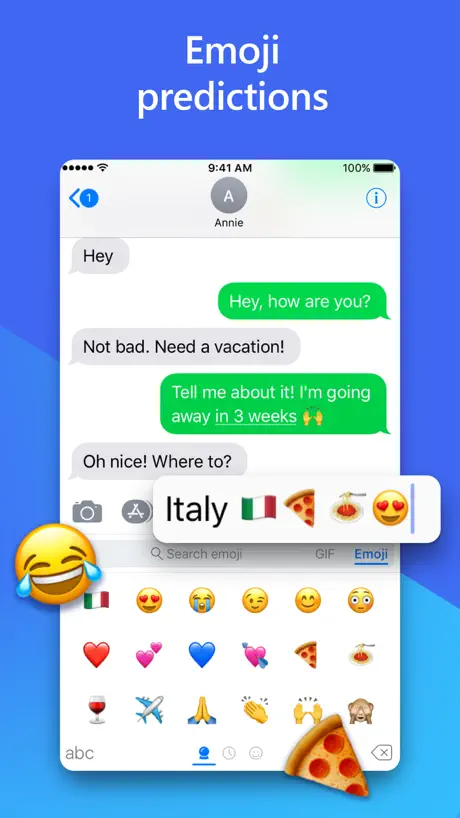
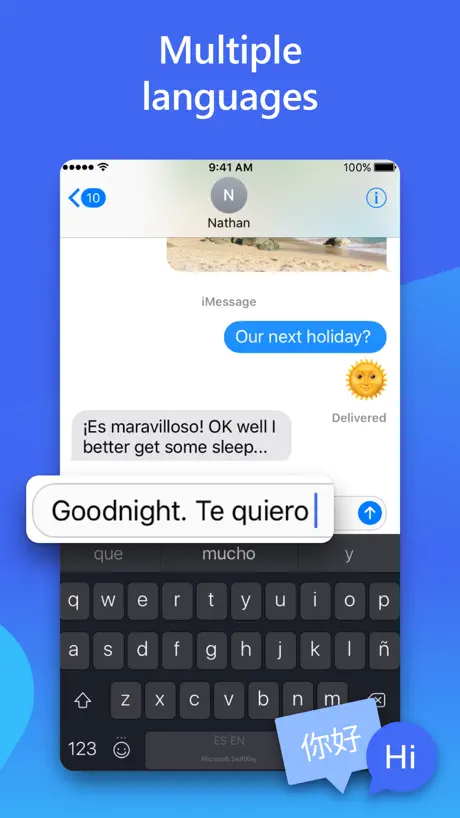
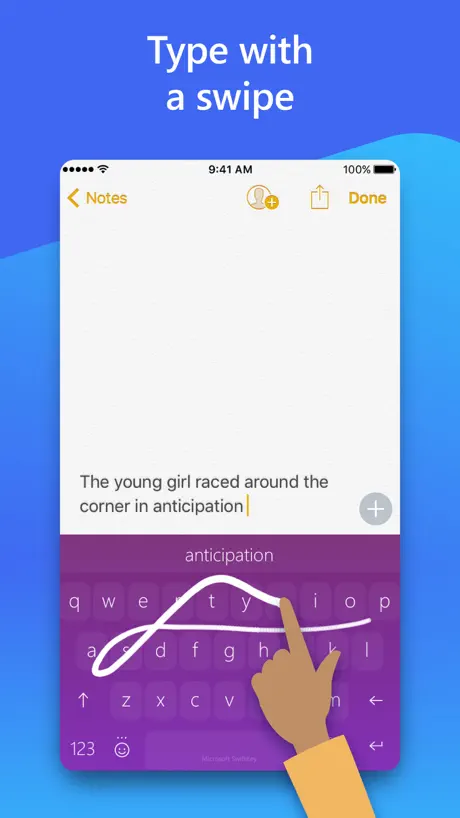
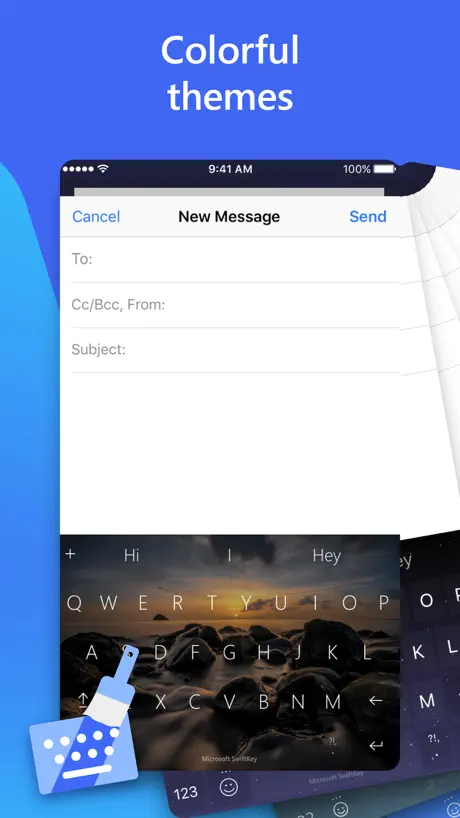
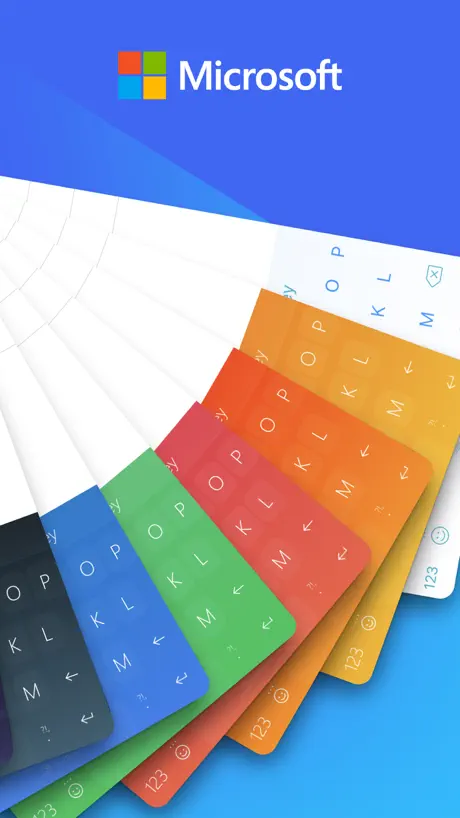
How much does Microsoft SwiftKey AI Keyboard cost?
Prices are current as of 6 Oct 2026.
10 one-time purchases from $0.00
In the United States, Microsoft SwiftKey AI Keyboard has 10 one-time purchases with no price on record yet.
| Product | Price |
|---|---|
| Bubble Gum theme | $0.00 |
| Minimal Aqua theme | $0.00 |
| Minimal Blush theme | $0.00 |
| Minimal Carbon theme | $0.00 |
| Minimal Coal theme | $0.00 |
| Minimal Iceberg theme | $0.00 |
| Nickel Dusk theme | $0.00 |
| Nickel Rose theme | $0.00 |
| Nickel Watermelon theme | $0.00 |
| Shooting Stars theme | $0.00 |
10+ alternatives to Microsoft SwiftKey AI Keyboard
| Microsoft SwiftKey AI Keyboard |   Google Assistant Google Assistant |   Arc Search — Find it, Faster Arc Search — Find it, Faster | 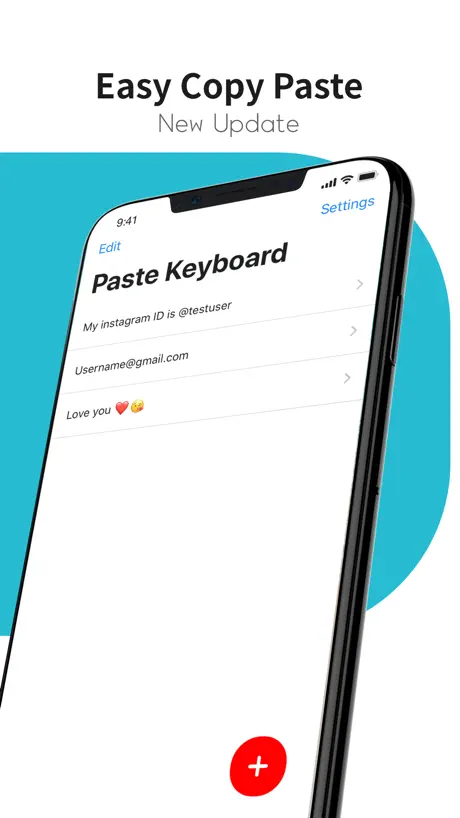  Paste Keyboard Paste Keyboard |   Translator Keyboard - Language Translator Keyboard - Language |   Fonts & Emoji Keyboard. Fonts & Emoji Keyboard. |   KeyPro – Keyboard Themes Fonts KeyPro – Keyboard Themes Fonts |   Fonts Keyboard for iPhone,iPad Fonts Keyboard for iPhone,iPad |   Design Keyboard - Theme, Emoji Design Keyboard - Theme, Emoji |   Neon LED Keyboard Neon LED Keyboard |   Typewise Custom Keyboard Typewise Custom Keyboard | |
|---|---|---|---|---|---|---|---|---|---|---|---|
| Rating / 5 | 4.5 | 4.7 | 4.9 | 4.7 | 4.6 | 4.4 | 4.2 | 4.4 | 4.4 | 4.5 | 3.9 |
| Reviews | 468K | 183K | 88K | 76K | 67K | 39K | 34K | 26K | 20K | 18K | 3.2K |
| Released | 2014 | 2017 | 2024 | 2016 | 2020 | 2021 | 2018 | 2019 | 2020 | 2016 | 2019 |
| Weekly price | — | — | — | — | $9.99 | $4.99 | $5.99 | $2.99 | — | — | — |
| Monthly price | — | — | — | $1.99 | $19.99 | $9.99 | — | — | $1.99 | — | $1.99 |
| Annual price | — | — | — | $17.99 | $69.99 | $29.99 | $19.99 | $19.99 | $19.99 | — | $9.49 |
| One-time price | — | — | — | $99.99 | — | — | $2.99 | — | $7.99 | $2.99 | $24.99 |
The going rate for each plan in United States, in its own currency, shaded from the cheapest price on the row to the dearest.
Microsoft SwiftKey AI Keyboard reviews
4.5 out of 5, based on 468,335 reviews.
What people like
- The key arrangement is much better than the default one.
- It remembers your vocabulary and suggests words well.
- It supports typing and correcting multiple languages at once.
- Users have loved it for many years.
What they complain about
- It keeps switching back to the default keyboard.
- It constantly asks you to log in or create an account.
- The auto correction often replaces correct words with nonsense.
- The app crashes frequently and feels buggy on iOS.
Me encanta
El mejor
Pathetic
The voice to text sucks. Autocorrect is pathetic. It's horrible
Great
Could you please allow me to write messages exceeding 300 words? Currently, I am limited to very short sentences, but I need to send longer, more detailed messages.
Millsyman332
45654
Used to be great but now meh
Now sure why they took the emoji prediction off after an update. Used to be great but now it's average.
Great multi-language that actually makes sense
The arrangement of the keys on siftkey is so much better that the iOS keyboard (I guess Apple folks don't care about using ","and question Marks,that they burry them within sub level of the iOS keyboard) plus it supports word suggestions and corrections in multiple languages at the same time
Trash
Have to lock my screen every time I use it to reset it back to the SwiftKey app because it keeps randomly switching to some random basic keyboard even though I have them all disabled
Engineer
Definitely better in several ways than the stock iOS keyboard, but the experience with the same keyboard on Android was still better for me.
Not as good as it used to be
Not as good as it used to be.
Love it! But why????
If I could keep my SwiftKey from automatically switching back to my regular keyboard ALL THE TIME, I would keep switchkey! It works well and is user friendly, but I can't keep it from switching over.
My go to keyboard
Love this keyboard and have been using it for many years. Apple has suddenly made it next to impossible for it to stay my default!
Keeps correcting my words incorrectly
If I'm typing a word that's grammatically correct it'll often just throw in some random word that makes absolutely no sense. "Let's go to the TEST store" isn't what I meant, I typed "thrift" manually then it replaced it.. then I typed it again and it deleted it AGAIN!!
Better than native
It has good prediction and saves and suggests perfect combination. Only problem I found is clicks are still little hard compared to native. And second problem is with number pad on keyboard. If we add it then ios mostly dismisses it. So number pad should be added inside top level alphabets giving long press option for q-p range. It is already there in grammerly and other keyboards.
SwiftKey on iOS: a big no-no !
I've been a big fan of SwiftKey and have been using it for the past 10 years and an iPhone for the last four (my stubbornness to not change from SwiftKey). I still think, when it works, it's the best keyboard out there, but it keeps on switching back to the default keyboard or sometimes just vanishes. SwiftKey adaptation to iOS is very buggy. Time and again, I just come onto the internet to have solace in the fact that other people are also facing this issue for years, and this is not something in my settings. Hope the developers look into this and resolve.
ipad suitability
im using swiftkey since its first version . years ago. and nowadays im using it on my iphone and android phones. u can check my account and see how many devices and other stats... but today i bought an ipad and swiftkey seems that doesnt have an ipad version. its the same as iphone. couldn't turn off extra toolbars or adjust the size of keyboard like what we have on android version . im so sorry for changing my loved keyboard and using default keyboard that doesnt have suggestions in my language.
Love it
I'm so glad that this is available for iPhone. I've used it for years. I'm so satisfied with Swift key that I don't even know if there's another app like this for iPhone.
Keeps disappearing randomly and switching to iPhone keyboard
Very annoying but it keeps changing back to iPhone keyboard while I'm typing. Please fix ASAP it happened in the past and was fixed but broke again. I love this app please fix
Love it
I love it. Makes it so much easier
How do I switch to Chinese and Japanese?
I just don't see the language options in setting
Had troubles with Iphone
The program extremely good but long time have an issues with IOS when trying to type with most app. Freez & automatically chang to the IOS default Key board.
Android
Effective
Deceptive Product Images
The auto correction is absolute garbage and is no different than Apples native keyboard.
Pretty great experience
Love the smooth experience. I am unsure if there's an issue with the ios ime or this app but sometimes it just reverts to the default keyboard
Swiftkey switching to default keyboard
I've been using Swiftkey since long time, after the recent update the keyboard is switch to default keyboard. Please fix this!
setting need to be update
key size can't change,need bold letters,height needs to change
Excellent keyboard
Best I have found, and have been using for years. Best news yet is the addition of a number row on the qwerty keyboard!!!
Review number 67
Keyboard is great but it’s always asking for reviews.
My opion
The app itself is good but the ability to spellcheck and grammar check auto is not consistent and I think the ability to have different fonts and a way to doodle a text quickly like a heart or personal little message would be awesome. I wish all my Google and Microsoft apps worked with my ios server better but seems the 2 systems are always trying to work against each other for some reason. This ain't government or prison where they need to keep everyone divided to maintain power. Collaboration is always better! 😂
keeps switching to default ios keyboard
was a great keyboard to use until it started to randomly glitch and switch to the default ios keyboard. even while typing this review it keeps occurring. very annoying, i hope it gets fixed soon as otherwise it's a very good keyboard.
Good kbd but buggy now
This is a good kbd and I’ve been using for several years now. However, recently, it has been buggy and switches back often to the stock keyboard on ios. Apparently it is a memory issue on ios. Can you address this?
Try it!
Perfect!
Issue: SwiftKey repeatedly switches back to the iOS default keyboard
SwiftKey keeps randomly switching back to the Apple/iOS default keyboard while I am actively using my phone. This happens repeatedly and is extremely frustrating because I have to manually switch back to SwiftKey every time. The problem is especially annoying when switching between apps or returning to an app after briefly leaving it. It makes SwiftKey feel unreliable as a daily keyboard. This should not be treated as normal user behavior. Microsoft’s own support documentation acknowledges that SwiftKey can revert to the iOS keyboard in situations such as switching between apps and returning to an app after locking the device. However, when this happens repeatedly during normal use, it effectively defeats the purpose of having a third-party keyboard. Expected behavior: Once SwiftKey is selected as my preferred keyboard, iOS should consistently keep SwiftKey active whenever the app/input field supports third-party keyboards. Actual behavior: SwiftKey unexpectedly gets replaced by the iOS default keyboard, requiring me to manually switch back to SwiftKey. Requested fix: Please investigate the iOS keyboard-extension lifecycle and whatever causes SwiftKey to lose its active/default state. This issue has been happening repeatedly and needs to be properly fixed rather than requiring users to constantly switch keyboards manually. Please also consider improving SwiftKey’s resilience when switching between apps and when the keyboard extension is temporarily suspended or reloaded.
Glass theme not showing, prediction with swiping can be much more reliable..
I don't know if it's a settings on my iPhone that's keeping me from seeing the theme but so far no matter what I do it doesn't look anything like it does in the SwiftKey options when it shows you how the keyboard would look if selected. Also the prediction with swiping can be loads better, you have to be exact for the words you're trying to swipe. There's no wiggle room with the swipe prediction.
New update glitch
After updating my iOS, SwiftKey keeps reverting back to the native keyboard whilst in the middle of typing a text. Sometimes it happiness 2x - 3x mid text
Great but keeps crashing
It just keeps crashing and its so annoying, the keyboard is great and i love using it but no matter what i try it just starts crashing a lot and going back to the default keyboard
Awesome 🤗 Sauce
I love my SwiftKey and pushes it on everyone I come across
Switching back to IOS keyboard
It’s really annoying, switching back to ios keyboard automatically in few seconds. Please fix this
one missing thing
this keyboard is good, but only missing a Number pad" feature
Don't force a sign in!
Everything was good until it started bugging me for signing in
Great but…
I type this with the IPhone keyboard as every time I go to use SWIFTKEY over the last week or so, it automatically reverts to original keyboard no matter what I try. The globe button in the bottom left; uninstall and reinstall, the lot. It just bounces back. I really enjoy SWIFTKEY, it’s by far my preferred keyboard,especially for remembering my vocab., layout, numbers row option etc. but this flicking back to original keyboard glitch is defo leading me away; as when typing a text I like the keyboard to actually work. Otherwise 5 stars. Right now, none. On balance 3.
Excelente
Espectacular
Latest Update Issue
The latest update is horrible! It keeps switching back to normal keyword every 5 seconds and this has been happening through out the last few days!!! Please fix this!!!!
Good but crashes
It crashes lots
Keeps switching to standard
Even while writing this review I'm trying to use the swiftkey keyboard and it keeps randomly switching to the standard apple keyboard. It's become extremely frustrating and I hope they fix it soon, otherwise it would be an easy 5 stars
Is it just me
Hi SwiftKey.. Is it just me or is the 'a' key harder to hit these days? Can you extend the touch map slightly to the left for me? 😂
Great keyboard
Way better than the default apple keyboard highly recommend
Poor
User friendly
Bridge
Good
Stop the uber annoying, non dismiss able backup banner
Still a good keyboard, but the new banner that pops up each and every time you use the keyboard asking you to log in or create an account is ridiculous. You close it, back again when you use the keyboard again. I don't want an MS account. I don't care if my settings are backed up. WHEN I DISMISS THE BANNER... KEEP IT DISMISSED!
Needs more..
Needs to add an option to delete word after a swipe word, rather than having to manually delete letters after a poor prediction
Microsoft SwiftKey AI Keyboard FAQ
- Is Microsoft SwiftKey AI Keyboard free?
- Yes. The app is free, in all 175 countries it sells in, and it sells nothing inside it.
- Does Microsoft SwiftKey AI Keyboard have a free trial?
- No. None of its offers (US) come with a free trial.
- What are the best alternatives to Microsoft SwiftKey AI Keyboard?
- Google Assistant (4.7 from 183,243 reviews), Arc Search — Find it, Faster (4.9 from 87,940 reviews) and Paste Keyboard (4.7 from 76,294 reviews, premium from $0.99).
Microsoft SwiftKey AI Keyboard download
Last updated 26 days ago.
Microsoft SwiftKey AI Keyboard sells in 175 countries. It was released 12 years ago, on 17 Sept 2014. It holds a 4.5 rating from 468,335 reviews.
Supports 6 languages: English, French, German, Italian, Portuguese, Spanish.
How much does Microsoft SwiftKey AI Keyboard make?
Third-party estimates for the last 30 days, worldwide — not the store's own figures, which Apple publishes for nobody.
Revenue by plan
- One-time 100%
Revenue by country
- United States 42%
- Germany 6%
- United Kingdom 3%
- France 3%