Blockly for Dash & Dot robots
Learn to code through play.
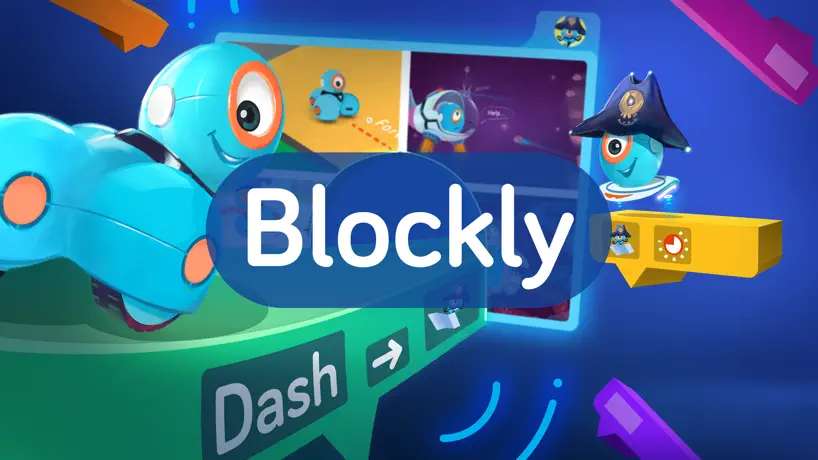
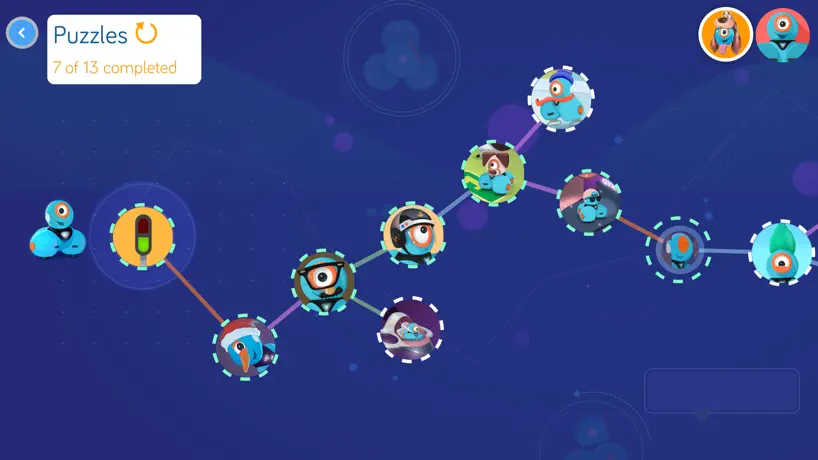
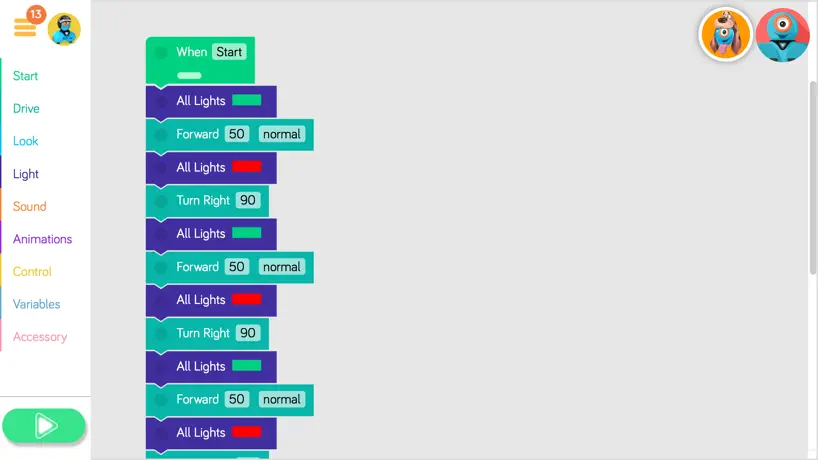
How much does Blockly for Dash & Dot robots cost?
Prices are current as of 12 Nov 2026.
Blockly for Dash & Dot robots has no in-app products on record in the United States.
10+ alternatives to Blockly for Dash & Dot robots
| Blockly for Dash & Dot robots |   Tynker: Coding for Kids |   Hopscotch-Programming for kids |   Kodable Basics |  Educreations Whiteboard |   Tynker Junior: Coding for Kids | 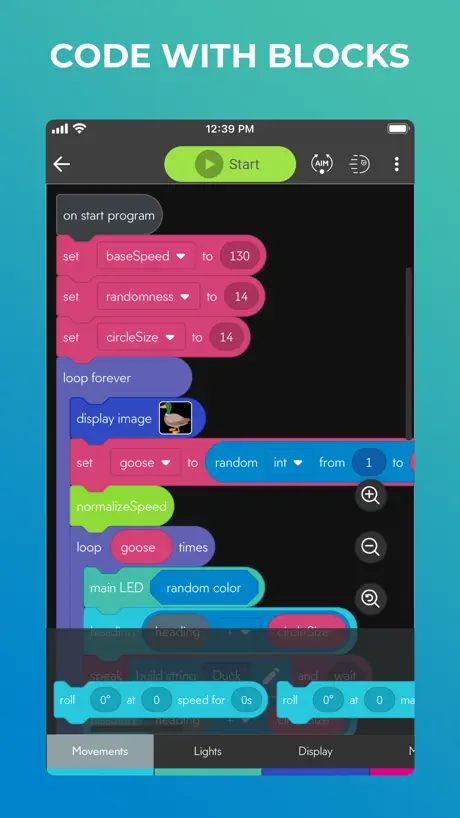  Sphero Edu | 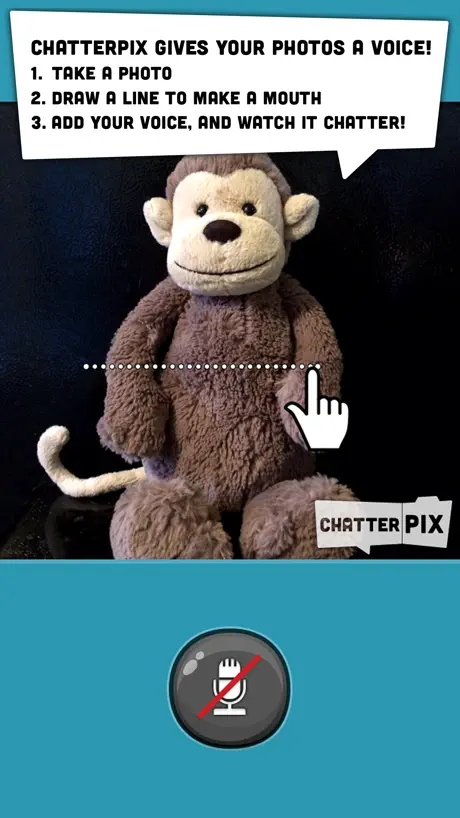  ChatterPix Kids | 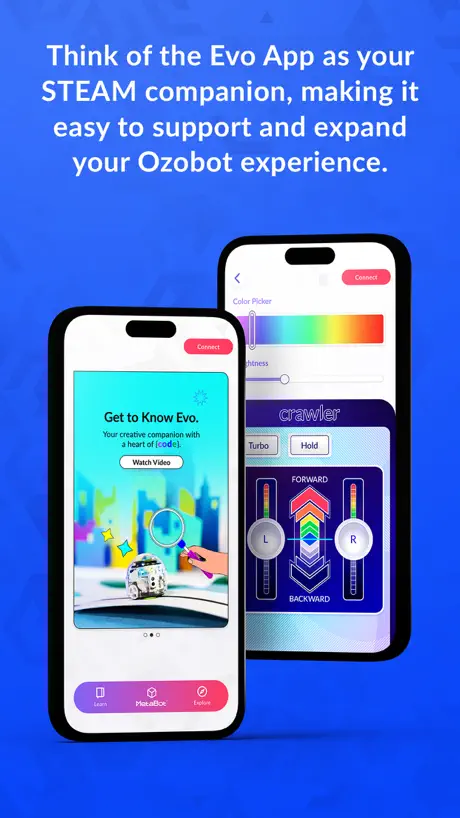  Evo by Ozobot |   Mosyle School |   Sphero Edu Jr | |
|---|---|---|---|---|---|---|---|---|---|---|---|
| Rating / 5 | 4.0 | 4.6 | 4.5 | 4.7 | 4.7 | 4.5 | 4.5 | 4.0 | 4.5 | 1.3 | 3.6 |
| Reviews | 467 | 41K | 34K | 32K | 18K | 9.4K | 4K | 1.7K | 1.7K | 529 | 34 |
| Released | 2014 | 2014 | 2013 | 2012 | 2011 | 2018 | 2015 | 2013 | 2016 | 2016 | 2021 |
| Monthly price | — | $24.99 | $7.99 | $24.99 | $11.99 | $4.99 | — | — | — | — | — |
| 3-month price | — | $59.99 | — | — | — | $59.99 | — | — | — | — | — |
| Annual price | — | $119.99 | $79.99 | $119.99 | — | $49.99 | — | — | — | — | — |
| One-time price | — | $314.99 | $2.99 | $19.99 | $99.99 | $314.99 | — | — | — | — | — |
The going rate for each plan in United States, in its own currency, shaded from the cheapest price on the row to the dearest.
Blockly for Dash & Dot robots reviews
4.0 out of 5, based on 467 reviews.
What people like
- Very easy for kids to use
- Great for learning basic coding
- Kids find the robots really fun
What they complain about
- No way to run code offline
- App freezes and connects poorly
- Puzzles have bugs that block progress
- Movement is imprecise and inconsistent
This is awesome!
Buy a little robot and then you program it with this app and like it is awesome I really appreciate that this was created. it’s educational for programming too so Ty, creator! Dear, people who don’t like the app, Stop saying bad stuff about it! It’s GREAT! And also the little robots are ADORABLE
Why can’t I delete blocks?
Whenever I drag a block to the trash can icon it just drops the block there and doesn’t delete it! I’ve tried taping the trash can with another finger but that doesn’t work, and neither does dragging it over to the block palette. If I’m doing something wrong please tell me what it is.
Amazing but needs more puzzles
I love the game but I have completely demolished all of the puzzles, but it is great for educational purposes.
Review
It is only for school ???!
Help
I can’t get past the interrupting robot and it’s saying I’m doing it wrong every time
Dregaherhdgsh
Mess
Bluetooth not working😡🥵
Any time I go into the app it says Bluetooth not on and when I hit the plus button it says Bluetooth not working when I have turned Bluetooth on and I have WiFi on and my dash is turned on. Do I have to get the new robot dot to use the app?
Amazing download now
This dash and dot robot app is amazing. I give it a four star review. I would’ve given it a five star review but I am having some connection issues even though my robot is fully charged and it’s on but I am going to figure it out and I hope nobody else has this problem. but other than that this is an amazing kids robot dash and dot app and I just think it’s amazing. I think anybody who wants to teach the kids how to program but not like high at first just like a load for kids age and then you can like build it up on your way. This is what you want.
Needs a little more work for Dot
Just got our son a Dot for the holidays. The first puzzle cannot be completed as the sounds it is packaged with are for Dash and not Dot.
Problem report
App stops loading code after clicking puzzles
Loved it
Simply mind blowing. I cannot describe my thoughts. The best coding platform. Wholesome really.
Blocky
Won’t connect to my daughters iPad Pro 10.5.
It is hard
The Blocky app, and the wonder app is fun And I know how much I like Dash but the problem is that I’m stuck in this level where that is a snowman and I clapped, but it worked and one of the color blocks for dashes lights just failed and dash will say a random sound that one presents from Dash being sad. It also happens in the wonder app so I could’ve just gotten a Cozmo robot. The code lab for Cozmo is much easier. I think I could’ve just gone Cozmo, but I got dash instead because I wanted anki cozmo and one more thing I don’t have.but I know how much dash loves me so I don’t mind it at all. I forgot to tell you something I finished all the codes on the wonder app, except for the Blockly app.
Clumsy
App freezes from time to time, often slow to react to commands. Makes it difficult to use in a classroom when it is unreliable
闪退是什么鬼?
闪退是怎么回事
Pretty good
The dash is so much FUN I made it go around My HOUSE and I am 10 so much FUN
Make an app that doesn’t involve dash and dot please
I am making more apps with a dash and dot
I can't figure out how to do this
I'm trying to to level 2 but I can't of dash the snowman
Unreliable with the programming part
The application itself is easy to use and works well on either the iPad or the iPhone 6. However there are many flaws with the robot programming part. Specifically with how it handles events. For example when you want the robot to say something after hitting a wall or being picked up. The robot is not reacting fast enough and events are missed. The “variable” blocks also do no offer logical statements such as IF <something> AND|OR <something else>. This is a pretty annoying limitation that do not exist with other available visual programming applications. These issues can be very frustrating to little kids who in general do not have much patience and produce the opposite of wanting them to be inspired and interested in programming. The customer service was not helpful at all in solving any of these issues.
不用链接就能编程,挺好的
不用链接就能编程,挺好的
Awesome
This app is awesome and so easy to use this review is not long but still I love it because it is so easy to use
Not a good app
App is jacked up i try to throw a code piece away and it WONT WORK FIX IT PLEASE!
Nice
Helped me with codeing
Glitches Galore
The app has improved however it seems there are some glitches still hanging out. Dash slowly stutter/spins in reverse while the app loads which has happened since day 1 upon a delivery. Some of the apps predesigned code paths have issues of transitioning from one to another. It would also be great to have a tutorial for the app to show it functions and capabilities. I also would expect a "view code" that shows the code in it's basic non-GUI format so these young coders can begin to understand the format code should be written in. That can be unlocked after certain achievements are unlocked to prevent discouragement.
UI made progress, functionality got reduced
The App got prettier in comparison to its predecessor, but I do not understand why the following functionality was dropped: - upload the created programs to Dot/Dash to run them without the iPad - data structures like lists - more than just 5 pre-defined variables (fruit?) - logic/math/subsetting etc. I hope the implement the dropped functionality soon...
Pretty good
It’s a great game though I need Dash and Dot to be able to play it like what if I wanna play that game while I’m out on a road trip but I understand
So close, but yet so frustrating!
This could have been the best app of all time. It has great programming concepts, entertaining puzzles and a cuteness factor that makes my 8 year old light up. He has been begging to "program" every night. And then... The puzzles literally don't work. Just as other reviewers have mentioned, there are bugs in the puzzles that prevent kids not only from accurately programming a series of routines, but it won't even let you skip past to continue the puzzle. You are literally stuck with nowhere to go. So frustrating to have such a great app go bad...
BLOCKLY! ROBOTICS4U
Blockly again little hard to control but I like it
Disappointing
This app was pretty disappointing in two key respects. First, I had assumed (perhaps naively) that we would be able to create programs that would be uploaded to our robots’ memory and run independently of a direct connection to an iPad. Instead, it seems that you can only have one program active at any given time, and it’s active only while Blockly is running and the robot is connected. Second, though there are many possible event triggers for the robots, only two can be active at any given time, and there are limitations even on exactly what two. It’s a painful limitation on what seems like good hardware. The app is beautiful and the interaction animations are great (whatever designer was in charge of this did great), but the app feels like little more than a proof of concept.
Gute Idee instabile Umsetzung
Finde die App vom Grundprinzip sehr gut und umfangreich. Jedoch stellt man sehr schnell die Defizite fest. Zum Beispiel lassen sich die Programmierblöcke nur. Ist viel Geschick und Mühe in den Papierkorb schieben, da dieser ständig nach unten springt. Warum kann man nicht die zu löschenden Teile einfach markieren und dann z.B. löschen? Dann fehlen einige Erklärungen der Programmbausteine. Das ist mir bereits nach 5 Minuten aufgefallen. Macht bitte was dagegen, sonnst verliert man schnell das Interesse an dieser App.
I love ❤️ it. Dash and Dot
When I press go Dash and Dot do the program
Terrible
My 7 year old can't even get past the 2nd level. It is telling him it is wrong but it is exactly what the iPad is telling him to do. We've tried all sorts of things. PLEASE FIX THIS!!!
Wow... What a app!
For developer(s),I have a Dash and a Dot and when I play this game I love it but some puzzles for me are impossible to do!😡 like I try to clap so dash can hear me, but it doesn’t work!?!? Which is a little disappointing but good app for school! 👍🏻
Good Concept but Buggy
This program has a good concept, but it has problems performing conditional events like having him go forward until hit has something in front of him, but then he never stopped going forward even when he was running into things. The IF didn't seem to work at all, it just skipped that section. It is also frustrating that it doesn't have NOT, THEN, or ELSE options.
Version française
Bonjour À quand une application en français afin de pouvoir l'utiliser en classe à l'école Mise à jour très attendue
So good
Hi,My son loves the heck out of it
Awful
This app is awful. There is a stage where what it asks you to do is different from what it wants. As such, my 7 year old son cannot move along in the program. I called customer service yesterday and I was promised a call back by day's end. They did not call back. So I called them back at the end of the day and they told me everyone has already left but they promise to call back tomorrow. Well, I received no call today. So I called today, at the end of the day, and they apologized again and promised to call back Monday. They told me the IT team is very busy. Hmmmm I wonder why that is. This toy is an expensive remote control car, save your money, there are better coding products out there for children.
Much better! Finally the app we need
Quick note: you only have to do the first puzzle to get access to the rest of the app. It's annoying, particularly on multiple devices, but it won't take too long. Dash and dot have been fun, so far, but not the powerful tool for helping children learn to program I had hoped for. This latest version finally addresses most of those issues. You have variables, done fairly well, as many start triggers as you want and a well done interface that isn't too difficult to work with. The puzzles are clever, though I deducted a star because of the unskippable first lesson. It seems the first version of dash and dot will forever be married to the app, as no functionality can be downloaded to the bots themselves. This is still my biggest disappointment with the robots, as they are not really the programmable toy promised at the beginning. But this app will finally allow a rich enough set of programming tasks to teach programming and allow lots of fun projects and experiments. Thanks!
If you have an iPad 2 you’re out of luck...
unfortunately we only have an iPad2…which means we can’t use this. Very frustrating since we pre ordered in the early stage of product development and didn’t realize this was the case. Really should fix that. Spend over $200 for the robots and now in order for my kid to get more out of it than the Go App we need to spend another $300-400 on a new iPad?
Great but...
The app is great and all and the robot is cool too, but I'm on the sea one puzzle and what do I get? THE are telling me the right way is the wrong way! Plz fix this! P.s if ya want this app you have to get the robot first to make use of it.
Thanks
Thank you sooo much for the new update Now my robot won’t scare my mom every time she plugs it in for me
So disappointing, needs work and bug fixes
I was so excited for my son to get dash and dot under the Christmas tree. Unfortunately, the apps are buggy and underwhelming. In blockly, you can have only one trigger to start a script at a time...one button or one sound, but no possibility of reacting to more than one event. Crazy! Took my son all of five minutes to need other triggers for his ideas. Then we started running into bugs-- some triggers, one activated would stay activated forever. Had to cycle the power on dash and dot. Finally, the control of movement is very imprecise. While the ideas page suggests navigating mazes or playing hockey, you don't really get the same movement from the same script twice. Try a script to make a square and you get....we'll, something semi squarish, but with the robot often not returning very close to home in position nor orientation. So it's pretty useless for navigation. Tried it on carpet and hardwood floors. Can't believe the motor commands would be so imprecise. Wish we could return dash and dot. They're cute, but basically worthless. Oh yeah, no customer forums available either oto compare notes, swap tips, report bugs.
Great start, but needs more features!
The app is great and fun to use, it's just missing some features, which really limits what you can do with the robots, as other reviewers have noted. I'd love it if we could control the voices of each robot independently, so that Dot and Dash could play Marco Polo!
half-baked
Wow, what a disappointment. Blockly offers twice the coding that Wonder Workshop, Inc has made available in their initial offering. There is no way to take advantage of half of the robots' sensors. For example: Dash has motors that can rotate an extension (which allows you to connect legos), but there is currently no way in the code to rotate those. Makes it kind of pointless to have bought the extensions. In the purchasing process, I asked a rep if one Dash could sense and "speak to" another. I was told they could. I asked if I could set a variable and the Dashes could respond depending on the value of that variable. The rep said that would work. There is no way I can see to set and read user-defined variables, a fundamental concept of coding. There is no way to create my own functions/procedures, something blockly can actually do quite well. The number inputs are fixed, so I can't input a number different than what someone with an arbitrary list decided. That limits Dash's capabilities. Be careful using the start event, "When Dash hear Voice." It will hear its own motors and stop any other processes to jump to the "hear Voice" process. To be fair, I think (hope) that Wonder Workshop, Inc. is planning on upgrading this app from where it's at, but currently it's pretty anemic for what both the language and the robot are capable of.
Great but....
Make this also for sphero robots such as bb-8
Suggestion
Make a set home block ,like the starting spot and a go home block
Disappointed
Ordered Bo and Yana about a year ago. Christmas morning and I can't get our iPad 2 to connect to the robots. All apps can't find the robots. Kids are very disappointed. Pretty when turned on but useless without the apps working.
Almost Ready for Prime Time
This app is a wonderful programming tool for the Dash and Dot robots and provides the most detailed control of any of the apps .... except that it often freezes up and it doesn't (yet) take full advantage of all the sensors and capabilities of these cute robots. Some things I'm hoping to see soon in an update are: separate sound controls for Dash and Dot, separate light controls for Dash and Dot, voice recording for sound commands, communicate commands between Dash and Dot (and multiple Dashes and Dots) via IR, separate access to left and right proximity sensors, command to orient Dash's base to same direction as head position, capability for Dot to detect Dash, optional platform for Dot to allow rotation, automatic reconnection of powered-on Dash and Dot when relaunching app. Oh, and leave out the references to farting in the default names of Blockly projects.
Great start, but not done yet
This seems like a great proof of concept, and is fairly slick in its presentation, but the functionality is lacking, and there's a complete lack of documentation. Why, once I've used one "when" block to trigger based on one event, can't I reuse the block to trigger based on different events? The lack of any NOT condition is also really frustrating. Dash can do something when it sees dot; why can't it do something different if it doesn't see dot? The point of a programmable toy like this is for kids to experience the infinite possibilities of computers. Unless this gets fleshed out a bit more, it's going to have the opposite effect. I want struggle to figure out how to get it to do things, not to figure out what it won't do, even though it ought to be able to. I would love to see some updates to get this ready for prime time before I give them to my nephews for Christmas.
Getting better
As others mentioned it would be nice to be able to reuse a lot of the blocks and create more complicated programming options and interactions. Also the option to either record sounds or add sounds from the path app would be great or a sound pack update.
Blockly for Dash & Dot robots FAQ
- Is Blockly for Dash & Dot robots free?
- Yes. The app is free, in all 175 countries it sells in, and it sells nothing inside it.
- Does Blockly for Dash & Dot robots have a free trial?
- No. None of its offers (US) come with a free trial.
- What are the best alternatives to Blockly for Dash & Dot robots?
- Tynker: Coding for Kids (4.6 from 41,425 reviews, premium from $24.99), Hopscotch-Programming for kids (4.5 from 33,761 reviews, premium from $2.99) and Kodable Basics (4.7 from 32,302 reviews, premium from $4.99).
Blockly for Dash & Dot robots download
Last updated 1 year ago.
Blockly for Dash & Dot robots sells in 175 countries. It was released 12 years ago, on 17 Nov 2014. It holds a 4.0 rating from 467 reviews.
Supports 1 language: English.
How much does Blockly for Dash & Dot robots make?
Third-party estimates for the last 30 days, worldwide — not the store's own figures, which Apple publishes for nobody.