
Sphero Edu
Coding for Sphero Robots
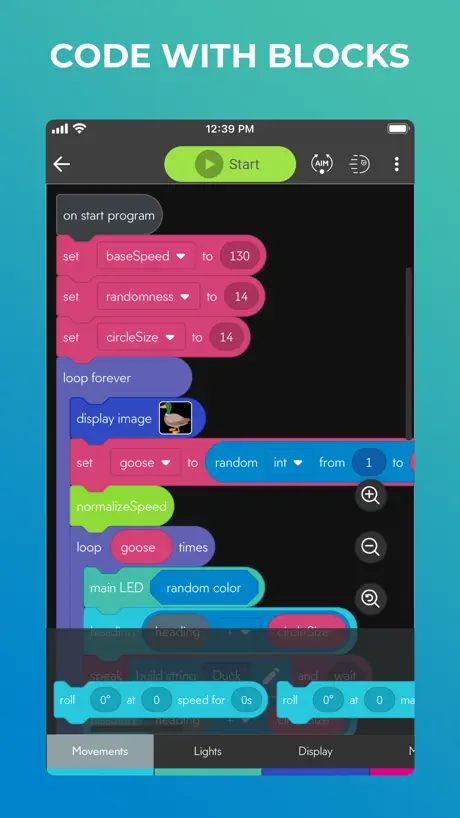
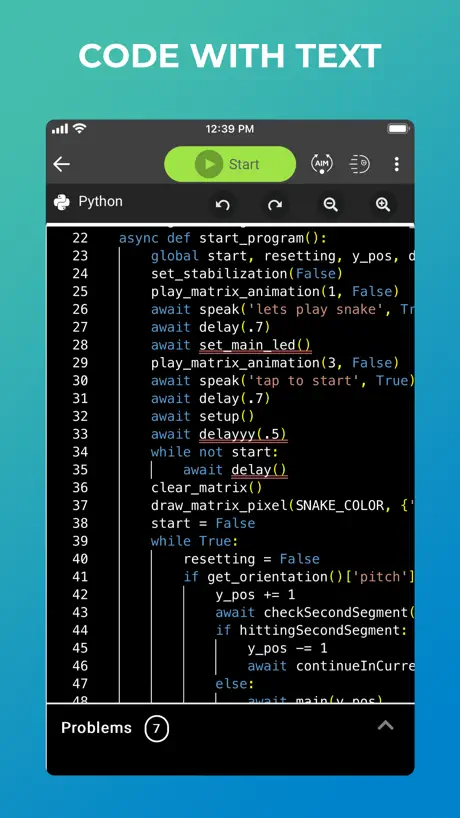
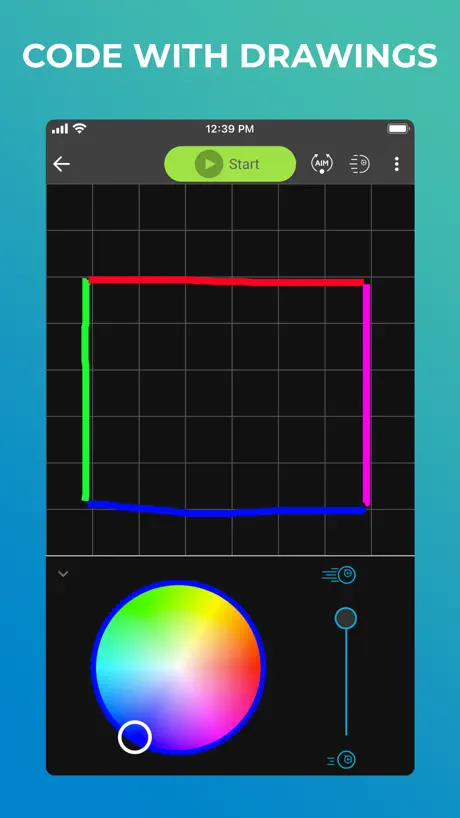
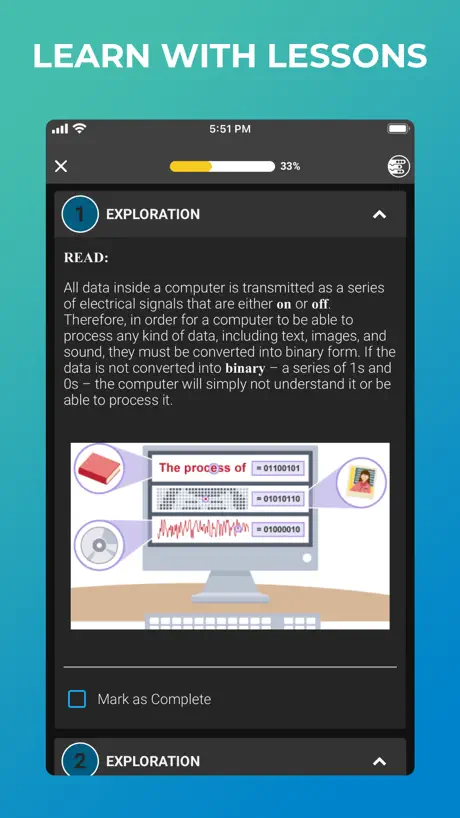
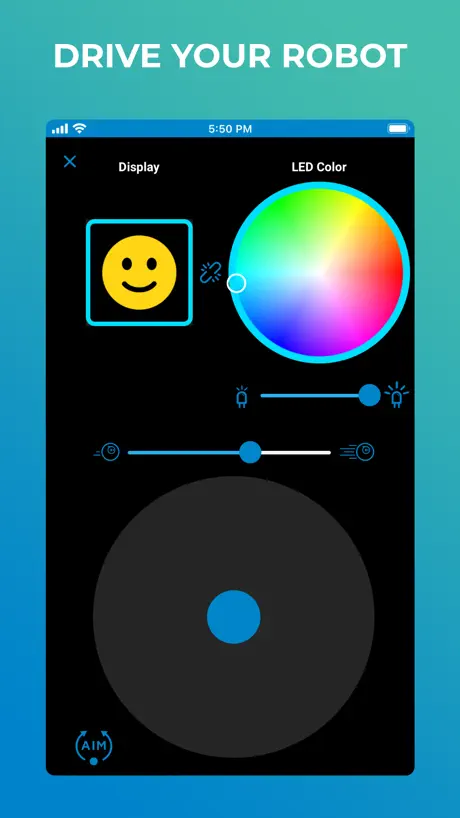
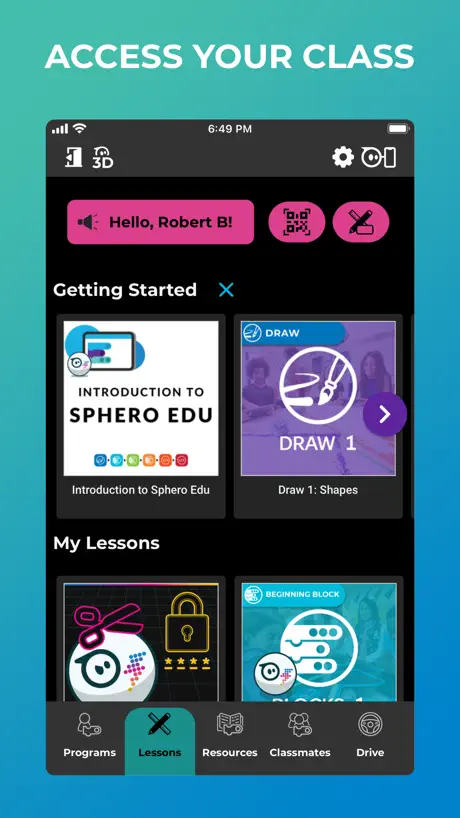
How much does Sphero Edu cost?
Prices are current as of 12 Nov 2026.
Sphero Edu has no in-app products on record in the United States.
10+ alternatives to Sphero Edu
| Sphero Edu |  Tinkercad | 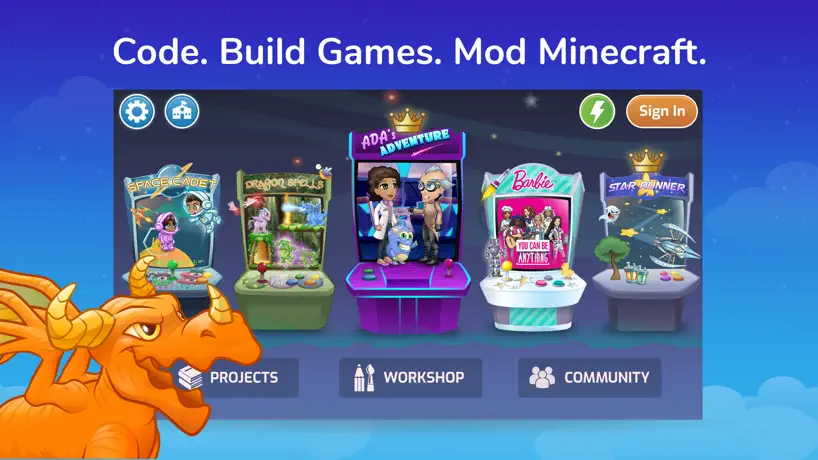  Tynker: Coding for Kids |   Kodable Basics |   ScratchJr |   ChatterPix Kids |   Evo by Ozobot |   Wonder for Dash |   Mosyle School |   Blockly for Dash & Dot robots |   Boom Cards | |
|---|---|---|---|---|---|---|---|---|---|---|---|
| Rating / 5 | 4.5 | 4.6 | 4.6 | 4.7 | 4.0 | 4.0 | 4.5 | 4.2 | 1.3 | 4.0 | 4.0 |
| Reviews | 4K | 62K | 41K | 32K | 8.4K | 1.7K | 1.7K | 999 | 529 | 467 | 10 |
| Released | 2015 | 2019 | 2014 | 2012 | 2014 | 2013 | 2016 | 2015 | 2016 | 2014 | 2016 |
| Monthly price | — | — | $24.99 | $24.99 | — | — | — | — | — | — | — |
| 3-month price | — | — | $59.99 | — | — | — | — | — | — | — | — |
| Annual price | — | — | $119.99 | $119.99 | — | — | — | — | — | — | — |
| One-time price | — | — | $314.99 | $19.99 | — | — | — | — | — | — | — |
The going rate for each plan in United States, in its own currency, shaded from the cheapest price on the row to the dearest.
Sphero Edu reviews
4.5 out of 5, based on 4,037 reviews.
What people like
- Great for learning to code
- Connects fast and stays stable
- Fun activities help kids learn
- Works well with new firmware
What they complain about
- App crashes immediately on launch
- Cannot connect to older robots
- Older apps removed from store
- No text coding lessons for RVR+
I love it
This is just a great app and I am going into big projects with my bolt plus. anyways, it’s super fun to!
This is it?
I have a Star Wars Sphero bot, and they stopped making the relevant app downloadable, so I have to hold on to the og app on an ancient iPad to get full functionality. This app is the replacement. It makes the droid move. None of the extra sounds, features, etc. Pretty bad service to cut off 60% of the fun of your hundred dollar droid by locking new devices out of the app.
A little annoying
It’s really hard to connect to my bolt because it keeps running out of battery and I wish it wouldn’t do that and it just nodded, which is amazing and it also means it agrees oh it finished charging which is great but I’m still keeping this review
Won’t load but I can still drive Ollie
Won’t load but I can still drive Ollie. Please fix this.
Doesn’t work with iOS 26
Doesn’t open with iOS 26. App opens and then immediately crashes
Great app!
No problems with this app at all. It is amazing! I have a Sphero BOLT and the programs are easy and fun. Here is an idea for a block for block programs I had in mind: Spin 0 times a second for 0 sec. This is where a robot will spin in a circle. An example for this in a program is: Spin 2 times a second for 5 sec. Amazing app overall!!
Bb-8
Sphero edu is very very bad no good because I tried connect to bb8 and no work long time and super bad for Sphero edu!!
Good but…
In the 3d view i hate how no zoom Its stup
features that would make everything way better.
The app is fine. But it feels restrictive in ways even non-programmers would notice. Such as only having a library of sounds rather than ones that could convey actions better. Plus I could see myself using Sphero products every second if you could run a program and control Sphero at the same time. I have stopped using the products for years now and I think these features would make me return. Thank you for reading.
Good app, but it stopped working
It was working for a while, but then when I try to go on my program, it just keeps loading to get into it
Ideas for 3 new block types
This is an amazing app for kids to learn programming. Here are some concepts for blocks that would be nice to have in the block programming mode: 1. Run (code) and (code) together. This is a control block with 2 spaces for programs, like how the if-then-else block is shaped. This block would run both of the programs at the same time, instead of one after the other like in normal program structure. For example, "run (heading 90°) and (main LED red) together. would make the bot turn 90° and red simultaneously. 2. Color of pixel at (x,y). Sensor block for BOLT and BOLT+ that acts as whatever color the matrix pixel at that coordinate is. For example, if the (5,2) pixel is green, then “color of pixel at (5,2)” would output green. 3. if (boolean) then (number) else (number). Sensor block that acts as the first number if the boolean is true, and as the second if it’s false. Basically just a piecewise function. Also, PLEASE add the drive motion block to all other bots.
Does not work on IOS 26.4
Opens and shuts down immediately.
Works with BB-8
While I’m upset that the BB-8 app is gone, my Sphero BB-8 still works with this. BB-8 can’t wander or make as many of the weird noises anymore, but this app ensures that he still has some functionality. Would be cool if they could incorporate some of those features back into this app (though I’m not sure how many BB-8s are still rolling around).
It’s almost perfect but
Ok sorry for the review title cliché but it was all I could think of but enough banter what’s wrong with it well one thing the fact that you can’t even program the force and for bb-8 I have been searching in my storage room for years and I finally find it I am ecstatic and rush to download the app hours later I am sitting there and nothing I soon learn it has been discontinued hmm well this app looks like it would maybe work and it did but I wanted to use the force band so I keep looking and looking then I give up and try to brute force my way in and try to code it and you can’t even control what you create without more code now he just he just says things noise the robotic voice but it doesn’t even sound anything like what bb-8 sounds like or even close so if you were here to use bb-8 and your forceband then maybe try somewhere else or something I don’t know apparently it’s “illegal to download if not downloaded already” so yea I don’t have an answer but it’s still fun just annoying to hear “bwaaaabump you need to download the application first” over and over but give me your opinion and mine might change but as it stands I will not use it as much unless I find a way to at least have a reaction from the droid that’ll you for your time.
nice
good app but add joycon support
Love ⭐️⭐️⭐️⭐️⭐️
This is app is so fun I can use him until his battery dies with no disconnect! You can make so many programs, take numerous coding courses and if you want to drive it around you can do that too overall this app is amazing but I wish it had support for indi.
Doesn’t open
Can’t get the app to open.
Reinstall to fix IOS 18.3 Crash
Even though kept updated, when trying to run it under IOS 18.3, it would not open, crashing. Reinstalling fixed it.
Stuck on firmware update
I got a Sphero mini and when I tried to connect it to my phone, it was stuck on a firmware update screen.
Sign in plz
I successfully made an account but when I made my sister one it made all sorts of stupid excuses and same for google account option
Amazing
I love using this with all my robots connects fast and still works 2025
Crashes immediately
Can’t even load the app because it immediately crashes.
Bad range but nice coding
I’ve had a Sphero rvr+ for 2 years I love it and the coding is super nice but the range on the rvr+ is not that great for a car that can do lots of things like all terain driving. The introduction Video says it is the go anywhere do anything robot but for the range it is not good. Also my son is ready for text coding but there are no lessons on that. It says bolt is compatible with the text lessons but my rvr+ is not
Great at school but one problem…
Now, this is amazing to use at school and I love it, but there is one problem. Last time I had to do it without an account, but when I tried to sign up this time, it all worked until I had to put my mum’s email. I put it in, but it said that YOU COULDNT USE AN @ SYMBOL!!! I don’t get why you made it like this, like millions of people have @‘s in their emails. It is very annoying, so could you please change it?
I like Sphero edu
I like it, but I wished it was a feature for changing the format of free drive if you connect Ollie only because I missed the original Ollie app because I used that one feature that it stands on one wheel and jump So please devs please put this feature or the original Ollie app
would give it 6 stars
-
Just crashes
App doesn’t even launch. Just immediately crashes
king
its a pretty good app but sometimes glitches so i give it a 4 star
BB8 controls available with this app?
Excellent app that is no longer available. What is your workaround using the current features of this app? Defiantly provides pause for purchasing school district wide products as our example has lost its app from Apple store access.
BB8?
My bb8 is not working. It won’t connect to my phone. I don’t know if it’s because it has no head, and I need to know if you need the head. Help! PS: I have no idea what to rate you so 3 stars.
AMAZING! App and great for kids if they love robots
I have the Sphero rvr+, Ollie darkside, sphero mini, Sphero sparkie, and Sphero bb8, they have been all been good toys to play and control them with the app and without a doubt for me honestly it is getting a five star and very good for kids, I had they robots for a long time and I have nonstop time playing with them
Coding canvas doesn’t load
The app seems to hang (loading screen forever) when trying to load coding views. And the developer support page is empty. Tried reinstalling the app and a bunch of other stuff, but no luck! Sphero, if you’re reading this, please help and I’ll revise this review.
Stabilization missing now
Works great and activities help kids learn coding really well, but the stabilization block seems to be missing from the latest update when mini is selected. Hope it returns next update
Every password I try???
I’m sure this is an awesome app. I just can’t sign up because every password I try is coming back as already taken. Hmmm surely not ???
What happened to the Star Wars one
I was looking around and i found out that it’s been dealeted bring it back!!!!
Great app for kids and adults wanting to learn to program Sphero
The app is great and it’s a great start to learning how to programe and teaching younger kids how to as well I’m glade they kept the legacy robots as well. Thanks Sphero
Junk
Useless app, can’t connect to devices, needs rebooted often. Don’t recommend
Kinda hard to program
It is very hard to program for me, I dunno why. On scratch mit from computer 💻 it is much EASIER for me becomes its commands make a little mor sense but this game-a little hard to program, but it just might me me. I like this game though.
New upgrade and I’ve lost the videos
I got this for my daughter for Christmas, we watched loads of training videos to learn how to get the most out of it. After the last update I’m not able to view the teaching videos.
Quality Educator, but some issues
This app is a very useful tool for people looking to learn how to code. This is a fun way to see what level you are at with coding using a robot. The app might take a second to get used to, but if you are someone who’s experienced with coding, you can zip through that in no time. The app may be free to install on your phone, but the Sphero robots are not cheap, so it wouldn’t be worth it for the casual person to try something like this out. There are some strange bugs with the Sphero connection as I had issues with connecting the robot. When you are asked to double tap your Sphero to wake it, it took quite a few taps for it to work. Overall, the app is organized, concise, and appealing for coding lovers and robot heads alike.
SPHERO IS THE BEST ROBOTIC COMPANY EVER!!!!!
Sphero this app is %100 working and thank you for the new bolt + firmware update because it used to glitch but now it’s connecting perfectly Thanks a lot Sphero!
Disappointing rope-a-dope
The pyramid scheme of droids. I spent an insane amount of money on Sphero Starwars droid years back. Cool app and product. Now worthless. Guess Sphero got its $$ and ran.
Ok.
It’s fine but the thing is that adults think it’s boring!
It’s great but
It’s a great app but I wanted to know if you could bring the 2.0 app back for Sphero sprk+ again cause I can’t download it anymore cause it’s only for original now. So please bring that back cause that’s the point why I bought it thank you.
Its good but could do with some more
The app is great and the ability to drive and see what other poeple have created, but in the codeing part of the app it could use some more blocks to make it more fun and easy to code
Type code
Can you create a new method of coding where you just type what you want the robot to do
The worst app
I got a sphere a few years ago and now it doesn’t work what a disappointment
Ok
Look this app is amazing and everything but it is just bland in general
It used to be good
I have one of the first Sphero’s and it won’t connect to the app :/
Options
It’s a good tool but I wish the video information were available as text.
Sphero Edu FAQ
- Is Sphero Edu free?
- Yes. The app is free, in all 175 countries it sells in, and it sells nothing inside it.
- Does Sphero Edu have a free trial?
- No. None of its offers (US) come with a free trial.
- What are the best alternatives to Sphero Edu?
- Tinkercad (4.6 from 61,727 reviews), Tynker: Coding for Kids (4.6 from 41,425 reviews, premium from $24.99) and Kodable Basics (4.7 from 32,302 reviews, premium from $4.99).
Sphero Edu download
Last updated 9 days ago.
Sphero Edu sells in 175 countries. It was released 11 years and 3 months ago, on 31 Jul 2015. It holds a 4.5 rating from 4,037 reviews.
Supports 15 languages: English, Arabic, Dutch, Finnish, French, German, Hebrew, Italian, Japanese, Korean, Norwegian Bokmål, Chinese, Spanish, Swedish, Ukrainian.
How much does Sphero Edu make?
Third-party estimates for the last 30 days, worldwide — not the store's own figures, which Apple publishes for nobody.