Tacx Training™
How much does Tacx Training™ cost?
Prices are current as of 8 Nov 2026.
Tacx Training™ has no in-app products on record in the United States.
10+ alternatives to Tacx Training™
| Tacx Training™ |   Zwift Companion |   Zwift: Indoor Cycling Fitness |   Wahoo |   TrainerRoad |   TrainingPeaks: Plan Train Lift | 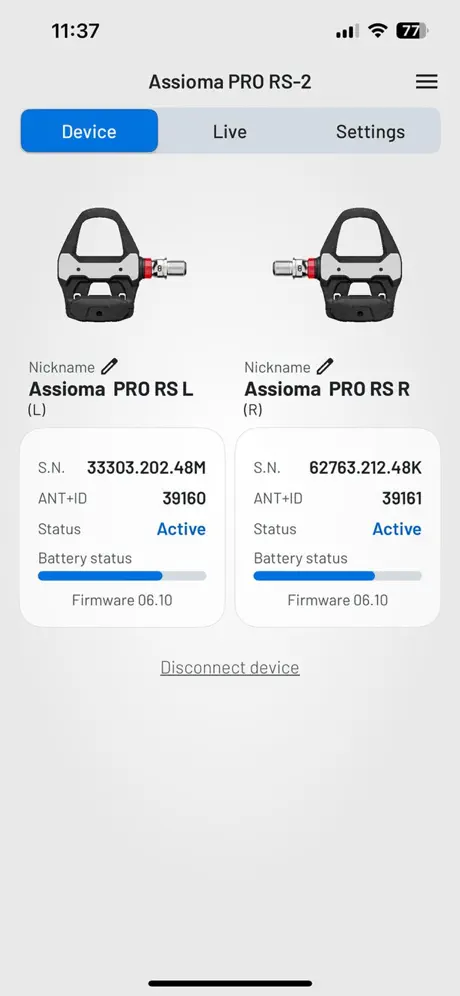  Favero Assioma |   Wahoo SYSTM |   CycleGo: Spin classes at home | 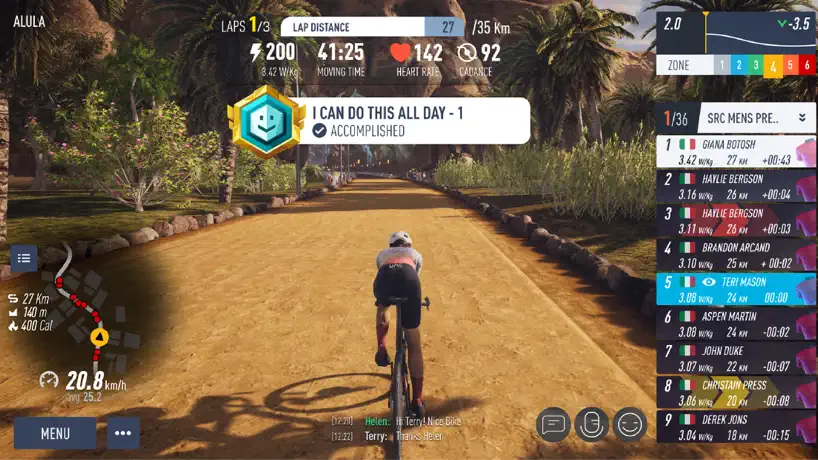  MyWhoosh: Indoor Cycling App |   SRAM AXS | |
|---|---|---|---|---|---|---|---|---|---|---|---|
| Rating / 5 | 4.5 | 4.7 | 4.7 | 4.6 | 4.8 | 4.7 | 4.9 | 4.7 | 4.6 | 3.9 | 2.5 |
| Reviews | 185K | 134K | 101K | 98K | 49K | 44K | 9.6K | 8.7K | 4.8K | 4.4K | 1.8K |
| Released | 2014 | 2015 | 2016 | 2010 | 2014 | 2010 | 2017 | 2020 | 2018 | 2020 | 2019 |
| Monthly price | — | — | $19.99 | $4.99 | $21.99 | $19.99 | — | $4.99 | $9.99 | $7.99 | — |
| Annual price | — | — | — | — | $209.99 | $134.99 | — | — | $47.90 | — | — |
| One-time price | — | — | — | — | — | $19.99 | — | — | $119.00 | $19.99 | — |
The going rate for each plan in United States, in its own currency, shaded from the cheapest price on the row to the dearest. Plans fewer than four in ten of the priced apps sell are left out.
Tacx Training™ reviews
4.5 out of 5, based on 184,534 reviews.
What people like
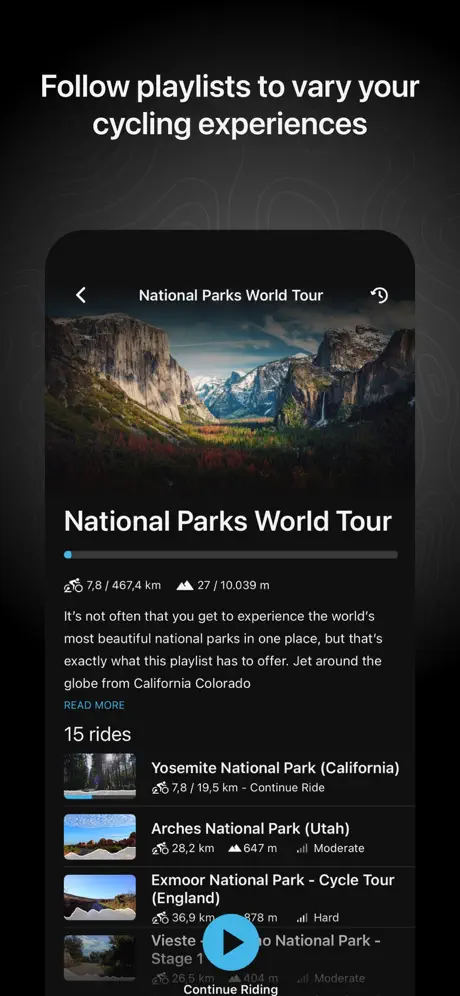
- Great variety of global video ride routes.
- Effective training programs improve endurance significantly.
- Works well with basic speed sensors too.
What they complain about
- Tiny text and buttons hard to read.
- Big rider graphic hides important data stats.
- Recent updates ruined the user interface design.
Excellent
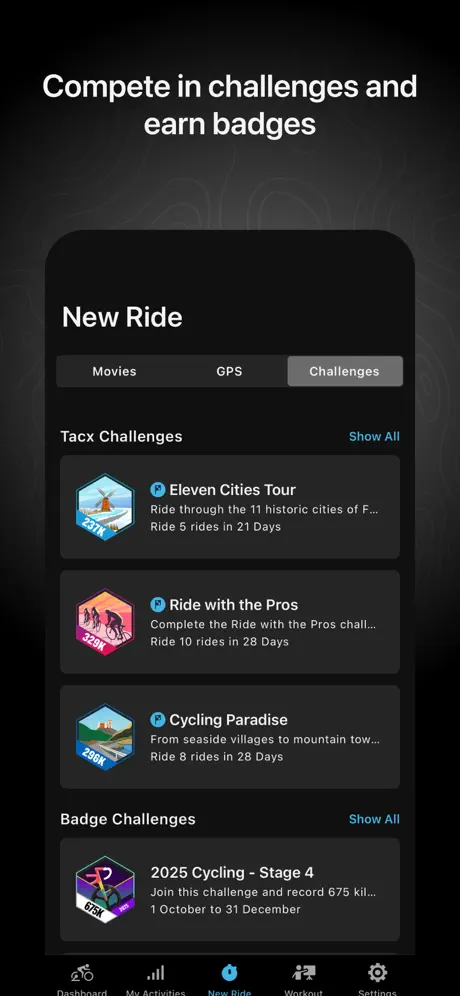
This app is superb, it covers everything from easy level 2 rambles where you can admire the beauty of the countryside to mad sessions with pro. Teams and as many other riders as you want, you can easily make up any group ride if you’re in the mood for company and with real world videos ride anywhere in the world and challenge yourself to epic tour climbing (if you have the legs) in a word EPIC!🤩🤩🤩🤩🤩
Lacking
Lacking free routes.
Update issue
So I had to update the app and now this new version does not include the Boost sensor . I have now been in touch with the team and since found that deleting the previous app version and then installing the latest version , the radio buttons within my phone settings for apps had been turned off. Since enabling these buttons I can now pair my phone with my boost 2 sensor . The app still doesn’t support Boost 2 which seems odd as I can pair and use .
Acceso restringido
A pesar de pagar la cuota mensual no me permite acceder a las opciones mas atractivas, cosa que no era así cuando me subscribí. Me siento estafado
Downloads stop when iPad screen locks
This is otherwise a great app if only the downloads would continue when the screen is locked. I need to manually keep the screen from locking to keep the downloads going, otherwise it stops until the screen is unlocked again.
Tacx Traininb
Brilliant offering so many opportunities
Products are not integrated
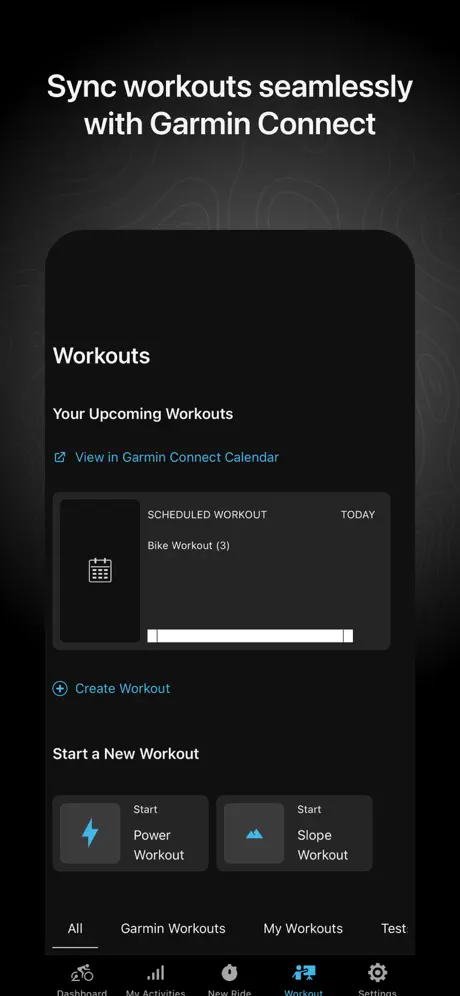
When you own a Garmin TACX Neo+ indoor bike and subscribe to the Garmin TACX app for training, the least you can expect is that the activities show up in your intensity minutes and AI analysis in Garmin Connect. However, they don’t, even if you have a paid subscription for both apps. I will reconsider my review when you fix this.
Display
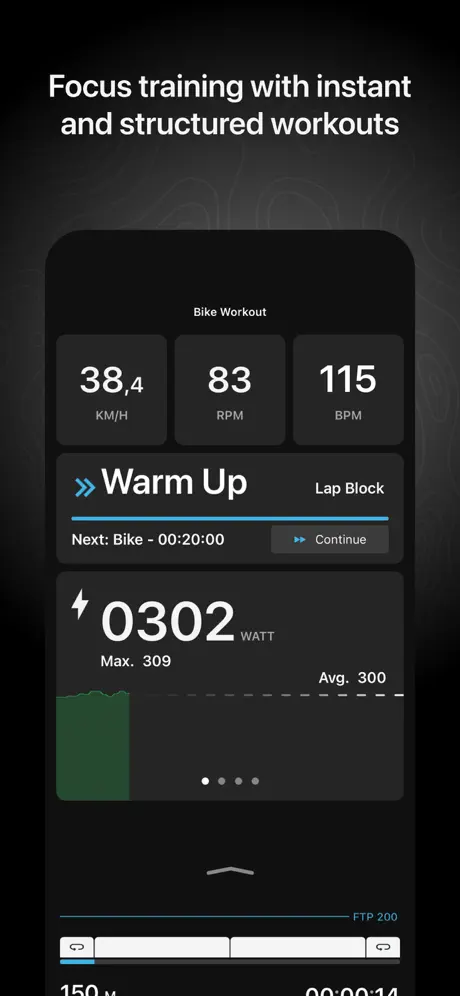
Focus on just the numbers. Imagine your HR IS 170+ and you are trying to read it. Also—make it easier to decelerate from an interval.
Not great unless you subscribe
Not sure it’s worth buying the Tacx as I have
Keeps buffering
I like the video but every 10secs buffers
Power training manual mode
Even though I do not have a smart turbo trainer and rely on a speed and cadence sensor, it works great for those that are happy to create their own plans. Simply to connect and gathers enough data including heart rate to monitor training progress
Update
Hate the update as you cannot view your average heart rate during the power activity.
Vibe coded slop
This app has so many bugs I don’t even know where to begin. It use to be serviceable and now it’s just a nightmare.
Tacx Training App
I like the app and like the larger graphic screen but real time distance has stopped working since the latest update. All other parameters work real time and final distance, when saving workout, is working showing anticipated distance so ‘it know’ the distance but doesn’t show the distance correctly real time thanks
apps!
cantconnect to other garmim watch app
Much improved
The new user interface and the ability to auto-continue nearby rides is a welcome addition. The new layout for custom made (non-video) workouts is also much improved over the last version
Poor update
The workout screen previously worked and all the important metrics were easily read. Now everything is squashed into the top half of the screen and the pause / stop buttons are behind 3 dots. Not sure who thought this was an improvement.
They improved the Slope UI (2026)
Updating my review - they made the slope workout UI a little better. Still a lot of wasted space and you have to scroll for the timer. Raising from two to four stars.
Manual controls are vibe codes BS
This is one aspect I use daily and have watched degrade over the last 5 years. Who makes the buttons and graphs smaller for a user interaction engaged during movement?
New update is not good
Used to love the app but the recent updates are really poor. No longer shows average power for example. Also the press and hold to quickly increase/decrease the power doesn’t work well any more. Please change this back!
Great app but
Certain features could be better. Why the phone app display does not show pedal strokes (but a laptop app does) is a mystery. Lastly, why not suggest a ride that is compatible with a suggested workout (eg a flat ride for base training)?
Awful update
Update- whilst the app has now been updated to provide more real time information and is therefore a slight improvement, the text is still TINY which was one of the fundamental issues with the bad update. Please could an update be made to make the text readable/slope and power adjustment buttons bigger per the previous versions (which were perfect)? Precious review on update- Used to be a great app but the most recent update has made it awful to use. The workout screens (slope/power workout) now have tiny stat figures and the buttons to change the incline etc. are tiny and hard to use. Please bring back the previous version as this was brilliant- clear, simple, included all the data you needed to see and user friendly!
New screen sucks!
In the updated screen you cannot watch clearly right the basic indicators.
Disappointed
Since Tacx joined up with Garmin my rides are no longer saved on Strava, despite ticking the right box. And absolute waste of time trying to contact someone now. Will probably cancel my Tacx subscription now.
limited free rides
The demo rides are quite short and limited.
Show rider graphic: On / Off
Suggested design change for Tacx Training (macOS) Please consider introducing a display preference for Power Workouts that allows users to hide the indoor rider graphic. A simple toggle such as: Show rider graphic: On / Off would give users greater control over the training interface. Many riders prefer a cleaner, data-focused screen during structured workouts, where attention is on power targets, cadence, heart rate and interval timing rather than decorative visuals. This would be a small usability improvement that supports different user preferences without removing the feature for those who enjoy it.
Terrible new workout screen
The new workout screen is awful - time and other data fields missing and tiny text, no options to customise, with a picture taking up most of the screen - why?! Bring the old screen back or make it an option
Like the app, UX suggestion
I like the app, but with the version 4.81.3 release the UX changed for Garmin Coach suggested workouts. While seeing the training and heart rate zones is a nice addition, all of the text sizes were reduced and 1/3 of the screen on the iPhone is occupied by the background image of someone riding a TACX trainer. That is space which could be used for adjusting the visual sizes and Placement. The text size can be increased to the next size on the iPhone, but then one has to scroll up and down to see the different visuals. They no longer fit on one screen. The background image adds no benefit to the UX and also may use up battery resources unnecessarily on a user’s device.
Broken
Having been happily using an older version of the desktop app for years, I was forced to upgrade to the latest version due to compatibility issues. What the hell has happened to the latest version. No longer will the Birds Eye view (my preference) stay on the zoom level set. It keeps defaulting to extremely close so you have no idea where you are or what coming. The gradient indicator has moved from the full length bottom of screen, to a minimal side screen. (Practically useless). And now the screen keeps glitching. Is this normal?
Drop out
I tried the Hi Def mode and it froze up I moved to normal and it still buffered but not as much
Desktop version
Suggested design change for Tacx Training (macOS) Please consider introducing a display preference for Power Workouts that allows users to hide the indoor rider graphic. A simple toggle such as: Show rider graphic: On / Off would give users greater control over the training interface. Many riders prefer a cleaner, data-focused screen during structured workouts, where attention is on power targets, cadence, heart rate and interval timing rather than decorative visuals. This would be a small usability improvement that supports different user preferences without removing the feature for those who enjoy it.
Stopped Loading
I‘ve been using this app on my iPad for several years and it’s been great. However it has now stopped loading. I open the app and all I get is a black screen with the blue spinning loading symbol. I’ve tried it on my iPhone and on my Mac. Same result. I have a 12 month subscription. Total waste of money.
So much potential
There have been some big improvements to this app, buffering is a lot less frequent, but still a pain when it happens, video selection is impressive and with the Tacx Neo, plus the Tacx Alpine, indoor riding finally feels more real. However, there must be a case for allowing users to set up their own data fields and size them on screen. This would be a big and easy win for users. 4K streaming resolution must be a possibility by now? Garmin is getting left behind by other apps with regards picture quality. It would also be great if we could ride the videos in Erg mode so that we can follow the Garmin led coach workouts. Will there ever be an Apple TV port? Uploading Gpx routes should be so much easier, and automatically linked to Garmin connect. In any case, it has recently become my go-to virtual app, mainly for the route quality but it could be so much better.
Not worth it
There’s nothing you can really do without paying quite an expensive “Premium” subscription. There are a handful of Demo rides that are only a few kms everything else you have to pay for even after I’ve already paid nearly a thousand quid for the trainer itself. Regret the purchase.
Feature Missing
You used to be able to select previous exercises from the dashboard, and select, this would take you to your last workout, now you have to open workouts and scroll until you find the one you want. It’s unnecessary, as this wasn’t the way before. Don’t fix what ain’t broken!
Great app
Once all set up works great 👍
Poor UI Changes
What has happened to the latest update. The majority of the screen is now filled by a static rider on a Taxc turbo traininer, there is limited amount of screen real estate dedicated to stats and the font is too small to read. Garmin is about the data, this is where they excel, but with this latest release I cannot see my data.
Common guys!
I love the trainer and I don't realy problems with the desktop Mac version. But one thing aggravates me. One of the avertised features is road feel and so many stages have none. For example in "Celtic Rally Roads" none of the stages have Kettle Gate road feel. And for even worst, stage 1 - Scotitsh Borders doesn't have highlited on elevation profile the first hill "Runkle Burn". Are you getting lazy?
Really hard to use
No help on where to enter code
I’ve only tried this today
First spin of the wheel and It’s ok, not as good as Zwift by any means. But, this could be a great trainer alongside side the Garmin coach.
Surprisingly Good
I had been using another training app, but progress seemed quite slow. I should just add that I am no spring chicken, so progress will never be that quick. I decided to give Tacx Training a go and chose to do the Century Program. For me the training hits the right balance between repeat efforts on Zone 2 work. I have some six weeks to complete the program. I have found that my average pace and endurance has improved significantly and now can more than hold my own with the younger members of our club.
Update 4.81.3 - now the UI is useless
Clearly no testing was done by anyone who actually uses a Tacx trainer before this update was released. Surely there must be some cycling staffers at Garmin?! The whole screen (of an iPad for example) was previously used display the data you want to see during a workout. Now stats and graphics are crammed into just the corners and lower edge of the screen while 80% of it is given over to a completely worthless wallpaper pic. Why?? Just how can such a massive backward step be deemed OK to force onto users?
Start up
I found it extremely difficult to achieve the 18.6m/h to get the initial set up sorted. Perhaps you can have different speeds, for different categories.
Tacx keeps losing connection
Seems great to start but then when I began my cadence sensor was all of a sudden no longer connected and then half way through the run it started saying it was pausing as I wasn’t pedalling but I was, couldn’t get it to work so have had to give up
Not reliable
This not reliable. The connection to the machine works it wants to and the search for new ride can be much improved….!
82 year old cyclist ,
Love the app ,I can cycle anywhere in the world 🏴🚴👍
UI worsened
A recent update has made the power workout screen difficult to use. Numbers and buttons are small and difficult to adjust, especially while training. A large picture of a man training now dominates the screen in place of the useful metrics. This means the metrics are squeezed to the top and are almost unreadable. The tab at the bottom can be dragged, and the design suggests it can be dragged upwards. However it can only be minimised to reveal more of the background picture and remove the ability to adjust the power setting. This design only removes useful functionality so it’s not clear why it is included. The buttons to adjust power are so small that they are difficult to adjust, again not ideal when training hard. There is no longer functionality to hold the buttons to adjust power quickly. In my opinion, this has regressed significantly. I appreciate some back end bugs may have been resolved. Apart from this recent update, the app works well. Happy to discuss further. Thanks
Great free app but tricky to code activity
Great free app but tricky to code activity
Needs upgrading
The upgrades are more downgrades, there are more features taken away than added. There are less features for Mac users than PC users and most people I know using this app use a Mac. Recent downgrade has taken off the ability to set own subcourses (PC) only and replaced it with a start anywhere (PC) only. So I’ver lost all my records.
Live riders
No live riders for the last two weeks, they seem to only show in the warm up stage
Tacx Training™ FAQ
- Is Tacx Training™ free?
- Yes. The app is free, in all 174 countries it sells in, and it sells nothing inside it.
- Does Tacx Training™ have a free trial?
- No. None of its offers (US) come with a free trial.
- What are the best alternatives to Tacx Training™?
- Zwift Companion (4.7 from 133,580 reviews), Zwift: Indoor Cycling Fitness (4.7 from 101,248 reviews, premium from $19.99) and Wahoo (4.6 from 97,848 reviews, premium from $4.99).
Tacx Training™ download
Last updated 17 days ago.
Tacx Training™ sells in 174 countries. It was released 12 years and 4 months ago, on 6 Jul 2014. It holds a 4.5 rating from 184,534 reviews.
Supports 14 languages: English, Dutch, French, German, Indonesian, Italian, Japanese, Korean, Malay, Portuguese, Chinese, Spanish, Thai, Vietnamese.
How much does Tacx Training™ make?
Third-party estimates for the last 30 days, worldwide — not the store's own figures, which Apple publishes for nobody.