
Yono Lite SBI
SBI Mobile Banking App
How much does Yono Lite SBI cost?
Prices are current as of 8 Sept 2026.
Yono Lite SBI has no in-app products on record in the United States.
10+ alternatives to Yono Lite SBI
| Yono Lite SBI |   HDFC Bank App: Banking & Cards HDFC Bank App: Banking & Cards |   Axis Bank Mobile Banking Axis Bank Mobile Banking |   IndusInd Bank: Savings A/C, FD IndusInd Bank: Savings A/C, FD |   BHIM Bharat's Own Payments App BHIM Bharat's Own Payments App |   SBI Mutual Fund-InvesTap Nxt SBI Mutual Fund-InvesTap Nxt |   myCAMS Mutual Fund App myCAMS Mutual Fund App |   SBI Securities: Stocks & IPO SBI Securities: Stocks & IPO |   SBI Life Smart Care SBI Life Smart Care |   NPS by Protean eGov NPS by Protean eGov | |
|---|---|---|---|---|---|---|---|---|---|---|
| Rating / 5 | 4.1 | 4.8 | 4.8 | 4.7 | 4.5 | 4.7 | 4.1 | 4.1 | 3.5 | 2.8 |
| Reviews | 51K | 504K | 396K | 152K | 109K | 36K | 8.4K | 2.9K | 733 | 702 |
| Released | 2014 | 2024 | 2013 | 2023 | 2017 | 2016 | 2014 | 2021 | 2022 | 2016 |
Yono Lite SBI reviews
4.1 out of 5, based on 51,040 reviews.
What people like
- Better remittance rates than competitors
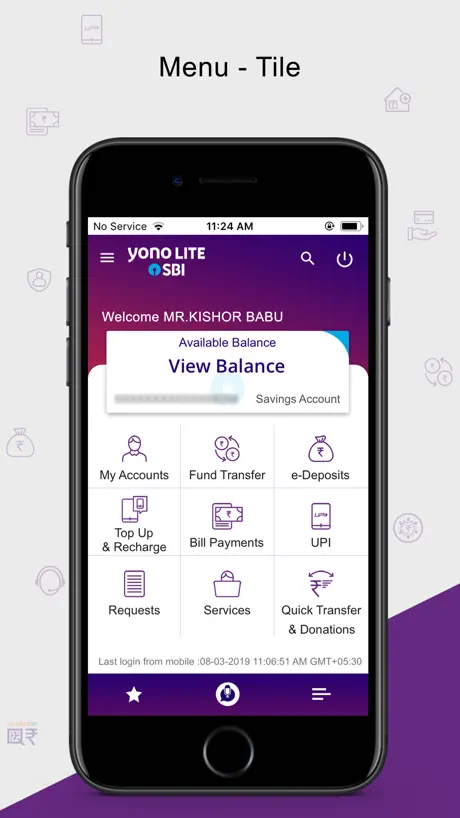
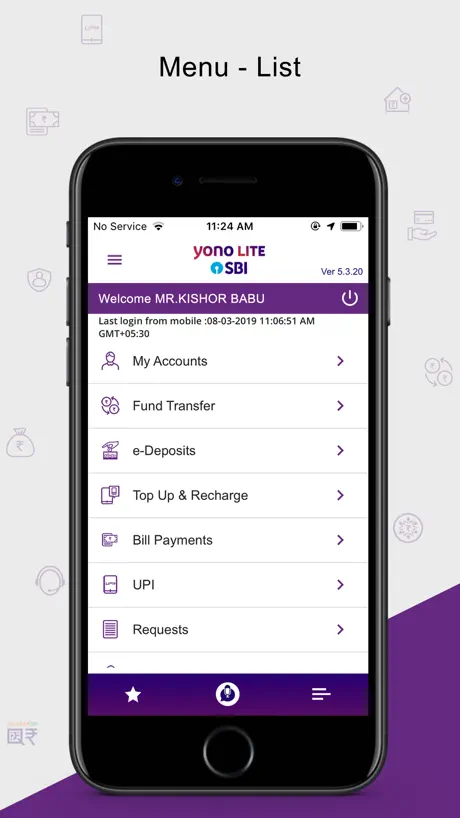
- Nice interface and easy to use
- Good security features for banking
What they complain about
- Technical errors block registration and login
- False rooting warnings crash on newer iPhones
- International users cannot receive activation OTPs
Awesome application
After updating on latest version, on 01.09.2026,it’s fixed,thanks goes to developers. ong responding times.
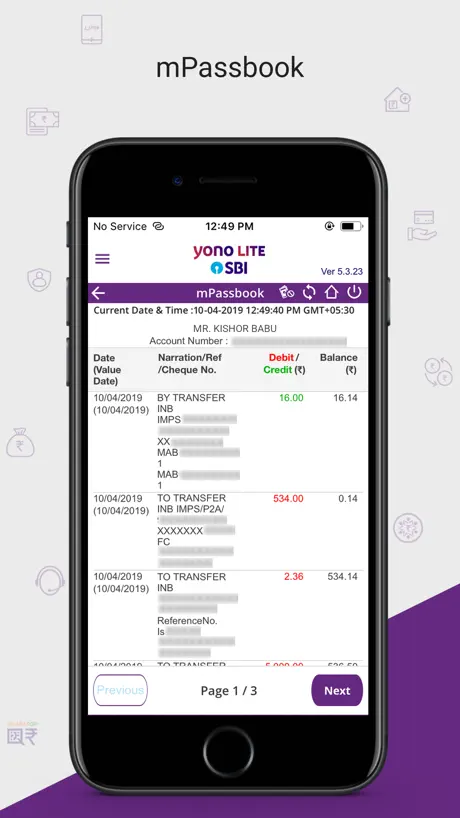
Passbook issue in setting app account
Jabi Hum App Karte hain to passbook Ke Andar click karne Ke baad statement check Agar humare Do Yati na kaun Hai to Dhono ka ka amount pura check karne Ke liye Ishu Aara Hai dubara Use next page Par Jakhar refresh Karna Pad raha Hai Yeh Ishu Save karo Yeh Box solve karo
Can I depend on this app?
I love this app, simple and neat, it provides all the functionality I need. Recently I switched to a new mobile now I can’t see my PPF and Sukanyasamridhhi accounts. When I ask the people at SBI branch Madhapur, they tell me this app is going away don’t use this. If this is true it is very sad.
Showing wrong transactions in m-passbook
For a long time , this application is showing wrong transactions in savings account of m-passbook. Further PPF account in m-passbook is not available for a long time. This kind of bug is expected to fixed by a world class bank like SBI. However, It is very disappointing to see that it is not yet fixed.
Need to fix bug-unable to use autofill username and password in this app.
After new update installed for this app, i am unable to logging in through my saved username and password. In previous version i can able to do it.
Good phenomenon
Very nice interface and accessibility is beautifully structured
Not opening
Since few days, it is not opening. Very bad services. I have tried many times but sms registration is not working. Very bad and pathetic. Currently I am using 15.8.8.
Unable to register
I’m unable to register as I’m getting technical issues error
Recent update
It messed up the login. Looks ugly and not working. IOS version asking to android version
Statement showing wrong
Statement showing in my passbook is incorrect . I hope this issue will be resolved solve soon
App Not opening in iOS 15.8.8
Even After installing iOS 15.8.8 SBI lite is opening any solution please
Unable to open
Worst app
App not working
App not working
Broken
Not allowing password manager to enter the login credentials. The app is not user friendly at all.
Illogical validation code in app for adding alphanumeric beneficiary account
If you try adding any beneficiary with an alpha numeric account number, then the app completely stops working. While the app can verify the alpha numeric account and tell you whether it’s correct, it won’t let you add a beneficiary because adding a beneficiary button has unnecessary numeral checks/logic added.
Hey
Please opan Yono
Not Getting OTP in UAE
Im trying to do transfer but OTP not geting
Suggestion
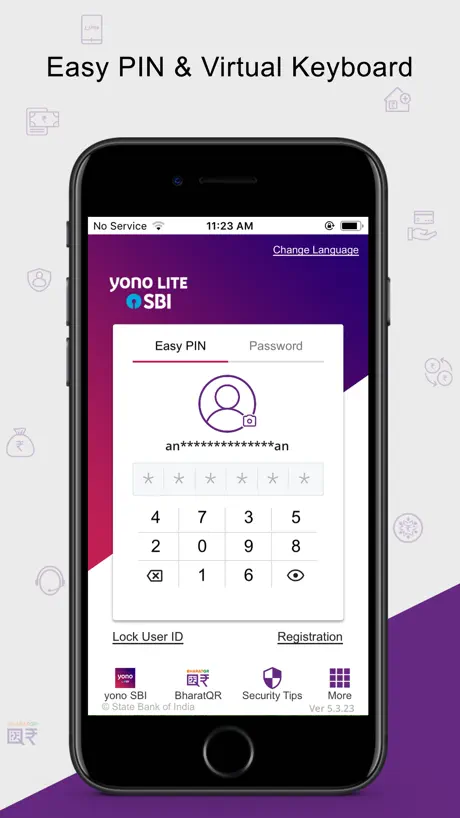
The options “ Lock / Unlock User ID” and “De- Register” are so close to the numbers ( in this case 9 and 5 ) I often touch “ Lock etc “ accidentally. I suggest the lock options etc can be placed away from the key pad .
App
Application not working properly
Can be improved further
Sometimes after sending SMS it asks for login credentials and then fails always especially for nri outside of India. Rest it is just ok.
Better remittance rate than Remitly
Better remittance rate than remitly
Worst banking app
I don’t understand what kind of substances are the devs of this app are on the previous version was working for me but after the update it’s not even pasting my credentials from my passwords app and it’s not even registering my sim number. I don’t no why you guys can’t let it be a stable app, last year as well after a update I had some issue with this app💢😡
Good App
Very good App, would be wonderful if the number pad for login is a bit bigger, it’s hard for bigger fingers to click on the small numbers Fully recommended
Error with Beta version
I am unable to use this app with iOS Beta version- can you please make this app compatible with the latest iOS Beta version?
After new update
The app mpassbook is not updating transactions,this app should be more attractive
Working as expected.
Using the app since it is launched. Easy to use and have all options as online banking.
The new version just don’t work
Ever since the new version has come I noticed there is no Mpin, it does not recognise face detection so I have to manually log in each time. After logging in when I open my pass book it shows recording of old transactions only. I earlier used refresh and recent transactions would show but, now it just won’t and when I try to see my other linked account, it just wont open, the existing account and its transaction recordings just wont go. There is a massive glitch in the app making it super inconvinient to use. Time and again I have to go on web through my laptop to check a simple thing or do simple transaction. It is horrible. Please look into it and rectify. Bring the old version back or something coz this one is not working at all.
Yono Sbi lite
I was forced to install the updated version. Installation failed for nearly a week. Now it’s ok. Easy to use App.
Login issue
Not even giving login page after recent upgrade
OTP not receiving
I'm having trouble receiving the OTP on my international (UAE) number for SBI or other bank transactions, and it's preventing me from completing my transactions.
Yono
Not bad at all
Technical issues
I have been using kotak app, DBS app and few other financial apps as well but never seen any banking app so consistent with “Technical Issues” error. Well done SBI, keep up your good work.
Rubbish App for NRI
The app is brilliant & secure but You can't get activation code if your mobile number is not an Indian. Out side India they can't send activation code to international customers so pathetic and useless. Please solve the issue asap. I can’t get OTP to my UK Mobile number from app & desktop website.
Does not support for NRI customer
YONO app do not work for NRI customer and keeps pop with technical error. SMS verification from registered SIM is successful but still same. Do not waste your time and international SMS charge
Not wrking on my mobile, kindly resolve this issue
Not working on my mobile, kindly resolve this issue. installed on my phone but not wrking , immediately shuts down app after opening it
Great experience but need online OTP
Users experience is great, quite nice to have application for doing online transactions! But it’s beyond imagination, why online OTP is no more functional. It’s very difficult to manage the sms based OTP.
Pathetic
Can even go to registration page app got stuck reinstalling also didn’t work
Good app but lacks dynamic UI
App is good and security is better too. Quick balance option is must have So, it can be assessed without logging in. Overall, Good app
Needs a lot of improvement
A simple task like adding beneficiary becomes herculean. 1. You can’t late information in fields 2. After painfully entering all the information manually, ensuring you are not idle, when you submit, it just times out. You will have to start all over again. I seriously doubt if they ever did an UAT or field testing for this app!
Not working on IOS 18.2
I’m unable to access the app as it says the device has been rooted post the IOS 18.2 update. Can you please rectify and resolve the issue for IOS 18.2 users?
Yono and Yono lite
Please add face recognition login for iPhone.
Worst kind of app with useless feedback services
This APP is a shame and tells exactly how an application should never be developed. You can’t register, trouble login, error with account mapping and the list goes on. The feedback service is worst than the app itself. It asks to clear cache and reboot as if the issue is with mobile and the customer don’t know how an App works. SHAMEFUL
Edit - works now.
Till date, it doesn’t work. Keeps on re-registering my account details and has never ever worked. I’m always forced to use the PC version of online banking. Edit - works fine now!! Changed stars from 1 to 4.
Missing user friendly
App is really good but each and every step asking for otp thats not at all user friendly security is a good thing till it is user friendly
Not working
When I open the app in IPhone 15 it throws an error “Your device appears to be rooted. Rooting a device exposes the device to malware, privileged access of operating system and access to your data. It is advised not to use the rooted device to perform Banking activities” Please advise.
Fantastic App!
Great one - never have any issues. Please change the YONO app to be like this.
Otp
Waste app
No update for secure OTP app
Its sad that good faclilities provided online are being ignored. Secure OTP app stopped working since last ios update and there are neumerous feedbacks asking for updates. Please release asap.
Bad app
Can’t use this app. Not working many times . Still struggle after this app download. SBI given best online service but now difficulty in transfer because of this type of log in
UPI feature to allow QR code scanning
I wish the app would allow QR code scanning to fill in the VPA instead of forcing the user to type it in. This is under Funds Transfer/UPI/Pay to VPA
Yono Lite SBI FAQ
- Is Yono Lite SBI free?
- Yes. The app is free, in all 175 countries it sells in, and it sells nothing inside it.
- Does Yono Lite SBI have a free trial?
- No. None of its offers (US) come with a free trial.
- What are the best alternatives to Yono Lite SBI?
- HDFC Bank App: Banking & Cards (4.8 from 504,417 reviews), Axis Bank Mobile Banking (4.8 from 396,341 reviews) and IndusInd Bank: Savings A/C, FD (4.7 from 152,067 reviews).
Yono Lite SBI download
Last updated 1 month ago.
Yono Lite SBI sells in 175 countries. It was released 12 years and 5 months ago, on 7 May 2014. It holds a 4.1 rating from 51,040 reviews.
Supports 1 language: English.
How much does Yono Lite SBI make?
Third-party estimates for the last 30 days, worldwide — not the store's own figures, which Apple publishes for nobody.