
MapleRead SE
EPUB+PDF reader+server
How much does MapleRead SE cost?
Prices are current as of 5 Oct 2026.
3 one-time purchases from $0.99
In the United States, MapleRead SE has 3 one-time purchases priced $0.99 – 4.99.
| Product | Price |
|---|---|
| Gratuity Level 1 | $0.99 |
| Gratuity Level 2 | $1.99 |
| Gratuity Level 5 | $4.99 |
MapleRead SE download price by country
| Country | Price |
|---|---|
| United States | $8.99 |
| Canada | CA$11.99 |
| United Kingdom | £8.99 |
| Germany | €9.99 |
| Australia | A$14.99 |
| France | €9.99 |
| Netherlands | €9.99 |
| Russia | RUB 799.00 |
| Turkey | TRY 499.99 |
| India | ₹999.00 |
| Brazil | R$59.90 |
| Spain | €9.99 |
| New Zealand | NZ$14.99 |
| Mexico | MX$199.00 |
| Thailand | THB 299.00 |
| Vietnam | ₫299,000 |
| Belgium | €9.99 |
| Bulgaria | €9.99 |
| Colombia | COP 39,900 |
| Denmark | DKK 79.00 |
| Hong Kong | HK$68.00 |
| Philippines | ₱599.00 |
| Singapore | SGD 12.98 |
| Taiwan | NT$290.00 |
| Ukraine | $9.99 |
| Switzerland | CHF 8.00 |
| Greece | €9.99 |
| Croatia | €9.99 |
| Hungary | HUF 3,990 |
| Indonesia | IDR 179,000 |
| Ireland | €9.99 |
| South Korea | ₩15,000 |
| Malaysia | MYR 39.90 |
| Mozambique | $8.99 |
| Norway | NOK 99.00 |
| Poland | PLN 39.99 |
| Portugal | €9.99 |
| Seychelles | $8.99 |
| Sweden | SEK 119.00 |
| United Arab Emirates | AED 34.99 |
| Afghanistan | $8.99 |
| Antigua And Barbuda | $8.99 |
| Anguilla | $8.99 |
| Albania | $9.99 |
| Armenia | $9.99 |
| Angola | $8.99 |
| Argentina | $8.99 |
| Austria | €9.99 |
| Azerbaijan | $9.99 |
| Bosnia & Herzegovina | €9.99 |
| Barbados | $9.99 |
| Burkina Faso | $8.99 |
| Bahrain | $9.99 |
| Benin | $9.99 |
| Bermuda | $8.99 |
| Brunei Darussalam | $8.99 |
| Bolivia | $8.99 |
| Bahamas | $9.99 |
| Bhutan | $8.99 |
| Botswana | $8.99 |
| Belarus | $9.99 |
| Belize | $8.99 |
| Congo, Democratic Republic | $8.99 |
| Congo | $9.99 |
| Cote Divoire | $9.99 |
| Chile | CLP 9,990 |
| Cameroon | $9.99 |
| Costa Rica | $8.99 |
| Cape Verde | $8.99 |
| Cyprus | €9.99 |
| Czech Republic | CZK 249.00 |
| Dominica | $8.99 |
| Dominican Republic | $8.99 |
| Algeria | $8.99 |
| Ecuador | $8.99 |
| Estonia | €9.99 |
| Egypt | EGP 499.99 |
| Finland | €9.99 |
| Fiji | $8.99 |
| Micronesia | $8.99 |
| Gabon | $8.99 |
| Grenada | $8.99 |
| Georgia | $9.99 |
| Ghana | $9.99 |
| Gambia | $8.99 |
| Guatemala | $8.99 |
| Guinea-bissau | $8.99 |
| Guyana | $8.99 |
| Honduras | $8.99 |
| Israel | ₪29.90 |
| Iraq | $8.99 |
| Iceland | $9.99 |
| Italy | €9.99 |
| Jamaica | $8.99 |
| Jordan | $8.99 |
| Japan | ¥1,500 |
| Kenya | $9.99 |
| Kyrgyzstan | $9.99 |
| Cambodia | $9.99 |
| St. Kitts and Nevis | $8.99 |
| Kuwait | $8.99 |
| Cayman Islands | $8.99 |
| Kazakhstan | KZT 4,990.00 |
| Lao Peoples Democratic Republic | $9.99 |
| Lebanon | $8.99 |
| St. Lucia | $8.99 |
| Sri Lanka | $8.99 |
| Liberia | $8.99 |
| Lithuania | €9.99 |
| Luxembourg | €9.99 |
| Latvia | €9.99 |
| Libya | $8.99 |
| Morocco | $9.99 |
| Moldova | $9.99 |
| Montenegro | €7.99 |
| Madagascar | $8.99 |
| Macedonia | $8.99 |
| Mali | $8.99 |
| Myanmar | $8.99 |
| Mongolia | $8.99 |
| Macao | $8.99 |
| Mauritania | $8.99 |
| Montserrat | $8.99 |
| Malta | €9.99 |
| Mauritius | $9.99 |
| Maldives | $8.99 |
| Malawi | $8.99 |
| Namibia | $8.99 |
| Niger | $8.99 |
| Nigeria | NGN 14,900.00 |
| Nicaragua | $8.99 |
| Nepal | $9.99 |
| Nauru | $8.99 |
| Oman | $8.99 |
| Panama | $8.99 |
| Peru | PEN 39.90 |
| Papua New Guinea | $8.99 |
| Pakistan | PKR 2,500 |
| Palau | $8.99 |
| Paraguay | $8.99 |
| Qatar | QAR 29.99 |
| Romania | RON 49.99 |
| Serbia | €9.99 |
| Rwanda | $8.99 |
| Saudi Arabia | SAR 39.99 |
| Solomon Islands | $8.99 |
| Slovenia | €9.99 |
| Slovakia | €9.99 |
| Sierra Leone | $8.99 |
| Senegal | $9.99 |
| Suriname | $9.99 |
| Sao Tome & Principe | $8.99 |
| El Salvador | $8.99 |
| Swaziland | $8.99 |
| Turks and Caicos | $8.99 |
| Chad | $8.99 |
| Tajikistan | $9.99 |
| Turkmenistan | $8.99 |
| Tunisia | $8.99 |
| Tonga | $8.99 |
| Trinidad and Tobago | $8.99 |
| Tanzania | TZS 24,900.00 |
| Uganda | $9.99 |
| Uruguay | $8.99 |
| Uzbekistan | $9.99 |
| St. Vincent & The Grenadines | $8.99 |
| Venezuela | $8.99 |
| British Virgin Islands | $8.99 |
| Vanuatu | $8.99 |
| Kosovo | €9.99 |
| Yemen | $8.99 |
| South Africa | ZAR 199.99 |
| Zambia | $9.99 |
| Zimbabwe | $9.99 |
10+ alternatives to MapleRead SE
| MapleRead SE |   Yomu EBook Reader Yomu EBook Reader |   Smart Comic Reader Smart Comic Reader |   BookFusion BookFusion |   i2Reader Cloud i2Reader Cloud |   ShelfPlayer - Audio Book Shelf ShelfPlayer - Audio Book Shelf |   EPUB Reader - justread EPUB Reader - justread |   BookFolder BookFolder |   BookShelves eBook Reader BookShelves eBook Reader |   Andrea - Comics, Manga & Books Andrea - Comics, Manga & Books |   Inkwell - Customizable Ebooks Inkwell - Customizable Ebooks | |
|---|---|---|---|---|---|---|---|---|---|---|---|
| Rating / 5 | 4.2 | 4.7 | 4.9 | 4.7 | 4.3 | 3.9 | 4.7 | 4.7 | 4.2 | 4.6 | 4.0 |
| Reviews | 318 | 6.3K | 2.3K | 1.3K | 1K | 427 | 80 | 39 | 36 | 22 | 10 |
| Released | 2014 | 2013 | 2020 | 2016 | 2015 | 2024 | 2026 | 2021 | 2026 | 2026 | 2023 |
| Annual price | — | — | — | $47.99 | — | $29.99 | — | — | — | — | — |
| One-time price | $1.99 | $7.99 | — | — | $0.99 | — | — | — | — | — | — |
The going rate for each plan in United States, in its own currency, shaded from the cheapest price on the row to the dearest. Plans fewer than four in ten of the priced apps sell are left out.
MapleRead SE reviews
4.2 out of 5, based on 318 reviews.
What people like
- Connects easily with your Calibre library.
- Lets you pick any font you want.
- Keeps progress bar visible while you read.
- Reads books aloud with text-to-speech feature.
What they complain about
- Hard to figure out how to use.
- Importing books from computer is a nightmare.
- Syncing reading progress between devices is unreliable.
- User interface feels old and confusing.
Very nice
I am an avid kindle reader and I absolutely hate it when i have to use the built in books app instead of kindle. I'm so glad I found this app, which is a great alternative for reading epubs. It has a lot of nice features, including audio for epubs (but not pdf). Here are a few wish list items I hope you will consider... -wish could change red color for highlighted word when using audio (I'd prefer blue or to be able to pick a color) -when audio is active you can't highlight or make a note, even when the audio is paused. You have to completely exit out of audio and then make the note/highlight and return to audio -wish there was a way to customize top menu (I will never use cloud so it's annoying to have that menu option always present & therefore subject to accidental presses) Thanks for the much improved reading experience! It's greatly appreciated!
Fails to import more than half of my books
I got the paid version since the app did better than Books in terms of comics view. But when I actually went and import them, more than half of the books failed to import woth very vague errors saying “Error creating book.” Not helpful, as the failed ones included the ones whose MB were lower than the ones that are already imported. Tried every way possible - over wifi, PC, cloud, share through files, etc. Now I’m sitting here wondering what’s the use of paying for something I can’t even use 😭
UI Design should be improved
I'm telling you one thing over and over again: change your user interface. Your user interface looks old and outdated. It looks awful. You should implement iOS 26 “Liquid Glass” design in elegant and minimalist way.
Complicated
Not user friendly
Decent replacement for Marvin 3
Early 2026 update finally wrecked my ability to use ,y ancient (yet amazing) Marvin 3 reader app….I downloaded and purchased nearly a dozen different reading apps and MapleRead SE was the best fit for my needs. Pros: easy to import books from various sources, from Kobo to Ao3, I have had zero issues. The ability to edit metadata is amazing. Love that page read Susan a between devices. Cons: Margin size isn’t customizable enough, I like large margins and a single column. Often words are cut in half when I change margins and font size. The tags need improvement- there no ability to bulk edit/delete tags or to search library for a specific tag in the search bar, only by scrolling through the tag list which is a pain and inefficient (I have 6600 files with 25,698 tags writers are using the tags like authors notes, which I don’t love, but again I cannot edit them easily here). There is no ability to rate at the end of reading…I like to go back and re-read stories I’ve really enjoyed and the ability to quickly see what I’ve rated highly would be great. Also, I like to use emojis as quick visual cues to story content and there is no place to do that here. Right now I’m using the title line to meet these needs, since the title is always visible (Title | emojis and rating). I make regular, time-consuming metadata changes such as the title edits, adding custom covers, editing the summary if needed, and thinning/consolidating tags - none of these changes sync with other devices or with the book file when I export it to Calibre, my library organization software. So a lot of wasted time. Ultimately, it’s a functional reader and easy to get books into, but does not work at any level needed for a library with more than a dozen or so books. It doesn’t have the features to organize a larger library or the ability to save any changes made to customize a personal library. With some tweaks it could be great. Adding things for personal library organization would make this a fantastic app. I held onto my Marvin 3 reader for years after the developer stopped supporting it (and I know many others did too). Because Marvin was both a reader and a library organizer app. Im still on the hunt for a replacement, but in the meantime MapleRead SE works.
This app is an incredible secret!
Why don’t more people know about MapleRead? I’ve been using this now for several years and couldn’t ever go back to Apple’s app. No way. Updates are regular and it truly deserves to be better known. A++++ Edit 12/21/2025: The best has gotten even better. I absolutely LOVE this app!
Does Not Open Imported Books
I import books and some won’t show up on the shelf. If I try to import it again, it still doesn’t show up and says it’s duplicated. I also cannot open the book with the app but it opens normally on other apps. This doesn’t happen with all books and sometimes the app will function normally 1 day and then the next day a book will be missing. I wish Moonreader+ was on the app store because I hate this app. update: I am in the all books tab. I see the parenthesis say 8 books but it only shows 5 covers. It seems to only exclude pdfs. I have fixed this by immediately moving pdfs to a new shelf and tagging them after import. If I don’t, they do not show up on the shelf and I am not able to find them again once they are out of the queue.
Love the App…Wish for a couple of improvements
Love the app and its connectivity! I have a couple of upgrade wishes… I Wish for highlighter improvements, especially when operating in in Dark Mode. The Problem is that the text stays the WHITE FONT COLOR after you highlight and because of the bright highlighter color makes it difficult if not impossible to read. The whole point of highlighting is to make something easier to see, not harder. The simple suggestion is to Make the letters black font color when they are highlighted as this will at least render them readable with contrast. ALSO, can you add underlining? Double underlining, Curley underlining, all in multiple choice colors and bolding too? Great Job Developers!
App Crashes and Robotic Audio
Every time I try to create a new theme the app crashes. It crashes when I press background, text, and heading. Why when I add a picture there isn’t an option to set the picture’s opacity?The opacity included is only for text. Also, I selected an enhanced voice for audio, but when used by the app the voice sounds very robotic. There also isn’t an option to set the length of pauses between sentences. With that being said, how to use the app and its features is easy to figure out. I hope the issues above are corrected.
Needs a designer
Works well as a reader, but could really use a design pass. Menus are confusing, with settings and formatting options in counterintuitive places. There are dialogue boxes and pop ups where text runs edge to edge with no padding. Controls and widgets are nonstandard and dated looking. Some text is oddly phrased, and overall the app is a bit ugly. Everything looks like it was designed and laid out by a programmer, not an artist or designer.
Worth the 💰
I’m loving the app on my iPad Pro 13in (m5), and features are unlimited. Love that I can have my book read to me when I’m busy at home and can’t physically read. I also love the fact that I can pick classic book to transform my book into an actual look alike physical book. If it’s possible work on adding page turn sounds. Using the classic book feature and page turn sounds will most definitely take digital reading to another level. (my opinion) Endless features keep the updates coming!
Gave Up Trying to Download an Existing Library
I have over 3000 epub books and have spent four hours trying to figure out how to do it. $9 wasted. MapleRead - make this process easier.
Nice and still improving
Overall, this has been a great epub reading app coming from many years of using Marvin. But, like any app, there is always room for improvement. A recent issue (which is probably not the developer’s fault thanks to iOS 18) is that the “Lookup” option (dictionary) is gone from the list when pressing on a word. Other minor issues: I’d love for the clock to always show onscreen in the upper left (without needing to tap the screen). Also, syncing reading progress between iPad and iPhone is great but takes attention since it needs to be done manually on each device every time you want to switch between devices. Lastly, on a really positive note, the developer reads and responds to feedback and is still making improvements to the app. That’s worth the price for the paid version.
Not a reader
First you have to download a pdf before you can read it.
Need more
Would like to move books around in set in any order I want by tapping and hold at present not able to do this Would also like to draw with Apple Pencil pro on page of book also at this time unable to do this would give five stars if this could be addressed in the next update otherwise excellent app
The one and only!
First, let it be known, this is only my second review on the App Store in the past 20 years. In that period of time I have ventured to find an epub reader that would provide maximum utility, ease of library management and a user interface that is both pleasing to the eye and intuitively formatted. I have struggled over the years to manage my rather large e-book library, now exceeding 10,000 books. As you can imagine, the size of the library has posed many problems in the traditional Apple Books ((formally iBooks) application, which requires iCloud storage for there to be full and potentially ready Accessibility to books as required across devices. Unfortunately, iCloud has a notorious habit of, offloading books from the device to the cloud significantly encumbering accessibility to books as may be needed. Whether it be the extremely efficient library management, particularly of such a large volume of books, it’s ease, importation and exportation of books, the tailoring to personal needs as it relates to user interface (the ability to alter the size of the image or text when viewing the library, in list or grid mode, means to access meta data, change e-book covers, adjust title or author or series as needed), multiple options for customizing the organization of the library (by author, by title, date added/read/modified, series, and tags for grouping by topic or relevancy) or the reading experience (adjusting, text size, text in paragraph spacing, page look and feel/animation) [to name just a few] together with the developers ongoing and regular attention to an effort to maintain this application at the cutting edge of the e-book reading experience, there is nothing that holds a candle to this application anywhere, for any device, at any time past or present! Not withstanding all of my praise and merits of this application, two small tweaks to its interface and E pub reader would seal the deal: the option to “highlight” text with underlining as is offered in some other E pub readers, and a larger size size to the book covers viewable in the various collections and main interface. That being said, subsequent to my composing this review just over 30 days ago, the ability to change the scene when viewing Books in the various collections individually or collectively, no longer works, unless the viewing mode is switched to dark. I would hope product support and developers would look into this ongoing and disturbing irregularity as of late.
Worst UI Ever.
Such a terrible app. Unintuitive, clunky, and does not work as expected. Total waste of money. Very disappointed.
Needs automatic reading position sync
I switch between iPad and iPhone all the time. Having to manually sync reading position is very frustrating.
Great reader, horrible for importing books
As a reader it’s pretty good. The interface is powerful, easy to use, and comfortable to read from. However the interface for maintaining the library – importing books and so forth – is horrendous. It tries to provide thousands of ways to import books from every kind of server, and in fairness it probably succeeds. But understanding how to actually use this feature is gently melting my brain. I want to like this app, I really do. But until the interface is more clearly laid out, and is more consistent with existing iPad apps, I can’t give it more than two stars.
Better than Books but Not Yet There Where Marvin 3 Already Was
Ironing out some sync and log-in errors, developers are helpful. Added a few errors of my own, now ironed out too, and all works fine. (But Dropbox import particularly is unbelievably clunky.)
The best Marvin replacement for me.
I was a loyal Marvin user for over 13 years. Kris built a great app in Marvin and my devotion was absolute. I had figured out how to keep Marvin working on my devices. . . until 26.2, which completely kills the app. Like many, I went on a desperate hunt. For me, only Mapleread and Readest came close to meeting my needs. Both allow you to customize the book interface to almost Marvin levels. Mapleread beats Readest for me in a few key areas: 1. Mapleread allows you to download multiple titles from your opds catalog. Readest only allows one download at a time. 2. While I appreciate the open source collaborative approach to Readest feature development, I want a professionally developed and maintained app. Readest doesn’t have any real documentation and support on reddit is ok, but not preferred. With Mapleread, I emailed the support alias with a question about using a specific font—I received a response and my request was addressed in the most recent release. If you’re looking for something to replace Marvin, I recommend Mapleread. I’m happy to have found a home for my ebooks. I hope they’ll continue to add feature requests from the Marvin loyalists like me!
Look in my eyes
— it’s almost perfect! You guys are amazing! I just have a small request: when reading PDFs, (for non-scroll-view mode)could you make the page margins black when the aspect ratio of the PDF doesn’t match the screen, just like in Apple Books? It would really help me focus better while reading. Thank you so much! 🙏 Realy, it worth 5 star.
I wish it could be used on my Mac
I love this app. I own a Kindle and an iPad, and both Amazon and Apple could take lessons on what features should be in a reading app from this one. With that said, I really wish this app worked on the Mac as well as on an iPad. The Apple Books app is terrible, without any good way to organize a large library. The Calibre app is great for organizing a library, editing ebooks (ebooks without DRM, and so many ebooks today come with a large number of typos that they need editing), and tracking metadata, but Calibre’s reading applet leaves much to be desired. Maple Read lets me sort books by author, series, series number, and then title, making it much easier to find books that belong to a series and where they belong in that series, much like Calibre, but it also lets me control the fonts and display when reading, an area where Calibre is quite limited. I don’t know what is required to make an iPad app work on an M1, M2, or M3 Mac, but I think a lot of readers would prefer this to Apple Books, if you could make it available to us. Thank you.
Confusing UI, some things don’t work
The User Interface is confusing and not intuitive. Strange icons. Could not get connection to local server working.
Very complicated interface
There seem to be a lot of features, but the interface is very complicated and not intuitive. The first thing the app does when you open it is make you go to the help page. You can't even add a book that's stored on your iPhone from inside the app itself. I had to read the help page to learn this because I couldn't find any button at all for adding books. The layout defaults in the reading view don't seem quite right to me, but I'm used to Kindle.
Far superior than anything Apple could do with Books
MapleReads is in my opinion, the best books app I have come across to date. I have tried many of them, some have come close, but we’re deficient in very important aspects, but this app covers them all. It even syncs with Calibre which is another application that blows Apple Books out of the water. I’ve been an Apple customer since 1989, lived through its ups and then spectacularly idiotic downs. Since Catalina‘s demise both Books and Music , (formally known as iBooks and iTunes), have only become nothing more than front doors to Apple’s purchase and subscription services and nothing more. Apple has done nothing of meaning with those applications in roughly two decades, except to make them look cleaner and more attractive. Books is actually nothing more than a glorified but very limited database application. In the past ten to fifteen years their computers have become nothing more than glorified and expensive entertainment devices. Great if you want to stream movies, music, or peruse the internet mindlessly, but not much else. The operating system and applications may look pretty and well slicked but there has been no real progress or improvements in functionality. Bugs that have been reported for years go ignored and features that are requested are “piffled”at. In many ways it reminds me of windows do back in 2005. Their ecosystem imprisons you. Unless you are ok with doing things the way apple dictates, you will very quickly become frustrated. It was not nearly this bad a decade or more ago, but it’s all about funneling you into subscriptions and content purchases. In other words, becoming a human debit card for apple to live off of for the rest of your life if you’re silly enough to accept that. Third party apps do not work as well as they once did and it appears that there are increasing numbers of limitations and blocks to how they once worked with Apple’s devices. I would love to go on about iOS 16, but that would be repetitive. I suspect these issues with third party applications becoming more tedious and difficult to use is because whereas once upon a time, Steve Jobs had opened the OS to third party developers. However, the current CEO, Tim Cook has closed it again. Apple appears to be moving backwards toward an its business practices of the 1990’s. And we know just how well that worked out for them. MapleReads is phenomenal. I could write on and on about its many attributes, but your eyes would glaze over and all I can say is to simply download one of the smaller limited versions as I did and give it a chance. It offers an immense array of features and yet not so many that you would get lost in it.
Frustrating and useless
I can’t get it to see my files at all~tried using iPad files, setting up a folder - nothing.i also have Calibre running on my network and it doesn’t see that either
Almost perfect
I just wanted a basic reader that actually worked, showed 2 columns in landscape, didn’t skew the words halfway off the page, decent font selection, and most of all keep track of where you are in the book when you turn off the iPad. You’d be surprised how many reader apps don’t do these basic things. Why doesn’t the iPad version have the “status bar always on” option? The iPhone version does have this option. I like to see the clock and battery while reading without having to tap in the center to see it and then tap again to go back to reading.
No ICloud or sync support!
This app doesn’t allow you to synchronize books or PDFs from iCloud which made it really inconvenient for me to use.
CE is great but SE…
How come I can’t do custom order of PDF books?
Still the best
Underrated epub app, wish there were better AI natural voices even if it's an add-on subscription.
no longer working after update
I use this app for cookbooks but after the recent update there are many pages missing from books with many subchapters and the search function never leads me to the right place. This app was great but now it’s not really usable. Please fix!
Nearly perfect, but no CBRs!
This app is nearly perfect for my ebook needs! I love that it can connect to my calibre server unlike so many other apps, and it works with epubs and pdfs. The only problem is that I can’t download any of my old scanned magazines that I out into CBR format.
Literature
Google translate not works effectively. Sometimes translates the chosen word sometimes word, that marked not appeared at all
Second best in a dozen is still pretty good
This app isn’t the best on the App Store, or my first choice, but it is a strong second, and looking for something to replace Marvin 3, it feels like this might be the only app of the bunch with a real shot at replacing it if given enough to get caught up in features. The good: - highly customizable. Marvin 3 users will recognize a lot of things they love. - Active development. - Lots of solid features already. The bad: - Missing a lot of features that would otherwise make it great such as auto-scrolling or updating your progress on Goodreads. - The interface could use a rethink. Many of the menus and locations for features could be better thought through. Developer should consider brushing up on best UX design practices. - Not the prettiest app on the market. The Ugly: - For some reason, you have to register an account with them in order to add books to your library, even locally. - The app does not make use of iOS’s local file explorer. This means that it can be a great hassle for users to add books into their library as you’ll have to go outside of the app to do so locally, or frustratingly, re-sign in to other external services that otherwise might already be attached and signed into your file explorer, such as Google Drive.
Opens to Black Phe
My wonderful MapleRead app just recently started to opening to a black page when opening the app. Only with epubs. You tap the black screen and it goes back to the main library list, losing you the book you are in the middle of and having to remember which book you were reading and where in the book you are. Thanks.
Not user friendly
Very difficult to get books into program. Sorry I purchased it.
Almost the best
With Apple’s Books having so many issues this last few weeks: I’ve once again gone looking for a replacement. I expected it to be temporary as it was a few years ago when Books’ issues were ignored for other things. This is one of the best software app readers I’ve used. Good: Loading is quick, faster even than Books which decompresses on transfer, not load like here. Super fast: even with multi hundred megabyte image sets. It loads quickly, recovers to last page accessed instantly. Stable, no crashes. Multi-font, multi-lingual: supports Noto, the largest multilingual font platform. Bad: Interface is unique. Totally unique. Importing books could be an issue for those with mesh or inconsistent wifi. No table blowout. Formatted tables must be panned inline. There’s no way to pull the table into its own screen display. TOC methodology is fairly limited. For those that read volume releases or news feeds, that’ could be a consistent annoyance. It appears to like only a flat TOC and anything more complex can confuse it. Ugly: The only real complaint. No continuous scrolling. I don’t really get this. The end of a “page”, you need to long press and swipe to move to the next. It appears the app implemented a block stop. This may or may not be the end of a page. See the TOC issue above. Final thoughts: I simply can’t understand the lack of continuous scroll. That makes no sense to me. Saying the interface is clunky and confusing is being kind. It’s definitely its own methodology. Once you figure it out and get the hang of it, it’s good. I mean real good! Everything can be more or less learned to muscle memory fairly quickly. I think they simply have an Apple or Microsoft moment here: it’s totally different. And you will need to learn it by trial and error. But I see the why in the design. The free trial is limited to 5 books. That absolutely must be increased for any large readers to get a full idea. 10 is passable for a good test run and 15 would cover a wide range of testing. Best reader I’ve tried so far. Definitely worth the cost (it’s under valued).
Needs a LOT of work
Over-priced, geeky, poor onboard instructions, each book needs to have it's user functions redefined, no FAQ, complex in a bad way, and it only has email support. NOT RECOMMENDED if you are looking for a plug and play app...steep learning curve....still prefer iBooks for all its faults.
Continues To Crash
I like to read in Landscape mode and if I use my iPad in portrait and then go to landscape and open the app the book never opens. I have to reboot iPad to be able to read. Although sometimes the paging just gets messed up. It splits the pages in the middle. I really like this app so much that I put up with this.
This App is Him! (End Game App)
I was looking for a few simple things in an e-reader app and thankfully my long search is finally over: 1) always on progress bar at the bottom margin 2) Current page number and remaining pages in book (somewhere on the bottom margin) 3) The ability to highlight a word and have TTS pronounce it for me 4) TTS the whole page if I want Numbers 2-4 are relatively easy to find in an e-reader app but Number 1 (out of the 13 ereader apps I tested) only existed on one other ereader app besides MapleReader: FBReader. But the problem with FBReader is that it can't open some epub files I have (that MapleReader and Apple Books opens fine) and it can't open PDFs. EVERY SINGLE OTHER APP I tried only allowed you to see the progress bar if you clicked on the screen which I find highly annoying; I want to instantly know where I am in a book with a progress bar always on display, kind of like how you intuitively know how far you are in a physical book by seeing how the book looks in your hand. All the apps I tried that didn't have the 4 things I wanted above: Kybook 3 Bluefire Reader Readest BookFusion Kindle Yomu Epub Reader FBReader Kobo Reader Pocketbook Reader PureLibro eBOOX ReadEra Once I saw Maple Reader had these features I gladly paid the one-time fee and will donate a tip every so often to encourage further development/help pay developer costs. Thank you for finally giving me the app that checked my 4 most important boxes!
Dont spend your money
Its too hard to get it back! I have been unableto move books from my computer to this app. The instructions have not been update for years (iTunes is no longer used to manage files on a device). I finally found books in a folder called iTunes, and they couldnt be opened or moved. I do not want to use the web-not all of us have easy access. I was hoping for a replacement for marvin, but it looks like I just wont update my ios ever again
Text to Speech Voice
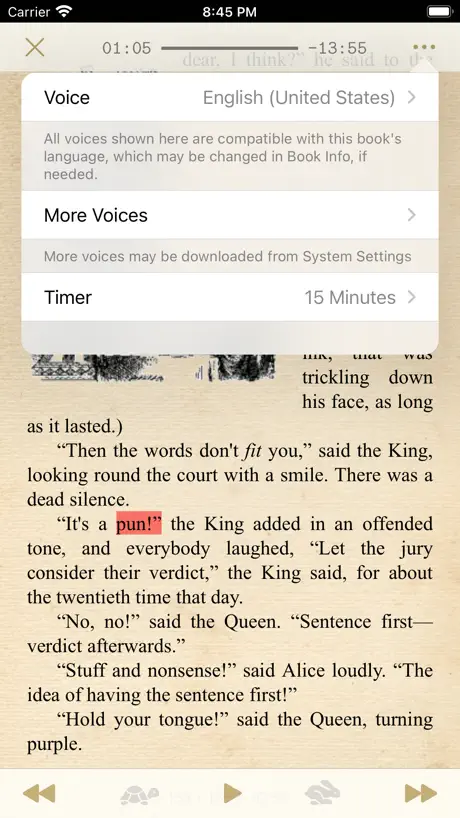
Love this app… it’s just what I was looking for. I would give it 5 stars if it had to ability to choose the voice for text to speech when reading epubs. Rather than using just the native voice. Thanks 😊 10/1/2023 Turns out the instructions to access/change voices is not clear in the app. In order to change access or change voice: -First start/open the book. - Tap center of book to bring up the TTS play menu. -Tap the 3 dots (…) and the menu to change voices will be available to you. Finally choose the voice you want.
No CBZ support
Can’t read CBZ. A bit complicate app, but the one that was the closest to my need.
Best epub reader for multiple languages
Coming from Android had a trouble finding best epub reader, especially when you normally don’t read in English. I read in Georgian, ios doesn’t have much variety of Georgian fonts, I mean there is only one stock font for Georgian and that’s it. In this reader you can embed any font you want from web. There are very many options for configuration, the only thing I miss is a page break for the new chapter, I need it sometimes very much, Overall love the app, have not regretted buying it at all.
Translate do not work anymore
Recent app updates stoped passing through the word selection to a Google Translate in a pop up. You have to type the selection manually in a popup
Love it! Except…
I was looking to replace Marvin Ereader which I’ve loved but now is no longer updated. MapleRead has all those features and I absolutely love it. It is top notch! The only reason I give it four stars is that it does not sync very well for me. It is inconsistent and a little confusing. Sometimes it does a perfect job and other times it doesn’t pick up the right place from the other device. It’s gotten frustrating for me, so that is my only complaint. Otherwise I would highly recommend getting this app.
margins
Please allow more fonts (user or built in) and margin settings ! Minus two for huge margins on top and sides like on iBooks.
MapleRead SE price by country
A one-time purchase costs $1.64 in Indonesia and $3.20 in Hungary — 2× more for the same thing. Below is the going rate for each plan in every country that sells it — the middle price of what the app charges there, in the country's own currency with the dollar equivalent beneath it.
| Country | One-time |
|---|---|
| Afghanistan | $1.99 |
| Albania | $1.99 |
| Algeria | $1.99 |
| Angola | $1.99 |
| Anguilla | $1.99 |
| Antigua And Barbuda | $1.99 |
| Argentina | $1.99 |
| Armenia | $1.99 |
| Australia | A$2.99$2.15 |
| Austria | €1.99$2.31 |
| Azerbaijan | $1.99 |
| Bahamas | $1.99 |
| Bahrain | $1.99 |
| Barbados | $1.99 |
| Belarus | $1.99 |
| Belgium | €1.99$2.31 |
| Belize | $1.99 |
| Benin | $1.99 |
| Bermuda | $1.99 |
| Bhutan | $1.99 |
| Bolivia | $1.99 |
| Bosnia & Herzegovina | €1.99$2.31 |
| Botswana | $1.99 |
| Brazil | R$12.90$2.51 |
| British Virgin Islands | $1.99 |
| Brunei Darussalam | $1.99 |
| Bulgaria | €1.99$2.31 |
| Burkina Faso | $1.99 |
| Cambodia | $1.99 |
| Cameroon | $1.99 |
| Canada | CA$2.99$2.17 |
| Cape Verde | $1.99 |
| Cayman Islands | $1.99 |
| Chad | $1.99 |
| Chile | CLP 1,990$2.13 |
| Colombia | COP 9,900$3.16 |
| Congo | $1.99 |
| Congo, Democratic Republic | $1.99 |
| Costa Rica | $1.99 |
| Cote Divoire | $1.99 |
| Croatia | €1.99$2.31 |
| Cyprus | €1.99$2.31 |
| Czech Republic | CZK 49.00$2.35 |
| Denmark | DKK 19.00$2.95 |
| Dominica | $1.99 |
| Dominican Republic | $1.99 |
| Ecuador | $1.99 |
| Egypt | EGP 99.99$1.96 |
| El Salvador | $1.99 |
| Estonia | €1.99$2.31 |
| Fiji | $1.99 |
| Finland | €1.99$2.31 |
| France | €1.99$2.31 |
| Gabon | $1.99 |
| Gambia | $1.99 |
| Georgia | $1.99 |
| Germany | €1.99$2.24 |
| Ghana | $1.99 |
| Greece | €1.99$2.31 |
| Grenada | $1.99 |
| Guatemala | $1.99 |
| Guinea-bissau | $1.99 |
| Guyana | $1.99 |
| Honduras | $1.99 |
| Hong Kong | HK$18.00$2.30 |
| Hungary | HUF 999$3.20 |
| Iceland | $1.99 |
| India | ₹199.00$2.10 |
| Indonesia | IDR 29,000$1.64 |
| Iraq | $1.99 |
| Ireland | €1.99$2.31 |
| Israel | ₪7.90$2.62 |
| Italy | €1.99$2.31 |
| Jamaica | $1.99 |
| Japan | ¥300$1.94 |
| Jordan | $1.99 |
| Kazakhstan | KZT 999.00$2.20 |
| Kenya | $1.99 |
| Kosovo | €1.99$2.31 |
| Kuwait | $1.99 |
| Kyrgyzstan | $1.99 |
| Lao Peoples Democratic Republic | $1.99 |
| Latvia | €1.99$2.31 |
| Lebanon | $1.99 |
| Liberia | $1.99 |
| Libya | $1.99 |
| Lithuania | €1.99$2.31 |
| Luxembourg | €1.99$2.31 |
| Macao | $1.99 |
| Macedonia | $1.99 |
| Madagascar | $1.99 |
| Malawi | $1.99 |
| Malaysia | MYR 9.90$2.44 |
| Maldives | $1.99 |
| Mali | $1.99 |
| Malta | €1.99$2.31 |
| Mauritania | $1.99 |
| Mauritius | $1.99 |
| Mexico | MX$39.00$2.30 |
| Micronesia | $1.99 |
| Moldova | $1.99 |
| Mongolia | $1.99 |
| Montenegro | €1.99$2.31 |
| Montserrat | $1.99 |
| Morocco | $1.99 |
| Mozambique | $1.99 |
| Myanmar | $1.99 |
| Namibia | $1.99 |
| Nauru | $1.99 |
| Nepal | $1.99 |
| Netherlands | €1.99$2.24 |
| New Zealand | NZ$3.99$2.35 |
| Nicaragua | $1.99 |
| Niger | $1.99 |
| Nigeria | NGN 3,200.00$2.42 |
| Norway | NOK 29.00$3.13 |
| Oman | $1.99 |
| Pakistan | PKR 500$1.80 |
| Palau | $1.99 |
| Panama | $1.99 |
| Papua New Guinea | $1.99 |
| Paraguay | $1.99 |
| Peru | PEN 9.90$2.95 |
| Philippines | ₱129.00$2.06 |
| Poland | PLN 9.99$2.69 |
| Portugal | €1.99$2.31 |
| Qatar | QAR 7.99$2.20 |
| Romania | RON 9.99$2.21 |
| Russia | RUB 199.00$2.31 |
| Rwanda | $1.99 |
| Sao Tome & Principe | $1.99 |
| Saudi Arabia | SAR 9.99$2.66 |
| Senegal | $1.99 |
| Serbia | €1.99$2.31 |
| Seychelles | $1.99 |
| Sierra Leone | $1.99 |
| Singapore | SGD 2.98$2.35 |
| Slovakia | €1.99$2.31 |
| Slovenia | €1.99$2.31 |
| Solomon Islands | $1.99 |
| South Africa | ZAR 39.99$2.50 |
| South Korea | ₩3,300$2.45 |
| Spain | €1.99$2.24 |
| Sri Lanka | $1.99 |
| St. Kitts and Nevis | $1.99 |
| St. Lucia | $1.99 |
| St. Vincent & The Grenadines | $1.99 |
| Suriname | $1.99 |
| Swaziland | $1.99 |
| Sweden | SEK 29.00$3.02 |
| Switzerland | CHF 2.00$2.47 |
| Taiwan | NT$60.00$1.90 |
| Tajikistan | $1.99 |
| Tanzania | TZS 5,900.00$2.23 |
| Thailand | THB 79.00$2.40 |
| Tonga | $1.99 |
| Trinidad and Tobago | $1.99 |
| Tunisia | $1.99 |
| Turkey | TRY 99.99$2.06 |
| Turkmenistan | $1.99 |
| Turks and Caicos | $1.99 |
| Uganda | $1.99 |
| Ukraine | $1.99 |
| United Arab Emirates | AED 7.99$2.18 |
| United Kingdom | £1.99$2.63 |
| United States | $1.99 |
| Uruguay | $1.99 |
| Uzbekistan | $1.99 |
| Vanuatu | $1.99 |
| Venezuela | $1.99 |
| Vietnam | ₫59,000$2.27 |
| Yemen | $1.99 |
| Zambia | $1.99 |
| Zimbabwe | $1.99 |
MapleRead SE FAQ
- Is MapleRead SE free?
- No. MapleRead SE costs $8.99 (US) to download, and its premium features are extra: 3 one-time purchases starting from $0.99.
- Does MapleRead SE have a free trial?
- No. None of its offers (US) come with a free trial.
- Where is MapleRead SE cheapest?
- A one-time purchase costs IDR 29,000 (≈$1.64) in Indonesia and HUF 999 (≈$3.20) in Hungary, its cheapest and dearest countries.
- What are the best alternatives to MapleRead SE?
- Yomu EBook Reader (4.7 from 6,323 reviews, premium from $7.99), Smart Comic Reader (4.9 from 2,254 reviews) and BookFusion (4.7 from 1,341 reviews, premium from $1.99).
MapleRead SE download
Last updated 9 days ago.
MapleRead SE sells in 174 countries. It was released 12 years and 4 months ago, on 28 May 2014. It holds a 4.2 rating from 318 reviews.
Supports 1 language: English.
How much does MapleRead SE make?
Third-party estimates for the last 30 days, worldwide — not the store's own figures, which Apple publishes for nobody.
Revenue by plan
- One-time 100%
Revenue by country
- United States 51%
- Canada 7%
- Germany 6%
- United Kingdom 6%