
TwistedWave Voice Recorder
Record, Edit, Trim Audio
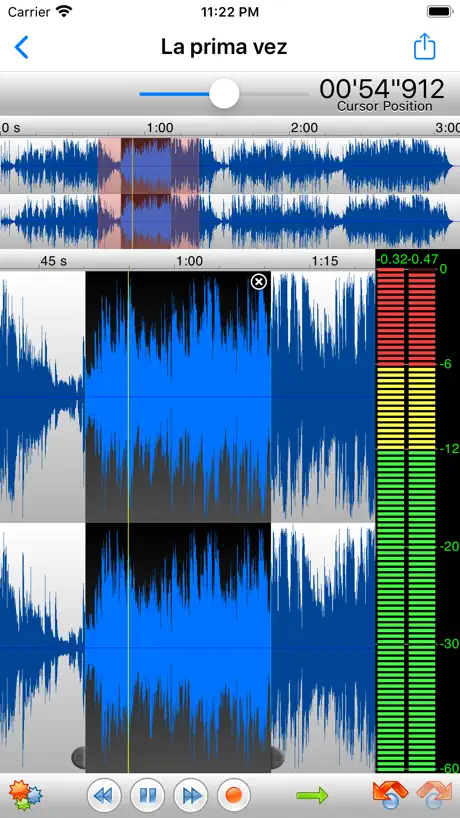
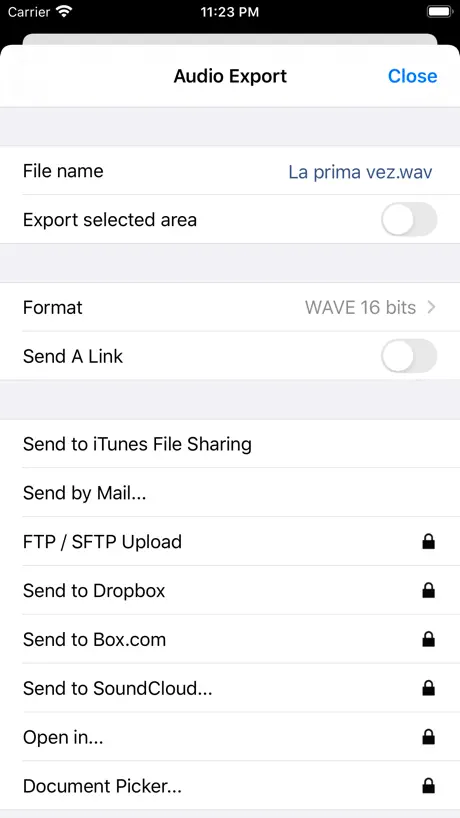
How much does TwistedWave Voice Recorder cost?
Prices are current as of 2 Oct 2026.
2 one-time purchases from $3.99
In the United States, TwistedWave Voice Recorder has 2 one-time purchases priced $3.99 – 5.99.
| Product | Price |
|---|---|
| unlock all export options | $3.99 |
| unlock all editing functionalities | $5.99 |
See what TwistedWave Voice Recorder costs in all 175 countries →
10+ alternatives to TwistedWave Voice Recorder
| TwistedWave Voice Recorder |   EZAudioCut - Audio Editor Lite EZAudioCut - Audio Editor Lite | 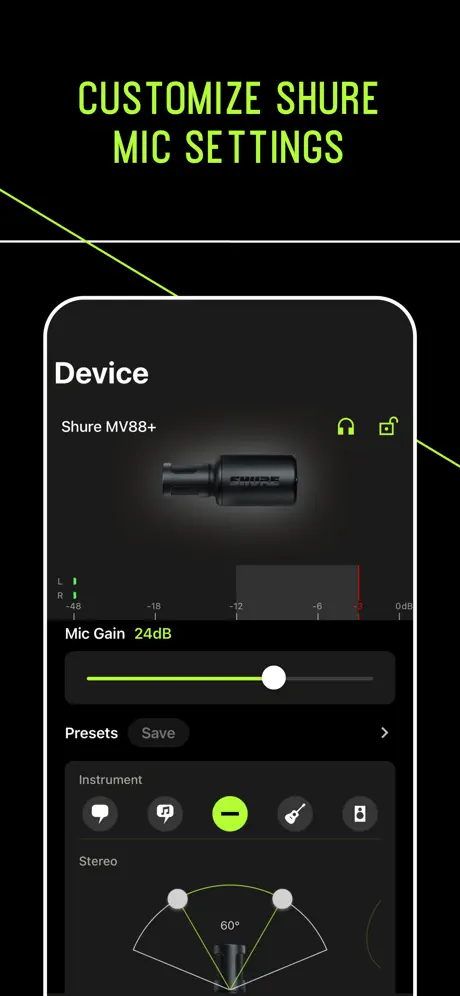  MOTIV Audio MOTIV Audio | 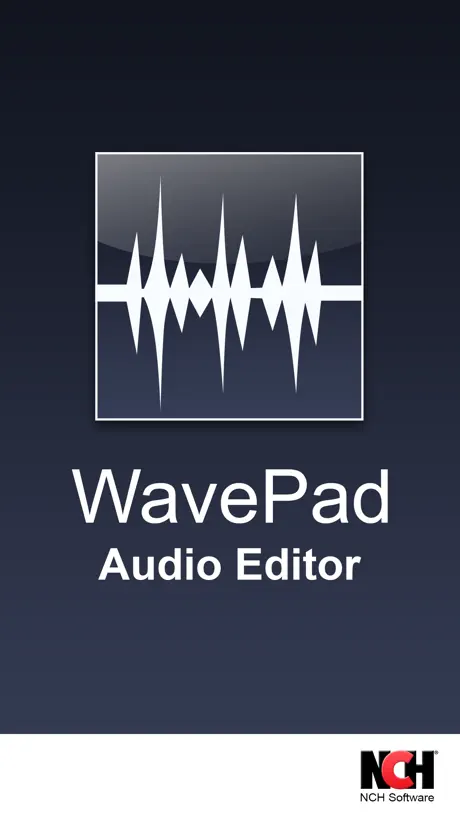  WavePad Music and Audio Editor WavePad Music and Audio Editor | 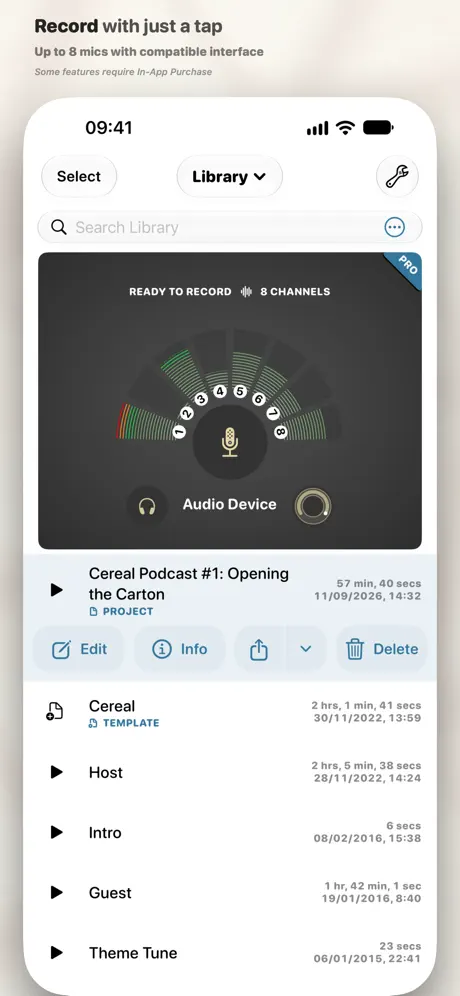  Ferrite Recording Studio Ferrite Recording Studio |   AudioShare AudioShare |   Edit any audio, sound: Edity Edit any audio, sound: Edity |   Sound Editor: Audio Changer Sound Editor: Audio Changer |   Audio Recorder - WAV, M4A Audio Recorder - WAV, M4A |   Audio One: Multitrack Editor Audio One: Multitrack Editor |   WavePad Master's Edition WavePad Master's Edition | |
|---|---|---|---|---|---|---|---|---|---|---|---|
| Rating / 5 | 4.7 | 4.8 | 4.6 | 4.6 | 4.6 | 4.7 | 4.3 | 3.1 | 4.6 | 4.3 | 4.4 |
| Reviews | 1.6K | 53K | 13K | 8.7K | 2.3K | 2.1K | 2K | 1.5K | 1.1K | 590 | 110 |
| Released | 2013 | 2017 | 2015 | 2010 | 2015 | 2012 | 2017 | 2017 | 2019 | 2022 | 2021 |
| Monthly price | — | — | — | $1.99 | — | — | $8.99 | $11.99 | — | $4.99 | $2.99 |
| One-time price | $3.99 | $8.99 | — | $4.99 | $14.99 | — | $10.99 | $9.99 | $0.99 | — | $14.99 |
The going rate for each plan in United States, in its own currency, shaded from the cheapest price on the row to the dearest. Plans fewer than four in ten of the priced apps sell are left out.
TwistedWave Voice Recorder reviews
4.7 out of 5, based on 1,558 reviews.
What people like
- It is very easy to use for beginners
- Audio quality is professional when using a good mic
- Customer support is helpful and responsive
What they complain about
- Exporting files is hard and often requires extra payment
- Bluetooth headphones do not work for monitoring audio
- The app crashes and you can lose your work
best for years
been pimping this hard working app. when you know what you are doing, it will do it for you.
Waste of time
Cant export without paying.. do you think i want to just to mess around and not save what im working on?
Merveilleuse application !
Merveilleuse application ! Très performante et simple d’utilisation. Peut-être quelques améliorations au niveau de l’interface et la possibilité de travailler sur plusieurs pistes audio dans le même projet.
Update causing insanely weird bugs
I’ve been using twisted wave for a consistent audiobook narration business for sometime and have zero complaints, but after this update some very weird things have been happening. One of which is when I select multiple files and try to share them to an outside source say Dropbox or Google Drive the files just don’t send. I tried this for a while and into no avail. This is definitely a bug. This bug is probably the strangest of all. When I hold down a file long enough, it gives me four options in a pop-up one of which is “send to Thomas“. I have absolutely no idea why that would be the case. They definitely need to iron this out or I’m gonna have to drop this for privacy concerns and for the fact that it’s just not convenient anymore to send files out.
Se detiene al grabar
Ahora se detiene al grabar, con la actualización de IOS dejo de funcionar correctamente
Easy to use
For on the go radio interviews when I don’t have my equipment with this app has been a lifesaver
Won’ send recordings via email anymore
This app used to work perfectly, but now my recordings are not getting sent though email or text messages.
Muito útil - parece o Soundforge
Uso pra gravar locução profissional. Gosto muito da qualidade, principalmente no Ipad com o Mic Apogge ou com uma boa interface. O aplicativo é fácil de usar, recomendo a todos. A única coisa que precisa melhorar é o time stretch - é péssimo! Quando gravo varejo e preciso diminuir um segundo da locução o Twistedwave distorce muito. Se melhorar este detalhe será o melhor dos mundos pra locução.
I’m leaving
You guys have made this app so hard to share, it was simple at one time to share your mixes on social media now it’s a head ache
Non-existent monitor function
Not being able to hear the sounds being recorded through Bluetooth headphones or any other means renders this app almost totally useless. I’m not sure the makers have any concept of what a sound engineer does.
Update Incredible
This was already my go to app for all my serious audio needs. Made do with the single track because of the features and functionality. This recent update just knocked it out of the park. Wow😅 Thanks. I would give this app 6 stars if I were able ⭐️ ⭐️ ⭐️ ⭐️ ⭐️ ⭐️
Don’t bother
Twisted Wave audio editor is better. Even after you pay for features in this app exporting is next to impossible.
Needs better export options!!
Update 2021: I paid for this app in 2016. I have almost 100GB of uncompressed audio almost (~300 files) on 2 iOS devices. I have spent around 30 hours trying to develop solution for USB audio share/export that does NOT involve local network or slow upload to “cloud”. Instead of SIMPLE USB transfer like I can with photographs, this app has application file system sandbox which PREVENTS USB export!! This is a major failure of the app developer. People pay for this application for power features and functionality. SMB network share -barely- works! SFTP network share is totally broken. After 30 hours troubleshooting my only solution was to create a SMB/CIFS file server I started in a docker container inside my local linux PC and transfer via local network LAN This is way above skills that should be required to transfer audio files!! Why is there no USB file transfer?? Please! add this missing feature! I started using Twisted Wave Recorder around 2016 on iPhone 6. It was good and I made a lot of high quality recordings, but struggled to export the audio files. 2019, I purchased a iPhone XS and was unable to find replacement audio app that offered the core recording features in Twisted Wave. However, the audio export is still garbage, in 2021!! The developer needs to create a simple plist file and ship in an application update which will allow share/export via USB cable to be possible. This is basic application maintenance!! Application sandboxing in iOS is such a hassle now in iOS that this is mandatory for proper usage of this and many applications now. (VLC app for example does not have this issue with USB, and also handles audio files!)
Qué pasa?
No me deja enviar por mail el audio y jamás me había pasado eso
Great App - Just Needs Some More Features
Love this user friendly app! Would love to be able to organize the cuts into folders!!
Creative Tool Extraordinaire!
This marvelous application has allowed 1st class audio with tools included that made possible pro quality audio on countless auditions & even finished projects outside the studio & often inside as well! Paired with a good mic, it delivers pro audio with solid effects & features! I recommend it…& now I’m going back to editing!
Pretty useless
Deceiving. All editing capabilities shown in the screenshots have been removed and are only available as additional purchase.
One of the best I agree
Thanks so much for the hard work guys. However, after using the app a couple of hours, I found a few issues that really need addressing: 1) No sync between iPad app and iPhone app 2) This is related to the first one but it really needs an automatic backup feature 3) Need support for folders for organisation (inc. nested folders) 4) Where is the trash folder? 30 days safe keeping and auto deleting afterwards? 5) Need an in-built converting feature between the sound files. 6) Need a listening only interface with easy speed adjustment, etc. it’s really not convenient from the editing window. It’s so easy to mess up the recording in that view. Lucky you added the undo button or I would have long deleted your app. Make these happen and I’m willing to pay for the upgrades, just don’t ever do subscriptions or that’s the day we will part.
Deletes stuff that l don’t wanna delete!
I thought this app was ok till today. I wanted to delete a certain part but it deleted a different part that I wanted to keep.LIKE SERIOUSLY!!!!!🤬
Just one issue, really
I use the free version of the app to record interviews out in the field. With COVID and social distancing, I try to use a lapel mic to record interviews, which works fine when recording via my iPhone using facebook live or recording video. But when recording only audio with the TW app, it won’t pic up the lapel mic, it just pics up the internal mic on the iPhone.
PEACE
LIFE CHANGING
Keeps cutting my files!!! 🤬😡 I BOUGHT IN-APP Purchases!!!
I purchased the editing options and restored 2 purchases Of $3.99 and $5.99 but every time I import my file and try to export as an MP3 it goes from 50 minutes to 6 minutes. He used to work and I don’t understand why it stopped after I paid for this???? I am very disappointed 🤬
Excelente, mas falta Noise Gate e Waves L3
Por favor. Adicionem Noise Gate e outro Processador (compressor dinâmico), similar ao Waves L3. O atual processador dinâmico é antiquado, similar aos analógicos.
The Best Feature Suddenly Disappeared
I would definitely give this a five star until today. I went in to edit my audio and all of a sudden the main function I have been using and what led me to purchase the app has totally disappeared. The function enabled me to choose a microphone sound which has been an incredible feature of this app. Now its gone and in its place is something called Audio Master which it says you have to purchase????? What is this all about? I don’t want to even use Twisted Wave if this feature is gone.
Great App
I’m using the app to record segments for a program in a local radio station.
Why pay money
I have to pay money to export a file and it’s like 4 dollars! This is on the computer and the export is free
I love it!
I cut/edit music for my dance team and I’ve never had problems until recently when it stopped letting me import any recordings or songs. Hope that gets fixed!
Input gain not available on iPhone X
Hi guys, this app had been invaluable on my iPhone 6, but I've just upgraded to the iPhone X and there is no longer an input gain slider when making recordings. This function was the main reason I bought the app. I've restored in app purchases. Please advise!!
The best
I absolutely love this program. If it were available for PC, I would use no other. For someone who is a total tech incompetent like me, there is nothing else I would rather use.
Not for professional use
Tried based on a Ripple Training recommendation. Audio doesn't sync with video. Like not even close.
Thought it was great...(stars are rising)
UPDATE(2): Decided to take a risk and test again. (I really like the capabilities.) Have gotten excellent results, but still some crashes. But, no crash has resulted in lost data. Recovered gracefully each time. Proceeding carefully. UPDATE: Devs updated app two days after I wrote this, and I'm happy I didn't delete the app. I was able to get back into my project and export it! Still leaving the warning below because the app still crashes. Until I lost a project. And you know what? If you lose one project, even only 30 minutes of work, why would you then continue using the app and risk bigger projects? Very disappointed that I spent money on this app. And isn't that just the way too often with iOS apps these days? Regardless, it gets two stars for a great layout and concept. If you're just having fun, I definitely recommend it.
Add Noise Gate FX
Please, add “Noise Gate” function. Thanks
Solid choice for voice over on the go
There’s not a ton of options for recording DAWs on IPhone or Android for that matter. I do voice overs and often I need to record auditions when I’m out of the studio. I can plug in a travel usb mic into my iphone and record into twisted wave. The sound is broadcast quality. Most importantly the ease of use is pretty nice. Nothing on a smartphone is great for recording but so far this is the best and easiest I’ve used. Might take a little getting used to as far as editing but once you get the gist of it…it works well.
Don't bother
Cannot send to email $5.99 pops up. No thanks how about a 7 day trial hmm???
One of the best
One of the best audio editors that I have come across - recommended !
Wireless headphones?
Why doesn’t wireless headphones work with this? And overall record level is very low?!??! Update please
Great app
Amazing app. Easy to use. Customer support is fantastic!
Crashes
Like the general interface, but the program has crashed on several occasions and caused me to lose significant amounts of work. Big thumbs down!
Easy to use makes ok recordings - no BT playback ?
Easy to record, easy to import and export. Dropbox works perfectly with App. Recordings are ok - not the best, but good. App will not playback recordings using BT ?? Phone is paired - can hear my keyclicks as I type this through my stereo, but TW recorder plays only thru the phones speaker.
Problem please help
I play Trainz Driver and I’m trying to figure out how to edit the horns on trains
Best Recording app Ever 5stars +
My voice can be heard on hundreds of radio stations in America. I work at the worlds largest broadcasting company, and have told everyone who would listen, to pay for this app. It is the best App I know of. It makes mobile recording affordable and possible for broadcasters and hobbyists around the globe. I recommend you download this app. 5 stars +
Not really free
Looks like a decent program but cannot save or use unless you purchase it after you download it.
Muito bom
Uso o App profissionalmente e estou adorando mesmo usando a versão grátis. RECOMENDO!
Lembra o Audacious
PROS: Interface profissional, ajuste de ganho durante a gravação e facilidade de pós-edição. CONTRAS: As opções de exportar a gravação para a nuvem ou abrir em outros apps é condicionada à compra de IAP (exceto o envio por e-mail que funciona gratuitamenete).
TwistedWave Voice Recorder price by country
A one-time purchase costs $3.51 in Canada and $5.97 in Colombia — 1.7× more for the same thing. Below is the going rate for each plan in every country that sells it — the middle price of what the app charges there, in the country's own currency with the dollar equivalent beneath it.
| Country | One-time |
|---|---|
| Afghanistan | $3.99 |
| Albania | $4.99 |
| Algeria | $3.99 |
| Angola | $3.99 |
| Anguilla | $3.99 |
| Antigua And Barbuda | $3.99 |
| Argentina | $3.99 |
| Armenia | $4.99 |
| Australia | A$5.99$4.16 |
| Austria | €3.99$4.52 |
| Azerbaijan | $4.99 |
| Bahamas | $3.99 |
| Bahrain | $3.99 |
| Barbados | $4.99 |
| Belarus | $4.99 |
| Belgium | €3.99$4.52 |
| Belize | $3.99 |
| Benin | $4.99 |
| Bermuda | $3.99 |
| Bhutan | $3.99 |
| Bolivia | $3.99 |
| Bosnia & Herzegovina | €3.99$4.52 |
| Botswana | $3.99 |
| Brazil | R$24.90$4.79 |
| British Virgin Islands | $3.99 |
| Brunei Darussalam | $3.99 |
| Bulgaria | €3.99$4.52 |
| Burkina Faso | $3.99 |
| Cambodia | $3.99 |
| Cameroon | $4.99 |
| Canada | CA$4.99$3.51 |
| Cape Verde | $3.99 |
| Cayman Islands | $3.99 |
| Chad | $3.99 |
| Chile | CLP 4,990$5.13 |
| China | CN¥28.00$4.17 |
| Colombia | COP 19,900$5.97 |
| Congo | $4.99 |
| Congo, Democratic Republic | $3.99 |
| Costa Rica | $3.99 |
| Cote Divoire | $4.99 |
| Croatia | €3.99$4.52 |
| Cyprus | €3.99$4.52 |
| Czech Republic | CZK 99.00$4.59 |
| Denmark | DKK 39.00$5.92 |
| Dominica | $3.99 |
| Dominican Republic | $3.99 |
| Ecuador | $3.99 |
| Egypt | EGP 199.99$3.85 |
| El Salvador | $3.99 |
| Estonia | €3.99$4.52 |
| Fiji | $3.99 |
| Finland | €3.99$4.52 |
| France | €3.99$4.52 |
| Gabon | $3.99 |
| Gambia | $3.99 |
| Georgia | $4.99 |
| Germany | €3.99$4.52 |
| Ghana | $4.99 |
| Greece | €3.99$4.52 |
| Grenada | $3.99 |
| Guatemala | $3.99 |
| Guinea-bissau | $3.99 |
| Guyana | $3.99 |
| Honduras | $3.99 |
| Hong Kong | HK$32.00$4.08 |
| Hungary | HUF 1,790$5.54 |
| Iceland | $4.99 |
| India | ₹399.00$4.16 |
| Indonesia | IDR 79,000$4.41 |
| Iraq | $3.99 |
| Ireland | €3.99$4.52 |
| Israel | ₪12.90$4.20 |
| Italy | €3.99$4.52 |
| Jamaica | $3.99 |
| Japan | ¥600$3.81 |
| Jordan | $3.99 |
| Kazakhstan | KZT 2,490.00$5.66 |
| Kenya | $4.99 |
| Kosovo | €3.99$4.52 |
| Kuwait | $3.99 |
| Kyrgyzstan | $3.99 |
| Lao Peoples Democratic Republic | $3.99 |
| Latvia | €3.99$4.52 |
| Lebanon | $3.99 |
| Liberia | $3.99 |
| Libya | $3.99 |
| Lithuania | €3.99$4.52 |
| Luxembourg | €3.99$4.52 |
| Macao | $3.99 |
| Macedonia | $3.99 |
| Madagascar | $3.99 |
| Malawi | $3.99 |
| Malaysia | MYR 19.90$4.88 |
| Maldives | $3.99 |
| Mali | $3.99 |
| Malta | €3.99$4.52 |
| Mauritania | $3.99 |
| Mauritius | $4.99 |
| Mexico | MX$89.00$4.92 |
| Micronesia | $3.99 |
| Moldova | $4.99 |
| Mongolia | $3.99 |
| Montenegro | €3.99$4.52 |
| Montserrat | $3.99 |
| Morocco | $4.99 |
| Mozambique | $3.99 |
| Myanmar | $3.99 |
| Namibia | $3.99 |
| Nauru | $3.99 |
| Nepal | $4.99 |
| Netherlands | €3.99$4.52 |
| New Zealand | NZ$6.99$3.95 |
| Nicaragua | $3.99 |
| Niger | $3.99 |
| Nigeria | NGN 6,900.00$5.19 |
| Norway | NOK 49.00$5.10 |
| Oman | $3.99 |
| Pakistan | PKR 1,100$3.97 |
| Palau | $3.99 |
| Panama | $3.99 |
| Papua New Guinea | $3.99 |
| Paraguay | $3.99 |
| Peru | PEN 17.90$5.20 |
| Philippines | ₱249.00$3.97 |
| Poland | PLN 19.99$5.19 |
| Portugal | €3.99$4.52 |
| Qatar | QAR 14.99$4.12 |
| Romania | RON 19.99$4.30 |
| Russia | RUB 349.00$4.17 |
| Rwanda | $3.99 |
| Sao Tome & Principe | $3.99 |
| Saudi Arabia | SAR 17.99$4.80 |
| Senegal | $4.99 |
| Serbia | €3.99$4.52 |
| Seychelles | $3.99 |
| Sierra Leone | $3.99 |
| Singapore | SGD 5.98$4.67 |
| Slovakia | €3.99$4.52 |
| Slovenia | €3.99$4.52 |
| Solomon Islands | $3.99 |
| South Africa | ZAR 79.99$4.87 |
| South Korea | ₩6,600$4.87 |
| Spain | €3.99$4.52 |
| Sri Lanka | $3.99 |
| St. Kitts and Nevis | $3.99 |
| St. Lucia | $3.99 |
| St. Vincent & The Grenadines | $3.99 |
| Suriname | $3.99 |
| Swaziland | $3.99 |
| Sweden | SEK 49.00$4.90 |
| Switzerland | CHF 3.00$3.59 |
| Taiwan | NT$120.00$3.76 |
| Tajikistan | $3.99 |
| Tanzania | TZS 11,900.00$4.49 |
| Thailand | THB 149.00$4.44 |
| Tonga | $3.99 |
| Trinidad and Tobago | $3.99 |
| Tunisia | $3.99 |
| Turkey | TRY 199.99$4.08 |
| Turkmenistan | $3.99 |
| Turks and Caicos | $3.99 |
| Uganda | $4.99 |
| Ukraine | $4.99 |
| United Arab Emirates | AED 14.99$4.08 |
| United Kingdom | £3.99$5.40 |
| United States | $3.99 |
| Uruguay | $3.99 |
| Uzbekistan | $3.99 |
| Vanuatu | $3.99 |
| Venezuela | $3.99 |
| Vietnam | ₫119,000$4.59 |
| Yemen | $3.99 |
| Zambia | $4.99 |
| Zimbabwe | $4.99 |
TwistedWave Voice Recorder FAQ
- Is TwistedWave Voice Recorder free?
- Yes. The app and its basic features are free, in all 175 countries it sells in. Premium features are paid: they start from $3.99 (US), across 2 one-time purchases.
- Does TwistedWave Voice Recorder have a free trial?
- No. None of its offers (US) come with a free trial.
- Where is TwistedWave Voice Recorder cheapest?
- A one-time purchase costs CA$4.99 (≈$3.51) in Canada and COP 19,900 (≈$5.97) in Colombia, its cheapest and dearest countries.
- What are the best alternatives to TwistedWave Voice Recorder?
- EZAudioCut - Audio Editor Lite (4.8 from 52,901 reviews, premium from $8.99), MOTIV Audio (4.6 from 13,144 reviews) and WavePad Music and Audio Editor (4.6 from 8,689 reviews, premium from $0.99).
TwistedWave Voice Recorder download
Last updated 15 days ago.
TwistedWave Voice Recorder sells in 175 countries. It was released 12 years and 9 months ago, on 20 Dec 2013. It holds a 4.7 rating from 1,558 reviews.
Supports 2 languages: English, French.
How much does TwistedWave Voice Recorder make?
Third-party estimates for the last 30 days, worldwide — not the store's own figures, which Apple publishes for nobody.
Revenue by plan
- One-time 100%
Revenue by country
- United States 58%
- Mexico 5%
- Brazil 4%
- Canada 4%