
Audio Editor & Tool
Edit Sound Files
How much does Audio Editor & Tool cost?
Prices are current as of 8 Oct 2026.
4 one-time purchases from $1.99
In the United States, Audio Editor & Tool has 4 one-time purchases priced $1.99 – 9.99.
| Product | Price |
|---|---|
| Small Coffee | $1.99 |
| Medium Coffee | $2.99 |
| Large Coffee | $4.99 |
| Barista Special | $9.99 |
Audio Editor & Tool download price by country
| Country | Price |
|---|---|
| Japan | Free |
| United States | Free |
| Canada | Free |
| Germany | Free |
| United Kingdom | Free |
| Italy | Free |
| India | Free |
| Netherlands | Free |
| Russia | Free |
| Australia | Free |
| Denmark | Free |
| France | Free |
| Mexico | Free |
| New Zealand | Free |
| Czech Republic | Free |
| Hungary | Free |
| Poland | Free |
| Romania | Free |
| Sweden | Free |
| Singapore | Free |
| Turkey | Free |
| Spain | Free |
| Nigeria | Free |
| Austria | Free |
| Belgium | Free |
| Bulgaria | Free |
| Greece | Free |
| Hong Kong | HK$8.00 |
| Honduras | Free |
| Indonesia | Free |
| Lebanon | Free |
| St. Lucia | Free |
| Philippines | Free |
| Pakistan | Free |
| Ukraine | Free |
| Vietnam | Free |
| United Arab Emirates | Free |
| Afghanistan | Free |
| Antigua And Barbuda | Free |
| Anguilla | Free |
| Albania | Free |
| Armenia | Free |
| Angola | Free |
| Argentina | Free |
| Azerbaijan | Free |
| Bosnia & Herzegovina | Free |
| Barbados | Free |
| Burkina Faso | Free |
| Bahrain | Free |
| Benin | Free |
| Bermuda | Free |
| Brunei Darussalam | Free |
| Bolivia | Free |
| Brazil | Free |
| Bahamas | Free |
| Bhutan | Free |
| Botswana | Free |
| Belarus | Free |
| Belize | Free |
| Congo, Democratic Republic | Free |
| Congo | Free |
| Switzerland | Free |
| Cote Divoire | Free |
| Chile | Free |
| Cameroon | Free |
| China | CN¥8.00 |
| Colombia | Free |
| Costa Rica | Free |
| Cape Verde | Free |
| Cyprus | Free |
| Dominica | Free |
| Dominican Republic | Free |
| Algeria | Free |
| Ecuador | Free |
| Estonia | Free |
| Egypt | Free |
| Finland | Free |
| Fiji | Free |
| Micronesia | Free |
| Gabon | Free |
| Grenada | Free |
| Georgia | Free |
| Ghana | Free |
| Gambia | Free |
| Guatemala | Free |
| Guinea-bissau | Free |
| Guyana | Free |
| Croatia | Free |
| Ireland | Free |
| Israel | Free |
| Iraq | Free |
| Iceland | Free |
| Jamaica | Free |
| Jordan | Free |
| Kenya | Free |
| Kyrgyzstan | Free |
| Cambodia | Free |
| St. Kitts and Nevis | Free |
| South Korea | Free |
| Kuwait | Free |
| Cayman Islands | Free |
| Kazakhstan | Free |
| Lao Peoples Democratic Republic | Free |
| Sri Lanka | Free |
| Liberia | Free |
| Lithuania | Free |
| Luxembourg | Free |
| Latvia | Free |
| Libya | Free |
| Morocco | Free |
| Moldova | Free |
| Montenegro | Free |
| Madagascar | Free |
| Macedonia | Free |
| Mali | Free |
| Myanmar | Free |
| Mongolia | Free |
| Macao | Free |
| Mauritania | Free |
| Montserrat | Free |
| Malta | Free |
| Mauritius | Free |
| Maldives | Free |
| Malawi | Free |
| Malaysia | Free |
| Mozambique | Free |
| Namibia | Free |
| Niger | Free |
| Nicaragua | Free |
| Norway | Free |
| Nepal | Free |
| Nauru | Free |
| Oman | Free |
| Panama | Free |
| Peru | Free |
| Papua New Guinea | Free |
| Portugal | Free |
| Palau | Free |
| Paraguay | Free |
| Qatar | Free |
| Serbia | Free |
| Rwanda | Free |
| Saudi Arabia | Free |
| Solomon Islands | Free |
| Seychelles | Free |
| Slovenia | Free |
| Slovakia | Free |
| Sierra Leone | Free |
| Senegal | Free |
| Suriname | Free |
| Sao Tome & Principe | Free |
| El Salvador | Free |
| Swaziland | Free |
| Turks and Caicos | Free |
| Chad | Free |
| Thailand | Free |
| Tajikistan | Free |
| Turkmenistan | Free |
| Tunisia | Free |
| Tonga | Free |
| Trinidad and Tobago | Free |
| Taiwan | Free |
| Tanzania | Free |
| Uganda | Free |
| Uruguay | Free |
| Uzbekistan | Free |
| St. Vincent & The Grenadines | Free |
| Venezuela | Free |
| British Virgin Islands | Free |
| Vanuatu | Free |
| Kosovo | Free |
| Yemen | Free |
| South Africa | Free |
| Zambia | Free |
| Zimbabwe | Free |
10+ alternatives to Audio Editor & Tool
| Audio Editor & Tool | 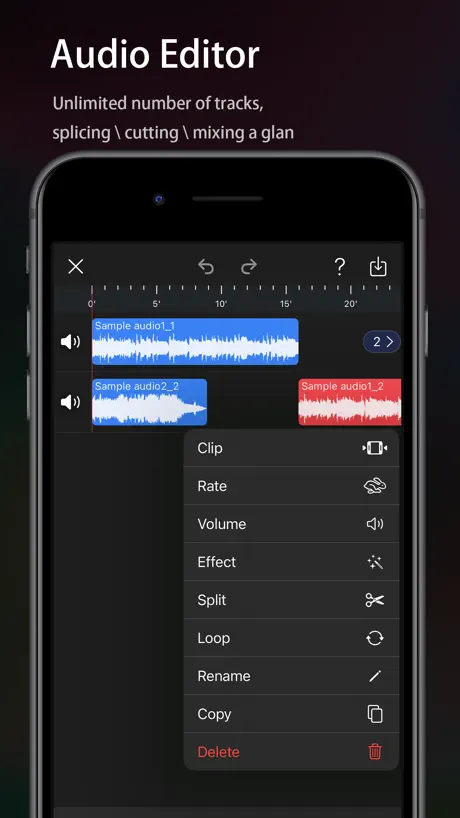  Audio Editor - Music editor Audio Editor - Music editor | 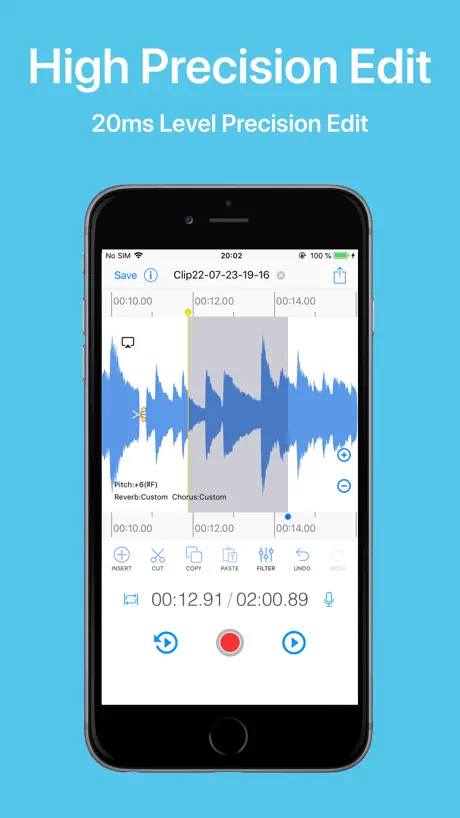  EZAudioCut - Audio Editor Lite EZAudioCut - Audio Editor Lite |   SoundLab - Audio Editor SoundLab - Audio Editor |   Audio Editor : Audiolab Audio Editor : Audiolab |   Music Editor - Audio Editor Music Editor - Audio Editor |   WavePad Music and Audio Editor WavePad Music and Audio Editor |   Audio Editor, Multitrack Lab Audio Editor, Multitrack Lab |   Audio Editor - AI Music Editor Audio Editor - AI Music Editor |   Mp3 Converter & Audio Editor Mp3 Converter & Audio Editor |   Edit any audio, sound: Edity Edit any audio, sound: Edity | |
|---|---|---|---|---|---|---|---|---|---|---|---|
| Rating / 5 | 4.1 | 4.6 | 4.8 | 4.6 | 4.4 | 4.5 | 4.6 | 4.4 | 4.3 | 4.7 | 4.3 |
| Reviews | 342 | 161K | 53K | 38K | 11K | 8.8K | 8.7K | 3.1K | 3K | 2.7K | 2K |
| Released | 2021 | 2020 | 2017 | 2020 | 2023 | 2022 | 2010 | 2022 | 2024 | 2021 | 2017 |
| Monthly price | — | $0.99 | — | $3.99 | $4.99 | $3.99 | $1.99 | $9.99 | $9.99 | $2.49 | $8.99 |
| Annual price | — | $3.99 | — | $19.99 | $19.99 | $19.99 | — | — | $29.99 | — | — |
| One-time price | $2.99 | $39.99 | $8.99 | $49.99 | $39.99 | $25.99 | $4.99 | — | $49.99 | — | $10.99 |
The going rate for each plan in United States, in its own currency, shaded from the cheapest price on the row to the dearest. Plans fewer than four in ten of the priced apps sell are left out.
Audio Editor & Tool reviews
4.1 out of 5, based on 342 reviews.
What people like
- Super easy to trim audio quickly
- No annoying ads inside the app
- Feels familiar and simple to navigate
- Totally free with no extra costs
What they complain about
- Ads interrupt you constantly
- Keeps crashing when you open it
- Errors stop you from editing files
- Hard to figure out how to use
Love this
great app i use this all the time super easy and there isn’t ads every 3 seconds absolutely the best audio/ file editing app on the app store
とにかく使いづらい
ポッドキャスト用のごく簡単な音声編集(切り貼り)のために使いたかったが、はっきり言ってゴミ。範囲選択をオンにしてもピンチしても波形の拡大と縮小が優先されてまともに選択できない、秒数指定をしようにもバーは分単位で表示されているのに何故か範囲選択のみ秒数表示、元に戻す/やり直すボタンがない、切り取ると何故か冒頭まで戻されていちいちスクロールで編集していたところにまでスワイプして戻す手間がかかる。UI勉強してない素人が作ってるならそう書いといてほしい。
oggに対応する気は無いですか🥺
機能は最高なんですけどoggが使いたくて、、、
Sound stops
Somehow there is no sound anymore, it played just fine before but now there is no sound anymore even after restarting the app
Nice to have
Grateful for this app: thanks much for your creativity! The errors are still there unfortunately while editing, making it impossible to carry on: not resolved yet?
Good app but huge size after usage
You should add an option to clear the file cache, cause this app probably converts files into .wav files and those can be very big sometimes. But good Audacity alternative.
cmon
just let me trim! the trim button does not work and neither does cut
読み込みエラー
長めの音声ファイルを読み込もうとしたら、読み込みエラー(-1)になって、途中で止まってしまいます。 ファイルの大きさなどに制限があるのでしょうか?
エラーばかり
2年ほど使用してのレビューです。 機能は無料アプリとは考えられないほど豊富です。UIが最初は分かりづらいですが、この手のアプリを触った経験のある方ならすぐ慣れると思います。 しかし長めのファイルを読み込もうとするときや、カット・トリムなどの編集をしようとしたときなどに頻繁にエラーが吐かれます。以前は時々エラーが出るという程度でしたが、ここ最近は毎度エラーで全く使いものにならなくなりました。クリエイターとの連絡もメールのみらしく面倒です。他のアプリやパソコンでの編集をおすすめします。
分離速度をiPad 6世代にも最適化してほしい件
iPad 6世代では、iPhone SE二よりも音源分離に時間がかかり、待つ時間増えています。 最新のものよりCPUが古いので、それに加えてiPad 6世代はiOS17までなので、システムデータが多く、遅くても致し方ないとは思うのですが、なんとかしてほしいのが気持ちです。
Does exactly what it’s supposed to
I love this app. No fluff. No ad noise. Just straightforward audio editing that’s user friendly. Thanks a million! You should be listed at the top because you are the best.
うざい広告
ダウンロード後試しにファイルを開こうとしただけなのに全面広告は出るわ、ブラウザに飛ばされるわ、とても作業に集中できそうにはない
Great App Concept & Good Execution - A few more features would make this app an easy 5 stars
Been Searching for Years for a truly free and simple mobile Audio Editor app on IOS.. I have Pro Tools, FL Studio, Bandlab, etc BUT I wasn't looking for a fully-fledged DAW which would take up more than a GB on my iPhone. What I was looking for in this case: - Cut, Trim & Arrange Audio on the go in a Simple Timeline Editor - Simple fx such as pitch & time variation - Simple UI & Easy Workflow - App Size < 100mb - No In-App Purchases Is this app perfect? No. There are a few features that could really take this app to the next level. The UI could be easier to navigate as well - mainly the Zoom & Selection features are clunky and harder to navigate than I'd like them to be. The fact that there are no In-App Purchases is the reason I downloaded it in the first place and boosted it to a 4 star rating. I'd even pay a one-time lifetime purchase for this. Great work, keep updating and you'll have a real app store gem on your hands!
Could there be more of a guide?
Very hard to navigate i recommend adding a guide
App has a lot of potential
This app can be amazing if all of the features work like they’re intended, This reminds me of audacity but easily accessible on your own phone, Some great ideas. However when I tried to import a file after the first file I imported I got “Insert file error (-5)” Would like a fix to continue using please!
Great app
Easy to use along with detailed abilities. I would refer this app to anyone needing audio editing tools.
It dose steal data
Dose it steal data?
Truly Amazing App
PLEASE don’t make your app dysfunctional with copious intrusive advertisements. I love this app so much and I don’t want the developers to stoop low for profit. The features of this app are truly amazing and satisfy me in every way imaginable, I’m always learning something new. Something to note for the developers however, is the Parametric Equalizer. I have some suggestions for making equalizing in your app a bit more user friendly. While I like being able to precisely pinpoint frequencies from 20-20,000 Hz, the lack of visual aid makes it really time consuming to isolate frequencies. 1. Incorporate a visual aid that’s commonly found with Parametric Equalizers. 2. Add a Graphic Equalizer with optional presets for different song types and general equalization. On top of equalization, and this may just be me, but I would love a way to be able to use the Select tool to modify specific segments of the audio track without changing the whole track itself. This would make the round about process much more streamline when trying to mix and add distort segments of your track. Other than that, you guys have done a great job and made a truly amazing app.
Had high hopes
I had high hopes going by the reviews. It seems impossible to navigate and do what I need to do. Wish I could rate it higher. For a free app I can’t complain. I do love that you added track separation features. That is awesome
Simple and Easy
All I needed was to trim some audio from a file. I downloaded this app and was impressed by its interface as it was very familiar. Any menu we use daily, all have File or similar as a launchpad. This was no different as I was able to navigate through the choices seamlessly. Bottom line, I was able to trim my audio rather quickly and appreciate the short learning curve; allowing me time to make any last minute edits. I really enjoy it and would recommend to anyone needing to trim or enhance their audio.
Be aware!!
Looks good but nothing works.
Good for a freebie
Decent for a free app. It works but I find it a bit finicky to use.
直感的ではない感じ
iPad Proで朗読の編集をしましたが、二本指スワイプで範囲選択が出て来たり、タイムライン(とでも言えばいいのか)を伸ばしたり縮めたり、別々の操作が同一のジェスチャーで出来てしまうこと、 しかもそれが気まぐれで出たり出なかったりすること、 トリミングをすると必ず先頭に棒が飛んでしまうのでまた途中まで棒を移動させなきゃいけないこと、 ファイル全体のシークバーがないので音声の途中へジャンプできないこと タイムラインは分表示なのに、範囲選択の時間入力が秒単位で入れなければいけないこと(しかも小数点以下は入力しても破棄されてしまう謎仕様)、 二本指スワイプは編集技術としてそこまでアテにならない動作なので 一本指で完結できる動作が増えたらいいと思いました。 あと、指で上手く操作できない場合はメニューバーからトリミングの開始・終了表示を出せるようにしてくれたりすると助かります。
Wow the ML separation is amazing!
Thank you! What a life saver! I appreciate you and I hope you are repaid. I will click your ads so you get some revenue. Thank you again.
Terrible.
UNCLEAR HOW TO USE!!!
Please add m4a format reading
Cant open native m4a(((
Errors when editing
I like that I can see the waves of the audio very clearly, but I can't cut or trim the audio, it gives me an error! Error -3 and Error -4. So in the end, I couldn't really use this app.
Straight forward
Simply put, says what it does, does what it says! Easily breezily beautifully…
Garbage
Absolutely garbage the reviews must be fake it it garbage you can’t import music I tried for hours and nothing I’ve never seen such garbage in my life it’s the worst waste of time
とても良い!
サンプリングレート変換したかったのでよかったです!
ファイルをインポートするとアプリがクラッシュする
iPhone XRです。 『動画TO音声』で抽出した音声データm4aをインポートしたところ アプリがクラッシュしました。 以後、同アプリを起動できなくなりました。 iPhoneの再起動を試みましたが結果は同じく起動できず。 アプリを削除して再インストール。 同じ手順でインポートしましたが、インポート完了(100%)と同時に、アプリがクラッシュします。 改善されましたら、改めて利用したいと思います。
Easy to Use-Great App!!
I use Adobe Audition on my laptop and desktop, but this is a great app for my iPad and very easy to use and navigate. I wish all apps were like this.
No option to permanently remove ads.
As soon as I opened it, there were ads. I would have paid to have it work permanently without ads. I’m not going to use it if I have to look at ads every time.
Excellent App
This makes trimming and cutting audio clips very simple. It would be nice to have the ability to change the time display to be consistent. The marker for the playhead shows minutes and seconds and when selecting a section to trim/cut it’s only seconds. It would also be nice to see the time display when entering the numbers there or have an option to either start or stop the time at the play head. It starts to get confusing when editing a lot of clips. trying to remember something like 2:16.30 and convert that mentally to enter 136.3 isn’t difficult, but after doing it for a period the numbers start to get jumbled in my head. Anyway GREAT APP. Absolutely love it. Keep it up!
Help
I cannot figure out how to use this app. I was able to upload a file into the app and I see the options to cut and trim under the edit menu, but I can’t figure out how to do it and I don’t see any directions for using this app.
Good
For being free, this is pretty good.
Doesn’t work!
Crashed on start-up, after the very first time I got it to load a file.
Audio Editor & Tool price by country
A one-time purchase costs $2.74 in Qatar and $4.66 in Colombia — 1.7× more for the same thing. Below is the going rate for each plan in every country that sells it — the middle price of what the app charges there, in the country's own currency with the dollar equivalent beneath it.
| Country | One-time |
|---|---|
| Afghanistan | $2.99 |
| Albania | $3.99 |
| Algeria | $2.99 |
| Angola | $2.99 |
| Anguilla | $2.99 |
| Antigua And Barbuda | $2.99 |
| Argentina | $2.99 |
| Armenia | $3.99 |
| Australia | A$4.99$3.49 |
| Austria | €2.99$3.36 |
| Azerbaijan | $3.99 |
| Bahamas | $2.99 |
| Bahrain | $2.99 |
| Barbados | $3.99 |
| Belarus | $3.99 |
| Belgium | €2.99$3.36 |
| Belize | $2.99 |
| Benin | $3.99 |
| Bermuda | $2.99 |
| Bhutan | $2.99 |
| Bolivia | $2.99 |
| Bosnia & Herzegovina | €2.99$3.36 |
| Botswana | $2.99 |
| Brazil | R$19.90$4.00 |
| British Virgin Islands | $2.99 |
| Brunei Darussalam | $2.99 |
| Bulgaria | €2.99$3.36 |
| Burkina Faso | $2.99 |
| Cambodia | $2.99 |
| Cameroon | $3.99 |
| Canada | CA$3.99$2.81 |
| Cape Verde | $2.99 |
| Cayman Islands | $2.99 |
| Chad | $2.99 |
| Chile | CLP 2,990$3.08 |
| China | CN¥22.00$3.28 |
| Colombia | COP 14,900$4.66 |
| Congo | $3.99 |
| Congo, Democratic Republic | $2.99 |
| Costa Rica | $2.99 |
| Cote Divoire | $3.99 |
| Croatia | €2.99$3.36 |
| Cyprus | €2.99$3.36 |
| Czech Republic | CZK 79.00$3.64 |
| Denmark | DKK 29.00$4.37 |
| Dominica | $2.99 |
| Dominican Republic | $2.99 |
| Ecuador | $2.99 |
| Egypt | EGP 149.99$2.87 |
| El Salvador | $2.99 |
| Estonia | €2.99$3.36 |
| Fiji | $2.99 |
| Finland | €2.99$3.36 |
| France | €2.99$3.36 |
| Gabon | $2.99 |
| Gambia | $2.99 |
| Georgia | $3.99 |
| Germany | €2.99$3.36 |
| Ghana | $3.99 |
| Greece | €2.99$3.36 |
| Grenada | $2.99 |
| Guatemala | $2.99 |
| Guinea-bissau | $2.99 |
| Guyana | $2.99 |
| Honduras | $2.99 |
| Hong Kong | HK$22.00$2.80 |
| Hungary | HUF 1,490$4.59 |
| Iceland | $3.99 |
| India | ₹299.00$3.10 |
| Indonesia | IDR 59,000$3.30 |
| Iraq | $2.99 |
| Ireland | €2.99$3.36 |
| Israel | ₪9.90$3.26 |
| Italy | €2.99$3.36 |
| Jamaica | $2.99 |
| Japan | ¥500$3.16 |
| Jordan | $2.99 |
| Kazakhstan | KZT 1,790.00$3.96 |
| Kenya | $3.99 |
| Kosovo | €2.99$3.36 |
| Kuwait | $2.99 |
| Kyrgyzstan | $2.99 |
| Lao Peoples Democratic Republic | $2.99 |
| Latvia | €2.99$3.36 |
| Lebanon | $2.99 |
| Liberia | $2.99 |
| Libya | $2.99 |
| Lithuania | €2.99$3.36 |
| Luxembourg | €2.99$3.36 |
| Macao | $2.99 |
| Macedonia | $2.99 |
| Madagascar | $2.99 |
| Malawi | $2.99 |
| Malaysia | MYR 14.90$3.64 |
| Maldives | $2.99 |
| Mali | $2.99 |
| Malta | €2.99$3.36 |
| Mauritania | $2.99 |
| Mauritius | $3.99 |
| Mexico | MX$69.00$3.84 |
| Micronesia | $2.99 |
| Moldova | $3.99 |
| Mongolia | $2.99 |
| Montenegro | €2.99$3.36 |
| Montserrat | $2.99 |
| Morocco | $3.99 |
| Mozambique | $2.99 |
| Myanmar | $2.99 |
| Namibia | $2.99 |
| Nauru | $2.99 |
| Nepal | $3.99 |
| Netherlands | €2.99$3.36 |
| New Zealand | NZ$4.99$2.80 |
| Nicaragua | $2.99 |
| Niger | $2.99 |
| Nigeria | NGN 4,900.00$3.69 |
| Norway | NOK 39.00$4.08 |
| Oman | $2.99 |
| Pakistan | PKR 900$3.25 |
| Palau | $2.99 |
| Panama | $2.99 |
| Papua New Guinea | $2.99 |
| Paraguay | $2.99 |
| Peru | PEN 12.90$3.75 |
| Philippines | ₱199.00$3.17 |
| Poland | PLN 14.99$3.86 |
| Portugal | €2.99$3.36 |
| Qatar | QAR 9.99$2.74 |
| Romania | RON 14.99$3.16 |
| Russia | RUB 249.00$2.93 |
| Rwanda | $2.99 |
| Sao Tome & Principe | $2.99 |
| Saudi Arabia | SAR 12.99$3.46 |
| Senegal | $3.99 |
| Serbia | €2.99$3.36 |
| Seychelles | $2.99 |
| Sierra Leone | $2.99 |
| Singapore | SGD 3.98$3.11 |
| Slovakia | €2.99$3.36 |
| Slovenia | €2.99$3.36 |
| Solomon Islands | $2.99 |
| South Africa | ZAR 59.99$3.63 |
| South Korea | ₩4,400$3.29 |
| Spain | €2.99$3.36 |
| Sri Lanka | $2.99 |
| St. Kitts and Nevis | $2.99 |
| St. Lucia | $2.99 |
| St. Vincent & The Grenadines | $2.99 |
| Suriname | $2.99 |
| Swaziland | $2.99 |
| Sweden | SEK 39.00$3.90 |
| Switzerland | CHF 3.00$3.61 |
| Taiwan | NT$90.00$2.83 |
| Tajikistan | $2.99 |
| Tanzania | TZS 9,900.00$3.74 |
| Thailand | THB 99.00$2.95 |
| Tonga | $2.99 |
| Trinidad and Tobago | $2.99 |
| Tunisia | $2.99 |
| Turkey | TRY 149.99$3.05 |
| Turkmenistan | $2.99 |
| Turks and Caicos | $2.99 |
| Uganda | $3.99 |
| Ukraine | $3.99 |
| United Arab Emirates | AED 12.99$3.54 |
| United Kingdom | £2.99$3.97 |
| United States | $2.99 |
| Uruguay | $2.99 |
| Uzbekistan | $2.99 |
| Vanuatu | $2.99 |
| Venezuela | $2.99 |
| Vietnam | ₫99,000$3.82 |
| Yemen | $2.99 |
| Zambia | $3.99 |
| Zimbabwe | $3.99 |
Audio Editor & Tool FAQ
- Is Audio Editor & Tool free?
- Yes. The app and its basic features are free, in all 175 countries it sells in. Premium features are paid: they start from $1.99 (US), across 4 one-time purchases.
- Does Audio Editor & Tool have a free trial?
- No. None of its offers (US) come with a free trial.
- Where is Audio Editor & Tool cheapest?
- A one-time purchase costs QAR 9.99 (≈$2.74) in Qatar and COP 14,900 (≈$4.66) in Colombia, its cheapest and dearest countries.
- What are the best alternatives to Audio Editor & Tool?
- Audio Editor - Music editor (4.6 from 161,400 reviews, premium from $0.99), EZAudioCut - Audio Editor Lite (4.8 from 52,901 reviews, premium from $8.99) and SoundLab - Audio Editor (4.6 from 37,541 reviews, premium from $3.99).
Audio Editor & Tool download
Last updated 5 months ago.
Audio Editor & Tool sells in 175 countries. It was released 5 years and 3 months ago, on 22 Jun 2021. It holds a 4.1 rating from 342 reviews.
Supports 2 languages: English, Japanese.
How much does Audio Editor & Tool make?
Third-party estimates for the last 30 days, worldwide — not the store's own figures, which Apple publishes for nobody.
Revenue by plan
- One-time 100%
Revenue by country
- United States 35%
- Japan 28%
- Canada 6%
- Germany 6%