Epson Creative Print
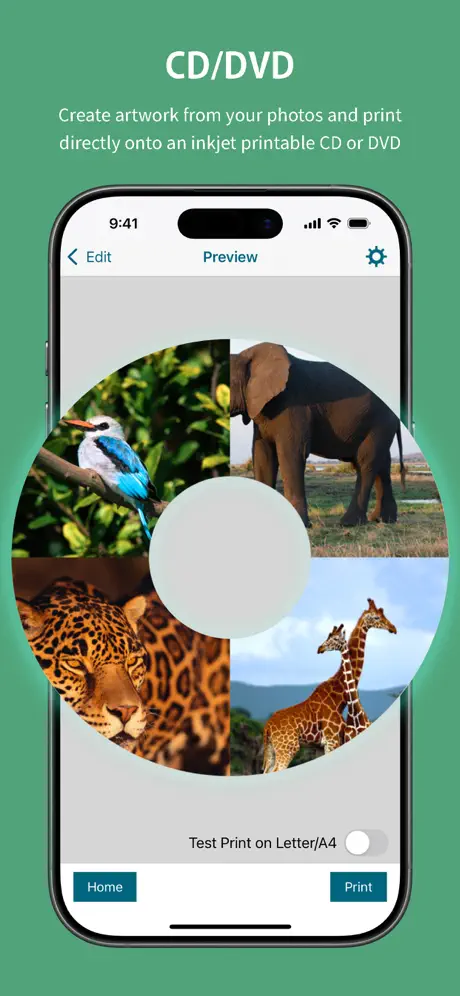
How much does Epson Creative Print cost?
Prices are current as of 11 Sept 2026.
Epson Creative Print has no in-app products on record in the United States.
10+ alternatives to Epson Creative Print
| Epson Creative Print |   Easy-PhotoPrint Editor Easy-PhotoPrint Editor |   Beautiful ID Photo Creator Beautiful ID Photo Creator |   Turn Photo to Sketch: Graphite Turn Photo to Sketch: Graphite |   Print to Size Print to Size |   PhotoFrame Simple PhotoFrame Simple |   Photo Printing Photo Printing |   Poster Printing Poster Printing | |
|---|---|---|---|---|---|---|---|---|
| Rating / 5 | 4.7 | 4.7 | 4.6 | 4.8 | 4.8 | 4.6 | 4.6 | 4.4 |
| Reviews | 69K | 179K | 103K | 39K | 30K | 27K | 5.3K | 971 |
| Released | 2013 | 2018 | 2016 | 2019 | 2015 | 2014 | 2019 | 2022 |
| One-time price | — | — | — | $74.99 | — | $3.99 | $17.99 | $17.99 |
The going rate for each plan in United States, in its own currency, shaded from the cheapest price on the row to the dearest. Plans fewer than four in ten of the priced apps sell are left out.
Epson Creative Print reviews
4.7 out of 5, based on 68,549 reviews.
What people like
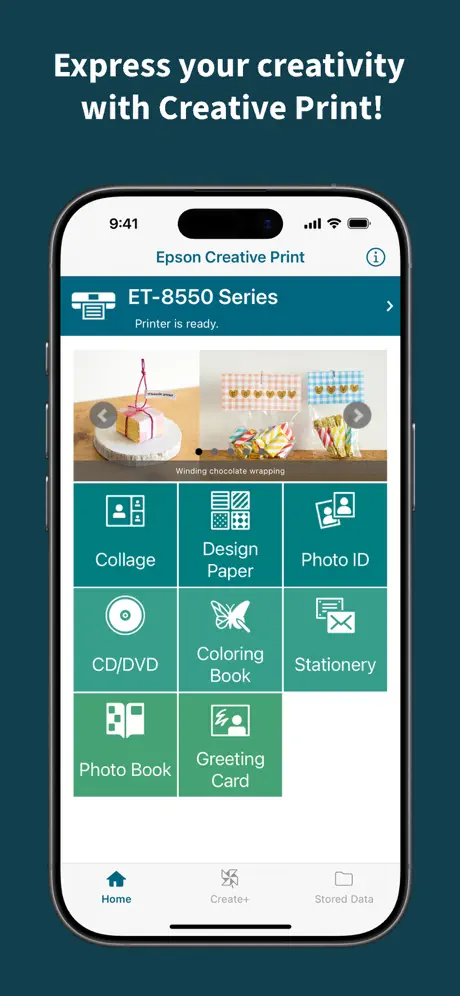
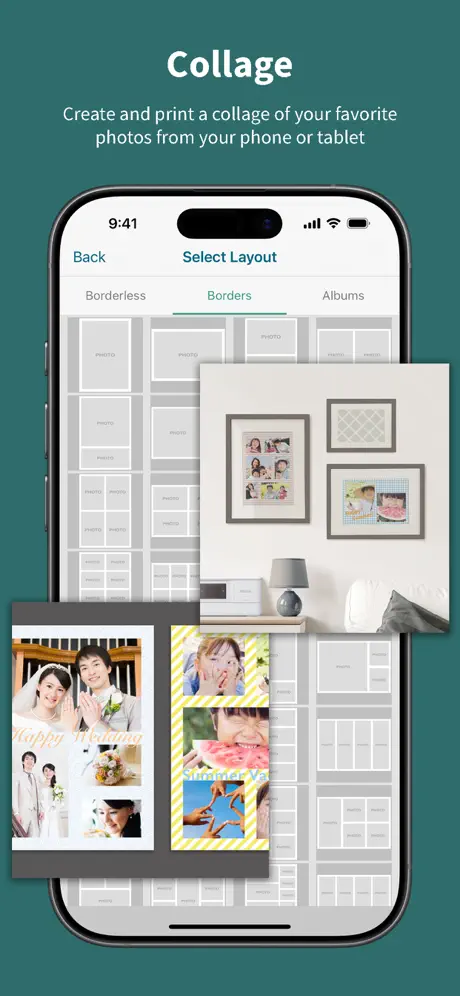
- Makes beautiful photo collages and layouts.
- Easy to use for quick home printing.
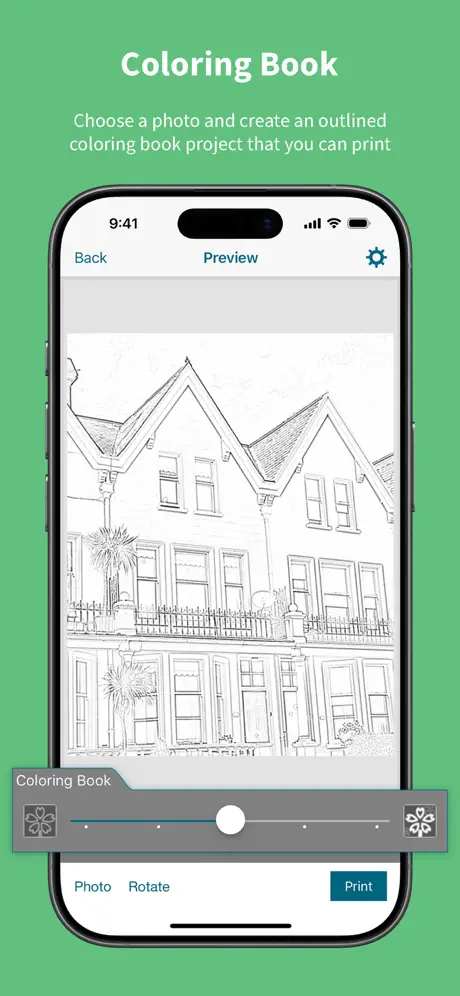
- Great tool for creating coloring books.
What they complain about
- Not compatible with many newer printer models.
- Greeting card features often show as unavailable.
- Missing custom paper size and editing options.
Гарно працює з айфоном
Гарно можна зробити різні фото, картки, наклейки і все інше
Worst app ever
I hate it
Collage print
I am thoroughly enjoying my PictureMate PM 400 since discovering the collage print! Easy to do and prints are beautiful.
Icky Sizing
Photo sizes could be more accurate. For example, a 4x6 should be just that, not 3.89x 5.45. Another example, I desire to print multiple 6x8’s for scrapbooking. This size isn’t even available. Many of the “collages” offered don’t really seam to be true print sizes. Frustrating.
プリンターを変えたら…
プリンターを変えたら使用できなくなった。 新しい機種は、対応しているはずなのに… 今までのデータが印刷できないのすごくこまる(TT)
Love love love it
This is a great printer prigram. the color book feature is the best. You can turn your photos into coloring pages. Make a coloring book for gifts to teachers grandparents neices and nephews, for your own children or yourself! Love Epson products THE MOST!
Sucks now
Can’t print borderless anymore no matter what template I pick
Thumbs up
Just printed my first two pictures using this app. Be sure you select the correct paper size before printing. Everything else was a breeze I really like the option to have borders and not borders. One suggestion would be: have a third option to border each individual picture within your collage
Complicated to use
I find this very difficult to figure out! Someone instructions would’ve really helped.
Collage
I’d like to be able to select multiple pictures at one time. I had to select one at a time and keep track of my place while scrolling through pics.
Amazing results
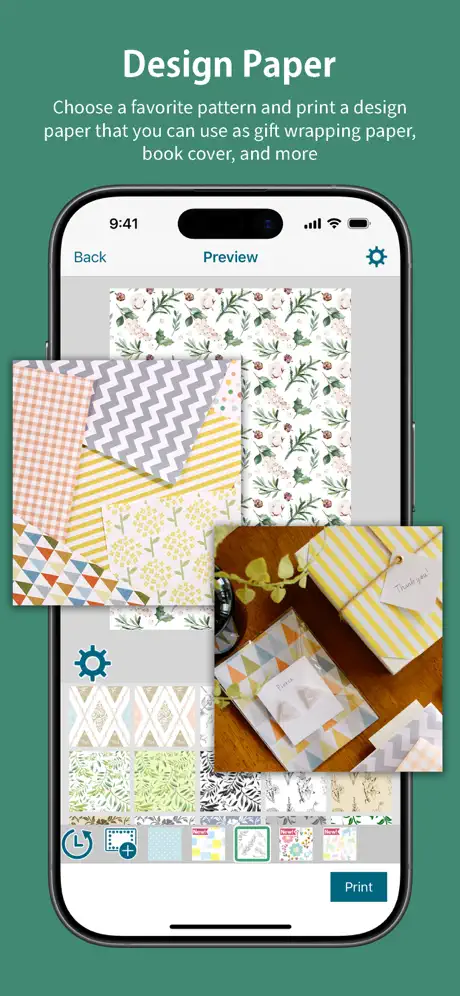
I just discovered this app and I am obsessed. I am printing so many different patterns for classroom projects. I love this app.
Horrible
Makes all pictures look muddy. Collages look even worse.
I’m Learning
Print quality is good, could be a little more user friendly but I am finally figuring out the printer and the apps…
Ink usage
It uses a lot of ink and requires lots of print head cleaning
No Matte Paper Setting Option
3.5 stars because there’s no Matte or Premium Matte Paper setting 👎🏻
Easy to use and connected with my Epson.
It is a simple app but it is exactly what I need. Simple way to print photos and make collages and other stuffs thanks Epson.
So stupid
Shouldn’t need to be on 2g network to air print (or print at all) its on the network I gave it a static IP and still have to mess around to print anything. Not cool .
Saved files
Can’t find where the files are saved.
Not as advertised
The preview lists making greeting cards yet that ability is not in the app. We can create many fun and useful things but not greeting cards to print.
Good
Needs more font options
Love it
Super easy to work, quick , and nice clean prints
Harder to use than I expected
I’ve used other Epson print utilities and they seem much easier than this one
Paper Choices
I’m loving the collage function, however for layering ideas theres no option to use tracing paper. Can this be fixed please?
Very limiting
Very disappointing that you cannot begin to create without turning on the printer. Also again the limitation of not being able to select a fairly common card stock paper size of 5.5”x8.5”.
Not working correctly
My printer keeps rejecting my printer setup
Great for Scrapbooking
The photo quality and color is great for a home printer. We were really happy with the photo collage option, which allows us to format multiple pictures and print them on one page of photo paper which helps save on photo paper costs.
Confusing. Not easy for someone who is not tech savvy.
Wasted so much photo paper trying to figure out and print multiple prints on one piece of photo paper. Not easy to use or figure out.
No black and white printing option
Aaka
Pas de sauvegarde
Ça serais bien de pouvoir exporter les templates dans d’autres applications
Great idea more options needed
In principle this appears to be a good app although when coming to print say greeting cards in my case I am unable to chose a size relevant to my cards. It would be a great option to have a custom size choice as we can do this on the printer
💜
💜
👎
This printer’s are garbage
More paper option would be nice
It does a great job with the paper option provided butA3+ is frustrating.
tried so many times but the app didn't print
please can u check this bug
Card making missing
I downloaded this for making a card as it was described as available. As soon as the app was opened card making disappeared. Luckily I had MS publisher. I’m not impressed.
Love it
Is the best app for pictures
This new version is rubbish for me, I can't work with it.
A
Can’t get on the greeting cards
Why can’t I get on the greeting cards bit? Just comes up with unavailable. Otherwise great app
Not supported
I was impressed with how easy Epson has made the set up for the ER-5180. Clear and concise. I was,however, quite disappointed to find out that the Creative Print app is not supported for the ET-5180. Why? It is literally an app and I cannot see why this app is not available for use with the printer. Please allow us with ET-5180 printers to have access to the Creative Print.
Cool but can’t use some of the features???
Like it just says content unable??
Awesome Program
This is amazing for junk journaling. So many smaller picture sizes. Also the full page layouts are awesome too. Hope they will continue to add items available.
No longer works with pm-400
App will not connect to printer, even if other Epson apps work and connect
Great app, but....
You need to be more proactive in adding printer ranges that have been available for several months already, e.g. ET-2720
No greetings card option
The greetings card option says unavailable. Why? That’s partly why I bought this printer but the app says “no”!!! 😡😡😡
Works for me
Works with my WF-7710 first time though took a while to find the printer. Couple of the options don’t work with with my printer and actually not much there that I’d want but thought I’d let you know that it does work with the WF.
Happily Surprised
I’m very pleased with my new Epson printer. I had an HP printer previously and it was a bit of a hassle to use. I bought this Epson printer home an hour ago and it’s connected to my home network and I am able to print from my iPhone.
Awful
This app should be better. It prints borders even when both the app and printer are set to borderless. There is no 3x3-inch option which is a super useful size for scrapbookers. Other sizes that should be available other than 3x3-inch are 2.5x2.5-inch, 3.5x3.5-inch, and 4x4-inch. This app could be so good, but it isn’t.
Good but could improve
Should add on edit feature so u can edit pics in the collage.
Not compatible!
I saw this app advertised in the box for my printer so I’ve finally downloaded it only to find that it isn’t actually compatible with my printer model ET-4700. It looks like it would have been perfect for what I needed to do but ho hum, such is life.
Could do with tweaking
There’s no option to shrink an image when creating your own writing paper. The image is bigger than the page and when you try and shrink it, it bounces back to original size. There’s an option to make it bigger, not smaller.
Epson Creative Print FAQ
- Is Epson Creative Print free?
- Yes. The app is free, in all 175 countries it sells in, and it sells nothing inside it.
- Does Epson Creative Print have a free trial?
- No. None of its offers (US) come with a free trial.
- What are the best alternatives to Epson Creative Print?
- Easy-PhotoPrint Editor (4.7 from 179,251 reviews), Beautiful ID Photo Creator (4.6 from 102,713 reviews) and Turn Photo to Sketch: Graphite (4.8 from 39,332 reviews, premium from $1.99).
Epson Creative Print download
Last updated 6 months ago.
Epson Creative Print sells in 175 countries. It was released 13 years ago, on 19 Sept 2013. It holds a 4.7 rating from 68,549 reviews.
Supports 12 languages: English, Dutch, French, German, Indonesian, Italian, Japanese, Korean, Portuguese, Russian, Chinese, Spanish.
How much does Epson Creative Print make?
Third-party estimates for the last 30 days, worldwide — not the store's own figures, which Apple publishes for nobody.