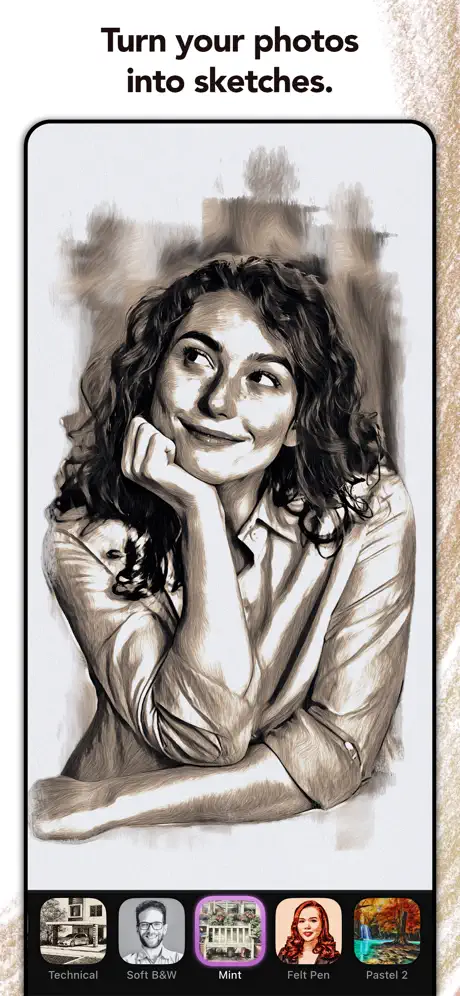
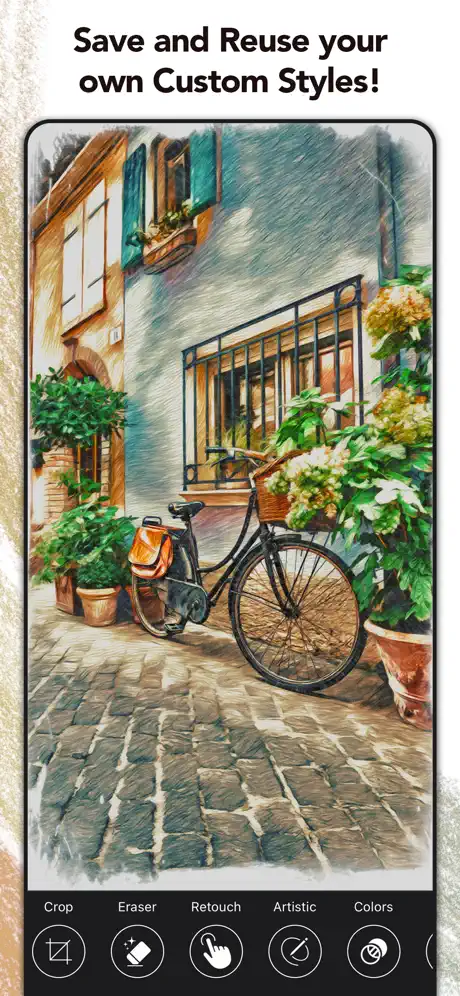
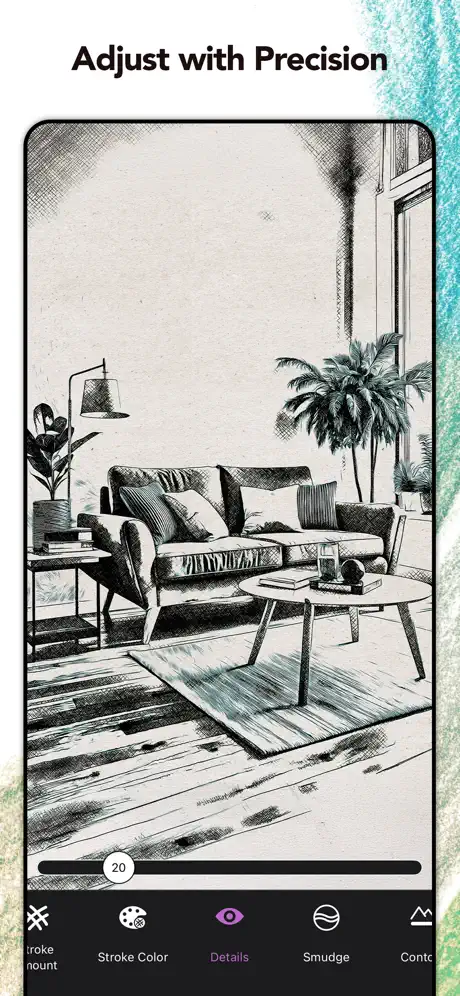
Turn Photo to Sketch: Graphite
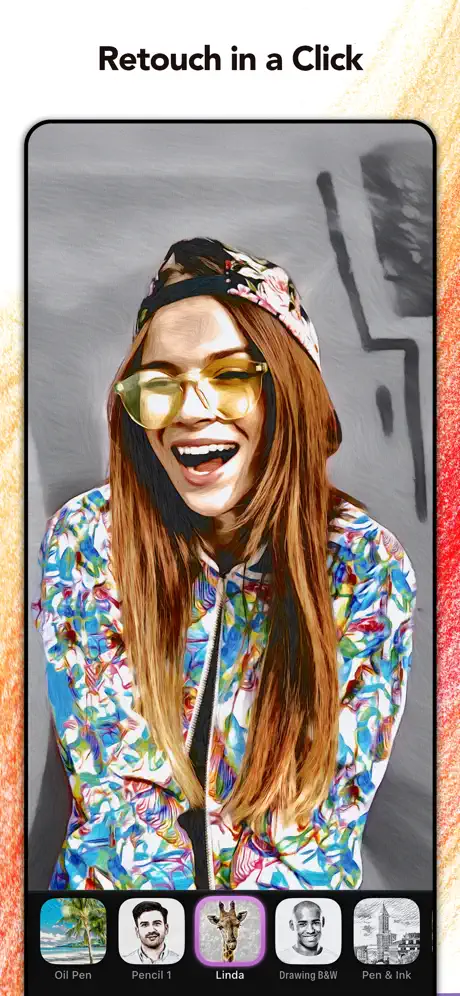
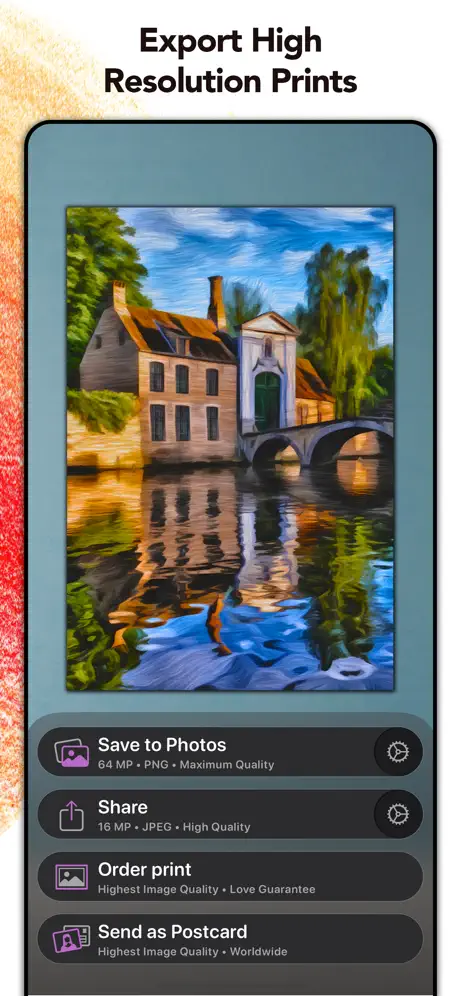
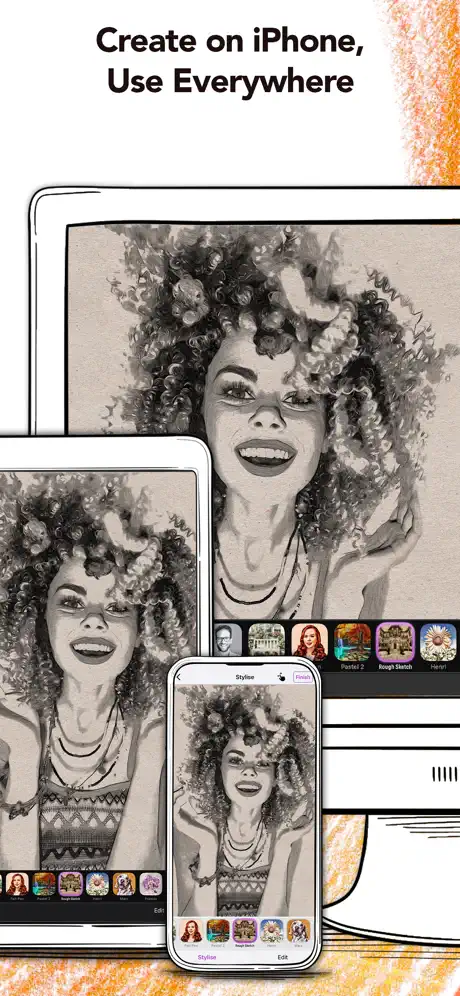
Pencil Drawing & Art Effects
How much does Turn Photo to Sketch: Graphite cost?
Prices are current as of 1 Oct 2026.
3 subscriptions from $1.99
In the United States, Turn Photo to Sketch: Graphite has 3 subscriptions priced $1.99 – 19.99. It comes with a 7 days free trial.
| Subscription | Period | Price |
|---|---|---|
| Graphite Premium - 1 Week | Weekly | $1.99 |
| Graphite Premium - 1 month | Monthly | $3.99 |
| Graphite Premium - 12 months | AnnualTrial: 7 days | $19.99 |
1 one-time purchase from $74.99
In the United States, Turn Photo to Sketch: Graphite has 1 one-time purchase priced $74.99.
| Product | Price |
|---|---|
| Graphite Premium - Lifetime | $74.99 |
See what Turn Photo to Sketch: Graphite costs in all 175 countries →
10+ alternatives to Turn Photo to Sketch: Graphite
| Turn Photo to Sketch: Graphite |   Prisma: Photo Editor, Filters Prisma: Photo Editor, Filters |   Instant Toon: Cartoon Art Cam Instant Toon: Cartoon Art Cam |   Photo To Sketch - Drawing book Photo To Sketch - Drawing book |   Pencil Sketch Photo Editor + Pencil Sketch Photo Editor + |   Brushstroke Brushstroke |   Sketch Me! Sketch Me! |   Pencil Photo Sketch Editor Pencil Photo Sketch Editor |   ArtistA: Cartoon Photo Editor ArtistA: Cartoon Photo Editor |   Photo to Sketch - Drawify Photo to Sketch - Drawify |   Pencil Sketch - Image Editor Pencil Sketch - Image Editor | |
|---|---|---|---|---|---|---|---|---|---|---|---|
| Rating / 5 | 4.8 | 4.7 | 4.7 | 4.2 | 4.5 | 4.8 | 4.5 | 4.7 | 4.4 | 4.6 | 3.9 |
| Reviews | 39K | 706K | 58K | 37K | 31K | 24K | 15K | 10K | 5.2K | 2.2K | 2K |
| Released | 2019 | 2016 | 2018 | 2011 | 2013 | 2014 | 2010 | 2019 | 2019 | 2022 | 2013 |
| Monthly price | $3.99 | $7.99 | $7.99 | $6.99 | $0.99 | $9.99 | — | $4.99 | $9.99 | $3.99 | — |
| Annual price | $19.99 | $24.99 | $29.99 | $30.99 | $6.99 | $29.99 | — | $25.49 | $35.99 | $14.99 | — |
| One-time price | $74.99 | — | $49.99 | $10.99 | $14.99 | $3.99 | $1.99 | $4.99 | $0.99 | $37.99 | — |
The going rate for each plan in United States, in its own currency, shaded from the cheapest price on the row to the dearest. Plans fewer than four in ten of the priced apps sell are left out.
Turn Photo to Sketch: Graphite reviews
4.8 out of 5, based on 39,332 reviews.
What people like
- Free version works well enough for basic use
- Results look like beautiful artistic drawings
- Easy to use even if you cannot draw
What they complain about
- Price is way too high for what you get
- App crashes and freezes often during use
- Faces come out looking weird and blotchy
- Developer refuses refunds for unwanted subscription renewals
Lo mejor
Super excelente
I buy my tools, I don’t rent them.
I bought this a long time ago and now it says I have to rent it!? No way
Great app with one major fault
A great app but ... There is one major flaw with this app - when loading any photo, it immediately jumps to a 'style filter' so you have no option to get back the original, if you just wanted to use just the border/vignette effects for example. I find this a major drawback and oversight. I bought the full version and ... use a lot of other art apps and all allow an 'original' image function.
Picture review
Why do you have to pick a picture and see how someone else draws it?I don’t know how it’s possible to draw?I tried drawing but I couldn’t find how to draw?I am only 7 how am I going to know something hard like that?I am sorry if you think that I am being rude I just don’t understand how to draw?
Ok
Not going to pay a monthly premium.
Easy
Intuitive, quick, cool results, I will be upgrading.
Can’t unsubscribe
I can’t delete my subscription
I like the choices
Some good stuff
Keeps crashing
This would be a great app if it did keep crashing and freezing.
Previous app better
New changes not as good as the old one, more control of what you want.
Awesome
This is a great app
Why isn’t it working?
Would be a great app if it worked. When I try to purchase premium it tells me “currently there are no subscriptions available”
Still getting symbol
I have purchased the monthly amount for Graphite, which I love, but I’m still getting the simple in the lower right hand corner.
Has a lot of neat features, just not the one I was looking for.
There are a lot of neat features here, you can erase backgrounds do a bunch of abstract things and real quick touchups. Unfortunately, all I am looking for is a comic book filter, to use in my professional workflow to cut down some time. It’s literally the one thing this thing doesn’t have. In fact, I’d actually go out of my way to say pretty much all of their filters are beyond unpleasant, or so niche. There’s no real reason to use them other than a show off to your friends. That would get old quickly.
A present appreciation
The cost is insisted following contributed free period. Exchanging funds in order to make an appraisal for 6 days. How can deleting the app downloaded fail the declining process? Myself personally haven‘t received any free trial reimbursements from Microsoft for funds used to secure a “so-called“ one. Deleting the app on one’s smartphone is all that should make the statement: deals off!
Good app
Free part works very well
Crashes all the time
Time wasted
Why I like to use Graphite. By Kuhi Lindsey Age 5
I like to use Graphite because it’s fun. 😀
Glitchy
App seems to be non-responsive often. When it works, the outcome is beautiful. Too bad you have to deal with the app getting hung so often
Kinda cheating
I love this app but it kinda cheating I’m like it makes the art not you and I don’t like that that much I wish there like a mode make art and add a style if we want too add a mod to the painting u know?
Liked those expressive vignettes
New: Loved those new expressive vignettes. And thanks for working hard to make this beautiful application better. Old: This is a great application to create artistic content. But unfortunately it has very little amount of art effects (filters). Hope you guys add more of it. With Kindest Regards-From Alaska
Not good
Fix failure
Marc Laverlochere
.Certains traitements de l’image donnent des résultats surprenants et beaux, d’autres,non.
Not what I expected
Does not convert to sketch or drawing in a manner I was looking for. App does highlight some photo attributes but more as a camera edit option.
It’s really cool but…
I really like this app and am glad that most of it is free, but it seems like most of the filters are basically the same thing just a different color. Also, the pictures that are meant to show you what the filters look like are kind of deceiving. They make the filter look very sharp and cool looking, but when you click it you realize that filter doesn’t look nearly as cool as you expected. I recommend this app as long as you are not expecting something super cool.
Designer
Amazing!!!!
Watch out for charges
Not a quality app and when I cancelled Graphite charged me for another full year. I asked for a refund several times and the developer has refused. I am 80 yrs old and did not ask for the renewal, this is a scam and abusive.
Great wee app
Love the myriad of ways to make my pictures, photos or my digital art pieces, into something completely different from the original. It gives me inspiration for other pieces, which turn into more art… My one annoyance is constantly having to “Restore purchases” for some reason.
Limited capability
Very limited capability. I think it would be impossible to create the opening splash screen art solely using this app.
a new version of graphite
In a new version of graphite on iPad many stylised versions disappeared. Graphite became poorer and not that interesting. If they are restored and a new options appear, I will immediately come back to my high opinion of this program, Marina
{}.
{}.
Not impressed
The idea is good, but all the pictures looked worse with filters. Maybe with the payed/premium option that could be addressed but not impressed. Maybe scenery photos would be better but faces turn out weird. I will be looking for another option.
Absolutely fun, has some limitations
The free version of Graphite is delightful. I find it doesn’t do portraits well as it creates a lot of weird wrinkly, blotchy spots on the subjects face, but as a filter for non-human subjects, it is fantastic.
Too expensive
For the features you get it’s too expensive. Otherwise it’s a neat product.
Same old same old
There are so many apps out there that make very similar adjustments a masks to your photos, some of them at a much lower price to this offering. This one does not privide results that warent paying even one month's subscription let alone what is asked for an annual subscription. Keep you cash in the bank and look for other options.
A favorite app
Graphite is a fun app that easily turns your favorite images into beautiful works of art. Now updated to work well with IOS 26 both on iPad and iPhone
it doesn’t work
it’s a bad ap stay away
Help please
I upgraded so I could edit my pictures..it upgraded on my iPad but not my iPhone..am I expected to pay again??
Price is too high
Nice little app that I would have payed up to £4.99 for. But, seriously, this is WAY too overpriced! It has limited functionality and thus limited use. It doesn’t have a USP (unique selling point). There’s loads of apps already on the market that do what this app does. The effects are nice, but how anyone could justify the cost of this app is totally beyond me.....
mon avis
l'option d'intégrer le résultat de la photo à une pièce reposante est excellente. pour travailler, je trouve cependant que le nom et les icônes des filtres sont loin d'être intuitifs. j'y vais à tâtons chaque fois. pas efficace. un choix bizarre.
Genial y maravillosa app
Felicitaciones…..es una excelentísima app. Muy bien diseñada…..espero puedan continuar abarcando otros efectos…..como por ejemplo Manga……felicitaciones He tenido la oportunidad de trabajar con todas las funciones premium…..y observo un trabajo maravilloso en la construcción de esta App. Esta muy bien diseñada, y es sin duda muy fácil de trabajar. Me atrevo a decir que no requieres ser un profesional del diseño para manejar esta maravillosa App, incluso creo más bien que así como te ayuda a fluir en tu trabajo, al mismo tiempo te ayuda a crecer y obtener un aprendizaje en el maravilloso mundo del arte, en su proyección y en su exposición. Les felicito, solo resta decir, que para futuras actualizaciones o expansión de funciones de las App, puedan agregar otras no existentes para continuar creciendo……es una maravilla de App.
Graphite 1 star review
It is nice that I can make pictures into paintings/drawings. However I hate the fact that there is in game costs and having to pay to make it into something. I enjoy the making it into a painting/drawing but it’s the fact that I have to pay money for the good stuff. I understand that the makers have to make money but it isn’t fun for my kids having to make amazing things and have to pay for them it ruins the fun. Overall no one should get the game unless they are willing to be totally and utterly disappointed. This game is not recommended which is why I gave it one star the only good bit is the magic of transforming a picture into art. Other than that it was an utter waste of time and a disappointment. 🤬😡😭🥺
Features request
Great app, please add an option to add a custom signature and if there’s an algorithm to replace just white with a painted white layer? Not sure if that makes sense but with certain filters, white appears as simply a discolouration, you can still feel it’s a photo, whereas to achieve that full effect of a painting - I think it requires additional layer of “fake” white paint. Add that option then it’d be a perfect app!
Ridiculous Price
Downloaded thee app and it looks great and works a treat. But the price for the full version is ridiculous at £25 outright buy. The app would be worth £2.99 more realistically and I would have happily paid that. But £25 come on and they can also make money from print orders. So deleting it and that’s a shame but I can get the same effects in free photo editing programs.
Fun app
Would rate higher if it wasn’t for the monthly subscription. One off price would be better. I’ll use this app certainly note every month so bit unnecessary monthly subscription.
Memories Created With Love
Graphite app enables me to create my pictures into something I’m not able to draw or sketch
You are cheap
Putting watermark is cheap. If you have got free version keep it that way
Brilliant!
Brilliant app! Disappointed that to remove the watermark was an additional £35 on top of the purchase price makes it one very expensive app.
Great functionality, but
Works great, like it says on the tin, but a subscription payment model for a photo app with only 1 use seems inappropriately expensive to me. I would be tempted if the one time price was more reasonable - 13.99 - puts it into the realm of premium apps, which this is not.
was hoping for more
i payed the 19.99 for life long premium and hope more content comes out cause it is very basic at its current state and ive noticed the developer has released a few different apps that are also photo editing apps so i’m hoping i didn’t just pay that much only to fund future apps when i was lead to believe that this app was the primary focus and would be updated with more content kind of feels like a hustle at the moment let’s hope i’m wrong
Turn Photo to Sketch: Graphite price by country
A weekly subscription costs $1.12 in Montenegro and $2.94 in Colombia — 3× more for the same thing. Below is the going rate for each plan in every country that sells it — the middle price of what the app charges there, in the country's own currency with the dollar equivalent beneath it.
| Country | Weekly | Monthly | Annual | One-time |
|---|---|---|---|---|
| Afghanistan | $1.99 | $1.99 | $8.99 | $34.99 |
| Albania | $1.99 | $1.99 | $9.99 | $39.99 |
| Algeria | $1.99 | $1.99 | $8.99 | $34.99 |
| Angola | $1.99 | $1.99 | $8.99 | $34.99 |
| Anguilla | $1.99 | $1.99 | $8.99 | $34.99 |
| Antigua And Barbuda | $1.99 | $1.99 | $8.99 | $34.99 |
| Argentina | $1.99 | $1.99 | $8.99 | $34.99 |
| Armenia | $1.99 | $1.99 | $9.99 | $39.99 |
| Australia | A$2.59$1.81 | A$4.99$3.49 | A$27.99$19.57 | A$100.00$69.93 |
| Austria | €1.79$2.08 | €3.59$4.17 | €17.99$20.89 | €65.99$76.64 |
| Azerbaijan | $1.99 | $1.99 | $9.99 | $39.99 |
| Bahamas | $1.49 | $2.99 | $16.99 | $39.99 |
| Bahrain | $1.99 | $1.99 | $9.99 | $39.99 |
| Barbados | $1.99 | $1.99 | $9.99 | $39.99 |
| Belarus | $1.49 | $3.99 | $9.99 | $39.99 |
| Belgium | €1.99$2.26 | €3.99$4.52 | €19.99$22.66 | €74.99$85.02 |
| Belize | $1.99 | $1.99 | $8.99 | $34.99 |
| Benin | $1.99 | $1.99 | $9.99 | $39.99 |
| Bermuda | $1.99 | $1.99 | $8.99 | $34.99 |
| Bhutan | $1.99 | $1.99 | $8.99 | $34.99 |
| Bolivia | $1.99 | $1.99 | $8.99 | $34.99 |
| Bosnia & Herzegovina | €1.79$2.03 | €1.99$2.26 | €9.99$11.33 | €39.99$45.34 |
| Botswana | $1.99 | $1.99 | $8.99 | $34.99 |
| Brazil | R$12.90$2.47 | R$12.90$2.47 | R$59.90$11.48 | R$229.90$44.04 |
| British Virgin Islands | $1.99 | $1.99 | $8.99 | $34.99 |
| Brunei Darussalam | $1.49 | $2.99 | $16.99 | $49.99 |
| Bulgaria | €1.99$2.26 | €1.99$2.26 | €14.99$17.00 | €49.99$56.68 |
| Burkina Faso | $1.99 | $1.99 | $8.99 | $34.99 |
| Cambodia | $1.99 | $1.99 | $9.99 | $39.99 |
| Cameroon | $1.99 | $1.99 | $9.99 | $39.99 |
| Canada | CA$2.49$1.75 | CA$3.99$2.81 | CA$25.99$18.30 | CA$95.00$66.90 |
| Cape Verde | $1.99 | $1.99 | $8.99 | $34.99 |
| Cayman Islands | $1.99 | $1.99 | $8.99 | $34.99 |
| Chad | $1.99 | $1.99 | $8.99 | $34.99 |
| Chile | CLP 1,990$2.06 | CLP 1,990$2.06 | CLP 9,990$10.33 | CLP 39,990$41.34 |
| China | CN¥15.00$2.23 | CN¥15.00$2.23 | CN¥58.00$8.63 | CN¥228.00$33.93 |
| Colombia | COP 9,900$2.94 | COP 9,900$2.94 | COP 39,900$11.85 | COP 149,900$44.52 |
| Congo | $1.99 | $1.99 | $8.99 | $34.99 |
| Congo, Democratic Republic | $1.99 | $1.99 | $8.99 | $34.99 |
| Costa Rica | $1.99 | $1.99 | $8.99 | $34.99 |
| Cote Divoire | $1.99 | $1.99 | $9.99 | $39.99 |
| Croatia | €1.49$1.69 | €2.99$3.39 | €15.99$18.13 | €59.99$68.02 |
| Cyprus | €1.49$1.69 | €2.99$3.39 | €15.99$18.13 | €59.99$68.02 |
| Czech Republic | CZK 35.00$1.63 | CZK 79.00$3.67 | CZK 399.00$18.53 | CZK 1,290.00$59.92 |
| Denmark | DKK 15.00$2.28 | DKK 29.00$4.40 | DKK 149.00$22.61 | DKK 560.00$84.98 |
| Dominica | $1.99 | $1.99 | $8.99 | $34.99 |
| Dominican Republic | $1.99 | $1.99 | $8.99 | $34.99 |
| Ecuador | $1.99 | $1.99 | $8.99 | $34.99 |
| Egypt | EGP 99.99$1.92 | EGP 99.99$1.92 | EGP 499.99$9.60 | EGP 1,999.99$38.39 |
| El Salvador | $1.99 | $1.99 | $8.99 | $34.99 |
| Estonia | €1.49$1.69 | €2.99$3.39 | €15.99$18.13 | €59.99$68.02 |
| Fiji | $1.99 | $1.99 | $8.99 | $34.99 |
| Finland | €1.79$2.03 | €3.59$4.07 | €17.99$20.40 | €65.99$74.82 |
| France | €1.99$2.26 | €3.99$4.52 | €19.99$22.66 | €74.99$85.02 |
| Gabon | $1.99 | $1.99 | $8.99 | $34.99 |
| Gambia | $1.99 | $1.99 | $8.99 | $34.99 |
| Georgia | $1.99 | $1.99 | $9.99 | $39.99 |
| Germany | €1.79$2.03 | €3.59$4.07 | €17.99$20.40 | €65.99$74.82 |
| Ghana | $1.99 | $1.99 | $9.99 | $39.99 |
| Greece | €1.49$1.69 | €2.99$3.39 | €15.99$18.13 | €59.99$68.02 |
| Grenada | $1.99 | $1.99 | $8.99 | $34.99 |
| Guatemala | $1.99 | $1.99 | $8.99 | $34.99 |
| Guinea-bissau | $1.99 | $1.99 | $8.99 | $34.99 |
| Guyana | $1.99 | $1.99 | $8.99 | $34.99 |
| Honduras | $1.99 | $1.99 | $8.99 | $34.99 |
| Hong Kong | HK$18.00$2.29 | HK$18.00$2.29 | HK$68.00$8.66 | HK$288.00$36.69 |
| Hungary | HUF 499$1.59 | HUF 1,490$4.74 | HUF 6,990$22.23 | HUF 22,990$73.13 |
| Iceland | $1.99 | $3.99 | $19.99 | $74.99 |
| India | ₹199.00$2.07 | ₹199.00$2.07 | ₹999.00$10.40 | ₹3,499.00$36.43 |
| Indonesia | IDR 29,000$1.62 | IDR 29,000$1.62 | IDR 149,000$8.30 | IDR 599,000$33.37 |
| Iraq | $1.99 | $1.99 | $8.99 | $34.99 |
| Ireland | €1.99$2.26 | €3.99$4.52 | €19.99$22.66 | €74.99$85.02 |
| Israel | ₪7.90$2.57 | ₪12.90$4.20 | ₪59.90$19.51 | ₪249.90$81.40 |
| Italy | €1.79$2.08 | €3.59$4.17 | €17.99$20.89 | €65.99$76.64 |
| Jamaica | $1.99 | $1.99 | $8.99 | $34.99 |
| Japan | ¥300$1.91 | ¥300$1.91 | ¥1,650$10.48 | ¥6,000$38.12 |
| Jordan | $1.99 | $1.99 | $8.99 | $34.99 |
| Kazakhstan | KZT 999.00$2.27 | KZT 999.00$2.27 | KZT 4,990.00$11.35 | KZT 19,990.00$45.48 |
| Kenya | $1.99 | $1.99 | $9.99 | $39.99 |
| Kosovo | €1.79$2.03 | €1.99$2.26 | €9.99$11.33 | €39.99$45.34 |
| Kuwait | $1.49 | $2.99 | $14.99 | $49.99 |
| Kyrgyzstan | $1.99 | $1.99 | $9.99 | $39.99 |
| Lao Peoples Democratic Republic | $1.99 | $1.99 | $9.99 | $39.99 |
| Latvia | €1.79$2.03 | €1.99$2.26 | €9.99$11.33 | €39.99$45.34 |
| Lebanon | $1.99 | $1.99 | $8.99 | $34.99 |
| Liberia | $1.99 | $1.99 | $8.99 | $34.99 |
| Libya | $1.99 | $1.99 | $8.99 | $34.99 |
| Lithuania | €1.79$2.03 | €1.99$2.26 | €9.99$11.33 | €39.99$45.34 |
| Luxembourg | €1.99$2.26 | €3.99$4.52 | €19.99$22.66 | €74.99$85.02 |
| Macao | $1.99 | $1.99 | $8.99 | $34.99 |
| Macedonia | $1.99 | $1.99 | $8.99 | $34.99 |
| Madagascar | $1.99 | $1.99 | $8.99 | $34.99 |
| Malawi | $1.99 | $1.99 | $8.99 | $34.99 |
| Malaysia | MYR 7.00$1.72 | MYR 14.90$3.65 | MYR 39.90$9.78 | MYR 149.90$36.74 |
| Maldives | $1.99 | $1.99 | $8.99 | $34.99 |
| Mali | $1.99 | $1.99 | $8.99 | $34.99 |
| Malta | €1.79$2.03 | €3.59$4.07 | €17.99$20.40 | €49.99$56.68 |
| Mauritania | $1.99 | $1.99 | $8.99 | $34.99 |
| Mauritius | $1.99 | $1.99 | $8.99 | $34.99 |
| Mexico | MX$29.00$1.70 | MX$69.00$4.06 | MX$299.00$17.58 | MX$799.00$46.97 |
| Micronesia | $1.99 | $1.99 | $8.99 | $34.99 |
| Moldova | $1.99 | $1.99 | $9.99 | $39.99 |
| Mongolia | $1.99 | $1.99 | $8.99 | $34.99 |
| Montenegro | €0.99$1.12 | €1.99$2.26 | €7.99$9.06 | €34.99$39.67 |
| Montserrat | $1.99 | $1.99 | $8.99 | $34.99 |
| Morocco | $1.99 | $1.99 | $8.99 | $34.99 |
| Mozambique | $1.99 | $1.99 | $8.99 | $34.99 |
| Myanmar | $1.99 | $1.99 | $8.99 | $34.99 |
| Namibia | $1.99 | $1.99 | $8.99 | $34.99 |
| Nauru | $1.99 | $1.99 | $8.99 | $34.99 |
| Nepal | $1.99 | $1.99 | $9.99 | $39.99 |
| Netherlands | €1.79$2.03 | €3.59$4.07 | €17.99$20.40 | €65.99$74.82 |
| New Zealand | NZ$2.99$1.69 | NZ$5.99$3.38 | NZ$29.99$16.94 | NZ$99.99$56.49 |
| Nicaragua | $1.99 | $1.99 | $8.99 | $34.99 |
| Niger | $1.99 | $1.99 | $14.49 | $34.99 |
| Nigeria | NGN 3,200.00$2.41 | NGN 3,200.00$2.41 | NGN 14,900.00$11.23 | NGN 59,900.00$45.13 |
| Norway | NOK 19.00$1.98 | NOK 39.00$4.06 | NOK 199.00$20.73 | NOK 699.00$72.81 |
| Oman | $1.99 | $1.99 | $8.99 | $34.99 |
| Pakistan | PKR 500$1.81 | PKR 500$1.81 | PKR 2,500$9.03 | PKR 9,900$35.76 |
| Palau | $1.99 | $1.99 | $8.99 | $34.99 |
| Panama | $1.99 | $1.99 | $8.99 | $34.99 |
| Papua New Guinea | $1.99 | $1.99 | $8.99 | $34.99 |
| Paraguay | $1.99 | $1.99 | $8.99 | $34.99 |
| Peru | PEN 5.90$1.72 | PEN 12.90$3.75 | PEN 69.90$20.32 | PEN 229.90$66.83 |
| Philippines | ₱129.00$2.06 | ₱129.00$2.06 | ₱599.00$9.57 | ₱2,290.00$36.58 |
| Poland | PLN 6.00$1.56 | PLN 14.99$3.89 | PLN 79.99$20.78 | PLN 299.99$77.92 |
| Portugal | €1.49$1.69 | €2.99$3.39 | €15.99$18.13 | €59.99$68.02 |
| Qatar | QAR 5.99$1.65 | QAR 9.99$2.74 | QAR 49.99$13.73 | QAR 199.99$54.94 |
| Romania | RON 7.49$1.61 | RON 14.99$3.22 | RON 79.99$17.20 | RON 299.99$64.51 |
| Russia | RUB 149.00$1.77 | RUB 249.00$2.96 | RUB 1,290.00$15.35 | RUB 4,490.00$53.41 |
| Rwanda | $1.99 | $1.99 | $8.99 | $34.99 |
| Sao Tome & Principe | $1.99 | $1.99 | $8.99 | $34.99 |
| Saudi Arabia | SAR 7.99$2.13 | SAR 12.99$3.46 | SAR 59.99$16.00 | SAR 199.99$53.33 |
| Senegal | $1.99 | $1.99 | $9.99 | $39.99 |
| Serbia | €1.79$2.03 | €1.99$2.26 | €9.99$11.33 | €39.99$45.34 |
| Seychelles | $1.99 | $1.99 | $8.99 | $34.99 |
| Sierra Leone | $1.99 | $1.99 | $8.99 | $34.99 |
| Singapore | SGD 2.98$2.33 | SGD 5.98$4.67 | SGD 24.98$19.52 | SGD 109.00$85.16 |
| Slovakia | €1.49$1.69 | €2.99$3.39 | €15.99$18.13 | €59.99$68.02 |
| Slovenia | €1.49$1.69 | €2.99$3.39 | €15.99$18.13 | €59.99$68.02 |
| Solomon Islands | $1.99 | $1.99 | $8.99 | $34.99 |
| South Africa | ZAR 39.99$2.44 | ZAR 39.99$2.44 | ZAR 199.99$12.19 | ZAR 699.99$42.66 |
| South Korea | ₩3,300$2.44 | ₩3,300$2.44 | ₩12,000$8.86 | ₩49,000$36.20 |
| Spain | €1.79$2.03 | €3.59$4.07 | €17.99$20.40 | €65.99$74.82 |
| Sri Lanka | $1.99 | $1.99 | $8.99 | $34.99 |
| St. Kitts and Nevis | $1.99 | $1.99 | $8.99 | $34.99 |
| St. Lucia | $1.99 | $1.99 | $8.99 | $34.99 |
| St. Vincent & The Grenadines | $1.99 | $1.99 | $8.99 | $34.99 |
| Suriname | $1.99 | $1.99 | $9.99 | $39.99 |
| Swaziland | $1.99 | $1.99 | $8.99 | $34.99 |
| Sweden | SEK 19.00$1.90 | SEK 39.00$3.90 | SEK 199.00$19.92 | SEK 700.00$70.07 |
| Switzerland | CHF 2.00$2.40 | CHF 4.00$4.80 | CHF 18.00$21.58 | CHF 70.00$83.93 |
| Taiwan | NT$50.00$1.57 | NT$90.00$2.83 | NT$490.00$15.39 | NT$2,100.00$65.95 |
| Tajikistan | $1.99 | $1.99 | $9.99 | $39.99 |
| Tanzania | TZS 5,900.00$2.26 | TZS 5,900.00$2.26 | TZS 24,900.00$9.52 | TZS 99,900.00$38.20 |
| Thailand | THB 79.00$2.35 | THB 79.00$2.35 | THB 299.00$8.91 | THB 1,290.00$38.43 |
| Tonga | $1.99 | $1.99 | $8.99 | $34.99 |
| Trinidad and Tobago | $1.49 | $2.99 | $16.99 | $59.99 |
| Tunisia | $1.99 | $1.99 | $8.99 | $34.99 |
| Turkey | TRY 99.99$2.04 | TRY 99.99$2.04 | TRY 399.99$8.16 | TRY 1,499.99$30.60 |
| Turkmenistan | $1.99 | $1.99 | $8.99 | $34.99 |
| Turks and Caicos | $1.99 | $1.99 | $8.99 | $34.99 |
| Uganda | $1.99 | $1.99 | $9.99 | $39.99 |
| Ukraine | $1.99 | $1.99 | $9.99 | $39.99 |
| United Arab Emirates | AED 7.99$2.18 | AED 7.99$2.18 | AED 54.99$14.98 | AED 179.99$49.04 |
| United Kingdom | £1.99$2.63 | £3.99$5.28 | £17.99$23.80 | £69.99$92.58 |
| United States | $1.99 | $3.99 | $19.99 | $74.99 |
| Uruguay | $1.99 | $3.59 | $17.99 | $65.99 |
| Uzbekistan | $1.99 | $1.99 | $9.99 | $39.99 |
| Vanuatu | $1.99 | $1.99 | $8.99 | $34.99 |
| Venezuela | $1.99 | $1.99 | $8.99 | $34.99 |
| Vietnam | ₫59,000$2.28 | ₫59,000$2.28 | ₫299,000$11.53 | ₫999,000$38.52 |
| Yemen | $1.99 | $1.99 | $8.99 | $34.99 |
| Zambia | $1.99 | $1.99 | $9.99 | $39.99 |
| Zimbabwe | $1.99 | $1.99 | $9.99 | $39.99 |
Turn Photo to Sketch: Graphite FAQ
- Is Turn Photo to Sketch: Graphite free?
- Yes. The app and its basic features are free, in all 175 countries it sells in. Premium features are paid: they start from $1.99 (US), across 3 subscriptions and 1 one-time purchase.
- How much does Turn Photo to Sketch: Graphite cost per month?
- Graphite Premium - 1 month is $3.99 (US). The annual plan works out cheaper per month: $19.99 a year.
- Does Turn Photo to Sketch: Graphite have a free trial?
- Yes — a 7 days free trial (US).
- Where is Turn Photo to Sketch: Graphite cheapest?
- A weekly subscription costs €0.99 (≈$1.12) in Montenegro and COP 9,900 (≈$2.94) in Colombia, its cheapest and dearest countries.
- What are the best alternatives to Turn Photo to Sketch: Graphite?
- Prisma: Photo Editor, Filters (4.7 from 705,831 reviews, premium from $1.99), Instant Toon: Cartoon Art Cam (4.7 from 58,322 reviews, premium from $7.99) and Photo To Sketch - Drawing book (4.2 from 36,561 reviews, premium from $3.99).
Turn Photo to Sketch: Graphite download
Last updated 19 days ago.
Turn Photo to Sketch: Graphite sells in 175 countries. It was released 6 years and 11 months ago, on 23 Oct 2019. It holds a 4.8 rating from 39,332 reviews.
Supports 18 languages: English, Arabic, Dutch, Finnish, French, German, Hindi, Italian, Japanese, Korean, Norwegian Bokmål, Polish, Portuguese, Russian, Chinese, Spanish, Swedish, Turkish.
How much does Turn Photo to Sketch: Graphite make?
Third-party estimates for the last 30 days, worldwide — not the store's own figures, which Apple publishes for nobody.
Revenue by plan
- Monthly 58%
- Annual 29%
- Weekly 8%
- One-time 4%
Revenue by country
- United States 31%
- Japan 15%
- Germany 10%
- Italy 5%