
HEY Calendar
Make your day
How much does HEY Calendar cost?
Prices are current as of 15 Nov 2026.
HEY Calendar has no in-app products on record in the United States.
10+ alternatives to HEY Calendar
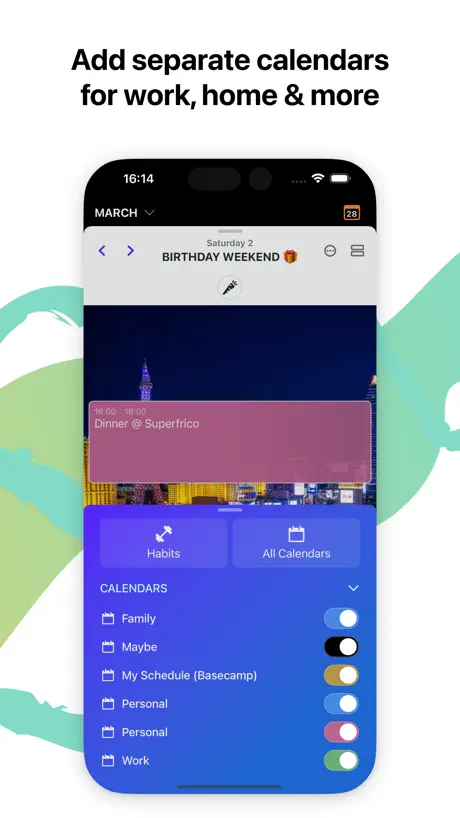
| HEY Calendar | 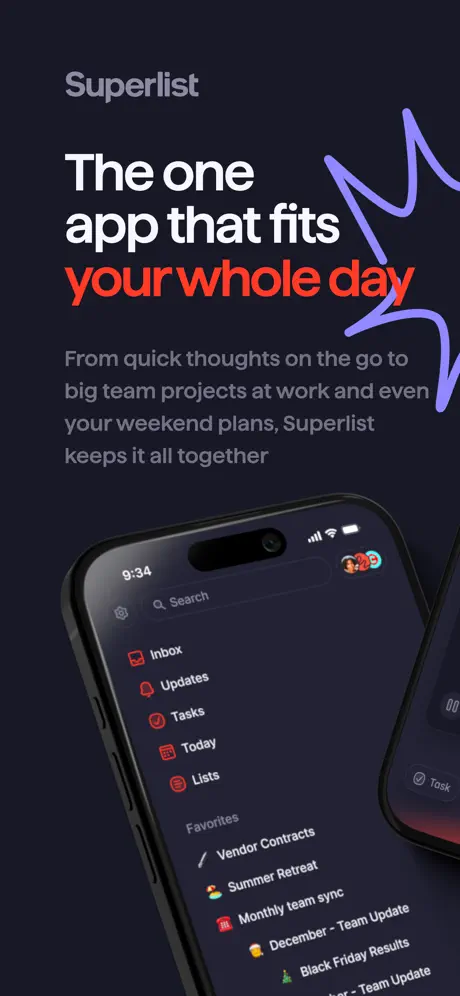  Superlist: To Do List & Notes | 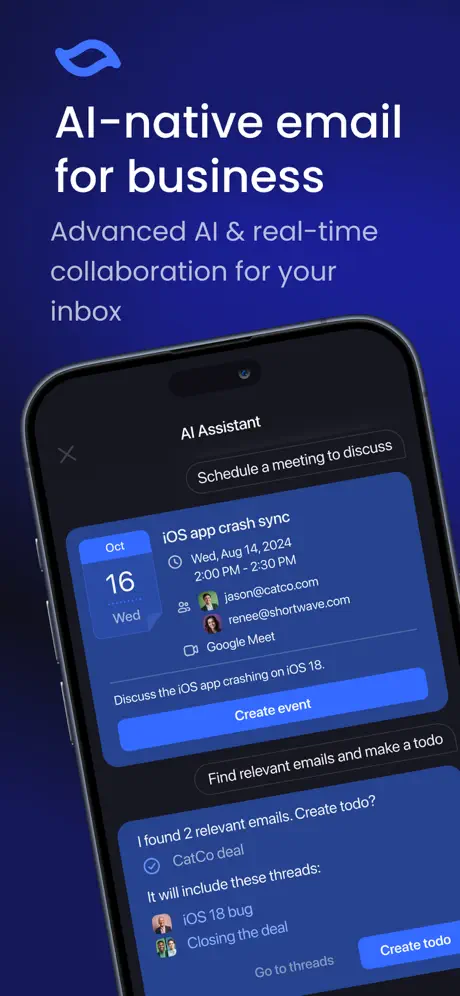  Shortwave - AI Email | 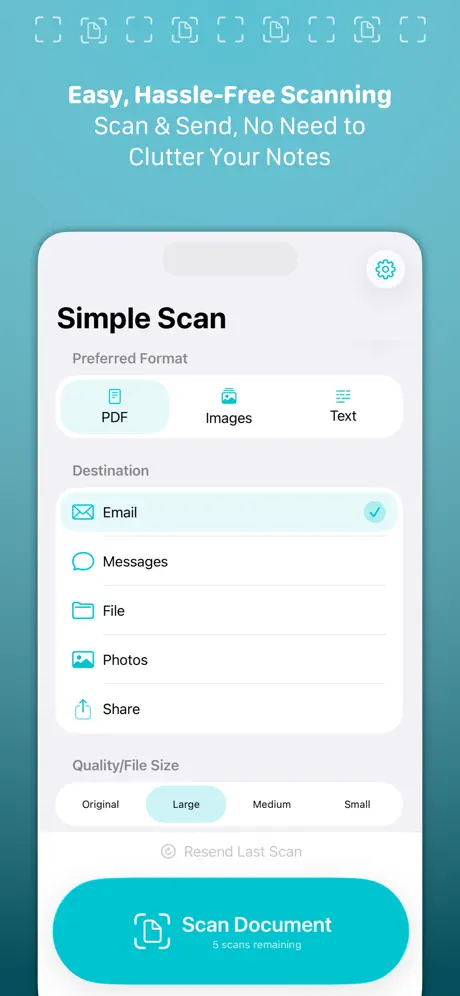  Simple Scan • Quick Scanner |   Twos: Notes, Lists & Reminders |   Vimcal: AI Calendar & Schedule |   Amie - Todos, calendar |   Morgen Calendar & Planner |   Supernotes – Notes & Journal |   Reflect Notes |   Funnel - Quick Capture | |
|---|---|---|---|---|---|---|---|---|---|---|---|
| Rating / 5 | 4.6 | 4.5 | 4.7 | 4.9 | 4.7 | 4.6 | 3.7 | 4.4 | 4.8 | 4.6 | 4.6 |
| Reviews | 1.4K | 1.9K | 1.3K | 1.1K | 872 | 711 | 587 | 575 | 385 | 185 | 89 |
| Released | 2024 | 2023 | 2022 | 2024 | 2016 | 2022 | 2023 | 2023 | 2023 | 2024 | 2023 |
| Monthly price | — | $10.00 | — | — | $4.99 | — | $14.99 | — | $11.00 | — | — |
| Annual price | — | $59.00 | — | $9.99 | $39.99 | — | $120.99 | — | $69.00 | — | — |
| One-time price | — | — | — | $39.99 | $1.99 | — | — | — | — | — | — |
The going rate for each plan in United States, in its own currency, shaded from the cheapest price on the row to the dearest. Plans fewer than four in ten of the priced apps sell are left out.
HEY Calendar reviews
4.6 out of 5, based on 1,404 reviews.
What people like
- Beautiful design that feels calm and unique
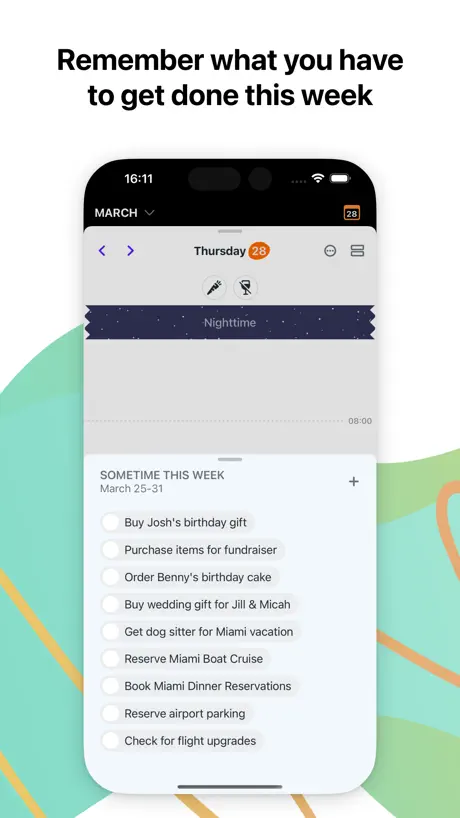
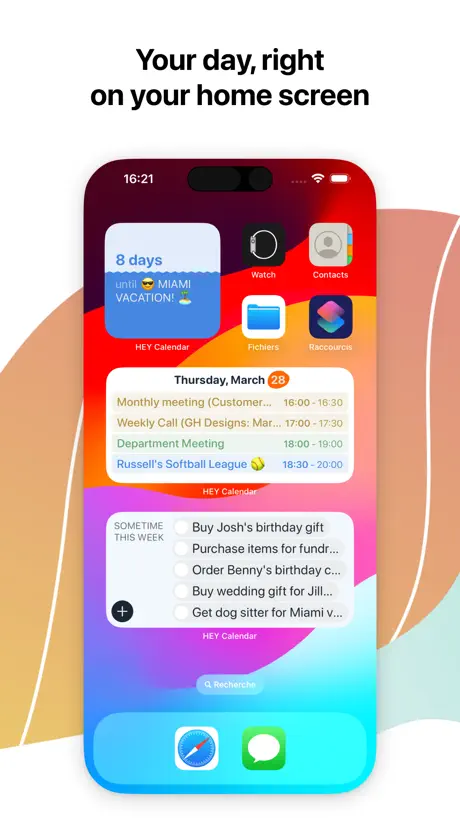
- Love the sometime this week task feature
- Great integration with the email service
What they complain about
- Syncing with other calendars is slow and broken
- No iPad app or widget support yet
- You cannot edit events from external calendars
grrat
grreeat
Run by fascists
Owners now just all in on fascism.
Helpful
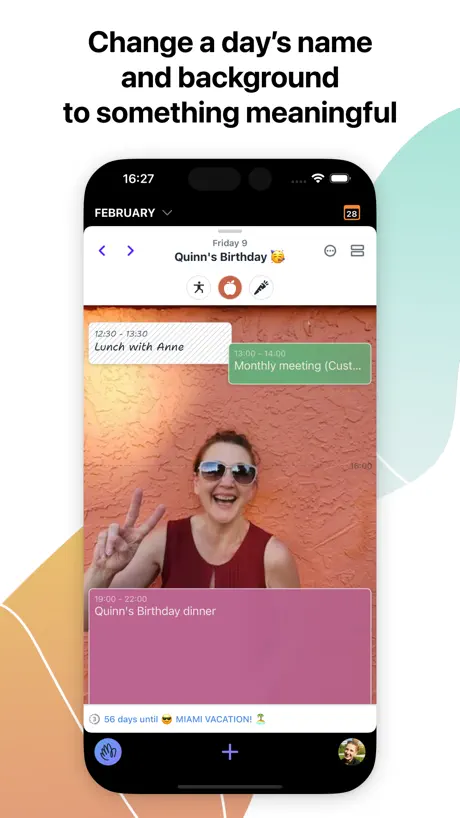
The HEY Calendar app is very helpful, especially on the computer. The ability to add to weekly tasks that can then add to specific days is great. I also love that you can you can label days without adding a calendar item and add a background to the day. I use these features mostly as a journal. It would be great to have more flexibility on how I see my weekly tasks, their order, and a full month view. It would also be nice to assign tasks to a day without having to add it as an event.
Not the best
Their mail client is really great. But this app is just any calendar app with some pretty basic sprinkles on top. Add the missing device-integrations and it isn’t really worth its.
A lot of great ideas!
TL;DR - This is a deeply, well-thought-out calendar system with a slight learning curve but absolutely worth a try. - With Hey Mail, the price is worth it Here’s how I think it could improve on iOS: - Rework how event names are displayed in week view. Too much of the event title is cut off to be helpful. Feature request: - Calendly-esque scheduling
Best Calendar App on the Market
I’ve used quite a few over the years. Because of all the features, which are constantly improving and expanding, this is the best. Period.
iPhone 16 Pro: text at bottom of login screen cut off
On iPhone 16 Pro, the line under "Don't have an account?" is cut off. I can't scroll down to see it. I can't read what it says and clicking the tops of the letters just barely hit-able brings me to a calendar?? What is that text supposed to say? I don't have an account so it's relevant information for me.
Using as my primary calendar
Overall, it’s a great app. My favorite part is the “sometimes this week” feature. I didn’t think I’d use it at first, but now I really love it. My only dislike is the inability to write to apple or gmail calendars (especially apple). If the developers could somehow get apple to let them add that functionality, it’d be 5 stars.
Quel dommage !
HEY Calendar amène plein de bonnes idées, l’app web est top, mais cette app iOS n’est pas au niveau… L’interface est trop complexe, encombrée, old-school. Les animations manquent de fluidité. Il y a des menus partout, sans logique apparente. On a l’impression d’être sur Android… Les éléments de navigation en bas de l’écran devraient être toujours visibles, pourquoi les masquer lorsque j’affiche la vue par semaines ? Comment on a pu en arriver là… après un service d’email génial, qui amenait une sérénité, avec une interface hyper claire qui allait à l’essentiel, quelle déception !
It’s different in a good way; isolated in a bad way
Okay so I completely understand wanting to build for yourself, not for other platforms. However, it’s pretty limiting to have a calendar app that doesn’t sync with the other major services. I have the same critique of Notion Calendar :/
All the tools in one place
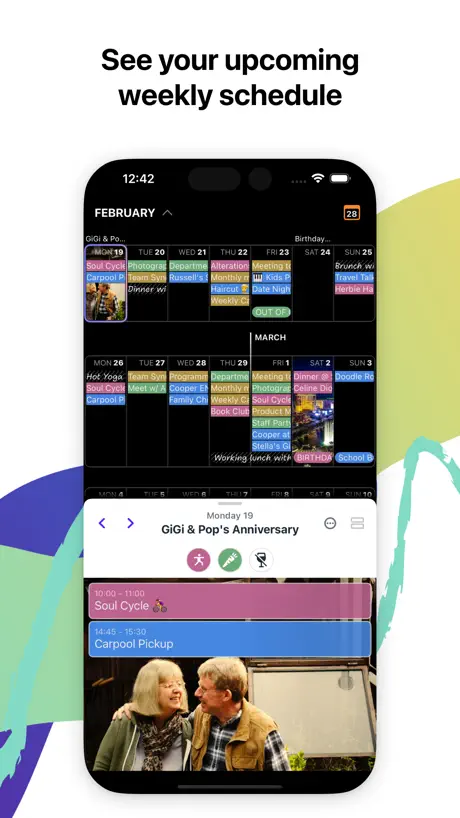
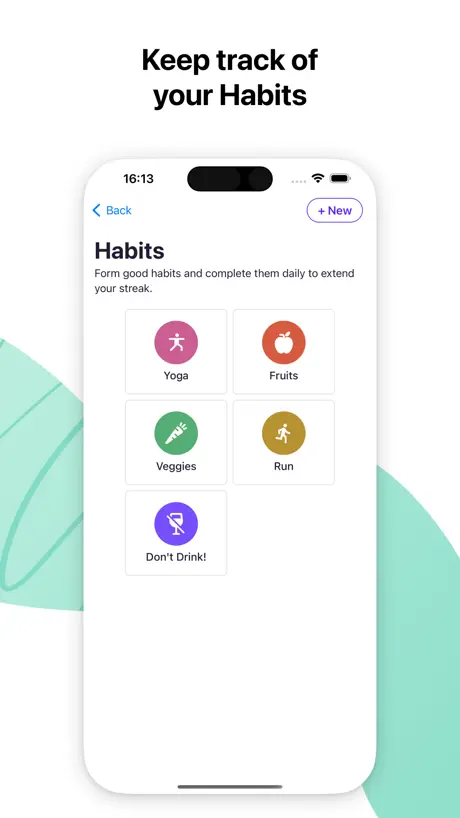
All the right parts that I need in my calendar, plus simple to dos that keep me focused, as well as tools for tracking habits, logs, and more.
Why does every job to be done take so much effort?!
I need to be able to manage Google Calendar events, and it’s too slow to navigate. I also want more control over tasks!
Please Add...
Calendar is getting better and better BUT please add an option for event repeat to occur on the 1st, 2nd, 3rd, or 4th [insert day of week] of the month. For example, "repeat every 1st Friday of the month." This missing item is my one reason it's not 5 stars.
Half-Done Features, & Little Support
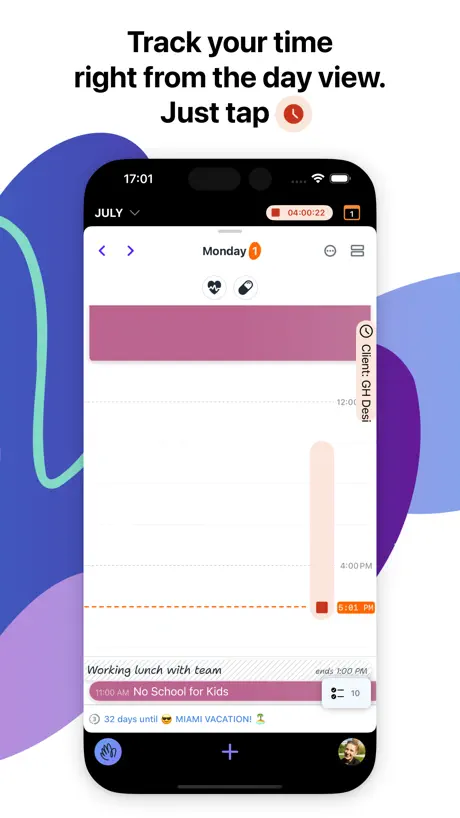
I’m not impressed with the Hey Calendar yet. I’m confident that it will improve over time but i’m not really sold on using it yet. I’m less willing to use it compared to traditional OS calendar applications. Why is there no Month view for example? That seems obvious. Why is time tracking divorced from events? That seems like lazy design. I sent off a couple of feedback emails about features that feel half-finished and got pretty bland “Hey Mail doesn’t do that” responses. Yeah, I know. That’s what I said. Still waiting for greatness but this ain’t it yet.
Good start
I like the methodology behind it. But it feels a little slow. Not sure why. Feels like I’m clicking “on” things instead of interacting with the things themselves. Just enough to make me want to use the stock calendar. Also—and maybe more importantly—no caldav support. Once that’s there, it’ll be easier to spend more time with it as a daily tool. Again, great start.
Love it!
Totally unique and beautiful way to approach daily planning and the calendar. Well done!
App still bad
Notifications don’t work at all. The notify x mins before settings don’t update when I change them. Calendars with many events make the app slow to a crawl even on my iPhone 15 pro.
It needs some further work
Sometimes I open the app and I don’t see any events, but just the message “syncing all calendars” and I need to wait a min to see the events.
Innovative thinking again!
UPDATE #2: sadly for this update I had to knock a star off. We still don’t have 2-way integration or syncing and we still don’t a good location set where we can view maps and set travel times etc. I wanted to replace the outdated Apple option but I use locations and travel times all the time so for me the Hey calendar still lacks the functionality I would personally want. For me it’s still not a viable replacement for Apple calendar. There are also a few issues with ics files and invites syncing but the developers have been great in supporting my queries. Just not there yet for me ! UPDATE : really poor and slow syncing issues are the big let down for this app, so disappointing all worked well until I went to link my Apple calendar so, so slow to sync events across so updated my review. It needs a few other things sorting like map integration for event locations and the back background on the week view is not in tune with the rest of the app. Most important is the ability to read and write to other calendars. All being said a great calendar to go with best email out there
Integration failings are showstoppers
I like the UI well enough, and the integration with Hey email is nice. Without integration with Calendly or similar, and without support for other clients like Outlook or Gmail, I don’t see enough benefit. I’m afraid I’ll be voting this one off the island.
Smoothest & easiest email experience
I absolutely love Hey calendar & email. It is 100% worth paying for because it gives me the kind of control over my email that I long wanted and searched for and the kind of calendar experience that I wanted but could never find. I’ve been using it for a couple of years now and it so suits my needs that I don’t even look at what else is available - It’s that good!
Basic For the $
UX and features are basic at best, not groundbreaking. Suite of apps isn’t worth the cost price.
Great start
I wish there was better transparency for app features. What’s coming and a board for user suggestions. I love the Do’s and the fact I can add a background photo to a special day. The layout is great but you can’t (yet) use the location of an event for navigation because it isn’t connected to anything so you still might have to use a back up calendar. But so far love the ability to have time tracking right in the calendar. Looking forward to where Basecamp is taking this!
Can’t edit calendars
How is it possible to release a calendar app that isn’t able to edit calendar events from non-app-based existing calendars? This is a wild lack of functionality that I don’t think I’ve ever seen from a calendar app and essentially makes this a useless product for anyone on the google workspace, Apple calendar, or other provider’s email services looking for an all-in-one manager. Really disappointing and unusable until this major feature hole is addressed.
Long way to go
I gave this app my best shot. It just doesn’t flow as well as other established calendars. My biggest complaint is inconsistency. Every time I open the app, it opens to a different day, not the present day. I can’t figure that one out. I just opened the app a minute ago on my desktop and it opened to a day from over a week ago. Why is that? When I use my widget on my iPhone, it’s never on the present day, it’s always in the past. What good is that when I’m looking for quick updates with what’s going on with my schedule? It’s very inefficient especially coming from a company that touts flow. I love your email, but this was rolled out way too soon.
| i use it for the timetracker
comes bundled w/ hey email
Not Many Features, Buggy
Edit: today, I received notifications for events from two weeks ago, as if they were happening today. After tapping one of the notifications, that app got stuck. None of the buttons responded. One star now since even the basic features hey calendar does have don’t work right. Original review: The app is lackluster. You can’t add a shared Apple Calendar. Many of the highlighted features feel gimmicky. It’s undercooked. It’s two stars for now. If it felt more mature, then three. If it was more mature and worked with other calendars properly, five stars. One big positive (that is not related to the app) - HEY support. I wrote in with a question and they were so helpful. 5 stars for support, 2 stars for the app in its current state.
Solid first release
Looking forward to where this goes. I don’t know if this is on the roadmap.. but I definitely want to see integration with existing calendar services such that I can add new events and edit existing events on Apple / Google calendars. IMO it will really hinder my uptake if I can’t fully sync with my family calendars.
Going offline …
I canceled my subscription while planning a trip to a location where internet would be spotty when I got there & while traveling. I feel uncomfortable not knowing if I can access emails related to travel on a plane with no internet. I love HEY but I’ve been stung once and now print emails or save as a PDF. But HEY Calendar schedules might also suffer from this. I literally do not want to test and validate that I’ll need internet to see an itinerary or events in general. This isn’t a feature that hasn’t been implemented, it’s a flaw.
Needs two way sync
I’d love to use this app. It’s charming and I like the features and UI. I like that it can import events from my other calendars. What is a deal breaker for me is that it doesn’t sync new events I add back to those calendars. I’m not ready to only use this as my primary calendar. I need things to sync to my Google calendar.
Love everything basecamp does
Great calendar and even better email
Appointments don’t appear on calendar
I added both reoccurring and one time appointments to the calendar. Where are the? I don’t see them on my phone app. I understand that features like transit time may come later, but I would expect to see appointments on the calendar? The drop down times are on the half hour and changing to more precise times is a little clunky.
Feature Requests
I get that this app is brand new, so rather than voice my opinion, I’ll use this app to list and regularly update the issues I have with it in hopes that the team sees it and addresses them. (Other than the things listed, please assume I love the app and giving it a real go as my calendar of choice.) - For habits, the app relies on icons alone for me to quickly remember what the habit is. The problem: my habits so far are laundry and business networking both are activities with no icons to represent them. So please add a laundry icon and a handshake (or other icon representing social connection) to the icon list. Thanks! - waaait a minute…I can’t add an event to my Apple calendar???
Great on its own terms
Lots to praise about this app, in fact, most of it is praise worthy! Great design, good UI and UX, but it falls flat on integration between the email and calendar. As a Hey Email user, I was so excited to finally have a calendar to go along with the email. The dev makes a big deal of having their own servers and control of the information, but their services still misses basic date related emails that google workspace captures easily, like flights and trains or classes. Moreover, the calendar doesn’t search through locations on a map service to match and enrich location input in the events. And lastly, because the calendar account doesn’t work at all with other apps and calendar links don’t open directly in Hey Calendar on iPhone, I have to manually recreate calendar events I receive from event companies that offer a ‘download for other calendar’ button on their confirmation screens. If I could use a workaround, like adding calendar events through Apple calendar quickly due to easy integration with iPhone, that would solve it for now. I find this app and this side of the Hey service creates more friction, not less, in my personal calendar. And it walls it off needlessly from my work calendars. It asks more of a user, not less. Not sure that’s a good direction, when Hey Email asks less of users than other emails and is rightly praised for that. Hope it can improve in the future because I’m a huge Hey Email fan.
I want this to be better…
A lot of potential here. I wish I could make an event quicker my holding down on the calendar like you can on Apple Calendar
Different. You’ll come back to it.
Different. You’ll come back to it.
Doesn’t Work
I always want to check out calendar apps. But I can’t log in with Google. Or log in at all. No directions on what you’re supposed log in with or a sign up page. All I see is This Day in Apple or something. FAQ said to copy and paste (really!) a link to individual Google Calendars but it doesn’t allow a paste option. Worthless 🤷♂️
Love the app, but no iPad support
Firstly, I love the new calendar in Hey, it’s a great refresh on the idea of a calendar with some really useful features. However, for it to be truly useful as my main calendar I really need iPad support so I can access it on all my devices.
I love the concept but….
I love the outside of the box thinking on this calendar but I’m not going to use multiple calendar apps. Once you let me add my outlook and exchange calendars on this calendar I will gladly switch and change my rating.
Great first release but missing features
Needs the ability to add to shared calendars (Apple Calendars) for this to be my daily driver.
In love with this calendar
There's a subtle genius to the "day view", which bookends my appointments and plans between fields of starry night sky. I'm gently reminded of my connection to the natural cycle of day & night as the "line of the present" moves across the events I've planned. The visuals are particularly striking in dark mode. Thanks for building this beautiful and useful tool!
Overhyped
Great basic calendar app, not practical for everyday use. Lacks sync features that make calendar apps useful, some features are bugged as well. Even the sync feature that’s built in hardly works.
Pretty nice approach to calendar
The web and desktop version are very cool and feel fresh. 4 stars because I dont know why, when importing my work calendar, times are wrong, it puts my events and meeting one hour after. My timezone is correctly set in the hey email.
Disappointingly poor entrance into the market
Hey email is amazing so I expected the calendar to be as well. But it is not. It is bug ridden and feature poor. It is very pretty, but unusable for real life in its current form. Some examples: 1. Syncing external calendars has been broken since release. Imperative for the people who use Siri to add to their calendar. 2. There is no month/year view in the app. I have to open my iPhone calendar if I want to answer simple questions like “what day of the week is August 10th?” 3. There is no search so the calendar cannot answer more simple questions like “when is my doctor appointment?” 4. The thing that passes for a “to do” function cuts off the text at 25 characters and there is no way to see the rest. 5. The “to do” thing has no way to set dates, times, reminders etc. you just have to keep looking at it to hope you don’t miss anything. 6. Recurring reminders are at the 2010 stage where you can only recur daily, weekly, monthly, yearly. Weekdays, or every other week. I think every other calendar I’ve used in the past decade has the ability to recur on specific month days (like the third Tuesday each month, or the first Sunday in May). If future updates address these issues I will change my rating.
Requires exposing your calendars to the internet?
In order to link your existing calendars you have to go to iCloud,com and make each calendar public. Even if that isn’t actually making your calendars accessible to the public (why wouldn’t it be?) they don’t explain it in the tutorial. Is this a temporary thing where it imports and then you make it non public again? It’s not clear. Either way it’s a pain why can’t it just use my existing calendars like fantastical? It Looks like a product I would use but not if my calendars have to be exposed. And not if IM locked in (which again, isn’t clear) And, not with all the little usability holes I found. Like When you open hey mail for the first time it’s just a login screen. It’s not clear if you are logging into a hey account or just entering your existing email credentials.
SO GOOD
Me likely
Far from being practical for daily use
I really appreciate the innovations in Hey Calendar, such as the ‘sometime this week’ feature and the ‘name the day’ option. However, this app falls short of being practical for daily use if you are integrating it with other calendars. Adding external calendars to Hey leads to several issues. For instance, synchronization is significantly delayed, and I often encounter a status code 429 during the process. Events marked as ‘No’ in Google Calendar still trigger reminders in Hey Calendar. Moreover, there are many missing features, such as the inability to recognize Zoom links. The overall interface fluidity is also quite disappointing. It’s hard to believe that this is an app from 2024. Is this really the best that can be achieved with Rails and Hotwire? I continue to hope for improvements in this app, but as it stands, it cannot yet serve as my primary calendar.
No iPad support
Looks promising. You can see a lot of thought and attention to detail has gone into this product, and I really appreciate it. Unfortunately no iPad support, which is kind of a deal breaker for me. I hope it will come some day. Also, one can only share a calendar with other HEY users, no iCal support, other than connecting external calendars of course.
Was excited but overall disappointing
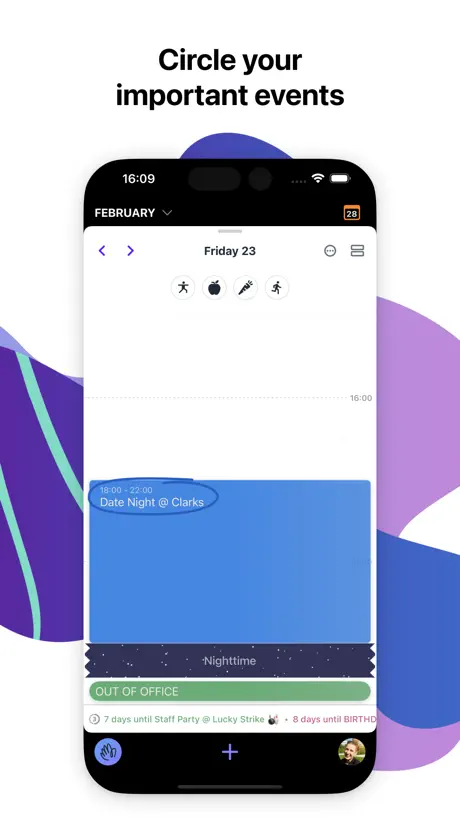
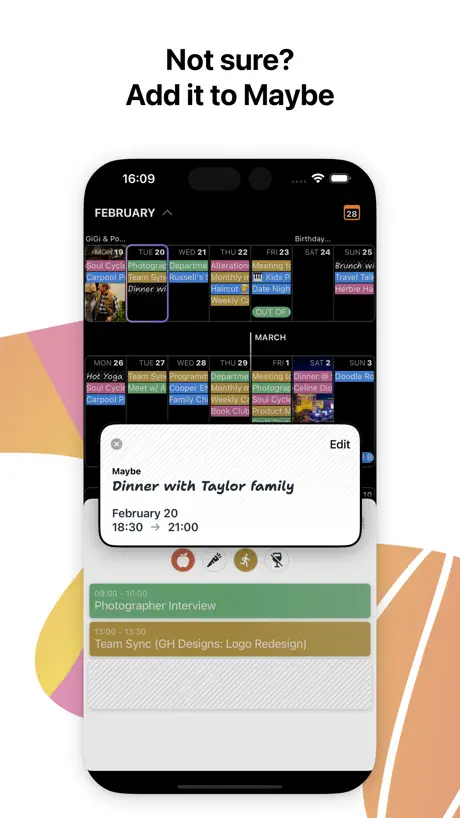
The Hey Email client is game changing concept for email management and worth every penny for its aggregation, screening, and organization capabilities (though its editor for writing emails remains just awful). I was looking forward to seeing what they would do with Calendar. Pros: Ability to write tasks as “sometime this week” instead of assigning them to a specific time Ability to circle key events and do countdowns Looks pretty Nice weekly view and daily view - no monthly view which is fine with the way they handle Maybe events is cool Cons: The desktop version is much better than the IOS version due to real-estate No native iPad version You can sync multiple calendars to hey but you can’t sync updates to other email calendars - so using an aggregation point isn’t very helpful if can’t manage conflicts across calendars You still have to type in the time manually and can’t click on to direct time slot On the desktop, all calendar and email is managed in same app which is great - on IOS separate applications which is annoying Lacks color coding within each calendar - I really on color management in my calendar and non starter without that capability Lacks the label concept of email which is very helpful and surprising No ability to link labels from email to calendar - so these 2 system don’t work well together and go hand and hand liked they should - i was really expecting nice integration to the great email management capabilities and didn’t get that And my number 1 frustration with this company in general is the lack of family support. Most folks manage family calendars or business calendars and there is no family support for either email or calendar and due to lack of integration capability unable to add appointments to my kid's calendars. Unfortunately, this is not game-changing like email, and not much reason to adopt a new calendar in my opinion with all these limitations. When they finally get the applications to be family-friendly and a true integration with their own email capabilities then might be time to switch. Look forward to seeing what happens in future versions.
Need a calendar widget
This calendar is great for the app and website. However, I typically view my calendar through my MacBook, iPhone, and iPad widgets. I need the large and small widgets to switch to this as my primary.
HEY Calendar FAQ
- Is HEY Calendar free?
- Yes. The app is free, in all 175 countries it sells in, and it sells nothing inside it.
- Does HEY Calendar have a free trial?
- No. None of its offers (US) come with a free trial.
- What are the best alternatives to HEY Calendar?
- Superlist: To Do List & Notes (4.5 from 1,895 reviews, premium from $6.00), Shortwave - AI Email (4.7 from 1,300 reviews) and Simple Scan • Quick Scanner (4.9 from 1,126 reviews, premium from $9.99).
HEY Calendar download
Last updated 11 days ago.
HEY Calendar sells in 175 countries. It was released 2 years and 10 months ago, on 9 Jan 2024. It holds a 4.6 rating from 1,404 reviews.
Supports 1 language: English.
How much does HEY Calendar make?
Third-party estimates for the last 30 days, worldwide — not the store's own figures, which Apple publishes for nobody.