
UtilitiesProductivity
Desh Sinhala Keyboard


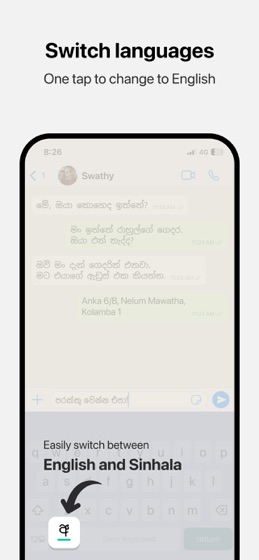

How much does Desh Sinhala Keyboard cost?
Prices are current as of 18 Aug 2026.
Desh Sinhala Keyboard has no in-app products on record in the United States.
10+ alternatives to Desh Sinhala Keyboard
 Desh Sinhala Keyboard Desh Sinhala Keyboard |   MyDialog MyDialog |   Mobitel Selfcare Mobitel Selfcare |   Hutch App Hutch App |   Smart Sinhala Keyboard Smart Sinhala Keyboard |   Helakuru Lite - Keyboard Only Helakuru Lite - Keyboard Only |   Sanhinda Sinhala Keyboard Sanhinda Sinhala Keyboard |   Sinhala Keyboard - Translator Sinhala Keyboard - Translator |   Sinhala Keyboard & Translator Sinhala Keyboard & Translator |   Sinhala Keyboard: Translator Sinhala Keyboard: Translator |   Sithija : Sinhala Keyboard Sithija : Sinhala Keyboard | |
|---|---|---|---|---|---|---|---|---|---|---|---|
| Rating / 5 | 4.6 | 4.5 | 3.4 | 3.4 | 4.5 | 4.3 | 4.4 | 4.2 | 3.9 | 4.0 | 5.0 |
| Reviews | 2.4K | 148K | 3.7K | 615 | 457 | 148 | 74 | 50 | 15 | 9 | 2 |
| Released | 2023 | 2013 | 2014 | 2017 | 2019 | 2024 | 2011 | 2019 | 2024 | 2022 | 2023 |
Desh Sinhala Keyboard reviews
4.6 out of 5, based on 2,444 reviews.
Desh Sinhala Keyboard FAQ
- Is Desh Sinhala Keyboard free?
- Yes. The app is free, in all 175 countries it sells in, and it sells nothing inside it.
- Does Desh Sinhala Keyboard have a free trial?
- No. None of its offers (US) come with a free trial.
- What are the best alternatives to Desh Sinhala Keyboard?
- MyDialog (4.5 from 147,635 reviews), Mobitel Selfcare (3.4 from 3,676 reviews) and Hutch App (3.4 from 615 reviews).
Desh Sinhala Keyboard download
Last updated 10 months ago.
Desh Sinhala Keyboard sells in 175 countries. It was released 3 years and 4 months ago, on 26 May 2023. It holds a 4.6 rating from 2,444 reviews.
Supports 1 language: English.
How much does Desh Sinhala Keyboard make?
Third-party estimates for the last 30 days, worldwide — not the store's own figures, which Apple publishes for nobody.
Revenue < $5,000
Downloads < 5,000