HF Smart
How much does HF Smart cost?
Prices are current as of 17 Nov 2026.
HF Smart has no in-app products on record in the United States.
10+ alternatives to HF Smart
| HF Smart |   TreatLife | 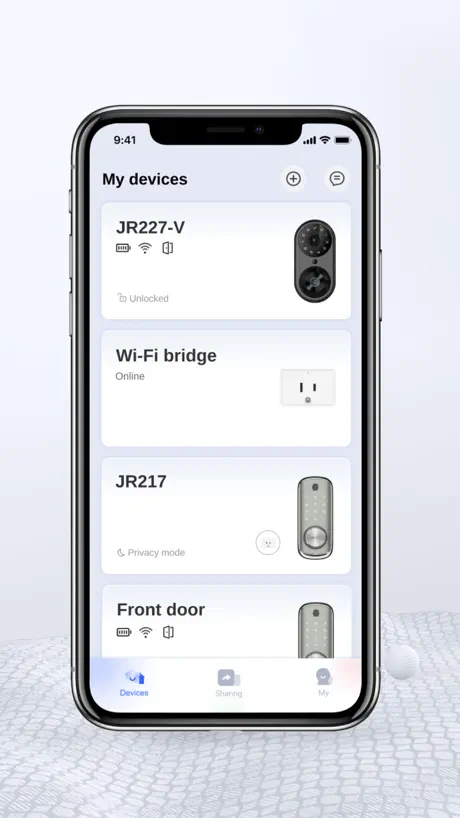  KK Home |   Lumary |   HunterSMART™ (SIMPLEconnect®) |   Philips Home Access |   BRmesh |   DDLock |   Next lock |   Smart Fan Light Master |   NICE DIGI | |
|---|---|---|---|---|---|---|---|---|---|---|---|
| Rating / 5 | 1.7 | 4.8 | 4.9 | 4.4 | 3.6 | 3.3 | 2.6 | 2.9 | 2.7 | 1.7 | 2.5 |
| Reviews | 432 | 24K | 5K | 4.8K | 4.5K | 750 | 454 | 109 | 105 | 74 | 71 |
| Released | 2023 | 2020 | 2022 | 2019 | 2019 | 2023 | 2021 | 2022 | 2020 | 2026 | 2023 |
HF Smart reviews
1.7 out of 5, based on 432 reviews.
What people like
- Fan is quiet even on high speed
- Controls light color and fan speed well
- Works perfectly once you figure out pairing
What they complain about
- Pairing instructions are confusing and unclear
- Bluetooth only works near the fan
- App glitches or stops working after updates
Connecting to phone APP
It’s very complicated to connect to the phone app but after many tries I figured it out YOU NEED A WALL SWITCH!! and I hope it helps others. 1. Make sure your Bluetooth is ON. 2. Click the remote light power OFF. 3. Turn the power wall switch OFF 4. Flip the switch back ON and quickly HOLD the pair code button on the APP until the light turns off and on by itself and that should do the trick.
Comentario en Español
Exelente producto pero al memento de utilisar la aplicasion no funciono te revomiendan conectarlo como Bluetooth pero no funciona ya trate de todo pero esa funcion no sirve el abanico y el control si pero al instalarla no finciona yo tengo un iphone y no funciono .
Bluetooth si, wifi no
La aplicación conecta al móvil por bluetooth, no por wifi, por lo que no se puede acceder al ventilador ni por Alexa (aunque se puede hacer un chapú a través de BradLink) ni desde la aplicación cuando estás fuera de casa. La vinculación es sencilla siguiendo las instrucciones, aunque nada intuitiva. Por lo demás, aplicación correcta, sin alardes. Lo mejor que ofrece es no tener que levantarse del sofá si no tienes el mando a mano.
No funciona fuera de casa
No funciona en remoto para encender o apagar estando fuera de casa
いいよ👍
エアコンいらない
Finally works very nice
Finally, after you figure out how to get the app to pair with the fan and light, you’ll see a button this says pair code, I turned the breaker off. I turned the breaker back on and I hit that button. Nothing then after 30 minutes with nothing. I turned the breaker off. I hold that button on then turn the breaker on and finally the light gave a quick blink now the app controls the light the fan the color everything! You might have to repeat two times turning the breaker on then back off then back on holding that button on the app the whole time.
Probably Chinese spyware
Probably Chinese spyware because it sure as hell does not work to control the fan. It doesn’t do anything at all to be honest. My fan will not even pair with it!
Finally paired fan to app!!!
Couldn’t pair the fan after multiple attempts — then ChatGPT to the rescue! 😂 Make sure Bluetooth is enabled for HF Smart in iPhone Settings → Privacy & Security → Bluetooth. Turn the fan off at the wall, turn it back on, then quickly press PairCode in the app. It took me multiple attempts to get it working. If it still doesn’t pair, leave the Master Fan and try adding a new device, then repeat the process. Once paired, it works perfectly!
Paired it to app
I figured out how to pair the fan to the app, instructions talks about pairing remote only. You need to turn off fan at wall switch. Install App. It installs with a fan already but you cannot pair that one. Add a new device +, give it a name and click fan and then add. In the app switch to new named device. Turn power on at the wall. Fan will beep once. Then immediately on the app click PairCode and the fan will beep again. Now its paired and you can use this app to control the fan. NOTE: Do not delete the original fan device, it will stop working again, just leave it.
Mobile control is useless
Tried paring the fan to my phone for forever, it did not whatsoever. Instructions were unclear about how to set up on phone but everything else works fine
Works Great
I was having trouble getting my fans to pair with the app. I figured out my problem. I had Bluetooth for the app turned off. I had to go on my iPhone to Settings, Apps, HF Smart, and turn Bluetooth on. That fixed my problem. App paired first time, and I can control both of fandeliers. Easy peasy!
does not work
this app does not work and will not connect to your phone. i’ve tried over and over and nothing works.
Poor instructions
Light is great, fan is great, quite enough to sleep with. Instructions awful as per other review. Turn the power off at the wall, then turn the power back on, and press the pair button on the app once within five seconds. The light flashes off, and on, and then it works. You do not need to tap the pair code button multiple times.
Ne fonctionne plus avec App.
Je ne peux plus activer le ventilateur et lumière à partir de l’application après 6 mois d’utilisation.
It’s Ok
Lifesaver because my remote doesn’t seem to want to connect anymore. Also, sometimes I have to try twice before it responds, overall, it’s fine. There seems to be options that are not activated? Other than that, I like it but I find the remote was more practical.
It’s Easy
Every thing is amazing it tuck no time to pair
Doesn’t work, possible spyware
The app doesn’t connect to the fan and gives you no instructions on how to do so I tried pressing the Wi-Fi set up button on the remote, but it didn't work. There was already a fan. When you download the app, there's already a fan there that you can control, but it doesn't actually change anything. It's not your fan, so you're controlling something, and it doesn't even do anything. The setup process is really hard. I even tried scanning the QR code on the back of the remote, and then it said something in Chinese, I assume, and I didn't know what it said. I don't even know if this is a truly smart device.
Niorsun ceiling fan light
Bit of a pain to connect. Turn off the fan on the mains switch- not the remote. Turn it back on at the mains switch - as soon as you turn it on repeatedly tap the “pair code” on the app and the light should flash.
怎么打不开App了?倒闭了吗
怎么打不开App了?倒闭了吗
Funktioniert aber Übersetzung ist katastrophal
Bedienungsanleitung: 1. App auf Englisch stellen, weil auf Deutsch fie Überstung überall falsch ist. 2. Licht und Fan aus machen. 3. in der App ein neues Gerät hinzufügen 4. Licht wieder an machen und innerhalb von 10 Sekunden den „PairCode“ Knopf auf dem handy drücken. Das ist ganz unten der zweite Knopf von Links. 5. Es sollte ein Ton zu hören sein, wenn das Verbinden es geklappt hat. App kann dann als Fernbedienung genutzt werden. Praktisch, wenn man mal seine Fernbedienung verliert.
Actually works very well
App works great once you know how to setup. Bought two light kits and now have 2 remotes and my phone connected. Simple setup.. Just turn off power going to fans, turn on and immediately press the pair button lights will blink and your done. Repeat this for each remote and app.
App doesn’t work
Actually pairing the app with the fan seems impossible. Didn’t come with any instructions.
Instructions are not clear
So… I’ve given this app 4 stars because it’s working. No issues. However pairing, whilst is in fact easy to, it’s extremely confusing if you just read the instructions. They clearly weren’t made by someone with native English skills For clarification, if you’ve got a NIORSUN fan and light. To pair it, you have to turn on the light (from source power, not remote) and within 5 seconds press the “PairCode” button on the App. The light will flash and it’s paired. Hopefully this helps some folks out
Help!
The app worked perfectly before. There was an update and now the language cannot change to English and will not pair to the fan. It is a heat wave and I have no fan, please correct ASAP! Also, is it possible to get a new remote some how so I don’t have to rely on the app?
Ok, improvement needed
Sometimes the app will glitch out, needed to delete the app and reinstall, reconnected all the fan lights, working fine .. for now
Like it
Working fine, i took me 3 times to read the instruction to figure it out how to pair to the app, now is working fine, i can control the fan from my app and of curse from the remote included, ligh is good and vent pretty silent even on max speed!!
Fan
Does not work
Mr
I have problems with the app can’t use my phone to control but remote control works good
I got it to work with the app
June 5 2025 the key is to (like another user said) to hit the pairing code button and don’t hold hit as soon as you hear the beep. I have two fans running in one app.
SOLUTION
My app was blank like some people are talking about. I deleted and reinstalled the app and it resolved the issue.
Junk
Does not work
Works and simole
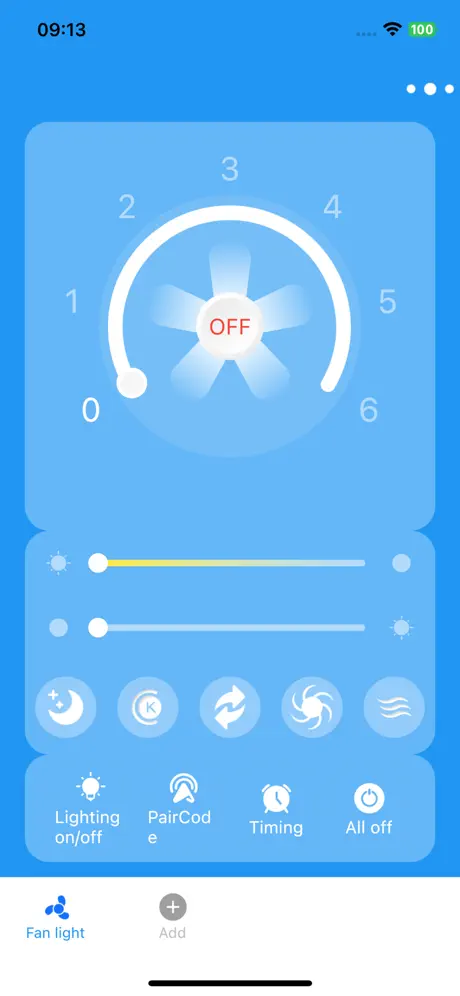
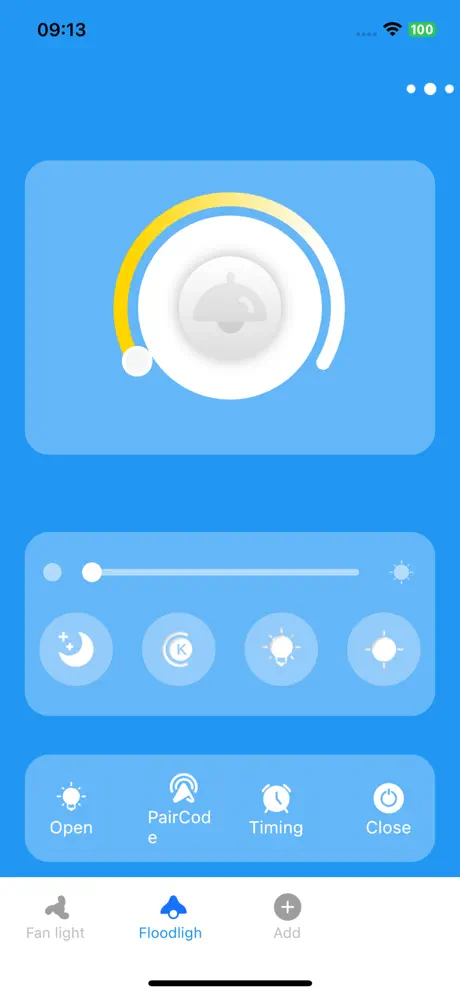
App works pretty simple but it took me a bit to figure out how to use it. App Install: Prior to install, you can pick the English language Ii n the upper right. Pairing the Fan: Remove power to fan (light switch). Wait 5 seconds Turn fan on and immediately press the "PAIR CODE" Button in the App. The light should blink or beep. That is it. You should be able to control all of the Fan and light functions. If it didn't work, repeat the process. I have the app paired to several of these fans around the house. You just need to add additional devices in the app first via the elipse menu in the upper right corner. You can then flip to the new page for the device and pair more fans. One page for each fan.
对码不了
对不上码
Works fine
App works as intended, I just followed the manual’s instructions on how to connect to app and works perfectly fine, just needs a dark mode. UPDATE- Thank you!! Works like a charm again. 5 stars
App no longer works
The last update to the app was 11 months ago. The app stopped working with the device before that update. I have been unable to correct the issue despite troubleshooting and searching for solutions and attempts to contact the app or product support team. The physical remote control is still working fine but I chose this product for the app capable use as well as the remote option.
Update issues
Since the update last week. My screen only shows the blue color. Please help fix soon. I just found out how to get all the fans on the app. Due to someone else review. Thanks
对码不了
对码不了
Die App funktioniert!!!
Anleitung 😉 Lampe/Ventilator mit Schalter einschalten innerhalb von 10 Sekunden in der App auf Korrekt in der App unten drücken Jetzt ist die App per Bluetooth verbunden und man kann alles Steuern
No pairing
I cannot get my light to pair to the app. It’s super frustrating! Any help is appreciated.
Worked like a dream
Little confusing instructions came with device but I goggle HF Smart fan pairing and an Amazon video about 10seconds long talked me through the simple steps. Worked like a dream.
Fan light app
Works great. Easy to pair. Taped pair on app, turned off by switch on wall, turned on switch, heard the two beeps and voila work fine 😃 do not sure about the bad reviews
Does not work with app
Does not work with app. Device and app are not connected as there is no way to connect them. Bluetooth is not in used in device so it’s incompatible.
After recent update everything works again
Works like it used to after recent update
HF Smart FAQ
- Is HF Smart free?
- Yes. The app is free, in all 175 countries it sells in, and it sells nothing inside it.
- Does HF Smart have a free trial?
- No. None of its offers (US) come with a free trial.
- What are the best alternatives to HF Smart?
- TreatLife (4.8 from 24,180 reviews), KK Home (4.9 from 5,048 reviews) and Lumary (4.4 from 4,813 reviews).
HF Smart download
Last updated 1 year ago.
HF Smart sells in 175 countries. It was released 3 years and 6 months ago, on 24 Apr 2023. It holds a 1.7 rating from 432 reviews.
Supports 10 languages: English, Danish, French, Italian, Japanese, Korean, Portuguese, Russian, Chinese, Thai.
How much does HF Smart make?
Third-party estimates for the last 30 days, worldwide — not the store's own figures, which Apple publishes for nobody.