
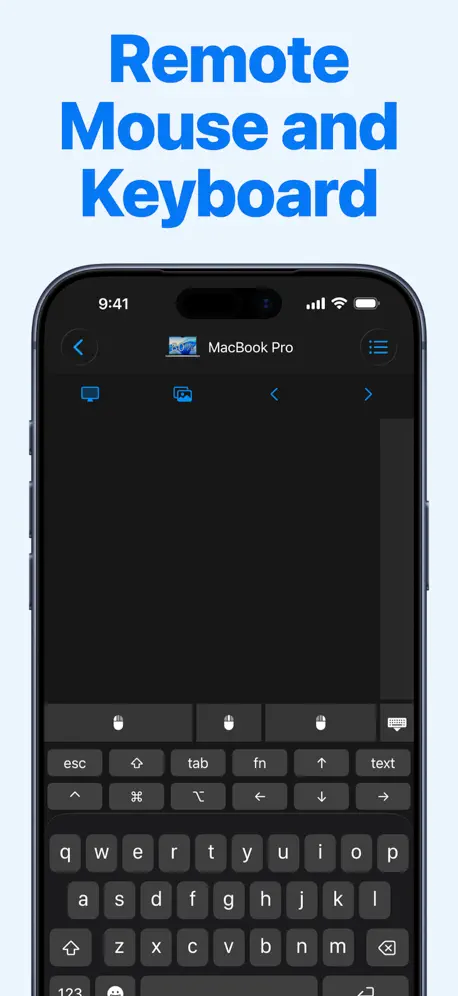
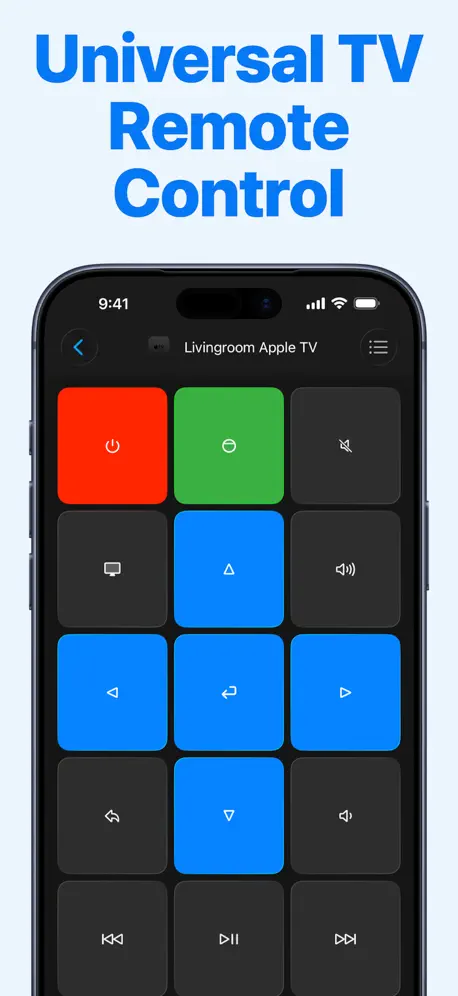
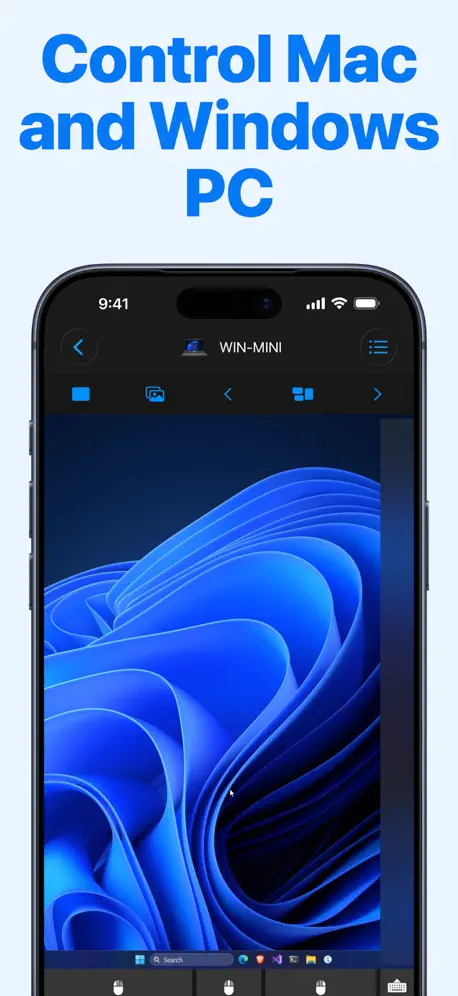
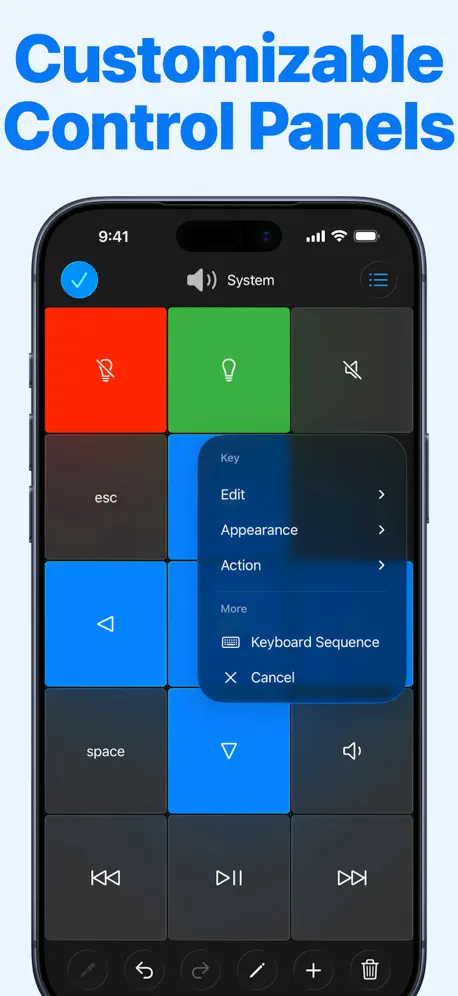
Remote, Mouse and Keyboard
for Apple TV, Mac, PC and iPad
How much does Remote, Mouse and Keyboard cost?
Prices are current as of 28 Sept 2026.
5 subscriptions from $3.99
In the United States, Remote, Mouse and Keyboard has 5 subscriptions priced $3.99 – 19.99. It comes with a 7 days free trial.
| Subscription | Period | Price |
|---|---|---|
| Remote Control Pro - Monthly | Monthly | $3.99 |
| Weekly | Weekly | $4.99 |
| Remote Mouse Pro - 1 month | Monthly | $9.99 |
| Remote Mouse Pro - 12 month | AnnualTrial: 7 days | $9.99 |
| Remote Control Pro - Yearly | AnnualTrial: 7 days | $19.99 |
2 one-time purchases from $9.99
In the United States, Remote, Mouse and Keyboard has 2 one-time purchases priced $9.99 – 39.99.
| Product | Price |
|---|---|
| Remote Mouse Pro - forever | $9.99 – 19.99 |
| Remote Mouse Pro - lifetime | $39.99 |
See what Remote, Mouse and Keyboard costs in all 175 countries →
10+ alternatives to Remote, Mouse and Keyboard
| Remote, Mouse and Keyboard |   Remote for Android TV Remote for Android TV |   Smart TV Remote Control Plus Smart TV Remote Control Plus |   Remote Mouse Remote Mouse |   TV Remote Control Universal + TV Remote Control Universal + |   Remote Control for Android TV Remote Control for Android TV | 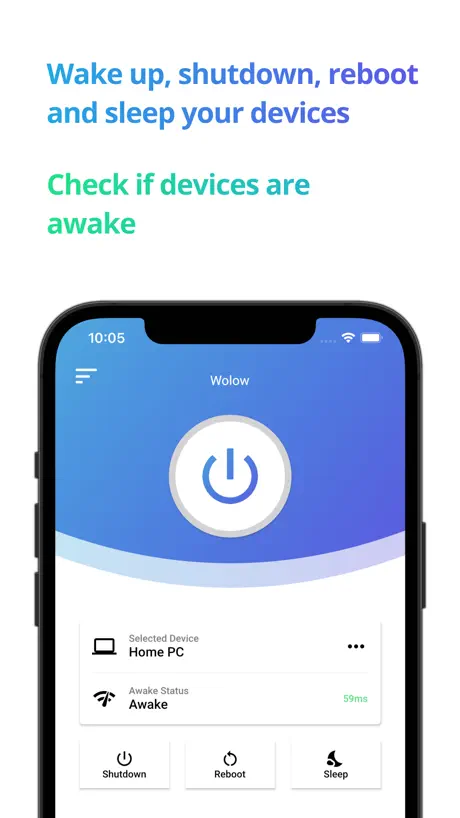  Wolow - Wake on LAN Wolow - Wake on LAN | 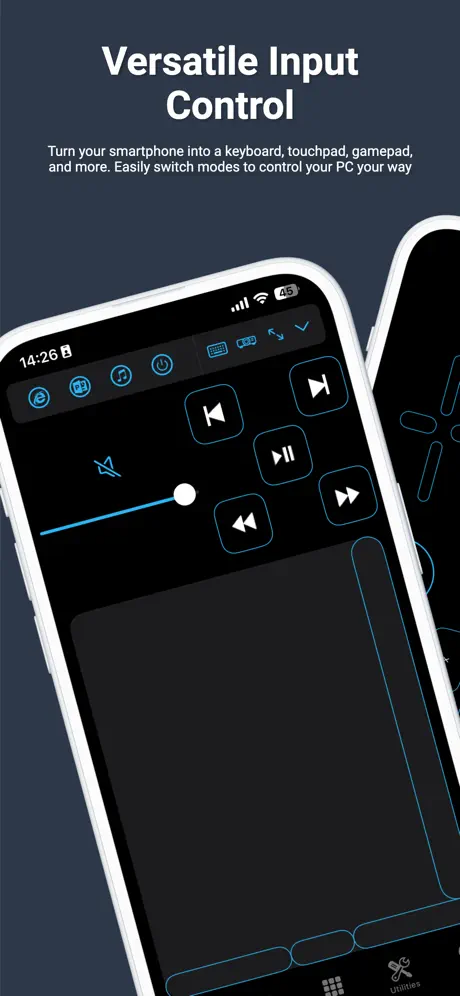  PC Remote PC Remote | 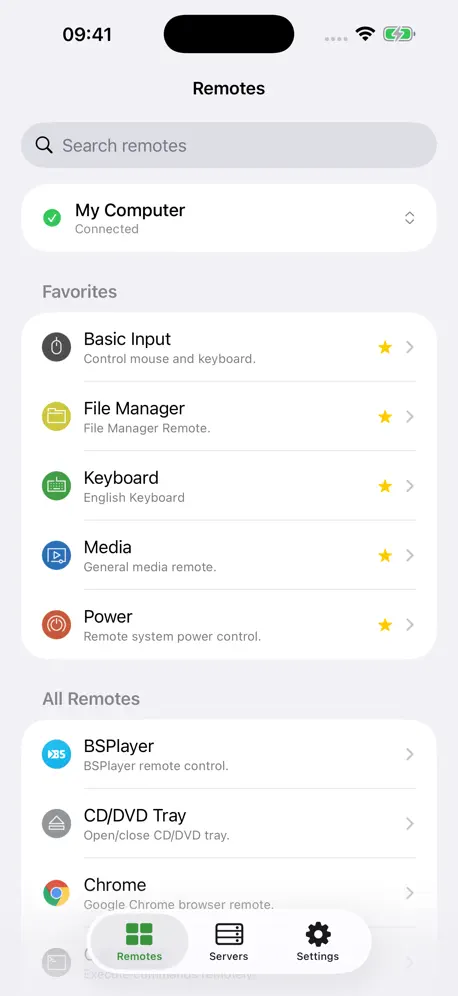  Unified Remote Unified Remote |   FullControl: Remote for Mac FullControl: Remote for Mac |   Mobile Mouse Remote (Lite) Mobile Mouse Remote (Lite) | |
|---|---|---|---|---|---|---|---|---|---|---|---|
| Rating / 5 | 4.5 | 4.6 | 4.5 | 4.6 | 4.4 | 4.5 | 4.4 | 3.1 | 4.1 | 4.5 | 3.8 |
| Reviews | 46K | 151K | 145K | 108K | 23K | 20K | 9.2K | 2.2K | 1.4K | 972 | 322 |
| Released | 2013 | 2023 | 2021 | 2010 | 2022 | 2022 | 2020 | 2014 | 2014 | 2009 | 2010 |
| Monthly price | $3.99 | — | $9.99 | $1.49 | $9.99 | — | — | $1.99 | — | — | — |
| Annual price | $9.99 | $8.99 | $24.99 | $13.99 | $39.99 | — | — | $14.99 | — | — | — |
| One-time price | $19.99 | $19.99 | — | $1.99 | $44.99 | $4.99 | $4.99 | $12.99 | $4.99 | — | — |
The going rate for each plan in United States, in its own currency, shaded from the cheapest price on the row to the dearest. Plans fewer than four in ten of the priced apps sell are left out.
Remote, Mouse and Keyboard reviews
4.5 out of 5, based on 46,078 reviews.
What people like
- Works well as a backup remote
- Privacy-friendly compared to other similar apps
- Good value with lifetime purchase option
- Great for controlling Mac from iPad
What they complain about
- Ads pop up constantly and block use
- App disconnects or fails to reconnect often
- Keyboard typing is glitchy or broken
- Cursor movement feels unsmooth or snaps awkwardly
Saved a wedding
I used this app to control the music on my Mac at a wedding after my Bluetooth receiver stopped working. This app worked perfectly!
Hi
I can’t use iPhone on iPad
Good
It works pretty well
Not a great app
You pair it up and it will go off line and it’s hard to get it on line again. Not work the effort, they need to make it better. If screen goes off it looses contact and it’s hard to get it going again
App was flawless
Until recent updates now require my phone to reconnect at every use manually…
Eccellente
Eccezionale
Not free!
They only give a part of functioning buttons. To use volume etc, you have to pay continuously. Buy a new one from Apple. Way cheaper in the long run or YouTube how to clean your old one.
Works well
Great tv controller app
O teclado é bem ruim
Quando escrevo usando o teclado do app, se coloco uma barra de espaço ele simplesmente não reconhece a frase, tem que ficar colocando palavra por palavra
Connection issues! But solid app!
Before the visual update that happened a few months ago it always held a connection. Now it disconnects every time and sometimes even fails to reconnect. Other than that very solid app and worth the money
Remotes
This is without doubt a lifesaver when you can’t find your remotes for your devices just use and set up an absolute no brainer brilliant.
STOP ASKING ME TO REVIEW I ALREADY HAVE!!!
Amazing app. But why does it constantly ask me to review it even though I have?
Great functionality and really handy but one issue
Ive been using it for awhile with my video editing on iPad as I don’t want to carry a keyboard around for the shortcuts and this app was exactly what I needed. My only flaw is that it’s very indecisive on whether or not it will work. More often than not I’ve had to wait awhile to connect my phone to my iPad due to them just not connecting for no reason. They detect each other but never anything more. Otherwise it’s a brilliant app, recommended it thoroughly!
Recherche trop long Bluetooth et ne se reconnecte pas après avoir utilisé
Les recherches d’appareils sont trop longs et ne parviennent à se reconnecter une fois qu'on à Réussi à se connecter et l'utiliser. Par exemple, j’essaye de connecter mon iPhone sur mon iPad, ça ne parvient pas, il me disent qu’il faut aller sur l’iPad et d'aller sur « Contrôle via Bluetooth » mais ça ne veut pas. Mais quand ça parvient et que ça enregistre dans la liste d'appareil, ça ne veut pas se reconnecter.
Good app, but doesn’t work as it used to
I loved this app, it was really convenient for me and supper simple to use. But as of recently it hasn’t been working as smoothly as it was before, whenever I try and connect my phone to the iPad to control it never seems to connect to the iPad and always says Bluetooth is off. I’ve tried everything but just doesn’t seem to work. I may monthly for this app so it’s a bit of a shame it doesn’t work anymore
Sofa Surfing
This app works so great you’d think it was a native apple app. My setup is MacBook connected to large TV. I can sit back and use it as my ultimate media machine. Connecting the MacBook via Ethernet cable massively improved the smoothness of cursor movements, highly recommended.
Stopped working after update
Needs to have more comprehensive instructions/assistance. After spending much of the morning trying to get the app to work, I upgraded my rating once I did, only to find that it lost the iPad/Mac connection. The app was fine originally and has been nothing but troublesome since the first update.
Great App
Does everything it says it does with MBA 2023-LGTV 55” - Bose Companion 20 speakers. Personal preference Apple wireless trackpad / keyboard combo.
Application payante
Vous devriez indiquez le coût de l’application qui est de 22€
Mouse is wonky when screen is zoomed in
accessibility settings let you zoom the native screen in, but the mouse can’t scroll smoothly while zoomed
Nice
Works on my Apple TV and lg tv
Clavier ne fonctionne pas
Impossible d’utiliser le clavier, c’est seulement possible d’écrire avec les flèche dans l’application, autant prendre la manette rendu la..
Two mini bugs docks one star
Great app! I am an English digital nomad working in Mexico and the rs-net-get website stays in Spanish even when I try to switch to English it autogeolocates back to Spanish. The second bug is that is seems to snap to horizontal/vertical axis - spinning circles with finger fast creates rectangles. I would like a "Disable Axis Lock / Smoothing" option. If there's none (I am a software developer) then I know why this occurs; this bug is caused by rounding deltas to integers X and Y axis - these X and Y coordinates should be floats or doubles until positions are transmitted over the network. Simulate a gaming mouse raw input much better, for ultra precision adobe photoshop control. That way subpixel movements on touchscreen are not decimated and create false snap-to-axis effects Also I suggest a "Game Mode" setting to send 240 or 500 position updates per second instead of 60. Your app is a superior gaming trackpad to my PC gaming laptop's trackpad and I can shake to fullscreen, put phone landscape in place of laptop trackpad. Newer Wifi6/7 on both ends can easily do jitter free 240 position updates per second with zero jerkiness. You fix all three above and I will upgrade my trial to a full subscription purchase.
Keine Tastatur aktivieren möglich
Leider habe ich lebenslang gebucht funktioniert bisher nicht
War vorher besser
Aus irgend einem Grund funktioniert Schift und Caplocktaste nicht mehr. Trotz neuinstallation sowohl auf ipad pro und Win11 funktioniert das nicht mehr. Auch wenn man @ Zeichen setzen will muss ich das umständlich über die obere Leiste schalten. Wenn dieser Fix nicht behoben wird suche ich mir eine andere App. Vorher hat es ja auch funktioniert warum das jetzt so umständlich ist, ist mir echt schleierhaft. Wann wird das endlich gefixt, nervt total, fass Schifttaste nicht mehr funktioniert. Das @ Zeichen geht auch nicht mehr.
Great app
Smooth and perfect
Paywall bs
I just made my own version in 10 mins for free
Won’t let you close the buy premium ad to use the app
Can’t use the app sometimes because the button to close the add doesn’t show up sometimes. Resetting the app doesn’t fix it. Otherwise great app
Pop premium insupportable
Ce n’est plus possible d’utiliser l’appli sans avoir un pop up de paiement que l’on ne peut même pas fermer. L’app devient inutilisable 👎
Geld
Geld
great
itsa great app . replaces myapple tv remotes in both livingroom and lounge and a bargain at £10 a year
What happened to the free version?
Worked fine for what I needed it for (scrolling YouTube from my bed to my pc) now I’m met with a purchase screen offering a bunch of utilities I don’t really need I simply just want to use this for its mouse function and rarely for the keyboard to type something when I’m searching for something to watch
Awesome!
Love this app, very useful for me as someone with ME/CFS, who struggles with sitting at the computer for long periods. I would add 5 stars if there was an ability to pinch to zoom on the screen, as it can be a struggle to read text on mobile sometimes. Edit: The app keeps disconnecting from Remote Desktop every few seconds then marks itself offline, I think there might be a bug atm
Casi perfecta
Es una App casi perfecta, a excepción de que no está optimizada para el idioma español. No sé pueden escribir acentos, ni la letra ñ o algunos caracteres como (¡
Gut aber nicht soo gut
Die Fernbedienung macht einen extrem nervigen und nicht ausschaltbaren sound
Convenience.
Works amazingly no complaints so far and lifetime purchase option is great value.
Not working anymore
I bought the full paid version and the app used to work for quite a while, but now it no longer connects to my Apple TV, let alone control it. So yeah, basically I am now stuck with an app that doesn’t do what it was supposed to do. Developer please rectify the issue and help.
Appreciate
It’s very useful
Ehhh
Great app to use in case of emergency but so many ads after 4 clicks usually. Be mindful of this if you have a problem with interruptions
Bien mais …
Depuis peu le défilement de la souris ne fonctionne plus donc impossible de manipuler l’écran à distance Dommage car c’est une bonne app
A Stunning App
I’ve been using this app for years. Occasionally a wireless mouse will refuse to work but luckily this app can seamlessly take over. Highly recommended.
No free trial
Was nagging me to pay before I managed to connect anything so no idea if it works or not...could have been useful but removed
Connected to Windows PC - typing issues
Great app btw - really enjoy using it with my IPad to my Windows PC with a keyboard. Everything works flawlessly except for the fact that when connected to my Windows, it sometimes double types letters when unintended. Otherwise, great app!
Glitchy
Super glitchy not all controls work and pretty much if you haven’t open the app on the laptop it’s useless not at all what one would expect for remote control access
Payant
Attention Payant
Works great, refreshing approach to privacy
I’ve tried a few tv remote app but most of them had very shady privacy practices. This app proves you can have an awesome app (works great with my Sony TV and Nvidia Shield) and be privacy preserving. Well worth the in app purchase.
Massively fallen off
Just rubbish now. So glitchy. All of a sudden you can’t click so you have to restart the app twice.
apple tv remote
very helpful if you don’t have a remote, only reason not 5 stars is because there is ads every 10 clicks which is annoying
não funciona com projetor ):
🙁
Remote mouse and keyboard
This app works well but the ad keeps popping up every 2 or 3 button presses. I would love to support this project because it is far better than the Apple TV remote 4k 1st gen which has an awful trackpad which is far too tricky getting the right part of certain apps to open. After supposedly getting the 3 day free trial the ad still keeps popping up. Fix this minor problem and it’s a winner and would be well worth the money. Until then it’s a no go for me I’m afraid.
Remote, Mouse and Keyboard price by country
A weekly subscription costs $4.69 in Pakistan and $7.47 in Colombia — 1.6× more for the same thing. Below is the going rate for each plan in every country that sells it — the middle price of what the app charges there, in the country's own currency with the dollar equivalent beneath it.
| Country | Weekly | Monthly | Annual | One-time |
|---|---|---|---|---|
| Afghanistan | $4.99 | $3.99 | $9.99 | $19.99 |
| Albania | $5.99 | $4.99 | $11.99 | $22.99 |
| Algeria | $4.99 | $3.99 | $9.99 | $19.99 |
| Angola | $4.99 | $3.99 | $9.99 | $19.99 |
| Anguilla | $4.99 | $3.99 | $9.99 | $19.99 |
| Antigua And Barbuda | $4.99 | $3.99 | $9.99 | $19.99 |
| Argentina | $4.99 | $3.99 | $9.99 | $19.99 |
| Armenia | $5.99 | $4.99 | $11.99 | $22.99 |
| Australia | A$7.99$5.59 | A$5.99$4.19 | A$14.99$10.48 | A$29.99$20.97 |
| Austria | €5.99$6.82 | €3.99$4.54 | €9.99$11.38 | €22.99$26.18 |
| Azerbaijan | $5.99 | $4.99 | $11.99 | $22.99 |
| Bahamas | $4.99 | $3.99 | $9.99 | $19.99 |
| Bahrain | $4.99 | $3.99 | $9.99 | $19.99 |
| Barbados | $5.99 | $4.99 | $11.99 | $22.99 |
| Belarus | $5.99 | $4.99 | $11.99 | $22.99 |
| Belgium | €5.99$6.82 | €3.99$4.54 | €9.99$11.38 | €22.99$26.18 |
| Belize | $4.99 | $3.99 | $9.99 | $19.99 |
| Benin | $5.99 | $4.99 | $11.99 | $22.99 |
| Bermuda | $4.99 | $3.99 | $9.99 | $19.99 |
| Bhutan | $4.99 | $3.99 | $9.99 | $19.99 |
| Bolivia | $4.99 | $3.99 | $9.99 | $19.99 |
| Bosnia & Herzegovina | €5.99$6.82 | €3.99$4.54 | €9.99$11.38 | €22.99$26.18 |
| Botswana | $4.99 | $3.99 | $9.99 | $19.99 |
| Brazil | R$29.90$5.76 | R$24.90$4.80 | R$59.90$11.54 | R$129.90$25.03 |
| British Virgin Islands | $4.99 | $3.99 | $9.99 | $19.99 |
| Brunei Darussalam | $4.99 | $3.99 | $9.99 | $19.99 |
| Bulgaria | €5.99$6.82 | €3.99$4.54 | €9.99$11.38 | €22.99$26.18 |
| Burkina Faso | $4.99 | $3.99 | $9.99 | $19.99 |
| Cambodia | $4.99 | $3.99 | $9.99 | $19.99 |
| Cameroon | $5.99 | $4.99 | $11.99 | $22.99 |
| Canada | CA$6.99$4.96 | CA$4.99$3.54 | CA$12.99$9.21 | CA$24.99$17.72 |
| Cape Verde | $4.99 | $3.99 | $9.99 | $19.99 |
| Cayman Islands | $4.99 | $3.99 | $9.99 | $19.99 |
| Chad | $4.99 | $3.99 | $9.99 | $19.99 |
| Chile | CLP 5,990$6.22 | CLP 4,990$5.19 | CLP 9,990$10.38 | CLP 22,990$23.89 |
| China | CN¥38.00$5.65 | CN¥28.00$4.17 | CN¥68.00$10.12 | CN¥148.00$22.02 |
| Colombia | COP 24,900$7.47 | COP 19,900$5.97 | COP 49,900$14.97 | COP 99,900$29.96 |
| Congo | $4.99 | $3.99 | $9.99 | $22.99 |
| Congo, Democratic Republic | $4.99 | $3.99 | $9.99 | $19.99 |
| Costa Rica | $4.99 | $3.99 | $9.99 | $19.99 |
| Cote Divoire | $5.99 | $4.99 | $11.99 | $22.99 |
| Croatia | €5.99$6.82 | €3.99$4.54 | €9.99$11.38 | €22.99$26.18 |
| Cyprus | €5.99$6.82 | €3.99$4.54 | €9.99$11.38 | €22.99$26.18 |
| Czech Republic | CZK 129.00$6.03 | CZK 99.00$4.63 | CZK 249.00$11.64 | CZK 499.00$23.32 |
| Denmark | DKK 39.00$5.95 | DKK 39.00$5.95 | DKK 89.00$13.57 | DKK 179.00$27.29 |
| Dominica | $4.99 | $3.99 | $9.99 | $19.99 |
| Dominican Republic | $4.99 | $3.99 | $9.99 | $19.99 |
| Ecuador | $4.99 | $3.99 | $9.99 | $19.99 |
| Egypt | EGP 249.99$4.83 | EGP 199.99$3.87 | EGP 499.99$9.66 | EGP 999.99$19.33 |
| El Salvador | $4.99 | $3.99 | $9.99 | $19.99 |
| Estonia | €5.99$6.82 | €3.99$4.54 | €9.99$11.38 | €22.99$26.18 |
| Fiji | $4.99 | $3.99 | $9.99 | $19.99 |
| Finland | €5.99$6.82 | €3.99$4.54 | €9.99$11.38 | €22.99$26.18 |
| France | €5.99$6.82 | €3.99$4.54 | €9.99$11.38 | €22.99$26.18 |
| Gabon | $4.99 | $3.99 | $9.99 | $19.99 |
| Gambia | $4.99 | $3.99 | $9.99 | $19.99 |
| Georgia | $5.99 | $4.99 | $11.99 | $22.99 |
| Germany | €5.99$6.82 | €3.99$4.54 | €9.99$11.38 | €22.99$26.18 |
| Ghana | $5.99 | $4.99 | $11.99 | $22.99 |
| Greece | €5.99$6.82 | €3.99$4.54 | €9.99$11.38 | €22.99$26.18 |
| Grenada | $4.99 | $3.99 | $9.99 | $19.99 |
| Guatemala | $4.99 | $3.99 | $9.99 | $19.99 |
| Guinea-bissau | $4.99 | $3.99 | $9.99 | $19.99 |
| Guyana | $4.99 | $3.99 | $9.99 | $19.99 |
| Honduras | $4.99 | $3.99 | $9.99 | $19.99 |
| Hong Kong | HK$38.00$4.85 | HK$32.00$4.08 | HK$88.00$11.22 | HK$148.00$18.88 |
| Hungary | HUF 1,990$6.38 | HUF 1,790$5.74 | HUF 4,490$14.39 | HUF 8,990$28.81 |
| Iceland | $5.99 | $4.99 | $11.99 | $22.99 |
| India | ₹499.00$5.20 | ₹399.00$4.16 | ₹999.00$10.41 | ₹1,999.00$20.84 |
| Indonesia | IDR 89,000$4.97 | IDR 69,000$3.85 | IDR 169,000$9.43 | IDR 399,000$22.26 |
| Iraq | $4.99 | $3.99 | $9.99 | $19.99 |
| Ireland | €5.99$6.82 | €3.99$4.54 | €9.99$11.38 | €22.99$26.18 |
| Israel | ₪17.90$5.87 | ₪14.90$4.89 | ₪34.90$11.44 | ₪59.90$19.64 |
| Italy | €5.99$6.82 | €3.99$4.54 | €9.99$11.38 | €22.99$26.18 |
| Jamaica | $4.99 | $3.99 | $9.99 | $19.99 |
| Japan | ¥800$5.08 | ¥600$3.81 | ¥1,500$9.52 | ¥3,000$19.05 |
| Jordan | $4.99 | $3.99 | $9.99 | $19.99 |
| Kazakhstan | KZT 2,990.00$6.75 | KZT 2,490.00$5.63 | KZT 5,990.00$13.53 | KZT 11,990.00$27.09 |
| Kenya | $5.99 | $4.99 | $11.99 | $22.99 |
| Kosovo | €5.99$6.82 | €3.99$4.54 | €9.99$11.38 | €22.99$26.18 |
| Kuwait | $4.99 | $3.99 | $9.99 | $19.99 |
| Kyrgyzstan | $4.99 | $3.99 | $9.99 | $19.99 |
| Lao Peoples Democratic Republic | $4.99 | $3.99 | $9.99 | $19.99 |
| Latvia | €5.99$6.82 | €3.99$4.54 | €9.99$11.38 | €22.99$26.18 |
| Lebanon | $4.99 | $3.99 | $9.99 | $19.99 |
| Liberia | $4.99 | $3.99 | $9.99 | $19.99 |
| Libya | $4.99 | $3.99 | $9.99 | $19.99 |
| Lithuania | €5.99$6.82 | €3.99$4.54 | €9.99$11.38 | €22.99$26.18 |
| Luxembourg | €5.99$6.82 | €3.99$4.54 | €9.99$11.38 | €22.99$26.18 |
| Macao | $4.99 | $3.99 | $9.99 | $19.99 |
| Macedonia | $4.99 | $3.99 | $9.99 | $19.99 |
| Madagascar | $4.99 | $3.99 | $9.99 | $19.99 |
| Malawi | $4.99 | $3.99 | $9.99 | $19.99 |
| Malaysia | MYR 22.90$5.63 | MYR 19.90$4.89 | MYR 49.90$12.26 | MYR 99.90$24.55 |
| Maldives | $4.99 | $3.99 | $9.99 | $19.99 |
| Mali | $4.99 | $3.99 | $9.99 | $19.99 |
| Malta | €5.99$6.82 | €3.99$4.54 | €9.99$11.38 | €22.99$26.18 |
| Mauritania | $4.99 | $3.99 | $9.99 | $19.99 |
| Mauritius | $5.99 | $4.99 | $11.99 | $22.99 |
| Mexico | MX$99.00$5.58 | MX$89.00$5.02 | MX$199.00$11.22 | MX$399.00$22.49 |
| Micronesia | $4.99 | $3.99 | $9.99 | $19.99 |
| Moldova | $5.99 | $4.99 | $11.99 | $22.99 |
| Mongolia | $4.99 | $3.99 | $9.99 | $19.99 |
| Montenegro | €4.99$5.68 | €3.99$4.54 | €9.99$11.38 | €19.99$22.77 |
| Montserrat | $4.99 | $3.99 | $9.99 | $19.99 |
| Morocco | $4.99 | $3.99 | $9.99 | $22.99 |
| Mozambique | $4.99 | $3.99 | $9.99 | $19.99 |
| Myanmar | $4.99 | $3.99 | $9.99 | $19.99 |
| Namibia | $4.99 | $3.99 | $9.99 | $19.99 |
| Nauru | $4.99 | $3.99 | $9.99 | $19.99 |
| Nepal | $5.99 | $4.99 | $11.99 | $22.99 |
| Netherlands | €5.99$6.82 | €3.99$4.54 | €9.99$11.38 | €22.99$26.18 |
| New Zealand | NZ$9.99$5.64 | NZ$6.99$3.95 | NZ$19.99$11.29 | NZ$39.99$22.59 |
| Nicaragua | $4.99 | $3.99 | $9.99 | $19.99 |
| Niger | $4.99 | $3.99 | $9.99 | $19.99 |
| Nigeria | NGN 7,900.00$5.95 | NGN 6,900.00$5.20 | NGN 14,900.00$11.23 | NGN 29,900.00$22.53 |
| Norway | NOK 59.00$6.20 | NOK 49.00$5.15 | NOK 129.00$13.56 | NOK 249.00$26.18 |
| Oman | $4.99 | $3.99 | $9.99 | $19.99 |
| Pakistan | PKR 1,300$4.69 | PKR 1,100$3.97 | PKR 2,900$10.47 | PKR 4,900$17.70 |
| Palau | $4.99 | $3.99 | $9.99 | $19.99 |
| Panama | $4.99 | $3.99 | $9.99 | $19.99 |
| Papua New Guinea | $4.99 | $3.99 | $9.99 | $19.99 |
| Paraguay | $4.99 | $3.99 | $9.99 | $19.99 |
| Peru | PEN 22.90$6.76 | PEN 17.90$5.28 | PEN 44.90$13.24 | PEN 89.90$26.52 |
| Philippines | ₱299.00$4.79 | ₱249.00$3.99 | ₱599.00$9.59 | ₱1,290.00$20.66 |
| Poland | PLN 24.99$6.51 | PLN 19.99$5.21 | PLN 49.99$13.02 | PLN 99.99$26.04 |
| Portugal | €5.99$6.82 | €3.99$4.54 | €9.99$11.38 | €22.99$26.18 |
| Qatar | QAR 19.99$5.49 | QAR 14.99$4.12 | QAR 39.99$10.99 | QAR 69.99$19.23 |
| Romania | RON 29.99$6.63 | RON 19.99$4.42 | RON 49.99$11.06 | RON 99.99$22.12 |
| Russia | RUB 449.00$5.33 | RUB 349.00$4.15 | RUB 899.00$10.68 | RUB 1,790.00$21.26 |
| Rwanda | $4.99 | $3.99 | $9.99 | $19.99 |
| Sao Tome & Principe | $4.99 | $3.99 | $9.99 | $19.99 |
| Saudi Arabia | SAR 19.99$5.33 | SAR 17.99$4.80 | SAR 39.99$10.66 | SAR 89.99$24.00 |
| Senegal | $5.99 | $4.99 | $11.99 | $22.99 |
| Serbia | €5.99$6.82 | €3.99$4.54 | €9.99$11.38 | €22.99$26.18 |
| Seychelles | $4.99 | $3.99 | $9.99 | $19.99 |
| Sierra Leone | $4.99 | $3.99 | $9.99 | $19.99 |
| Singapore | SGD 6.98$5.45 | SGD 5.98$4.67 | SGD 14.98$11.70 | SGD 29.98$23.42 |
| Slovakia | €5.99$6.82 | €3.99$4.54 | €9.99$11.38 | €22.99$26.18 |
| Slovenia | €5.99$6.82 | €3.99$4.54 | €9.99$11.38 | €22.99$26.18 |
| Solomon Islands | $4.99 | $3.99 | $9.99 | $19.99 |
| South Africa | ZAR 99.99$6.13 | ZAR 79.99$4.90 | ZAR 199.99$12.25 | ZAR 399.99$24.51 |
| South Korea | ₩7,700$5.68 | ₩5,500$4.06 | ₩14,000$10.32 | ₩33,000$24.34 |
| Spain | €5.99$6.82 | €3.99$4.54 | €9.99$11.38 | €22.99$26.18 |
| Sri Lanka | $4.99 | $3.99 | $9.99 | $19.99 |
| St. Kitts and Nevis | $4.99 | $3.99 | $9.99 | $19.99 |
| St. Lucia | $4.99 | $3.99 | $9.99 | $19.99 |
| St. Vincent & The Grenadines | $4.99 | $3.99 | $9.99 | $19.99 |
| Suriname | $4.99 | $3.99 | $9.99 | $19.99 |
| Swaziland | $4.99 | $3.99 | $9.99 | $19.99 |
| Sweden | SEK 69.00$6.96 | SEK 49.00$4.94 | SEK 129.00$13.00 | SEK 249.00$25.10 |
| Switzerland | CHF 4.00$4.83 | CHF 3.00$3.62 | CHF 9.00$10.86 | CHF 18.00$21.71 |
| Taiwan | NT$150.00$4.72 | NT$120.00$3.78 | NT$320.00$10.07 | NT$690.00$21.72 |
| Tajikistan | $4.99 | $3.99 | $9.99 | $19.99 |
| Tanzania | TZS 14,900.00$5.61 | TZS 11,900.00$4.48 | TZS 29,900.00$11.25 | TZS 59,900.00$22.54 |
| Thailand | THB 199.00$6.01 | THB 149.00$4.50 | THB 399.00$12.05 | THB 699.00$21.11 |
| Tonga | $4.99 | $3.99 | $9.99 | $19.99 |
| Trinidad and Tobago | $4.99 | $3.99 | $9.99 | $19.99 |
| Tunisia | $4.99 | $3.99 | $9.99 | $19.99 |
| Turkey | TRY 249.99$5.11 | TRY 199.99$4.09 | TRY 499.99$10.21 | TRY 999.99$20.43 |
| Turkmenistan | $4.99 | $3.99 | $9.99 | $19.99 |
| Turks and Caicos | $4.99 | $3.99 | $9.99 | $19.99 |
| Uganda | $5.99 | $4.99 | $11.99 | $22.99 |
| Ukraine | $5.99 | $4.99 | $11.99 | $22.99 |
| United Arab Emirates | AED 19.99$5.45 | AED 14.99$4.08 | AED 39.99$10.90 | AED 79.99$21.80 |
| United Kingdom | £4.99$6.60 | £3.99$5.28 | £9.99$13.21 | £19.99$26.44 |
| United States | $4.99 | $3.99 | $9.99 | $19.99 |
| Uruguay | $4.99 | $3.99 | $9.99 | $19.99 |
| Uzbekistan | $4.99 | $3.99 | $9.99 | $19.99 |
| Vanuatu | $4.99 | $3.99 | $9.99 | $19.99 |
| Venezuela | $4.99 | $3.99 | $9.99 | $19.99 |
| Vietnam | ₫149,000$5.74 | ₫119,000$4.59 | ₫299,000$11.53 | ₫599,000$23.09 |
| Yemen | $4.99 | $3.99 | $9.99 | $19.99 |
| Zambia | $5.99 | $4.99 | $11.99 | $22.99 |
| Zimbabwe | $5.99 | $4.99 | $11.99 | $22.99 |
Remote, Mouse and Keyboard FAQ
- Is Remote, Mouse and Keyboard free?
- Yes. The app and its basic features are free, in all 175 countries it sells in. Premium features are paid: they start from $3.99 (US), across 5 subscriptions and 2 one-time purchases.
- How much does Remote, Mouse and Keyboard cost per month?
- Remote Control Pro - Monthly is $3.99 – 9.99 (US). The annual plan works out cheaper per month: $9.99 – 19.99 a year.
- Does Remote, Mouse and Keyboard have a free trial?
- Yes — a 7 days free trial (US).
- Where is Remote, Mouse and Keyboard cheapest?
- A weekly subscription costs PKR 1,300 (≈$4.69) in Pakistan and COP 24,900 (≈$7.47) in Colombia, its cheapest and dearest countries.
- What are the best alternatives to Remote, Mouse and Keyboard?
- Remote for Android TV (4.6 from 150,814 reviews, premium from $3.99), Smart TV Remote Control Plus (4.5 from 145,342 reviews, premium from $3.99) and Remote Mouse (4.6 from 108,331 reviews, premium from $0.99).
Remote, Mouse and Keyboard download
Last updated 11 days ago.
Remote, Mouse and Keyboard sells in 175 countries. It was released 13 years and 5 months ago, on 13 Apr 2013. It holds a 4.5 rating from 46,078 reviews.
Supports 32 languages: English, Arabic, Catalan, Croatian, Czech, Danish, Dutch, Finnish, French, German, Greek, Hebrew, Hindi, Hungarian, Indonesian, Italian, Japanese, Korean, Malay, Norwegian Bokmål, Polish, Portuguese, Romanian, Russian, Chinese, Slovak, Spanish, Swedish, Thai, Turkish, Ukrainian, Vietnamese.
How much does Remote, Mouse and Keyboard make?
Third-party estimates for the last 30 days, worldwide — not the store's own figures, which Apple publishes for nobody.
Revenue by plan
- Annual 57%
- One-time 20%
- Monthly 20%
- Weekly 3%
Revenue by country
- United States 42%
- Germany 6%
- United Kingdom 6%
- France 5%