
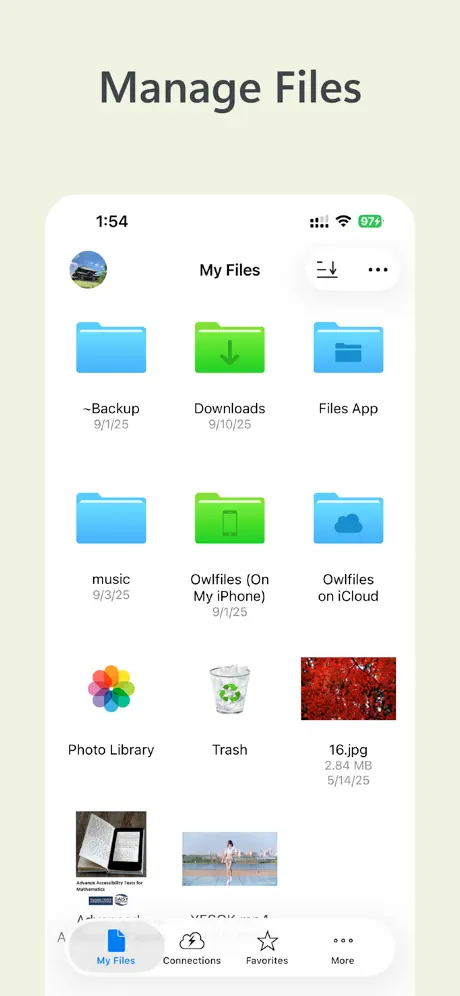
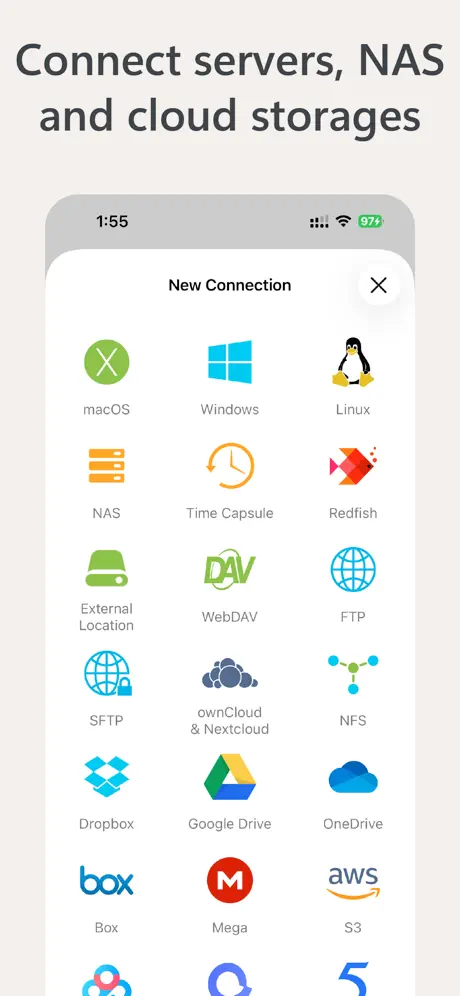
Owlfiles - File Manager
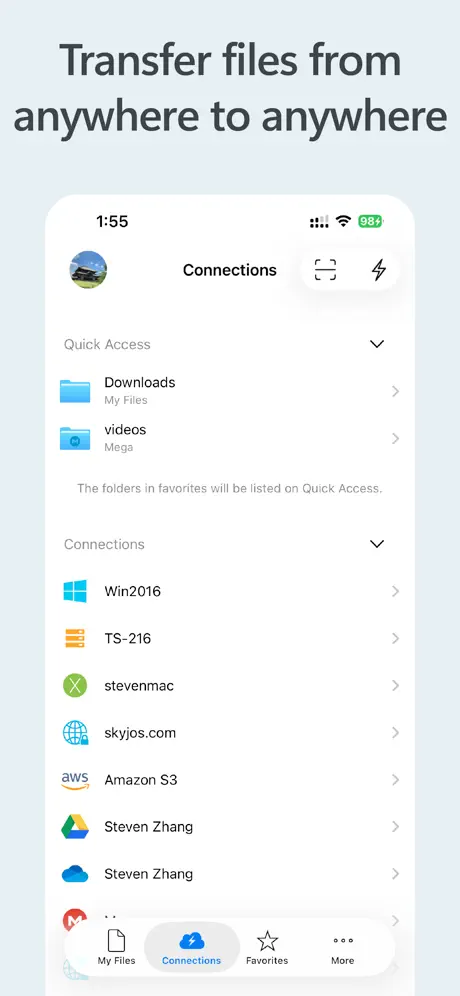
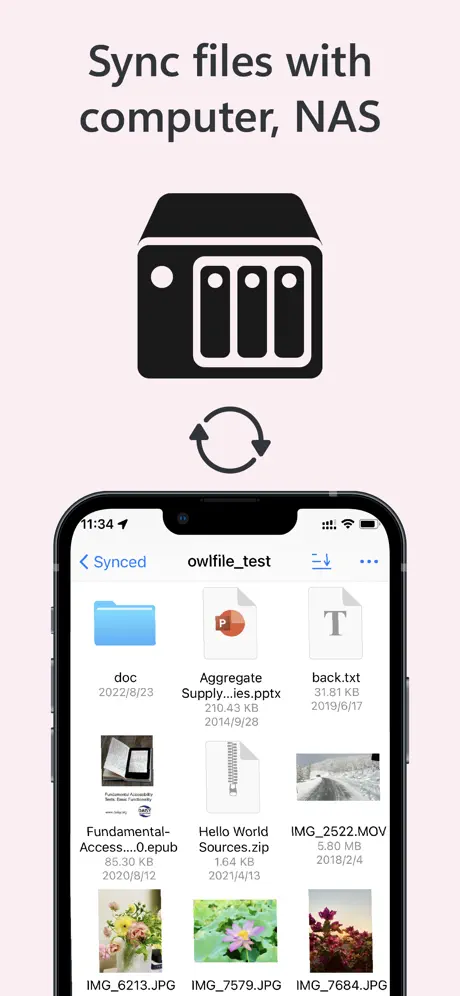
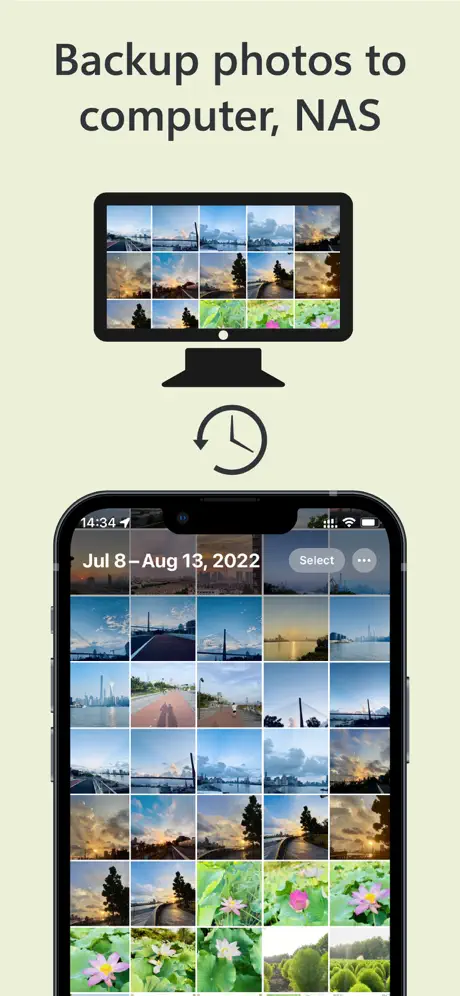
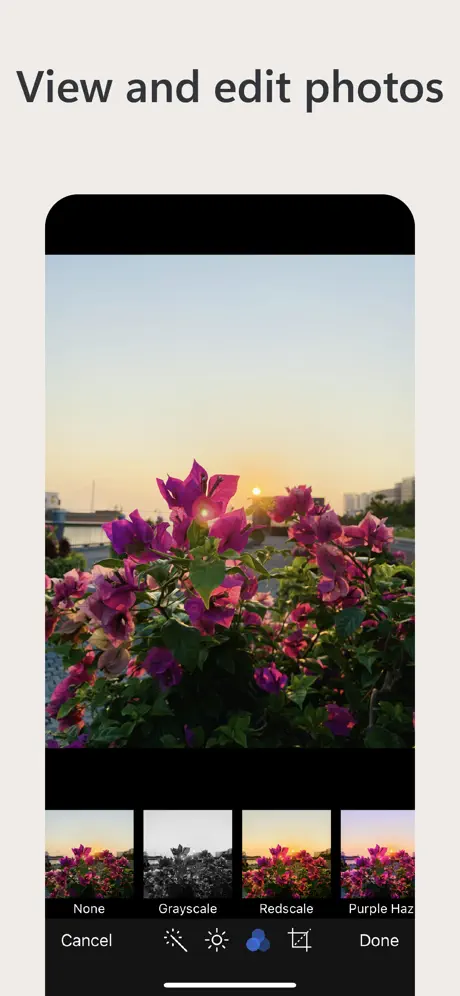
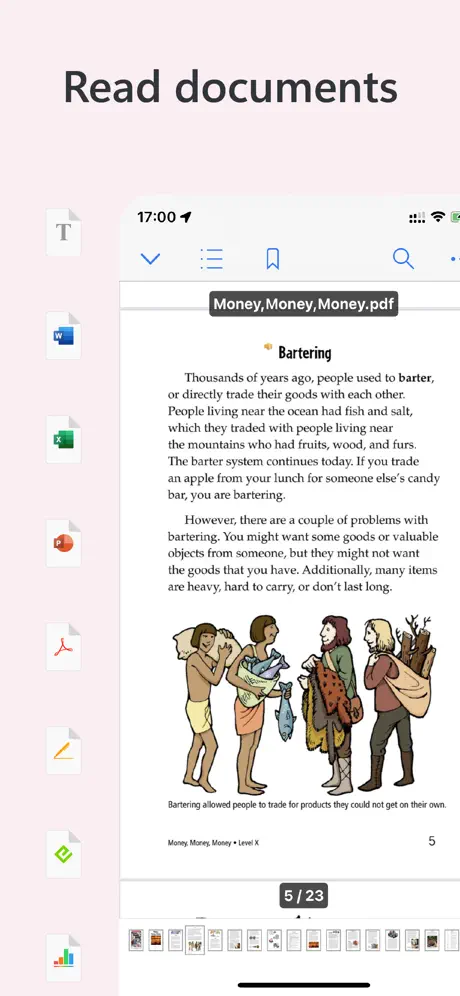
Access SMB WebDAV FTP and S3

How much does Owlfiles - File Manager cost?
Prices are current as of 11 Sept 2026.
3 subscriptions from $1.99
In the United States, Owlfiles - File Manager has 3 subscriptions priced $1.99 – 12.99. Free trials run 7 days or 1 month.
| Subscription | Period | Price |
|---|---|---|
| Owlfiles Pro Monthly | MonthlyTrial: 7 days | $1.99 |
| Owlfiles Pro Yearly Promo | Annual | $9.99 |
| Owlfiles Pro Yearly | AnnualTrial: 1 month | $12.99 |
2 one-time purchases from $23.99
In the United States, Owlfiles - File Manager has 2 one-time purchases priced $23.99 – 29.99.
| Product | Price |
|---|---|
| Owlfiles Pro Lifetime Promo | $23.99 |
| Owlfiles Pro Lifetime | $29.99 |
See what Owlfiles - File Manager costs in all 174 countries →
10+ alternatives to Owlfiles - File Manager
| Owlfiles - File Manager |   ES File Explorer ES File Explorer |   My FileManager - Documents My FileManager - Documents |   Files - File Manager & Browser Files - File Manager & Browser |   File Managers File Managers |   USB Disk SE, File Manager USB Disk SE, File Manager |   Phone Drive: File Storage Phone Drive: File Storage |   File manager - Document Editor File manager - Document Editor |   FileBrowserGO: File Manager FileBrowserGO: File Manager |   Resilio Sync Resilio Sync |   Filebar - media player Filebar - media player | |
|---|---|---|---|---|---|---|---|---|---|---|---|
| Rating / 5 | 4.6 | 4.7 | 4.6 | 4.6 | 4.3 | 4.5 | 4.6 | 4.4 | 4.5 | 4.6 | 4.3 |
| Reviews | 39K | 321K | 47K | 28K | 8.7K | 7.7K | 7.6K | 6.1K | 4.6K | 2.8K | 2K |
| Released | 2012 | 2019 | 2019 | 2010 | 2021 | 2010 | 2011 | 2020 | 2009 | 2016 | 2021 |
| Monthly price | $1.99 | $6.99 | $1.99 | $0.99 | $2.99 | $4.99 | $0.99 | $3.99 | $0.99 | — | — |
| Annual price | $9.99 | $29.99 | $17.99 | $5.99 | $12.99 | $39.99 | $6.99 | $14.99 | $5.99 | — | — |
| One-time price | $23.99 | $4.99 | $239.99 | $4.99 | $3.99 | — | $4.99 | $29.99 | — | — | $9.99 |
The going rate for each plan in United States, in its own currency, shaded from the cheapest price on the row to the dearest. Plans fewer than four in ten of the priced apps sell are left out.
Owlfiles - File Manager reviews
4.6 out of 5, based on 39,398 reviews.
What people like
- SMB and SFTP connections work perfectly
- Developer responds quickly to user inquiries
- No annoying ads in the free version
- Great for viewing photos on a NAS
What they complain about
- Video playback is slow and buggy
- App crashes constantly with large files
- Support ignores bug reports and complaints
- Privacy concerns about data going to China
handy
whenever my my book live software stopped working with my phone I started using owlfiles i've never been disappointed since then
owlfiles is a chinese company. The app copies your data to a chinese server
Checked my router to see unauthorized transfers to a server in shanghai china where owlfiles is located. Do not use if you value the privacy of your data.
The best I’ve tried and room for improvement
For SMB especially it’s the best app I’ve tried and will be continuing to use it unless an update ruins everything. It does very well with media thumbnails, caching, and viewing both images and videos. The connection types are flexible and it seems solid compared to the competition. Some of the micro-interactions could be improved, like when zooming, swiping, and such.
Lacks simple navigation
This would be a 5 star app if they could make the tree and the folders panes synchronize. When you navigate to a folder using the file/folder pane, the tree stays the same, forcing you to navigate TWICE if you want a tree view or if you navigate via the tree once you change folders in the file pane the tree is not showing the same selection as the folders pane. I submitted a feature request and was told in effect: "we will think about it". The point of having a tree view is to make navigation easier. This app makes it more confusing rather than less.
Can’t change file name
Owlfiles works well except that you can’t change a file name when saving. Other than that, it does what I need it to do.
Amazing App
I wished I can give this app more than 5 stars. I haven’t payed yet, but the needed functionality is all there, plus some more. And there are no annoying ad banners! I am very grateful for this design, and I hope Owlfiles will keep the free tier amazing. Thanks again for the outstanding app.
File transfer instructions in User Guide are missing a crucial step
Instructions say to go to the folder you want to transfer a file from and press Select, so on. Issue is, this only works with files already inside of the green folders that are specific to Owlfiles. If you try to transfer any file from On My iPad, this launches a pop of the native Files app, which does not have this Select option as the User Guide suggests. The missing step is that you have to first copy the file to the aforementioned green Ownfiles folder and then you’ll be able to follow along with the instructions from the User Guide. Personally, I find it best to just start with the native Files app and then Open In to Owlfiles. This is how I was doing it with the developer’s previous FTP app. Which I should have just stuck with, but I followed the suggested pop up to try Ownfiles when I launch their FTP app. This whole process, including having to make sense of what wrong and writing this review has been a waste of time. All I wanted to do was send 1 tiny file which should have taken less than a minute. If the devs aren’t able to browse the iPad’s file system without using the Files pop up, then please consider updating your User Guide to more accurately reflect the process of transferring files that aren’t already located in the green Ownfiles folder. Response to devs: As I’ve already stated, the issue isn’t what I need to do differently, it’s that you need to update your User Guide to more accurately reflect the process. And I’ve also already stated that I figured out how to upload files upload files via FTP despite the inaccurate User Guide. It’s as if you ignored everything that I took the time to explain in my review. This is now wasting end user’s time over and over again. I’ve now lowered my rating to 1 star. What should have been a 30 second process to upload a tiny file, you’ve now turned into a major time suck. Get it together, guys.
smb连不上了,垃圾
谁买谁倒霉
Very little support
I bought this to replace fe file manager. It mostly works, but I have reported 3 bugs this far. Responses have generally been they don’t want to fix to simple replies of try this until you prove it and then they stop responding. Very disappointed in the support. Also, the loss of local files access is dumbfounding.
Free functionality has been taken away
Unfortunately I have to look for an alternatives since most of useful functionality is not available anymore. The app became shareware rather than freeware. Too bad.
Great
Would appreciate either an option to launch files with a different app as a context menu or default by type as well as pan/zoom on video files. Smb sync flawless so far thanks
Was amazing - now it’s sad
Rock solid fundamentals and pleasant to use for years. The last upgrade added a bunch of ‘upgrade to pro’ nonsense and buttons. I hope everything is okay with the developer because it looks like they suddenly need more money. Back to Documents by readle (sp) I guess.
Great App for SFTP and File Management
The app overall is great and the developer is very responsive. I would be giving 5 stars if it wasn’t for the random video playing over SFTP crashing I experience often on macOS. Once this gets fixed, instant 5 stars.
Barely Functional
S3: Constant crashes, the "apply to all" checkbox doesn't work so you have to click through each notice anyway, doesn't check for exisiting files before uploading so you have to dismiss notices as they come up and it pauses uploading until you do so, no option to clear the file transfer log (but don't worry as the frequent crashes will do this for you whether you want it to or not), wrongly says that files have failed to upload when they haven't (and pauses the upload queue until you click Ignore or Stop), frequent crashes, frequent crashes, frequent crashes. I'm glad I didn't pay for the "Pro" upgrade. I'm happy to delete this off my machine.
Uploading Files, GREAT! Viewing not so much
If your looking for an app to be able to view SMB files or offload files onto a NAS or something like that. It’s great in that sense! Im able to offload pictures and videos from my phone at a slow speed but it gets the job done. I can add folders, drag and drop files into folders and etc. The problem is video playback. If a file is VERY compressed it will play the video no problem. But if the video is long and not very compressed or is 4K 60 (even 1080p 60) this app just struggles to play it. Before anyone says it’s my server or my network it’s not. This app maxes out at 1Mbps when receiving information. I watched the server statistics when using this app, to troubleshoot and it was only sending out again, 1Mbps. Meaning this app is limiting its intake. When watching those same videos on a computer, they run flawlessly. It’s only this app I have the issue on. However, photo viewing and music playing with this app does work great, no problems at all. But that would be expected as there smaller file sizes. Overall this is a very good app and does what I mainly need it to do. Offload videos and photos from my phone. I just wish the playback for videos was better. Again that totally seems fixable on the developers end.
very good
it works
Horrible payment system
A multi platform app that forces you to pay in one of them, in the country they want, in the currency they want… if you can’t manage your own payments how can you manage the app itself?
The Search button
It's not a good decision to add the search button to top toolbar. It reduces the useful space for long directory names.
Looks Good Deceptive Though
I just downloaded this app several days ago. I look good. Initially it worked but I had a restore I needed to manage millions of files on an external JBOD. It is just temporary storage I need to use while I rebuild the RAID drive. I used Apples RAID utility to create the JBOD. It is just APFS but I am getting constant crashes with this app. Admittedly, I had to FORCE QUIT the app a couple of times if fails to quit completely when I use its menu to quit the app. I am not sure why it continues to crash but when scanning the drive it crashes after a few seconds. It worked okay initially. I was eve able to mange some files when all were dumped in the root. Now nope no go! I don’t have time to debug for now. I just thought I’d share my disappointment on this app that bears such a high rating. I’m sure many folks are looking for a file manager they can substitute for FINDER.
Make sign in by email
Not everyone uses or enables iCloud or uses Google add sign in by email.
Отличное приложение
Лучший файловый менеджер
Stop spamming me
This app continues to reopen every time I turn my iMac off and its really annoying
Easy file access
Excellent for viewing files on your PC from an iphone and easy to transfer files from iphone to PC or PC to iphone.
Most useful feature missing
Why did you remove the option to connect to the google drive it was the only I was using this app please bring back that option cuz it likes the video player of this app that’s why I am begging you , otherwise I would have given this app a solid five star rating
All my files are wiped
Ever since the recent update all my files are gone I cant find them any where I’ve lost stuff that I’ve spent months on and have no way to get it back.
Great app needs a slideshow for videos
Photos have a slideshow option. Why not videos?
Keeps giving errors.
I’m so glad I didn’t pay for premium on this. I keep having an error on loading! Fix the problem please! I’m already looking for alternatives.
Suggestion: rename when sharing
When using Share to save a file from an app to a location in Owlfiles, it would be really helpful to be able to rename it as you do it. As it stands, you have to accept what the app calls it, and then switch to owlfiles or even a different computer, locate the file and then rename it, which is very tedious.
Google Drive connection gone?
This is a great file manager app for iPhone and the main reason I used it was that it had a connection for Google Drive data. Now I can’t create the connection. I can see OneDrive, Dropbox and other option but Google Drive is missing? Please bring it back.
Annoying
The fact that this app constantly bothers you to upgrade is the very reason I refuse to buy it, otherwise I would consider it even not being perfect.
Amazing
Accessing files on a server as easily as if they were local files is awesome!
Bruh
What’s the supported files like all of my files are unsupported
FE File Explorer Pro or Owlfiles Pro ?
Hello, I purchased FE File Explorer Pro and believe I paid a one time charge to have it be “Pro” forever per the pitch in the App Store. I realize that every app dev eventually needs to find a way to get re-occur by revenue rolling in and my one time payment all those years ago is more than fair for what I paid vs usage. I just want to know two things and I’ll revise this to a 5 star. Can u sync google drive? It does not appear in FE File Pro and I thought it once did. In Owlfiles it says sync all cloud drives and there is a pic of a google drive setup in this app this very moment but I do lot see that Google drive is supported. Please clarify 2 can u tell me any substantial benefits of paying again to buy this newer app vs keeping what I already paid for…I don’t see any difference in except GUI, but I’m not that bright. Thank you!!!
Value for money?
Tried the app, but I am struggling to see the value for money proposition of subscribing for features that other apps have for a single (cheaper) purchase price.
No longer working on iPad
After an update on my iPad this no longer works. Version 12.5.5 Please fix as this was such a useful tool When opening just closes immediately
Highly recommend
This app has made file management to and from my NAS so much easier that how I managed files on android. I wasn’t able to get write privileges working with the default Apple files app, but as soon as I added my server on here, it worked perfectly.
PURE GARBAGE
Failed to copy files before deleting. Failed to backup to deleted files. Deleted all my precious photos with no possibility of recovery. I HATE THIS APP AND ITS DEVELOPERS!!!!! If you don’t want to be miserable, STAY AWAY FROM
Tags support?
SMB works really well as everyone mentioned. It would be so great if the support for Tags is present. Thanks for the work!
‘Repeat one’ is not functioning during popup or background play
It’s upsetting even when we choose to ‘Repeat one’ the video stops during pop up mode / background mode. Please fix it ASAP
Inessantly demanding upgrades
Purchased as an upgrade of the free version FE pro now demands further uograde for basic function. Decidedly misleading marketing!
Extremely helpful app!
A+ Owlfiles!
No other payment methods
No other payment methods, only apps store or google play. Found over app.
Was great
I recently changed my broadband router and now can’t seem to use this from my iPhone. Was absolutely brilliant until that point. Does anyone have any ideas?
File size info absent
So, how do I see the file metadata - info such as the size? Do I miss something here or this is one more app that follows the apple’s non sense?
Please update the video interface
Used to be my absolute go-to app to access anything stored on my computer/NAS, but the new video interface is just horrendous to control from a phone and difficult to get to from a tablet. There’s a reason a form of standard has developed where the buttons are...
Great Multiplatform Sync and Management
I am a subscriber for life on this one. It auto syncs my files with my SFTP media server with ease. I use this on my iPhone, MacBook, and Android devices. The UI is intuitive and robust. It’s perfect for managing my photos and videos between my phone and LAN server. And the developer is responsive to inquiries - that alone is 5 star worthy.
AirPlay no longer works
I used to be able to airplay videos that I had opened but now it just keeps saying to use screen mirroring. If I wanted to screen mirror I would do that I want to airplay it that’s why that buttons exists. This issue constantly keeps cropping up with this app I’ll be moving on.
(2 5)/2=3.5
1/.As a file manager, it really has no USP compared to Forklift for instance, so 2 stars. 2. For other features, it's really good and hence 5 stars.
App crash
Always crashes after opening ePub files. It started after new version update.
Ugly player
Does the job. I’d buy it if the music player was nicer.
Owlfiles - File Manager price by country
A monthly subscription costs $1.60 in the Philippines and $3.19 in Hungary — 2× more for the same thing. Below is the going rate for each plan in every country that sells it — the middle price of what the app charges there, in the country's own currency with the dollar equivalent beneath it.
| Country | Monthly | Annual | One-time |
|---|---|---|---|
| Afghanistan | $1.99 | $9.99 | $23.99 |
| Albania | $1.99 | $11.99 | $29.99 |
| Algeria | $1.99 | $9.99 | $23.99 |
| Angola | $1.99 | $9.99 | $23.99 |
| Anguilla | $1.99 | $9.99 | $23.99 |
| Antigua And Barbuda | $1.99 | $9.99 | $23.99 |
| Argentina | $1.99 | $9.99 | $23.99 |
| Armenia | $1.99 | $11.99 | $29.99 |
| Australia | A$2.99$2.17 | A$14.99$10.86 | A$39.99$28.98 |
| Austria | €1.99$2.32 | €9.99$11.64 | €24.99$29.13 |
| Azerbaijan | $1.99 | $11.99 | $29.99 |
| Bahamas | $1.99 | $9.99 | $24.99 |
| Bahrain | $1.99 | $9.99 | $24.99 |
| Barbados | $1.99 | $11.99 | $29.99 |
| Belarus | $1.99 | $11.99 | $29.99 |
| Belgium | €1.99$2.32 | €9.99$11.64 | €24.99$29.13 |
| Belize | $1.99 | $9.99 | $23.99 |
| Benin | $1.99 | $11.99 | $29.99 |
| Bermuda | $1.99 | $9.99 | $23.99 |
| Bhutan | $1.99 | $9.99 | $23.99 |
| Bolivia | $1.99 | $9.99 | $23.99 |
| Bosnia & Herzegovina | €1.99$2.32 | €9.99$11.64 | €24.99$29.13 |
| Botswana | $1.99 | $9.99 | $23.99 |
| Brazil | R$9.90$1.92 | R$49.90$9.69 | R$149.90$29.11 |
| British Virgin Islands | $1.99 | $9.99 | $23.99 |
| Brunei Darussalam | $1.99 | $9.99 | $23.99 |
| Bulgaria | €1.99$2.32 | €9.99$11.64 | €24.99$29.13 |
| Burkina Faso | $1.99 | $9.99 | $23.99 |
| Cambodia | $1.99 | $9.99 | $24.99 |
| Cameroon | $1.99 | $11.99 | $29.99 |
| Canada | CA$2.99$2.17 | CA$12.99$9.41 | CA$29.99$21.73 |
| Cape Verde | $1.99 | $9.99 | $23.99 |
| Cayman Islands | $1.99 | $9.99 | $23.99 |
| Chad | $1.99 | $9.99 | $23.99 |
| Chile | CLP 1,990$2.16 | CLP 9,990$10.86 | CLP 29,990$32.59 |
| Colombia | COP 9,900$3.18 | COP 49,900$16.02 | COP 99,900$32.07 |
| Congo | $1.99 | $9.99 | $23.99 |
| Congo, Democratic Republic | $1.99 | $9.99 | $23.99 |
| Costa Rica | $1.99 | $9.99 | $23.99 |
| Cote Divoire | $1.99 | $11.99 | $29.99 |
| Croatia | €1.99$2.32 | €9.99$11.64 | €24.99$29.13 |
| Cyprus | €1.99$2.32 | €9.99$11.64 | €24.99$29.13 |
| Czech Republic | CZK 49.00$2.36 | CZK 249.00$12.02 | CZK 599.00$28.91 |
| Denmark | DKK 19.00$2.96 | DKK 89.00$13.86 | DKK 199.00$31.00 |
| Dominica | $1.99 | $9.99 | $23.99 |
| Dominican Republic | $1.99 | $9.99 | $23.99 |
| Ecuador | $1.99 | $9.99 | $23.99 |
| Egypt | EGP 99.99$1.95 | EGP 499.99$9.77 | EGP 1,299.99$25.39 |
| El Salvador | $1.99 | $9.99 | $23.99 |
| Estonia | €1.99$2.32 | €9.99$11.64 | €24.99$29.13 |
| Fiji | $1.99 | $9.99 | $23.99 |
| Finland | €1.99$2.32 | €9.99$11.64 | €24.99$29.13 |
| France | €1.99$2.32 | €9.99$11.64 | €24.99$29.13 |
| Gabon | $1.99 | $9.99 | $23.99 |
| Gambia | $1.99 | $9.99 | $23.99 |
| Georgia | $1.99 | $11.99 | $29.99 |
| Germany | €1.99$2.31 | €9.99$11.62 | €24.99$29.06 |
| Ghana | $1.99 | $11.99 | $29.99 |
| Greece | €1.99$2.32 | €9.99$11.64 | €24.99$29.13 |
| Grenada | $1.99 | $9.99 | $23.99 |
| Guatemala | $1.99 | $9.99 | $23.99 |
| Guinea-bissau | $1.99 | $9.99 | $23.99 |
| Guyana | $1.99 | $9.99 | $23.99 |
| Honduras | $1.99 | $9.99 | $23.99 |
| Hong Kong | HK$18.00$2.30 | HK$88.00$11.22 | HK$188.00$23.98 |
| Hungary | HUF 999$3.19 | HUF 4,490$14.35 | HUF 9,990$31.94 |
| Iceland | $1.99 | $11.99 | $29.99 |
| India | ₹199.00$2.09 | ₹999.00$10.50 | ₹2,499.00$26.27 |
| Indonesia | IDR 29,000$1.63 | IDR 169,000$9.52 | IDR 399,000$22.49 |
| Iraq | $1.99 | $9.99 | $23.99 |
| Ireland | €1.99$2.32 | €9.99$11.64 | €24.99$29.13 |
| Israel | ₪7.90$2.62 | ₪34.90$11.59 | ₪79.90$26.54 |
| Italy | €1.99$2.32 | €9.99$11.64 | €24.99$29.13 |
| Jamaica | $1.99 | $9.99 | $23.99 |
| Japan | ¥300$1.95 | ¥1,500$9.77 | ¥4,000$26.04 |
| Jordan | $1.99 | $9.99 | $23.99 |
| Kazakhstan | KZT 999.00$2.15 | KZT 4,990.00$10.76 | KZT 12,990.00$28.00 |
| Kenya | $1.99 | $11.99 | $29.99 |
| Kosovo | €1.99$2.32 | €9.99$11.64 | €24.99$29.13 |
| Kuwait | $1.99 | $9.99 | $23.99 |
| Kyrgyzstan | $1.99 | $9.99 | $24.99 |
| Lao Peoples Democratic Republic | $1.99 | $9.99 | $24.99 |
| Latvia | €1.99$2.32 | €9.99$11.64 | €24.99$29.13 |
| Lebanon | $1.99 | $9.99 | $23.99 |
| Liberia | $1.99 | $9.99 | $23.99 |
| Libya | $1.99 | $9.99 | $23.99 |
| Lithuania | €1.99$2.32 | €9.99$11.64 | €24.99$29.13 |
| Luxembourg | €1.99$2.32 | €9.99$11.64 | €24.99$29.13 |
| Macao | $1.99 | $9.99 | $23.99 |
| Macedonia | $1.99 | $9.99 | $23.99 |
| Madagascar | $1.99 | $9.99 | $23.99 |
| Malawi | $1.99 | $9.99 | $23.99 |
| Malaysia | MYR 9.90$2.46 | MYR 49.90$12.38 | MYR 99.90$24.79 |
| Maldives | $1.99 | $9.99 | $23.99 |
| Mali | $1.99 | $9.99 | $23.99 |
| Malta | €1.99$2.32 | €9.99$11.64 | €24.99$29.13 |
| Mauritania | $1.99 | $9.99 | $23.99 |
| Mauritius | $1.99 | $9.99 | $29.99 |
| Mexico | MX$39.00$2.30 | MX$199.00$11.73 | MX$499.00$29.40 |
| Micronesia | $1.99 | $9.99 | $23.99 |
| Moldova | $1.99 | $11.99 | $29.99 |
| Mongolia | $1.99 | $9.99 | $23.99 |
| Montenegro | €1.99$2.32 | €9.99$11.64 | €22.99$26.79 |
| Montserrat | $1.99 | $9.99 | $23.99 |
| Morocco | $1.99 | $9.99 | $23.99 |
| Mozambique | $1.99 | $9.99 | $23.99 |
| Myanmar | $1.99 | $9.99 | $23.99 |
| Namibia | $1.99 | $9.99 | $23.99 |
| Nauru | $1.99 | $9.99 | $23.99 |
| Nepal | $1.99 | $11.99 | $29.99 |
| Netherlands | €1.99$2.31 | €9.99$11.62 | €24.99$29.06 |
| New Zealand | NZ$3.99$2.38 | NZ$19.99$11.90 | NZ$39.99$23.80 |
| Nicaragua | $1.99 | $9.99 | $23.99 |
| Niger | $1.99 | $9.99 | $23.99 |
| Nigeria | NGN 3,200.00$2.39 | NGN 14,900.00$11.12 | NGN 39,900.00$29.78 |
| Norway | NOK 29.00$3.11 | NOK 129.00$13.83 | NOK 299.00$32.05 |
| Oman | $1.99 | $9.99 | $23.99 |
| Pakistan | PKR 500$1.80 | PKR 2,900$10.44 | PKR 6,900$24.84 |
| Palau | $1.99 | $9.99 | $23.99 |
| Panama | $1.99 | $9.99 | $23.99 |
| Papua New Guinea | $1.99 | $9.99 | $23.99 |
| Paraguay | $1.99 | $9.99 | $23.99 |
| Peru | PEN 9.90$2.96 | PEN 44.90$13.40 | PEN 99.90$29.82 |
| Philippines | ₱99.00$1.60 | ₱499.00$8.06 | ₱1,490.00$24.06 |
| Poland | PLN 9.99$2.69 | PLN 49.99$13.44 | PLN 99.99$26.88 |
| Portugal | €1.99$2.31 | €9.99$11.60 | €24.99$29.02 |
| Qatar | QAR 7.99$2.20 | QAR 39.99$10.99 | QAR 89.99$24.72 |
| Romania | RON 9.99$2.22 | RON 49.99$11.08 | RON 129.99$28.82 |
| Russia | RUB 199.00$2.33 | RUB 899.00$10.53 | RUB 1,990.00$23.32 |
| Rwanda | $1.99 | $9.99 | $23.99 |
| Sao Tome & Principe | $1.99 | $9.99 | $23.99 |
| Saudi Arabia | SAR 9.99$2.66 | SAR 39.99$10.66 | SAR 99.99$26.66 |
| Senegal | $1.99 | $11.99 | $29.99 |
| Serbia | €1.99$2.32 | €9.99$11.64 | €24.99$29.13 |
| Seychelles | $1.99 | $9.99 | $23.99 |
| Sierra Leone | $1.99 | $9.99 | $23.99 |
| Singapore | SGD 2.98$2.35 | SGD 14.98$11.80 | SGD 34.98$27.54 |
| Slovakia | €1.99$2.32 | €9.99$11.64 | €24.99$29.13 |
| Slovenia | €1.99$2.32 | €9.99$11.64 | €24.99$29.13 |
| Solomon Islands | $1.99 | $9.99 | $23.99 |
| South Africa | ZAR 39.99$2.50 | ZAR 199.99$12.51 | ZAR 499.99$31.27 |
| South Korea | ₩3,300$2.39 | ₩14,000$10.13 | ₩39,000$28.23 |
| Spain | €1.99$2.31 | €9.99$11.62 | €24.99$29.06 |
| Sri Lanka | $1.99 | $9.99 | $23.99 |
| St. Kitts and Nevis | $1.99 | $9.99 | $23.99 |
| St. Lucia | $1.99 | $9.99 | $23.99 |
| St. Vincent & The Grenadines | $1.99 | $9.99 | $23.99 |
| Suriname | $1.99 | $9.99 | $24.99 |
| Swaziland | $1.99 | $9.99 | $23.99 |
| Sweden | SEK 29.00$3.05 | SEK 129.00$13.55 | SEK 299.00$31.41 |
| Switzerland | CHF 2.00$2.48 | CHF 10.00$12.38 | CHF 20.00$24.75 |
| Taiwan | NT$60.00$1.91 | NT$320.00$10.17 | NT$790.00$25.10 |
| Tajikistan | $1.99 | $9.99 | $24.99 |
| Tanzania | TZS 5,900.00$2.23 | TZS 29,900.00$11.32 | TZS 69,900.00$26.45 |
| Thailand | THB 79.00$2.40 | THB 399.00$12.11 | THB 899.00$27.29 |
| Tonga | $1.99 | $9.99 | $23.99 |
| Trinidad and Tobago | $1.99 | $9.99 | $23.99 |
| Tunisia | $1.99 | $9.99 | $23.99 |
| Turkey | TRY 99.99$2.06 | TRY 449.99$9.28 | TRY 1,299.99$26.80 |
| Turkmenistan | $1.99 | $9.99 | $23.99 |
| Turks and Caicos | $1.99 | $9.99 | $23.99 |
| Uganda | $1.99 | $11.99 | $29.99 |
| Ukraine | $1.99 | $11.99 | $29.99 |
| United Arab Emirates | AED 7.99$2.18 | AED 39.99$10.90 | AED 99.99$27.25 |
| United Kingdom | £1.99$2.70 | £9.99$13.54 | £22.99$31.15 |
| United States | $1.99 | $9.99 | $23.99 |
| Uruguay | $1.99 | $9.99 | $23.99 |
| Uzbekistan | $1.99 | $9.99 | $24.99 |
| Vanuatu | $1.99 | $9.99 | $23.99 |
| Venezuela | $1.99 | $9.99 | $23.99 |
| Vietnam | ₫49,000$1.89 | ₫249,000$9.63 | ₫699,000$27.03 |
| Yemen | $1.99 | $9.99 | $23.99 |
| Zambia | $1.99 | $11.99 | $29.99 |
| Zimbabwe | $1.99 | $11.99 | $29.99 |
Owlfiles - File Manager FAQ
- Is Owlfiles - File Manager free?
- Yes. The app and its basic features are free, in all 174 countries it sells in. Premium features are paid: they start from $1.99 (US), across 3 subscriptions and 2 one-time purchases.
- How much does Owlfiles - File Manager cost per month?
- Owlfiles Pro Monthly is $1.99 (US). The annual plan works out cheaper per month: $9.99 – 12.99 a year.
- Does Owlfiles - File Manager have a free trial?
- Yes — free trials of 7 days or 1 month (US), depending on the plan.
- Where is Owlfiles - File Manager cheapest?
- A monthly subscription costs ₱99.00 (≈$1.60) in the Philippines and HUF 999 (≈$3.19) in Hungary, its cheapest and dearest countries.
- What are the best alternatives to Owlfiles - File Manager?
- ES File Explorer (4.7 from 320,593 reviews, premium from $1.99), My FileManager - Documents (4.6 from 46,950 reviews, premium from $1.99) and Files - File Manager & Browser (4.6 from 27,746 reviews, premium from $0.99).
Owlfiles - File Manager download
Last updated 1 month ago.
Owlfiles - File Manager sells in 174 countries. It was released 14 years and 6 months ago, on 28 Mar 2012. It holds a 4.6 rating from 39,398 reviews.
Supports 13 languages: English, Czech, Dutch, French, German, Italian, Japanese, Korean, Portuguese, Russian, Chinese, Spanish, Swedish.
How much does Owlfiles - File Manager make?
Third-party estimates for the last 30 days, worldwide — not the store's own figures, which Apple publishes for nobody.
Revenue by plan
- Monthly 50%
- Annual 31%
- One-time 18%
Revenue by country
- United States 26%
- Germany 17%
- Japan 15%
- United Kingdom 4%