Total Connect Comfort
How much does Total Connect Comfort cost?
Prices are current as of 7 Nov 2026.
Total Connect Comfort has no in-app products on record in the United States.
10+ alternatives to Total Connect Comfort
| Total Connect Comfort |   B-hyve |   Schlage Home |   Sensi | 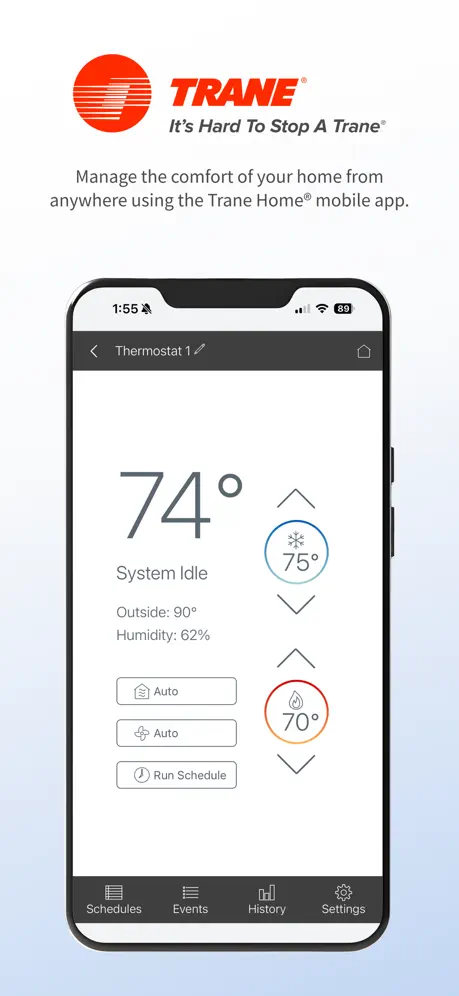  Trane® Home | 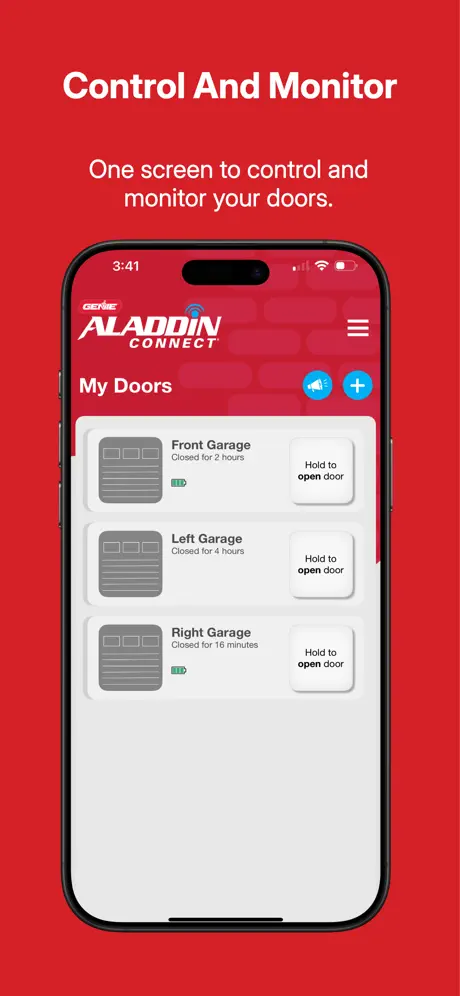  Aladdin Connect | 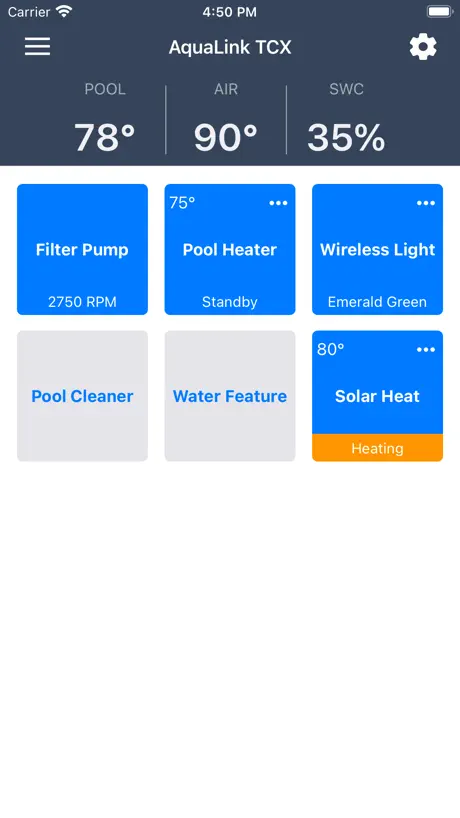  iAquaLink |   Kwikset |   Smart Home - Remote Control |   Lutron App |   PowerView | |
|---|---|---|---|---|---|---|---|---|---|---|---|
| Rating / 5 | 4.3 | 4.7 | 4.8 | 4.6 | 4.8 | 4.8 | 4.7 | 4.8 | 4.5 | 4.8 | 4.3 |
| Reviews | 82K | 383K | 277K | 269K | 159K | 116K | 109K | 62K | 9.7K | 7.8K | 3.6K |
| Released | 2011 | 2016 | 2015 | 2014 | 2011 | 2015 | 2011 | 2019 | 2024 | 2014 | 2015 |
| Weekly price | — | — | — | — | — | — | — | — | $5.99 | — | — |
| Monthly price | — | — | — | — | — | — | — | — | $14.99 | — | — |
| Annual price | — | — | — | — | — | — | — | — | $49.99 | — | — |
The going rate for each plan in United States, in its own currency, shaded from the cheapest price on the row to the dearest.
Total Connect Comfort reviews
4.3 out of 5, based on 82,190 reviews.
What people like
- Great for monitoring home while away
- Saves money and easy to use
- Reliable remote heating and cooling control
What they complain about
- Extra clicks waste time for single thermostats
- App resets temperature to eighty degrees daily
- Login issues block access after updates
Multiples?
Love the app. BUT, i don’t like the multiple thermostats one the opening page. Any way to default to my one and only thermostat?
Goodbye TCC!
UPDATE 😁. I won't beat you up anymore - we have a new thermostat & different app. Yay!!! Would you please respond with an actual update to help all the users with only ONE thermostat!?! You keep posting apologies for the inconvenience SO do something about it! Help us by updating with the ability to set a default thermostat that you land on when accessing the app. This used to be a good quick app to use for adjusting our thermometer. It’s lousy now & I hate using it. The extra steps are ridiculous, and our requests for simplicity continue to be ignored.
Please add
Please add the name/title of the thermostats to their respective temperature adjustment page.
Too basic. No imagination.
The app gets the job done but is very basic with no updated features like swiping from page to page or being able to see all thermostat details on one page instead of going back and forth between pages.
Multiple systems hate
People with only one system wants to have a default so it starts up like the old version without needing to click several times to see the only one system you have. Please update this feature.
After over 10 years still reliable and dependable
Nice to see after well over ten years it’s still here and working.
Thermostat won’t keep connected
Not sure what you did but for the last week the thermostat won’t stay connected. It keeps dropping the connection to WiFi.
Outdoor Temp not reliable
Needs to update the outdoor temp more accurately. Constantly get 5-7 degree differences on this app compared to weather apps.
Buggy
Buggy login/connect and app pushes local services and maintenance ads popups
Do not update!
I updated and now I have to go to 2 more steps just to get to my thermostat control. I only have one thermostat so clicking on two extra pages is a nuisance. At least give us the option to skip those pages!! I like it much better before the update. Thermostat is great. Just hate the app update!!
Easy to use
This thermostat saves us money and is easy to use. The app can adjust the thermostat anywhere and anytime.
stopped working
the app won’t let me login after I updated my iphone to ios27
Works great
I know that you guys respond and i have a suggestion. I do know this app is old but i spend a lot of time going in and selecting it etc. I know i may sound lazy but i would like to say would it be possible to add shortcut automation with the app? Apple added shortcuts a while back and it works with basically every app i have except for this one. I would like to see features where it would be that you could set the temperature to 73 degrees or turn heat off or on etc. It would be very nice if i could click on an app and it turns system off.
Intermittent Communication
Often fails to acknowledge setpoint changes.
Simple to use
The app is very simple to use. There’s a slight delay when actions are done, so wait before moving onto something else on the app. The scheduler is good to use and actions are manageable. The reason I give it 3 stars if because not the entire menu from the thermostat/account is accessible through the app (website access is more robust) and there’s no push notifications for alerts from the app only through receiving notifications via email. Otherwise it does the job with controlling the thermostat remotely away from home.
Functionality
We’ve been using the smart thermostat and app for about 6 months now. We really like the functionality and ease of use. It’s great to be able to monitor the house temperatures remotely while we are away for extended periods of time. Overall it’s performing really well. No complaints.
Scheduling does not work
This thermostat & app is NOT worth it! Scheduling does not work. Well, it SORT of does. But for some reason when the thermostat is on temporary hold, the AC kicks on every day around 3:35pm. No, I don’t have it scheduled to kick on then. I have it scheduled for 5pm. So the dumb thing runs for an extra 1-1/2 hours when no one is home. Terrible app! And they RARELY do updates for the app.
Good thermostat
Thermostat itself works well. The app is functional. However app’s design is outdated. I reminds me of my first iPhone 4. And it’s super basic. Most options can be selected on web or on the unit itself only. I think it’s time to update looks and make more thermostat options available.
Loses WiFi Connectivity
The Thermostat randomly loses connectivity. I don’t get an alert. I wouldn’t know unless I checked. I’ve had to ask a friend to go through reset procedures several times in the last two months. I have other WiFi devices that have not lost connectivity. Very worrisome when you are two thousand miles away. All Data Consent is enabled.
Wireless Connection Issue
Had this app for 4 years currently. Never had an issue before recently. Once the wireless router is reset or loses connectivity, the app tells you that you can’t access the thermostat until you reset the password on the device. This is just bad design. It’s a thermostat, not a security alarm. It should just rescan for the wifi after the router regains link state and then connect.
Love It
Nice and simple, easy to use, keep up the good work!
New interface - unnecessary steps
The new interface is great if there are more than one units; but many of us has only one! Why do you have to make us to go through the two extra clicks to get to the main screen? Can you skip the extra clicks when there is only one units?
Its good but i need one more feature
It works great and i love it but i need to have timer option where it turns it off automatically after set time. Please make it happen!
Mr.
This message is to the developer of the app. The new interface is annoying for someone who has only one thermostat. In compare to the old interface I have to click 2 extra clicks to get to the control page. The app should have a wizard to enter how many thermostat you have and based on that it loads up different interface. If it is one thermostat and when launched it takes you directly to control page. Or please provide a link to the old app version. Please consider this feedback… Thanks
Recent bug
I’ve had this app for a couple of years now and have never had any issues at all until the last few months. For the last few months, every single day around the same time each day, the app forgets the temp I have my thermostat set to and changes it to 78 degrees. Every single day, always changes to 78 degrees. So, if we don’t notice the temp going up and catch it, or if we aren’t home, then everyday I’m having to go on and run my a/c, even harder than it already is, to drop the temp from 78 degrees to 70, which is what we keep it on. It’s unnecessary overtime for our a/c unit and I know it’s causing my power bill to go up. It’s never done this before so it has to be some kind of bug with a recent update or something.
Nice Feature
I have found this system is a great way to monitor and adjust home heating and cooling systems from a distant point. Works quite well.
No registration
Download the app to register my thermostat. Open the app and immediately met with a email and password login. Only problem i have not registered yet so I don’t have a login. Zero options to by pass the login. Go to the home comfort website select register product, immediately turned around to download the app and register. So then right back to the same page to “login” credentials that I do not have. Extremely frustrating.
Happy until recently
I have had the total connect comfort app for six years. It has worked great up until the last few weeks. With an update or something, the menu is missing and I’m unable to change times and temperatures. I need that option for leaving the house for vacations.
Locations Behavior
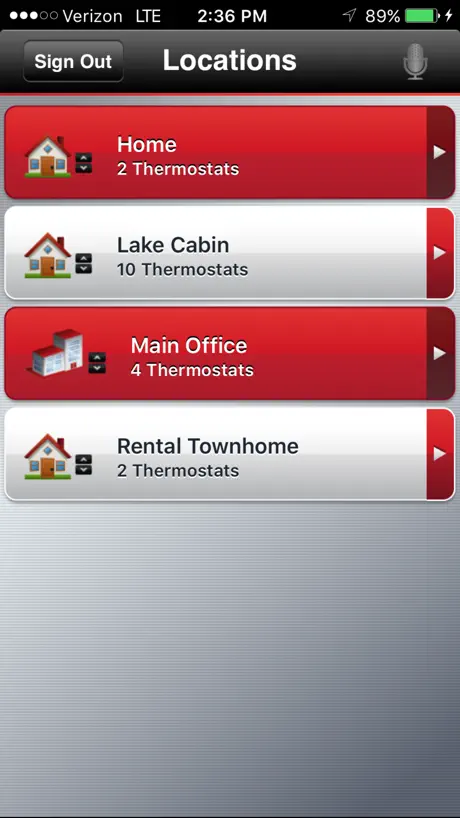
My Honeywell thermostats, red link, TCC app have worked great for years. I have written support and called support to discuss a bug introduced in 3.17. It has not been fixed. Note, my ipad works correctly. My iphone does not. I have 2 thermostats in my home. The correct and old behavior was open TCC app, see my thermostats, and adjust as needed. The 3.17 version opens the location tab showing my home location which I have to select to get to my thermostats. This is an unnecessary step and should be deleted. With only a home location the app should go straight to the thermostats. Please fix soon. Thx.
Latest update mistake
Before this latest update I would have given you 5 stars. I loved the convenience of the app. But now that I have to go through 2 screens to access my only thermostat, it’s annoying. Can you figure out a way for those of us with only 1 thermostat to go back to the way it was? I want to pull up the app and be able to adjust my thermostat from the first screen.
Solid Product works great
Thanks for addressing the login issue. App works great again.
Alerts are annoying
The thermostat alerts show too often for too many days. Makes the app annoying for someone who uses it multiple times a day. Update - if I need to remove the alerts, I need to call the company every single time
No way to delete a thermostat
This is a great app to control individual thermostats in the home. Only problem is there is no way to delete a thermostat from the app. If someone knows how to please let me know. I had to give this deleted thermostat a wacko name so I wouldn’t tap on it.
Missing a Simple Option
I use the app for displaying my home thermostats. Originally, when I opened the app, it went to the landing page of both of my thermostats. Now I first have to tap on Home and then open the thermostats. It’s an extra step which becomes annoying. A simple feature to customize the landing page after opening the app would be great!
Poco práctica
Me gustaría que fuera más fácil de usar y estuviera en español
New update on iPadOS to address issues rolled out quickly
I’m editing my prior review. The prior version was crashing on startup. Within a few days (in the same week), they released a bug fixed version. It’s back to being a reliable solid product to compliment a reliable solid thermostat
Needs an update
I had this app for many years and no problems. I switched phones and for a couple of days no problem. After that I cannot login at all. Keeps telling me I have the wrong password. I login online a web browser and no problem. It’s only thru the app that I have trouble with. Please update so I can continue to use app. I have already deleted and reinstalled the app a couple of times hoping it would fix the problem.
Good enough but
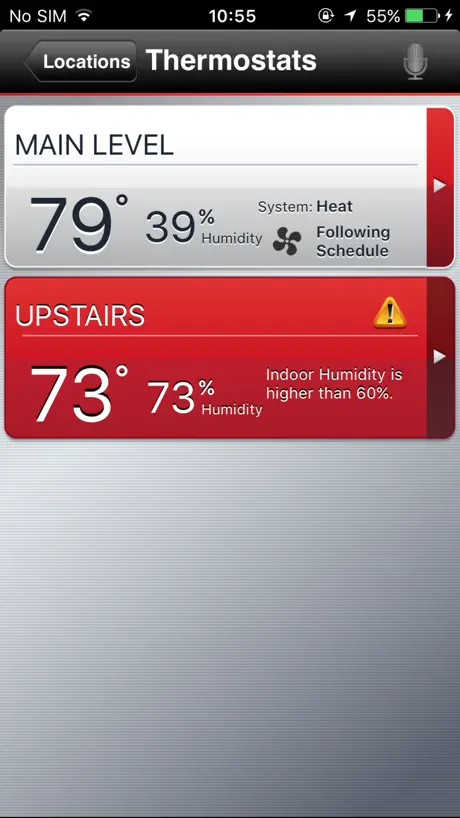
One recent change that I do not like is that when I open the app it takes two extra taps just to get to my thermostat. I only have one location. I only have one thermostat. Can we make it so that the app always opens to my favorite thermostat or if I only have one installed it just automatically takes me to that?
Software Issues
There is something majorly wrong with how the app/device communicate. Prime recurring example, I'll set the AC to 73. It will run for 1-2 straight hours with the thermostat staying at 73. As soon as I turn it down to 72, the thermostat will read 72 and the AC will stay on and run for another 1-2 straight hours. Major bug in how the device communicates the blower/AC unit.
Connect with my thermostat, room for improvement
This app connects with my prestige IQA thermostat. Allows me to control my heating cooling and dehumidifier. One thing I can’t do on the app is to see the status of ventilation since I have ventilation deducted in my Honeywell dehumidifier, and wired to my prestige IQ thermostat . The app won’t allow me to call for a ventilation boost. I was hoping for ventilation options to be available in the app and linked to Samsung SmartThings so I can call for ventilation if air quality is poor in my house.
Select thermostat feature
Ok. Why do I need to select thermostat when I only have one? Why can’t that be disabled?
Energy savings opt out not working
105° in Texas and I can’t opt out (and never opted in!) to an energy savings event! Absolute NIGHTMARE
Pretty good, but… They messed it up with the recent “improvements”.
I have one thermostat. When I open the app, I have to click on two sequential icons to get to my thermostat, every single time. Totally unnecessary and annoying additional steps. It didn’t used to be this way. They messed this-up with the most recent update. Please fix the app. Make it remember I only have one thermostat and when I open the app it goes right to it every time. No extra steps!
I hate the inconvenience
I used to like the app, but over a year ago they added 3 layers of stupid menus before you can make a simple temperature change with the iPhone app. Happily they did not add that inconvenience to the iPad app. Other people have said that they should have an option to have a vacation setting for timetables and temperatures. I agree but I don’t think that will ever happen.
Extra work required on new version. Change back
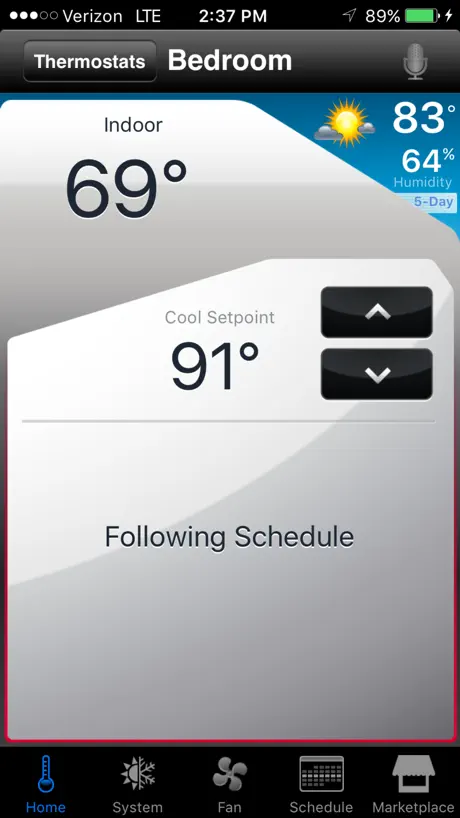
Upgraded app now makes you click location of thermostat and then overview of thermostat to then view main thermostat page. Programmers please add ability to go straight to the main control screen for a thermostat like it used to be.
TH6220wf
Not suitable for Honeywell TH6220wf
Still Waiting…
Bump: 8-26 Still waiting to fix this app so the other 99% of us that don’t have 2 zones or more than one house can simply boot the app and make an adjustment? Why are we forced to go through which thermostat and where when it’s obvious within the app that there is only one thermostat? Really? How hard can it be? Bump! For the 99.9% of us that don’t have multiple zones or houses, this app just got a whole more inconvenient to use. NOW you have to choose which house and which zone you want just to simply to turn the temp up 1 degree. WHY? This should be part of the config of this app. Need to add another zone or house?, ADD IT! Don’t inconvenience the rest of us for the .025% that MAY have 2 thermostats. Common guys.. FIX THIS! You get one star until it’s fixed BUMP.. I see others are also complaining about this. When is it going to be fixed?
Latest update
I have always enjoyed your app. However, I only have one thermostat and with your latest update, I now have to do two more steps just to get into my thermostat. I am not happy. After the response from the developer, which I appreciate, I hope that they will fix this issue. Update: back in January 2026 this year I got a message from the developer thanking me for my review and apologized for any inconvenience. The latest update may have caused. Here we are seven months later, and still nothing has been done. I still have two more steps to make just to get into my one and only thermostat.. I am not happy. In addition to the update, I might as well say this about the thermostat itself. It has always been hard to set anything on the thermostat itself. You have to push buttons several times, to get it to do what you’re trying to set. The touchscreen has always sucked right from brand new.
Works well. Could do more.
Installed so that we could monitor the house while away. We use it on a two stage heat pump and would like to know which stage is running. Would prefer an SMS message when there is a problem. The display always shows the heat on when the furnace is off which is not helpful. Why do I need to go through three menus to get to the display when I only have one system running. The app should be smart enough to know that.
New update not nice
New design, you need to click 2 Times before getting in your thermostat … I only have one thermostat so why let me choose my single choice ?
Total Connect Comfort FAQ
- Is Total Connect Comfort free?
- Yes. The app is free, in all 86 countries it sells in, and it sells nothing inside it.
- Does Total Connect Comfort have a free trial?
- No. None of its offers (US) come with a free trial.
- What are the best alternatives to Total Connect Comfort?
- B-hyve (4.7 from 383,130 reviews), Schlage Home (4.8 from 277,493 reviews) and Sensi (4.6 from 268,584 reviews).
Total Connect Comfort download
Last updated 1 year ago.
Total Connect Comfort sells in 86 countries. It was released 15 years and 1 month ago, on 6 Oct 2011. It holds a 4.3 rating from 82,190 reviews.
Supports 2 languages: English, French.
How much does Total Connect Comfort make?
Third-party estimates for the last 30 days, worldwide — not the store's own figures, which Apple publishes for nobody.