
HP
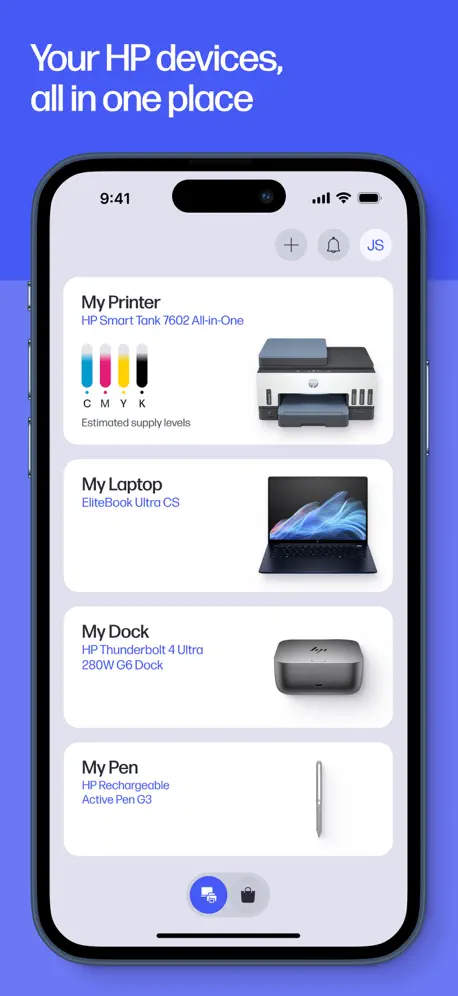
The best of HP, in one place
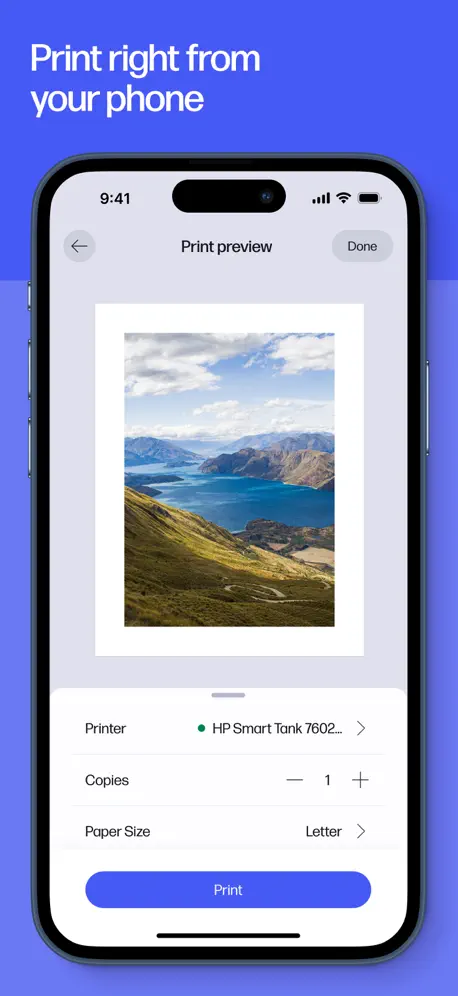
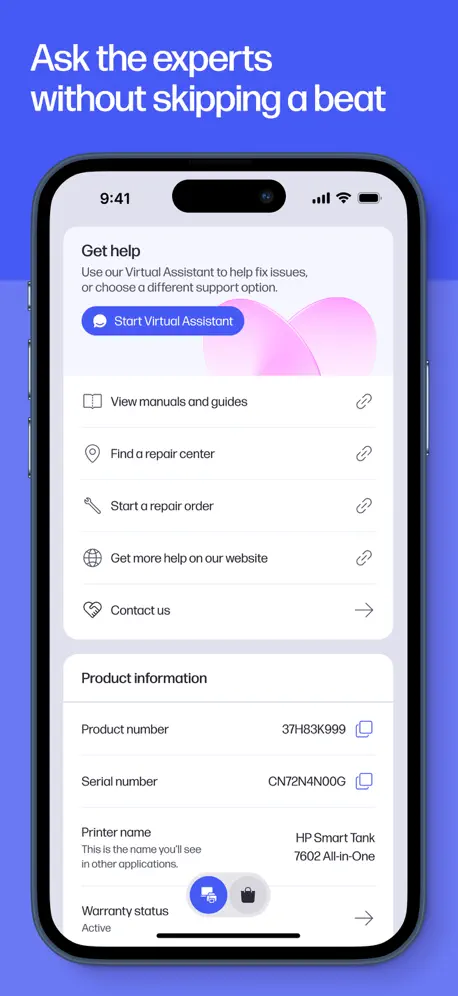
How much does HP cost?
Prices are current as of 9 Nov 2026.
HP has no in-app products on record in the United States.
10+ alternatives to HP
| HP | 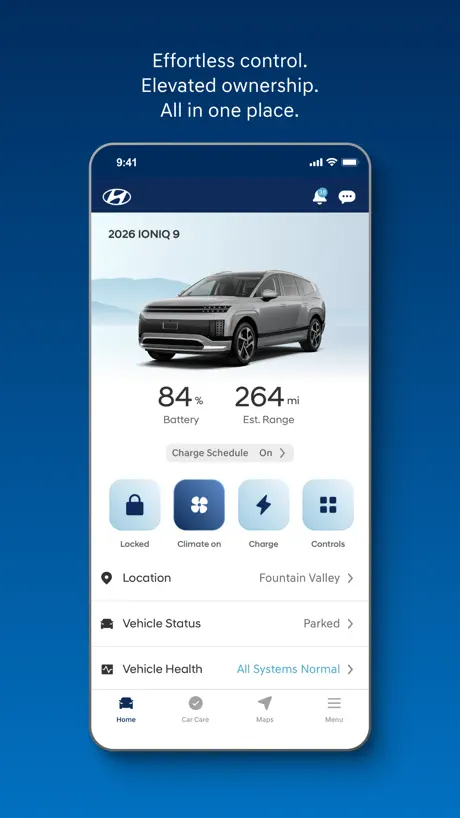  MyHyundai with Bluelink | 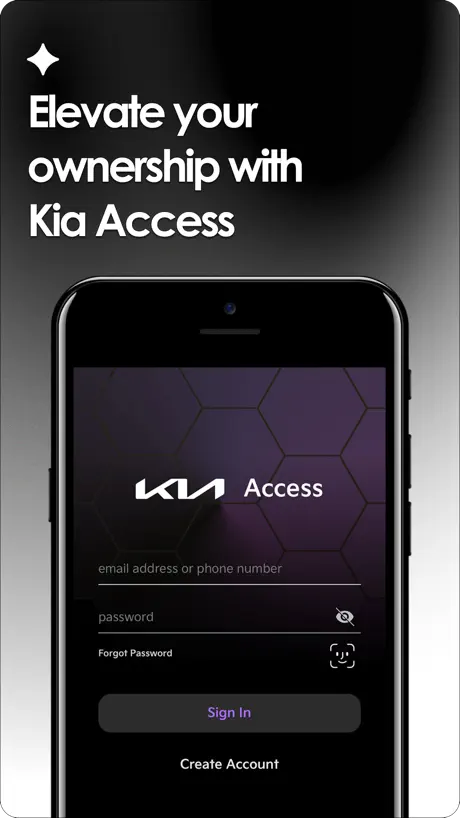  Kia Access |   NIIMBOT |   Jabra Sound+ |   Link to Windows |   Microsoft 365 Admin |   Air Printer App |   Smart Printer App℠ for HP · | 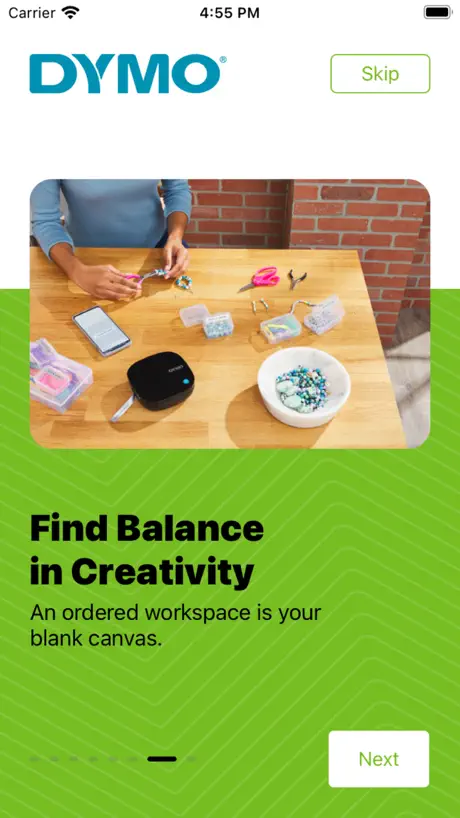  DYMO® LetraTag® Connect |  Logi Options+ Mobile | |
|---|---|---|---|---|---|---|---|---|---|---|---|
| Rating / 5 | 4.7 | 4.8 | 4.7 | 4.9 | 4.4 | 4.1 | 4.6 | 4.2 | 4.1 | 2.5 | 3.8 |
| Reviews | 13M | 504K | 438K | 375K | 58K | 53K | 21K | 10K | 4.3K | 485 | 44 |
| Released | 2011 | 2014 | 2018 | 2018 | 2018 | 2023 | 2013 | 2022 | 2026 | 2022 | 2020 |
| Weekly price | — | — | — | — | — | — | — | $3.99 | $6.99 | — | — |
| Annual price | — | — | — | $34.99 | — | — | — | $19.99 | $49.99 | — | — |
| One-time price | — | — | — | $7.69 | — | — | — | $9.99 | $69.99 | — | — |
The going rate for each plan in United States, in its own currency, shaded from the cheapest price on the row to the dearest. Plans fewer than four in ten of the priced apps sell are left out.
HP reviews
4.7 out of 5, based on 12,566,705 reviews.
What people like
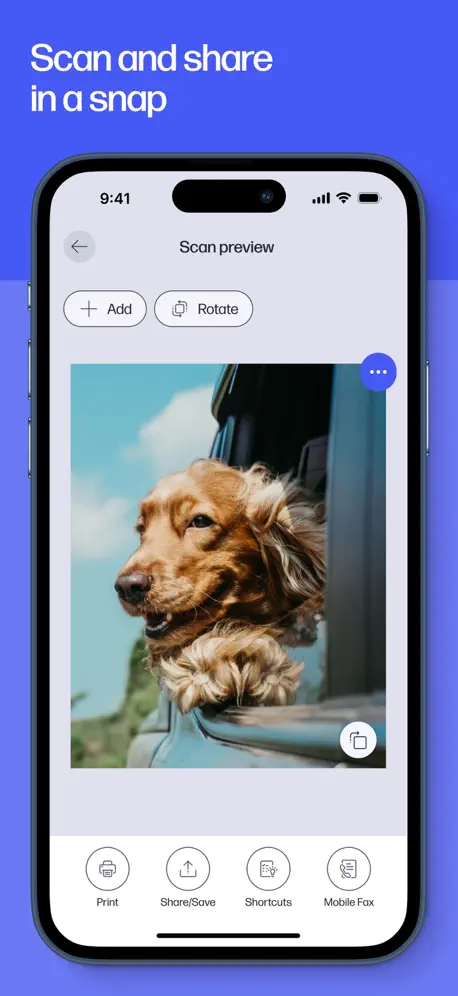
- Scanning quality looks very professional.
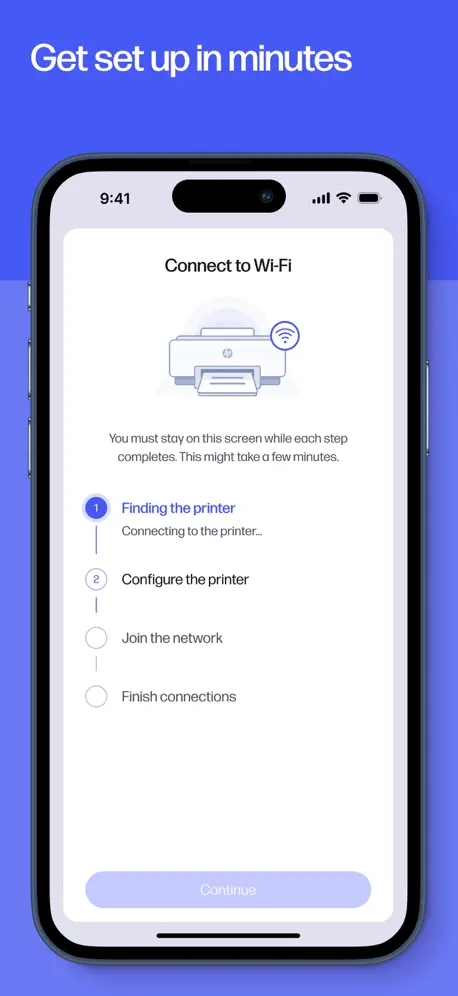
- Initial setup is simple and quick.
- Basic printing works well overall.
What they complain about
- Connectivity issues are frequent and frustrating.
- Support chatbots terminate helpful conversations abruptly.
- Setup processes are overly complicated.
- Cloud save features often fail reliably.
Great buy!!!
I loved the easy set up instructions with illustrations. Copies look “professional”.
I have never had a good experience with a new HP printer for more than 6 months
Every time I buy a new HP printer it works perfect for about 6 months. Later the printer has continuous issues: mainly with connectivity. I am constantly having to turn them off then back on, downloading new drivers, etc.
Suggestion
On apprécierait de pouvoir modifier le format
Does not do what old app did
Ink supply doesn’t show. Says printer requires user intervention WHILE it’s printing fine. No additional information. No way to see what is left of a print job— apparently clears it out when there is an error. If you go to the help and support page, AI named Sage is touchy and will terminate the chat if you aren’t super polite (who programmed that thing?). Who designed this app? Looks like HP needs some tech help.
Slow printer
Super slow takes forever!!
Great Printer
The best I’ve ever owned/ Go HP Epson and Canon suck.
Ni sirven
No sirven
Printer connection
The printer is pretty easy to use with the app but sometimes it says no printer detected and I don’t know if I’m doing something wrong but I end up having to turn it on and off 4 times before it says it’s connected. And other times it works just fine. I don’t know if it’s user error or product issue but it’s annoying
Too many issues with printing
This app always fail to print when I need it most. For the amount of money that the subscribers pay monthly, the issues should be resolved much faster than they are. I have been having the same issues for years and I am at a point that I am considering a different printer all together despite how much I like my Hp.
Good printer but drops out
The printer gives great results with both photos and documents but has an annoying habit of going offline for no reason
Mián
Best app
Doesn't connect to LaserJet Pro 3201
Neither my android phone nor my iPad are able to connect to my printer using this app while my Windows PC connects just fine. It seems obvious there is something seriously wrong with this app.
手机打印
手机打印不能选择正反打印
Dislike the app & I regret getting an HP printer
At first everything was great, but the more I used the app, the more I started to become less fond of. In order to view my supply levels, it has me re sign into my account, following with having me ask to sign into my account once again on Google! To view my dashboard it takes me from the app and opens in a different browser. That is way too much, I just want to see my ink levels. The monthly setup where they supposedly send ink when you’re low? Yeah, that doesn’t work. I’ve been low on ink for over a month, I still need to make copies for university. And ink is over 60 dollars, why are the cartridges so much? I am trying to wait until they send my ink cartridges, but I didn’t get ink for the month of September. I even downgraded the amount of pages I print monthly to help with that, but no to avail. I use to pay 20 dollars for ink cartridges on my canon before it broke. Wanted to upgrade to a HP, but I’m not happy. Might sell my printer.
New Printer
We have moved from an older Envy printer to the new Smart Tank 6005. One of our Apple laptops seems stuck with the old Envy and the HP App does not allow us to connect the new printer. What to do?
App Review
Just added one of your printers to my iPad. SUPER simple + SUPER quick. BRAVO, HP!
7 hours to connect?
Over the course of the last 3 days I’ve OVER 7 hours trying to get your printer connected to my laptop - it’s a ridiculously over complicated process. Make it easy for senior citizens to accomplish - like hire a couple of old morons to test your setup procedure
Good product
Just very satisfied
It’s ok
Needs some work on how it works
Barely adequate
It does the basic things you want, but the UI is confusing with no clear overall mental model fir doing what it is doing. The app appears to be trying to be useful, but keeps stepping on the user's toes in the process.
Buena
Es la mejor app para yo
Envy 6000
I can’t even print unless I pay for an ink subscription, and my printer only works when it wants to. It says ready to print and when I send the jobs it doesn’t work.
使用体验
安装便捷,使用简单,没有乱七八糟的东西和不切实际的功能。界面简洁大气美观实用,值得一个好评(^-^)👍推荐
Confusing app and scan to email doesn’t work.
I always struggle with this app. I’m supposed to be able to print remotely, and scan to email, but neither work reliably. And, I have to use ChatGPT to guide me through the menus in the app!
App always requires update and printer added when I need to print from my phone
I don’t often print from my phone, but when I do it always seems like the App requires an update and it never remembers the printer so I have to relink it every time What a pain
really really helpful
helpful
Needs Improvement
Half the time the prints don’t work and the printer does not connect. I pay for the instant ink packets and it’s annoying how often it doesn’t work
打印精度还挺高
就是速度稍微慢了一点
Fix it
Not able to print from the app when done with editing size of. Photo.
连接
打印机连接反应慢
Picture perfect
Best results every time
Printer connectivity is always a problem
Printer connectivity over wifi is always a problem
Pretty good
I wish I was able to leave the screen while printing from my iPhone.
App is not user friendly.
Every time I want to use the App, it appears the scan icon is not in the same spot. This time it wanted to do an alignment before doing a scan and I had to unplug my printer and restart everything, App included just to scan one page.
太
操作页面好复杂
25 Years Strong
I have always relied on HP for printing and computers and they have NEVER let me down…..here’s to another 25 years!!
So far… stuck
8/8/26. Opened new hp smart tank 7603 printer. Followed instructions through new app download via QR code. The app says it is a 7300 series app, I’m looking for a 7600 series option…so far still looking... Not fast and easy as claimed (so far). I bought this new ho orbiter after I purchased a new hp smart tank 7301 printer. Offer several months of it not setting up correctly (I am an engineer were by profession)… I used the UOS print meanwhile, then took my printer for service to a qualified service shop. They said they plugged it in and it worked. I took it home and continued to not work. I removed all the ports that they suggested may be at fault no fix. Frustrated I gambled on buying a new go 7603 printer. Here I am. Thumb out hitchhiking the road of hp printer bewilderment. I had an 8 year workhorse for home printer by hp, discontinued, possible a 7900 series, it was the best ever. These new printers seem to be at a lower cheaper designed printers. Back to finding a solution. Southern California. …an hour later I had to create a new account cause the prior printer was locked in and I couldn’t easily add a new printer. …this app had all the set up graphics and steps to fully add toner, and then connect to wi fi and blue tooth. A great first quality page. …I was able to print four pages easily. …after eating a meal I can back to the printer that was left in and it had several blinking lights and I couldn’t get them to reset…so I removed the power and plugged it in. This is where I am at, now it says improper shut down…. Still calm, but frustrated… I’ll return.
Envy 6120
Set up was very simple and straight forward. The little printer proceeded quickly and efficiently through its setup. App looks good and works well. I like it so far. It’s a nice simple looking little unit too.
Temperamental
Often takes several tries before it prints what I want
Less efficient than before
Bought this as my last printer was no longer supported but this just seems to be a lot of faff. Can’t use two kinds of paper. Have to swap it in and out. Doesn’t automatically change to fit paper. Had to install the app five times before it remembered I had already set up the printer. All to print one lousy photo
Your own personal scanner!
Amazing scanning app, just like carrying around your own personal scanner. This app is worth it just for the scanning capability
Does not print out proper color not even black and white
Scan
Worked ok but no option found to delete unwanted page. Also it would be useful if default was full page
Ink usage
Have to replace the expensive ink cartridges too frequently.
Imprimer
Attendre trop longtemps
It is Perfect
It is fast and user friendly ❤️
HP is not a good company
They literally lock you into their ink, their bad apps, and then firmware update your working printer into failure, forcing you to buy a new one. Buy anything else.
Hard to find human tech support
Sometimes I have trouble with the fax functionality, and when it stops working there’s no way to reach anyone at HP for help. I also run into issues when I scan documents from the printer to my phone. When I try to save the scanned files to OneDrive, they often don’t appear there later. I end up having to save them to iCloud Drive and also email them to myself just to get them into Microsoft OneDrive. It’s a very strange workflow. Photocopying works fine, printing works fine, and aside from the usual quirks, those features are reliable — but the fax and cloud‑save issues are ongoing. Overall it is a very useful app.
Too slow
Printing or scanning are extremely slow
Photo scaner
Digitalizing photo is painful you have to do it one by one other printer do multiple photos at once even cutting them for you Other than that it’s good app
HP FAQ
- Is HP free?
- Yes. The app is free, in all 173 countries it sells in, and it sells nothing inside it.
- Does HP have a free trial?
- No. None of its offers (US) come with a free trial.
- What are the best alternatives to HP?
- MyHyundai with Bluelink (4.8 from 503,686 reviews), Kia Access (4.7 from 437,856 reviews) and NIIMBOT (4.9 from 375,360 reviews, premium from $5.49).
HP download
Last updated 24 days ago.
HP sells in 173 countries. It was released 15 years and 1 month ago, on 19 Oct 2011. It holds a 4.7 rating from 12,566,705 reviews.
Supports 28 languages: English, Bulgarian, Croatian, Czech, Danish, Dutch, Estonian, Finnish, French, German, Greek, Hungarian, Italian, Japanese, Korean, Latvian, Lithuanian, Norwegian Bokmål, Polish, Portuguese, Romanian, Russian, Chinese, Slovak, Slovenian, Spanish, Swedish, Turkish.
How much does HP make?
Third-party estimates for the last 30 days, worldwide — not the store's own figures, which Apple publishes for nobody.