
FileBrowser: Documents Manager
File Explorer & Media Player
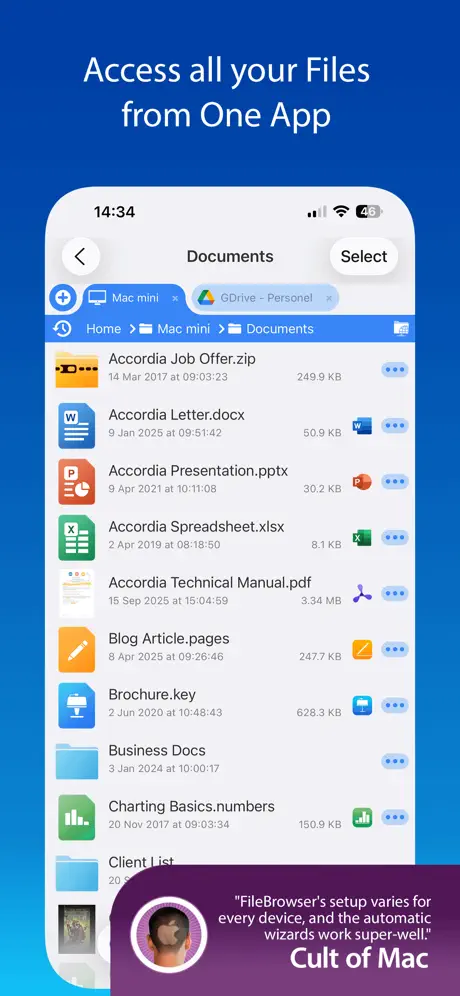
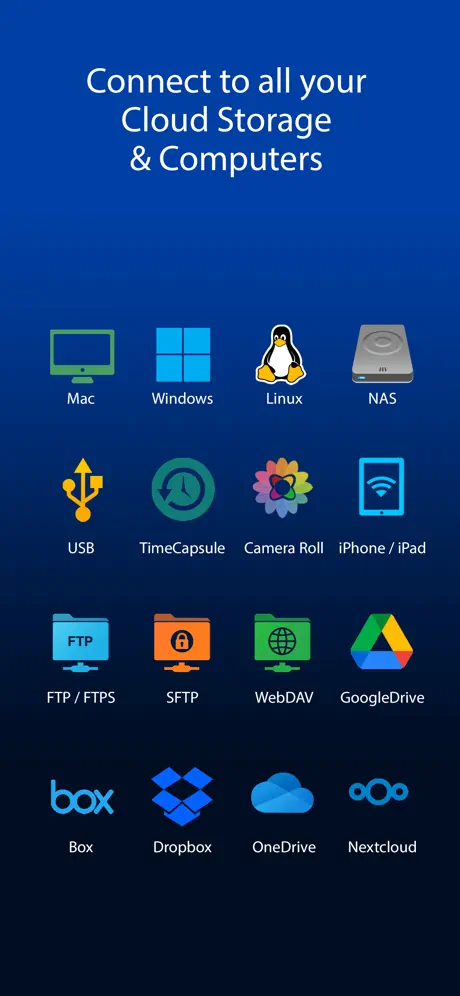
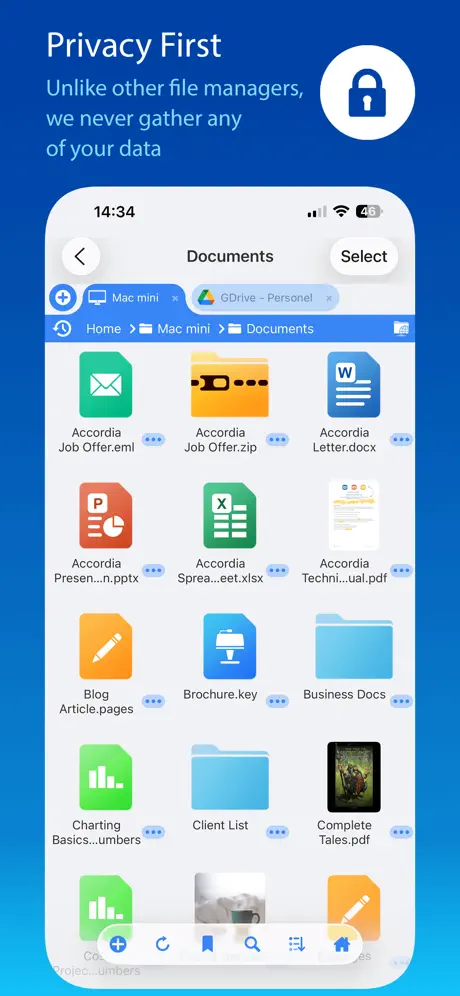
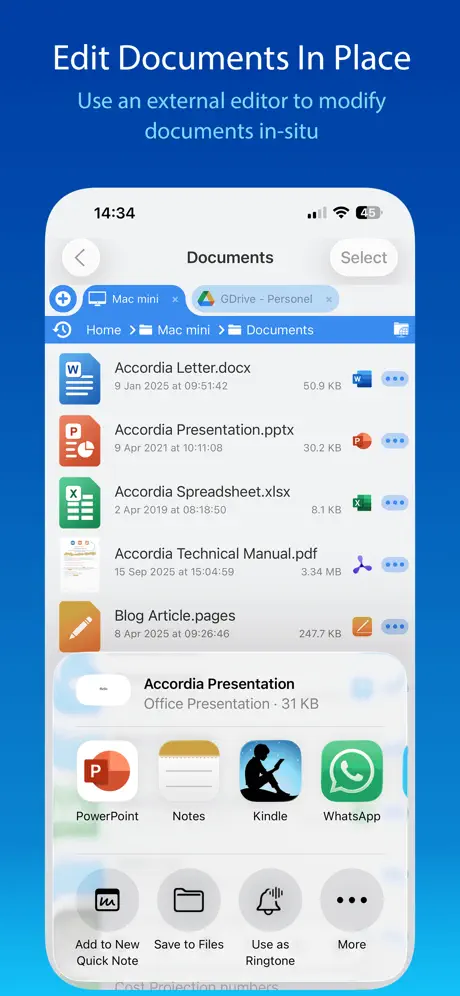
How much does FileBrowser: Documents Manager cost?
Prices are current as of 7 Sept 2026.
FileBrowser: Documents Manager has no in-app products on record in the United States.
FileBrowser: Documents Manager download price by country
| Country | Price |
|---|---|
| Germany | €9.99 |
| United States | $7.99 |
| United Kingdom | £7.99 |
| Netherlands | €9.99 |
| Australia | A$12.99 |
| Canada | CA$9.99 |
| Japan | ¥1,300 |
| Switzerland | CHF 7.00 |
| France | €9.99 |
| Austria | €9.99 |
| Italy | €9.99 |
| Spain | €9.99 |
| Sweden | SEK 99.00 |
| Belgium | €9.99 |
| China | CN¥58.00 |
| Denmark | DKK 69.00 |
| Brazil | R$49.90 |
| Taiwan | NT$290.00 |
| Norway | NOK 99.00 |
| Hungary | HUF 3,490 |
| Mexico | MX$179.00 |
| New Zealand | NZ$14.99 |
| South Africa | ZAR 149.99 |
| Czech Republic | CZK 199.00 |
| Hong Kong | HK$58.00 |
| India | ₹799.00 |
| South Korea | ₩12,000 |
| Finland | €9.99 |
| Poland | PLN 39.99 |
| Singapore | SGD 9.98 |
| Portugal | €9.99 |
| Ukraine | $9.99 |
| Thailand | THB 299.00 |
| Greece | €9.99 |
| Slovakia | €9.99 |
| Bulgaria | €9.99 |
| Croatia | €9.99 |
| Slovenia | €9.99 |
| Indonesia | IDR 129,000 |
| Romania | RON 39.99 |
| Turkey | TRY 399.99 |
| Luxembourg | €9.99 |
| Argentina | $7.99 |
| Ireland | €9.99 |
| United Arab Emirates | AED 29.99 |
| Chile | CLP 9,990 |
| Israel | ₪29.90 |
| Philippines | ₱499.00 |
| Vietnam | ₫249,000 |
| Malaysia | MYR 39.90 |
| Lithuania | €9.99 |
| Colombia | COP 39,900 |
| Kazakhstan | KZT 4,990.00 |
| Saudi Arabia | SAR 34.99 |
| Peru | PEN 34.90 |
| Ecuador | $7.99 |
| Lebanon | $7.99 |
| Egypt | EGP 399.99 |
| Latvia | €9.99 |
| Panama | $7.99 |
| Armenia | $9.99 |
| Costa Rica | $7.99 |
| Estonia | €9.99 |
| Azerbaijan | $9.99 |
| Bolivia | $7.99 |
| Guatemala | $7.99 |
| Iceland | $9.99 |
| Macedonia | $7.99 |
| Mauritius | $9.99 |
| Pakistan | PKR 2,200 |
| Cyprus | €9.99 |
| Kuwait | $7.99 |
| Moldova | $9.99 |
| Macao | $7.99 |
| Malta | €9.99 |
| Oman | $7.99 |
| Qatar | QAR 29.99 |
| El Salvador | $7.99 |
| Trinidad and Tobago | $7.99 |
| Uzbekistan | $8.99 |
| Albania | $9.99 |
| Bosnia & Herzegovina | €9.99 |
| Barbados | $9.99 |
| Bahamas | $8.99 |
| Dominican Republic | $7.99 |
| Jordan | $7.99 |
| Kenya | $9.99 |
| Cambodia | $8.99 |
| St. Lucia | $7.99 |
| Sri Lanka | $7.99 |
| Nigeria | NGN 12,900.00 |
| Venezuela | $7.99 |
| Angola | $7.99 |
| Brunei Darussalam | $7.99 |
| Belize | $7.99 |
| Georgia | $9.99 |
| Honduras | $7.99 |
| Jamaica | $7.99 |
| Kyrgyzstan | $8.99 |
| Cayman Islands | $7.99 |
| Mongolia | $7.99 |
| Maldives | $7.99 |
| Namibia | $7.99 |
| Senegal | $9.99 |
| Turkmenistan | $7.99 |
| Uruguay | $7.99 |
| Zimbabwe | $9.99 |
| Afghanistan | $7.99 |
| Antigua And Barbuda | $7.99 |
| Anguilla | $7.99 |
| Burkina Faso | $7.99 |
| Bahrain | $8.99 |
| Benin | $9.99 |
| Bermuda | $7.99 |
| Bhutan | $7.99 |
| Botswana | $7.99 |
| Congo, Democratic Republic | $7.99 |
| Congo | $7.99 |
| Cote Divoire | $9.99 |
| Cameroon | $9.99 |
| Cape Verde | $7.99 |
| Dominica | $7.99 |
| Algeria | $7.99 |
| Fiji | $7.99 |
| Micronesia | $7.99 |
| Gabon | $7.99 |
| Grenada | $7.99 |
| Ghana | $9.99 |
| Gambia | $7.99 |
| Guinea-bissau | $7.99 |
| Guyana | $7.99 |
| Iraq | $7.99 |
| St. Kitts and Nevis | $7.99 |
| Lao Peoples Democratic Republic | $8.99 |
| Liberia | $7.99 |
| Libya | $7.99 |
| Morocco | $7.99 |
| Montenegro | €7.99 |
| Madagascar | $7.99 |
| Mali | $7.99 |
| Myanmar | $7.99 |
| Mauritania | $7.99 |
| Montserrat | $7.99 |
| Malawi | $7.99 |
| Mozambique | $7.99 |
| Niger | $7.99 |
| Nicaragua | $7.99 |
| Nepal | $9.99 |
| Nauru | $7.99 |
| Papua New Guinea | $7.99 |
| Palau | $7.99 |
| Paraguay | $7.99 |
| Serbia | €9.99 |
| Rwanda | $7.99 |
| Solomon Islands | $7.99 |
| Seychelles | $7.99 |
| Sierra Leone | $7.99 |
| Suriname | $8.99 |
| Sao Tome & Principe | $7.99 |
| Swaziland | $7.99 |
| Turks and Caicos | $7.99 |
| Chad | $7.99 |
| Tajikistan | $8.99 |
| Tunisia | $7.99 |
| Tonga | $7.99 |
| Tanzania | TZS 22,900.00 |
| Uganda | $9.99 |
| St. Vincent & The Grenadines | $7.99 |
| British Virgin Islands | $7.99 |
| Vanuatu | $7.99 |
| Kosovo | €9.99 |
| Yemen | $7.99 |
| Zambia | $9.99 |
10+ alternatives to FileBrowser: Documents Manager
| FileBrowser: Documents Manager |   Owlfiles - File Manager Owlfiles - File Manager |   FE File Explorer Pro FE File Explorer Pro |   Network Analyzer Pro: IP Tools Network Analyzer Pro: IP Tools |   iZip Pro -Zip Unzip Unrar Tool iZip Pro -Zip Unzip Unrar Tool |   System Status Pro: hw monitor System Status Pro: hw monitor |   Phone Drive Pro: File Sync Phone Drive Pro: File Sync |   Vinegar - Tube Cleaner Vinegar - Tube Cleaner |   File Explorer & Player [Pro] File Explorer & Player [Pro] |   iCab Mobile (Web Browser) iCab Mobile (Web Browser) | 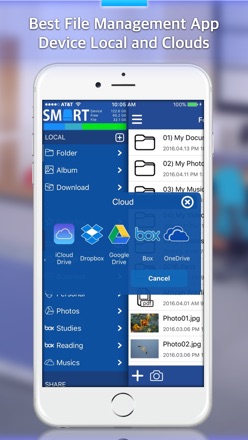  File Explorer (File Manager) File Explorer (File Manager) | |
|---|---|---|---|---|---|---|---|---|---|---|---|
| Rating / 5 | 4.7 | 4.6 | 4.7 | 4.7 | 4.8 | 4.7 | 4.6 | 4.3 | 4.6 | 4.0 | 3.5 |
| Reviews | 27K | 40K | 38K | 22K | 20K | 12K | 10K | 2.9K | 2.9K | 2.1K | 177 |
| Released | 2010 | 2012 | 2012 | 2012 | 2011 | 2010 | 2011 | 2021 | 2016 | 2009 | 2012 |
| Monthly price | — | $1.99 | — | — | — | — | $0.99 | — | — | — | — |
| Annual price | — | $9.99 | — | — | — | — | $6.99 | — | — | — | — |
| One-time price | — | $23.99 | — | — | — | — | $1.99 | — | — | $2.99 | — |
The going rate for each plan in United States, in its own currency, shaded from the cheapest price on the row to the dearest.
FileBrowser: Documents Manager reviews
4.7 out of 5, based on 26,816 reviews.
What people like
- Support team is actually helpful and responsive.
- Gives you control over cached data storage.
- Connects easily to many different cloud servers.
- Reliable for moving files between devices quickly.
What they complain about
- Recent updates broke video playback features.
- App crashes or fails to connect randomly.
- UI changes made the interface confusing and worse.
- It does not play H.265 or MKV videos.
iPhone > PC connection
I have Been using for several years. Perfect from day one. Most reliable IOS app I have used. Links to OneDrive , WebDav and FTP makes it my go to for iPhone total connectivity. Very Pleased. RJMB :-)
Media compression
05/29/26 I don’t know why do you do that guys? Why the application has to reduce the capacity of the media? I tried and I compared both medias, the one in this app was certainly compressed. I’ll give you more stars, when you’re done dealing with this matter, because it’s useless, why would I use an app that kills the quality of my medias? The purpose is not only to save, organize, but to keep the native quality level at its best. To keep the medias as they are. And I verified with other apps, they are doing awesome. Fix… 08/31/2026 The app still doing the same thing. Reduce the capacity of the medias. If I buy the pro version, will it do the same?
How to encrypt my files?
Edit: Thank you for your quick response. Much appreciated. However… I have zero access to those encryption keys. Apple only needs to change their T&C’s, plus change a few lines of code, then they can do whatever they like. Much like removing the word “not” from the line “we will not sell your private data”. It doesn’t take much, and I trust Apple like I trust Google. About 0%. I wasn’t expecting a different answer, to be honest. You would have already added encryption, if it was possible. iOS has never been FOSS, and I’m sure it never will be. Time for me to move on… Thank you again. Review/comment: I’m pretty sure this app does not have any encryption abilities, other than the standard iOS encryption. But, since the iOS encryption keys are held by (or can be made accessible to) Apple, that’s the same as having no encryption at all. Right or wrong, I suppose the encryption included with FileBrowser Pro has the same drawbacks. Assuming that is the case, I can’t justify upgrading to Pro. I love this app. I’ve been using it for years. But since most governments look as though they are moving towards some kind of authoritarian rules, and social media now is just spyware, if I can’t trust my phone or its storage, then this iPhone has become useless to me. Can “owner controlled” encryption be added to this app, or the Pro version? Or should I begin to move away from smartphones. I never really liked them much anyway. Plus, an average £500 Laptop is far more use to me than any £1000 phone. Assuming I can’t get more security for my private files, I thank you for about 10 years of a superb app, but I’ll be off to the world of Linux, and more exercise from lugging around 5KG of Notebook.
Leider kein h265 unterstützt bei Videos
Bei Videos die mit h265 encodiert sind bleibt die Wiedergabe leider schwarz. Kann das hinzu gefügt werden?
Great, but..
I got this app a little while ago, is mostly perfect. But after the latest iOS update, I cant add new photos or files to stuff. The formatting is wonky. I’m hoping that gets patched at some point
Excelente
Lo más sorprendente es su velocidad, además de todas las funciones que integra.
Confusing Hierarchy
Don't know if I should have bought the similar looking pro version, I like using it and use it often but don't like shady practices Show or open the tailscale link when reauthentication is needed, I have to open termius, ssh through there first so it gives me the link before using this app to connect once a week.
Good app. Does not support H265
I use this for viewing media from my NAS. Wonderful app except it doesn’t play videos encoded using H.265.
It's a no from me
The UI far to user Unfriendly just can't get any logic from it. Best i can do is get photo files up. Can't get any other files to show no matter what I try. Unfortunately asking for refund. Guys try the KISS best of luck Asking for refund sorry can't use.
No autoplay next video, slideshow useless, freezes
February 2025 update: Videos autoplay was removed from January update, I asked for return. Slideshow was added in February update, I thought was fix. Does not work at all. And now, videos freeze and controls frozen forcing back out of video. Going downhill, bummer. Loved this app for years.
FileBrowser for iPad
This app is an essential complement to the native Files app on iPadOS and iOS. FileBrowser’s multiple connection methods markedly ease file transfers from device to device. I consider this tool indispensable for file management in daily use.
Samba is broken
last update broke smb
I can’t connect my local devices anymore due to recent update
Please go fix the access between the devices. Usually, I just need sharing local and then tab to connect and already access. Right now, I can’t acsess to sharing file folder from this device to another device “due to no server found”. But it is actually there.
FileBrowser movies
October 2024. Playing on iPhone; used to be able to flip the phone horizontally and watch movie as intended. Now going horizontal does nothing. Please fix it. Still waiting (November now). Cannot play movies in landscape using default player.
Preferences will not save and still no mkv support
Since this app cannot play back mkv files, you have to select “Stream to another app”, when doing so there is the option to save the app you have chosen as the default action. Never saves!
Music
I use this app to store and listen to music. Is it possible that you could add the option to be Abel to fade out music at end of song
Just a native file browser shortcut - why would I need this?
You cannot use it as a replacement for the native “Files” browser app in iOS. This is nothing more than an app that launches the native app when you need to browse files ON the iOS device itself. Worthless. Also, MP4 previews are not shown; just a generic “MOVIE” icon. So you see a list of timestamp filenames and no visual previews so dashcam SSD browsing is useless also.
Typically an amazing app!
Been running into an issue as of late, and perhaps its an AT&T thing, but Ill start to download a file from my FTP server and the transfer will cancel within a few seconds "Error: 500 Dat", and I cant read the rest. Never had this type of trouble downloading over cellular before. I have unlimited data and pretty snappy service.
Misleading title
The app is mostly useless. It does NOT really let you browse local files.
I just bought the app
But I can’t upload photos from my iPad. It only let me upload from files but not the photos app. It’s kind of useless to me if it can’t upload photos. 🫥Edit: I had to save into files in order to upload it
One of my best iPad purchases
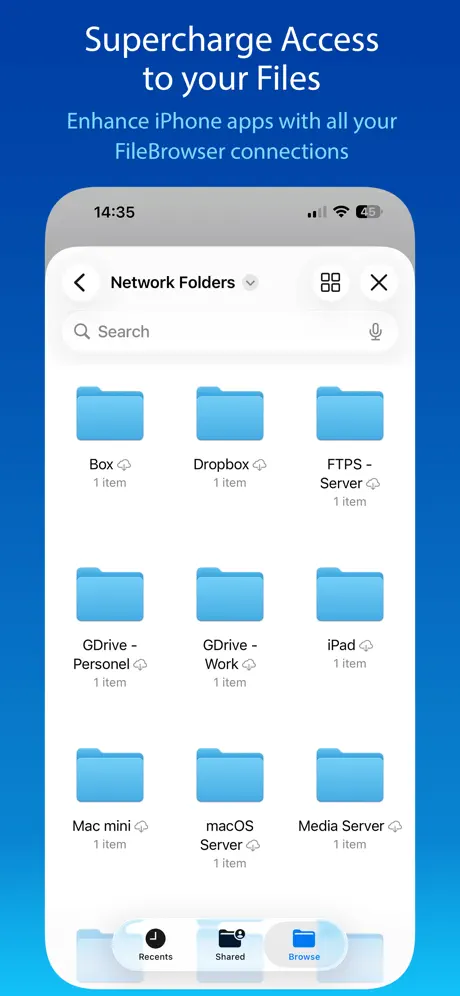
I bought my license over a decade ago for my first iPad. The app has only gotten better in the intervening years. When my current employer issued me an iPad, this is one of the first apps I installed. It gives me access to everything, everywhere, all at once. Being able to easily access cloud and local server storage in one app is *chef’s kiss*.
Misleading — requires separate $15 Mac purchase
The app presents itself as part of a Mac-to-iPhone file sharing solution but is client-only. To actually use it with your Mac you need to separately buy “FileBrowser Pro for Mac” — a completely different $14.99 app. This is not made clear anywhere in the listing. To make it worse, there’s also a “FileBrowser Professional” bundle for iPhone, making three similarly named products that are easy to confuse. Save yourself the frustration and just use macOS’s free built-in SMB file sharing with the Files app.
Music player need the ability to replay a single track.
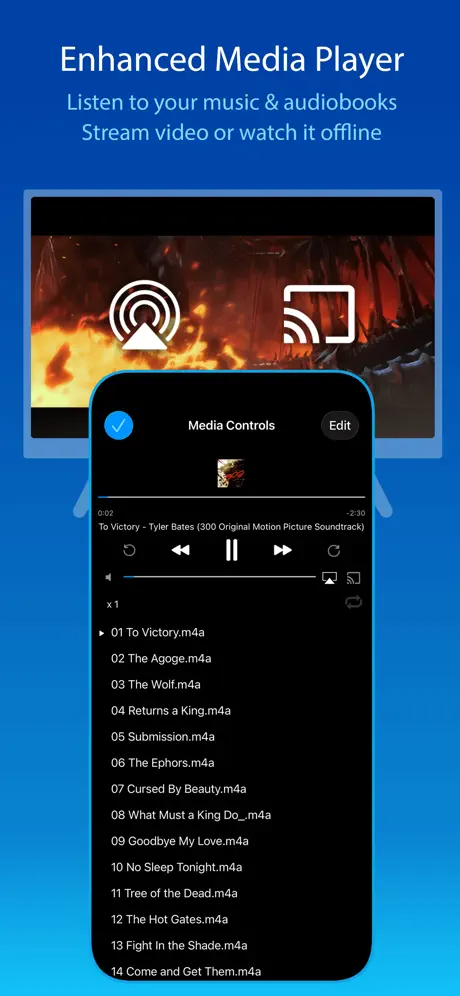
So far so good. Was trying to use Google Drive on my phone but it balloons in size as you use it, taking up all your free space. This app on the other hand actually gives you options and the ability to control cached data. Don’t know why a company like Google wouldn’t give you that option. Me preferring this over that can really come down to things as simple as that. It also has an inbuilt music player which once again, Google Drive lacks, though I suppose that’s not Google Drive’s main purpose, however it’s a nice bonus to have here. My issue with it however is that to my understanding, there is no way to replay a single track. Would probably give this app 5 stars if the ability to do this was added in the future. An additional feature I would appreciate not really as important as replaying singular music tracks, would be the ability to loop videos, having them replay as they end. Overall this app gives the user a lot of control over their storage including cloud storages which is great! It supports image viewing including GIFs, (big plus), video and audio playback with dedicated players, an especially big plus for audio files, and it supports document viewing too. You can reorder your files in many different configurations, and manage files, allowing you to move and delete them to your will. The amount of control you’re given is great. That along with its robustness and the amount of media types it supports is what I think makes this app shine. So far worth the price in my opinion, it makes your phone or whatever you’re using even more PC like. Everyone should consider using this. Edit: Video player buffers waaaay too much.
Suddenly stopped working
FTP suddenly stopped working same URL I used before. not sure what happened.
App folder managing
I cant find my app folders i wanna replace some stuff with the app please add an update for managing app folders and system folders
The easiest interconnected app
This is the easiest way to reach across connections in a local wan.
Doesn’t allow you to find/check/delete duplicates
I searched for “delete duplicate files” in the App Store. This app came up, but it doesn’t allow you to do that. Very frustrating as I just wasted $8.
Useful but occasionally frustrating
FileBrowser is a useful app that I frequently find myself using, even with improvements in iCloud over recent years. My main frustration is with this app as an audio player. Songs get removed from active playlists after playing which is really frustrating if I just want to play 10 audio files like an album and go back forth between them. I can’t find a single audio setting in the options that allows album playback correctly.
Lossless audio stoped
Lossless audio stoped being able to play since last update ios 17 iPhone 15 pro
Now working on Wifi only
Having been using this for almost 10 years, was excellent. Recent updates can only connect to SMB shares on wifi, when switching to mobile data or on the road, error message “supplied address is not valid”. Simply disappointing, ver 20.20
Essential app
Perfect app for file manipulation. Never fails to get me the paths and files I need to work with. Easy move/copy/view. Couldn’t work on IOS without it.
Last few updates have been awful
Please return photo viewing functionality to the way it used to be. Also, audio/video has no seek button on the seek bar to grab onto.
One annoying bug/feature
If you are exporting a large file from a network drive to my iPad (e.g. a movie to watch locally) the export stops when the iPad security times you out. So after going back in. You have to restart the export. Fortunately it caches what it has already exported so you don’t have to start from the beginning. As the app was not terminated by the security timeout, I do not see why it has to stop the export at all
Does a poor job of connecting to Mac OS
Some days it works, and some days it doesn’t. With no change to settings. App frequently crashes when deleting a location. None of the recommended troubleshooting in the app or on the website works when it won’t connect.
Hmm
It’s ok I guess
Best file app
This file app has so many features and works solidly. Their support is also very prompt and helpful.
New interface is awful
They recently made some unnecessary changes to the UI that absolutely kill the functionality of the app. We don’t need rounded corners, we need the sliders back. Please fix this ASAP!
Better than my previous review
My previous review was titled Don't Get Under Any Circumstances as I couldn’t get it to work after some time. The FB Help team contacted me without being asked and we eventually solved the problem. Unusual for a developer to offer help and the app is worth getting although not the easiest to set up.
No AWS S3 option ?
I trail version had the connect to aws s3 option but the paid version does not ? I only need to uploading to s3 bucket. Can help me figure out else going to refund.
Latest update lacks GOOD mouse support
Unfortunately Stratospherix have (for once?) not done a good job on the mouse support for FB. Of course, the rest of the app is functional and highly reliable, but mouse support feels and looks like an afterthought. Right clicking on files opens them (!) and the UI elements don’t all react in the same way when you mouse over them. Pretty sure they will tidy this up, but I’m docking two stars until this happens.
is there any chance to support av1 videos
Good app, but av1-encoded videos seems to only show a black screen
Looking for another file utility
This is yet another app that used to be very good but which has been ruined by it's GREEDY devooper! It used to do one thing and one thing very well Manage Files but that wasn't good enough for them, it's now a voice recorder a document reader a vidio player and a media player, none of which it does well at all. They will also not let you unzip certain types of zip file! With the plain Jane file browser. This is because they want yupgrading to the pro version never mind I don't need all that. I want a FILE BROWSER full stop if I wanted all that other mess, I'd use other apps! in their frantic scramble to be all things to all people they have become NOTHING to NO ONE! I will be uninstalled this ridiculous app! Only partially accessible App! I'm a voice over user, and NEVER shall I use it AGAIN! I have had it Yall!
Bought for watching movies on my pc but needs minor improvements
One of the best apps for not only watching videos on your pc but viewing other files like PDFs, etc.. I used infuse and still do as it overcomes one of the problems I find really irritating with FileBrowser. When you are watching a video in FileBrowser you have to pause the video to jump forward 15 secs, DEVELOPS IF YOUR READ THIS make it so you can jump forward 15secs without having to pause the video.
Great app but new update breaks things
Why do you keep breaking this great app? Now when I try and open files over a network, the files in the window all seem to want to preload. Selecting a file does nothing for minutes. Then suddenly, the icon becomes a thumbnail and it eventually starts opening.
Excellent app ... but ...
Have used this app for years and generally love it. However it’s well overdue for allowing native MKV file playback. Having to local stream to VLC is less than ideal especially if wanting to play a whole directory of videos.
Looks dated.
This app just looks dated and bloated. I’m going back to the Files app in iOS. Simple, works well and doesn’t cost.
Removing ambiguity
Hello, I bought and installed this software for the iPhone, but to install it on the MacBook I want to install, it announces that I will buy the software again, it seems that if the manufacturer really gets paid twice for providing a software, it is very unfair.
Need help please ?
I have used this app for a number of years now and find it very useful to transfer files across from my Windows PC to my iPad. However, I’ve recently upgraded to Windows 10 and although I can access files on my NAS drive easily as before, I can’t seem to do the same on my Windows desktop folders, despite finding the correct IP address for it when I scan. It seems to get stuck at the ‘login’ and ‘password’ prompts, even though I’ve not changed the name of the PC and, because I am the only one who accesses the PC, no password is set on it. I can’t find any search results that help me, so if anyone has overcome a similar issue, feel free to advise. If this wasn’t an issue, I’d be rating the app as 5 stars !
New interface loses it for me, was 5 star before
The new interface completely changes the user experience. If we have PAID for a product we should expect it to still RESEMBLE what we paid for. I find the new interface much more limiting. Please bring back the old one or have an option to select it. if not I will have to ask if I can get a refund even though it was more than 12 months since I first downloaded. David
Great application - Slideshow option could be better
This is a great app and I’ve been using it for ages. They changed something in the coding for the slideshow system though that’s super annoying. When you have the slideshow on random, then pause the slideshow you can’t go to the next file in the sequence like you could before. The current solution is to exit then find the image then open it so the images will be in sequence. If your showing clients images and they spot something they want to see more of it’s embarrassing to exit and search. If it wasn’t random after pausing a slideshow the whole process would be better. Support said they “Might introduce an option in the future” and it’s been months since they said that. It was there before why not just add the option to do what was possible before? Video support could also be better, like built in brightness, volume, and skipping gestures. With these additions I wouldn’t have to use multiple apps for different media types and my clients would be happier in my displaying media.
FileBrowser: Documents Manager FAQ
- Is FileBrowser: Documents Manager free?
- No. FileBrowser: Documents Manager costs $7.99 (US) to download.
- Does FileBrowser: Documents Manager have a free trial?
- No. None of its offers (US) come with a free trial.
- What are the best alternatives to FileBrowser: Documents Manager?
- Owlfiles - File Manager (4.6 from 39,528 reviews, premium from $1.99), FE File Explorer Pro (4.7 from 37,999 reviews) and Network Analyzer Pro: IP Tools (4.7 from 22,484 reviews).
FileBrowser: Documents Manager download
Last updated 1 month ago.
FileBrowser: Documents Manager sells in 173 countries. It was released 16 years and 6 months ago, on 3 Apr 2010. It holds a 4.7 rating from 26,816 reviews.
Supports 12 languages: English, Dutch, French, German, Greek, Italian, Japanese, Portuguese, Chinese, Spanish, Turkish, Ukrainian.
How much does FileBrowser: Documents Manager make?
Third-party estimates for the last 30 days, worldwide — not the store's own figures, which Apple publishes for nobody.