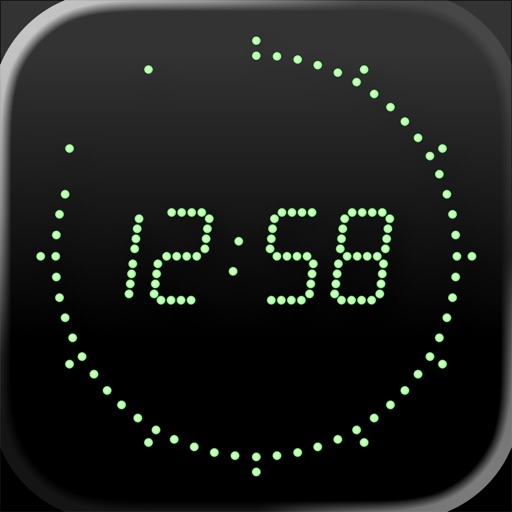
Atomic Clock (Gorgy Timing)
The classic par excellence
| Revenue % | ||||
|---|---|---|---|---|
| One-time purchase | 175 | $8.24 – $12.77 | ||
| One-time purchase | 175 | $2.30 – $4.77 | ||
| One-time purchase | 175 | $3.59 – $6.37 | ||
| One-time purchase | 175 | $16.24 – $25.58 | ||
| One-time purchase | 175 | $0.71 – $1.59 |
| Revenue % | Top products | |
|---|---|---|
| Germany | ||
| United States | ||
| Switzerland | ||
| United Kingdom | ||
| Austria | ||
| Sweden | ||
| France | ||
| Netherlands | ||
| Spain | ||
| Canada | ||
| Australia |
Description
This tool shows you the ultimate precise time of day. To achieve this, it uses a special internet time protocol to fetch the time from an atomic time server.
We are proud to offer version 5 of the Gorgy Timing Atomic Clock. The program is one of the classic applications since the early days of the Apple App Store and has been continually improved based on user feedback.
The Gorgy Timing Atomic Clock shows the precise time of day. To achieve this, it uses a special internet time protocol to fetch the ultimate precise time from cesium atomic clocks available on the internet, or any other time server you like.
The graphical display mimics the clock display of the legendary Gorgy Timing clocks, which are used in professional radio and television studios, and we spent much effort to bring the original feeling of these wickedly expensive clocks to your iPhone. This app is used by BBC studios, astronomers, concert promoters, etc.
Version 5 contains the following functions:
Universal support for all iPhone, iPad and iPod touch devices running iOS 12, iPadOS 12, watchOS 4 or higher
Optimized for the latest iOS, iPadOS and watchOS, full 64 bit support
Alarm function with snooze (touch anywhere on the screen), volume fade-in, based on weekdays
Alarm time based on seconds (not minutes)
Local time / UTC time mode
Alarm notification window instead of normal alarm sound, if app is not running or in the background
Use playlists or a manual picker selection from your own music library as alarm sounds
The alarm sound is also playing when the device is muted, or the display is switched off, and also works in AirPlay environments
Customizable time server sources
Colors: green, red, blue, yellow, white, dark green, violet, pink, orange, turquoise and hidden, with a separate color option for digits, seconds and segments
Alternative visual display of fractional seconds (1/60th sec. resolution)
12/24 hours display
Optional second tick sound
Full landscape support (including settings dialog)
Touching the display lets the buttons and status bar fade out
Touching the display again will add the current date (in all orientations)
Disabled screen auto-lock
Options "sync at startup", "hourly", "daily", or a sync button for manual syncing
The last known time delta is used when started without sync
"Night mode", which dims the display using a slider, shows the seconds with only one dot (to prevent a hard brightness switch between second 59 and second 0), switches off the tick sound, and reduces screen updates to save battery
To minimize burn-in effects (especially on the iPhone X OLED display), the clock is doing micro movements when running longer than 5 minutes
VoiceOver support
Answers to common questions:
An application can not set your device's system time, so a time sync between the atomic time and the device time is not possible.
If you want to wakeup with music, please do not exit the app before going to sleep (which would result in a local notification dialog without music in the morning), and do not lock your device. Be aware that running an application all the time, even without display, consumes battery, so please make sure that your iPhone is fully charged before you go to bed, connect it to your charger, or use the app's Night mode, which is much more energy-saving.


