
Elsevier eBooks+
How much does Elsevier eBooks+ cost?
Prices are current as of 11 Sept 2026.
Elsevier eBooks+ has no in-app products on record in the United States.
10+ alternatives to Elsevier eBooks+
| Elsevier eBooks+ |   Picmonic Nursing School Study Picmonic Nursing School Study | 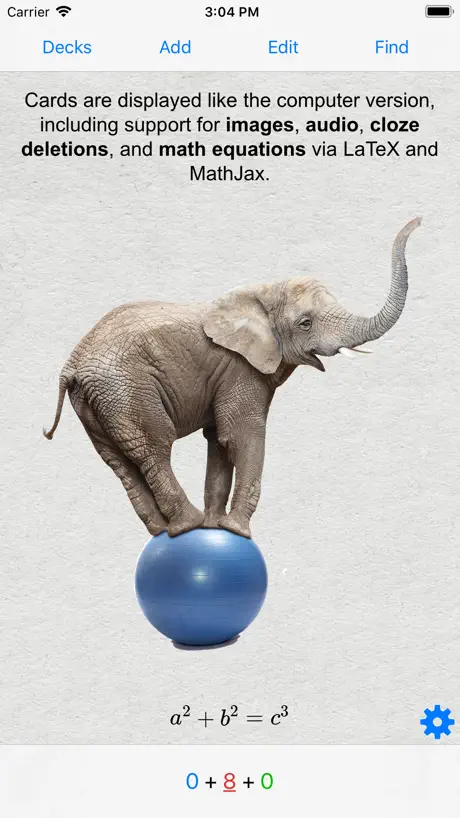  AnkiMobile Flashcards AnkiMobile Flashcards | 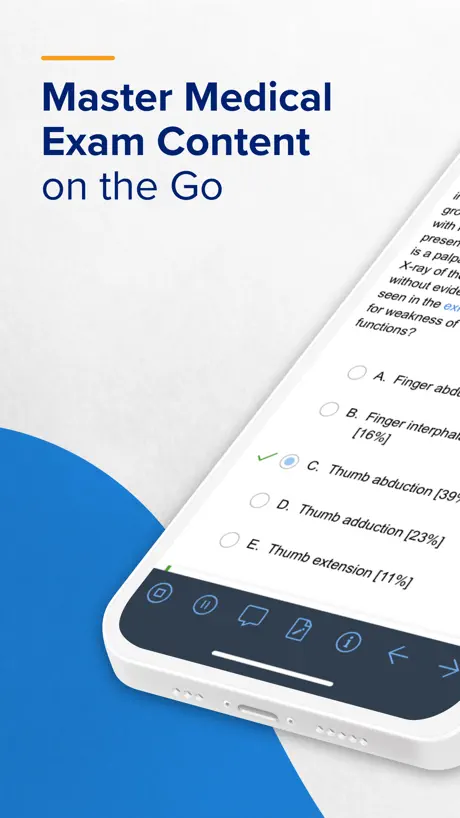  UWorld Medical Exam Prep UWorld Medical Exam Prep |   PT365 PT365 |   Nursing School & NCLEX Prep Nursing School & NCLEX Prep |   TrueLearn SmartBanks TrueLearn SmartBanks |  Examplify Examplify |   Elsevier eLibrary Reader Elsevier eLibrary Reader |   Sketchy Learning Sketchy Learning |   Thalamus Thalamus | |
|---|---|---|---|---|---|---|---|---|---|---|---|
| Rating / 5 | 4.7 | 4.9 | 4.1 | 4.7 | 4.9 | 4.6 | 4.9 | 1.9 | 4.1 | 4.9 | 3.8 |
| Reviews | 6.2K | 23K | 9.8K | 6K | 5.7K | 2.3K | 2.2K | 891 | 786 | 545 | 505 |
| Released | 2023 | 2016 | 2010 | 2015 | 2017 | 2019 | 2020 | 2017 | 2014 | 2024 | 2014 |
| Monthly price | — | $15.99 | — | — | — | — | — | — | — | — | — |
| 6-month price | — | $49.99 | — | — | — | — | — | — | — | — | — |
| Annual price | — | $79.99 | — | — | — | — | — | — | — | — | — |
| One-time price | — | — | — | $659.00 | — | — | — | — | — | — | — |
The going rate for each plan in United States, in its own currency, shaded from the cheapest price on the row to the dearest.
Elsevier eBooks+ reviews
4.7 out of 5, based on 6,245 reviews.
What people like
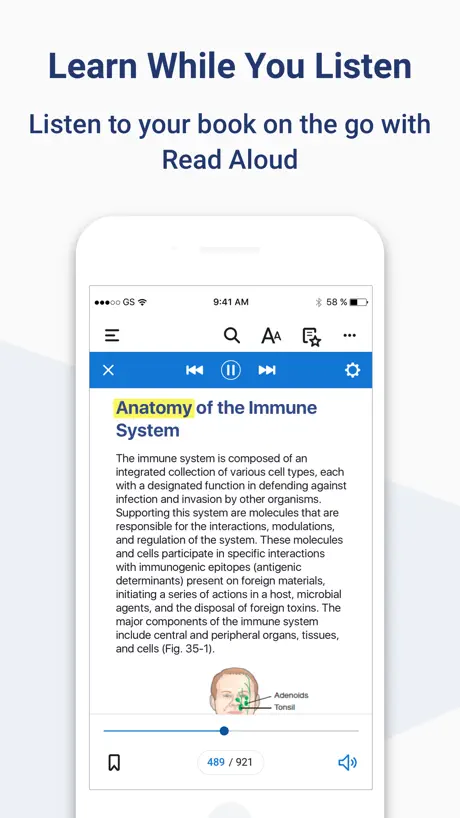
- Voiceover feature helps you listen instead of reading.
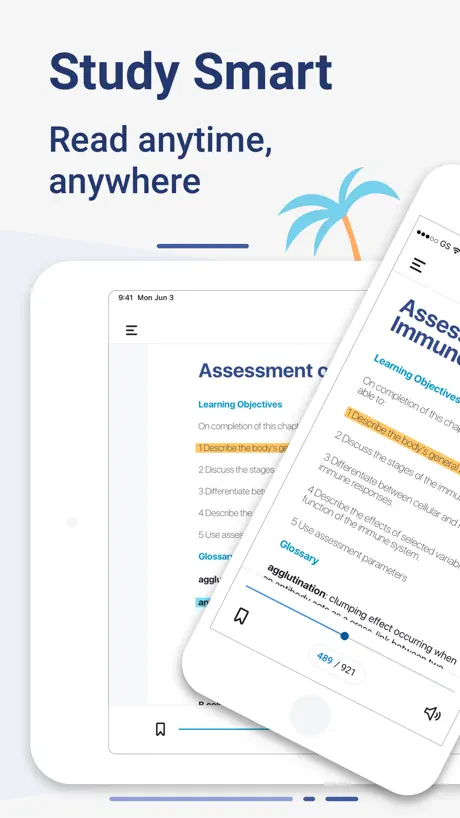
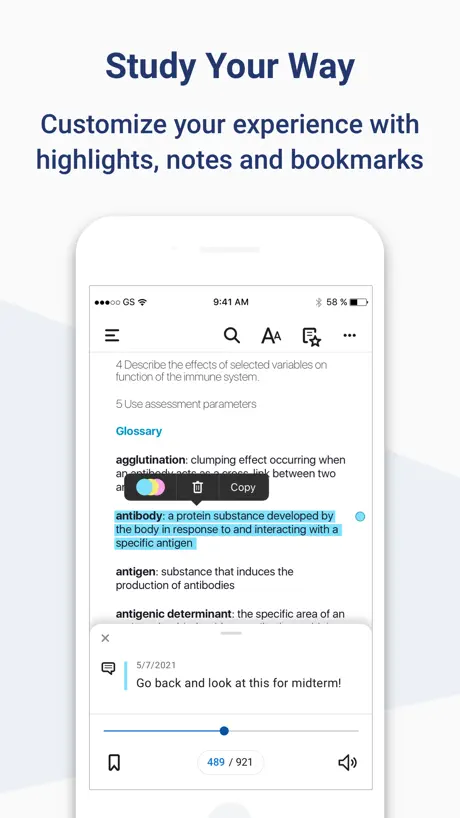
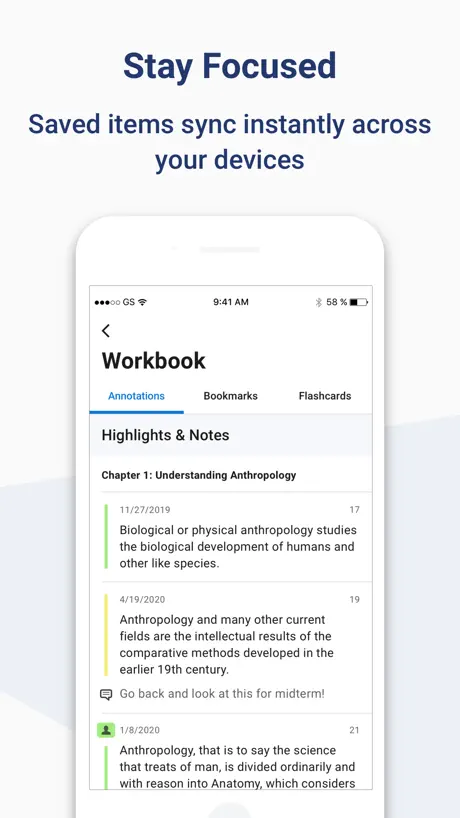
- Highlighting and note-taking features work well for review.
- Videos included in books have clear audio and visuals.
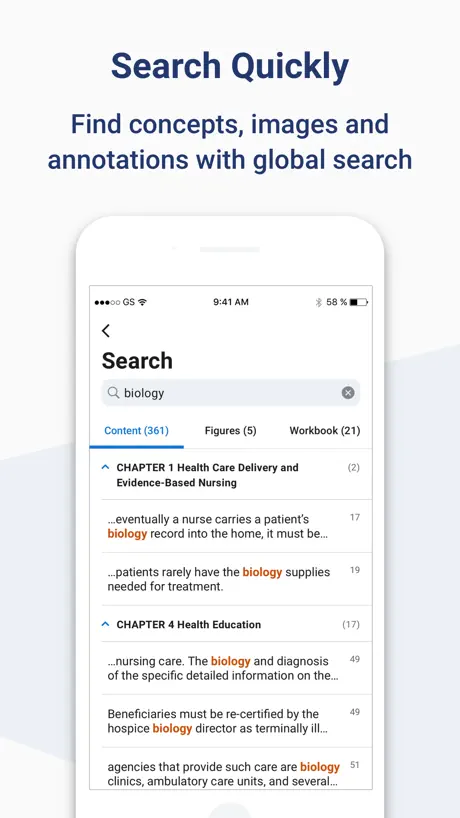
- Simple interface makes it easy to find content quickly.
What they complain about
- Tables and figures are impossible to zoom in on.
- Scrolling feels clunky and pages jump around unexpectedly.
- You cannot write or draw directly on the pages.
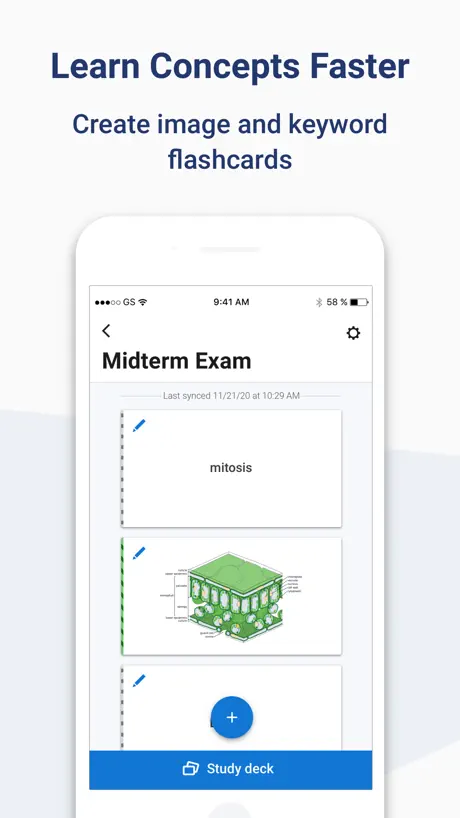
- The app crashes frequently when adding images to flashcards.
The Best
MIR
Netter’s digital Anatomy Flashcards
Can’t use the digital Flashcards. The formatting doesn’t work on my iPad or cellphone. This completely defeats the purpose of having the digital item. The Flashcards are half hidden on the screen, the white words blend with the white background so you can’t see what you’ve clicked on. It doesn’t scroll and the only way around it is to go out of the app and back in between every card. Biggest pain in the behind I’ve ever had for an app. None of which can be fixed by adjusting the formatting in the app settings. Yikes.
General feedback
The navigation through topics is treamlined but sometimes with glitches ending up with jumping pages when in the scroll mode. I also wish if there was an underline and annotation function that I can visually see on the page without having to open a dialogue box
Very buggy app
This needs a complete overhaul.
Unable to write with apple pen
Unable to write with apple pen
Medical Physiology
Essential understanding of protein structure and physiology
Tables
It’s a worthless app as far as tables of the books are concerned.
Need dictionaries for other languages
Translator function needed
Aplicación horrible
La aplicación tiene muchos defectos, es muy complicado trabajar, no puedo seleccionar mi laminar para estudiar… de qué sirve tener el libro en digital si no es práctico
Confusion
Sign in process and access cumbersome
Clinical key
Excellent and broad knowledge base but fail to access clinical key Please provide access
Opening book crashes on latest iOS
Book won’t open seemingly since latest iOS update. App just crashes
Glitchy
Its glitchy sometimes and it does not allow to search for specific words.
Idioma
Cómo puedo hacer el cambio de idioma para mi libro
Missing one IMPORTANT feature,
which is the ability to underline text! This is available in most PDF platforms, and Elsevier eBooks+ should not be the exception
Braunwald 13 th edition
Excellent.updated
Histology and Cell Biology: An Introduction to Pathology 6/e
Several chapters contain significant errors in the placement and sequence of figures compared to the printed book, which makes reading too difficult.
Better voice
Excellent way to read. I wish the voice reading was more natural.
Positioning still not fixed
Margins are still very narrow despite changing settings, and titles are overlayed on text. There is no pinch to zoom, and page will reset to original position moments after moving it to read text or see figure in narrow view window. Almost unusable. “Paginated view” is nothing of the sort. Wish they would bring back inkling,that platform was MUCH more user friendly!
Can’t add images to flashcards
Whenever i try to add images on flash card, the app crashes. Every freaking time. Please fix it. I have an exam coming up.
Amazing
The user interface is simple and easy to access, with colour and font size variations it’s soothing for the eyes!
Useless. Zero stars.
I used the previous Inkling app to access my medical text books. This current format is useless for me. As a physician, I need to be able to access sections quickly. Needing to scroll to find something I need is useless. I am not able to view tables because the print is microscopic with now way to zoom in. I could not even look at emergency medication dosing tables. My online books are now useless to me. I would use the Inkling app that I had on my phone, but it will no longer display the chapter content. I continued to think that I had the wrong app. My textbooks and reference materials are USELESS to me now.
No permite anotaciones
Es útil para subrayar pero no puedes poner anotaciones con Apple Pencil solo comentarios
Poor sound
No sounds available in EMG videos , in case of EMG sound quality more important than wave form
Unable to view images/tables
So while it is great to be able to read textbooks on phone, I am unable to enlarge tables. Often texts in tables are indiscernible and ultimately useless.
Student / Study friendly
My favorite part about this app feature is highlighting and note taking options. As I re-read it allows me to review my own personal notes.
Better off buying the physical textbooks
For some stupid reason the app likes to put figures at the end of the textbook chapters instead of mixed in. So if you want to see a figure when it’s mentioned, you have to scroll to the end of the chapter and then scroll back where you were to start reading again. It makes reading anything you need to understand pictures or figures for incredibly time consuming
Can be better
The app is good in terms of accessibility of books and features provided by the app, but it can be better in terms of smoothness in operating the app. Meaning, I have a hard time switching between different books as well as switching between the pages of the same book. Also, I don’t know whether this app works offline, as sometimes it works but otherwise the app won’t even open.
Voice over
Unable to get the app to use the amplified version. It kept reading references and graphs
Bugs
Please update app..so many bugs since last update
Ebooks
ebooks from Elsevier rocks!
Netter’s Anatomy Flash Cards
What a pile of garbage of an app.. impossible to scroll on iPhone. No zoom in or out .. seriously who made this utter garbage of an app
รีวิวการใช้งานแอพ
แอพนี้ดีค่ะ เสถียรดี ตัวหนังสือเรียบร้อยดี ไม่ตกหล่น สีสวย ภาพคมชัด มีวิดีโอที่ภาพชัดและเสียงดี มีเสียงอ่านให้ด้วยถ้าอยากฟังเสียงอ่าน สามารถกดก็อปปี้ไปแปลแอพแปลไทยได้ ชอบเลยค่ะ
Poor reading experience
First, it took days to download the titles — large medical books, but still, not an otherworldly task. The downloads hat to be restarted uncountable times. Second, the layout of the ebooks is definitely out of par with other ebook reading apps, specially regarding the display of figure legends — and no, there is no right way of adjusting it.
Not terrible, not excellent
I use a similar app with another publisher and the layout is the same. I like the larger font choices, which we didn’t have with Inkling. My two complaints are that I use it for medical text. A lot of the insets are unable to be scaled or zoomed in. This makes some of them very hard to see. Also, I don’t like that you can’t clear the search history in a book. If I search for a word once I may not want it in a list that just grows exponentially. Thank you.
App
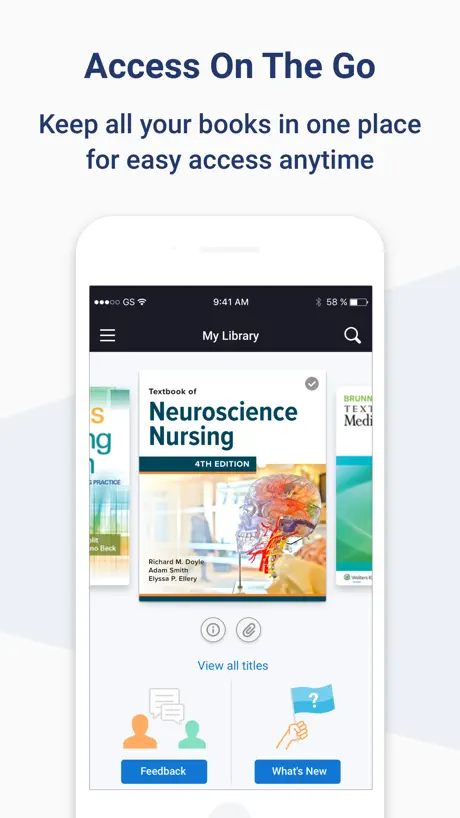
Easy to use, able to access contents quickly
UI is terrible
Absolutely horrible how my book content appears in an ill fitting scrolling column. It’s clunky to use. My book was previously in the Inkling app which was flawless and so easy to use, but to my utter disappointment was moved to this horrible app. perhaps the publisher made a different business deal. Not happy at all. Would not buy any more ebooks if I have to read them on this app.
Constructive
I wish there are more highlighting, underlying options. I also would love to write, draw or paste images on a page. Separate flash card option is not practicle.
Very wide margins around pages of book!!
I liked it but the only that annoyed me is that margin of book pages on iphone screen is very wide with least wide margin settings and texts of book pages looks very slim as compare to the whole width of page. Please update it with less margin around pages on iphone screen so that I can use it in useful attractive manner. Thanks
Font
Will prefer a gradual increase in the font. Only 4 options available. Prefer between the 2nd and the 3rd. Thank you
Can’t log in
Would be nice if it would actually let me log in. Says my email and password are incorrect but when I log in on the website it works fine.
Needs more user friendly options
It would be comfortable to have additional font sizes, specially between small and medium. Also when I switch apps and then come back the book scrolls down all the way to the end of the chapter and I have to manually go back to the part I was reading before switching.
I am dyslexic this program is very unfriendly
I am dyslexic, and this program is very unfriendly, and the reading, and the spot reading is not there. Do you always have to start at a chapter or a paragraph
Brilliant for Studying, UI-X Could Be Refreshed
This is a pretty good app setup for getting to content quickly. There isn’t a perfect e-reader from my experience, but I greatly appreciate the voiceover feature built in to the interface. As someone who has a very hard time reading text for long sessions, I need to hear the content to get through easier/quicker. It was smart to use the built in iOS accessibility tools to enhance the experience. Is it possible to make selecting text to “hear” more streamlined? Like a cursor to select the precise starting and stopping point? Ultimately, with all the bonus content/videos loaded into the books I use, I’m pretty pleased to have the information ready to access. I only wish it could have a smoother experience loading and scrolling through the pages on the iPhone. Apple Books does some of this really well since the iOS 16 refresh. Thanks for the work developing a usable e-reader !
Not good
Please go back to inkling
Turn the page
I absolutely hate 90% of the user feature of this. Why are we reading a scroll? Why can’t we turn the page? Scrolls went out for a reason! The reader never feels like they get to the end of the page. Some of our chapters are 60 pages long. It shouldn’t feel like a page of reading codes and never finding the problem. Also can we write on the page for the price we pay for our “books”? The in text notes are nice. Where’s the interactive feature? Can we please turn the page? Why all my books not in te same place?
Elsevier eBooks+ FAQ
- Is Elsevier eBooks+ free?
- Yes. The app is free, in all 174 countries it sells in, and it sells nothing inside it.
- Does Elsevier eBooks+ have a free trial?
- No. None of its offers (US) come with a free trial.
- What are the best alternatives to Elsevier eBooks+?
- Picmonic Nursing School Study (4.9 from 22,993 reviews, premium from $14.99), AnkiMobile Flashcards (4.1 from 9,802 reviews) and UWorld Medical Exam Prep (4.7 from 5,979 reviews, premium from $499.00).
Elsevier eBooks+ download
Last updated 1 month ago.
Elsevier eBooks+ sells in 174 countries. It was released 3 years and 1 month ago, on 9 Aug 2023. It holds a 4.7 rating from 6,245 reviews.
Supports 31 languages: English, Arabic, Bulgarian, Catalan, Czech, Danish, Dutch, Finnish, French, German, Greek, Hebrew, Hindi, Hungarian, Icelandic, Irish, Italian, Japanese, Korean, Norwegian Bokmål, Polish, Portuguese, Romanian, Russian, Chinese, Spanish, Swedish, Thai, Turkish, Vietnamese, Welsh.
How much does Elsevier eBooks+ make?
Third-party estimates for the last 30 days, worldwide — not the store's own figures, which Apple publishes for nobody.