
Affinity Photo 2 for iPad
Create, edit, retouch & share
How much does Affinity Photo 2 for iPad cost?
Prices are current as of 3 Oct 2026.
1 one-time purchase from $0.00
In the United States, Affinity Photo 2 for iPad has 1 one-time purchase with no price on record yet.
| Product | Price |
|---|---|
| Photo 2 for iPad License | $0.00 |
10+ alternatives to Affinity Photo 2 for iPad
| Affinity Photo 2 for iPad |   Adobe Photoshop: Photo Editor Adobe Photoshop: Photo Editor |  Adobe Lightroom for iPad Adobe Lightroom for iPad |   ProCam - Pro Camera ProCam - Pro Camera |   LumaFusion LumaFusion | 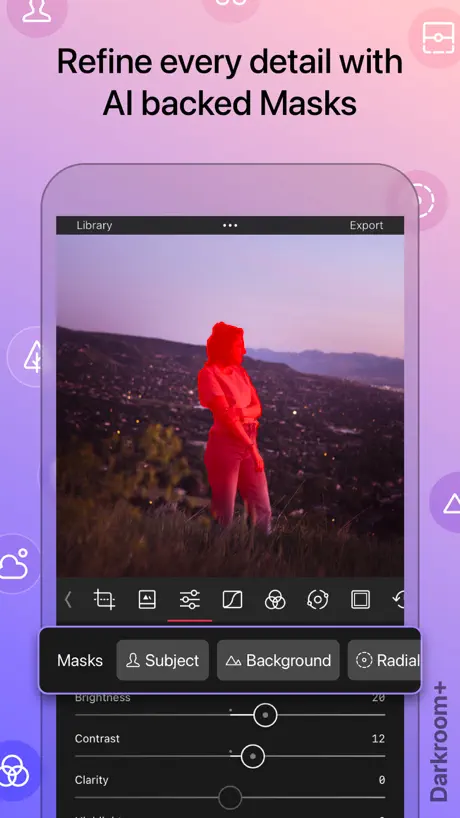  Darkroom: Photo & Video Editor Darkroom: Photo & Video Editor | 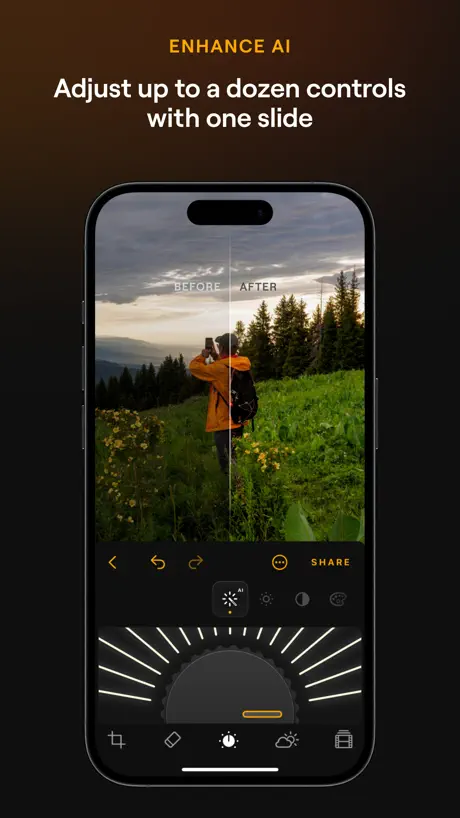  Luminar: Image Editor&Enhancer Luminar: Image Editor&Enhancer |  DaVinci Resolve for iPad DaVinci Resolve for iPad | 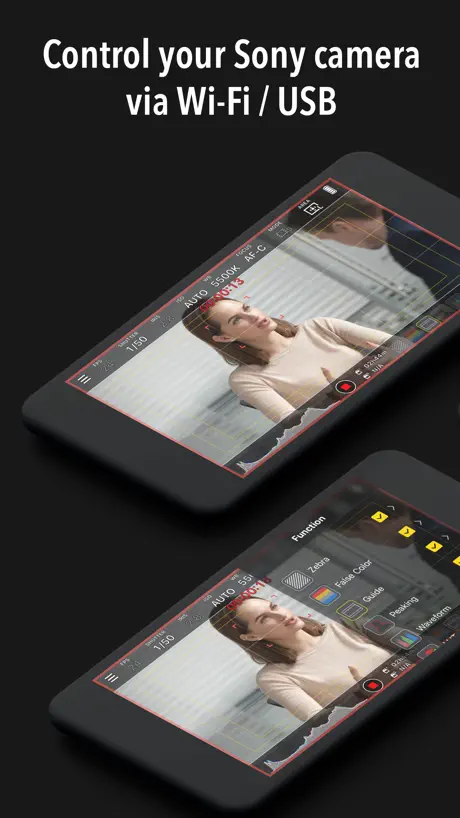  Monitor+ Monitor+ |  Procreate Dreams Procreate Dreams |   Capture One Capture One | |
|---|---|---|---|---|---|---|---|---|---|---|---|
| Rating / 5 | 4.6 | 4.4 | 4.8 | 4.6 | 4.7 | 4.7 | 4.7 | 4.5 | 3.5 | 3.6 | 3.3 |
| Reviews | 14K | 258K | 229K | 187K | 100K | 99K | 20K | 14K | 2.1K | 1.5K | 1.5K |
| Released | 2022 | 2019 | 2014 | 2013 | 2016 | 2015 | 2024 | 2022 | 2021 | 2023 | 2022 |
| Monthly price | — | $7.99 | $6.99 | — | $9.99 | $9.99 | $14.99 | — | — | — | $10.99 |
| Annual price | — | $49.99 | $49.99 | — | $69.99 | $32.99 | $39.99 | — | — | — | $109.00 |
| One-time price | — | — | — | $1.99 | $19.99 | $7.99 | $69.99 | $94.99 | $18.99 | — | — |
The going rate for each plan in United States, in its own currency, shaded from the cheapest price on the row to the dearest. Plans fewer than four in ten of the priced apps sell are left out.
Affinity Photo 2 for iPad reviews
4.6 out of 5, based on 14,295 reviews.
What people like
- You pay once, no monthly fee
- It handles PSD files well
- Lots of powerful professional features
What they complain about
- It crashes and freezes often
- The interface is confusing for beginners
- Support is unhelpful or rude
Just what I needed
I haven’t used it for much, but so far it has been incredible. I can do all sorts of things that I didn’t even know were possible, with a level of ease that makes most tutorials pointless. I would still recommend you having YouTube or gpt open to find out how to do something specific because there are all sorts of tricks to make your workflow faster and easier that you wouldn’t expect.
Customer service is nonexistent. The reps are rude and discriminatory. Made BBB complaint today.
Had a simple problem of re adding this app which I purchased. I contacted customer service and for some reason the rep, Lance got frustrated because he couldn’t help and decided it was appropriate to call me GAY. Sounds like Affinity condones Homophobia and hate speech. I can’t believe I’ve used this app for years and he responds with name calling. This isn’t over.
Freezing
I’ve been using affinity Photo 2 for about four years now. It is getting increasingly frustrating that halfway through a design the whole app freezes and I have to close the application down and reopen it, losing all of the work that I’ve just done despite the fact that I have frequent auto safe. I’ve checked and checked for any software upgrades to make sure it’s up-to-date, and nothing seems to work. It’s such a shame because this is easily the best editor software out there, if only it just stopped crashing.
Not an easy start
Ain my opinion a very complicated app , taken me two days to find out how to import an image from iPad gallery.going to persevere because I think it has a lot to give
Great product
The UI is a bit confusing, and is very different from the desktop version. But in general is a good photo editing software especially for the iPad.
App is the best ever
Even you can make it silly
Why?
I can’t even get into my account even though I already have a Canva account and recently just made a new one, this is unfair and unjust. I wish I could have what I downloaded it for, but the process is so unnecessarily long and complicated that I see the same screen over and over again.
Lo mejor para editar foto diseño que hay para el iPad
Affinity en definitiva lo mejor por el precio
2.6.4 worse; older revu of prior 2.6: update opens all files with “Untitled” instead of file name
After 2.6.4 was introduced, the app is even more degraded. Sharing a file to Dropbox at least used to open in Affinity even though it destroyed the file name and retitled everything to “Untitled” with v 2.6. Now sharing the file brings you into the affinity app, but no file appears. This software is becoming more useless over time. Does its recent acquisition by Canva have anything to do with it? Affinity had such promise. Is Canva going to ruin the app outright or let it die / discontinue it? Perhaps it’s time to look elsewhere. Earlier review: With the introduction of V 2.6 and all subsequent mini updates since then, when I open any file it shows up as “Untitled” instead of with the already existing file name. I was hoping that would have been fixed by now. It’s pretty irritating. Using a new iPad Pro 12.9” M2.
Still getting to grips
I have had the Affinity Suite for years, (desktop and iPad) but as a long-time Adobe user, I still find this a ‘clunky’ suite of apps … although I would hasten to add that it/they are very good. Now of course we have the ‘Canva / Affinity’ on desktop - which I am constantly learning / using … and find myself [regularly] watching tutorials … [could also be an ‘age thing’…]
Very good
Plenty tutorials online and very fun to use!
Frustrating garbage!
Why is it garbage, the files are all Canva and you can’t change them. You can’t place them on you pictures and you can’t change their format. FRUSTRATING GARBAGE.
Can do good stuff but…
I downloaded this app to make an album cover for a song I’ve been working on in Logic Pro. I thought I would pick it up fast but it’s incredibly frustrating and difficult to learn how to use, and it would be great if there were more tutorials on how to use this app.
Terrible interface
I don’t understand why everything so complicated with this app? everything that I want to do, even the simplest thing like importing a photo, I have to google how to do it. Why is it so complicated?
Solid editor with quality of life issues
Editing a raw is very simple and enjoyable but exporting projects with lots of photos is a slog. Not having a way to batch export files really drags it down.
IT IS NOT A SUBSCRIPTION MODEL (for now) AND IS STILL FREE
As of the current moment in time, people are confused as to why the app is free to download, and why affinity is still calling itself a free app, when it says as soon as you download it to start a “7 day free trial” This is because Affinity Photo 3 has not dropped for iPad yet, and so it still relies on the old method of paying for the app to keep it, albeit with a 7 day trial to start out. So how do you get it for free then. Easy! First, sign up and select the 7 day free trial. Once you get to the first screen on the app, select “account” on the side and purchase a license. When you get to the screen that lets you purchase said license, it will say “Pay $0.00” on it. Just select that, let it add itself to your apple account by using Touch ID or Face ID or whatever you use for transactions on your device, and then it should now say in the license section “Your license is activated and will never expire” Here’s to hoping that updated iPad app (and maybe a Linux version please?) come sooner rather than later.
Unintuitive
Functionally fine, but super confusing and I find myself constantly googling how to do super basic stuff which is really annoying.
Good
Hey it is good
So, so complicated..
This is just so confusing for an IPad, I can’t even find the undo button. Editing photos, leaves me scratching my head on how to move on to another edit later..!! Sorry guys, I’m sticking with the original Affinity for as long as possible..🙈💯🤷♂️🤷♂️🤷♂️
Transfer from Lightroom
Doesn’t import from Lightroom consistently enough. Past 3 or 4 times I’ve tried it pulls up the application but the photo doesn’t not show up for editing. Would love this fixed or explained.
Good
I don’t know yet
Stopped recognizing drawing input on iPad
Been using it for 10 minutes on iPad, and after changing a brush option it just stopped working. I can fill color on layer but the program no longer recognizes drawing input. Resetting everything hasn’t helped. I’m at a loss.
Ehh…
The original layout was better. This is a little complicated. It’s not bad, but I would have given the original 5⭐️’s. I still have the original with a lot of projects in it. But I can’t get them transferred over.😡
Canon cr2 files missing and corrupting
Cannot recommend to canon photographers as it’s having a mare viewing and processing cr2s consistently. Constantly asking to locate missing resources and corrupting files so they are no longer viewable. Possibly fixed in next upgrade 🤷🏻♂️ Otherwise good Lightroom and photoshop clone without the subs.
. Bad queue, Management.
It’s bad Q Management when you add things in brushes if you make mistakes, you can’t delete the mistakes you have to delete the entire stack if you have 23 brushes in there and you’ve screwed up on one you have to delete all 23 not the one you screwed up on please bring your stuff up to 2025
很好用
试了一下,很好用 功能很多 在iPad上操作方便 和电脑版的ps类似
No longer usable
Unable to use. Wont let you use your affinity registration. Sending emails to support is useless as they have sold out to Canva. There is no one there now.
Can still access, yay
Update: I found a notice in my account button saying “your license is active and will never expire”, so despite the ‘get’ button for in-app purchases being active, the app DOES recognize my previous purchases, yay. I bought the entire suite of apps when they were on sale. I am not happy that these apps appear to have since moved to a subscription model, but I am happy that as of now they are recognizing I bought an earlier version with no need to buy in-app purchases. Thank you for that.
Great tools, but frequent crashes on bigger files
If it didn't crash so often it'd be a 5/5
A subscription model?
That’s it. That’s the review.
Flawless
The Affinity suite of apps for iPad is THE example every app developer should look to when designing their own pro apps.
Not playing the subscription game with you guys
Downloaded , launched app and it wants me to create an account for a free 7 day trial? I can’t even get to the GUI first to see if it’s worth my time. Deleting. No where did it say this was a subscription based app.
No external display support
The touch based interface just does not work correctly on an external display on the ipad with a mouse. It would need to somehow use the Mac OS version on for the external monitor with the iPad if that would be possible. Otherwise Affinity Photo is the best photo editing and graphics creation app for iOS.
Frustrated
I loved this app until a few days ago, I make and import my own presets, as I edit about 50-100 photos in one go, but now this app won’t allow me to import my LUTs! I’ve reset my iPad, cleared my cache, deleted and reinstalled the app and no luck. Considering switching to a new editing software because this simply doesn’t work for me if it would continue like this. The rest of the app works great! So if LUTs are no concern to you then it’s a great app, but that’s my bread and butter so big disappointment for me.
Really hard to use, not much documentation
I have tried to use the brush tool for about two hours now; can’t tell if it’s me but everything I do to my photo disappears after adding a new layer or the tools don’t do anything when I try to use them. Please provide more documentation for beginners because this tool seems really powerful, not very user friendly though.
Sold out to Canva
This is a fantastic piece of software, but be careful, it may not be around for much longer. Obviously Shareholder ROI is more important than fostering creativity. I hope the founders are enjoying their paychecks because clearly a respectable vocation wasn’t working for them. Version 3 is a joke.
Crashed 3 times in ~10 minutes
Light workload, can’t really get anything done if it’s constantly crashing.
Importing RAW file from NIKON Z5II not working.
I shoot JPEG + RAW and the RAW file from it is just comes out all black when imported. Hope this is updated soon. Otherwise I’m really happy with the app.
Difficult
Just beginning to get the Hang of Affinity Photo for the Mac. The iPad version seems totally inscrutable.
Mediocre
Good luck. Changing the rulers to inches from pixels. Even google Gemini couldn’t help me with this. This only gets an editors review because majority of people will never know how to use it. This is abominable and needs to be open to USER input, not what you think what we want or, need on your terms. Sad. The color IN-accuracy of an iPad will never do your app justice. FYI.
Basically, just Photoshop without AI features well it’s except for one. Yeah this thing is epic
This app is sad for its features affects and now being free at least for the rest of this month we’ll see what happens but this app is really great because I’ve obviously being able to work with PSD‘s and big yeah just a simple $20 is kind of cheap. What do you think about it? We’re gonna have to pay $10 a month for Adobe or a week. I have no idea so go with Photoshop say goodbye to Photoshop is AI features cause honestly just to give up AI features for this app I would honestly truthfully say yes
Annoyed with SAS! Offline only apps please
I’m done with developers that insists on users creating an account. You don’t need my name. You don’t need my address, location, contacts etc. And I certainly don’t need your AI. I just want to buy the apps I need and have them run offline (whenever possible).
Great but …
Really great app for pretty much all photo editing. Really appreciate the one off license rather than a monthly subscription model. Only request would be to add the astrophotography functionality that is in the desktop version 🙏
Functionality is great but poor integration with Photos
I don’t understand that it is not possible to open a photo from the photo library with affinity and save it back. It uses none of the integration capabilities of the os such as the share sheet or extensions. The have to fix this
Kinda like it - not easy to use, can crash
Like the idea and does work well - but often crashes and pretty difficult to use - nowhere near as intuitive as desktop app
free!
免费必须💯
Cant Crop Or Resize Canvas !!!!!
I’d be searching for a simple way to crop or resize the canvas on this for 30 minutes. I’ve looked on YouTube. I’ve asked ChatGPT such a simple thing he used to be that designed tools like this were super intuitive and easy and I have years of experience in design programs, there’s nothing anywhere the only thing I can see is four years old and is obviously not what is working at present I don’t know if they gave up on support for this or what
Great app when it works
Great app but recently when I try and export anything it crashes and freezes
Terrible
Awful update, the app is so slow, struggles to load any of my photos. I usually end up with a black sceeen or a pixelated photo. The couple times I was able to try editing, everything froze up and it had a terrible lag time. Just stick with the original. All I did was the trial and that was a waste of my time.
Its Probably an excellent app.
It may be my age, or I’m just not able to understand it. Affinity Photo v2 is probably an excellent photo editing program, but I cant for the life of me get to grips with it. I find it very complicated , the video guides don’t help because half the time when you try to do what they show in the guide, it doesn’t do it, or the function isn’t there. Also, the reason I bought it was because I want to edit Astrophotography pics, but it seems the functions to be able to do this are only on the desktop version, my fault for that one as I should have checked first, but then I’m struggling with it anyway so I guess I wouldn’t get my head around doing that either. My message is, if you are a skilled and knowledgeable photo post editor then you will love this programme , but it is definitely not user friendly for the novice.
Affinity Photo 2 for iPad FAQ
- Is Affinity Photo 2 for iPad free?
- Yes. The app is free, in all 168 countries it sells in, and it sells nothing inside it.
- Does Affinity Photo 2 for iPad have a free trial?
- No. None of its offers (US) come with a free trial.
- What are the best alternatives to Affinity Photo 2 for iPad?
- Adobe Photoshop: Photo Editor (4.4 from 258,325 reviews, premium from $4.99), Adobe Lightroom for iPad (4.8 from 229,004 reviews, premium from $1.99) and ProCam - Pro Camera (4.6 from 187,030 reviews, premium from $0.99).
Affinity Photo 2 for iPad download
Last updated 1 year ago.
Affinity Photo 2 for iPad sells in 168 countries. It was released 3 years and 11 months ago, on 1 Nov 2022. It holds a 4.6 rating from 14,295 reviews.
Supports 8 languages: English, French, German, Italian, Japanese, Portuguese, Chinese, Spanish.
How much does Affinity Photo 2 for iPad make?
Third-party estimates for the last 30 days, worldwide — not the store's own figures, which Apple publishes for nobody.
Revenue by plan
- One-time 100%
Revenue by country
- United States 32%
- Germany 14%
- United Kingdom 7%
- Japan 5%