
Huion Note
数智原笔迹,记录好生活
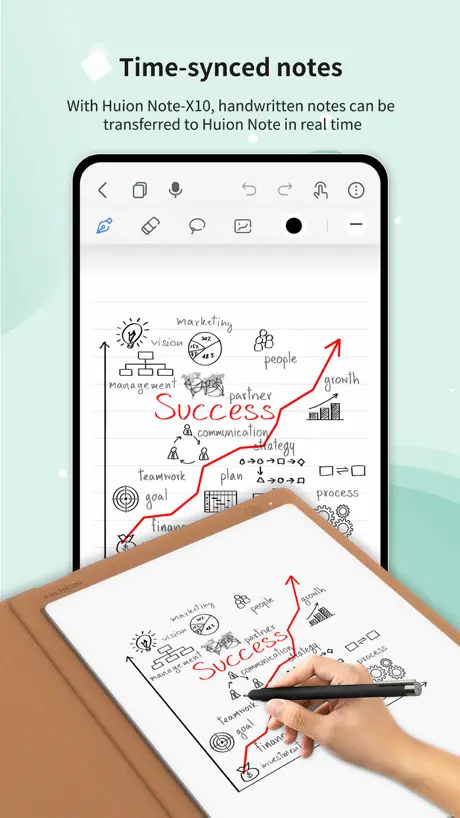
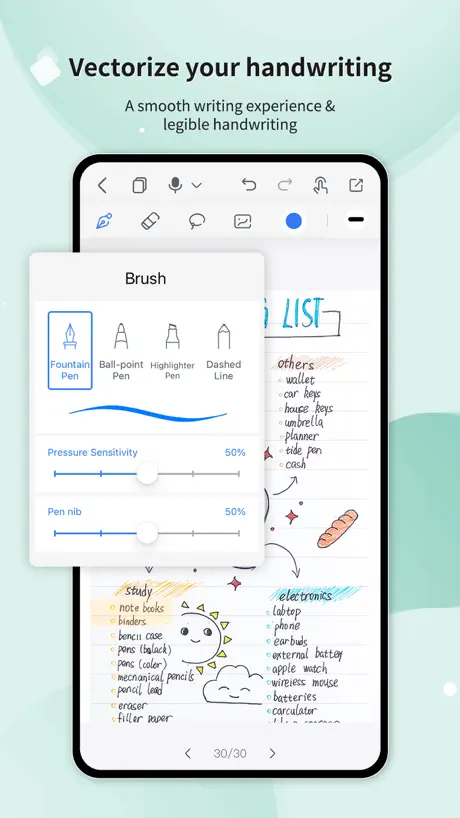
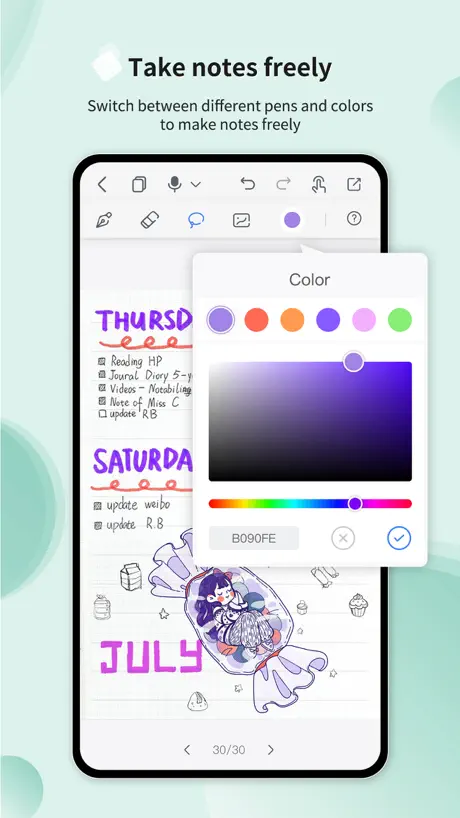
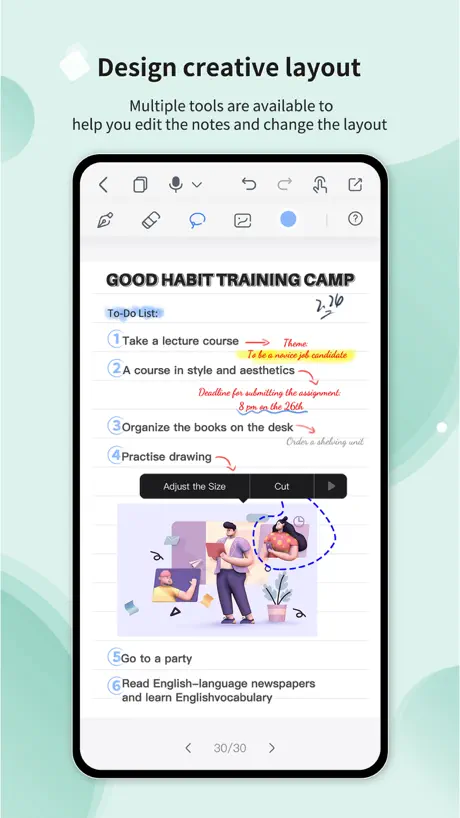
How much does Huion Note cost?
Prices are current as of 22 Nov 2026.
Huion Note has no in-app products on record in the United States.
10+ alternatives to Huion Note
| Huion Note | 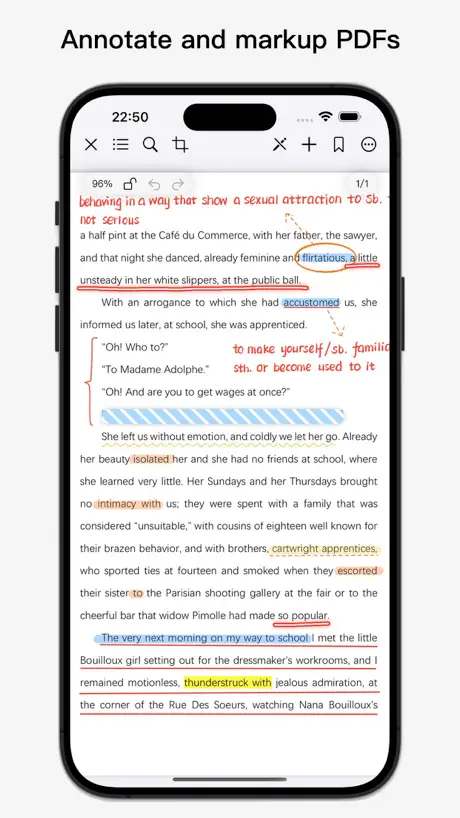  BoardNotes: Notes, PDF, Docs | 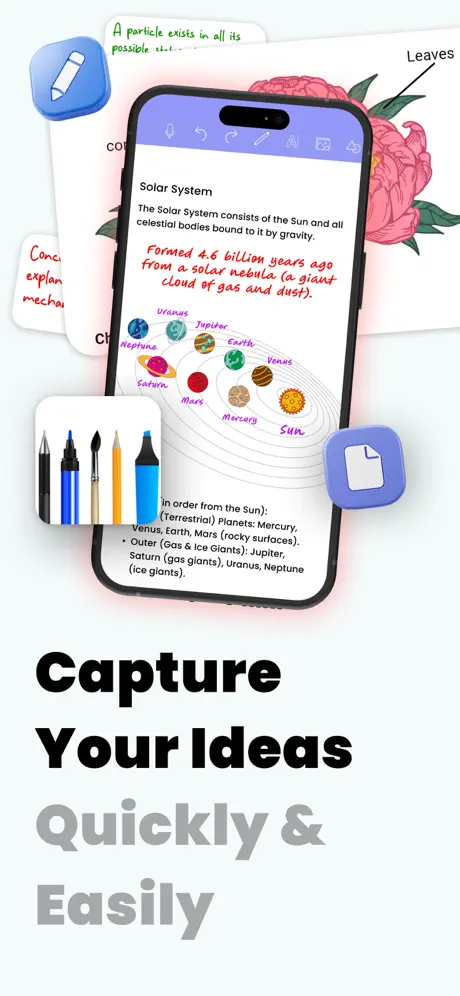  Meeting Notes & Work Planner |   Moleskine Notebooks |   Notewise - AI Notes, PDF, Docs |  Comic Draw by plasq |   ZoomNotes Lite |   NEWYES |   Neo Studio 2 |   Ophaya Pro+ |   Notes: Note taking & writing | |
|---|---|---|---|---|---|---|---|---|---|---|---|
| Rating / 5 | 3.4 | 4.7 | 4.1 | 4.1 | 4.5 | 4.2 | 4.3 | 3.2 | 2.0 | 2.8 | 2.6 |
| Reviews | 107 | 8.1K | 7.5K | 3.8K | 1.8K | 1.5K | 1K | 141 | 106 | 32 | 22 |
| Released | 2022 | 2023 | 2020 | 2020 | 2024 | 2017 | 2013 | 2019 | 2024 | 2023 | 2024 |
| Monthly price | — | — | $9.99 | $9.99 | $6.99 | — | — | — | — | — | — |
| Annual price | — | — | $29.99 | $79.99 | $36.99 | — | — | — | — | — | — |
| One-time price | — | $4.99 | — | — | $9.99 | $9.99 | $0.99 | $0.99 | — | — | — |
The going rate for each plan in United States, in its own currency, shaded from the cheapest price on the row to the dearest. Plans fewer than four in ten of the priced apps sell are left out.
Huion Note reviews
3.4 out of 5, based on 107 reviews.
What people like
- Writes smoothly and feels natural
- Great for quick sketches and notes
- Portable enough to take anywhere
What they complain about
- Keeps crashing when you change tools
- Syncing often fails or deletes data
- Login codes arrive hours late
笔记本很好用,要是能多增加些绘画功能就好了
希望本子可以直接连接手机,当触控笔用,或者这个app多增加一些绘画功能,这样可以就不光记笔记,还能画些好看的画啦
App is useless
Upon downloading the app, the account registration portion sends a code to your email address…except no matter how many times I select resend code after not receiving one, I never received one. Verified email address multiple times and finally got an email with the code hours later (once over 12 hours later) at which point it could no longer be used.
app per huion note
Fa quello che deve, sincronizza gli appunti scritti nel proprio account huion.
Digital note pad
The app crashes ever time you tap the brush symbol.
Детские ошибки
Самое тупое в этом приложении то, что постоянно выкидывает из аккаунта. Не понятно для каких целей (может быть они считают что так безопаснее, что является ложным, учитывая что доступ к заметкам есть на устройстве вне зависимости от того залогинен я или нет). Вот частая ситуация: ты хочешь подключить планшет чтобы оставить заметку и он не конектится, хотя ты нажимаешь на кнопку. При этом нигде не написано почему он не подключается. Только опытном путем понимаешь что оказывается нужно было залогинится еще раз в аккаунт. Еще очень странным мне показался офлайн режим. Вместо того чтобы запомнить на какой странице я остановился - все новые каракули появляются на новой странице и приходится их вручную вырезать и переносить на нужную страницу. Вы хотя бы предложите мне выбор страницы на которую я хочу перенести офлайн-контент.
非常好用
这是我用过最好用的笔记软件
Brushes are not showing.
The primary concern I observe is that the China app has not been updated for several months. Introducing new features would be highly beneficial for all users; otherwise, it may represent a waste of time and resources. I recommend reconsidering the purchase of this product.
bug!!!
iPad os26.2上双击写字笔的按钮就闪退!
App di valore ma con bug
Strano che un bug su iOS evidentissimo non venga messo a posto per mesi. Se si cambia la penna il sistema va in crash!
?
Your app is good but it could use some updates like sometimes I want to use the same color but I can’t get it to match because there’s no filter that can get me the color ( I don’t know what it’s called )
ペンが選択できない…が直った。ありがとう。
ペンを選択するとアプリが停止する問題がようやく解消しました。サポートに報告した甲斐がありました。ありがとう。
使い勝手がかなり良い。
シンプル、しかし必要な機能は多く実装されており不満が少ない。 一度写真貼り付けでクラッシュして書いたものが消えたが、これが頻発しなければかなり良いものだと思う。 会員登録はしなくても使えるようだ。 huion noteも未所持だがこのアプリはiPadで使うのに十分な機能を持っている。 追記 写真貼り付けで再度クラッシュして昨日書いたページ、今朝描いた絵が消えた。大した価値のあることは描いていないけどこれはダメだ。機能は良いので惜しいね。 追記 huion noteを入手 このアプリ限定だが無線ペンタブ的に使える。 アプリ内、huion note経由問わず書き順を動画として再現してくれる機能がある。 その上、書き順の任意の点でその前後の手書きを分割保存する機能がある。 写真インポートで落ちる以外は不具合未遭遇 こまめにノートを閉じて保存すれば問題なく使用できそう。 追記 おい、huion noteで遊んでいたら前触れなくhuion noteと紐づけていたノートが丸ごと跡形なく消えたぞ?え?紙の方がバックアップに?え・・・?全く安心して使えなさそうだ。これはダメだ。 追記 huion noteを同期したいファイルにいる時に同期メッセージが出て、同期開始したあと、何も、追加されない。どこにも存在しない。デバイスから虚空へ送信。消滅。 ことあるごとにバックアップすれば使えるかと思ったが甘かった。送信自体がブラックホールに繋がっているとは思わなかった。
Great but...
This app is awesome, but I just wish it could have an animation option and also use the notebook and pen on other apps, like drawing competitions!
You got to be kidding
The app straight up just doesn’t work on the phone
Huion note
The app was pretty good i had for a year but ran out of paper so i could lucky put paper on it but it always crashes and ruin my presentation
Хэлп!
После обновления на iPhone, 26, приложение постоянно вылетает при нажатии на значок переключения пера и не сохраняет написанное
HELP
GUYS HOW DO YOU TRANSLATE AND ACTUALLY ADD THE PHONE NUMBER I AM HAVING SO MUCH ISSUES
Добавьте пожалуйста ещё функций для рисования
Всё прекрасно, но только для того что бы писать конспекты и т. д. Добавьте больше кистей и функций для того что бы можно было рисовать на huion x10 Или сделайте отдельное приложение для этого, прошу :(
拜託繼續更新版本
硬體很好用 但是筆芯有時候會飄移 希望可以更新修復! 加油
Back up on google drive
Team, unable to upload the files on google drive. It gives error message that access blocked as google has not completed Huion verification. Pl check and assist.
建议增加横屏模式
希望开发者能增加应用横屏和全屏模式,已经有横向的笔记模板,如果能横屏和全屏显示会好很多很多。另外,这样也方便使用Huion Note X10搭配手机投影到电脑用。感谢🙏
unresponsive app
This application is not taking in pdfs vi import
Amazing but
I’ve owned it for 4-5 days, and suddenly it isn’t wanting to connect to my IPhone. It says the battery is 83% when it connects but immediately disconnects from my phone.
Offline syncing isn’t working
Just got this. Worked great for a week. Now When I go to the app and do an offline sync it says it’s synced but the pages no longer show up in the notebook
Its really great!
Although, when drawing on the huion note, the lines have a high chance to show up somewhat offset from where I intented to draw/write at. Also, can the developers make the huion note supported on other drawing/animating apps like ibisPaint, Procreate, etc.? Thank you very much!
Cloud login not available
Unable to login google drive and baidu cloud both
Question
I’m wondering why i can’t use this same app or software on my computer i want to be able to work on the things that i drew in my notebook on my computer. what’s that about? why?
Read this NOW, future buyers!!
I have been dying to get this and I finally got i for Christmas!! I had originally saw this on an ad on YouTube, and it finally came back to my mind for Christmas. Reading the Amazon reviews, every bad review was mainly just people not actually understanding how to use it!! For example, the product’s ‘factory smell’ disappeared almost immediately, and just using the app in general was so easy! The ‘loading’ screen isn’t actually a loading screen, it’s just some pages to scroll through but swiping to the left (to scroll right) until you get a start button!! I was a little confused at it at first and I thought it just wasn’t loading like other reviews said, but after tapping/swiping on the screen, I discovered how to use it. It took a few minutes of trial and error, but syncing the tablet was easier than expected. The little pamphlet that comes with the tablet says to ‘change the pen’ out, but you just have to take off the waxy tip, don’t waste the pen!! I personally like the app, and even though this request might be hard to make true, I think if there was a way to tell which page is 1, 2, 3 etc and when you write on the page, it automatically goes to that page if it’s online rather than making a completely separate page for something that is on the same page as what was originally written. Yeah, it’s a bit of a stretch, but it would be nice if it existed. I love the tablet, it’s great, I love the app, it’s great! I would probably add something on the first load screen that says ‘Swipe’ or something with an arrow so customers don’t get confused. Also, maybe add in the instructions *where* to put the stick on drawing pad on the tablet for the drawing bad sheet…? I still haven’t put mine on yet :( also, I would personally point out the drawing pad pen nib to make it easier to define which job is which, because I think I read a review about that, too. Just to make things less confusing!! Another thing I would like to add as recommendations for future designs, maybe have a little attachment or something that can store extra pen-nibs so they don’t get lost or someone can easily use both the drawing pad nib and the regular pen nib? That would be great!! Thanks for reading this!!
Does Not Work
Purchased the Huion Note X10 and downloaded this app (per the Huion’s instructions) expecting to be able to sync my hand-written notes to my phone, but the app doesn’t load past the initial splash screen. Very disappointing!
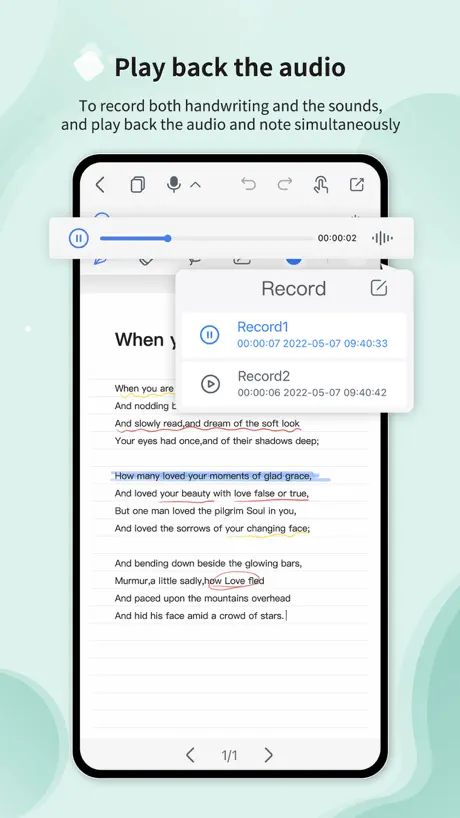
A simple app with limited features but excellent note transfer
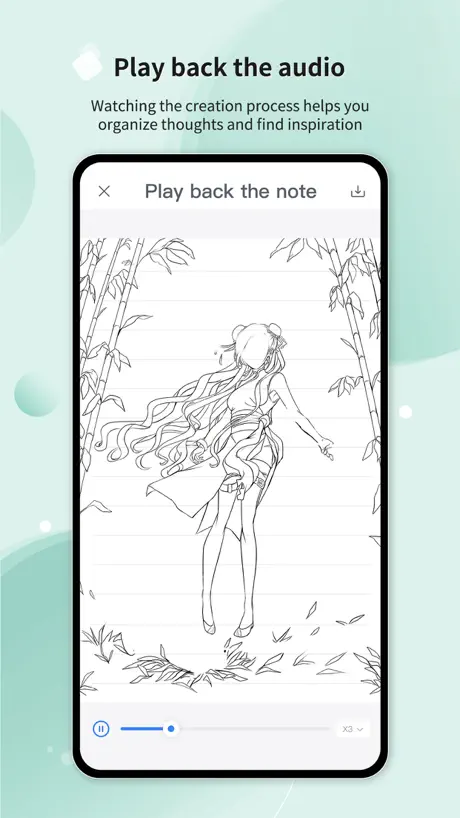
I got the Huion note for Christmas. It is promoted as a note recording device but I use it for sketching. There are a few things to get used to and English instructions really should be better and more detailed. Huion are definitely under selling this amazing piece of kit because there are next to no reviews. The app almost exactly records your pen strokes but the functions for editing are really limited. If they could expand the features it would be good. If they would invent an A4 version of the note plus allow you to use fine line pens it would be brilliant but make no mistake for an artist doing sketches this is brilliant. For just recording notes it’s excellent.
HUION Note X10 搭配 Huion note
手機變成繪圖螢幕,觸控感繪圖感完全不差,攜帶方便,可以簡便旅行,不帶iPad pro也不用擔心idea不見,希望工程師能夠持續更新,好東西不需要被淹沒,圓珠筆頭用完會有點頭疼,加油!
文件导入
我导出了huionnoteios文件,再导入一直导入不成功,现在文件打不开
iPadで活用中
以前、Androidのhuion sketchに組み込まれていたノート部分が単体アプリになったようですね。9月に発表されたデジタルノート本体は持っていないので、iPadで使用しています。なので、そちらのレビューではありません。 全体的にシンプル。手書きでサラサラと描けて重宝しています。アイデア出しや、ちょっとしたお絵描きにも◯。今後、PDFなども使用できる予定らしく楽しみです。工夫すれば色々使えそう! アカウントはアプリから登録できませんでしたが、webのほう(設定の要望から飛ぶ)では登録できました。主に機能リクエストや改善要望などに使用するものらしく、オンラインでノートを同期させるわけではなさそうです。(Android端末でも同アカウントで使用中ですがノートは同期されません。出来るようになったら嬉しいですね!)
Wow awesome app….
Thanks for this beautiful app….just add different sizes of pages….otherwise everything is good
アカウント登録ができない
アカウント登録の際、メールアドレスとパスワードを入力しても「サービス利用不可」と出てアカウントを登録できない。アカウント登録をしないとノートとアプリが同期されないため、今のところただの高級なノートとペン…。
提意见
建议增加手写笔抖动修正的功能,因为手抖写的字很难看,难以把握。
就三张图怎么点都没用
用不了
Huion Note FAQ
- Is Huion Note free?
- Yes. The app is free, in all 175 countries it sells in, and it sells nothing inside it.
- Does Huion Note have a free trial?
- No. None of its offers (US) come with a free trial.
- What are the best alternatives to Huion Note?
- BoardNotes: Notes, PDF, Docs (4.7 from 8,148 reviews, premium from $0.99), Meeting Notes & Work Planner (4.1 from 7,521 reviews, premium from $1.99) and Moleskine Notebooks (4.1 from 3,844 reviews, premium from $9.99).
Huion Note download
Last updated 10 months ago.
Huion Note sells in 175 countries. It was released 4 years and 8 months ago, on 18 Mar 2022. It holds a 3.4 rating from 107 reviews.
Supports 14 languages: English, French, German, Indonesian, Italian, Japanese, Korean, Polish, Portuguese, Russian, Chinese, Spanish, Thai, Turkish.
How much does Huion Note make?
Third-party estimates for the last 30 days, worldwide — not the store's own figures, which Apple publishes for nobody.