WavePad Master's Edition
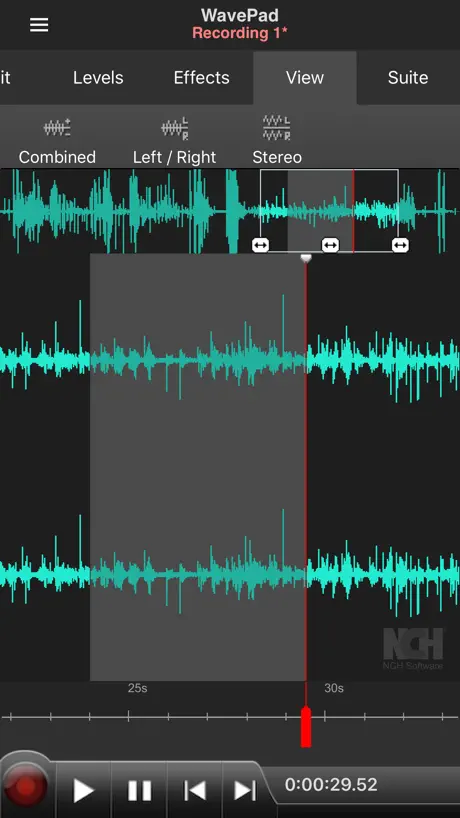
How much does WavePad Master's Edition cost?
Prices are current as of 29 Sept 2026.
2 subscriptions from $2.99
In the United States, WavePad Master's Edition has 2 subscriptions priced $2.99. Free trials run 7 days or 14 days.
| Subscription | Period | Price |
|---|---|---|
| Full Features (Monthly) | MonthlyTrial: 7 days | $2.99 |
| Full monthly subscription | MonthlyTrial: 14 days | $2.99 |
1 one-time purchase from $14.99
In the United States, WavePad Master's Edition has 1 one-time purchase priced $14.99.
| Product | Price |
|---|---|
| Unlock All Features | $14.99 |
See what WavePad Master's Edition costs in all 132 countries →
10+ alternatives to WavePad Master's Edition
| WavePad Master's Edition | 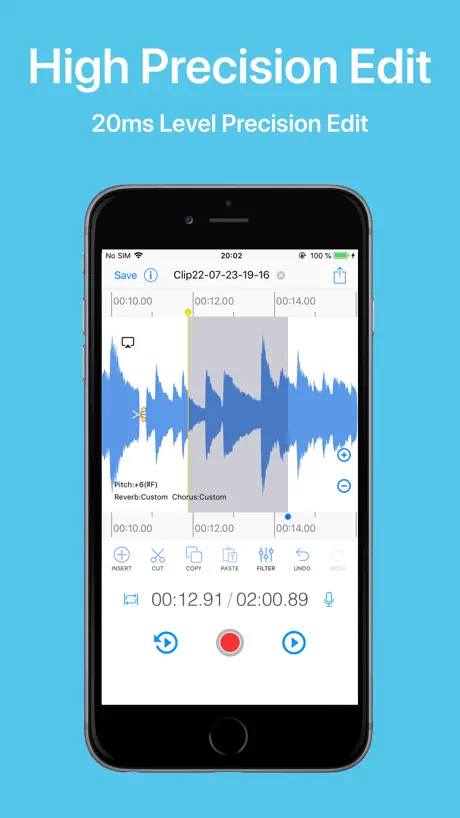  EZAudioCut - Audio Editor Lite EZAudioCut - Audio Editor Lite |   Audio Editor, Multitrack Lab Audio Editor, Multitrack Lab |   Edit any audio, sound: Edity Edit any audio, sound: Edity |   TwistedWave Voice Recorder TwistedWave Voice Recorder |   Sound Editor: Audio Changer Sound Editor: Audio Changer |   Audio Editor : Music Cutter Audio Editor : Music Cutter | 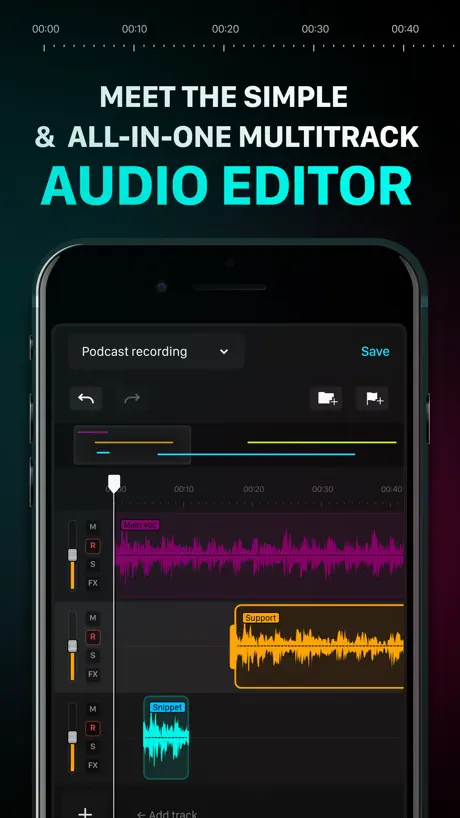  Audio One: Multitrack Editor Audio One: Multitrack Editor | 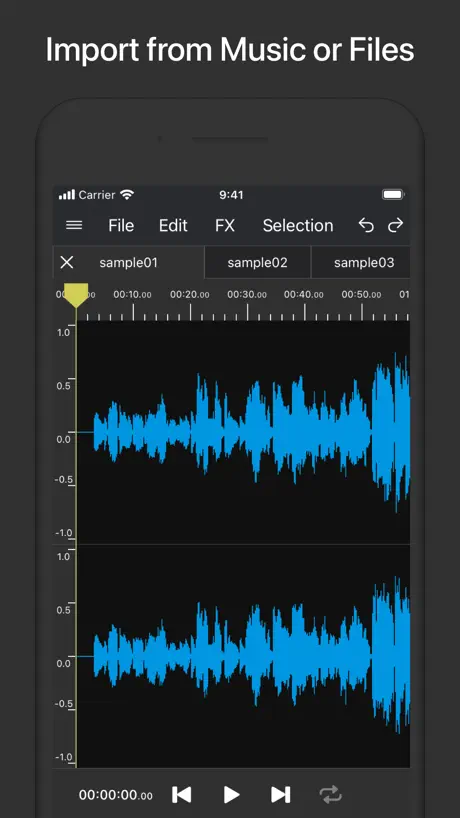  Audio Editor & Tool Audio Editor & Tool |   Noise Reducer AI Noise Reducer AI |   Audio Editor HD Audio Editor HD | |
|---|---|---|---|---|---|---|---|---|---|---|---|
| Rating / 5 | 4.4 | 4.8 | 4.4 | 4.3 | 4.7 | 3.1 | 4.4 | 4.3 | 4.1 | 4.4 | 4.3 |
| Reviews | 110 | 53K | 3.1K | 2K | 1.6K | 1.5K | 736 | 590 | 342 | 250 | 84 |
| Released | 2021 | 2017 | 2022 | 2017 | 2013 | 2017 | 2021 | 2022 | 2021 | 2024 | 2019 |
| Monthly price | $2.99 | — | $9.99 | $8.99 | — | $11.99 | $14.99 | $4.99 | — | — | — |
| One-time price | $14.99 | $8.99 | — | $10.99 | $3.99 | $9.99 | — | — | $2.99 | — | — |
The going rate for each plan in United States, in its own currency, shaded from the cheapest price on the row to the dearest. Plans fewer than four in ten of the priced apps sell are left out.
WavePad Master's Edition reviews
4.4 out of 5, based on 110 reviews.
What people like
- Great for cleaning up noisy audio
- Very stable and runs smoothly
- Easy to learn even for beginners
What they complain about
- Common iOS video formats won't open
- You must pay to save your work
- Subscription model replaces one-time purchase options
- Pricing and fees are confusing for users
Game changer
I’m a new to this and this app has really helped me so much!
Scam
I got this app to have fun and record but as soon as I got it it said I needed to buy a subscription and I understand that sometimes you need to do that but come on it’s kind of annoying. So I ended up deleting the app because I thought there was no point in buying so one star
No tone generator
Fairly comprehensive set of tools, but even with the paid version, there is no way to generate tones (the way you would with, for example, Audacity).
Brilliant music editing app
This is by far and away the best audio software I’ve found for iOS. The features it offers are endless and it just works so well. It is completely stable and runs perfectly. You do need to subscribe for £2.79 a month but it is well worth it if you are going to use it regularly.
Breaks and demands money
Advertises itself as free. Fails to save your edited file (no further information in the pop up of course) and then reverts it. You cannot try again because all features are now paid. Not willing to pay since I don’t know if the saving bug will persist and I only got to see 3 features before it became paid content. Sick of clownery so I’m leaving this circus.
Kreative VYBN
I’m enjoying this very much. I’m still learning as I’m going along, but the effects helps out so much. Can’t wait to learn the video editor. Thanks!
File formats
Must b very small number of types of files they support cuz going to drop box .MOV format they do not support which is pretty common file format for iOS 👎 if I could give it NEGATIVE 14 stars i would that’s a disgrace n yall make ppl pay for this version ?
This right here app I have used two forensically cleanup audio.
I have had to clear up some audio that was very important to the lives of myself and my children. I did not get any assistance from the law in my county. I have gone through many different programs and apps, but this is the one I always return to to break down the madness and get to the vocals. I have taught myself how to use this app as a forensic audio tool and it has worked! I found it easy to learn, and I had never touched audios before. I can now take some thing that no one else can hear voices in and bring the voices out. This app may very well help save our lives.
How does it add up
So the in app purchases need more transparency, it shows 3 different $3.99/monthly subscription options Or an $14.99 fee to unlock all features. What is the benefit of a monthly subscription as opposed to a onetime charge to unlock all features. Also I couldn’t help but notice the programs total size totals out to be less megabytes than a low quality cd-r which is 700megabytes but the promises of High quality are defying scientific data for instance had bluerays take up tremendous amount of space ex 50gigabytes, 100 gigabytes etc so if production of hd data audio or video increases tremendously the higher levels of quality that are achieved how does an audio editor/effects processor produce grandiose quality audio if the software/ drivers resources etc contain less binary bits of code or data than a single music track? Also this same app is offered in Microsoft store with the same file size but it’s priced at $99.00 Why is there an extreme price difference for identical products when the ms store just utilizes the windows subsystem for android to run the exact same package as the mobile dev but virtually on a pc, why is one product whether it’s ported, compiled or emulated more expensive from Microsoft store when the ms store and mobile app stores have identical storage requirements. This is price gauging
Love it
Just better sound and background music/noise to only hear talking and whisper would be great
Suscripción ¿
Buenas pero de suscripción. Deberían añadir la opción de pago único (NO SUSCRIPCIÓN) Eliminaron la versión pago para obligar a una suscripción. Deben restaurar la licencia de los que compraron la versión eliminada.
BIG FAN
amazing - perfect for cutting, speeding up, and adjusting music.
Gets the job done
I’m an actor and I find characters and record them through this software and it works every time for me.
Amazing!
Its actually really good!
WavePad Master's Edition price by country
A monthly subscription costs $0.94 in Egypt and $4.04 in Poland — 4× more for the same thing. Below is the going rate for each plan in every country that sells it — the middle price of what the app charges there, in the country's own currency with the dollar equivalent beneath it.
| Country | Monthly | One-time |
|---|---|---|
| Afghanistan | $2.99 | $14.99 |
| Algeria | $2.99 | $14.99 |
| Angola | $2.99 | $14.99 |
| Anguilla | $2.99 | $14.99 |
| Antigua And Barbuda | $2.99 | $14.99 |
| Armenia | $2.99 | $17.99 |
| Australia | A$4.49$3.23 | A$22.99$16.54 |
| Azerbaijan | $2.99 | $17.99 |
| Bahamas | $2.99 | $14.99 |
| Bahrain | $2.99 | $14.99 |
| Barbados | $2.99 | $17.99 |
| Belarus | $2.99 | $17.99 |
| Belize | $2.99 | $14.99 |
| Bermuda | $2.99 | $14.99 |
| Bhutan | $2.99 | $14.99 |
| Bosnia & Herzegovina | €2.99$3.47 | €17.99$20.89 |
| Botswana | $2.99 | $14.99 |
| Brazil | R$16.90$3.30 | R$99.90$19.51 |
| British Virgin Islands | $2.99 | $14.99 |
| Brunei Darussalam | $2.99 | $14.99 |
| Bulgaria | €2.99$3.47 | €17.99$20.89 |
| Cambodia | $2.99 | $14.99 |
| Cape Verde | $2.99 | $14.99 |
| Cayman Islands | $2.99 | $14.99 |
| Chad | $2.99 | $14.99 |
| Congo | $2.99 | $14.99 |
| Congo, Democratic Republic | $2.99 | $14.99 |
| Croatia | €3.32$3.86 | €17.99$20.89 |
| Cyprus | €2.99$3.47 | €17.99$20.89 |
| Czech Republic | CZK 79.00$3.79 | CZK 399.00$19.16 |
| Denmark | DKK 25.00$3.89 | DKK 129.00$20.06 |
| Dominica | $2.99 | $14.99 |
| Egypt | EGP 47.99$0.94 | EGP 799.99$15.72 |
| Estonia | €2.99$3.47 | €17.99$20.89 |
| Fiji | $2.99 | $14.99 |
| Finland | €2.99$3.47 | €17.99$20.89 |
| Gabon | $2.99 | $14.99 |
| Gambia | $2.99 | $14.99 |
| Georgia | $2.99 | $17.99 |
| Ghana | $2.99 | $17.99 |
| Greece | €2.99$3.47 | €17.99$20.89 |
| Grenada | $2.99 | $14.99 |
| Guinea-bissau | $2.99 | $14.99 |
| Guyana | $2.99 | $14.99 |
| Hungary | HUF 1,190$3.81 | HUF 6,990$22.40 |
| Iceland | $3.71 | $17.99 |
| India | ₹269.00$2.85 | ₹1,499.00$15.85 |
| Indonesia | IDR 45,000$2.55 | IDR 249,000$14.10 |
| Iraq | $2.99 | $14.99 |
| Ireland | €2.99$3.47 | €17.99$20.89 |
| Israel | ₪9.90$3.29 | ₪49.90$16.58 |
| Jamaica | $2.99 | $14.99 |
| Jordan | $2.99 | $14.99 |
| Kazakhstan | KZT 1,290.00$2.83 | KZT 8,990.00$19.75 |
| Kenya | $2.99 | $17.99 |
| Kosovo | €2.99$3.47 | €17.99$20.89 |
| Kuwait | $2.99 | $14.99 |
| Kyrgyzstan | $2.99 | $14.99 |
| Lao Peoples Democratic Republic | $2.99 | $14.99 |
| Latvia | €2.99$3.47 | €17.99$20.89 |
| Lebanon | $2.99 | $14.99 |
| Liberia | $2.99 | $14.99 |
| Libya | $2.99 | $14.99 |
| Lithuania | €2.99$3.47 | €17.99$20.89 |
| Macedonia | $2.99 | $14.99 |
| Madagascar | $2.99 | $14.99 |
| Malawi | $2.99 | $14.99 |
| Malaysia | MYR 12.90$3.19 | MYR 69.90$17.30 |
| Maldives | $2.99 | $14.99 |
| Mauritania | $2.99 | $14.99 |
| Mauritius | $2.99 | $17.99 |
| Micronesia | $2.99 | $14.99 |
| Moldova | $2.99 | $17.99 |
| Mongolia | $2.99 | $14.99 |
| Montenegro | €2.99$3.47 | €12.99$15.09 |
| Montserrat | $2.99 | $14.99 |
| Morocco | $2.99 | $14.99 |
| Mozambique | $2.99 | $14.99 |
| Myanmar | $2.99 | $14.99 |
| Namibia | $2.99 | $14.99 |
| Nauru | $2.99 | $14.99 |
| Nepal | $2.99 | $17.99 |
| Netherlands | €2.99$3.47 | €17.99$20.89 |
| New Zealand | NZ$4.99$2.94 | NZ$29.99$17.64 |
| Nigeria | NGN 1,300.00$0.98 | NGN 24,900.00$18.84 |
| Norway | NOK 33.00$3.55 | NOK 199.00$21.40 |
| Oman | $2.99 | $14.99 |
| Pakistan | PKR 520$1.87 | PKR 3,900$14.05 |
| Palau | $2.99 | $14.99 |
| Papua New Guinea | $2.99 | $14.99 |
| Philippines | ₱149.00$2.37 | ₱999.00$15.92 |
| Poland | PLN 14.99$4.04 | PLN 69.99$18.87 |
| Portugal | €2.99$3.47 | €17.99$20.89 |
| Qatar | QAR 10.99$3.02 | QAR 49.99$13.73 |
| Romania | RON 15.99$3.54 | RON 79.99$17.70 |
| Russia | RUB 269.00$3.13 | RUB 1,290.00$14.99 |
| Sao Tome & Principe | $2.99 | $14.99 |
| Saudi Arabia | SAR 12.99$3.46 | SAR 59.99$16.00 |
| Serbia | €2.99$3.47 | €17.99$20.89 |
| Seychelles | $2.99 | $14.99 |
| Sierra Leone | $2.99 | $14.99 |
| Slovakia | €2.99$3.47 | €17.99$20.89 |
| Slovenia | €2.99$3.47 | €17.99$20.89 |
| Solomon Islands | $2.99 | $14.99 |
| South Africa | ZAR 54.99$3.45 | ZAR 299.99$18.80 |
| Sri Lanka | $2.99 | $14.99 |
| St. Kitts and Nevis | $2.99 | $14.99 |
| St. Lucia | $2.99 | $14.99 |
| St. Vincent & The Grenadines | $2.99 | $14.99 |
| Suriname | $2.99 | $14.99 |
| Swaziland | $2.99 | $14.99 |
| Sweden | SEK 35.00$3.66 | SEK 199.00$20.79 |
| Tajikistan | $2.99 | $14.99 |
| Tanzania | TZS 6,900.00$2.61 | TZS 39,900.00$15.10 |
| Thailand | THB 99.00$3.01 | THB 499.00$15.16 |
| Tonga | $2.99 | $14.99 |
| Trinidad and Tobago | $2.99 | $14.99 |
| Tunisia | $2.99 | $14.99 |
| Turkey | TRY 46.99$0.97 | TRY 799.99$16.51 |
| Turkmenistan | $2.99 | $14.99 |
| Turks and Caicos | $2.99 | $14.99 |
| Uganda | $2.99 | $17.99 |
| Ukraine | $2.99 | $17.99 |
| United Arab Emirates | AED 11.99$3.27 | AED 59.99$16.35 |
| United Kingdom | £2.79$3.77 | £14.99$20.26 |
| United States | $2.99 | $14.99 |
| Uzbekistan | $2.99 | $14.99 |
| Vanuatu | $2.99 | $14.99 |
| Vietnam | ₫69,000$2.65 | ₫499,000$19.19 |
| Yemen | $2.99 | $14.99 |
| Zambia | $2.99 | $17.99 |
| Zimbabwe | $2.99 | $17.99 |
WavePad Master's Edition FAQ
- Is WavePad Master's Edition free?
- Yes. The app and its basic features are free, in all 132 countries it sells in. Premium features are paid: they start from $2.99 (US), across 2 subscriptions and 1 one-time purchase.
- How much does WavePad Master's Edition cost per month?
- Full Features (Monthly) is $2.99 (US).
- Does WavePad Master's Edition have a free trial?
- Yes — free trials of 7 days or 14 days (US), depending on the plan.
- Where is WavePad Master's Edition cheapest?
- A monthly subscription costs EGP 47.99 (≈$0.94) in Egypt and PLN 14.99 (≈$4.04) in Poland, its cheapest and dearest countries.
- What are the best alternatives to WavePad Master's Edition?
- EZAudioCut - Audio Editor Lite (4.8 from 52,901 reviews, premium from $8.99), Audio Editor, Multitrack Lab (4.4 from 3,123 reviews, premium from $9.99) and Edit any audio, sound: Edity (4.3 from 1,994 reviews, premium from $6.99).
WavePad Master's Edition download
Last updated 1 year ago.
WavePad Master's Edition sells in 132 countries. It was released 4 years and 9 months ago, on 17 Dec 2021. It holds a 4.4 rating from 110 reviews.
Supports 1 language: English.
How much does WavePad Master's Edition make?
Third-party estimates for the last 30 days, worldwide — not the store's own figures, which Apple publishes for nobody.
Revenue by plan
- Monthly 98%
- One-time 2%
Revenue by country
- United States 87%
- United Kingdom 8%
- Saudi Arabia 1%
- United Arab Emirates 1%