
PDF Book Reader
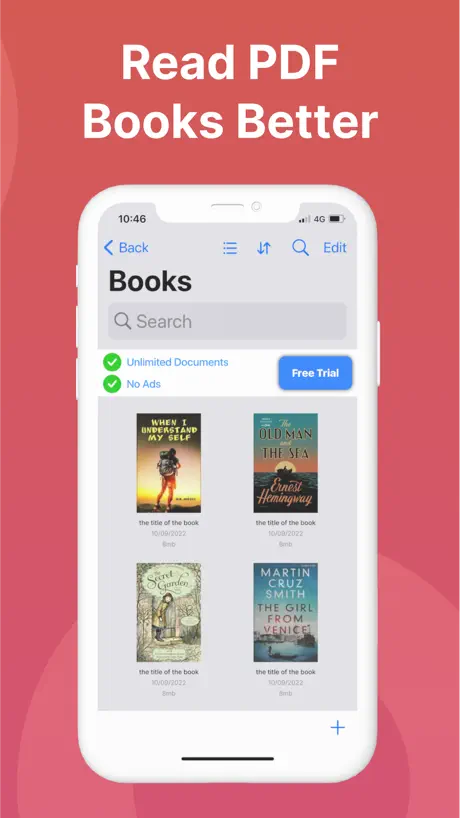
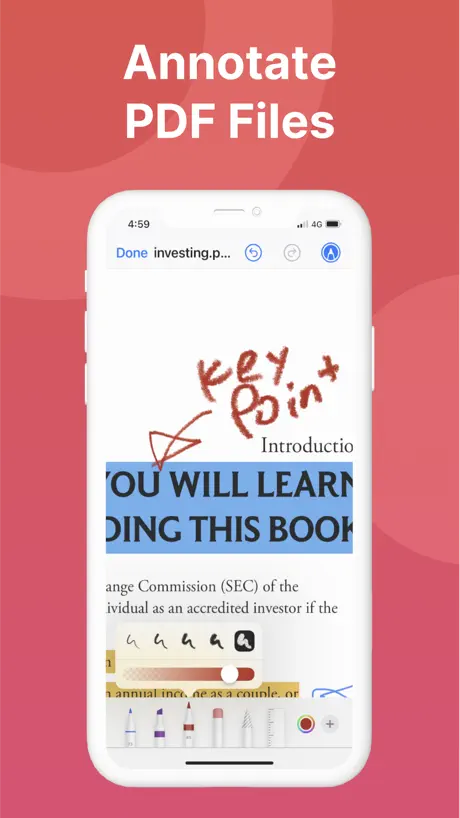
Read, annotate eBook
How much does PDF Book Reader cost?
Prices are current as of 29 Sept 2026.
2 subscriptions from $3.99
In the United States, PDF Book Reader has 2 subscriptions priced $3.99 – 28.99.
| Subscription | Period | Price |
|---|---|---|
| 1 Month Subscription | Monthly | $3.99 |
| 1 Year Subscription | Annual | $28.99 |
10+ alternatives to PDF Book Reader
| PDF Book Reader |   PDF Pro - Reader Editor Forms PDF Pro - Reader Editor Forms |   PDF Viewer by Nutrient PDF Viewer by Nutrient |   PDF Reader – PDFelement PDF Reader – PDFelement |   Highlights: PDF Reader & Notes Highlights: PDF Reader & Notes |   PDF Voice Reader - Docs Aloud PDF Voice Reader - Docs Aloud |   PDF Reader - PDF Viewer, Edit PDF Reader - PDF Viewer, Edit |   PDF Max - Edit, Sign PDFs PDF Max - Edit, Sign PDFs |   PDF Reader Pro for Document PDF Reader Pro for Document |   Text to Speech PDF Reader Text to Speech PDF Reader |   PDF Cabinet PDF Cabinet | |
|---|---|---|---|---|---|---|---|---|---|---|---|
| Rating / 5 | 4.0 | 4.7 | 4.7 | 4.5 | 4.5 | 4.2 | 4.4 | 4.5 | 4.6 | 4.5 | 3.9 |
| Reviews | 174 | 122K | 41K | 25K | 6.4K | 4.8K | 4.8K | 4K | 3K | 2.4K | 1.2K |
| Released | 2021 | 2011 | 2016 | 2016 | 2020 | 2016 | 2023 | 2012 | 2021 | 2020 | 2013 |
| Monthly price | $3.99 | $3.99 | — | — | $4.99 | $4.99 | $5.99 | — | $6.99 | $29.99 | — |
| Annual price | $28.99 | $29.99 | $19.99 | — | $29.99 | — | $24.99 | $34.99 | $39.99 | $12.99 | — |
The going rate for each plan in United States, in its own currency, shaded from the cheapest price on the row to the dearest. Plans fewer than four in ten of the priced apps sell are left out.
PDF Book Reader reviews
4.0 out of 5, based on 174 reviews.
What people like
- Works perfectly with zero annoying ads
- Very simple and easy to navigate
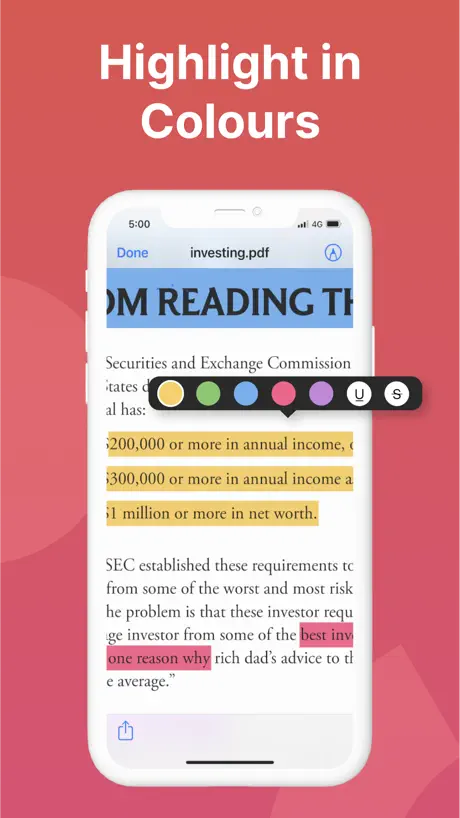
- Great for highlighting important parts of books
What they complain about
- Charges you after just four PDFs
- Crashes if you add too many notes
- Saving and exporting files takes too long
Great app
Works exactly as intended, easy to navigate and upload plus there’s zero ads. Would recommend.
Limited use
Asks to pay money beyond 4 pdfs….such a waste.
Review
User-friendly
crashes
good to use but the app auto crashes if i annotate too much. please fix this bug.
Good
Easy to use
Never works
Has never onced worked
Pretty good
Haven’t used it very much but it works well let’s you upload pdfs and read them as books without problem. Only thing is that load times for saving and exporting are kinda long.
Perfect book reader
It got so east to read and highlight the necessary things. This is one of the best app I have even known.
Pricey
Seems like a lot of recurring expense for something that has so many free competitors.
Esta muy bien la app
.
All my bookmarks and annotations disappeared
Dont waste money on this
Helpful app ever for reader
The best app
Me gusta
Hola me gusta mucho
Convinient
This app helped me a lot in reviewing my pdf notes on the go book app.
Wonderful
Great app! Simple to use
Book review
Completely helpful
Perfect book reader
Perfect for reading books
Good and easy to use
It’s not buggy, no ads, and it doesn’t constantly try to get you to pay for a membership
PDF Book Reader price by country
A monthly subscription costs $1.36 in Nigeria and $6.65 in Colombia — 5× more for the same thing. Below is the going rate for each plan in every country that sells it — the middle price of what the app charges there, in the country's own currency with the dollar equivalent beneath it.
| Country | Monthly | Annual |
|---|---|---|
| Afghanistan | $3.99 | $28.99 |
| Albania | $4.79 | $34.79 |
| Algeria | $3.99 | $28.99 |
| Angola | $3.99 | $28.99 |
| Anguilla | $3.99 | $28.99 |
| Antigua And Barbuda | $3.99 | $28.99 |
| Argentina | $3.99 | $28.99 |
| Armenia | $4.99 | $34.99 |
| Australia | A$6.49$4.67 | A$45.99$33.09 |
| Austria | €4.49$5.21 | €33.99$39.48 |
| Azerbaijan | $3.99 | $28.99 |
| Bahamas | $4.49 | $31.99 |
| Bahrain | $4.49 | $31.99 |
| Barbados | $4.49 | $33.99 |
| Belarus | $4.99 | $34.99 |
| Belgium | €4.99$5.80 | €34.99$40.64 |
| Belize | $3.99 | $28.99 |
| Benin | $3.99 | $28.99 |
| Bermuda | $3.99 | $28.99 |
| Bhutan | $3.99 | $28.99 |
| Bolivia | $3.99 | $28.99 |
| Bosnia & Herzegovina | €4.49$5.21 | €32.99$38.32 |
| Botswana | $3.99 | $28.99 |
| Brazil | R$20.90$4.08 | R$154.90$30.25 |
| British Virgin Islands | $3.99 | $28.99 |
| Brunei Darussalam | $3.99 | $28.99 |
| Bulgaria | €4.49$5.21 | €32.99$38.32 |
| Burkina Faso | $3.99 | $28.99 |
| Cambodia | $4.49 | $31.99 |
| Cameroon | $4.99 | $34.99 |
| Canada | CA$4.99$3.62 | CA$36.99$26.80 |
| Cape Verde | $3.99 | $28.99 |
| Cayman Islands | $3.99 | $28.99 |
| Chad | $3.99 | $28.99 |
| Chile | CLP 4,500$4.82 | CLP 31,900$34.19 |
| China | CN¥27.00$4.02 | CN¥198.00$29.46 |
| Colombia | COP 20,900$6.65 | COP 152,900$48.68 |
| Congo | $3.99 | $28.99 |
| Congo, Democratic Republic | $3.99 | $28.99 |
| Costa Rica | $3.99 | $28.99 |
| Cote Divoire | $3.99 | $28.99 |
| Croatia | €5.04$5.85 | €35.83$41.61 |
| Cyprus | €4.49$5.21 | €33.99$39.48 |
| Czech Republic | CZK 119.00$5.71 | CZK 849.00$40.76 |
| Denmark | DKK 35.00$5.44 | DKK 265.00$41.21 |
| Dominica | $3.99 | $28.99 |
| Dominican Republic | $3.99 | $28.99 |
| Ecuador | $3.99 | $28.99 |
| Egypt | EGP 74.99$1.47 | EGP 549.99$10.81 |
| El Salvador | $3.99 | $28.99 |
| Estonia | €4.49$5.21 | €33.99$39.48 |
| Fiji | $3.99 | $28.99 |
| Finland | €4.99$5.80 | €34.99$40.64 |
| France | €4.99$5.80 | €34.99$40.64 |
| Gabon | $3.99 | $28.99 |
| Gambia | $3.99 | $28.99 |
| Georgia | $4.49 | $33.99 |
| Germany | €4.49$5.21 | €33.99$39.48 |
| Ghana | $3.99 | $28.99 |
| Greece | €4.99$5.80 | €34.99$40.64 |
| Grenada | $3.99 | $28.99 |
| Guatemala | $3.99 | $28.99 |
| Guinea-bissau | $3.99 | $28.99 |
| Guyana | $3.99 | $28.99 |
| Honduras | $3.99 | $28.99 |
| Hong Kong | HK$33.00$4.21 | HK$228.00$29.08 |
| Hungary | HUF 1,990$6.38 | HUF 14,790$47.40 |
| Iceland | $4.95 | $35.95 |
| India | ₹389.00$4.06 | ₹2,799.00$29.18 |
| Indonesia | IDR 65,000$3.68 | IDR 479,000$27.13 |
| Iraq | $3.99 | $28.99 |
| Ireland | €4.99$5.80 | €34.99$40.64 |
| Israel | ₪13.90$4.62 | ₪99.90$33.19 |
| Italy | €4.99$5.80 | €34.99$40.64 |
| Jamaica | $3.99 | $28.99 |
| Japan | ¥550$3.52 | ¥4,000$25.61 |
| Jordan | $3.99 | $28.99 |
| Kazakhstan | KZT 2,090.00$4.59 | KZT 15,490.00$34.02 |
| Kenya | $4.49 | $33.99 |
| Kosovo | €4.49$5.21 | €33.99$39.48 |
| Kuwait | $3.99 | $28.99 |
| Kyrgyzstan | $4.49 | $31.99 |
| Lao Peoples Democratic Republic | $3.99 | $28.99 |
| Latvia | €4.99$5.80 | €34.99$40.64 |
| Lebanon | $3.99 | $28.99 |
| Liberia | $3.99 | $28.99 |
| Libya | $3.99 | $28.99 |
| Lithuania | €4.99$5.80 | €34.99$40.64 |
| Luxembourg | €4.49$5.21 | €32.99$38.32 |
| Macao | $3.99 | $28.99 |
| Macedonia | $3.99 | $28.99 |
| Madagascar | $3.99 | $28.99 |
| Malawi | $3.99 | $28.99 |
| Malaysia | MYR 18.90$4.68 | MYR 137.90$34.13 |
| Maldives | $3.99 | $28.99 |
| Mali | $3.99 | $28.99 |
| Malta | €4.49$5.21 | €33.99$39.48 |
| Mauritania | $3.99 | $28.99 |
| Mauritius | $3.99 | $28.99 |
| Mexico | MX$95.00$5.62 | MX$689.00$40.79 |
| Micronesia | $3.99 | $28.99 |
| Moldova | $4.99 | $34.99 |
| Mongolia | $3.99 | $28.99 |
| Montenegro | €3.99$4.63 | €28.49$33.09 |
| Montserrat | $3.99 | $28.99 |
| Morocco | $3.99 | $28.99 |
| Mozambique | $3.99 | $28.99 |
| Myanmar | $3.99 | $28.99 |
| Namibia | $3.99 | $28.99 |
| Nauru | $3.99 | $28.99 |
| Nepal | $3.99 | $28.99 |
| Netherlands | €4.99$5.80 | €34.99$40.64 |
| New Zealand | NZ$7.49$4.41 | NZ$53.99$31.76 |
| Nicaragua | $3.99 | $28.99 |
| Niger | $3.99 | $28.99 |
| Nigeria | NGN 1,800.00$1.36 | NGN 13,200.00$9.99 |
| Norway | NOK 49.00$5.27 | NOK 355.00$38.17 |
| Oman | $3.99 | $29.99 |
| Pakistan | PKR 950$3.42 | PKR 6,800$24.49 |
| Palau | $3.99 | $28.99 |
| Panama | $3.99 | $28.99 |
| Papua New Guinea | $3.99 | $28.99 |
| Paraguay | $3.99 | $28.99 |
| Peru | PEN 15.90$4.73 | PEN 112.90$33.60 |
| Philippines | ₱219.00$3.49 | ₱1,590.00$25.34 |
| Poland | PLN 22.99$6.20 | PLN 167.99$45.28 |
| Portugal | €4.99$5.80 | €34.99$40.64 |
| Qatar | QAR 14.99$4.12 | QAR 107.99$29.67 |
| Romania | RON 22.99$4.97 | RON 167.99$36.28 |
| Russia | RUB 299.00$3.47 | RUB 2,090.00$24.28 |
| Rwanda | $3.99 | $28.99 |
| Sao Tome & Principe | $3.99 | $28.99 |
| Saudi Arabia | SAR 16.99$4.53 | SAR 124.99$33.33 |
| Senegal | $3.99 | $28.99 |
| Serbia | €4.49$5.21 | €33.99$39.48 |
| Seychelles | $3.99 | $28.99 |
| Sierra Leone | $3.99 | $28.99 |
| Singapore | SGD 5.98$4.71 | SGD 42.98$33.84 |
| Slovakia | €4.49$5.21 | €33.99$39.48 |
| Slovenia | €4.99$5.80 | €34.99$40.64 |
| Solomon Islands | $3.99 | $28.99 |
| South Africa | ZAR 74.99$4.70 | ZAR 559.99$35.09 |
| South Korea | ₩5,900$4.38 | ₩42,000$31.19 |
| Spain | €4.99$5.80 | €34.99$40.64 |
| Sri Lanka | $3.99 | $28.99 |
| St. Kitts and Nevis | $3.99 | $28.99 |
| St. Lucia | $3.99 | $28.99 |
| St. Vincent & The Grenadines | $3.99 | $28.99 |
| Suriname | $3.99 | $28.99 |
| Swaziland | $3.99 | $28.99 |
| Sweden | SEK 50.00$5.22 | SEK 375.00$39.18 |
| Switzerland | CHF 4.00$4.94 | CHF 30.00$37.04 |
| Taiwan | NT$130.00$4.11 | NT$940.00$29.72 |
| Tajikistan | $4.49 | $32.99 |
| Tanzania | TZS 9,200.00$3.48 | TZS 67,900.00$25.69 |
| Thailand | THB 159.00$4.83 | THB 1,150.00$34.93 |
| Tonga | $3.99 | $28.99 |
| Trinidad and Tobago | $3.99 | $28.99 |
| Tunisia | $3.99 | $28.99 |
| Turkey | TRY 89.99$1.86 | TRY 649.99$13.41 |
| Turkmenistan | $3.99 | $28.99 |
| Turks and Caicos | $3.99 | $28.99 |
| Uganda | $4.49 | $33.99 |
| Ukraine | $4.99 | $34.99 |
| United Arab Emirates | AED 14.99$4.08 | AED 112.99$30.79 |
| United Kingdom | £3.99$5.39 | £28.99$39.18 |
| United States | $3.99 | $28.99 |
| Uruguay | $3.99 | $29.49 |
| Uzbekistan | $4.49 | $32.99 |
| Vanuatu | $3.99 | $28.99 |
| Venezuela | $3.99 | $28.99 |
| Vietnam | ₫92,000$3.54 | ₫679,000$26.12 |
| Yemen | $3.99 | $28.99 |
| Zambia | $3.99 | $28.99 |
| Zimbabwe | $4.99 | $34.99 |
PDF Book Reader FAQ
- Is PDF Book Reader free?
- Yes. The app and its basic features are free, in all 175 countries it sells in. Premium features are paid: they start from $3.99 (US), across 2 subscriptions.
- How much does PDF Book Reader cost per month?
- 1 Month Subscription is $3.99 (US). The annual plan works out cheaper per month: $28.99 a year.
- Does PDF Book Reader have a free trial?
- No. None of its offers (US) come with a free trial.
- Where is PDF Book Reader cheapest?
- A monthly subscription costs NGN 1,800.00 (≈$1.36) in Nigeria and COP 20,900 (≈$6.65) in Colombia, its cheapest and dearest countries.
- What are the best alternatives to PDF Book Reader?
- PDF Pro - Reader Editor Forms (4.7 from 121,792 reviews, premium from $2.99), PDF Viewer by Nutrient (4.7 from 41,233 reviews, premium from $6.99) and PDF Reader – PDFelement (4.5 from 25,196 reviews).
PDF Book Reader download
Last updated 1 year ago.
PDF Book Reader sells in 175 countries. It was released 5 years and 1 month ago, on 9 Aug 2021. It holds a 4.0 rating from 174 reviews.
Supports 14 languages: English, Danish, Dutch, French, German, Italian, Japanese, Korean, Norwegian Bokmål, Portuguese, Russian, Chinese, Spanish, Swedish.
How much does PDF Book Reader make?
Third-party estimates for the last 30 days, worldwide — not the store's own figures, which Apple publishes for nobody.
Revenue by plan
- Monthly 84%
- Annual 16%
Revenue by country
- United States 37%
- Saudi Arabia 5%
- United Kingdom 4%
- Australia 4%